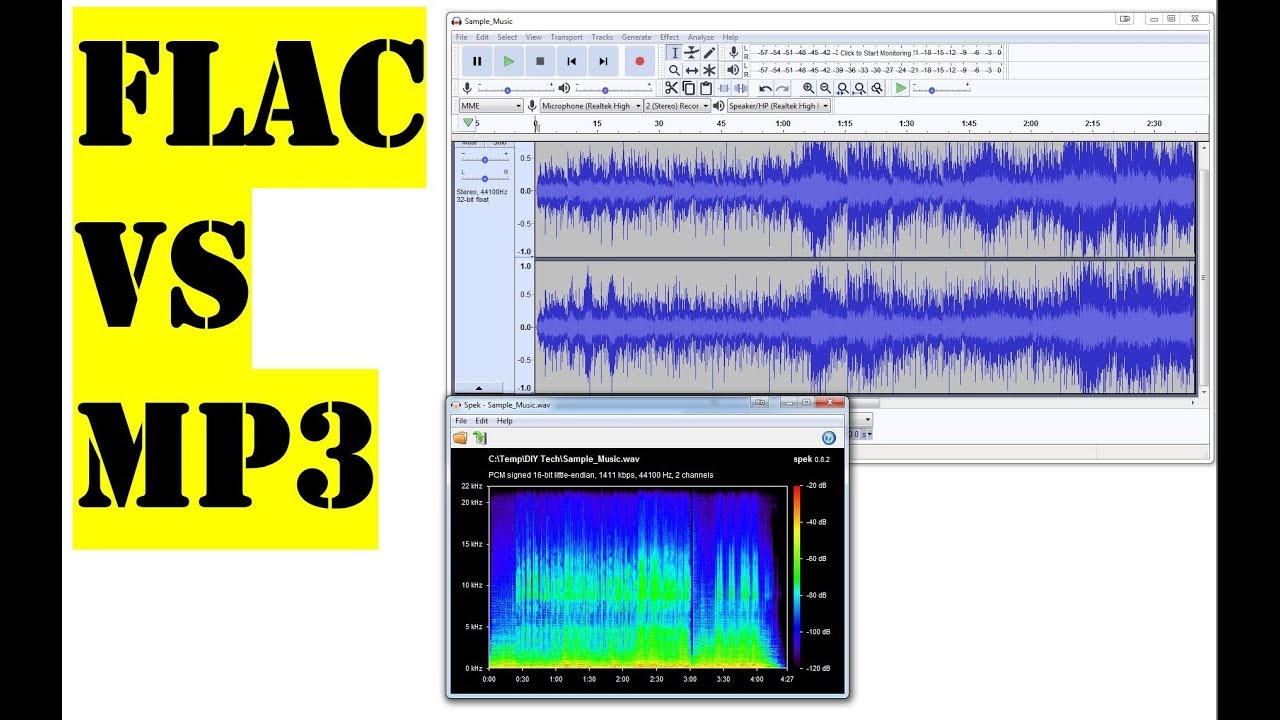
What is the difference between MP3 and FLAC


Free Download Mp4Gain
picture

What is the difference between MP3 and FLAC

Flac vs Mp3
Flac vs Mp3

Know what the different types of audio files offer

Flac vs Mp3
Flac vs Mp3

The recent launch of Pono’s music player and service aims to provide high-quality audio for music lovers who, more than looking for portability and practicality, are interested in enjoying compositions as the artist intended them to be heard. In order to deliver the highest level of digital audio, PonoPlayer will rely on FLAC type files.


But what is the problem with the popular MP3 or why is FLAC of better quality? Actually, in addition to these 2 formats, there are others with different specifications that differentiate them from each other.

In this article we will talk about the most important formats and their characteristics, so you can choose the one that suits you best.

What is bitrate?
The difference in file size is noticeable
You’ve probably heard this term before, but in case you don’t remember it or don’t know what it refers to, I’ll explain it. The bitrate is translated as the speed of transmission of bits, that is, the number of bits or data that are processed in a unit of time. When referring to audio, we usually use the measure of kilobits per second (Kbps). For example, the music available on iTunes is usually 256 Kbps, which means that there are 256 kilobits of information stored in each second of the song.

The higher the bitrate of a file, the more space it takes up on your hard drive. A music CD usually uses a large amount of memory space, so back in the early 1990s, researcher Karlheinz Brandenburg developed the audio compression standard we now know as MP3. When an audio file is compressed, the space allocated for it is less, however, this means that it loses some of its sound quality. For that reason the different available audio formats are divided into 2 categories: lossy and lossless.


Free Download Mp4Gain
picture


Mp4Gain Main Window
picture


Mp4Gain Features
picture


Free Download Mp4Gain
picture

What is the difference between flac and mp3

What is the difference between flac and mp3

FLAC vs MP3
FLAC vs MP3

First, the sound quality is different.

FLAC vs MP3
FLAC vs MP3

1. flac: It will not destroy any original audio information, so you can restore the sound quality of music CD.

2, mp3: is designed to greatly reduce the amount of audio data. Using MPEG Audio Layer 3 technology, music can be compressed into a smaller capacity file with a compression ratio of 1:10 or even 1:12.

Second, the audio is different.

1. flac: After compressing the audio with FLAC encoding, no information will be lost. After restoring the FLAC file to a WAV file, the content of the WAV file before compression is the same.

2. mp3: The human ear is not sensitive to high-frequency sound signals. The time domain waveform signal is converted to a frequency domain signal and divided into multiple frequency bands. Different compression ratios are used for different frequency bands, and the high-frequency compression ratio increases (even ignoring the signal) uses a small compression ratio for low-frequency signals to ensure that the signal is not distorted.

Is FLAC better than Mp3? Expert opinion.

Is FLAC better than Mp3? Expert opinion.

FLAC vs. MP3
FLAC vs. MP3

Many wonder if FLAC is really better than mp3.

FLAC vs. MP3
FLAC vs. MP3


This is a question that we receive frequently and not only regarding FLAC, but also ogg, m4a, etc.

The answer is simple, but it retains its complexity.

Simple because in strictly mathematical, acoustic, digital terms, if FLAC is superior.

But the complexity is: can an ordinary person using a normal (not quite professional) hi-fi or ordinary equipment tell the difference?

The answer is: in 99% of cases, not even a music professional will tell the difference if more than 190 kbs and at least 44,100 samplerates are used in the mp3.

With that quality in the mp3, which is not unusual or very high quality, it is already enough that most people, including people with audio training, cannot tell the difference.

So, it is a purist claim to say as an absolute answer, that FLAC is superior to Mp3.

For the common user there will be no major difference and on the other hand they will have certain points against them, such as the fact that there are not so many teams that accept or handle FLAC well or that if they are going to listen to it, for example, in the car, it does not make much sense to put time, money and effort to use a format that will sound the same, the only advantage is to tell his friends that he uses a better format.

FLAC or AAC? Find out which audio format is the best

With the “death” of MP3, formats like FLAC and AAC gain more space.

Music consumption on current devices may involve the use of non-MP3 files, as the creators of the format are abandoning their licensing program. Among the new types of audio files that have gained space are FLAC and AAC. With different proposals, they serve broader but conflicting usage and consumption profiles: FLAC is for those who demand the highest quality, giving up space, since the files tend to be large. AAC can be seen as a more conventional option: small file sizes, but with better sound quality than the previous MP3.
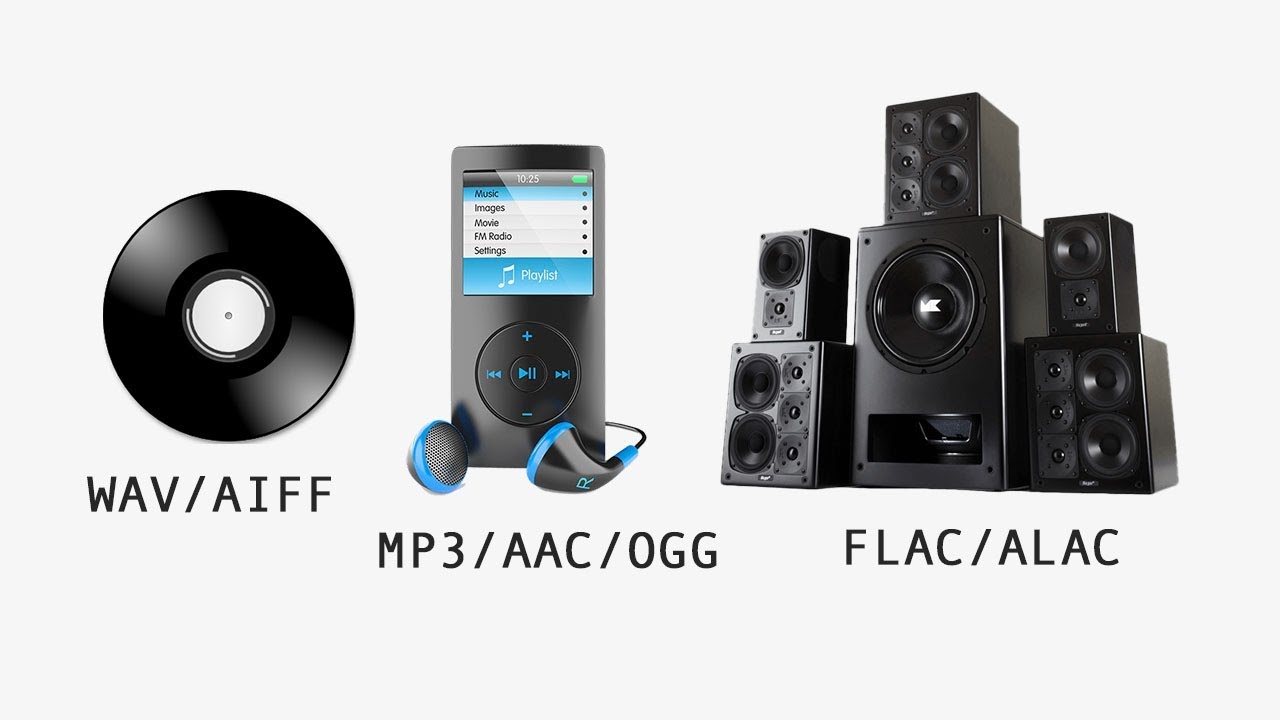
MP3 vs FLAC vs WAV vs AAC

Audio formats are divided between lossless (maximum quality) and loss, compact quality and lower

Understand the points that differentiate between FLAC and AAC files to find out which format best suits your needs.

Lossless and lossy audio

Digital audio file formats are divided into two types: lossless (lossless) and lossy (where, conversely, there is loss).

Flac vs AAC

The main characteristic of a lossless file, such as WAV or FLAC, is the fact that the sound stored in the package is faithful to the original: that is, in the process of converting the CD track, all the information has been preserved sound related to the song. completely, without any loss, ensuring high fidelity to the file. The problem with this is that the result is a large file – a WAV track can be over 40MB.

Lossy format refers to an approach in which the conversion of the original audio to the final file (MP3, AAC and etc.) goes through a compression process in which a variable amount is removed (depending on the chosen bit rate ) information to ensure a smaller file size. In the case of MP3, the ratio is 10 to 1: a 40 MB WAV returns a 4 MB MP3, at 128 kbps.

This information, removed in lossy type conversions, is generally automatically defined by the conversion software based on theoretical precepts related to the frequencies that our ears can identify. The problem with this approach is that there are ears and ears, there are sound devices and devices, and there are songs and songs: some details of the songs can be removed in an MP3 or AAC because the conversion ignores them.

And what is bitrate?

Not all AACs and MP3s are created equal: a low bitrate file will be of much lower quality than a higher bitrate version.

Simply put, it is the amount of information that is executed in a certain period of time when you listen to music. If the file is 128 Kbps, it means that 128 kilobits of information are executed every second. If the file is 320 kbps, it is 320 kilobits per second. The higher the value, the larger the sample, and generally the higher the sound quality of the file.

FLAC: lossless audio

FLAC-type sound files are converted to original using a compression process called lossless. This testifies that the compression of the music on a CD, for example, does not represent loss of information: the sound quality faithfully represents the experience of listening to the same track from a medium.

The point is that the FLAC format ends up “charging a high price” for all that quality. First, files get bigger (a single song can be over 20MB in size), which restricts the number of tracks you can store in a player and makes it difficult for anyone who consumes music to stream with Tidal: The weight of the file It can consume your plan and represent a bad experience, if your connection is slow and it is necessary to interrupt the playback to load the song.

Also, in general, the user does not have sound reproduction equipment that really takes advantage of the high quality of the FLAC without losses. Using low-quality headphones, along with inferior media players, can eliminate the benefits of higher quality lossless files compared to MP3 or AAC.

Which is better, after all?

If you value sound fidelity, you have good audio equipment and disk space is not a problem, lossless format is the best alternative: FLAC, ALAC and APE guarantee the highest audio quality. In this scenario, the discussion about AAC loses its meaning, since the gain will only be in the file size, but with loss of quality.

However, the AAC is a good option for those who don’t have high-quality headphones or sound systems. AAC is even a great format for users who have amassed a large, low-bit-rate MP3 library at 128 kbps. If you don’t have good equipment and good headphones, the FLAC is superior.