What is bitrate: a clear explanation for beginners


Free Download Mp4Gain
picture

Bit Rate

Once a student was teaching a class and asked me to give him the clearest possible explanation of what bitrate meant.

Today I am going to share with you that explanation that although it does not refer to sound but an image in the background, it is the same and is very easy to understand.

bit rate

Imagine that you put me in front of a beautiful landscape full of rivers and trees, mountains and Valleys with some Villas with Fields full of flowers and animals.

There is a lot of information there if I had to make a detailed description.

Imagine that you ask me to give you a description in 4 words.

It would have to make a very general description that, being very brief, Nova contains details. Maybe I’ll say something like “a beautiful autumn landscape.”

if after that you tell me that now I will have 14 words to describe what I am seeing.
I’ll be able to give more information Although it will really continue to be very summary, but you could already give some details.
“a beautiful autumn landscape with fields and mountains that have houses, flowers and animals”

If they ask me for the following explanation and they already allow me to use 50 words, I will be able to give many more details.
Although of course I will still have to omit a lot of details.

How many words might I need to give a detailed, spoken portrait of what I am looking at?

Well, this example that I just gave of the four words at the beginning then 15 words later have maybe 500 words later is exactly what the bit rate is.

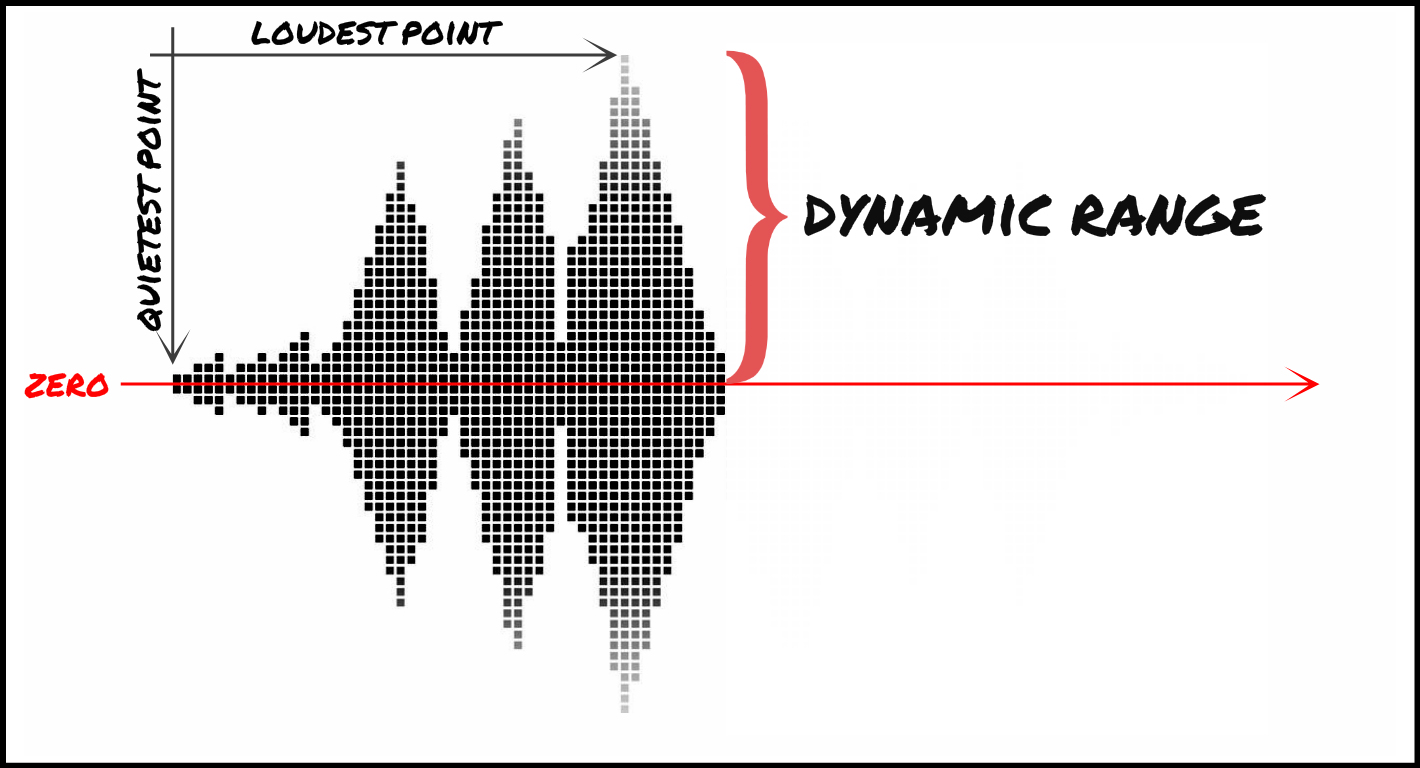
We are talking about what is the amount of information that our audio or video file can transmit per second and obviously The higher the information There will be more details and therefore a higher quality and on the contrary the lower the information the lower the details and therefore lower quality.

That’s why a bit rate of 320 thousand bits per second will have a much higher audio quality than one of 90,000 bits per second.

Because in music, images and video, the quality always depends on the amount of information.

And in the specific case of audio and video, the amount of information is measured by seconds.

This means how much information it can transmit per second, that is, how many bits it can transmit per second, which means How much information and therefore How much detail, which is synonymous with quality.

With this we will understand very easily that as well as the sampling frequency is also very important and we will explain it in another article.
The rate of bits that are transmitted per second is crucial in determining the quality that an audio or video will have.

Of course, it must be understood that the higher the bit rate per second, the larger the size of the audio file will be because the greater the amount of information stored will be, but this will result in higher quality and greater definition.

Because here the definition concept is crucial.
The higher the bit rate the higher the definition and therefore the higher the quality.

The definition would be the detail of our initial explanation, if they let me use 2000 words to describe a landscape, I will be able to give many details and define them with great clarity. And that will mention a lot of quality.

This As-is applies to audio or video files.

Surely with this explanation it has been much clearer what is the rate of bits per second and why it is important.


Free Download Mp4Gain
picture


Mp4Gain Main Window
picture


Mp4Gain Features
picture


Free Download Mp4Gain
picture

Explanation of the sample rate, bit depth and bit rate

Explanation of the sample rate, bit depth and bit rate

Bit Depth

This is what happens when you compress audio files
High-resolution streaming and audio promise us particularly good lossless sound when playing digital music. But what exactly does that mean? Sample rate, bit depth, and bit rate are explained.

16-bit 44.1 kHz – CD Quality: This slogan is often used when marketing high-resolution and lossless audio formats and equipment. But what exactly is it about?

israelburrows | Israelsaepblog

The quality of digital audio signals is primarily determined by three things: sample rate, bit depth, and bit rate.

In principle, you have to imagine that a digital audio signal is not a constant flow of information. Rather, music is divided into very, many small “slices” (samples), each of which carries the information for the digital-to-analog converter in a short section.

The more samples a signal has per unit time, the more precisely the original analog signal can be mapped.

The sample rate reveals how tight the samples are: the 44.1 kHz of a CD represents 44,100 samples per second.

Bit depth

Bit depth (resolution) is specified in “bits” and indicates how many different values ​​each sample can assume. With 16 bits (CD quality), this is 2 ^ 16, that is, 65,536. The recording studio usually works with 24 or even 32 bits.

This is where many high-resolution formats come into play that also promise studio quality at 32-bit resolution.

▶ ︎ MP3, FLAC, ALAC, WAV – the most important music formats in comparison

Bit rate

The bit rate (bandwidth) of an audio file in uncompressed formats is initially nothing more than the summary of the sample rate, the bit depth and the number of channels. It is specified in kBit / s and therefore provides an initial characteristic value for evaluating the quality of a file.

Example: A stereo CD stores two tracks at 44.1 kHz with a bit depth of 16 bits. This means that its bit rate is 44.1 kHz x 16 bits x 2 channels = 1411.2 kBit / s

How is music encoded?

First of all, let’s understand why music should be compressed.

Uncompressed files like AIFF and WAV take up a lot of space. This causes that it is not comfortable to transfer them on phones or players, or even store them on the hard drive of our computer.

Lossy audio encoding

Even trying to send them online would be very difficult, due to their large size.
,
This has forced the creation of various formats of audio files that take up less space. Of course, the important thing is that they sound practically the same as the original, although they take up less space.

lossless lossy audio

This is where compression enters the picture.

On the one hand, ZIP or RAR compression is used, but it is not enough. So other techniques are used, namely:

– An uncompressed file contains a lot of information about sounds (even silence) that is inaudible to the human ear and that information is discarded. With that one, it is possible to save a lot of space, since there is little point in occupying space in storing information about sounds that our hatred cannot perceive.

-On the other hand, there is a perfectly known phenomenon regarding the human ear, which is based on the idea that if two sounds occur more or less simultaneously and these sounds occupy similar or close frequencies and one of them sounds louder, the ear You will NOT hear the less loud sound.

This is other information that can also be discarded, since it is generally not audible or the brain does not process it.

Once discarding both types of information, the file has been much less large and therefore does not occupy the same space.

Practically what remains is to apply some composition algorithm, something similar to ZIP. And then you will have a compressed file, for example the mp3.

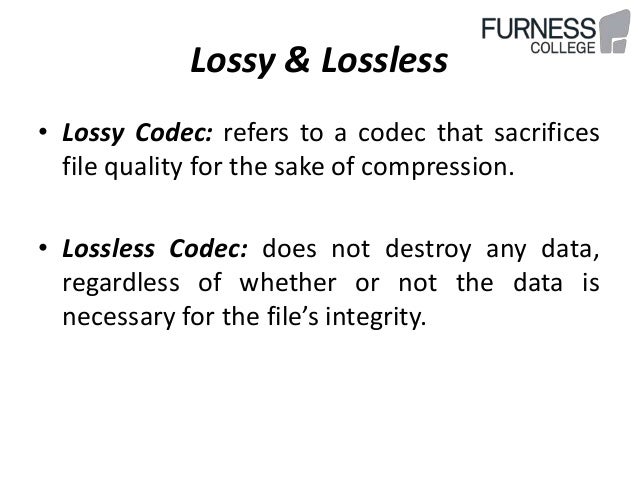
This is called the lossy method.

There is another method, without loss, where it is only compressed with a method similar to ZIP, but without discarding information.

Is there really a difference between the two? Practically no. the human ear practically cannot distinguish between the two.

A file with loss, that has a good sample rate (minimum 44,100) and a good bit rate, it is almost impossible to distinguish it from the original and therefore, from the file without loss.

Many experiments have been done allowing people to listen to both types of files (those with loss and those without loss) and more than 90% have not been able to distinguish between them, as long as the one with loss has a good samplerate and a good bit rate.

Audio compression basics

Audio compression basics

Today we use music almost exclusively digitally. It has become quite normal for us too that we always carry our music collections, often many thousands of titles, with us. Stored on a chip somewhere in our smartphone or MP3 player. It is thanks to the so-called audio compression that this was possible in the first place.
initial situation

audio compression

Noises and tones, such as birdsong or the ringing of church bells, are analog events with an extremely wide spectrum. A good example of this is a bell. If it is struck, we think we only hear one note. In fact, its ringing consists of around 200 individual tones. These contain soft and strong tones, as well as frequencies that are outside our hearing range.

Audio Compressor

It is no different with music. However, the human ear can only perceive tones above a certain basic volume, so the thresholds for low, medium and high tones are very different. The ear is most sensitive in the tone range of human speech at around 3 kilohertz (kHz). The lower or higher tones have to be much louder for us to perceive them. The volume threshold, at which we begin to perceive sounds, is called the silent hearing threshold. A strong sound covers a lower one if its pitch is the same or similar.

For example, a 1 kHz high tone from an organ pipe can be heard clearly, while one or more soft tones that are close to each other in frequency are masked by higher ones. Although they are there, we still cannot perceive them. The secret that many hifi fans still trust the old record is that it stores all the tones and frequencies just as they are emitted by 1: 1 musical instruments. It also contains those tones that, strictly speaking, we cannot even perceive consciously. we still cannot perceive them.

The secret that many hifi fans still trust the old record is that it stores all the tones and frequencies just as they are emitted by 1: 1 musical instruments. It also contains those tones that, strictly speaking, we cannot even perceive consciously. we still cannot perceive them. The secret that many hifi fans still trust the old record is that it stores all the tones and frequencies just as they are emitted by 1: 1 musical instruments. It also contains those tones that, strictly speaking, we cannot even perceive consciously.

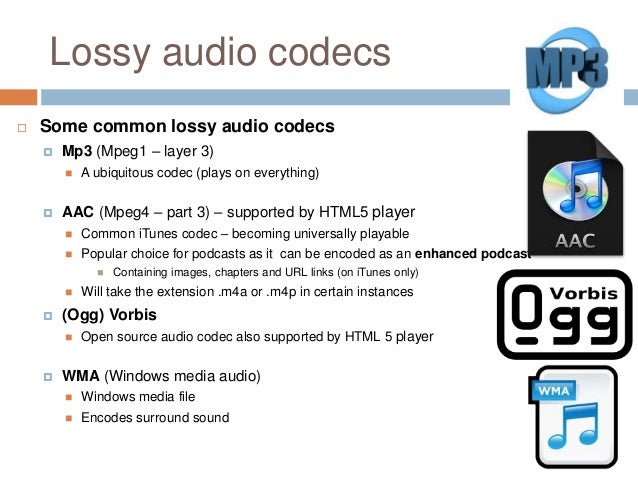
The essential

There are many standards for audio compression, such as MP3, AAC, or WMA. They are all based on the same fundamentals. The processes use the psychoacoustic effects of human auditory perception. All audio information that the human ear cannot perceive is filtered out of the data stream and therefore not saved. MP3 and Co make use of these human hearing effects by using mathematical analysis methods to determine and filter the imperceptible sound information.

An example: if you want to talk to a second person in a very noisy environment, they will hardly hear each other. In such cases, the energy level of the noise (or music at the disco, for example) is higher than that of your voices. This effect is also known as frequency masking. These masked tones are removed. In the same way, tones are filtered in the frequency range outside of our perception.
Another criterion is the so-called silent hearing threshold. All existing tones that are below it, here we talk about threshold masking, are also filtered through a compression process. Time masking is particularly exciting. With it, tones that are drowned out by other signals are also filtered. The timing of the tones is also taken into account. Our hearing is partially receptive to sounds and needs a short recovery phase before it can become receptive again.
This post masking takes about 200 milliseconds. There is also a pre-masking. It is caused by the fact that our brains take a little longer to process soft sounds than loud ones. The pre-masking time is approximately 20 milliseconds. Time masking alone ensures a relevant reduction in audio signals. True to the motto: everything nobody needs comes out. This reduces the music to a fraction of its original volume.

MP3 or WAV: who offers more advantages

MP3 or WAV: who offers more advantages

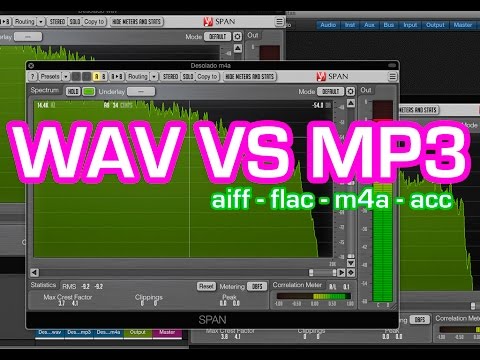
MP3 and WAV are two of the most popular audio formats in the world. Even if for many the only difference lies in the size of the files, there is much more that distinguishes these two formats. For example, there are differences in the display accuracy of many spectral components and many other things that are explained in more detail below. Then you will know exactly where the differences are between WAV and MP3 and what is the optimal application area for the respective format.

WAV vs. MP3

Everyone has to find out for themselves which format offers them the most advantages and which special application area is really important to them. For example, if you only listen to music on your cell phone or in the car, MP3 may be what you need as it takes up little space and is therefore particularly practical. If you work with music a lot, and especially create music yourself, WAV may be more suitable for you, as it brings some additional aspects to processing.

Mp3 vs Wav

The differences between the two formats:

-An MP3 file reaches the quality of a normal CD at about 128 kbit / s. However, with a WAV file, around 1400 kbit / s are required.
-In theory, WAV can have up to 65535 channels of audio, while an MP3 surround can only have six.
-WAV files are usually uncompressed PCM files.
-MP3, on the other hand, is a codec. Therefore, it is the result of compression, which, however, does not normally lead to a noticeable loss of quality.

A WAV file is suitable here:

When producing music. WAV should always be the first choice here, because with WAV files you can make any specific frequency range higher. In the case of MP3 files, on the other hand, it may happen that the desired frequency range is encoded precisely and therefore no longer reflects the natural dynamics of the original signal. This quickly creates noise that does not exist with WAV files.
Also, WAV is much more flexible as you can save the files with a variety of channels. For example, an optimal 7.1 music performance can only be created thanks to WAV.
You should also always prefer WAV for analytical measurements, as MP3 can produce noises that were only created later by the encoder.
If you are bothered by the “large” storage space that is lost due to WAV files, you can convert these files even further. In the FLAC format, WAV files are also reduced by up to 60%.

For this, you should prefer MP3:

With no audible loss of quality, MP3 files can be extremely compressed without most people hearing them. You can save up to 90% storage space without having to accept a noticeable loss of quality! You can also save huge music collections on your mobile devices without any hassle.
In addition, MP3 is now so widespread that there is practically no device that does not support this format. All DVD and BluRay players, smartphones, consoles or car radios should be able to play your MP3 files without any problem. So you never have to worry about whether you can play your favorite songs with it before buying a new device.
If any of the formats particularly convince you, you can convert your files very easily and, above all, free to the format you want. If, for example, the facts you just read inspire you for the MP3 format, you can convert your WAV files to MP3 quickly and easily. There are numerous free and understandable programs for this, with which you can convert as a loan in a few minutes.

Dynamic range normalizer

Dynamic range normalizer

Dynamics Processing

The audio quality of compressed formats such as MP3 or AAC is often perceived as better or at least equivalent to so-called lossless formats or audio CDs even by trained listeners. This is the conclusion reached by the TrustedReview test platform in a blind test with several people.

TrustedReview points out that this is not an experiment with strictly scientific parameters. However, what was remarkable about the results was that the self-reported hi-fi enthusiasts among the test subjects were wrong to recognize the uncompressed piece of music.

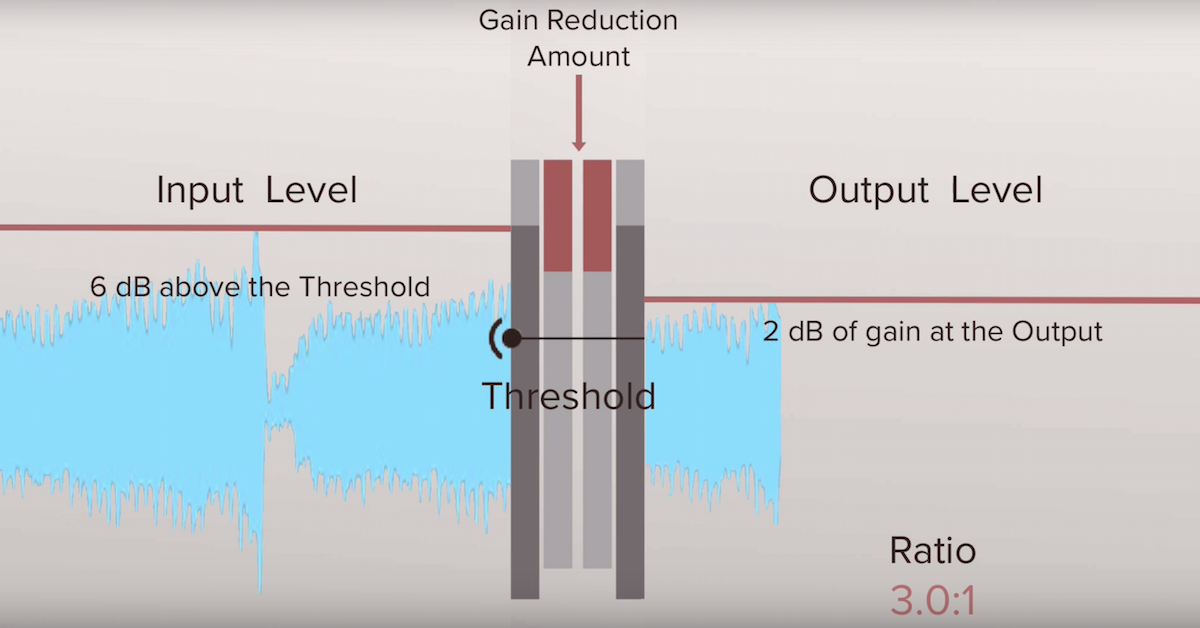
Dynamic Compression

Already sophisticated coding

“I am not surprised by this result, because we reached a similar conclusion in our internal experiments. Encoding technologies are now so sophisticated that most people no longer hear any difference even when compressing at a lower data rate,” he explains. Bernhard, MP3 expert at Fraunhofer. Grill in conversation with press release.

“It would even go so far that a properly encoded 192 kbit / s AAC sound file is the best alternative to today’s audio CD, as the 16-bit resolution of the CD can be far exceeded.” For people who are particularly sensitive to audio and want to be absolutely sure, Grill recommends a data rate of 256 kbit / s for AAC and 320 kbit / s for MP3.

The development trend goes in two directions

According to Grill, the current trend in audio encoding is bi-directional. For one thing, it’s about getting even smaller files with low-quality compromises. “This currently plays an important role, especially with streaming services over cellular networks, as bandwidths are still low despite UMTS and retrieval of large amounts of data is still expensive in most countries. “explains Grill. The most promising encoding is the HE – AAC audio codec, also known as AAC +, which is a further development of the AAC standard used by iTunes, for example.

On the other hand, the developers are also targeting the best of music listeners and want to show that with the right encoding technology, even the last noticeable differences from Audio CD can be eliminated. “Meanwhile, record labels and sound engineers have also understood how to encode for excellent sound quality. Another advantage of existing encodings, such as MP3 or AAC, is that the processes behind them are constantly being improved,” he says. Grill. MP3 encoded at 128 kbit / s sounds much better today than 15 years ago.

The term “compression” is misleading

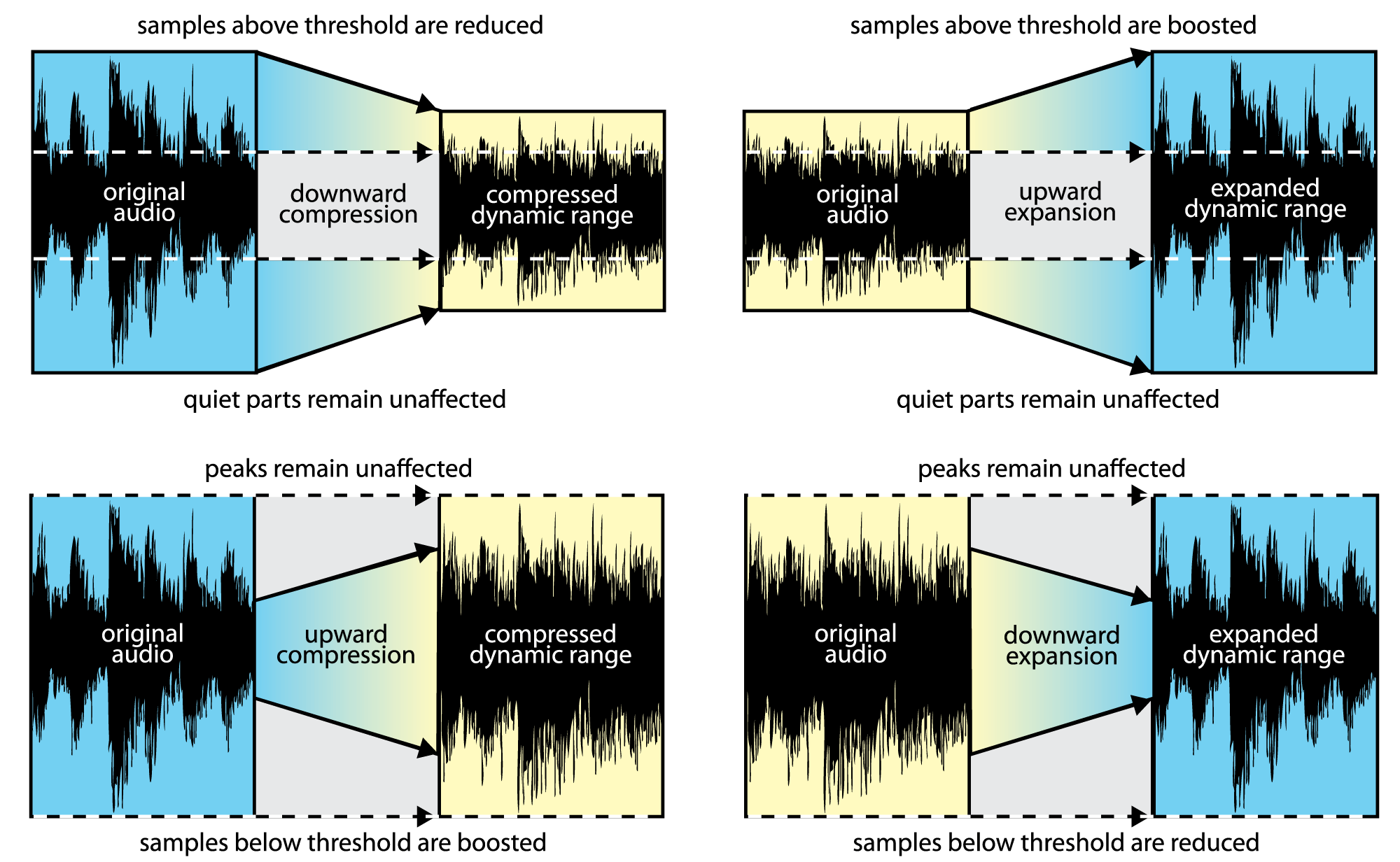
The Fraunhofer MP3 and AAC developers find the term “compression” misleading anyway. “This should not be confused with dynamic compression, that is, the weakening of noisy passages and the elevation of soft passages, which has always been a technological necessity, especially with famous records and in FM broadcasting.” In this regard, MP3 and AAC with dynamic range up to 24 bits are even better than audio CD, which is limited to 16 bits. This restriction is not removed with a lossless copy of an audio CD.

Mp4Gain offers a dynamic range normalize, that is, the weakening of the noisy passages and the elevation of the soft passages, which is the most modern.

Much more important for good sound quality or an attractive sound image is not the medium or file format used, but the speakers used. “These are still the worst adulterers in the entire chain,” says Grill.

.mov file extension

What Is MOV File Format? Recover Deleted MOV Files on Mac

Apple QuickTime video

Files in Quicktime format are identified by the extension mov.

Most of these files contain audio and video sequences. In principle, however, they can contain any file format, since the Quicktime format can be expanded.

Like AVI, Quicktime is a container format. Therefore, the extension does not make any statements about the actual content of the file. Numerous audio, image and video formats are supported, all of which can be contained in the file in various combinations. Furthermore, mov files can also contain interactive content, panoramic images, subtitles and chapters.

Mov icon

Some of this content cannot be displayed if Quicktime is not installed. Most of the players only support normal videos in MOV container.

The content of the file can also be protected by DRM. Then you need the correct license, possibly with a charge, to be able to display the content. Mov files can also be streamed and therefore are often used on the internet.

Quicktime has been developed by Apple as a proprietary solution and is therefore part of the Apple Macintosh operating system. Quicktime software is also available for free for Windows.

There are several projects for the Linux platform that are developing free open source software to make Quicktime files usable on Linux.

However, many players can play mov files as long as they can decode the format of video and audio streams.

Quicktime is much more than a file format. It is intended as a complete platform for the production of videos and multimedia content. From recording to the finished product. Therefore, the creation, editing and post-processing is mainly reserved for paid programs and can often only be found in the professional market.

What video formats to use on the web?

What video formats to use on the web?

Video formats for the web

Increase the length of stay and the added value of a website with videos, that’s possible! But it also has its pitfalls: we explain which video formats are compatible with which browser and which are suitable for web use.

Web video formats

The idea of ​​linking videos and text content existed quite early, but for a long time there was a lack of the proper internet connection or the necessary volume of data. And so, for a long time, digital newspapers with moving images were only known from science fiction movies.

Meanwhile, cable and DSL Internet are almost everywhere fast enough to provide websites with high-quality video right out of the box. And it’s worth it: the brain captures the content of moving images many times faster than text and even faster than images. This often leads to a longer length of stay on websites, as long as the content is interesting and appropriate to the topic of the page.

But there are some pitfalls: for example, not all video formats and codecs are suitable for use on the web, and not all browsers support all formats. The proper balance between quality and file size is also important, because video files that are too large slow down the page load time and thus jeopardize ranking on search engines like Google.

We will introduce you to the most common video formats and video codecs and tell you which formats are compatible with which internet browser.

The popularity of VOD portals like YouTube and SVOD offerings like Netflix and co shows the importance of moving picture content.

What video formats are there?

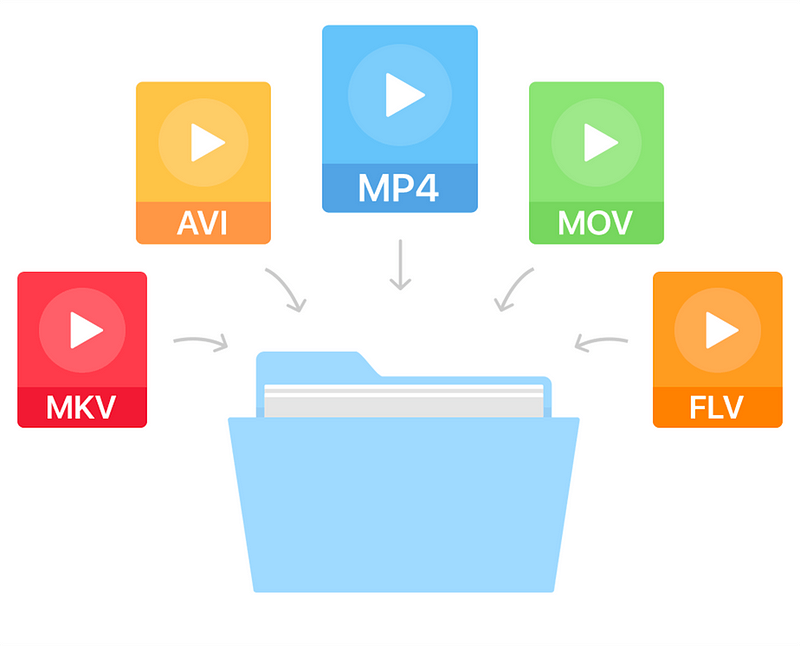
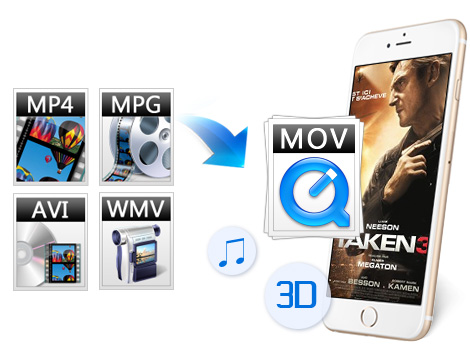
The most popular video formats include MP4, AVI, MOV, and MPG, but there are many more. The reason for a new format is often that manufacturers want to enforce their own formats, such as Apple with Quicktime (MOV) or Microsoft with AVI and ASF (or WMV).

What video codes are there?

Anyway, G enaugenommen is in video formats simply as a file container in which different content is stored, including the tone of the image and, where available, information such as subtitles and timestamps.

The codecs used to encode the image and soundtracks in the container are really important. Codecs ensure that multimedia files consume the least possible storage space with the best possible quality.

MPEG-1 and MPEG-2 (m2p, mpg, mpeg, ts)

MPEG-1 is one of the oldest video formats and at the same time container and codec. Although the codec is recognized and played by almost all devices and browsers, you can tell the age of the format: for example, HD videos are no longer possible and the quality of the videos is more bad than good.

It is better with the successor MPEG-2 format, which can be found with the same file extensions as MPEG-1. The codec is the standard for DVD video for many television companies. Even if the quality is good compared to MPEG-1 and the format is widely used, MPEG-2 is less suitable for the web, as the compression is comparatively low and good quality videos weigh many megabytes.

MP4 is standard for HD television and the format is also used on Blu-rays.

Creating good quality videos and clips is not a big deal these days.

AVI (avi)

As with MPEG-1, AVI is an old format: it has evolved over time and, thanks to codecs such as DivX, it supports high-quality HD videos with good compression. Although the format is widespread, it is only partially suitable for website integration due to lack of streaming capabilities.

ASF (wmv, asf)

The ASF format is probably better known to most as WMV. Unlike AVI, the format developed by Microsoft can be transmitted; the format is similar to MPEG-4, making it suitable for use on the web. Due to its low distribution, it is not especially recommended.

Flash and 3GP

These are two formats that are almost impossible to find on the Internet. 3GP was originally intended to be a highly compressed mobile format, and Flash could be found on almost every website. In the meantime, however, there are better codecs / formats with MP4 and WebM that are suitable for web applications.

QuickTime (mov)

MOV files are native to Mac. However, Apple has managed to make this high-quality video format a standard in professional editing. Many editors work with the MOV format in programs.

What are video formats?

Video Formats

The term explains how video data is or has been recorded on a data carrier. The type of video data recording is basically defined by four different reference points. These are:

the movie format (image resolution and aspect ratio). Check out Part 1 of this article series titled Film Formats
the refresh rate (also called the refresh rate). The frame rate is specified in hertz (Hz) or as fps (frames per second, German = images per second)
color depth, which describes the ability to differentiate between color values ​​and brightness values
the soundtrack
Regardless of the purpose for which you want to create a video, the video format determines its quality and usability.

video formats

The data formats are NOT the same as the video formats. The data format establishes how video data is presented in a purely technically structured manner and is read (interpreted) by software on a computer system for processing.

Data formats have nothing to do with video format, movie formats, frame rates, color depths, and sound. Normal users rarely come into contact with data formats when communicating with movies and videos. The situation is different with data and video formats.

Video formats (“formatted videos”) can be identified by their file extensions (for example, * .mp4 or * .mov or * .mpg). Video formats can be classified according to different criteria, depending on the subject: for example, according to the size and quality of the file (compression) or according to the content type of a file (container formats).

Movie format / aspect ratio difference

Just as data formats represent different things, the terms movie format and video format are NOT identical. In film format in which the question is understood thereafter for film and video, size and in what aspect ratio a film or video is on a recorded disc. Movie format and rotation formats are synonymous, while recording format, image format, image size, and projection format as subgroups further specify the term movie format.

Why is the video format important?

The video format is not important. But only if you watch your videos directly on your smartphone or upload your own videos directly to the Internet. But anyone who wants to communicate professionally with videos will want to edit their movies and will quickly have to deal with not only the content, but the technical quality as well.

Even those who “only” want their movies to be accessible to the public via YouTube or Vimeo or who want to embed their social video on their website via one of these video platforms will notice at the latest that there is something like a technical framework if the video file is not sent to upload is accepted. YouTube, for example, succinctly reports in this case: Before you can upload these types of files, you need to convert them to YouTube-compatible video formats. (The next chapter on conversion provides information on what this means and means.)

Explanation of video formats: MOV, AVI and others at a glance

Explanation of video formats: MOV, AVI and others at a glance

Videos formats

Videos can be found everywhere, on platforms like Youtube or Vimeo. But why can you play some videos only on certain devices, some take more and some take less space or what about file extensions like etc, everything?

The reason for this is that each video is saved in a specific video format. The available video formats and the functions or certain properties they have are explained in more detail in this article.

Video formats

Why are there different video formats?

The number of different video formats is high, the reasons for this are quite simple.

While initially the goal was only to stream movies, today video quality and size are deciding factors. Many people now value efficiency. You want to achieve the highest possible video quality, but still keep the file size small.

This efficiency can be achieved through technical development, which is another reason for different video formats. Because something has always been improved, so that new formats have appeared again and again. There are also different developers who have created formats with different properties for their own software.

conclusion

Most streaming sites, such as YouTube, now support a large portion of video formats. For certain DVD players, however, it is important to select the correct formats.

You can always know what video format your smartphone creates by the corresponding file extension when the file is saved on PC. It is difficult to say which is the best or the smallest video format, because each video format has its advantages and disadvantages.

1. What is Avi?

The AVI video format developed by Microsoft is the most widespread format that can be played on almost all devices, such as a DVD player.

It is used for the transmission of data and the storage of data streams. This technology combines image, sound and subtitles to play them synchronously.

Thus, different movie formats can be converted to AVI format, so that they can be saved and opened in many operating systems such as Linux, Mac, Windows, etc.

Unfortunately, however, with a small loss of quality and up to 20 times more storage space than other compressed files, such as the MPEG file.

2. What is MOV?

The file extension “mov” is a standard video format. It was developed by Apple for QuickTimePlayer and contains multiple tracks that can be encoded with various codecs.

What is meant by codec is that it encodes and decodes data and signals.

The mov format has a high level of compatibility, so it can be used with many operating systems and only takes up a small amount of memory.

However, compression is subject to loss, which has the disadvantage that the quality of the mov file is not as high as that of the original video.

3. What is MP4?

Based on Apple’s QuickTime Player, the MP4 format replaces most of the older data formats and can only be played on newer devices thanks to the independent codec format.

Developed by the “Moving Picture Expert Group (MPEG)”, this video format not only combines multimedia content such as images, sound and subtitles, as is the case of the AVI format, but also 2D and 3D graphics. In addition, this format is characterized by better quality, but it also requires greater computing power.

4. What is WMV?

WMV, which is short for Windows Media Video, was developed by Microsoft, and as the name suggests, it can only be used by Windows. WMV has the advantage, similar to the MPEG format, of compressing the video image in such a way that the file size is reduced, but the quality does not suffer. WMV is particularly suitable for WEB videos, as these videos load very quickly due to their small compressed size.

However, this format cannot be easily played on mobile devices such as Apple or DVD players, so it is not suitable for standard video streaming.