LEARN HOW AUDIO DATA COMPRESSION WORKS


Free Download Mp4Gain
picture

LEARN HOW AUDIO DATA COMPRESSION WORKS
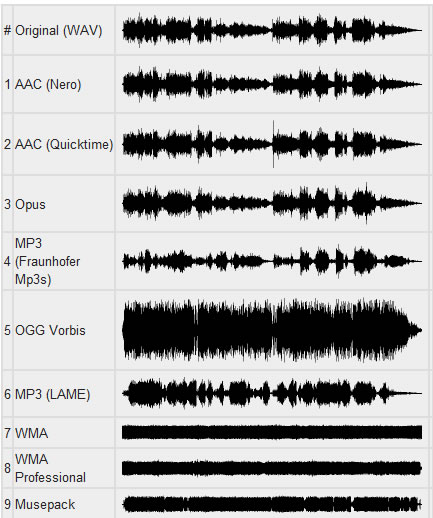
Audio Data Compression

MP3s Around Us Many, many years ago, the Internet was supposed to be the force that would democratize the music industry, physical distribution was supposed to become obsolete, and it was possible to publish music on the Internet and be heard by millions of audiences.

Audio Data Compression

In fact, enthusiasts and companies have created websites where fans can listen to new tunes, the MP3 format has made it easy to place songs for critics, and music demo pieces are now helping to sell a CD or LP. physical. It is not difficult to put your music on the Internet, but if you are not a star of the first magnitude, you will have to accept the placement of the data in compressed format to save space on the server, as well as save download time for those who download your masterpiece. While there are many critics of MP3, there are ways around some of the limitations of this format.

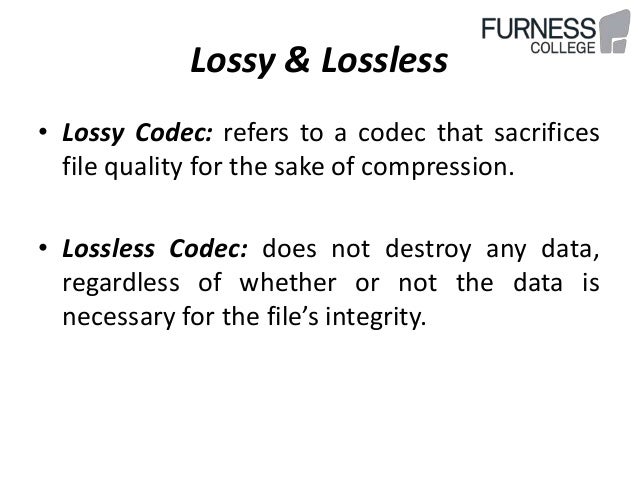
The MP3 format is based on the use of data compression algorithms that can reduce the amount of data required to play music. Compression algorithms in MP3 work with loss of data, they do not work like Zip or Rar compression algorithms that restore original file without data loss. MP3 algorithms discard “unnecessary” data. For example, if there is a lot of high-level sound on a track, the algorithm may assume that you cannot hear low-level material and think that only 24 dB of dynamic range is sufficient for that part of the audio material. It only requires 4 bits of data, a quarter of the data needed for 16-bit resolution. Unfortunately, it is difficult to preserve the sound quality of music when compressed, but it is possible. One way is to use algorithms, working without data loss, such as FLAC, or some algorithms offered by Microsoft and Apple for their audio formats. However, these algorithms do not lead to a significant reduction in file size; with complex music, the size reduction can be only 10-20%.

Although there are many algorithms for compressing audio data, only a few are the most common:

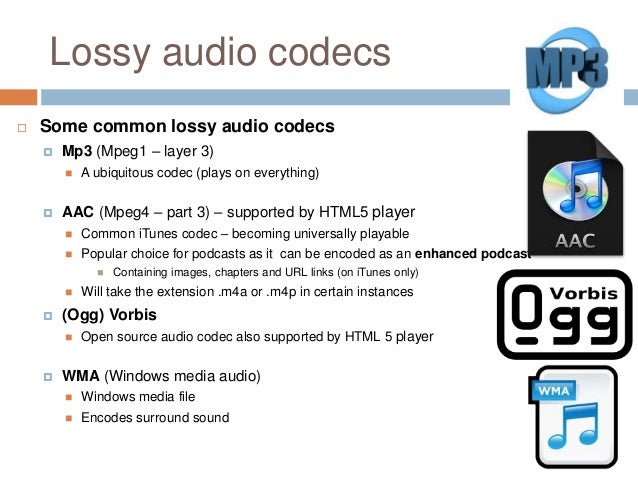
MP3. This format allows multiple levels of encoding, you can create audio files of almost any size with a smaller size with greater loss of precision. There are many free and shareware MP3 players (such as iTunes and Windows Media Player), to encode MP3, you can use iTunes and most digital audio editors.

AAC. As the native iPod format, this format is quite popular and sounds better than MP3 for the same file size according to most users. ITunes can convert files to AAC.

Windows Media Audio. The format is promoted by Windows, but is used less frequently than MP3 or AAC. WMA sound quality is generally better than MP3. While Microsoft does not offer users WMA playback software for the Mac platform, the Flip4Mac utility (free version available) can play Windows Media formats on Mac.

Ogg Vorbis. A great but rarely used format that sounds better than MP3 at the same bit rate, and unlike MP3, the encoding tools are free for developers. Ogg Vorbis files are not widely used yet, but they are popular with advanced technical users.

FLAC. This popular lossless format is not supported by many portable music players, but musicians often use FLAC to exchange files when working on collaborative projects. High sound quality is maintained.

Although MP3 does not offer the best quality, this format is most often used when placing audio files on the network. all players can play MP3. It is important to choose the correct MP3 settings. When encoding files to MP3, it is always best to use a high-quality source file without compression. Then select the compression settings. When saving in MP3 format, you can generally choose from a range of bit rates (bits per second), from 320 kbps stereo (great quality, but also a fairly large file) to 8 kbps mono (good enough for dictation) . In addition to the fixed settings, there is variable bit rate (VBR) encoding, which optimizes the bit stream according to the playback material. VBR encoding is not supported by all players.


Free Download Mp4Gain
picture


Mp4Gain Main Window
picture


Mp4Gain Features
picture


Free Download Mp4Gain
picture

Audio compression: facts, myths, and a blind test

Audio compression

When compressing, for example with MP3, there is a loss. But do you hear that? Where does good hearing end and where does esotericism begin? We verify the theory with a blind test, which you can do yourself.
Audio compression is a constant part of everyday life – almost always when you listen to music, it gets compressed. However, audio signal processing is difficult to understand for people who do not work in this field and who have adequate basic training. Consequently, in my impression, most people do not care at all or demonize MP3 and everything that has to do with compression.

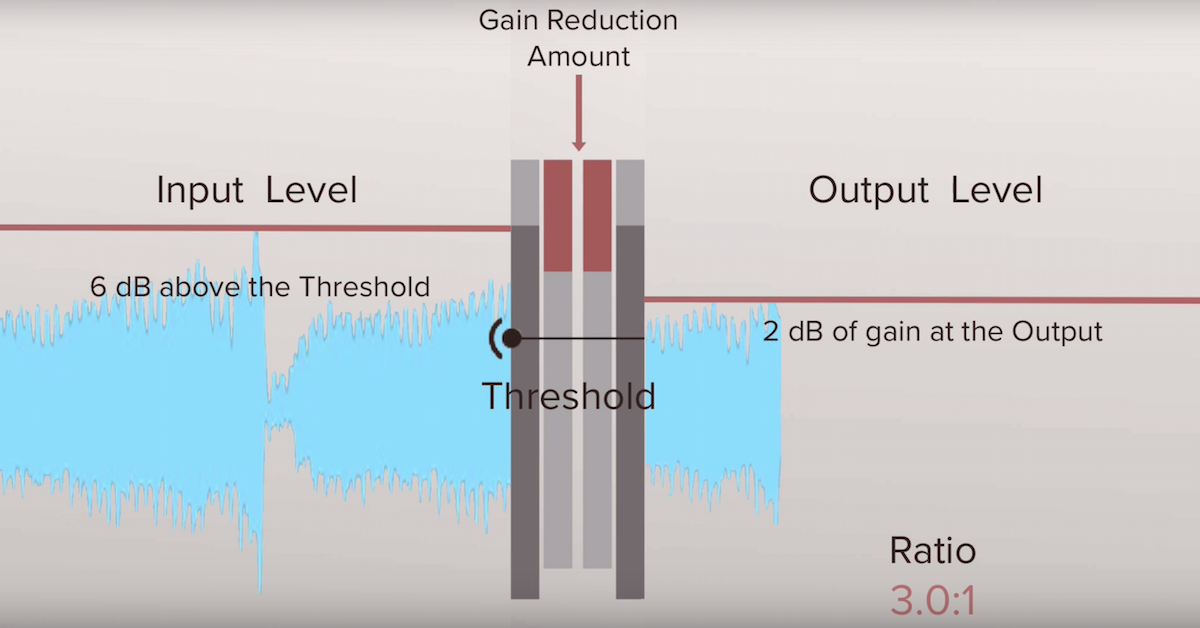
MUSIC PRODUCTION WEEK: DAY 2, Compressor Tuesday: How to use compressors  and why? — Steemit

The question is: Are we depriving ourselves of a pleasant pleasure if we only listen to music on Spotify or YouTube? Or don’t you notice a difference with the best possible quality?

Numbers and what they say

Different measurement parameters say something about sound quality, but what exactly is it? The following is an overview of the factors as brief and clear as possible.

1. Bit rate

Bit rate tells you how many bits are processed per second. It is also called data transfer speed or bandwidth.

It makes intuitive sense: the more data that flows, the higher the sound quality. Bit rate is the most important measured variable in everyday life. However, the bitrate alone doesn’t say much about sound quality.

There are variable and constant bit rates. Today variable bit rates (abbreviated VBR) are mainly used. In “little happens” passages, more data can be compressed without audible loss, whereas a relatively large amount of data is stored in complex passages. The result is higher sound quality with the same file size. In the case of variable bit rates, the average is given as a value, sometimes also the maximum allowed.

2. Compression method

CAA compresses more efficiently than MP3, making it better quality than MP3 at the same bit rate. The same goes for Ogg Vorbis, which is used on Spotify.

Also the compression software that Encoder, has an impact on the quality. In the early days of MP3, 128 kbit / s songs often sounded terrible. Now they sound so much better because bad encoders are no longer used.

3. bit depth

Bit depth tells you how many bits a sample has. Therefore, it is also called the sampling depth. The more bits per sample, the more different volume levels can be stored.

This may remind you of photos and videos – there are bit depths too and they mean something similar.

The LG V30 can record * 10-bit videos **. What is the point? A direct comparison with our system camera VIDEO
mobile background
The LG V30 can record 10-bit videos. What is the point? A direct comparison with our system camera.
Which is better: * RAW or JPEG? **
background photo + video
Which is better: RAW or JPEG?
A CD has 16 bits per stereo channel. There is no fixed bit depth with MP3 and other compressed audio files. Bit depth hardly plays a role in normal everyday life, only in studio recordings. Sometimes 24-bit is also used there to get more out of the sound processing. However, in the end, the music is reduced to 16-bit because it can see the difference, according to acoustics experts I can’t hear anything.

.
4. Sampling frequency

The sample rate (also called the sample rate) is also irrelevant for normal music listeners. But it is important to understand how digital sound storage works in the first place. A CD has a sampling frequency of 44100 Hz or 44.1 kHz. Hertz is a unit of measurement that indicates something like “frequency per second”. In audio sampling, it means that the sound level is measured 44,100 times per second. The same applies here: when recording in the studio, higher values ​​make sense, but not in the final format.

Nyquist’s theorem: Many people believe that digital music is fundamentally a loss compared to a “real” (analog) sound wave. These discussions began when the CD was invented and immediately ridiculed by audio snobs as inferior to the record. But that can be refuted. The Nyquiste Theorem states that an audio curve can be completely reconstructed from individual points without any loss if the sample rate is high enough. And it also says how high the rate should be: twice the bandwidth. Since the human ear reaches a maximum of 20,000 Hz, this bandwidth is roughly selected. Hence the sample rate of just over 40,000 Hz.

5. Other factors

With all the technical measurement parameters, it should not be forgotten that the best values ​​are useless if the sound is already badly recorded. For example, if the sound engineer has not set the volume level high enough, dynamism is lost. The recording starts to creak when it gets louder afterwards. If the level is too high, the result is even worse: the recording is cluttered, rattles and scratches. Or a dynamic compressor alienates the result. Bad recordings are ubiquitous on YouTube and are also sold on CDs, for example for very old studio recordings or live concert recordings.

The quality of your headphones or speakers also has an influence. With faulty minijacks, you will barely hear a difference between 128 kbit / s MP3 and uncompressed music. Most likely with good boxes.

How is music encoded?

First of all, let’s understand why music should be compressed.

Uncompressed files like AIFF and WAV take up a lot of space. This causes that it is not comfortable to transfer them on phones or players, or even store them on the hard drive of our computer.

Lossy audio encoding

Even trying to send them online would be very difficult, due to their large size.
,
This has forced the creation of various formats of audio files that take up less space. Of course, the important thing is that they sound practically the same as the original, although they take up less space.

lossless lossy audio

This is where compression enters the picture.

On the one hand, ZIP or RAR compression is used, but it is not enough. So other techniques are used, namely:

– An uncompressed file contains a lot of information about sounds (even silence) that is inaudible to the human ear and that information is discarded. With that one, it is possible to save a lot of space, since there is little point in occupying space in storing information about sounds that our hatred cannot perceive.

-On the other hand, there is a perfectly known phenomenon regarding the human ear, which is based on the idea that if two sounds occur more or less simultaneously and these sounds occupy similar or close frequencies and one of them sounds louder, the ear You will NOT hear the less loud sound.

This is other information that can also be discarded, since it is generally not audible or the brain does not process it.

Once discarding both types of information, the file has been much less large and therefore does not occupy the same space.

Practically what remains is to apply some composition algorithm, something similar to ZIP. And then you will have a compressed file, for example the mp3.

This is called the lossy method.

There is another method, without loss, where it is only compressed with a method similar to ZIP, but without discarding information.

Is there really a difference between the two? Practically no. the human ear practically cannot distinguish between the two.

A file with loss, that has a good sample rate (minimum 44,100) and a good bit rate, it is almost impossible to distinguish it from the original and therefore, from the file without loss.

Many experiments have been done allowing people to listen to both types of files (those with loss and those without loss) and more than 90% have not been able to distinguish between them, as long as the one with loss has a good samplerate and a good bit rate.

Audio compression basics

Audio compression basics

Today we use music almost exclusively digitally. It has become quite normal for us too that we always carry our music collections, often many thousands of titles, with us. Stored on a chip somewhere in our smartphone or MP3 player. It is thanks to the so-called audio compression that this was possible in the first place.
initial situation

audio compression

Noises and tones, such as birdsong or the ringing of church bells, are analog events with an extremely wide spectrum. A good example of this is a bell. If it is struck, we think we only hear one note. In fact, its ringing consists of around 200 individual tones. These contain soft and strong tones, as well as frequencies that are outside our hearing range.

Audio Compressor

It is no different with music. However, the human ear can only perceive tones above a certain basic volume, so the thresholds for low, medium and high tones are very different. The ear is most sensitive in the tone range of human speech at around 3 kilohertz (kHz). The lower or higher tones have to be much louder for us to perceive them. The volume threshold, at which we begin to perceive sounds, is called the silent hearing threshold. A strong sound covers a lower one if its pitch is the same or similar.

For example, a 1 kHz high tone from an organ pipe can be heard clearly, while one or more soft tones that are close to each other in frequency are masked by higher ones. Although they are there, we still cannot perceive them. The secret that many hifi fans still trust the old record is that it stores all the tones and frequencies just as they are emitted by 1: 1 musical instruments. It also contains those tones that, strictly speaking, we cannot even perceive consciously. we still cannot perceive them.

The secret that many hifi fans still trust the old record is that it stores all the tones and frequencies just as they are emitted by 1: 1 musical instruments. It also contains those tones that, strictly speaking, we cannot even perceive consciously. we still cannot perceive them. The secret that many hifi fans still trust the old record is that it stores all the tones and frequencies just as they are emitted by 1: 1 musical instruments. It also contains those tones that, strictly speaking, we cannot even perceive consciously.

The essential

There are many standards for audio compression, such as MP3, AAC, or WMA. They are all based on the same fundamentals. The processes use the psychoacoustic effects of human auditory perception. All audio information that the human ear cannot perceive is filtered out of the data stream and therefore not saved. MP3 and Co make use of these human hearing effects by using mathematical analysis methods to determine and filter the imperceptible sound information.

An example: if you want to talk to a second person in a very noisy environment, they will hardly hear each other. In such cases, the energy level of the noise (or music at the disco, for example) is higher than that of your voices. This effect is also known as frequency masking. These masked tones are removed. In the same way, tones are filtered in the frequency range outside of our perception.
Another criterion is the so-called silent hearing threshold. All existing tones that are below it, here we talk about threshold masking, are also filtered through a compression process. Time masking is particularly exciting. With it, tones that are drowned out by other signals are also filtered. The timing of the tones is also taken into account. Our hearing is partially receptive to sounds and needs a short recovery phase before it can become receptive again.
This post masking takes about 200 milliseconds. There is also a pre-masking. It is caused by the fact that our brains take a little longer to process soft sounds than loud ones. The pre-masking time is approximately 20 milliseconds. Time masking alone ensures a relevant reduction in audio signals. True to the motto: everything nobody needs comes out. This reduces the music to a fraction of its original volume.