
LEARN HOW AUDIO DATA COMPRESSION WORKS
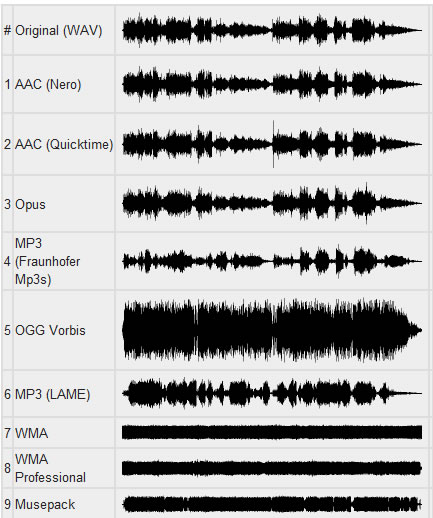
MP3s Around Us Many, many years ago, the Internet was supposed to be the force that would democratize the music industry, physical distribution was supposed to become obsolete, and it was possible to publish music on the Internet and be heard by millions of audiences.

In fact, enthusiasts and companies have created websites where fans can listen to new tunes, the MP3 format has made it easy to place songs for critics, and music demo pieces are now helping to sell a CD or LP. physical. It is not difficult to put your music on the Internet, but if you are not a star of the first magnitude, you will have to accept the placement of the data in compressed format to save space on the server, as well as save download time for those who download your masterpiece. While there are many critics of MP3, there are ways around some of the limitations of this format.
The MP3 format is based on the use of data compression algorithms that can reduce the amount of data required to play music. Compression algorithms in MP3 work with loss of data, they do not work like Zip or Rar compression algorithms that restore original file without data loss. MP3 algorithms discard “unnecessary” data. For example, if there is a lot of high-level sound on a track, the algorithm may assume that you cannot hear low-level material and think that only 24 dB of dynamic range is sufficient for that part of the audio material. It only requires 4 bits of data, a quarter of the data needed for 16-bit resolution. Unfortunately, it is difficult to preserve the sound quality of music when compressed, but it is possible. One way is to use algorithms, working without data loss, such as FLAC, or some algorithms offered by Microsoft and Apple for their audio formats. However, these algorithms do not lead to a significant reduction in file size; with complex music, the size reduction can be only 10-20%.
Although there are many algorithms for compressing audio data, only a few are the most common:
MP3. This format allows multiple levels of encoding, you can create audio files of almost any size with a smaller size with greater loss of precision. There are many free and shareware MP3 players (such as iTunes and Windows Media Player), to encode MP3, you can use iTunes and most digital audio editors.
AAC. As the native iPod format, this format is quite popular and sounds better than MP3 for the same file size according to most users. ITunes can convert files to AAC.
Windows Media Audio. The format is promoted by Windows, but is used less frequently than MP3 or AAC. WMA sound quality is generally better than MP3. While Microsoft does not offer users WMA playback software for the Mac platform, the Flip4Mac utility (free version available) can play Windows Media formats on Mac.
Ogg Vorbis. A great but rarely used format that sounds better than MP3 at the same bit rate, and unlike MP3, the encoding tools are free for developers. Ogg Vorbis files are not widely used yet, but they are popular with advanced technical users.
FLAC. This popular lossless format is not supported by many portable music players, but musicians often use FLAC to exchange files when working on collaborative projects. High sound quality is maintained.
Although MP3 does not offer the best quality, this format is most often used when placing audio files on the network. all players can play MP3. It is important to choose the correct MP3 settings. When encoding files to MP3, it is always best to use a high-quality source file without compression. Then select the compression settings. When saving in MP3 format, you can generally choose from a range of bit rates (bits per second), from 320 kbps stereo (great quality, but also a fairly large file) to 8 kbps mono (good enough for dictation) . In addition to the fixed settings, there is variable bit rate (VBR) encoding, which optimizes the bit stream according to the playback material. VBR encoding is not supported by all players.


