Video file formats / formats Part 3


Free Download Mp4Gain
picture

Video file formats / formats Part 3

Video File Formats

Incidentally, the existence of some half-finished frame rates is due to technical restrictions in the transition of television transmission from black and white to color.

Video Formats

In fact, for applications other than broadcasting, 30 fps and 60 fps are often used.

On some platforms, the upper limit of the frame rate of the videos that can be sent can be set to 30 fps, but higher frame rates are still progressing, such as the video recording function of smartphones and YouTube that supports 60 fps. Super Hi-Vision, which is being developed as a next-generation streaming standard, has an even higher value of 120 fps.

1-5. Field order (drawing method)
There are two main types of video drawing methods, “progressive” and “interlaced”.

The drawing method is often expressed as a set with the vertical size of the resolution or the frame rate (or the number of fields). For example, 1280 x 720 progressive is “720p”, 1920 x 1080 interlaced is “1080i”, 24fps progressive is expressed as “24p”, 60-field interlaced is expressed as “60i”, and so on.

The video is made up of a collection of many points, and the points are divided into a block of horizontal lines (this is called a scan line) and displayed according to the drawing method. There is a difference in how this scan line is displayed between progressive and interlaced.

Field order
Currently, most of the media like YouTube recommend the progressive format, so it is good to remember that you basically use the progressive format for WEB videos.

Therefore, in progressive, the scan line of an image is twice as large as that of interlaced, so that the moving image becomes clearer. In interlaced, the moving image is less sharp, but the moving image is smoother with less data. .Can be displayed in.

1-6. Bit rate
Bit rate is a unit that is also used in communication lines, etc., but in video, it is a value that indicates how many bits per second are used to represent video data and audio data, and the rate value of bits is ◯ bps., ◯ b / s, or ◯ bit / s.

If the bit rate value is large, the amount of data packed per second will be large, so the video and audio quality will naturally improve. On the other hand, if the bit rate value is small, the video and audio quality will be reduced, but the video capacity will be reduced.

The higher the resolution of the video, the more noticeable the detailed drawing will be, so higher resolution videos will require a higher bit rate.

Also, there are two main types of bit rates: constant bit rate (CBR) and variable bit rate (VBR). Constant bit rate (CBR) refers to a compression method with a constant bit rate and variable bit rate (VBR) refers to a compression method with a variable bit rate.

Since CBR always has a constant bit rate, it has the advantage that it is easy to predict the size of the video in advance, and it has the disadvantage of using many bit rates. On the other hand, VBR adjusts the bit rate according to the scene, so it can improve the image quality by file size, but it has the disadvantage that the file size cannot be predicted. Variable Bit Rate (VBR) is recommended for YouTube.

Also, in the VBR (file compression / encoding) encoding method, “1-pass encoding” is used to encode the content of the file without parsing, and an appropriate bit rate is assigned after analyzing the data before encoding. . There is something called “2 -pass encoding” for encoding. With 2-pass encoding, analysis is done in advance, so encoding takes more time, but can produce high-quality video.

Bit rate

2. Recommended format for each platform
With that in mind, let’s take a look at an overview of the recommended formats for each video platform.
* See official help for the latest and most detailed information.

2-1. Youtube
YouTube supports a wide range of file formats, but the help page has recommended encoding settings, so it’s a good idea to check that out.

Recommended encoding settings for uploaded videos – YouTube Help

2-2. Facebook / Instagram
Facebook also supports a wide range of file formats. AAC of 1080p or less is recommended for video and 128 kbps or more for MP4 audio. Consider the aspect ratio, such as screen occupancy.


Free Download Mp4Gain
picture


Mp4Gain Main Window
picture


Mp4Gain Features
picture


Free Download Mp4Gain
picture

Video file formats / formats Part 2

Video file formats / formats Part 2

VIDEO FORMAT

Files that are handled on a personal computer have an extension so you can see what kind of data they are.

Video Formats


For notepad it is “.txt”, for Excel it is “.xls” or “.xlsx” and for images it is “.jpg” or “.png”.

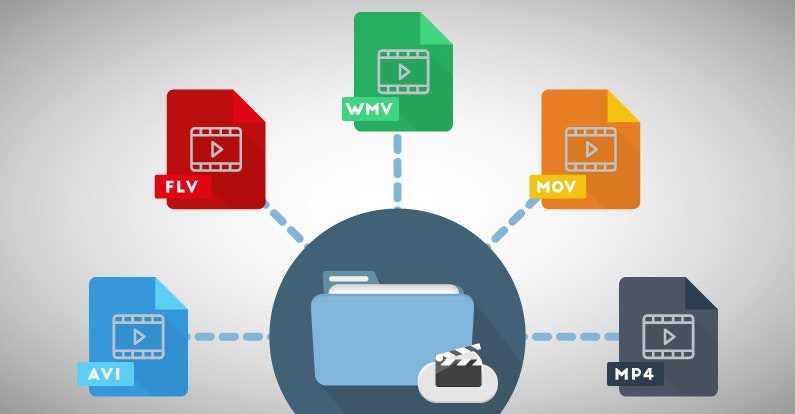
Video files have the same extensions, such as “.mp4”, “.mov”, “.avi” and “.mpg”.

For example, there are more than 10 types of video keys (= codecs) that correspond to the extension “.mov”. In other words, the extension in the video is just a guide to predict the content and keys.

Although it can be identified that it is a video file by looking at those extensions, the extension and the video file, and the video file and the key (= codec) are not one by one, so the extension is just a guide. . to show your identity Always makes it difficult to handle video files.

The main video files, extensions and codecs are summarized below. If you only know the extension and want to check the codec, you should use a software called codec checker like “MediaInfo” or “Vacuum Wave Lab SuperLite”.

Most of the major video players these days, like Windows Media Player for Windows and QuickTime Player for Mac, have a built-in key (= codec), and most of them can play videos with that software. However, keep in mind that some of them are not supported. You need to get that codec or get a player that includes that codec.

Video file format explanation Main extensions Main codecs
MP4 has a high compression rate and is very convenient, but it is difficult to determine the content because there are many codecs. The recommended format for YouTube is H264 mp4 format. .mp4 .m4v (Video) MPEG1 MPEG2 MPEG4 H.263 H.264 H.265 H.264 / AVC WMP9 (Audio) AAC-LC AC-3 MP3 HE-AAC VQ Apple Lossless
MOV A standard file for working with videos on Mac. It is based on MP4 and can also use the MPEG-4 video codec. .mov .qt (Video) MPEG-4 H.264 Motion JPEG (Audio) AAC MP3
MPEG-2 PS It is used as the recording format for DVD and the like. A standard based on the assumption that bit errors are small, created on the premise of storage media. .mpg .mpeg .mpe .m2p (Video) MPEG-1 MPEG-2 (Audio) MPEG1 Layer-II MPEG2 Layer-II LPCM AC-3
MPEG-2 TS The format used by many digital transmission standards around the world. Used in HDTV and Blu-ray recorders .mpg .mpeg .mp2 .m2p .m2t .mpt .m2ts .mts .ts .vob (Video) MPEG1 MPEG2 MPEG4 H.264 / AVC (Audio) MPEG1 Layer- II MPEG2 Layer-II MPEG4 AAC-LC LPCM AC-3 MP3
AVI Please note that the old format cannot be played if the file is incomplete and there are restrictions such as a maximum capacity limit of 2GB. There are a lot of codecs here too. .avi .divx (Video) MPEG1 MPEG2 MPEG4 Motion JPEG DivX 3-5 XviD (Audio) MPEG1 Layer-III MPEG2 Layer-III PCM AC-3
1-4. Frame rate
The frame rate is a value that indicates how many image frames (frames) are recorded per second, just like character reading, and the frame rate value is ◯ fps or ◯ f / s. I will describe it. In other words, if 30 images (frames) are recorded per second, the value will be 30 fps or 30 f / s.

The higher the frame rate value, the smoother the video will move, and the lower the frame rate value, the more choppy the video will be. In other words, the frame rate can be reformulated as a value that represents the smoothness of the moving image display.

The video on the right reproduces the difference in video depending on the frame rate.

The higher the frame rate, the better. A video with a large frame rate value will have a large number of recorded images, and of course the amount of data will also be large. In addition, there are limits on the human eye, the side of the screen that projects it, and the technical specifications on the middle side, so it is necessary to set it to a suitable value.

Typical frame rates currently used are 24 fps, which is used for filming and animation, 29.97 fps, which is used for television broadcasts in Japan, and recent consumer cameras. There are 59.94 fps conventional, etc. Furthermore, there are also 25fps mainly for Europe.

Video file formats / formats

Video file formats / formats

Video Formats

What you want to know before making a video

Video Formats

Just as images have resolutions and file formats, there are some fixed formats and specifications for videos. Naturally, moving images, moving images, have more elements to define in the specifications, and the mechanism is complicated.
In fact, people in charge of marketing and promotion, advertising agencies, etc., can often feel disgusted by observing the presentation rules of each company.
This time, to dispel the weaknesses of those people, I would like to present a few main points that need to be understood in the video specs and the optimal video specs on major platforms like YouTube and Facebook.

1. Six Points Defining Video Specifications
Now, I would like to explain the six main points in the video specs.

1-1. Resolution
Like still images, videos have resolution. Image resolution refers to “size” and “pixel density”, but for moving images, resolution refers to “horizontal x vertical pixel count”.

The resolutions of familiar things are 720 x 480 SD image quality for DVD, 1920 x 1080 full HD for Blu-ray and 1440 x 1080 for digital terrestrial broadcast (* The reason why the aspect ratio is different from other will describe later).

Typical resolutions include
Full HD (1920 x 1080) / HD (1280 x 720) / SD (720 x 480) / 4K UHD (3840 x 2160)
.

Video resolution
Cameras like the iPhone X support 4K video recording and major streaming services like Netflix and Amazon Prime Video support 4K distribution.

Recently, with the expansion of smartphones and the rise of vertical signage, videos with long vertical resolutions and square videos like Instagram have also appeared.

Some people have said that “Full HD resolution is enough”, but the screen has gotten bigger, the price of 4K TVs has dropped, the drawing power of the smartphone screen has improved, and 4K / 8K has been improved. it has been generalized mainly by the Ministry of the Interior. Issues and Communications: As various efforts are made in this regard, it is expected that further progress will be made on a higher resolution.

1-2. Pixel aspect ratio
The pixel aspect ratio, also called the pixel ratio, represents the ratio of the width to the height of the pixels that make up the video data, and you can set the expansion / contraction ratio of the video during playback. Be careful as it is easy to confuse with the old resolution (aspect ratio of the video itself).

In digital terrestrial broadcasting, due to the compatibility with the conventional SD format and the amount of data, data with a resolution of 1440 x 1080 (4: 3) and a pixel aspect ratio of 4: 3 is distributed and stretched on the side of the TV. When doing so, the appearance is 16: 9, but it’s okay if you think you are basically using square pixels (1: 1) in WEB video.

1-3. File format (container), codec
To understand the file format of a video, you need to understand what is called a “codec.”

Audio and video data are stored in a “video file”.
In addition, data is compressed and encoded (also called encoding) using a “codec” so that it can be processed more efficiently and more easily by personal computer software.

In other words, when a video is played, it cannot be played unless the data is decompressed using the same “codec” as the “codec” used when compressing.

Note that the codec cannot be identified by the file extension alone. When making a request to a production company, be sure to also specify the codec.

To make it easier to understand, we will use “codec” as “key” and “video / audio data” as “treasure box”.

There are two treasure chests in the video archive, each locked with a different key. That is, to open the treasure chest and play the video, the key (= codec) corresponding to each treasure chest is required.

If you lock with “Key A” when generating video data and “Key B” when generating audio data, the video will play normally if you don’t have “Key A” and “Key B” in your hand. You can’t do it and if you only have “Key A”, you won’t be able to play the audio.

Types of videos

Types of videos

Video Formats

MPEG-1

Video formats

The MPEG-1 video compression format was developed by the Motion Picture Expert Group, an international organization that creates video compression standards. It supports a maximum frame resolution of 4095 x 4095 pixels at a frame rate of up to 60 times per second. However, a resolution of 352 x 288 is generally used, which corresponds to the quality of recording on a normal VHS cassette.

How is the information compressed in this format? Suppose we have the following scene: the car moves from point “A” to point “B”. The movement of the machine can be described by two parameters: the vector of movement from point “A” to point “B” and the angle of rotation around its axis. At the same time, the background remains unchanged or almost unchanged: the viewer is unlikely to pay attention to the vibrations of small branches near distant trees. So you can divide the frame into two components: the background, which is saved once and then replaced during all-frame playback, and the area where the car moves, will have to be recorded separately for each frame.

Digital video: an overview of formats

In MPEG-1 format, all frames in a movie are classified into three types: I, P, and B frames. The first type (I-frames, Intra Frames) includes anchor frames. Your images are saved in their entirety in JPEG format. For the predicted frames, only the differences from the previous i-frame are recorded, which requires much less disk space. For B-frames (bidirectionally interpolated frames), the differences with the previous and next I or P-frames are preserved (Fig. 2).

Digital video: an overview of formats

As a result, the compressed file size is approximately 1/35 of the original. This means that an hour and a half movie with the quality equivalent to an analog VHS cassette in MPEG-1 format will fit on two CDs. For transmission over the Internet or in satellite transmission networks, this standard, of course, is not suitable. But there have been many consumer video CD players that work in this format (and they are still being produced now, by the way).

MPEG-2

MPEG-2 is an additional extension of MPEG-1. The recommended frame size has been increased; it is now 1920 x x 1080 pixels, added support for six channel audio. However, playing video in this format requires more processing power from your computer.

It should be noted that work was underway to create the MPEG-3 standard (not to be confused with the now popular audio compression format: MPEG-1 Audio Layer 3). It was supposed to become the basis for HDTV digital television systems. But the work was interrupted, because the necessary requirements for HDTV were implemented in the form of small extensions of MPEG-2.

This format is now quite widespread in the West: it is used to transmit video through satellite channels and digital cable networks, in addition, all DVD video discs are recorded in this format.

MJPEG

In fact, MJPEG (Motion JPEG) is a transition format from compressing normal photos to compressing videos. Each frame is recorded in JPEG format and then placed in the footage. MJPEG is mainly used in video editing cards like Fast AV Master, MiroVideo DC50, etc. You can reduce the video stream from 30MBps to 6MBps. For use in home video players, this standard is not very suitable due to the low compression ratio (5: 1) and the lack of means to synchronize video and sound.

MPEG-4

The MPEG-1 and MPEG-2 formats did not provide a real possibility to transmit video over the Internet and create interactive television based on them: the file size was too large. To drastically reduce it, as well as implement other functions necessary for video transmission, work has begun on the specifications of a new format: MPEG-4. In fact, it does not focus so much on video compression as on the creation of so-called “multimedia content”: the fusion of interactive television, 3D graphics, text, and so on.

As for the video itself, the most important innovation was the further improvement of technologies for decomposing a scene into objects and algorithms for their effective compression. Thus, for example, when compressing a video recording of a tennis match, most of the frames can be conditionally decomposed into images of the stands (background) and the players.

Video compression formats

Video compression formats

video file formats

Before building a video surveillance system, a technician will have to solve a number of critical problems and tasks. Along with the choice of cameras, servers, and software, it is necessary to select the optimal compression format for the system’s video transmission. The main formats for video surveillance systems are MJPEG, MPEG-4 and H.264 (MPEG-4 part 10). Controversy “Which format is better?” Similar to the disputes “what is the future for: analog or ip?”, have been going on for several years, but experts still cannot reach a consensus. In this article we will talk about the characteristics of the formats, the parameters that must be taken into account when choosing, and the technologies used to analyze video streams.

Video File Formats

Compress video

The videos from the IP surveillance cameras reach the server in compressed form. Compression generally involves removing features that are almost invisible to the human eye, although compression is sometimes done without loss of information. Compressed video stream requires less network bandwidth and less free hard disk space. To view or analyze the video, the resulting stream must be unzipped; apply the reverse conversion algorithm to compression. The combination of compression and decompression algorithms is called a video codec. Video codecs of different standards are not compatible with each other; video information compressed with one codec, as a rule, cannot be decompressed with another.

There are several types of compression.

Lossless compression allows you to obtain an image after decoding that does not differ from the original frame.
Lossy compression loses information after decoding.

Several lossy compression implementations are possible:

lossy percentage compression – loss is so insignificant to the human eye that the frame before and after decoding is virtually indistinguishable to the operator;
lossy compression – the differences between the frames before and after decoding are noticeable, but still not very pronounced, all the information necessary to analyze the events is saved;
Lossy Compression: Low-quality streaming video compression, causing artifacts (noticeable video distortion) during decoding. The appearance of artifacts leads to a decrease in image clarity, the appearance of fields of the same color (when different color tones are combined in one), the appearance of image blockages (pixelation, graininess). The presence of artifacts leads to false results of the analysis of the video stream by the system software.
In the compression process, to reduce the size of the video stream, the amount of color tones in the image are reduced, color resolutions are lowered, and small details in the image that are invisible to the human eye are removed; predict changes based on data already received; remove duplicate pixel values.

Video compression formats

There are many compression formats, MJPEG, MPEG-4 and H.264 are the most popular in video surveillance.

MJPEG format

For the MJPEG compression format, a video sequence is a sequence of still images: JPEG images. Compression occurs individually for each frame (intraframe). We get total independence from individual images. When playing a video file, the image quality is still good: from the MJPEG format you can always get frames with a clear image of the events that take place, it does not require high processor performance, but significantly loads the network and requires a large amount of disk space. This format is characterized by image blocking artifacts, fields of the same color. Camera data is lossy, so it’s impossible to say there is no distortion. Another thing is that if the camera is correctly adjusted, the human eye in JPEG hardly notices distortion.

MPEG-4 and H.264 formats

For MPEG-4 and H.264 formats, compression is performed both within a frame and for a series of frames (between frames). H.264 video (MPEG-4 optimized or MPEG-4part 10) is not a sequence of individual images, but a chain of related data – video streaming. The advantages of this format are that not all frames are saved, but only the reference image and its subsequent changes.

When a significant part of the image remains unchanged, the resulting video size is much smaller than for MJPEG. In case the MJPEG format can send a set of images of 200 KB each, the H.264 format will send a reference image of 200 KB and its subsequent changes, which are much smaller.

Video format comparison: MOV, FLV, MP4 and 3GP

Video format comparison: MOV, FLV, MP4 and 3GP

Video Formats
Each video file format has its own unique characteristics, which make it ideal for specific uses. This fact forces the user to have to choose between them more and more frequently. The most important criteria in making this decision is which characteristics of the file types best suit your specific needs. To help you choose the best type of video file, here is a list of the pros and cons of the most popular video formats.

video formats

The .mov video format

The MOV video file format was developed by Apple with the aim of bringing clear benefits to users. One of these advantages is the high quality of MOV videos. Cinema purists and filmmakers who want to create long digital movies, in particular, are determined by the quality preservation properties of the MOV format. When working with MOV files, optimal video quality will be maintained throughout the project. Although MOV is closely linked to Apple, the files can also be opened with Quicktime Player on Windows.

A major problem with MOV is the lack of support from the various media player applications. Many users have to download new software before they can play MOV video. Also, the files are very large, which requires more hard disk space. This can slow down old hardware.

Ultimately, .mov was designed for a specific group of users, especially those who value high video quality. Even if these files are generally used less frequently, they are of great value to a small target group.

The word ‘video’ is made up of many letter tiles.
With the right video format, projects can be implemented smoothly.

The .flv video format

The FLV video file format stands for Adobe Flash Videos. It is the most widely used type of video file on the Internet. The reason for the enormous popularity of .flv is that the format works optimally in all major browsers. Therefore, leading video portals like YouTube also use Flash videos by default. Another reason for the frequent use of FLV video files is that it is suitable for various video formats, including commercial ones.

There is also a downside to the FLV format: if a lot of Flash videos are hosted on a website, it can get slower overall. This is especially likely to be felt by visitors with slower Internet access. This is still a major problem at this time. As the Internet becomes more accessible, this concern will lessen in the future.

A man is editing a video on a laptop.
The FLV video format sadly affects the loading times of websites.

The video format .mp4

The MP4 video file format offers high-quality video. Unfortunately, the format is not ideal for a single task. But that doesn’t mean that these files don’t have many advantages as well. In fact, MP4 files are so small that they are ideal for storing in a video asset management system. Even at such a small size, the video quality is amazing. They are also great for sharing videos due to their high browser compatibility.

Therefore, it is quite paradoxical that the MP4 format is used as the standard in most photo and video cameras, as it scares filmmakers so much. The reason for this is that .mp4 files do not edit well. Without the proper properties that allow for proper editing and good editing, the MP4 video format does not meet the requirements of one of the potentially most important user groups.

A hand holding a camera lens in the forest.
MP4 videos retain high quality despite their small file size.

The .3gp video format

The 3GP video format corresponds to the Third Generation Partnership Project and is the associated file extension. It can be opened with many programs, is inexpensive in terms of memory requirements, and optimally protects data. It is ideal for mobile devices that cannot cope with high traffic when streaming video to each other.

Also, the .3gp file type has a dominant position in relation to video transmitted via text messaging services. This will continue despite certain weak points.

A key problem with 3GP relates to compression and the difficulties it presents. Users who care about maintaining video quality will be amazed at the end result of compression. Although this deficit is a necessary evil for the sake of functionality, many users still find it negative.

Get familiar with the big differences between video file types. This will allow you to make the right decisions for a successful implementation of future projects. Once you have a solid understanding of video formats, consider using a digital asset management system to manage your video files.

MAIN VIDEO FORMATS

Video Formats

When watching a movie with pictures or an explanatory video, the idea of ​​the video format usually plays a secondary role or even does not play any role. However, the format does get interesting when it comes to marketing, placement or embedding of the video across the various channels.

So get familiar with the top nine video formats from our article and become a video format expert in no time.

Video formats

Container and Codec.

Before dealing intensively with individual video formats, two basic terms should first be clarified:

Video formats are so-called file containers that adapt to different content. In addition to audio and video files, menu structures or subtitles can also be integrated into a container. When the movie plays, the elements of the container are decoded.

Files are compressed within the container using codecs, which affects the quality and size of the file. If a video is played, the files contained in the container are decompressed again using the corresponding codec.

Understanding the functions of containers and codecs is critical to understanding the following nine video formats.

MPEG-1 (.mpg / .mpeg).

MPEG stands for Motion Picture Expert Group, a group of experts who dealt with the subject of video compression as early as the 1980s. MPEG is both a container and a codec. MPEG-1 is the Video CD standard and is therefore out of date. The high storage requirements and the fact that HD (high definition) is not supported mean that MPEG-1 cannot compete with the newer video formats.

Advantages: high distribution, wide acceptance of devices.
Cons: Very outdated, poor video quality (not suitable for HD).

MPEG-2 (.mpg / .mpeg / .vob / .m2p / .ts).
MPEG-2 is the further development of MPEG-1 and is the basis for DVDs. The codec for the MPEG-2 format is called H.262. The file extension on DVDs is .vob, while the MPEG format for camera recordings is usually a .ts file.

Advantages: wide distribution, DVD standard.
Disadvantages: low compression, large file size.

MPEG-4 (.mp4).

The successor to MPEG-2 is the MPEG-4 format. Mp4 files are designed for high HD image quality with low storage capacity. The most common codec is the H.264 standard. In rare cases, DivX and Xvid codecs are used. MPEG-4 is widely used on HD TV and Blu-Ray. At Apple, .mp4 files can generally be found under the abbreviation .m4v. Videos posted on the Internet are usually in .mp4 format.

Advantages: standard on the web, high compression, high quality, flexible use.
Disadvantage: intensive computing power for encoding and decoding.

QuickTime (.mov).
QuickTime is a standard developed by Apple. The QuickTime architecture is the basis for various video editing programs such as Adobe Premiere or Final Cut (Apple’s editing program). MOV files are mainly used for editing and less for actual use. Apart from QuickTime Player, the format is compatible with some multimedia player programs.

Advantage: Standard for professional video editing.
Disadvantage: low acceptance by end devices.

AVI (.avi).
Audio Video Interleave (AVI) files were Microsoft’s answer to Apple’s QuickTime architecture. In the early years of the format, good image quality cost high storage capacities, which could be improved a bit with new codecs like DivX. AVI is accepted and reproduced by a large number of end devices, but it turns out to be bulky with many technical details. Direct transmission is not possible, menus and chapters are not supported, and there is no automatic way to save the correct aspect ratio.

Advantages: widespread use, wide acceptance.
Disadvantages: inflexible, bulky.

WMV / ASF (.wmf / .asf).
ASF is the successor to the AVI format. However, it is known as the WMV (Windows Media Video) codec. The Microsoft codec is similar to MPEG-4, but it is less common. Unlike the previous AVI, the transmission is possible without problems.

Advantages: High compression, good video quality.
Disadvantage: less common.

MKV (.mkv).
Matroska is a container format with the file extension .mkv. Its namesake is the Russian matryoshka dolls, which can be stacked on each other to save space and look cool. This same principle is the goal of the container. The video format allows for different codecs and additional information. Depending on the device, this flexibility can also be a problem during playback.

Video Formats A to Z – Everything You Need to Know About It

Video File Formats

Codecs are not only available for video, but also for audio and images. For example, when the software needs to create a video file, it uses a codec for video and audio and creates a video file from it.

Video Formats

What are codecs?

Codecs, as their name suggests, encode (German = “encrypt” or “translate”) and decode (“decrypt”) information. The English word codec means a system of rules or agreements. Its origin is found in the English words En code (encoding) and De code (decoding). The codec “translates” a video from one format, which can be the original or an already encoded format, to other video formats and vice versa.

The task of the codec is to “know” how the data is compressed and how it can be restored (= replayed). Playback software and programs, for example Windows Media Player or the free-to-use, portable VCL player, benefit from codecs.

Often times, it can automatically recognize the codec in a file and find the correct codec to play it back. Or put another way: as long as a player recognizes the codec and has access to it, they can play the corresponding file. In this case, the user cannot make any difference in what video format a video file is available.

A professional video or movie is never tied to a specific compression method or video codec and formats. Depending on the application (distribution on TV, such as web content or on Blu-Ray Disc), a movie or video can appear in many different forms.

From a technical point of view, a codec is a pair of algorithms that encodes or decodes digital data.

Tech professionals will find that some of the formats in this article are called codecs, but not strictly codecs. In a more strict sense, a codec is only defined as a codec if there is an encoder on one side and a decoder as a “counterpart” on the other. If it is only encoded or only compressed, or vice versa, only decoded or only decompressed, this does not correspond to the scientific definition of a codec. However, this distinction is ignored in everyday video formats.

Codecs determine how data is compressed.

What does compression mean?

With today’s technology standards, the image information of an average high definition movie is at least 131GB, without sound. This amount of data makes it impossible for a movie to fit on a commercially available data medium (Video DVD, Blu-ray Disc).

The smaller the amount of data in a video file, the easier it will be to stream, edit, or save that file. However, at the same time, the quality of a movie or video should not be visibly reduced. Therefore, compression algorithms use sophisticated mechanisms and simplify and summarize the data. From an algorithmic point of view, the “least important” information is not saved. They are lost during the compression process and can no longer be rebuilt by decompression.

The newer codecs achieve sensational compression rates of up to 1: 500. Older video compression methods, still used today in the form of older codecs, can, conversely, “only” achieve values ​​of 1: 5 (= 100 times worse!).

Video compression originates from the compression of a single image (so-called still image compression). Codecs for single image compression optimize each image individually and one after the other. Modern video formats thus achieve a compression ratio of 1:10 on all video.

Newer codecs have optimized this process: they use similarities between individual partial images wherever they exist, resulting in huge savings potential at 25 individual images per second. This can also be seen in the compression rates, which with the new methods are well above 1: 100, and this with little loss of quality.

Video encoding and compression processes for video formats will only gain market acceptance if the largest possible group of users can use them. That is why there are not only codecs established by global corporations like Microsoft and Apple, but also codecs that have been standardized by international organizations. The best known body of this type is the Moving Expertes Group (MPEG). Good to know: because MPEG cooperates with the International Telecommunication Union (ITU), for example, cooperating partners assign different names to identical procedures. This is why H.264, MPEG-4 AVC, MPEG-4 / Part 10 or ISO / IEC 14496-10 are the same format.

What are video formats?

Video Formats

The term explains how video data is or has been recorded on a data carrier. The type of video data recording is basically defined by four different reference points. These are:

the movie format (image resolution and aspect ratio). Check out Part 1 of this article series titled Film Formats
the refresh rate (also called the refresh rate). The frame rate is specified in hertz (Hz) or as fps (frames per second, German = images per second)
color depth, which describes the ability to differentiate between color values ​​and brightness values
the soundtrack
Regardless of the purpose for which you want to create a video, the video format determines its quality and usability.

video formats

The data formats are NOT the same as the video formats. The data format establishes how video data is presented in a purely technically structured manner and is read (interpreted) by software on a computer system for processing.

Data formats have nothing to do with video format, movie formats, frame rates, color depths, and sound. Normal users rarely come into contact with data formats when communicating with movies and videos. The situation is different with data and video formats.

Video formats (“formatted videos”) can be identified by their file extensions (for example, * .mp4 or * .mov or * .mpg). Video formats can be classified according to different criteria, depending on the subject: for example, according to the size and quality of the file (compression) or according to the content type of a file (container formats).

Movie format / aspect ratio difference

Just as data formats represent different things, the terms movie format and video format are NOT identical. In film format in which the question is understood thereafter for film and video, size and in what aspect ratio a film or video is on a recorded disc. Movie format and rotation formats are synonymous, while recording format, image format, image size, and projection format as subgroups further specify the term movie format.

Why is the video format important?

The video format is not important. But only if you watch your videos directly on your smartphone or upload your own videos directly to the Internet. But anyone who wants to communicate professionally with videos will want to edit their movies and will quickly have to deal with not only the content, but the technical quality as well.

Even those who “only” want their movies to be accessible to the public via YouTube or Vimeo or who want to embed their social video on their website via one of these video platforms will notice at the latest that there is something like a technical framework if the video file is not sent to upload is accepted. YouTube, for example, succinctly reports in this case: Before you can upload these types of files, you need to convert them to YouTube-compatible video formats. (The next chapter on conversion provides information on what this means and means.)

Comparison of all video formats (2020)

MP4, MOV or AVI?

MP4

Every video fan at some point comes across the question: which video format is best for me?

Usually there is no general answer.

Avi

But don’t worry in this updated 2020 definitive guide, we’ve listed all the common formats as well as all the pros and cons of them.

After this post, you will know exactly which video format is right for you, what you can use each format for, and what advantages and disadvantages each is associated with.

To ensure you a pleasant reading flow, we have listed all the points in this article as a link below. If you are particularly interested in a topic, just click on the link and you will find the correct paragraph.

1. WMV

2. MJPEG

3. MPEG I and MPEG II

4. MPEG IV

5. MPEG VII

6. MKV

7. AVI

8. MOV

9. MP4

10. FLV

11. RM

12. OGG

13. MTS

But before going through each video format, a brief introduction to understand the individual formats.

Anyway, why are there so many formats?

The choice of video formats is great because many companies want to implement their own file format. Video formats are actually file containers with different content, initially only image and sound, which can be saved separately. Containers can contain more information such as captions, menu structures, time codes, or comments for further processing.

Sound and picture can be compressed inside the container with a wide variety of codecs. A codec uses algorithms to convert data packets, digital audio or video files in such a way that they save space. Depending on the codec that can be viewed, the quality of a video may differ in image and sound quality.

You have to know that:
1. The video format answers the following question: how digital video data is technically recorded.

2. There are formats that keep the data compressed (= reduced, lossy) or uncompressed.

3. The type of compression is determined by the so-called codecs.

4. By far the most popular types are: MP4, WebM, and OGG.

5. Video formats like MP4 can contain additional information like images, texts.

6. It is possible to copy (= transcode) from one video format to another.

1. WMV

Although WMV files take up very little disk space, they are not really widely used. Despite the fact that Microsoft planned and pushed it with great expectations.
Of course, the fact that they take up very little space makes them sacrifice in quality. The WMV player by essence is Windows Media Player, which although it is available for many platforms, is still a brake that you basically need to have the Microsoft media player to be able to reproduce it.

Advantages: very high compression possible

Disadvantage: very little used

2. MJPEG

Motion JPEG (MJPEG) is a video codec in which each individual image is compressed separately as a JPEG image. Unlike MPEG-compressed videos, MJPEG-compressed videos have a quality that is independent of image movement. This standard is often used in older digital cameras. Due to the individual compression of all individual images, with this format it is possible to cut a frame from a video clip accurately without the need to recode it, which is generally only possible with MPEG keyframes.

Advantages: high compression, high quality, web standard, very flexible

Disadvantage: computationally intensive

3. MPEG 1 and 2 (Moving Image Expert Group) * .mpg

Video format developed by a group of experts with standardized compression methods. The advantages of MPEG movies are comparatively small files with good image quality, but low resolution. In practice, MPEG-II movies are far superior to MPEG-I movies in terms of resolution and image quality.

Advantage: widespread use, can be played on almost any device

Disadvantage: outdated, no HD, correspondingly poorer video quality

4. MPEG 4 (Moving Image Experts Group) * .mp4

Video format developed by a group of experts with standardized compression methods.

Originally, the aim of MPEG-4 was to support systems with low resources or narrow bandwidths (mobile phones, videophones, …) with a relatively small loss of quality. Since H.263, an ITU standard for video compression and decoding, had already met these requirements successfully, it was integrated into MPEG-4 as part 2 without major changes.

MPEG-4 movies are even more compressed and do not have a noticeable loss of quality: very small files with very good resolution. In practice, MPEG-4 places somewhat higher demands on the performance of the computer, since highly compressed data must first be “decompressed” again when played back.

Advantages: high compression, high quality, web standard, very flexible

Disadvantage: computationally intensive

5. MPEG 7

MPEG-7 is an ISO standard (ISO / IEC 15938) that was adopted in 2002 and was defined by the Moving Picture Experts Group, or MPEG for short. MPEG-7 is not a real compression standard, but it is used to describe multimedia data with the help of meta information and is stored in the form of one or more XML documents. It can be added to the time code, for example, to mark certain events or, for example, to synchronize the lyrics with a song.

Advantages: good content organization

Disadvantages: many complex XML schemas

6. MKV

One could suppose that it is based on a concept that we could qualify as similar to other containers such as MP4 and AVI, the Matroska Video (MKV) format is open source, which makes it different to a good extent .. MKV has the ability to be a container of a number, we would say that there are unlimited video and audio channels in addition to multilingual subtitles in a file, which is why it could be said that today it occupies a predominant place on the Internet when it comes to competing with other formats.

Advantages: good video quality, very good compression compression.

Disadvantage: certain playback limitations, depending on the device.

7. AVI

AVI takes its name from “Audio Video Interleave”. AVI is one of the most widely used formats and can be played almost everywhere.
It has been widely known for many years since Microsoft gave it a lot of strength and it has been one of its base formats..

Advantage: wide distribution

Disadvantage: inflexible

8. MOV

This format was developed by Apple and achieved a lot of acceptance. I used QuickTime Player from the beginning. An advantage of MOV is that it is possible to use many different CODECS for either compressing audio files or video files. It is compatible with practically all platforms (Mac and Windows, iOS, iPhone and iPad.)

Advantage: It has earned a place that puts it as a standard format for professionally produced work

Disadvantage: Not all devices are capable of playing it

9. MP4

It can be said that it comes from or is based, in some way, on QuickTime, MP4 has earned the most important place when it comes to being the ideal format to be shared on networks. MP4 has almost no loss and has a great quality surpassing many of its competitors. MP4 is compatible with most computers and phones.

Advantages: video compression without noticeable loss of quality

Web standard

Versatile in use

Cons: not suitable for streaming

10. FLV

FLV or Flash Video format is mainly used for streaming video files online through Adobe Flash Player. FLV video files retain good quality even after being compressed, so users can upload videos online faster. Now its almost dead since Flash does not work in most web browsers.

Advantages: high compression.

Disadvantage: almost dead.

11. RM (Real Average) * .rm

A collective term for the file formats of the software maker RealNetworks, in particular the Real-Audio audio format and the Real-Video video format. It is used primarily in streaming applications. Real files are lossy, but the quality of real video files is still comparatively good, especially with high compression.

Files compressed with RealVideo are lossy. The quality of RealVideo files is generally comparatively good with high compression, older versions are poor with low compression compared to MPEG for example. However, the quality of the newer versions is comparable to MPEG-4 video codecs like Xvid or DivX as well as Windows Media Video 9. RealVideo usually occurs in the RealMedia container and then has its file extension .rv, .ram, .rm, or .rmvb.

Pros: RTP support

Disadvantages: compressed real video movies are lossy

12.Ogg .ogg

Ogg is a container file format for multimedia files, so it can hold audio, video, and text data at the same time. Ogg was designed with the goal of offering a free and unrestricted software patent alternative to proprietary formats for efficient storage and streaming of multimedia content. The ability to transmit is the decisive design feature: everything that is packaged in an Ogg container can be transmitted without additional adjustments. This distinguishes Ogg from formats that are only capable of streaming in certain ways (like Matroska) or not capable of live streaming (like MP4). Ogg streams can be grouped and chained without having to adjust the individual stream.

Ogg Theora is not very common in the video field. However, it is enjoying increasing popularity in the open source scene. For HD videos, the Matroska format, which is also free, is gaining more and more ground outside of the open source scene, so it remains to be seen what role Ogg Theora will play in the future.

Advantage:

– Diversity of platforms

– open source code

– Easy to handle

5.1 surround information: playback without pauses

Disadvantage:

– High bit rate ranges

13. MTS

MTS is a video format for HD video from camcorders from manufacturers such as Panasonic and Sony. This format produces a high-quality video that is larger than the same video in any other format. The format is only compatible with some devices. If you want to play an MTS file on an Android or iOS device, for example, it is almost impossible. Only Blu-ray players, the Sony PlayStation 3, and a handful of other devices support the MTS format. To use MTS videos on other devices, you need to convert MTS to MP4. Of course, MTS files can also be converted to other popular formats like AVI, MKV, and WMV.

Advantages: high quality

Cons: inflexible

Well now that we have reviewed all the formats, the following question arises:

What is the best video format?

The different video formats have very different capabilities, some allow you to have many different tracks, some with subtitles and several audio tracks simultaneously. Obviously each format is only capable of being processed by some specific codecs. So, if we see that some can contain many tracks and that each one uses a different codec, we will understand that the resulting size will be very different, as well as the quality and resolution. That is, each format will offer very different results.

However, there is no clear answer to the question of what is the best video format. However, you could say that a particular format is the best and a good all-rounder.

MP4: a good all-rounder

The MP4 format is always right. All common browsers and operating systems support it. It also combines HD image quality with a small file size. This allows the user to save the video to hard drive or cloud, share it with others, play it on common mobile devices, or upload it to a video platform.

Video formats for mobile and web devices
Videos intended for a mobile device should take up little space. The MP4 format, which is compatible with iOS and Android, is ideal here. MOV format is also possible for Apple devices.

When asked which video format is best for a video on a website, the user needs to consider what formats the browser supports. Again, MP4 is the best option due to its high compatibility. The Google WebM video format works flawlessly, at least on Microsoft and Android devices.