Video file formats / formats Part 3


Free Download Mp4Gain
picture

Video file formats / formats Part 3
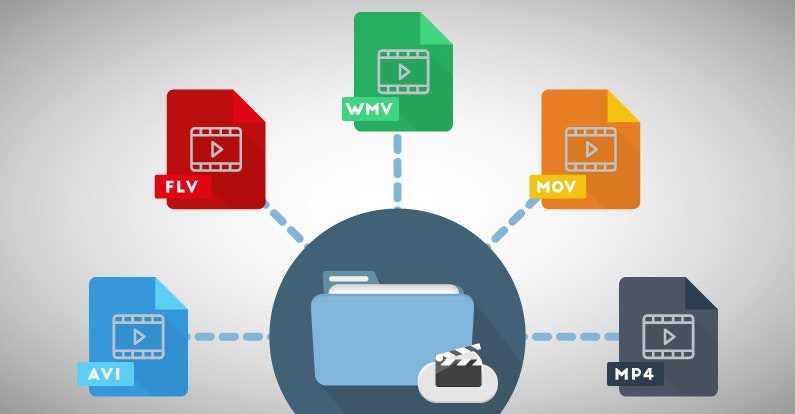
Video File Formats

Incidentally, the existence of some half-finished frame rates is due to technical restrictions in the transition of television transmission from black and white to color.
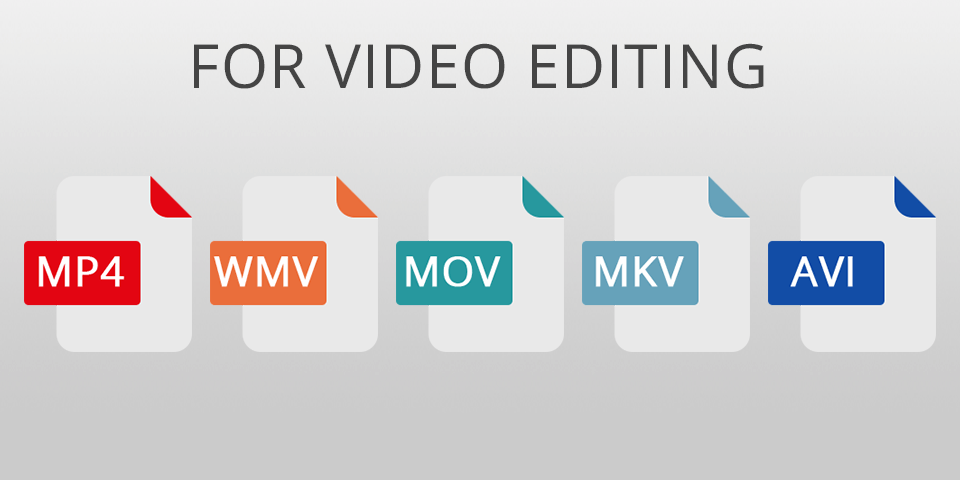
Video Formats

In fact, for applications other than broadcasting, 30 fps and 60 fps are often used.

On some platforms, the upper limit of the frame rate of the videos that can be sent can be set to 30 fps, but higher frame rates are still progressing, such as the video recording function of smartphones and YouTube that supports 60 fps. Super Hi-Vision, which is being developed as a next-generation streaming standard, has an even higher value of 120 fps.

1-5. Field order (drawing method)
There are two main types of video drawing methods, “progressive” and “interlaced”.

The drawing method is often expressed as a set with the vertical size of the resolution or the frame rate (or the number of fields). For example, 1280 x 720 progressive is “720p”, 1920 x 1080 interlaced is “1080i”, 24fps progressive is expressed as “24p”, 60-field interlaced is expressed as “60i”, and so on.

The video is made up of a collection of many points, and the points are divided into a block of horizontal lines (this is called a scan line) and displayed according to the drawing method. There is a difference in how this scan line is displayed between progressive and interlaced.

Field order
Currently, most of the media like YouTube recommend the progressive format, so it is good to remember that you basically use the progressive format for WEB videos.

Therefore, in progressive, the scan line of an image is twice as large as that of interlaced, so that the moving image becomes clearer. In interlaced, the moving image is less sharp, but the moving image is smoother with less data. .Can be displayed in.

1-6. Bit rate
Bit rate is a unit that is also used in communication lines, etc., but in video, it is a value that indicates how many bits per second are used to represent video data and audio data, and the rate value of bits is ◯ bps., ◯ b / s, or ◯ bit / s.

If the bit rate value is large, the amount of data packed per second will be large, so the video and audio quality will naturally improve. On the other hand, if the bit rate value is small, the video and audio quality will be reduced, but the video capacity will be reduced.

The higher the resolution of the video, the more noticeable the detailed drawing will be, so higher resolution videos will require a higher bit rate.

Also, there are two main types of bit rates: constant bit rate (CBR) and variable bit rate (VBR). Constant bit rate (CBR) refers to a compression method with a constant bit rate and variable bit rate (VBR) refers to a compression method with a variable bit rate.

Since CBR always has a constant bit rate, it has the advantage that it is easy to predict the size of the video in advance, and it has the disadvantage of using many bit rates. On the other hand, VBR adjusts the bit rate according to the scene, so it can improve the image quality by file size, but it has the disadvantage that the file size cannot be predicted. Variable Bit Rate (VBR) is recommended for YouTube.

Also, in the VBR (file compression / encoding) encoding method, “1-pass encoding” is used to encode the content of the file without parsing, and an appropriate bit rate is assigned after analyzing the data before encoding. . There is something called “2 -pass encoding” for encoding. With 2-pass encoding, analysis is done in advance, so encoding takes more time, but can produce high-quality video.

Bit rate

2. Recommended format for each platform
With that in mind, let’s take a look at an overview of the recommended formats for each video platform.
* See official help for the latest and most detailed information.

2-1. Youtube
YouTube supports a wide range of file formats, but the help page has recommended encoding settings, so it’s a good idea to check that out.

Recommended encoding settings for uploaded videos – YouTube Help

2-2. Facebook / Instagram
Facebook also supports a wide range of file formats. AAC of 1080p or less is recommended for video and 128 kbps or more for MP4 audio. Consider the aspect ratio, such as screen occupancy.



Free Download Mp4Gain
picture


Mp4Gain Main Window
picture


Mp4Gain Features
picture


Free Download Mp4Gain
picture

Video file formats / formats Part 2

Video file formats / formats Part 2

VIDEO FORMAT

Files that are handled on a personal computer have an extension so you can see what kind of data they are.

Video Formats


For notepad it is “.txt”, for Excel it is “.xls” or “.xlsx” and for images it is “.jpg” or “.png”.

Video files have the same extensions, such as “.mp4”, “.mov”, “.avi” and “.mpg”.

For example, there are more than 10 types of video keys (= codecs) that correspond to the extension “.mov”. In other words, the extension in the video is just a guide to predict the content and keys.

Although it can be identified that it is a video file by looking at those extensions, the extension and the video file, and the video file and the key (= codec) are not one by one, so the extension is just a guide. . to show your identity Always makes it difficult to handle video files.

The main video files, extensions and codecs are summarized below. If you only know the extension and want to check the codec, you should use a software called codec checker like “MediaInfo” or “Vacuum Wave Lab SuperLite”.

Most of the major video players these days, like Windows Media Player for Windows and QuickTime Player for Mac, have a built-in key (= codec), and most of them can play videos with that software. However, keep in mind that some of them are not supported. You need to get that codec or get a player that includes that codec.

Video file format explanation Main extensions Main codecs
MP4 has a high compression rate and is very convenient, but it is difficult to determine the content because there are many codecs. The recommended format for YouTube is H264 mp4 format. .mp4 .m4v (Video) MPEG1 MPEG2 MPEG4 H.263 H.264 H.265 H.264 / AVC WMP9 (Audio) AAC-LC AC-3 MP3 HE-AAC VQ Apple Lossless
MOV A standard file for working with videos on Mac. It is based on MP4 and can also use the MPEG-4 video codec. .mov .qt (Video) MPEG-4 H.264 Motion JPEG (Audio) AAC MP3
MPEG-2 PS It is used as the recording format for DVD and the like. A standard based on the assumption that bit errors are small, created on the premise of storage media. .mpg .mpeg .mpe .m2p (Video) MPEG-1 MPEG-2 (Audio) MPEG1 Layer-II MPEG2 Layer-II LPCM AC-3
MPEG-2 TS The format used by many digital transmission standards around the world. Used in HDTV and Blu-ray recorders .mpg .mpeg .mp2 .m2p .m2t .mpt .m2ts .mts .ts .vob (Video) MPEG1 MPEG2 MPEG4 H.264 / AVC (Audio) MPEG1 Layer- II MPEG2 Layer-II MPEG4 AAC-LC LPCM AC-3 MP3
AVI Please note that the old format cannot be played if the file is incomplete and there are restrictions such as a maximum capacity limit of 2GB. There are a lot of codecs here too. .avi .divx (Video) MPEG1 MPEG2 MPEG4 Motion JPEG DivX 3-5 XviD (Audio) MPEG1 Layer-III MPEG2 Layer-III PCM AC-3
1-4. Frame rate
The frame rate is a value that indicates how many image frames (frames) are recorded per second, just like character reading, and the frame rate value is ◯ fps or ◯ f / s. I will describe it. In other words, if 30 images (frames) are recorded per second, the value will be 30 fps or 30 f / s.

The higher the frame rate value, the smoother the video will move, and the lower the frame rate value, the more choppy the video will be. In other words, the frame rate can be reformulated as a value that represents the smoothness of the moving image display.

The video on the right reproduces the difference in video depending on the frame rate.

The higher the frame rate, the better. A video with a large frame rate value will have a large number of recorded images, and of course the amount of data will also be large. In addition, there are limits on the human eye, the side of the screen that projects it, and the technical specifications on the middle side, so it is necessary to set it to a suitable value.

Typical frame rates currently used are 24 fps, which is used for filming and animation, 29.97 fps, which is used for television broadcasts in Japan, and recent consumer cameras. There are 59.94 fps conventional, etc. Furthermore, there are also 25fps mainly for Europe.

Video file formats / formats

Video file formats / formats

Video Formats

What you want to know before making a video

Video Formats

Just as images have resolutions and file formats, there are some fixed formats and specifications for videos. Naturally, moving images, moving images, have more elements to define in the specifications, and the mechanism is complicated.
In fact, people in charge of marketing and promotion, advertising agencies, etc., can often feel disgusted by observing the presentation rules of each company.
This time, to dispel the weaknesses of those people, I would like to present a few main points that need to be understood in the video specs and the optimal video specs on major platforms like YouTube and Facebook.

1. Six Points Defining Video Specifications
Now, I would like to explain the six main points in the video specs.

1-1. Resolution
Like still images, videos have resolution. Image resolution refers to “size” and “pixel density”, but for moving images, resolution refers to “horizontal x vertical pixel count”.

The resolutions of familiar things are 720 x 480 SD image quality for DVD, 1920 x 1080 full HD for Blu-ray and 1440 x 1080 for digital terrestrial broadcast (* The reason why the aspect ratio is different from other will describe later).

Typical resolutions include
Full HD (1920 x 1080) / HD (1280 x 720) / SD (720 x 480) / 4K UHD (3840 x 2160)
.

Video resolution
Cameras like the iPhone X support 4K video recording and major streaming services like Netflix and Amazon Prime Video support 4K distribution.

Recently, with the expansion of smartphones and the rise of vertical signage, videos with long vertical resolutions and square videos like Instagram have also appeared.

Some people have said that “Full HD resolution is enough”, but the screen has gotten bigger, the price of 4K TVs has dropped, the drawing power of the smartphone screen has improved, and 4K / 8K has been improved. it has been generalized mainly by the Ministry of the Interior. Issues and Communications: As various efforts are made in this regard, it is expected that further progress will be made on a higher resolution.

1-2. Pixel aspect ratio
The pixel aspect ratio, also called the pixel ratio, represents the ratio of the width to the height of the pixels that make up the video data, and you can set the expansion / contraction ratio of the video during playback. Be careful as it is easy to confuse with the old resolution (aspect ratio of the video itself).

In digital terrestrial broadcasting, due to the compatibility with the conventional SD format and the amount of data, data with a resolution of 1440 x 1080 (4: 3) and a pixel aspect ratio of 4: 3 is distributed and stretched on the side of the TV. When doing so, the appearance is 16: 9, but it’s okay if you think you are basically using square pixels (1: 1) in WEB video.

1-3. File format (container), codec
To understand the file format of a video, you need to understand what is called a “codec.”

Audio and video data are stored in a “video file”.
In addition, data is compressed and encoded (also called encoding) using a “codec” so that it can be processed more efficiently and more easily by personal computer software.

In other words, when a video is played, it cannot be played unless the data is decompressed using the same “codec” as the “codec” used when compressing.

Note that the codec cannot be identified by the file extension alone. When making a request to a production company, be sure to also specify the codec.

To make it easier to understand, we will use “codec” as “key” and “video / audio data” as “treasure box”.

There are two treasure chests in the video archive, each locked with a different key. That is, to open the treasure chest and play the video, the key (= codec) corresponding to each treasure chest is required.

If you lock with “Key A” when generating video data and “Key B” when generating audio data, the video will play normally if you don’t have “Key A” and “Key B” in your hand. You can’t do it and if you only have “Key A”, you won’t be able to play the audio.
