AVI vs WebP: A Comparison of Video Formats


Free Download Mp4Gain
picture

AVI vs WebP: A Comparison of Video Formats

WebpMVideo
Webp Video

WebP Video Introduction

Webp Video
Webp Video

Video content has become increasingly important in today’s digital age, with the demand for high-quality, easily accessible video content only growing. This has led to the development of various video formats that are designed to offer different benefits and features.

The AVI Format

One of the more established video formats is the Audio Video Interleave (AVI) format. Developed by Microsoft in the early 1990s, AVI has been a popular format for many years, particularly in the Windows environment. It’s a versatile format that supports multiple codecs and can handle a wide range of resolutions and frame rates.

History of AVI

AVI was introduced in November 1992 as part of the Video for Windows technology. It was designed as a container format that could hold both audio and video data in a single file. The format gained popularity quickly due to its ability to be played on a wide range of devices and software.

How AVI Works

AVI files are based on the Resource Interchange File Format (RIFF) and consist of two parts: the header and the data. The header contains information about the video and audio codecs used, as well as the resolution, frame rate, and other technical details. The data section contains the actual audio and video data.

The WebP Format

In contrast, WebP is a relatively new image and video format that was developed by Google in 2010. The format was designed to offer a more efficient compression algorithm than existing formats, with the goal of reducing file sizes and improving page load times.

History of WebP

Google introduced WebP in 2010 as an alternative to the JPEG and PNG image formats. In 2013, WebP support was added to the Google Chrome browser, and in 2018, support was added to the Firefox and Edge browsers.

How WebP Works

WebP uses a lossy compression algorithm that reduces the file size of images and videos without compromising too much on quality. The format achieves this by using advanced compression techniques such as predictive coding, where each pixel is predicted based on surrounding pixels, and entropy encoding, which compresses the data based on the frequency of occurrence of specific patterns.

Comparing AVI and WebP

Both AVI and WebP have their own strengths and weaknesses. AVI is a more established format with broad compatibility, while WebP is a newer format with more efficient compression.

One significant difference between the two formats is their compression algorithms. AVI uses a variety of codecs that may offer different levels of compression, while WebP uses a single, highly efficient compression algorithm. This means that WebP files can be significantly smaller than AVI files, which can be beneficial for web content and other applications where file size is a concern.

Another significant difference is their compatibility. AVI is a widely supported format that can be played on most devices and software, while WebP is still gaining popularity and may not be supported on all devices and software.

Conclusion

In summary, both AVI and WebP are useful video formats that offer different benefits and features. The choice between the two depends on the specific requirements of the application, such as compatibility, file size, and compression efficiency.

Final thoughts

To sum up, AVI and WebP are two different video formats that have their own strengths and weaknesses. While AVI has been around for a long time and is widely supported, it has limitations in terms of file size and compression efficiency. On the other hand, WebP is a relatively new format that offers superior compression, smaller file sizes, and better quality for animated content. However, its support is not as widespread as AVI, and it may not be the best option for compatibility with older browsers and devices.

Ultimately, the choice between AVI and WebP comes down to the specific needs of the project or application. It is important to consider factors such as compatibility, file size, compression efficiency, and quality when choosing a video format. With the right format and settings, video content can be optimized for both quality and performance, resulting in an engaging and immersive viewing experience for users.


Free Download Mp4Gain
picture


Mp4Gain Main Window
picture


Mp4Gain Features
picture


Free Download Mp4Gain
picture

What video formats to use on the web?

What video formats to use on the web?

Video formats for the web

Increase the length of stay and the added value of a website with videos, that’s possible! But it also has its pitfalls: we explain which video formats are compatible with which browser and which are suitable for web use.

Web video formats

The idea of ​​linking videos and text content existed quite early, but for a long time there was a lack of the proper internet connection or the necessary volume of data. And so, for a long time, digital newspapers with moving images were only known from science fiction movies.

Meanwhile, cable and DSL Internet are almost everywhere fast enough to provide websites with high-quality video right out of the box. And it’s worth it: the brain captures the content of moving images many times faster than text and even faster than images. This often leads to a longer length of stay on websites, as long as the content is interesting and appropriate to the topic of the page.

But there are some pitfalls: for example, not all video formats and codecs are suitable for use on the web, and not all browsers support all formats. The proper balance between quality and file size is also important, because video files that are too large slow down the page load time and thus jeopardize ranking on search engines like Google.

We will introduce you to the most common video formats and video codecs and tell you which formats are compatible with which internet browser.

The popularity of VOD portals like YouTube and SVOD offerings like Netflix and co shows the importance of moving picture content.

What video formats are there?

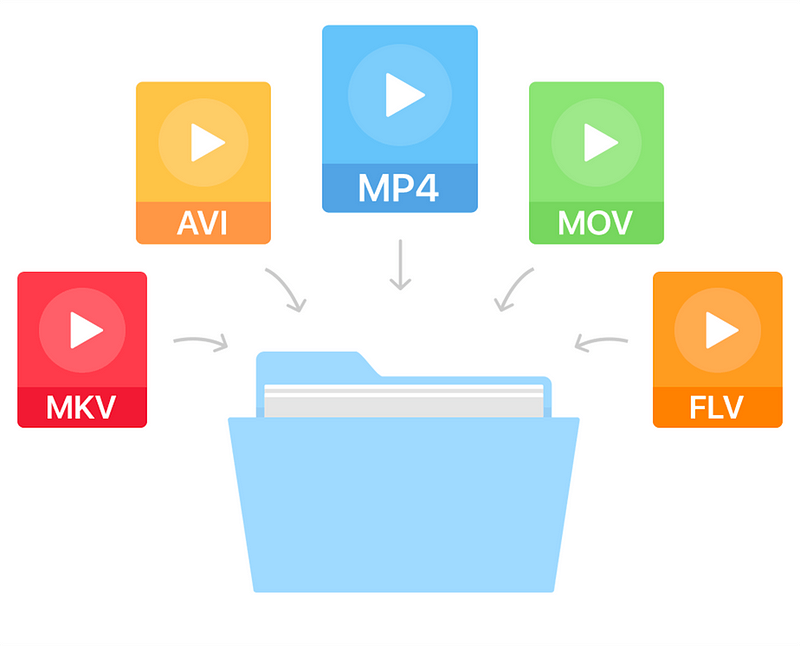
The most popular video formats include MP4, AVI, MOV, and MPG, but there are many more. The reason for a new format is often that manufacturers want to enforce their own formats, such as Apple with Quicktime (MOV) or Microsoft with AVI and ASF (or WMV).

What video codes are there?

Anyway, G enaugenommen is in video formats simply as a file container in which different content is stored, including the tone of the image and, where available, information such as subtitles and timestamps.

The codecs used to encode the image and soundtracks in the container are really important. Codecs ensure that multimedia files consume the least possible storage space with the best possible quality.

MPEG-1 and MPEG-2 (m2p, mpg, mpeg, ts)

MPEG-1 is one of the oldest video formats and at the same time container and codec. Although the codec is recognized and played by almost all devices and browsers, you can tell the age of the format: for example, HD videos are no longer possible and the quality of the videos is more bad than good.

It is better with the successor MPEG-2 format, which can be found with the same file extensions as MPEG-1. The codec is the standard for DVD video for many television companies. Even if the quality is good compared to MPEG-1 and the format is widely used, MPEG-2 is less suitable for the web, as the compression is comparatively low and good quality videos weigh many megabytes.

MP4 is standard for HD television and the format is also used on Blu-rays.

Creating good quality videos and clips is not a big deal these days.

AVI (avi)

As with MPEG-1, AVI is an old format: it has evolved over time and, thanks to codecs such as DivX, it supports high-quality HD videos with good compression. Although the format is widespread, it is only partially suitable for website integration due to lack of streaming capabilities.

ASF (wmv, asf)

The ASF format is probably better known to most as WMV. Unlike AVI, the format developed by Microsoft can be transmitted; the format is similar to MPEG-4, making it suitable for use on the web. Due to its low distribution, it is not especially recommended.

Flash and 3GP

These are two formats that are almost impossible to find on the Internet. 3GP was originally intended to be a highly compressed mobile format, and Flash could be found on almost every website. In the meantime, however, there are better codecs / formats with MP4 and WebM that are suitable for web applications.

QuickTime (mov)

MOV files are native to Mac. However, Apple has managed to make this high-quality video format a standard in professional editing. Many editors work with the MOV format in programs.