MP3 bitrate types


Free Download Mp4Gain
picture

MP3 bitrate types

Mp3 Bitrate

Bit rate

bitrate

CBR stands for constant bit rate, that is, a constant bit rate that is set by the user and does not change when the part is encoded. Therefore, every second of the part corresponds to the same number of bits of encoded data (even when encoding silence).

VBR stands for variable bit rate, that is, a variable bit rate or variable bit rate that the encoder program dynamically changes during encoding based on the saturation of the audio material being encoded and the encoding quality set by the user (for example, silence is encoded with the minimum bit rate). The downside to this encoding method is that VBR considers the quietest snippets to be “negligible” audio information, so it turns out that if you listen too loud, these snippets will be of poor quality, while CBR makes quiet and loud snippets with the same bit rate …

ABR stands for Average Bit Rate, that is, Average Bit Rate, which is a hybrid of VBR and CBR: the user sets the bit rate in kbit / s and the program varies it, constantly adjusting it to the specified bit. Velocity. Therefore, the codec will be careful to use the maximum and minimum possible bitrate values, as it runs the risk of not conforming to the bitrate specified by the user. This is a clear disadvantage of this method, as it affects the quality of the output file, which will be slightly better than using CBR, but worse than using VBR (with the same file size).

MP3 codecs

The type of programs required to convert file formats. The most common MP3 codecs are:

mp3PRO-codec (uses SBR frequency transform).
LAME codec
fraunhofer-codec


Free Download Mp4Gain
picture


Mp4Gain Main Window
picture


Mp4Gain Features
picture


Free Download Mp4Gain
picture

Explanation of the sample rate, bit depth and bit rate

Explanation of the sample rate, bit depth and bit rate

Bit Depth

This is what happens when you compress audio files
High-resolution streaming and audio promise us particularly good lossless sound when playing digital music. But what exactly does that mean? Sample rate, bit depth, and bit rate are explained.

16-bit 44.1 kHz – CD Quality: This slogan is often used when marketing high-resolution and lossless audio formats and equipment. But what exactly is it about?

israelburrows | Israelsaepblog

The quality of digital audio signals is primarily determined by three things: sample rate, bit depth, and bit rate.

In principle, you have to imagine that a digital audio signal is not a constant flow of information. Rather, music is divided into very, many small “slices” (samples), each of which carries the information for the digital-to-analog converter in a short section.

The more samples a signal has per unit time, the more precisely the original analog signal can be mapped.

The sample rate reveals how tight the samples are: the 44.1 kHz of a CD represents 44,100 samples per second.

Bit depth

Bit depth (resolution) is specified in “bits” and indicates how many different values ​​each sample can assume. With 16 bits (CD quality), this is 2 ^ 16, that is, 65,536. The recording studio usually works with 24 or even 32 bits.

This is where many high-resolution formats come into play that also promise studio quality at 32-bit resolution.

▶ ︎ MP3, FLAC, ALAC, WAV – the most important music formats in comparison

Bit rate

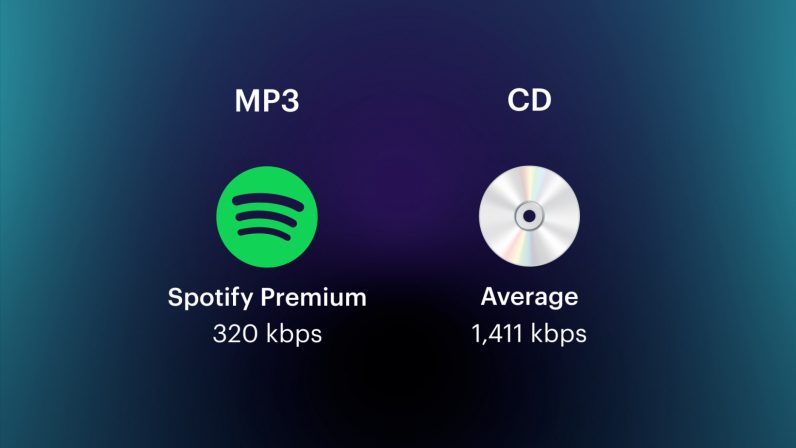
The bit rate (bandwidth) of an audio file in uncompressed formats is initially nothing more than the summary of the sample rate, the bit depth and the number of channels. It is specified in kBit / s and therefore provides an initial characteristic value for evaluating the quality of a file.

Example: A stereo CD stores two tracks at 44.1 kHz with a bit depth of 16 bits. This means that its bit rate is 44.1 kHz x 16 bits x 2 channels = 1411.2 kBit / s