The bit rate directly affects the sound quality.


Free Download Mp4Gain
picture

The bit rate directly affects the sound quality.

audio bit rate
audio bit rate

High bitrate is good and low bitrate is bad.

audio bit rate
audio bit rate

The code rate is the number of data bits transmitted per unit of time during data transmission. Generally, the unit we use is kbps, that is, kilobits per second.

The popular understanding is the sampling rate. The higher the sampling rate per unit time, the higher the precision, and the processed file is closer to the original file, but the file size is proportional to the sampling rate, so almost all encoding formats pay attention. It’s about how to use the lowest code rate to achieve the least distortion. The cbr (fixed code rate) and vbr (variable code rate) derived from this core are all articles in this regard, but things are not absolute, in terms of audio, the higher the bit rate, the lower the compressed ratio, the smaller the sound quality loss and the closer it is to the sound quality of the audio source.
The information in the computer is represented by binary 0 and 1, and each 0 or 1 is called a bit, which is represented by lowercase b, that is, bit (bit); uppercase B represents byte, ie byte, one byte = Eight bits, ie 1B=8b; the capital K in front stands for thousand, that is, thousand bits (Kb) or kilobytes (KB). Indicates the size of the file, usually using bytes (KB) to indicate the size of the file.

Kbps: The first thing to understand is that ps refers to /s, which is every second. Kbps refers to the speed of the network, that is, how many thousands of bits of information are transmitted per second (K means thousands of bits, Kb means how many thousands of bits), it is expressed in kb (kilobit), and in the case KBps means how many kilobytes are transferred per second. 1KBps = 8Kbps. The Internet speed of ADSL is 512 Kbps. If converted to bytes, it is 512/8 = 64 KBps (that is, 64 kilobytes per second).

A frame is a still image, and continuous frames form an animation, like a television image.
We normally say the number of frames. Simply put, it is the number of image frames transmitted in 1 second. It can also be understood that the graphics processor can update several times per second, usually expressed in fps (Frames Per Second). Each frame is a still image, and showing frames in rapid succession creates the illusion of movement. Higher frame rates result in smoother, more realistic animations. The more frames per second (fps), the smoother the motion is displayed.

What is the bitrate of the music?
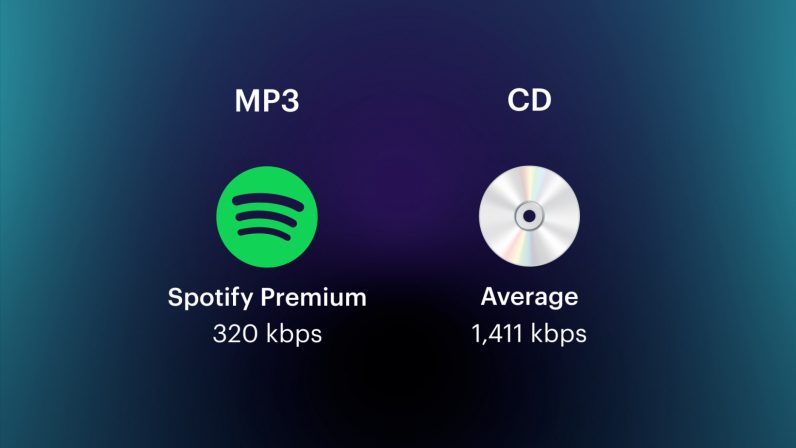
It can also be called bit rate, which is nothing more than the amount of data reproduced per second by a type of music, the unit is expressed in bits, that is, binary bits. bps is the bit rate. b is bit, s is second, p is per, and one byte is equal to 8 binary bits. That is, the file size of a 4-minute song at 128bps is calculated as (128/8)*4*60=3840kB=3.8MB, which means that the same song with the same bit rate (bps) will not no matter what format (such as mp3 wma) The capacity is basically the same, which can only represent a transmission rate, not the sound quality. Due to different compression engines, the sound quality of different formats varies a lot. However, for the same format, the higher the bitrate, the larger the file and the better the sound quality.

What is the sample rate of the music?
Sampling rate refers to the number of samples per unit of time. The sampling rate is 44KHz, which means the number of samples per second is 44K, which means that 44,000 pieces of data are used to describe the sound waveform in 1 second. That is, the higher the sample rate, the better the sound quality. But he and bitrate are two completely different concepts.


Free Download Mp4Gain
picture


Mp4Gain Main Window
picture


Mp4Gain Features
picture


Free Download Mp4Gain
picture

MP3 bitrate types

MP3 bitrate types

Mp3 Bitrate

Bit rate

bitrate

CBR stands for constant bit rate, that is, a constant bit rate that is set by the user and does not change when the part is encoded. Therefore, every second of the part corresponds to the same number of bits of encoded data (even when encoding silence).

VBR stands for variable bit rate, that is, a variable bit rate or variable bit rate that the encoder program dynamically changes during encoding based on the saturation of the audio material being encoded and the encoding quality set by the user (for example, silence is encoded with the minimum bit rate). The downside to this encoding method is that VBR considers the quietest snippets to be “negligible” audio information, so it turns out that if you listen too loud, these snippets will be of poor quality, while CBR makes quiet and loud snippets with the same bit rate …

ABR stands for Average Bit Rate, that is, Average Bit Rate, which is a hybrid of VBR and CBR: the user sets the bit rate in kbit / s and the program varies it, constantly adjusting it to the specified bit. Velocity. Therefore, the codec will be careful to use the maximum and minimum possible bitrate values, as it runs the risk of not conforming to the bitrate specified by the user. This is a clear disadvantage of this method, as it affects the quality of the output file, which will be slightly better than using CBR, but worse than using VBR (with the same file size).

MP3 codecs

The type of programs required to convert file formats. The most common MP3 codecs are:

mp3PRO-codec (uses SBR frequency transform).
LAME codec
fraunhofer-codec

What is the video and audio bit rate?

What is the video and audio bit rate?

Bit Rate

Do you like video production or do you value high quality in movies? You’ve probably come across something like bitrate. It always accompanies the technical characteristics of video recordings and its value determines the quality of the image in the file. When working with converters, you will come across this feature more than once, so it is advisable to fully understand what it is responsible for and how it affects the final product: a video or an audio file.

bitrate

To find out what bit rate is, it is worth understanding how video information transmission works. Any video is a rotating sequence of images. In order not to have a “slideshow feel”, the image change speed must be at least 24 frames / sec. Each box has parameters: width and height. The higher they are, the more pixels are placed in an image, the higher the quality.

Each “point” that makes up a frame has a weight and is equal to 1 byte. Let’s take a Full HD picture and calculate its weight – about two megabytes will be released (1920 x 1080 = 2073 600). So one second of video, containing 24 frames, would weigh 48MB. This is where the concept of bitrate comes in: it is the power to compress a video.

Those. the required file, being encoded, loses weight. But due to strong compression, it may also lose quality. Of course, in reality, not everything is so simple; Much depends on the codec used for encoding. This is the name of the direct compression method. So videos in different formats, but with the same bitrate, can produce images of different quality. The concept of “audio bit rate”, denoting the strength of compression, is also applicable, but for an audio stream.

Bit rate types
Delving into the topic, it is worth noting that the bitrate is not always the same. And now we are not talking about a quantitative indicator, but about a division into types. To work competently with media conversion, read about three types of bitrate: constant, variable, and average, which is a hybrid of the first two.

Constant Bit Rate (CBR)
As the name implies, this type of bit rate does not change during file playback. This compression method allows you to fairly accurately determine the size of the output file and ensure consistent quality throughout your listening or viewing session. But in the entertainment industry, constant bitrate is rarely used due to the impossibility of adjusting it. for dynamic playback, because the files get bigger than they could be.

Variable Bit Rate (VBR)
This type of bit rate is flexible and resistant to change, as a result of which it can be adjusted to the playback object and produce an optimal size / quality indicator. For example, for pictures or musical pieces with a reduced information density, the bit rate will decrease, thus reducing the weight of the object.

Average bit rate
This view is a compromise between the previous ones. The problem with variable bitrate is that changes are automated, and sometimes overcompression can occur. Average bitrate allows the user to set the range in which compression variation will occur. True, the technique of its use is not so simple and is mainly used in professional studios when working on serious projects. An additional advantage of the average bitrate is that it allows you to more accurately calculate the file weight even when the compression force changes.