MP3, WAV or AAC: audio formats at a glance


Free Download Mp4Gain
picture

MP3, WAV or AAC: audio formats at a glance
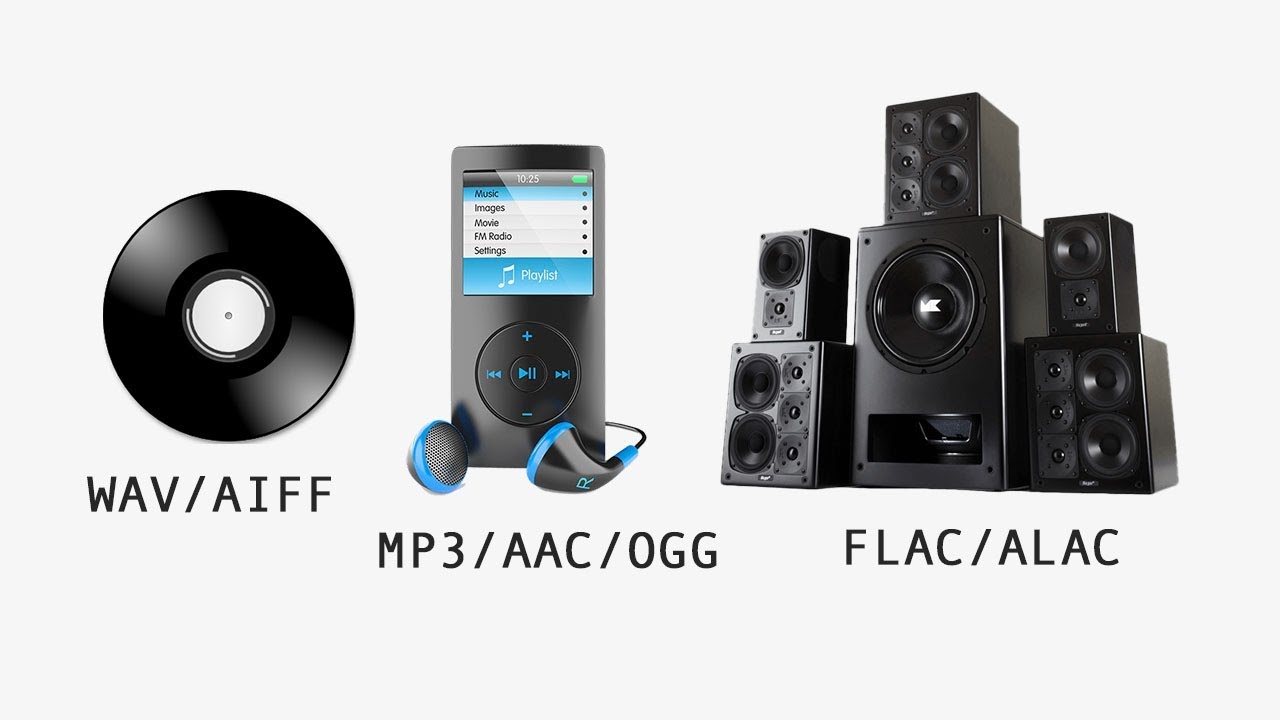
MP3 vs FLAC vs WAV vs AAC

Anyone who works with a computer will encounter a wide variety of audio formats over time. Whether you want to use or create audio files yourself, you will inevitably have to deal with the multitude of different programs for playback, codecs, and file formats. But what is behind the ending .wav, .mp3 or .aac and why are there so many different audio formats?

Audio Formats

Why are there different formats?

In different file formats, digital data is organized in different ways. For the storage of a file, a fixed specification of the encoding must be followed. Ultimately, this ensures that the data can subsequently be read and interpreted correctly.

In addition, the different file formats differ mainly in terms of their degree of compression: without the different formats and the possibility of significantly reducing the file size through compression, our current media consumption through streaming services such as Spotify or Amazon Prime Music would not be possible.

There are basically three types of audio formats:

Formats that do without compression and therefore work without loss of quality,
Compressed audio formats that sacrifice some of the sound information for size and
Audio formats that use a lossless compression process and therefore allow file size reduction without loss of quality.
Thanks to modern audio converters, changing the format and converting to different formats is no longer a problem.

The original audio formats without loss of information

It is not necessary to compress all digitized sound recordings. When it comes to keeping sound quality as high as possible, uncompressed formats are clearly an advantage. Therefore, they are also often used for recording and editing. A distinction is made between WAVE and AIFF formats, which basically have the same specifications, but come from competing companies. While the WAVE format with the .wav file extension was developed by Microsoft in cooperation with IBM for use on Windows PCs, the .aif format extension is based on Apple development work and is primarily used on Macs.

Lossy compressed: the development of MP3, ACC and MP4

The MP3, AAC, OGG, or WMA formats that are widely used today are called lossy formats. This means that the digital audio format has less data than the original format, for example on a CD.

The MP3 file

The MP3 format has become indispensable.
The MP3 format developed by the Fraunhofer Institute in 1982 has become indispensable today. With this format, the current form of music consumption over the Internet was realized for the first time. The format, actually known as MPEG-1 Audio Layer 3 with the ending .mp3, uses a technology that makes it possible to reduce the size of audio files considerably without having to accept a clearly audible loss of quality. In principle, the technology behind this is quickly explained: when files are converted to MP3 format, all noise information that is not audible to the human ear is removed.

This procedure reduces the amount of information and therefore also the size of the files. Data rate, also known as sample rate or sample rate, plays an important role in the quality of music in MP3 format. From an average data rate of 200 kilobits per second, most listeners can no longer distinguish the sound quality of the original recording. However, the file is reduced to approximately one-seventh of its original size.

It was only the comparatively small files that made music distribution possible over the Internet. New technical possibilities were recognized by music listeners long before the music industry. Illegal copying of music through Napster and other file-sharing networks was extremely popular. Suddenly, music lovers had all their music in MP3 format on their hard drives.


Free Download Mp4Gain
picture


Mp4Gain Main Window
picture


Mp4Gain Features
picture


Free Download Mp4Gain
picture

What audio formats are there and how are they different?

What audio formats are there and how are they different?

Audio formats

When recording sound, the question arises which audio format to choose for disk storage. Almost all of today’s recording programs offer a multitude of options here, from highly compressed MP3 to uncompressed WAV files.

However, it’s easy to lose track in the jungle of different formats. We clarify what audio formats are available and what are the differences between the formats. FROM MP3 TO WAV, EVERYTHING YOU NEED TO KNOW ABOUT AUDIO FORMATS When you save your audio recordings digitally, they are in a specific format.

Audio Formats

Describes the structure of the file and contains all the audio signals. A distinction is generally made between two variants: uncompressed audio formats, which contain all the data, and compressed. With these, certain information is cut from the file. Compressed music formats can also be divided into lossless and lossy.

Uncompressed formats include the following: PCM (Raw Data) AIFF (Audio Interchange File Format) WAV CDDA (Compact Disc Digital Audio) The main compressed formats are: MP3 WMA (Windows Media Audio) / Lossless WMA AAC (Advanced Audio Coding) FLAC (Free Lossless Audio Codec)

This is what defines lossless formats. Uncompressed audio formats store all data in an audio file, including what the human ear cannot or can barely hear. This takes up a lot of storage space on the data carrier, but the sound quality is excellent. Lossless files are compressed to a certain extent to reduce file size.

However, this is done in such a way that no noticeable loss of quality can be detected. All original data is preserved, only the layout of the data is changed. These are lossy formats. One of the most popular lossy formats is the MP3 music format. Parts of the original file are removed to reduce storage space. Ideally, only information from the file that is not perceptible to humans is removed.

The higher the compression level, the smaller the file, but the quality also suffers with each further reduction. PROCESS YOUR AUDIO FILES EVEN MORE – SAVE STORAGE SPACE AND COMPRESS The most common uncompressed music formats are WAV and AIFF. If you record audio files on a digital audio workstation, you typically export them in one of these two formats and then process them.

If you want to save the data without any loss, but the original data must be preserved, first compress the files with an appropriate audio program in a lossless format, for example as a FLAC file. This takes up less space on the data carrier, so you can save a lot on external media and transmit the data.

Since all the information is still contained in the file and is simply unzipped when you open it, you can process these music files optimally: cutting, adding additional effects or soundtracks, or splitting the file, and all without the quality of the sound is affected. If you want to share your music and audio files, upload them to the network, send them by e-mail or if you want to save many files on a data medium, compression is essential.

You can also do this by using a corresponding audio program, some of which you can download for free from the Internet. Compression reduces the file size to a greater or lesser extent depending on the degree. At the same time, the audio file information that cannot be restored is lost. Be careful when compressing. Bit rates – this is what determines the quality of an audio file

Bit rate describes the amount of data that is processed in the music file per second. The higher the value, the higher the quality of the file. Uncompressed files typically have a bit rate of 1411 kilobytes. For example, if you convert a WAV file to MP3 format, you can set the bit rate, for example, to 192 or 320 Kb per second. THE DIFFERENT AUDIO FORMATS AT A GLANCE

What music format is suitable for what purpose and what are the sound differences?

Here you can find out when you should ideally use which format. Uncompressed formats: PCM, WAV PCM describes the raw data of an audio file. The format allows very high bit rates and therefore very high quality. The data is in the original and the sound corresponds to that of an audio CD. However, the PCM format consumes a lot of memory and cannot be played with all common audio programs that are designed for the MP3 format, for example. Therefore, you need a special program to process the flat file.

Lossless audio formats

Lossless audio formats

Lossless audio

Audio files can be converted in a more or less space saving way using lossless or lossy codecs. While the data reduction is absolutely true to the original with lossless codecs, a difference can be heard from the original material, especially with heavy compression with lossy codecs.

Lossless compressed audio files lose approximately 25% to 50% of their original file size. Typical representatives are Monkey’s Audio, FLAC, or WavPack. Modern lossy codecs like AAC, Ogg Vorbis, or MP3, on the other hand, reduce source material by 90% without sounding noticeably worse.

Lossless audio compression

Unlike documents or images, for example, audio files are very difficult to compress, since identical repetitions are very rare in music. But it is precisely on such occurrences that the Huffmann or Lempel-Ziv algorithms depend, which are used in ZIP or RAR, for example. Therefore, most non-clustered compressors employ predictive coding. The signal is divided into a music component and a noise component. Depending on how well this prediction has been made, the noise component should ideally be Gaussian white noise that can be easily compressed using conventional methods.
In the ideal case, the result is 50% compression, which is highly dependent on the piece of music.

Monkey’s Audio, FLAC and WavPack are popular formats for lossless compression of WAV (PCM) files, for example digitized original recordings from the recording studio (for archiving or later processing) or archiving copies of music CDs. The sound quality is always the same as the original and the checksums reveal corrupted files. Increasing hard drive capacity at affordable prices makes “Lossless Codecs” interesting for everyday use.

Uncompressed: WAV (PCM)

WAV is the largest common denominator of Windows audio formats. The Macintosh equivalent is called AIFF. WAV is actually the collective term for various subformats, of which PCM is the most common and is generally equated with WAV.

WAV (PCM) is an uncompressed recording of sound samples: the time signal of a noise is sampled, quantized, digitized, and saved at discrete points in time. The more often and finer you record these values, the better the sound. With CD quality music, this instantaneous value is recorded 44,100 times per second and recorded with 16-bit “precision”, that is, 2 ^ 16 = 65536 possible values.

With the help of special programs (eg CDex, EAC, Audiograbber), Audio CDs can be transferred to the hard disk as WAV (PCM) files. Viewed in this way, WAV (PCM) files are copies of the original, provided the CD-ROM drive is not read incorrectly or the CD is damaged. One minute at CD quality requires roughly 10MB of storage space, which is not as happy to give away even in the age of ever-larger hard drives.

On the PC, WAV (PCM) and CD-quality (44.1 kHz, 16-bit, stereo) audio files are often the starting material for creating space-saving audio files in formats such as MP3. However, for sound processing on the home PC, WAV (PCM) is the first choice.

Monkey’s Audio

Monkey’s Audio is a lossless audio codec for PCM wave files. Monkey’s Audio comes with a convenient program interface (in English), over which files can be compressed, decompressed, verified or tagged. PCM wave files (any sample rate, 8/16/24 bit, mono or stereo) or corresponding Shorten or WavPack files are accepted as source files. Monkey’s Audio does not support multiple channels.

The APE tags that are used to store the title information can be supplemented with their own fields and are therefore very flexible. They are now used in conjunction with other audio formats as well.

The included command line encoder allows integration into other programs. Various audio players support the format through plugins. A plug-in for Winamp can be installed at the same time as installation. Monkey’s Audio is a Windows program by default. However, there is a platform independent version of Java.

FLAC

FLAC stands for “Free Lossless Audio Codec”. There are several lossless audio codecs available. FLAC is suitable here for several reasons: FLAC follows the open source philosophy (free open source code, available for many operating systems), works very fast, has a good and secure framework structure.

MP3 CO-INVENTOR CREATES A SOUND RATING

MP3 CO-INVENTOR CREATES A SOUND RATING

Sound Quality

Why CDs, SACDs, and Downloads are Ahead and FM Radio and Internet are Left Behind
Prof. Dr.-Ing. Dr. rer. nat. hc mult. Karlheinz Brandenburg, Head of the Department of Electronic Media Technology at TU Ilmenau, Director of the Fraunhofer Institute for Digital Media Technology (IDMT)
Prof. Dr.-Ing. Dr. rer. nat. hc mult. Karlheinz Brandenburg, Head of the Department of Electronic Media Technology at TU Ilmenau, Director of the Fraunhofer Institute for Digital Media Technology (IDMT) [Source: TU Ilmenau]

sound quality

“We can wage a real war of faith to get the best sound quality,” says MP3 co-inventor Prof. Dr. Karlheinz Brandenburg. Together with Meinungsbarometer.info, the researcher has created an exclusive and for the first time a sound ranking of all popular music playback formats. A test with surprising results.

Which medium, which transmission path offers the best sound theoretically / physically?
Sound quality is very subjective: what is still acceptable to one ears sounds strange to others. The quality that is heard also depends on the specific piece of music that is being listened to; some processes have clear weaknesses. When digital data reduction methods are used (i.e. streaming / downloading from portals / DAB / Internet radio / DVB), there is a massive dependence on the codec used (i.e. .mp3 or AAC or Dolby Digital or FLAC .. .), but also of the bit rate used. Basically the following applies: Theoretically, there are only restrictions on the perfect subjective quality for: streaming FM, LP and variants with data reduction with too low bit rate, i.e. .mp3 (some interference for certain music material are always audible). If all done correctly, the following methods work perfectly for listening tests: CD, SACD, Download / Stream using so-called “lossless” encoding methods (for example, FLAC), and AAC at high bit rates (as in iTunes Music Shop). The differences with DTS or Dolby Digital or .mp3 at 256 or 320 kbit / s are very small. Radio via DVB-C or DVB-S is often preferable to FM radio (because dynamic compression is not used), even if you listen to the same program.

How does it look in common practice?
We can wage a real war of faith for the best sound quality. Since the brain’s expectation plays an important role (“vinyl records sound better”), the answer will vary from person to person. We can identify some “quality sinners”: dynamic compression, bit rates that are too low, especially with Internet radio, some of which sound horrible, and errors in the encoders, which can cause audible interference depending on the playback device. My personal order (good to bad) with well-made recordings and corresponding bit rates is:

1) CD (the reference) / SACD / Download (lossless codec)

2) Download (good “lossy” codec)

3) Radio via DVB / streaming (depending on bit rate)

4) DAB + / LP

5) FM / Internet radio (relatively high bit rate, good codec)

6) Internet radio (wrong bit rate for codec)

Will data reduction music formats, such as mp3, lose importance in the future as increasing amounts of data can be moved on the Internet?
I’ve known the plot since 1983, before .mp3 was invented. There are still many applications where the amount of data transferred is economically important. Also, all end devices understand .mp3 so it will survive. On the other hand, data reduction music formats are now almost non-existent in the studio and in the feed.

What music formats and platforms do you think will gain relevance in the future and which ones will lose? Are there new music formats or platforms on the horizon?
“Object-oriented” music formats have been debated for 15 years. Now there is a transition to practice with Dolby Athmos in the cinema (which is already frequently found) and the MPEG-H standard for home and broadcast applications (still under discussion in the relevant committees). These formats not only allow for greater flexibility in terms of the playback arrangement (number and placement of speakers), but also much better surround sound than previous surround systems. Many such systems already exist in the field of large-scale sound reinforcement (Bregenz Festival, planetariums, opera). All of these examples can also be found as a research focus of our Fraunhofer Institute for Digital Media Technology.

We are currently seeing efforts to improve the sound quality of Internet radio and broadcast systems. Often this is less of a codec problem and more of an operational problem. We have lived for decades with the fact that FM radio sound is significantly affected by compressors (which make stations louder).

AAC vs MP3: which one sounds better?

AAC vs MP3: which one sounds better?

AAC Vs. MP3

AAC and MP3 are now widespread and established in the hardware and software markets. AAC is often touted as the successor to MP3. But is the successor really better? We tell you who sounds better and why.

MP3 to AAC

What are AAC and MP3?

You are probably familiar with AAC and MP3 from your music downloads, audiobooks and audio software for ripping audio CDs or compressing WAV or AIFF files.
Both formats are lossy audio codecs. In a special practical tip, we will explain what exactly a codec is.
Sound in AAC format is often hidden behind M4A and MP4 file extensions.
In a practical advice we explain in detail the differences between MP3 and MP4.
MP3 and AAC are both based on psychoacoustic models of loudness and masking that were developed in the 1960s by Eberhard Zwicker, for example.
Although there are newer and more precise models, the innovations since MP3 mainly reside in more sophisticated signal processing.

AAC vs. MP3: which one sounds better?

AAC is newer than MP3. Does newer mean better? At least the AAC innovations compared to MP3 have the potential for significantly stronger compression with the same sound quality or, conversely, significantly better sound quality with the same compression:
As described above, both codecs are based on practically the same psychoacoustic models.
However, AAC allows more flexible window sizes to better react to transient or stationary signals, depending on the signal.

Unlike MP3, AAC also offers more flexible windows. Used sensibly, this can improve frequency accuracy in applied spectrum analysis.
AAC also allows for frequency-dependent stereo ensemble. This can save quite a bit of storage space with little effort, as the low frequencies in audiobooks, music, and movie sound are often kept mono.
Since AAC offers significantly more flexibility on the encoder side, even a good MP3 encoder cannot keep up with a good AAC encoder.

On the other hand, a poorly conceived AAC encoder can also sound significantly worse than an MP3 of the same size. If you encode an MP3 optimally, the result can compete with many AAC encoders.

However, in our 2003 audio encoder quality comparison test, AAC wins, followed by Warning, OGG over MP3.
Also in our 2005 AAC encoder audio codec test from Nero also wins.
AAC is also more flexible than MP3 for the user. For example, AAC supports sample rates from 8 to 96 kHz, MP3 only from 16 to 48 kHz. If you go for 96 kHz music DVDs, even the highest quality MP3 won’t give you a good sample rate.
AAC also supports up to 48 channels, MP3 only 5.1. In AAC, in theory, it could also encode audio material for 7.1 sound, high-order ambisonics, Dolby Atmos, and Auro-3D.

By the way, there is an important rule to keep in mind: converting an MP3 to AAC or vice versa is quite detrimental to the audio quality. You should only convert for compatibility reasons, if, for example, your portable MP3 player does not support the AAC format.

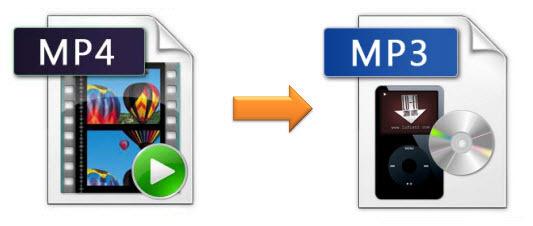
Mp4 to Mp3 Converter : mp4 to mp3

Mp4 to Mp3 Converter

MP4 To MP3 Converter

Convert from Mp4 awav, from Mp4 to mp3, from Mp43 to wav and so on, among many formats
video file that Mp4Gain is capable of converting between, not only converting from an audio format to an audio format, but also converting from video to an audio format, of all popular audio and video formats such as Mp3, Mp4, AVI, FLAC, ogg, AAC, etc. All this is possible and even M4Gain at the same time normalizes the loudness or the audio volume level.

MP4 to MP3

Why convert from Mp4 to Mp3?

Nowadays it is easy to get almost any song in mp4. Even hard-to-get songs from decades past.
But it is possible that the user finally wants that mp4 to be converted to mp3 to be able to have it on the mobile or in the mp3 player so that he can listen to his favorite music.

Here is where we see that it is very important that Mp4Gain normalize the loudness, because when having a music or video collection to reproduce it, it is indispensible that the volume of all is even, without sudden changes in the volume level or loudness, either of a song or video.

But actually you can convert mp3 to flac, mp4 to ogg, mp4 to aac, etc. All with the same ease, with a single click you can make a normalize batch, batch process all your audios or videos.

The standardization offered by M4Gain is of the latest generation and achieves diamond and surprising results. By dynamics we do not mean that the different parts of an audio are normalized so that there are no very loud parts or very silent parts, in fact, the same thing happens with each frequency, which is treated in a specific way.

You can even correct the equalization, it is especially useful on very old recordings.

Mp4 To Mp3- mp4 to mp3 converter

Mp4 To Mp3- mp4 to mp3 converter

]MP4 To MP3 Converter

There is no doubt that the most searched converter today is “mp3 to mp4 converter”.

The reason is simple, saying mp3 to mp4 converter is almost synonymous with saying Youtube to mp3 converter, which is another of the great needs today.

MP4 to MP3

Mp4Gain is not only capable of this conversion, but can convert between all video principals and all audio pron cisples.

That is, you can convert an mp3 to wav, for example, or mp4 to AVI, etc.

And this gives great versatility. Also Mp4Gain normalize3 the volume level. It actually normalizes the loudness of any of the popular audio or video formats. Being able to convert them to each other, or many having the same format, but only boosting the loudness, so that they have the most optimal sound possible.

It also offers a whole gamma of options such as modifying the pitch, without affecting the tempo and vice versa, correcting the equalization (the sound) of any audio or video.

In short, the possibilities are many, its algorithm is the most efficient and the only one that actually regulates the volume level or loudness of videos and various audio formats.]

Actually Mp4Gain doesn’t have a competition, as such. This is the logical evolution and taken to the top of the possibilities of imposing the louness or normalizing the volume level of the most important audio and video formats.

So, if you are looking to convert mp4 into mp3, or rather extract the soundtrack from a video and convert it into any of the most popular formats such as mop3, flac, ogg, aac, etc. You can do it with Mp4Gain.

The best popular audio formats

The best popular audio formats

Audio Formats

I looked around the forest of audio formats for normal use and chose the 5 most important ones. It is true that, in part, a bit simplified, a bit rough in presentation. I refrain from differentiating the exact settings of the respective codecs, that would be too complex.

I also don’t want to get into the nasty topic of DRM. The most important one I dropped is probably Vorbis. . Of course, I assume that the correct settings are used when encoding and that a high quality level is selected.

Audio formats

1st place:
MP3 (MPEG-1 Audio Layer 3)

The most widespread digital format, with good encoding (for example, with LAME) in high bit rates, a format of the highest quality and transparency.

Quality (4.5 / 5 points)
Popularity (5/5 points)
Compression (4/5 points)
Total: 13.5

2nd place:
AAC (advanced audio coding)

It became famous especially for its use in the Apple iPod, a codec that has small advantages over MP3 at low bit rates due to technical developments.

Quality (4/5 points)
Popularity (4.5 / 5 points)
Compression (4.5 / 5 points)
Total: 13

3rd place:
WMA (Windows Media Audio)

Windows proprietary format. Of course, Microsoft has the reins here, so variable format doesn’t run on all playback devices. Otherwise, no major strengths and weaknesses and, for example, the standard format with Napster.

Quality (4/5 points)
Popularity (4/5 points)
Compression (4/5 points)

Total: 12

4th place:
FLAC (Free Lossless Audio Codec) !!

As the only lossless codec on this list. FLAC works in something like a ZIP program: the original can be restored from the compressed file by approximately 50% without restrictions. In times of low hard disk space, a real alternative, especially since many playback devices can play this format. My winner of hearts, the popularity will certainly increase in the future.

Quality (5/5 points)
Popularity (3.5 / 5 points)
Compression (3/5 points)

Total: 11.5

5th place:
Wav

The original format of the normal audio CD data. Impeccable quality and still widespread thanks to the well-known compact disc. It actually started out of the competition because it’s completely unzipped.

Quality (5/5 points)
Popularity (5/5 points)
Compression (0/5 points)
Total: 10

Mp3 converter

Mp3 converter

Mp3 Converter

The mp3 has become the most popular audio format for a myriad of reasons, it arose at a time when it accompanied the boom of digital music and the viralization of songs.

Many argue that the mp3 has died, but that death never comes. There are many reasons that could be used to promote other formats and find their virtues. However, mp3 is the one that, by far, has been able to take over the reign of digital audio files.

MP3 converter

MP3 CONVERTER

It is also true that, for many different reasons, many people need or want to be able to convert mp3 to wav, mp3 to aac, mp3 to flac, etc. Therefore, Mp4Gain allows you to convert between all audio formats, both in audio and video formats. You can even extract audio files from video files.

Converting to any very popular format from an mp3 is something that many people search for on the internet.

Mp4Gain is a very advanced converter of mp3, flac, aac, etc and videos like avi, mp4, avi, mpeg, etc.

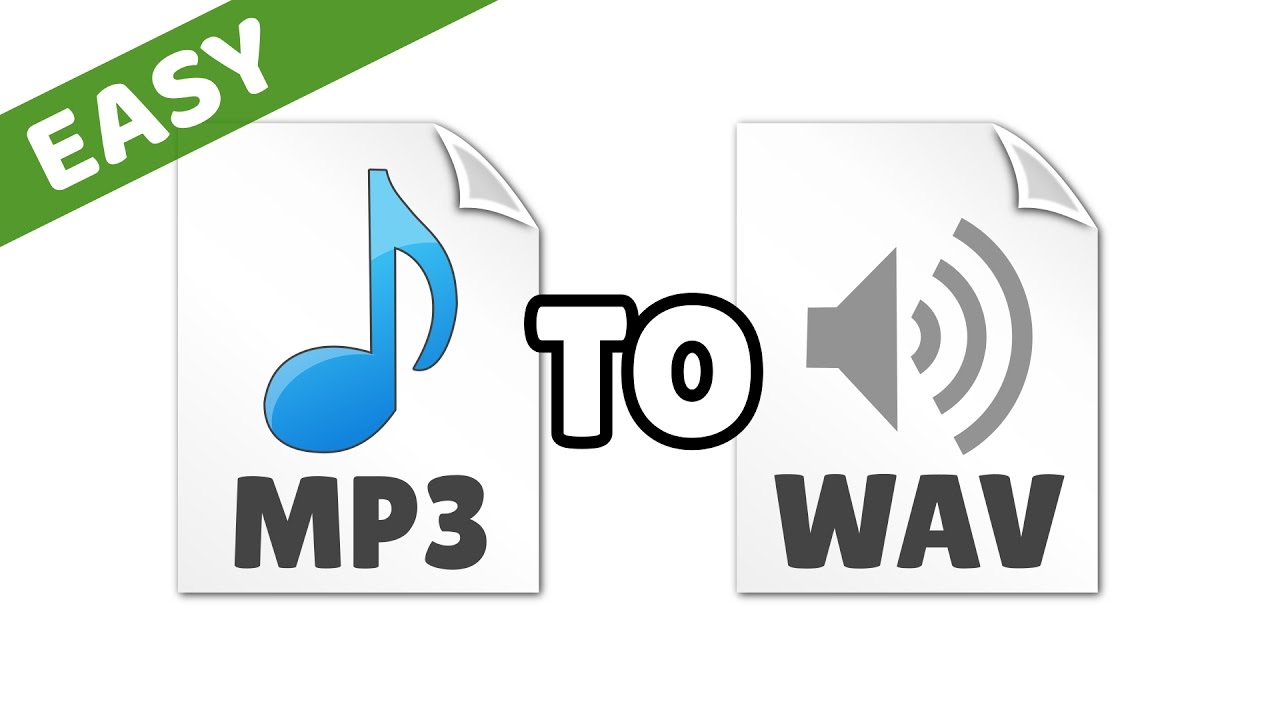
Mp3 to WAV converter

It is important to the degree that one of the important searches is mp3 to wav converter. The need to convert from mp3 to wav is notorious, such as converting video to mp3 for example, mp4 to mp3 converter is also highly sought after. Fortunately, Mp4gain offers all these options and provides the opportunity to convert the most popular audio and video formats together.

Mp3 to wav: Mp3 to wav converter

Mp3 to wav: Mp3 to wav converter

MP3 to WAV converter

An mp3 file is a file that has been encoded to save a lot of disk space, as it can make the mp3 take up about a tenth of what the original file did.

Mp3 to wav converter is a need that exists without a doubt, many people look for a way to convert mp3 files to wav format.

Mp3 to Wav converter

Today that the size of an audio file is no longer as important as it was before, but today quality is the priority for many users, it is possible to use a tool like Mp4Gain to convert an mp3 to wav and give it a realize, not only normalizing the volume, but correcting the equalization, etc.

Furthermore, we would say that only Mp4Gain can convert mp3 to wav, and among many other audio and video formats. The main audio formats can be converted to each other (FLAC, OGG, AAC, A4C, WAV, etc.) and they can even be extracted from the most important video formats.

MP3 TO WAV CONVERTER

A converter must contribute, and Mp4Gain does, with a number of features that it offers in addition to the conversion. From normalization, to modifying the tempo or pitch, etc.

Why WAV?

As we said before, today size is already a priority as it was 20 years ago. Today it is no longer necessary to reduce audio files to the maximum, at least not for all users.
The WAV format has a whole series of advantages and there are those who want to enjoy their music or audio in that format.

One of many advantages is that many devices will natively play the WAV format and have a lot of sound quality. If by the way, when converting it, you take advantage of the fact that it is possible to normalize the volume level using Mp4Gain, then you already have an additional advantage.

Especially when the normalization that today can be done with the Mp4Gain, if the user wishes, is a dynamic normalization of the volume, which goes further and achieves fantastic results.

Definitely if you are wanting to convert mp3 to WAV, it is most possible that Mp4Gain is the ideal option to achieve the best results.