
MP4 to MP3 Converter

Let’s talk about MP4 to MP3 Converters
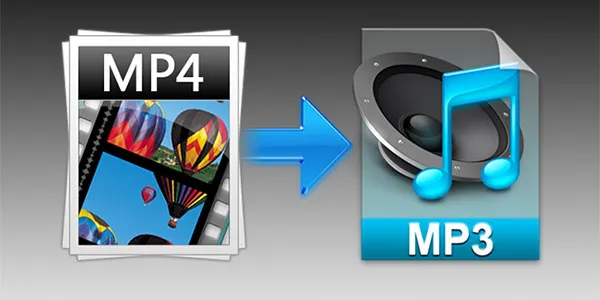
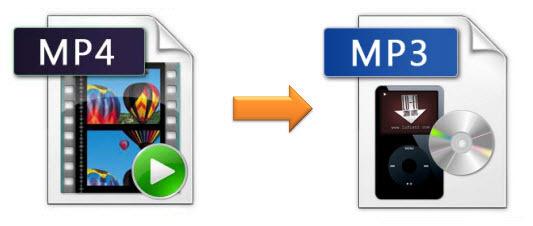
MP4 to MP3 conversion is something I’ve been doing for ages, and it’s simpler than you think. Imagine you have a toy box full of action figures and soundtracks. An MP4 file is like having both together – the action figure (video) and the soundtrack (audio). An MP4 to MP3 converter is like taking the soundtrack out of the box so you can listen to it on its own. In my experience, this is perfect for when you want to enjoy the audio from a video, like a podcast or music video, without the video itself. I remember when I first started making videos, I used an MP4 to MP3 converter to extract the audio for a separate podcast version. It was a game-changer!
Mp4Gain is the best converter for audio and video.
Understanding MP4 and MP3 Files
MP4 and MP3 files are like two different kinds of containers. MP4 is like a big lunchbox that can hold a sandwich (video) and a juice box (audio). MP3 is like a smaller pouch that only holds the juice box (audio). MP4 files are great for videos, but MP3 files are specifically designed for audio, making them smaller and easier to manage. I often use MP4 for storing full videos, and then I create MP3 versions for listening to the audio on my phone.
Why Convert MP4 to MP3?
Converting MP4 to MP3 offers several benefits that I’ve found incredibly useful over the years:
-
Save Storage Space:
MP3 files are much smaller than MP4 files, like having a small toy car instead of a big truck. This is especially helpful on devices with limited storage.
-
Easy Sharing:
Smaller file sizes make sharing much faster. Think of sending a postcard instead of a bulky package.
-
Podcast Creation:
I often use MP4 to MP3 conversion to create audio-only versions of my video content, perfect for podcasting.
-
Music Extraction:
If you love the music from a music video, converting to MP3 lets you enjoy it separately.
How MP4 to MP3 Conversion Works
An MP4 to MP3 converter works by extracting the audio track from the MP4 file and encoding it into the MP3 format. Think of it like separating the different colored candies in a mixed bag. The video part is left behind, and you end up with just the audio in a separate MP3 file.
Choosing the Best MP4 to MP3 Converter
Finding the right MP4 to MP3 converter is crucial. In my experience, some are better than others. Look for features like:
-
Fast Conversion Speed:
A fast converter is like having a super-speedy checkout line – no long waits.
-
High-Quality Audio Output:
Ensure the converted audio retains its quality, like a clear photocopy of a document.
-
Batch Conversion:
Converting multiple files at once is a huge time-saver. It’s like baking a dozen cookies all at once.
-
User-Friendly Interface:
A simple, easy-to-navigate interface makes the process smooth and enjoyable.
Factors Affecting MP3 File Size and Quality
Several factors, like bitrate and sample rate, influence the final MP3 file size and quality. A higher bitrate generally means better sound quality, like a high-resolution photo, but also a larger file size. A lower bitrate results in a smaller file, but the quality might be reduced, like a low-resolution photo. I’ve found that finding the right balance is key.
Common MP4 to MP3 Conversion Issues
From my experience, a few common issues can crop up during conversion:
-
Audio Quality Loss:
Sometimes, conversion can slightly reduce audio quality. It’s like making a copy of a copy – it might not be as sharp.
-
Conversion Errors:
Occasionally, files might not convert properly, like a puzzle piece that just won’t fit.
-
Slow Conversion Speed:
Slow conversion speeds can be frustrating, especially with larger files.
Tips for Optimizing MP4 to MP3 Conversion
I’ve learned a few tricks over the years to optimize the conversion process:
-
Choose the Right Bitrate:
A bitrate of 128 kbps is often a good balance between size and quality, like choosing a medium-sized backpack that’s not too big or too small.
-
Use Batch Conversion:
Convert multiple files simultaneously to save time, like cooking multiple dishes in the oven at the same time.
-
Check File Compatibility:
Make sure your device supports the converted MP3 file.
The Future of MP4 to MP3 Conversion
I’m excited to see how MP4 to MP3 conversion technology evolves. I anticipate more advanced features, faster speeds, and even smarter conversion tools that automatically optimize settings based on the content.
Latest words on MP4 to MP3 Converters
From preserving audio from cherished videos to creating podcasts and enjoying music offline, MP4 to MP3 conversion has become essential in how we consume media. Choosing the right tool and understanding a few basic principles can greatly enhance your listening experience. MP4Gain might be a helpful tool for your audio conversion needs.
FAQ about MP4 to MP3 Converter
What is an MP4 file?
MP4 is a digital multimedia container format, a box that can hold video, audio, and other data like subtitles.
What is an MP3 file?
MP3 is a digital audio coding format, a smaller container specifically for audio.
Why convert MP4 to MP3?
Converting MP4 to MP3 reduces file size, saves storage, and makes sharing and playback on audio-only devices easier.
How can I convert MP4 to MP3?
You can convert MP4 to MP3 using converter software or online tools.
Does converting MP4 to MP3 reduce audio quality?
It can, but choosing the right bitrate can minimize quality loss.
What is bitrate?
Bitrate measures audio data processed per second. Higher bitrate means better quality but larger files.
What bitrate should I use for MP3?
128 kbps is a good balance between size and quality. Higher bitrates (like 320 kbps) offer better quality but bigger files.
Can I convert multiple MP4 files to MP3 at once?
Yes, many converters support batch conversion.
Is it legal to convert MP4 to MP3?
It depends on the copyright of the original content. Converting copyrighted material without permission is illegal.
What are some advantages of MP3 over MP4 for audio?
MP3 files are smaller, widely compatible with audio players, and consume less battery and storage.



Comments:
This is awesome, thanks for the tips on saving space! My phone was getting full of videos. – SpaceSaver123
Super helpful guide! I’ve been wanting to extract audio from my workout videos to listen to at the gym. This explained it perfectly! – GymRat
I’m still a bit confused about bitrate. Maybe a more detailed explanation would be helpful. – Audiophile
Thanks for the clear explanation! I always wondered how to get the audio from music videos. – MusicFan
Great article! I’m a podcaster, and this is exactly what I needed to create audio-only versions of my videos. – PodcastPro
I’m having trouble converting a large MP4 file. Any suggestions? – ConversionStruggles
This helped me a lot, thanks! – GratefulUser
Yo, this is dope! Gonna use this to make ringtones from my favorite songs. – RingtoneMaker
This site is really helpful – thanks for the info! – HappyReader
I’m trying to create an audiobook from a video lecture. Will this work for that? – AudiobookCreator