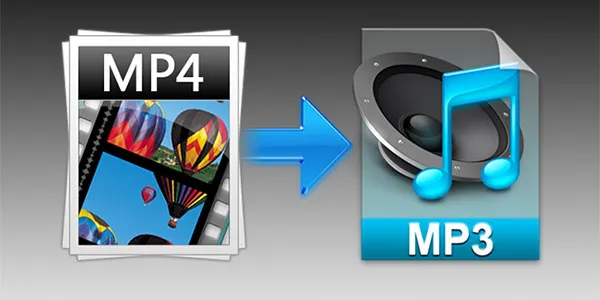
Can I convert a video file to MP3 using an MP3 converter?


Free Download Mp4Gain
picture

Can I convert a video file to MP3 using an MP3 converter?
Video to MP3 Converter

MP3 converter: The solution to convert videos to audio

As a music enthusiast, I always come across videos with amazing soundtracks that I’d love to listen to without the video. Converting these video files to audio has been a struggle until I discovered MP3 converters. With an MP3 converter, I can extract audio from video files and save it as an MP3 format. It’s a simple process that doesn’t require any technical skills.
When it comes to choosing an MP3 converter, there are several options available online. However, I recommend using mp4gain, a normalizer and converter that supports all the major audio and video formats, including MP4, AVI, FLV, and WMV. It also comes with an integrated equalizer, allowing you to enhance the audio quality of your converted files.

Convert video to audio: A step-by-step guide

Converting a video file to an audio format using an MP3 converter is a straightforward process. Here’s a step-by-step guide:
Download and install an MP3 converter like mp4gain.
Launch the converter and click on the “Add File” button to import the video file you want to convert.
Select “MP3” as the output format.
Customize the audio settings like bitrate, sample rate, and channel as per your preference.
Click on the “Convert” button to start the conversion process.
Once the conversion is complete, the MP3 file will be saved in the output folder specified by you.

Audio extraction: Why choose MP3 converters?

Apart from the convenience of extracting audio from video files, MP3 converters come with several advantages. For instance, they allow you to convert large video files to smaller audio formats, saving you space on your device. They also preserve the quality of the original audio, ensuring that you enjoy the same sound quality as the video file.
In conclusion, MP3 converters are an excellent solution to extract audio from video files. They’re easy to use, and with the right software like mp4gain, you can customize the output format to meet your preferences. Give it a try, and you’ll be amazed at how much you can do with this simple tool.



Free Download Mp4Gain
picture


Mp4Gain Main Window
picture


Mp4Gain Features
picture


Free Download Mp4Gain
picture

Video to MP3 Converter

The Ultimate Guide to Using a Video to MP3 Converter

Video to MP3 Converter

Meta Description: Discover how to easily convert your favorite videos into MP3 audio files with the help of a Video to MP3 converter. Our comprehensive guide covers everything you need to know to get started.

Introduction

Are you tired of not being able to listen to your favorite videos on-the-go because you can’t download them as audio files? Do you want to extract the audio from a video to use it as a ringtone, background music, or for any other purpose? If so, you’ve come to the right place. In this article, we’ll show you how to use a Video to MP3 converter to convert your videos into high-quality MP3 audio files.

What is a Video to MP3 Converter?

A Video to MP3 converter like Mp4Gain is a software tool that allows you to extract the audio from a video and convert it into an MP3 audio file. The process is simple and easy-to-use, and it can be done in just a few clicks.

How to Use a Video to MP3 Converter

Using a Video to MP3 converter is a straightforward process. Here’s how to do it:

  1. Download and install Mp4Gain on your computer.
  2. Open the software and click on the “Add Files” button.
  3. Select the video file that you want to convert to MP3.
  4. Choose the output format as MP3.
  5. Click on the “Convert” button to start the conversion process.
  6. Wait for the conversion to complete and then locate the MP3 file on your computer or mobile device.

Benefits of Using a Video to MP3 Converter

There are many benefits of using a Video to MP3 converter. Here are a few of them:

  • Convenience: Converting a video to MP3 allows you to listen to your favorite videos as audio files on-the-go.
  • Compatibility: MP3 is a widely-used audio format that is compatible with most devices, media players, and platforms.
  • Quality: A good Video to MP3 converter can extract high-quality audio from a video, preserving the original sound quality.
  • Customization: Converting a video to MP3 allows you to customize the audio file by adding metadata, album art, or by adjusting the bitrate, sample rate, and other parameters.

Frequently Asked Questions (FAQs)

Q: Is it legal to convert a video to MP3?

A: It depends on the video’s copyright status and the laws of your country. In general, it is legal to convert a video to MP3 for personal use or if the video is in the public domain. However, it is illegal to convert copyrighted videos to MP3 without permission from the copyright owner.

Q: Can I convert a video to MP3 on my mobile device?

A: Yes, there are many Video to MP3 converter apps available for Android and iOS devices that allow you to convert videos to MP3 on-the-go.

Q: What is the best Video to MP3 converter?

A: There are many Video to MP3 converters available on the market, both free and paid. Some popular ones include Any Video Converter, Freemake Video Converter, and Online Video Converter.

Conclusion

Converting a video to MP3 has never been easier, thanks to the availability of Video to MP3 converter software. In this guide, we’ve covered everything you need to know to get started with this process, including what a Video to MP3 converter is, how to use it, and the benefits of doing so. By following the steps outlined in this article, you’ll be able to extract high-quality audio from your favorite videos and listen to them on-the-go. Whether you’re looking to create a custom ringtone or simply enjoy your favorite songs in audio format, a Video to MP3 converter is a powerful tool that can help you achieve your goals. So why wait? Download a Video to MP3 converter today and start converting your videos into MP3s!

MP4 to MP3

MP4 to MP3

MP4 to MP3
MP4 to MP3

In today’s digital age, the consumption of media has become an integral part of our daily lives. With the rise of online streaming platforms, video sharing websites, and music applications, we have access to a vast collection of digital content. However, sometimes we may want to convert a video file, like an MP4, to an audio file, like an MP3, in order to extract or obtain the song in a more portable format. This is where the MP4 to MP3 conversion comes in, and in this article, we will discuss the process of conversion, as well as the benefits of using MP4Gain to maintain high audio quality.

MP4 to MP3
MP4 to MP3

Understanding MP4 to MP3 Conversion

MP4 is a digital video format that is widely used for streaming and downloading videos from the internet. However, MP4 is not compatible with all devices, and it takes up more storage space than an MP3 file. MP3, on the other hand, is a digital audio format that is smaller in size and widely supported by all audio players. MP4 to MP3 conversion is the process of extracting audio from an MP4 video and saving it as an MP3 audio file.

There are several ways to convert an MP4 to an MP3 file. One way is by using a software program, like MP4Gain, that can provide high-quality audio output.

Benefits of using MP4Gain for Mp4 to Mp3 Conversion

MP4Gain is a software program that not only converts MP4 to MP3, but also provides a range of features to enhance the audio quality of the output file. One of the main benefits of using MP4Gain is its ability to maintain the high audio quality of the original file. The software uses advanced algorithms to analyze the audio and adjust the volume levels to provide a consistent sound throughout the track.

Another benefit of using MP4Gain is its ability to convert MP4 to many other audio formats, such as MP3 to OGG, MP3 to FLAC, MP3 to WAV, MP3 to M4A, and more. This provides users with more flexibility to use their audio files on different devices and platforms. The conversion process is simple and efficient, and it can be done with just a few clicks of a button.

Additionally, MP4Gain can adjust the volume levels of the output file according to the user’s preferences. This means that users can increase or decrease the volume of the audio file to suit their needs. The software can also normalize the audio levels to provide a consistent sound throughout the track.

Technical Aspects of MP4 to MP3 Conversion

MP4 to MP3 conversion involves several technical aspects that are important to understand. One of these aspects is the bit rate of the audio file. The bit rate determines the quality of the audio and the size of the file. A higher bit rate means better quality but a larger file size, while a lower bit rate means lower quality but a smaller file size.

Another important technical aspect of MP4 to MP3 conversion is the sampling rate. The sampling rate determines the number of times per second that the audio is recorded. A higher sampling rate means better quality but a larger file size, while a lower sampling rate means lower quality but a smaller file size.

Tips for Using MP4Gain

When using MP4Gain to convert MP4 to MP3 or other audio formats, there are several tips to keep in mind. First, it’s important to choose the right output format based on your needs. For example, if you’re converting a video to an audio file for use on a specific device, make sure to choose the format that is supported by that device.

Second, pay attention to the bit rate and sampling rate when choosing the output format. Higher bit rates and sampling rates can provide better quality audio, but they also result in larger file sizes. Choose a bit rate and sampling rate that meets your needs, based on factors such as storage space and desired audio quality.

Third, use MP4Gain to adjust the volume levels and normalize the audio to provide a consistent sound throughout the track. This will help prevent sudden changes in volume and provide a better listening experience.

In conclusion, MP4 to MP3 conversion is a useful process for extracting audio from video files. MP4Gain is a great tool for converting MP4 to MP3, as well as other audio formats, while maintaining high audio quality. Understanding the technical aspects of MP4 to MP3 conversion can help you choose the right output format and settings for your needs. With the right tools and knowledge, you can easily convert your MP4 files to MP3 and enjoy your favorite music on any device.