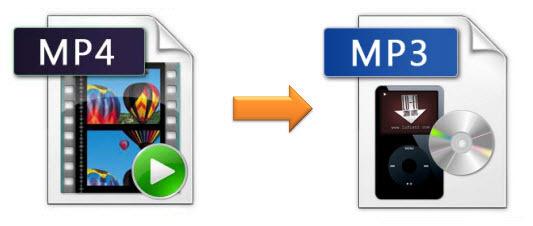
MP4: the key format to convert your videos
The .mp4 extension refers to an audio-video encoding format. It uses an algorithm that manages to optimize storage quality to a very small size, which is why it is considered one of the main formats preferred by the public, predominant in networks.
Recommended
Bags that are reused, so we change habits in favor of the planet

Most of the current cameras integrate the capture and decoding function in the same action and usually opt for the .MP4 format to achieve this.
When editing a video, most video editing programs will support MP4. In the event that we do not have the video in this format, we can always use a program like Mp4Gain.
In case you still do not know how these converters work, we are going to give you a cable.
How does an MP4 converter work?
Software selection: The first thing we will have to do is choose the software we are going to use. We download and install it in the terminal. In this case we will use Mp4Gain
Add the file: We open the program and load the file. If all goes well, you should add it without problem.
Selection of the new format: The next step is to select the new video format that we want the file to have. As the MP4 format is one of the most used today, we select this one. Depending on the program, we may be able to manipulate some data such as bitrate, resolution, FPS …
Conversion: We press the conversion button and wait for the process to finish. The duration of it will depend on how large the file that we are converting is, the duration, as well as the characteristics that we have manipulated. The power of our computer will also dictate the conversion speed.
If everything went well, we will have the video file ready to be able to use it in the support that we want.
What is the MPEG-4 format
About MPEG-4 Format
MPEG-4 is a method for defining compression of digital audio and visual data, which is one of the latest MPEG group standardized compression method, specially designed for low-bandwidth video / audio encoding purposes. DivX and XviD are fully standard MPEG-4 encoders supported today. MPEG-4 is in common use for storing media types defined by the Moving Picture Experts Group ISO / IEC, although it can store other media types as well. Files of this format usually have the extension. Mp4.
Unlike MPEG-1 and MPEG-2, the predecessor MPEG-4, MPEG-4 itself is not only a unified encoding mechanism, but rather a group name of various flavors of video and audio encoding methods They share certain similar characteristics. These “flavors” are often referred to as either “profiles” or “layers” in MPEG-4 compression scheme and each new profile must be backwards compatible with previous, “lower” versions of MPEG -4 in terms of playability. MPEG-4 group has standardized several new layers – The most important ones are h263 + (which is widely used in mobile phones, named as 3GP) and H.264 (often also called as AVC ).
MPEG-4 builds on the proven success of three fields:
● Digital television
● interactive graphic applications (synthetic content)
● Interactive multimedia (World Wide Web, distribution and access to content)
Recommended data to embed in MPEG-4:
● Video: MPEG-4, MPEG-2 and MPEG-1
● Audio: MPEG-4 AAC, MP3, MP2, MPEG-1 Part 3, MPEG-2 Part 3, CELP (speech), TwinVQ (very low bitrates), SAOL (midi)
● Images: JPEG, PNG
● Subtitles: MPEG-4 Timed Text, and / or xmt / bt text format (means that the subtitles have to be translated into xmt / bt)
● Systems: Allows animation, interactivity and DVD type menus
The file extensions used in files that contain data in the * format. Mp4:
. ● mp4: official extension, for audio, video and advanced content (see above) files
● m4a :. For audio-only files, you can safely rename * mp4, though opinions differ as to the wisdom of this.
. ● M4P: FairPlay protected files
. ● mp4v, m4v :. Video only (times. Also used for raw MPEG-4 video streams in * mp4 container format)
● .3 gp, .3 g2 :. Used by 3G mobile phones, it can also store content not directly specified in the mp4 specification * (H.263, AMR, TX3G)