Audio formats


Free Download Mp4Gain
picture

Before going through the different audio formats to identify the best ones for you, it seems right to try to make you understand what digital audio is. In short, it is nothing more than a representation of real sounds through a chain of zeros and ones. The more there is in a file, the closer the digital sound will be to what it represents.

Audio Formats

Better audio formats

It all started with Pulse-Code Modulation (PCM), created in 1937 and characterized by two properties: the sampling frequency to measure the amplitude of the waveform and the bit depth to measure possible digital values. It is basically the faithful conversion of analog audio into a digital file in which no compression is done. The result is a very large audio file, which takes up a lot of space.
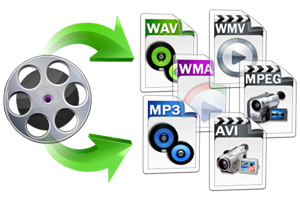
Audio Formats

To remedy this, therefore, more or less compressed audio formats have been created that, depending on their characteristics, are divided into two different types: Lossless formats, that is, when the information contained in the final file is identical to that contained in the source file and therefore there is no loss of quality, and lossy formats, for which the information contained in the final file is less than that contained in the source file with the consequent loss of quality but in benefit of the space of necessary storage. For more details, continue reading, below you will find the different audio formats belonging to the categories in question indicated and explained.

Lossless (WAV, AIFF, FLAC and ALAC)

As I told you a few lines above, Lossless audio formats are those that are not compressed or that, despite being subjected to this type of treatment, the final quality remains practically unchanged with respect to the original audio. The main formats that belong to this category are the following: WAV, AIFF, FLACC, ALAC and APE. Let’s see its characteristics in detail.

WAV – An acronym for WAVEform audio file format, is a standard that was developed by Microsoft and IBM in 1991. It is the most popular category of apparent audio file format. It is not compressed and is essentially what you get when you rip audio from a music CD with your computer. It takes up a lot of space (1,411 kilobits of information per second of stereo music at 44,100 Hz / 16 bits), but it reproduces sounds faithfully. In terms of quality and quantity of information, it is similar to the AIFF format, which you will find explained below.
AIFF – Short for Audio Interchange File Format, it belongs mainly to the Mac world, it was developed by Apple based on the Electronic Arts Interchange File Format and is particularly suitable for audiophiles and music recorders. It basically has the same characteristics as the WAV format mentioned above, so it is not compressed, so it takes up a lot of space (1,411 Kilobits of information per second of stereo music at 44,100 Hz / 16 bits) and is capable of reproducing sounds with a lot of fidelity.

FLAC: is the abbreviation for Free Lossless Audio Codec. It is an open source codec that is often used to store music CDs on the computer without loss of quality and is compatible with most programs and devices. Compared to the formats that I have already told you about, it has a minimal degree of compression, but most people cannot perceive significant differences compared to a WAV or AIFF file.
ALAC – Short for Apple Lossless Audio Codec, is essentially Apple’s worldwide counterpart to the earlier FLAC format. The quality is good on average but the format is not as efficient as the FLAC in terms of weight. Then keep in mind the fact that not all gamers support it, so unless you have uniquely and exclusively Apple devices, it may not be the best solution to opt for.

Other important but less common audio formats that always belong to the Lossless calorie are Monkey’s Audio (APE) and OptimFROG (OFR). Its characteristics are more or less similar to those of the FLAC and ALAC formats.

Lossy (MP3, AAC, WMA, and Ogg Vorbis)

Now let’s move on to the audio formats belonging to the Lossy category, that is, those always subjected to compression that take up very little space but “sacrifice” a certain degree of audio quality. The main formats in this category are: MP3, AAC, WMA, and Ogg Vorbis. For more information, keep reading, you will find more details about it below.

MP3: in Full Moving Picture Expert Group-1/2 Audio Layer 3, also known as MPEG-1 Audio Layer III or MPEG-2 Audio Layer III.


Free Download Mp4Gain
picture


Mp4Gain Main Window
picture


Mp4Gain Features
picture


Free Download Mp4Gain
picture

Audio file formats

It all starts with Pulse Code Modulation (PCM), the basis for digital audio, which was founded in 1937 and is characterized by two properties: sampling rate for measuring the waveform amplitude and bit depth for measuring possible digital values.

Examples of digital formats for audio sampling are:

– WAV (waveform audio file format)

– MP3, AAC, WMA, Vorbis

– FLAC (Free Lossless Audio Codec) ALAC (Apple Lossless Audio Codec) and APE

WAV:

The same format is used to record audio CDs. Different qualities are available (8-16 bit, 11 to 44 kHz). The higher the quality, the greater the memory usage.

MP3, AAC:

The files. MP3 and AAC are the most common formats when you need to store music on a computer or phone, and exchange or download music on the network and on the Internet. MP3 is a “lossy” format that loses some audio quality to achieve a significant increase in file size. An MP3 has a size of approximately 1 MB per minute.
The difference to lossless formats is that if you convert the file to a less compressed format like WAV, the quality sacrificed during compression will not be restored. For lossy formats such as MP3, the audio quality is measured using the bit rate value, which is generally specified in “192 kbit / s” or “192 kbit / s”.
The higher the bit rate, the more detailed the sound becomes.

FLAC, ALAC, APE:

These formats compress audio using algorithms.
The difference between compressed files and FLAC is that FLAC is specifically designed for audio and therefore has better compression rates without data loss.
As a rule, a .FLAC takes up half of the storage space of a WAV in megabytes and maintains the “CD quality”.
A FLAC can be converted to WAV without loss of quality and is the preferred format for those who want to listen to music with the best quality and great speakers.

Is the audio quality subjective?

In theory no, but in practice it’s very subjective.
To hear real differences between the quality of an audio CD and an MP3 file, you need to use high-end headphones or speakers.
In addition, it also depends on what you are listening to and what type of music, in different formats, can have significant or almost no differences in listening.
If you are looking for the best compromise between file size and quality, you should experiment with the different formats and test whether you have a better experience with MP3 with higher bit rates or even with the playback of FLAC files.

Understanding digital audio formats

Understanding digital audio formats

When it comes to digitally distributing our music it is important that we understand what they are
the different formats, which are the most used and which are the best in terms of the
Relationship between size and quality.

PCM digital audio

WAVE

The name comes from the acronym waveform audio file format and is a used file
usually on computers with the Windows operating system.
WAV or WAVE files contain audio in LPCM format (Linear Pulse Code
Modulation) This is a way to encode an analog audio signal to the domain
digital by using equidistant samples over time of amplitude values
of the analog signal.
The quantity of samples is given by the sampling rate or sampling rate,
while the amount of possible amplitude values ​​is determined by the
Bit depth or bit rate.
The sampling frequency of the CDAUDIO for example is 44.1 kHz and 16 bits. exist
higher sampling rates such as 48 kHz, 88.2 kHz, 96 kHz up to 192 kHz at
this system.
On the other hand, WAV files are uncompressed audio and are generally used in
stages of recording, editing, mixing and mastering for being of high quality.
The higher the sample rate and the greater the number of bits, the file size will be
our hard drive
In general for professional uses at least a frequency of
44.1 kHz sampling and a depth of 24 bits preferably.
The standard extension for this type of file is: .wav

AIFF

The name comes from Audio Interchange File Format or audio file format
interchangeable, this format was developed by Apple computers and is used to save
and manipulate audio on computers.
It is like WAV a file type without compression or lossles therefore allows
Processing for professional applications such as recording, editing, mixing and
mastering as well as for professional video uses.
Another similarity with WAV files is that it is PCM audio (press code
modulation) that for practical purposes it is the same as the LPCM.
The standard extension for this type of files is .aiff

MP3

Also known as MPEG1 or MPEG2 audio layer, it is a form of coding
of digital audio in which psychoacoustic models discard information from
Audio that is presumed is not audible to most users.
As an example a file created with a resolution of 128 kbits / s is equivalent to 1/11
the size of a file on an audio CD.
The main purpose of using this type of coding is to reduce the size of the
files and be able to send / download faster, especially through
from Internet.
Being a file type reduced in quality IS NOT RECOMMENDED for
recordings, editing, mixing or mastering of professional audio.
For this reason we recommend NOT to use it to send us your clues to
mix / master