Understanding Audio Compression Algorithms


Free Download Mp4Gain
picture

Understanding Audio Compression Algorithms
Audio Compression Algorithms

The Fundamentals of Audio Compression

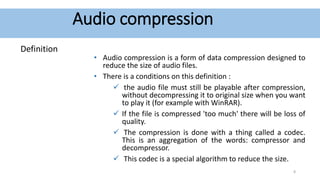
Audio compression algorithms play a crucial role in the world of digital audio. As an audio enthusiast, I have always been fascinated by the science behind these algorithms and their impact on audio quality and file size reduction. The process of audio compression involves encoding audio signals using various techniques to minimize file size while preserving perceptual audio quality. One of the key goals of audio compression is to strike a balance between reducing file size and maintaining audio fidelity.
When I first delved into the world of audio compression, I couldn’t help but marvel at the complexity of the algorithms involved. Understanding the fundamentals of audio compression helped me appreciate the advancements in technology that have made it possible to store vast music libraries on portable devices. Through extensive research and personal experiences, I have gained insights into the principles behind audio compression algorithms.

The Science of Psychoacoustics

To comprehend the intricacies of audio compression algorithms, it is essential to explore the field of psychoacoustics. Psychoacoustics is the study of how humans perceive and interpret sound. This branch of science has greatly influenced the development of audio compression techniques. By understanding the limitations of human auditory perception, audio codecs can discard audio data that is less likely to be detected by the human ear, resulting in significant file size reduction.
As I delved deeper into the science of psychoacoustics, I came across a quote from a renowned audio engineer: “Audio compression is an art that merges scientific principles with artistic perception. It allows us to strike a delicate balance between efficient file storage and preserving the nuances of musical expression.” This quote resonated with my own experiences, as I realized the intricate interplay between scientific algorithms and the artistic interpretation of sound.

The Advancements in Audio Encoding Techniques

Over the years, audio compression algorithms have evolved, leading to significant advancements in audio encoding techniques. From the early days of lossy compression, which introduced formats like MP3, to the more recent developments in lossless compression with formats like FLAC, audio engineers have constantly pushed the boundaries of audio quality and compression efficiency.
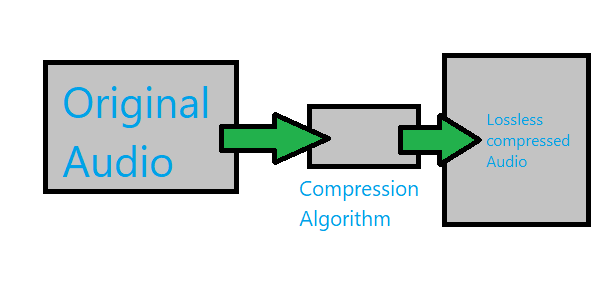
My personal journey in exploring audio encoding techniques led me to appreciate the trade-offs involved in choosing the right audio codec. Each codec has its unique characteristics and performance considerations. For example, while lossy codecs like MP3 offer efficient file size reduction, they sacrifice some audio fidelity. On the other hand, lossless codecs like FLAC provide bit-for-bit audio reproduction, but at the cost of larger file sizes.

Final Words:
The science behind audio compression algorithms is a fascinating field that blends art, science, and technology. Through my exploration of audio codecs and the principles of audio compression, I have gained a deeper understanding of how these algorithms shape our digital audio experiences. As you navigate the world of audio compression, remember that mp4gain.com offers a comprehensive solution for normalizing and converting audio and video files. Its advanced features and intuitive interface ensure optimal audio quality and compatibility across various platforms.

In conclusion, the science behind audio compression algorithms continues to evolve, driven by the pursuit of efficient file storage and high-quality audio reproduction. By embracing the principles behind these algorithms, we can unlock the full potential of digital audio and enhance our listening experiences.


Free Download Mp4Gain
picture


Mp4Gain Main Window
picture


Mp4Gain Features
picture


Free Download Mp4Gain
picture

Video Compression Methods

Video Compression Methods

Video Compression
Video Compression
Video Compression
Video Compression


Introduction to Video Compression

Video compression is the process of reducing the size of digital video files without sacrificing quality. Compression is necessary for efficient storage and transmission of video over networks or on physical media. The compression process involves removing redundant and non-essential information from the video stream, while retaining as much perceptual quality as possible. There are several video compression methods available, each with its own strengths and weaknesses.

Lossy Compression

Lossy compression is the most common method of video compression. It works by discarding information that is deemed less important, based on visual perception. The discarded information cannot be recovered, which is why this method is called “lossy”. The amount of compression can be adjusted by varying the amount of information that is discarded. Popular lossy video compression codecs include H.264, MPEG-4, and VP9.

Lossless Compression

Lossless compression, on the other hand, retains all of the original information, but compresses it in a way that can be reconstructed exactly. This method is typically used for archival or master copies, where quality cannot be sacrificed. However, lossless compression does not achieve the same degree of compression as lossy methods. Examples of lossless video compression codecs include Apple ProRes and Avid DNxHD.

Hybrid Compression

Hybrid compression methods combine elements of both lossy and lossless compression. These methods use lossy compression on parts of the video that are less important, and lossless compression on parts that are more important. The result is a balance between quality and compression efficiency. One example of a hybrid compression codec is the JPEG2000 format.

Variable Bit Rate (VBR) vs. Constant Bit Rate (CBR)

Video compression can be further classified as either variable bit rate (VBR) or constant bit rate (CBR). In VBR, the bit rate varies depending on the complexity of the video content. This allows for higher quality in complex scenes, while still maintaining a reasonable file size. CBR, on the other hand, maintains a constant bit rate throughout the entire video stream. This results in predictable file sizes, but can lead to lower quality in complex scenes.

Compression Settings

The effectiveness of video compression is highly dependent on the settings used during compression. Key settings include the bitrate, resolution, frame rate, and codec. Higher bitrates and resolutions result in higher quality, but also larger file sizes. The codec used can also have a significant impact on the quality and compression efficiency. Experimenting with different settings can help achieve the desired balance between quality and file size.

Conclusion

Video compression is a necessary part of modern video production and distribution. There are several compression methods available, each with its own advantages and disadvantages. Choosing the right compression method and settings requires a balance between quality and file size.

FAQ

1. What is the difference between lossy and lossless compression?

Lossy compression discards information that is deemed less important, while lossless compression retains all of the original information. Lossy compression achieves higher compression ratios, but at the expense of quality.

2. What are some common video compression codecs?

Some common video compression codecs include H.264, MPEG-4, VP9, Apple ProRes, and Avid DNxHD.

3. What is hybrid compression?

Hybrid compression methods combine elements of both lossy and lossless compression. These methods use lossy compression on parts of the video that are less important, and lossless

The compression algorithm of an Mp3.

The compression algorithm of an Mp3.

Mp3 compression algorithm

In addition to the physiological structural properties of the human ear, the function of the brain also plays a very important role.

Mp3 compression algorithm

The pitch in the sound is determined by the fundamental tone, while the timbre is determined by the harmonics, and the human brain will automatically complete the fundamental tone, even if the fundamental tone does not exist. For example, the bandwidth of a telephone is only 300~3200 Hz, but when we listen to a man with a base tone of 120 Hz talking on the telephone, we can still hear his correct tone and will not confuse a boy with a girl. . .

We still don’t know how the brain uses complex calculations to reconstruct this non-existent tone.

PS Add a little visual easter egg, can you see what’s weird about this image?


(Please read the answer to the end)

…………………………………………………………………………………………………………………… ………… ……… …………………………………………………………………………………………………………………… ………………………………………………………………………………………………………………………………… ………………………………………………………………………………………………………………………………… ……………………………………………………………………………………………………………………………… ……………………………………………………………………………………………………………………………… ……………………………
_ Your vision~ amazing! The human body still has too many unknown magic eggs waiting to be excavated~~

The compression algorithm of an Mp3.

The compression algorithm of an Mp3.

Mp3 compression algorithm

The birth of the MP3 compression algorithm is nonsense of human organs in the digital age. The whole algorithm is not improved around the math, but rather optimized around how to fool the human hearing organ.

Mp3 compression algorithm


So this algorithm is very curious, Baidu finally found information after a long time, and has a little understanding of the principle of it, so please record it.

basic principle
There is a special effect of shading effect on the human hearing model.
The role of the cochlea is as a spectrum analyzer, converting sound waves into signals of different frequencies. The villous cells at each specific location will be stimulated by a specific frequency, but when the basilar membrane leads to fluctuations, the villous cells around it will also be stimulated. That is, if there is a frequency with a high volume, and at the same time there is a relatively weak frequency near it, the sound of the relatively weak frequency will be covered by the relatively loud sound, and our human ears have no way to distinguish the sound There is another sound of a weaker frequency.

To the human ear, the perception characteristics of sound do not change on a linear frequency scale (human hearing is not that good), but can be expressed in a series of limited frequency bands called critical frequency bands. Simply put, the entire frequency band is divided into several segments, and in each frequency band the auditory perception of the human ear is the same, that is, the psychoacoustic characteristics are the same.
Then, according to this principle, the mp3 compression work can be simply divided into two parts:

The first step: dividing the original audio data into several subcritical frequency bands according to certain principles;

Step 2: Analyze the frequency spectrum according to the psychoacoustic model to find the masking effect curve. Then, according to this curve, each sub-frequency band is quantized separately, and finally the compression of the audio is below the masking effect curve.

In this way, mp3 compression is done. And it is surprising that mp3 is really compressed in the digital world, but it belongs to compression without distortion for human perception.

The perfect video compression

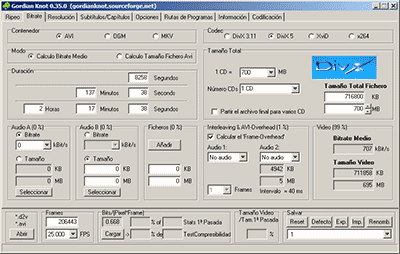
We all like to enjoy great image quality in the videos and movies we watch on the computer, especially if you make your own compressed copies of DVD movies. I have always relied on the popular DivX but, now that there are other types of compression such as Xvid and some as modern as the H.264, it would be worth comparing to discover which one offers the best quality in the smallest size.


For the test I have chosen the movie Transformers, released in November 2007 and directed by Michael Bay, with Shia Labeouf and Megan Fox as protagonists. It is an action movie with a variety of scenes: static in great detail, with movement, explosions, lots of color … ideal for testing. The DVD boasts a very high image quality, as evidenced by the editors of a well-known magazine.

codecs

Choice of codecs, bitrates and encoders

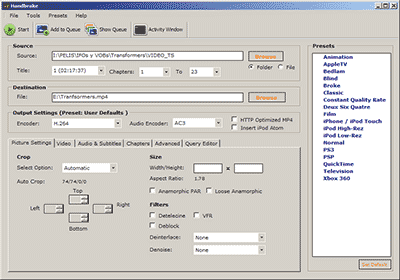
To carry out the test, you have to choose different “compression methods”, each of them to several different “qualities” and using one or several programs that allow to compress in this way.
Things have changed a lot since in 2000 I compressed my first movie in DivX 3.11 format. It took me a whole day looking for information on the Internet on how to do it and my computer at that time (an AMD K6 II of 400Mhz) took all night to compress it in only 650 MB. Since then I have been using all versions of DivX, from 3.11 to the current 6. But the Xvid codec sounds more and more and there are excellent comments from the newest H.264, so the question is on the table: what is The best way to compress to achieve sublime image quality? Well, for this you have to discover which is the best codec and use it at the optimal bitrate with the ideal encoder. But what about that “codec”, “bitrate” and “encoder”?

Codec, the type of compression

The “compression method” is what in the video world is called “codec”, which is the acronym for COmpresor-DECompresor, a program capable of compressing and decompressing the image in a certain way. It is something similar to what photography programs incorporate to allow them to read and write files in JPEG format, for example. The type of compression that incorporates the DVD is called MPEG-2 and is already considered somewhat old, being surpassed by the MPEG-4 standard, more modern and efficient.
The problem is that there are many types of MPEG-4 and it is not clear which one is the best.

On the one hand there is DivX (a variant of the MPEG-4 type called ASP; see official page), which is tremendously popular and more and more DVD lounge players admit it. The decompressor (necessary to watch the videos) is free, but the compressor (to generate them) is paid.

There is also Xvid, (which is the same type as DivX; official page) a competitor of DivX (its name is the same, but vice versa) although completely free.

codec

And finally, the very modern H.264, of the MPEG-4 AVC type, a prodigy of compression according to experts. Well, to find out which one is better, I have compared the generic MPEG-4 with these three contenders. There are several codecs to use this type of compression, but the most popular is the x264, mostly because it is free, which is what I used.

The versions that I have used for this comparison are the following: DivX Pro v6.8.2, Xvid v1.2 and x264 revision 808.

Bitrate, the amount of compression

Already with each of them, you can select the “quality” image, similar to how you choose the quality between 0 and 12 when saving a JPEG file from Photoshop. The difference is that in the world of video this is known as bitrate, which is nothing more than the bit stream per second of video, and is measured in bits per second and their multiples. Since video is a succession of frames formed of pixels (ultimately bits), this parameter measures the flow of information per second; at higher flow, higher quality and vice versa. In our case, I will use measures in “kbps” (“Kb / s” would also work), that is, kilobits per second (be careful, don’t confuse it with KB / s, which would be kiloBytes per second, an 8 times larger unit).
In order not to make the mistake of falling short, I have chosen 7 different bitrates, starting from an intermediate one. Taking the original DVD image, with a 720×304 pixel size frame

What is an audio compressor.

In the field of professional sound, a compressor is an electronic sound processor designed to reduce the dynamic range of the signal without noticing its presence too much. This task is done by reducing the system gain, when the signal exceeds a certain threshold.

Traditionally, compressors have been electronic equipment with one or two rack units, but software versions of them have appeared for some years.

A compressor acts in such a way that it attenuates the electrical signal by a certain amount (normally measured in decibels) and from a certain input level. The objective is to ensure that the resulting dynamic excursion is lower than the original, to protect certain equipment against possible signal peaks or, if it is a saturated sound, to try to hide the error.

Reasons to compress a signal

-Control the energy of the signal: The human ear is very sensitive, so the compression must be smooth and subtle so as not to capture it. This type of compression is used when there is a signal in which the intensity varies, so it is compressed to achieve a more constant signal within the values ​​assigned to it.

-Control the peak level of the signal: Often the equipment is limited, so the amplifiers can saturate and therefore be damaged. In this case the compression is used to control the signal and thus protect the equipment.

-Reduce the dynamic range of the signal: By attenuating the peaks of a signal, we reduce its dynamic range. Many devices are limited by the peaks, and this allows the RMS level of the signal to be raised.

Compressor Uses

In the field of music, its use ranges from applications for musical recordings to live sound. For example, it is often used to add more glued to the sound, an effect that is achieved by compressing the signal to subsequently apply a gain to the output of the device, which usually conceals possible interpretation failures by the artist, at least as Dynamic control refers. A compressor is highly recommended (and with certain musical styles, indispensable) for when using an electric bass. The slapping effect (hitting the strings with the finger) produces extremely high output peaks (20 dB or 10 times more than normal), which at low output levels generate distortion, and at high volumes (as in recitals) they can cause serious damage to the amplifier, and even the speaker (an excess of “excursion” can cause the speaker to tear from its suspension). Even in the (theoretical) case of a musical system with an infinite dynamic range, the difference, auditory speaking, using or not the compressor is imperceptible. Its use is also very frequent in voices, since not all singers use the appropriate technique so the signal level varies constantly.

-It is widely used in broadcasting, to improve the speaker’s diction.
-Compress during mastering improves the sound definition of the final mix.
-To protect the equipment (speakers).