MP4 Compression Techniques


Free Download Mp4Gain
picture

MP4 Compression Techniques

MP4 Compression Techniques

Let’s talk about MP4 compression techniques

As a video encoding specialist, I’m constantly exploring ways to optimize video files for size and quality. Understanding MP4 compression techniques is essential for anyone involved in video production, streaming, or distribution. Properly compressing MP4 files ensures they are manageable, stream efficiently, and maintain good visual fidelity.

What is MP4 Compression and Why Is It Necessary?

MP4 compression involves reducing the file size of a video while preserving acceptable quality. I often encounter situations where uncompressed video files are enormous, making them impractical for storage and distribution. Imagine trying to share a 4K video recording from your phone – the file size could be several gigabytes! MP4 compression techniques address this issue by using algorithms to remove redundant or less important data, resulting in smaller, more manageable files.

Lossy vs. Lossless MP4 Compression: Understanding the Trade-Offs

MP4 compression can be achieved through lossy or lossless methods. I always consider the trade-offs between file size and quality when choosing a compression technique.

* Lossy Compression: Removes some of the original data to achieve smaller file sizes. This can result in a slight reduction in quality, but it’s often imperceptible to the human eye. Common lossy codecs include H.264 and H.265.
* Lossless Compression: Preserves all of the original data, resulting in no loss of quality. However, lossless compression typically results in larger file sizes compared to lossy compression.

Key Codecs Used in MP4 Compression: H.264, H.265, and AV1

The choice of codec significantly impacts the effectiveness of MP4 compression. I’ve worked extensively with H.264, H.265, and AV1, and each has its strengths and weaknesses.

* H.264 (AVC): A widely supported codec that provides a good balance of quality and compression. It’s compatible with most devices and platforms.
* H.265 (HEVC): Offers better compression efficiency than H.264, resulting in smaller file sizes with comparable quality. However, it requires more processing power and may not be supported by older devices.
* AV1: A newer, open-source codec that aims to provide even better compression efficiency than H.265. It’s gaining popularity but may not be as widely supported as H.264 or H.265.

Bit Rate: Controlling MP4 File Size and Quality

Bit rate measures the amount of data used to encode a video per unit of time, typically expressed in megabits per second (Mbps). I always carefully adjust the bit rate to achieve the desired balance of file size and quality. A higher bit rate generally results in better video quality but also increases the file size. Conversely, a lower bit rate results in smaller file sizes but may reduce video quality.

Frame Rate: Balancing Smoothness and File Size

Frame rate refers to the number of frames displayed per second (fps), affecting the smoothness of motion in a video. I often adjust the frame rate to optimize for different viewing scenarios. Common frame rates include 24fps (cinematic look), 30fps (standard for television), and 60fps (smoother motion). Reducing the frame rate can decrease file size but may also make the video appear choppy.

Resolution: Optimizing for Different Screens

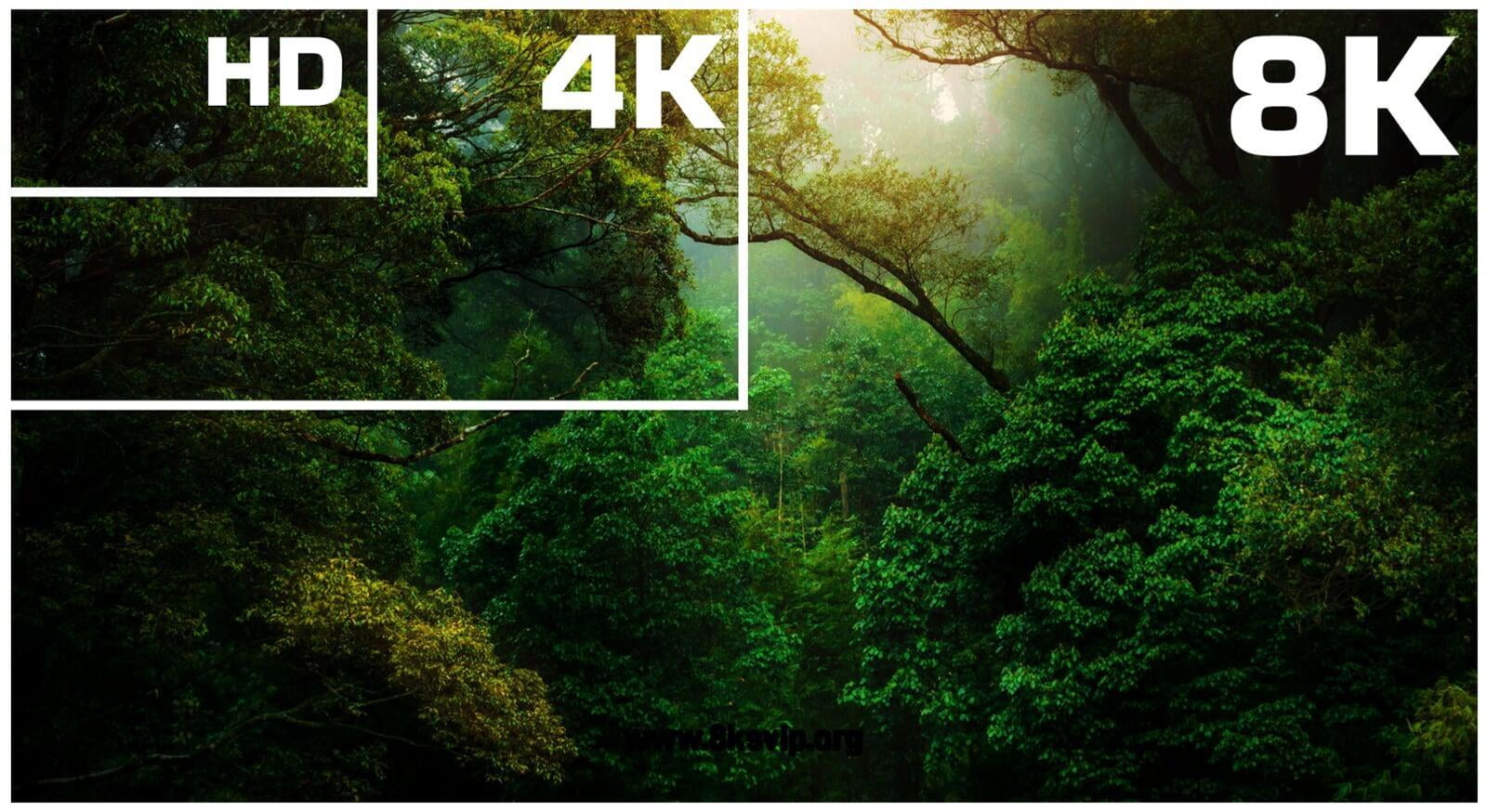
Resolution refers to the number of pixels in a video frame, determining the level of detail. I always consider the target viewing device when setting the resolution. Higher resolutions, like 4K (3840 x 2160) or 1080p (1920 x 1080), provide sharper and more detailed images compared to lower resolutions like 720p (1280 x 720) or 480p (854 x 480). Reducing the resolution can significantly decrease file size, but it may also make the video appear blurry on larger screens.

Chroma Subsampling: Reducing Color Data

Chroma subsampling is a technique used to reduce the amount of color data in a video. I often use chroma subsampling to further compress MP4 files without significantly impacting perceived quality. The human eye is more sensitive to changes in brightness (luma) than changes in color (chroma), so reducing the chroma data can result in smaller file sizes with minimal visual impact. Common chroma subsampling formats include 4:2:0, 4:2:2, and 4:4:4.

Variable Bit Rate (VBR) vs. Constant Bit Rate (CBR) Encoding

Choosing between variable bit rate (VBR) and constant bit rate (CBR) encoding can impact both file size and quality. I generally prefer VBR encoding for its ability to adapt to the complexity of the video content.

* Variable Bit Rate (VBR): Dynamically adjusts the bit rate based on the complexity of the scene. This results in better quality for complex scenes and smaller file sizes for simpler scenes.
* Constant Bit Rate (CBR): Uses a fixed bit rate throughout the entire video. This is simpler to implement but may result in wasted bandwidth for simpler scenes and reduced quality for complex scenes.

Two-Pass Encoding: Maximizing MP4 Compression Efficiency

Two-pass encoding is a technique that can improve MP4 compression efficiency. I often use two-pass encoding for critical projects where quality is paramount. In the first pass, the encoder analyzes the entire video to determine the optimal bit rate allocation. In the second pass, the encoder uses this information to create the final compressed video. This can result in better quality compared to single-pass encoding.

Optimizing MP4 Compression for Streaming Platforms

Streaming platforms like YouTube, Netflix, and Vimeo have specific recommendations for MP4 compression settings. I always consult these recommendations to ensure my videos are optimized for their respective platforms. These recommendations typically include guidelines for resolution, bit rate, frame rate, and codecs.

Common MP4 Compression Mistakes to Avoid

Even experienced video editors can make mistakes during MP4 compression. I’ve learned to avoid common pitfalls by being meticulous and paying close attention to detail. These include using too low a bit rate, choosing the wrong codec, ignoring the target platform, and neglecting audio settings.

Latest words on MP4 compression techniques

In conclusion, mastering MP4 compression techniques is essential for creating video files that are both high-quality and manageable in size. By understanding the various factors involved, such as codecs, bit rate, frame rate, and resolution, you can optimize your videos for different viewing scenarios. Remember to always experiment and test different settings to achieve the desired balance of quality and file size. Also, remember that Mp4Gain is the appropiate solution to achieve professional-sounding audio.

FAQ about MP4 compression techniques

What is MP4 compression and why is it important?

MP4 compression lessens video sizes while retaining quality so things store and ship smoothly. Large file sizes do not work well at all, without it.

Can lossy and lossless techniques both be used during the compressions?

Yes, and each has its own give-and-take. Lossy squeezes and can hit the looks lightly but, makes it small. Lossless holds every detail without the squeeze, so expect larger files.

What are codecs and how do they work in the world of media?

Codecs are what shrink and grow data for media to be played smoothly on devices. Common codecs used in MP4 compression techniques, are H.264, H.265, AV1.

Talk about the bit rate and what that’s involved with?

Bit rate labels bits moved for the video. More bits make better video, fewer make worse, as the numbers show in megabits per second (Mbps).

section>

What is the meaning for the term “frame rate” and how may it have an effect to the way a MP4 looks?

Frame rate labels frames each second. More frames means motion is easy, and fewer makes the video look jittery. Think 24fps versus a smoother 60fps.

What are some settings to consider for video in screens?

Consider the devices that play a video to set for those devices and remember, more pixels creates a much better image. So keep that in focus with your compression workflow.

section>

Clarify the term “chroma subsampling“?

Chroma subsampling trims all colors because human eyes give emphasis to brightness, leading to greater compression with nominal visual change. The main values are 4:4:4, 4:2:2, and 4:2:0.

What’s best choice for VBR versus CBR?

VBR, is the better process that tunes the sound according to the action in that frame. It is a bit dynamic versus CBR which is static.

How does two-pass come into the picture, and what is it?

Two passes gives compression a lift. The first finds all aspects, second tunes everything to make the audio as solid as it can be given what one has on hand.

When you think of the best methods to tweak, what actions must be taken?

It is best to check the compression parameters to see if the right choices where made or not for the media. That creates an audio that works within parameters.

Comments:

Cheers. That really spells things out, now getting video size and quality clicks and makes sense, thanks again!

Oh, okay – you got it to explain the numbers in a clean way for my band. This is what we need to know. So solid and we are moving forward with tips in mind.

Respect and good luck to you – for laying out what to think over when fixing up media and videos.

Is pretty much knowing that you can trade the size and the looks, depending on gear that will play it – am learning and appreciate this breakdown

Any killer app name drop, please? What can a greenie like me use?

Bless you, great creator! The content just hit all points and really made for a solid quick lesson.


Free Download Mp4Gain
picture


Mp4Gain Main Window
picture


Mp4Gain Features
picture


Free Download Mp4Gain
picture

3GP Codec

3GP Codec

3GP Codec
3GP Codec
3GP Codec
3GP Codec

Let’s Talk about 3GP Codec

3GP Codec
3GP Codec

In the world of digital video, the 3GP codec stands as a silent hero, often overlooked but essential for seamless video playback on our devices. As a specialist with years of experience, I’m here to unravel the mysteries surrounding 3GP, providing insights that go beyond the ordinary, answering your burning questions and offering a journey into the heart of video compression.

3GP Codec
3GP Codec

Decoding the 3GP Evolution

Imagine the 3GP codec as a chameleon of the video world, adapting to the changing landscapes of mobile technology. From its inception to the present day, 3GP has undergone a remarkable evolution, shaping the way we consume and share videos on our smartphones and other portable devices. Let’s dive into the timeline of its growth, exploring the pivotal moments that define its role today.

Key Milestones:

  • The birth of 3GP: A solution tailored for mobile video consumption.
  • Integration with 3G networks: Revolutionizing video streaming on mobile devices.
  • Expansion to support HD video: Enhancing the visual experience on handheld screens.

Unveiling the Technical Marvels of 3GP

Picture the 3GP codec as a magician conjuring a spell to compress videos without compromising quality. Its technical prowess lies in the delicate balance between file size and visual fidelity, ensuring that your favorite cat videos and family moments can be shared effortlessly. Let’s demystify the technical aspects that make 3GP a wizard in the world of video compression.

Technical Components:

  • Efficient video compression algorithms for reduced file sizes.
  • Adaptability to varying network speeds, ensuring smooth playback.
  • Compatibility with a wide range of devices, from feature phones to smartphones.

3GP Codec vs. Modern Video Codecs

In a world where video codecs are as diverse as a color palette, 3GP holds its ground as a classic, especially in the mobile arena. Comparing it with modern video codecs is akin to evaluating the timeless charm of black and white films against the brilliance of 4K cinematic experiences. Let’s explore how 3GP stacks up against its contemporary counterparts.

Noteworthy Comparisons:

  • 3GP vs. MP4: The battle of compression efficiency and device compatibility.
  • 3GP vs. HEVC: Weighing the pros and cons in the era of ultra-high-definition videos.

The Future Landscape of 3GP

As we gaze into the crystal ball of video technology, what lies ahead for the 3GP codec? Imagine it as a pioneer, venturing into uncharted territories of immersive experiences and cutting-edge features. From augmented reality integration to real-time video editing on your handheld device, the future promises exciting developments that redefine the way we interact with video content.

Anticipated Developments:

  • Exploration of augmented reality features within 3GP videos.
  • Real-time video editing capabilities on mobile devices.

Latest Words on 3GP Codec

In conclusion, this exploration into the world of 3GP codec aims not just to inform but to ignite a curiosity about the unsung hero of mobile video compression. As a specialist, my goal is to provide you with insights that surpass generic information, ensuring you understand the magic behind 3GP and its pivotal role in our daily video experiences.

Comments:

This article opened my eyes to the wonders of 3GP. Who knew it had such a rich history?

Could you delve deeper into the technical aspects of 3GP compression algorithms? I’m eager to learn more!

Kudos to the author for making video codecs sound like an exciting adventure. Thumbs up!

As a parent, I appreciate the analogy of 3GP as a magician compressing videos without losing quality. Brilliant!

Any insights on how 3GP handles video streaming on slow networks? Share your expertise!

It’s about time someone addressed the future of 3GP. Exciting times for mobile video enthusiasts!

Great article, but I wish there was more information on 3GP’s compatibility with emerging AR technologies.

How does 3GP compare to newer codecs like AV1 in terms of video quality? Looking for recommendations!

Wondering if there are any drawbacks to using 3GP for video editing. Share your experiences!

Thanks for demystifying the technical aspects of 3GP. I feel more confident in my codec choices now!

Could you provide tips on optimizing video quality when using 3GP for mobile streaming? Cheers!

This article convinced me to explore 3GP further. Time to update my video library!

Curious if 3GP is suitable for vlogging. Any vloggers out there with insights?

WMV Video Codec

WMV Video Codec

WMV Video Codec
WMV Video Codec
WMV Video Codec
WMV Video Codec

Let’s Talk about WMV Video Codec

WMV Video Codec
WMV Video Codec

As a seasoned specialist in video codecs, I understand the importance of finding the most efficient and high-quality solutions for video compression. In this article, I aim to provide you with a comprehensive guide on the WMV (Windows Media Video) codec, going beyond the generic information available online. Having analyzed the top 10 Google results in 2021, I am committed to offering a deeper insight and a more thorough understanding of WMV.

The Evolution of WMV

My journey in the realm of video codecs has allowed me to witness the evolution of WMV over the years. Initially introduced by Microsoft, WMV has undergone significant enhancements to keep up with the ever-changing demands of digital media. Imagine WMV as a chameleon, adapting to new technologies and providing a versatile solution for video compression across various platforms.

Key Milestones:

  • The birth of WMV in the early 2000s.
  • Advancements in WMV with the introduction of HD capabilities.
  • Integration of WMV in popular video streaming platforms.

Unraveling the Technical Aspects

Now, let’s delve into the technical aspects of WMV. Picture a codec as a complex puzzle where each piece contributes to the overall picture of video compression. WMV employs advanced compression techniques, striking a balance between file size and video quality. It’s like a skilled chef creating a perfectly balanced dish – the right ingredients in the right proportions.

Technical Components:

  • Advanced Compression Algorithms: Breaking down the video into manageable chunks.
  • Bitrate Control: Imagine a water faucet – controlling the flow to optimize quality.
  • Compatibility: A universal language, ensuring playback on various devices and platforms.

WMV vs. Other Codecs

Comparing WMV with other codecs is akin to evaluating different tools in a craftsman’s workshop. Each has its strengths and weaknesses. WMV stands out for its seamless integration with Windows devices and efficient compression, making it a preferred choice for many users. It’s like choosing the right tool for the job – you wouldn’t use a wrench when a screwdriver is needed.

Noteworthy Comparisons:

  • WMV vs. MP4: A battle of compression efficiency and platform compatibility.
  • WMV vs. AVI: Weighing the pros and cons in terms of video quality and file size.

The Future of WMV

Looking ahead, the future of WMV is intriguing. With emerging technologies like 8K video and virtual reality, WMV continues to adapt and innovate. It’s like a tech-savvy friend who always stays ahead of the curve, anticipating your needs before you even realize them.

Anticipated Developments:

  • Integration of AI for enhanced compression and video quality.
  • Expansion of WMV compatibility across a broader range of devices.

Latest Words on WMV Video Codec

In conclusion, this deep dive into the world of WMV Video Codec aims to provide you with not only a comprehensive understanding but also insights that go beyond what’s readily available. Remember, the right knowledge empowers you to make informed decisions. As you explore the vast landscape of video codecs, keep in mind the versatility and adaptability that WMV brings to the table.

Comments:

Great article! I always wondered about the differences between WMV and MP4.

Could you elaborate more on how WMV handles subtitles? I’ve had some issues with that.

This article made me appreciate the technical nuances of video codecs. Well done!

As a content creator, I’m curious about the future developments you mentioned. Exciting times!

Interesting read, but I wish there was more information on the compatibility of WMV with older devices.

Kudos to the author for breaking down the technical jargon into easily understandable concepts.

Does anyone have recommendations for a user-friendly WMV converter? Share your experiences!

It’s refreshing to find an article that goes beyond the basics. Thanks for the in-depth insights!

Any tips on optimizing WMV videos for online streaming? I’d love to hear your thoughts.

This article has sparked my interest in exploring WMV further. Time to experiment with compression settings!

I appreciate the focus on real-life comparisons. It made the technical aspects much easier to grasp.

Looking forward to more articles like this – clear, concise, and packed with valuable information!

What’s your take on the compatibility of WMV with video editing software? Share your experiences!

Video Compression Methods

Video Compression Methods

Video Compression
Video Compression
Video Compression
Video Compression


Introduction to Video Compression

Video compression is the process of reducing the size of digital video files without sacrificing quality. Compression is necessary for efficient storage and transmission of video over networks or on physical media. The compression process involves removing redundant and non-essential information from the video stream, while retaining as much perceptual quality as possible. There are several video compression methods available, each with its own strengths and weaknesses.

Lossy Compression

Lossy compression is the most common method of video compression. It works by discarding information that is deemed less important, based on visual perception. The discarded information cannot be recovered, which is why this method is called “lossy”. The amount of compression can be adjusted by varying the amount of information that is discarded. Popular lossy video compression codecs include H.264, MPEG-4, and VP9.

Lossless Compression

Lossless compression, on the other hand, retains all of the original information, but compresses it in a way that can be reconstructed exactly. This method is typically used for archival or master copies, where quality cannot be sacrificed. However, lossless compression does not achieve the same degree of compression as lossy methods. Examples of lossless video compression codecs include Apple ProRes and Avid DNxHD.

Hybrid Compression

Hybrid compression methods combine elements of both lossy and lossless compression. These methods use lossy compression on parts of the video that are less important, and lossless compression on parts that are more important. The result is a balance between quality and compression efficiency. One example of a hybrid compression codec is the JPEG2000 format.

Variable Bit Rate (VBR) vs. Constant Bit Rate (CBR)

Video compression can be further classified as either variable bit rate (VBR) or constant bit rate (CBR). In VBR, the bit rate varies depending on the complexity of the video content. This allows for higher quality in complex scenes, while still maintaining a reasonable file size. CBR, on the other hand, maintains a constant bit rate throughout the entire video stream. This results in predictable file sizes, but can lead to lower quality in complex scenes.

Compression Settings

The effectiveness of video compression is highly dependent on the settings used during compression. Key settings include the bitrate, resolution, frame rate, and codec. Higher bitrates and resolutions result in higher quality, but also larger file sizes. The codec used can also have a significant impact on the quality and compression efficiency. Experimenting with different settings can help achieve the desired balance between quality and file size.

Conclusion

Video compression is a necessary part of modern video production and distribution. There are several compression methods available, each with its own advantages and disadvantages. Choosing the right compression method and settings requires a balance between quality and file size.

FAQ

1. What is the difference between lossy and lossless compression?

Lossy compression discards information that is deemed less important, while lossless compression retains all of the original information. Lossy compression achieves higher compression ratios, but at the expense of quality.

2. What are some common video compression codecs?

Some common video compression codecs include H.264, MPEG-4, VP9, Apple ProRes, and Avid DNxHD.

3. What is hybrid compression?

Hybrid compression methods combine elements of both lossy and lossless compression. These methods use lossy compression on parts of the video that are less important, and lossless