What are the digital audio formats?


Free Download Mp4Gain
picture

What are the digital audio formats?

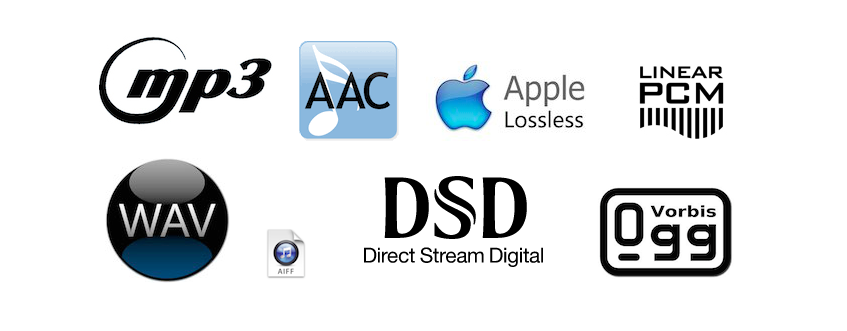
PCM, Wav, Aiff. Compression. Mp3, Ogg, Wma.

Working with digital audio is almost a chore for puzzle specialists. Since audio is saved on the computer and all computer files have extensions, we have to interpret each acronym and abbreviation.

The extension is the end of the file after the name and period. It is used to know what type of file it is, whether it is a text, a video or an audio. There are many extensions and they are all sure to sound familiar to you: WAV, RM, MP3, WMA, OGG … Let’s play, then, to decipher puzzles and see what each of these acronyms means.

 

 UNCOMPRESSED DIGITAL AUDIO FILES

.PCM

It is not a file type or format, but a technique of transforming analog to digital audio without any compression. (1) Therefore, we do not see audios with the pcm extension. We work with PCM when digitizing, but we always keep files with one of these extensions:

.WAV: (Wave, wave in English)

It is the most widely used uncompressed digital audio format. It belongs to Microsoft / IBM.

.AIFF: (Audio Interchange File Format)

It is similar to WAV but for Apple Macintosh or MAC computers.

.CDA

: These are the audio tracks recorded on Compact Disc that also use the PCM system.

All uncompressed files are large. Approximately 10 megabytes for every minute of audio. These are the formats used to store audio at a professional level since the quality is very good. But when we don’t need that much quality and we’re short on space, it’s time to use file compression.

 AUDIO COMPRESSION

Compressing is reducing and whenever we reduce we lose something. The same is true for digital audio. The latest advances have allowed compression to be done with the least possible loss of quality, but there always are. Against that, much has been gained in reducing the size of the files.

While a 4-minute audio in WAV format takes approximately 40 megabytes, that same audio, compressed to MP3, can reduce its weight to 4 megabytes, 10 times less. And apparently, they sound the same. (2)

SAVE WITHOUT COMPRESSING

When working in production, it is always recorded in WAV, without compression. In that same way it is edited and mixed. If the final result of the edition is an audio to be uploaded on the Web or saved on the hard drive of a computer, we can compress it to mp3 but with a quality of no less than 160 kbps.

If, on the contrary, the production has as its final destination to be recorded on a CD, never compress, always leave the audio in WAV and burn it that way on the CD.

1. How does compression work?

It is not about wrinkling or crushing the audio. Most audio compression systems take advantage of a “defect” in our ears to reduce file size. It is called masking.

Masking is a property of the human ear that prevents it from distinguishing two frequencies close together within the same range, one masking the other. For example, if a sound with a frequency of 12 Khz and another of 12.2 Khz sounds at the same time in a song, we could remove one of the two without being noticed when listening to it.

In this way, the compressor “subtracts” the masked frequencies, which reduces the number of bytes. And fewer bytes in computing translates into smaller files, but not shorter. The song, when compressed, lasts as long as it is uncompressed.

2. Quality of compressed files

We saw in the previous question that digital audio has two parameters: the sampling frequency (the optimum is 44.1 Khz.) And the resolution or size of each sample (8 or 16 bits). By compressing, we add a third parameter to these two, the bitrate. It is the amount of kilobytes per second (kbps) and refers to the quality of the compression.

• A lower number of Kbps, more compression, smaller file size, but lower quality.

• A higher number of Kbps, less compression, larger file size and more quality.

A compressed audio at 128 Kbps has a higher compression level than a 256 Kbps one. That means that 128 is a smaller file and less quality than 256. Although you must have a cat’s ear to distinguish between both!

VARIABLE OR CONSTANT BIT

Some files have a constant bit rate per second (CBR Constant Bit Rate) and others have a variable one (VBR Variable Bit Rate). The constant is always the same for all audio, for example 128 kilobytes per second. In the variable method, what the compressor does is use more bits when there are parts of the audio where there are more frequencies and it cannot mask all of them.


COMPRESSED FILE FORMATS

Mp3 (MPEG-1 Audio Layer 3)

It achieves high compressions without much loss, although it all depends on the quality of the compression we use. 128 Kbps and below is not recommended.

Although mp3 is the most widely used compression standard, especially for audio on Web pages, the great drawback is its patent. So any player or editing software that wants to use it has to pay for it.

.OGG (Vorbis)

As a result of this patent, the Xiph.org Foundation developed in 2002 a completely free codec (5) for audio compression. Similar in characteristics to mp3, it is beginning to be used a lot on the Web and in some players since manufacturers do not have to pay the costs of the patent. At this point, it is difficult to completely replace the mp3 but it is eating up a lot of ground.

.AAC (Advanced Audio Coding)

The compression level is higher than mp3 (MPEG-1) without major loss of quality. AAC is one of the codecs used in the new MPEG-4 compression standard. This audio format is used in players like the iPod and in some of the new digital radio systems. AAC is shaping up to be the successor to the mp3.

.RAM (also RM or RA)

They are the files of the Real Network company for audio. The problem is that its reproduction and edition is very limited to software from the same company and few others.

.WMA (Windows Media Audio)

It is Windows’ bet on compressed formats. It is like a WAV, but smaller and less quality. While mp3 and ogg files are played by almost all players and editors, the same is not the case with wma files, so it is rarely used.

. AA3 (ATRAC – Adaptive Transform Acoustic Coding)

Format invented by Sony. It is the one used by minidisc recorder-players.


Free Download Mp4Gain
picture


Mp4Gain Main Window
picture


Mp4Gain Features
picture


Free Download Mp4Gain
picture

What audio formats are there? All you need to know


FLAC, WAV, AIFF, DSD … these are just some of the initials that you can find when you are looking for a digital format. They are also accompanied by technical data such as sample rates and bit depth. So many terms can leave you more misplaced than a chicken at a dance. And it is that unless you are an expert in digital sound, the process to choose the audio format that best suits your needs can be a mess. But if they explain it to you, the topic is relatively simple. That is why at Culturasonora we have prepared a complete guide for you on the different audio formats most used. This will prevent any acronym from taking you on the dark side.

What are Bit Depth and Sample Rate?

These two concepts are basic. To understand how audio formats work you need to know what Bit Depth and Sample Rate are. These are two measures that indicate the quality of a digital audio file. We are going to try to summarize it so that you keep the general idea

samplerate

When you read the specifications of the audio formats you come across a couple of figures. For example: 32-bit / 192kHz or 24-bit / 96kHz. These numbers indicate the bit depth and the sample rate. These references tell us how much information the different formats transmit and the quality of the sound. For example, the audio we hear on a regular CD, or on a Spotify stream, is 16bit / 44.1kHz. Samples are always measured in Hertz (or hertz) and bit depth in Bits.

Softwares or hardwares usually do not work with a continuous flow of information, but usually use pieces, samples or samples to effectively manage the data that is transmitted. The sample rate is the number of samples per second that are obtained from a recording. The higher the number of times a device plays samples, the higher the sound quality. Each of these extracts or samples has a certain amount of information, which is the bit depth, or bit depth.

So that you understand it better we are going to make a somewhat beastly analogy, which is not entirely true, but that will help you get the sense of all this. Which is what interests us. If you control a bit of photography and image you will get it right away: the sample rate would be something similar to the frames or frames per second of a video, and the bit rate would be similar to the pixels of a photograph. The higher the bit depth number, the more information each sample will have. The more pixels an image has, the higher resolution each frame of a video will have. The more frames per second a movie has, the better definition. In short: the higher the number of the Bit Depth and the Sample Rate, the higher the quality of the audio file. Heard cooking?

Audio formats: MP3 vs WAV vs AIFF

What is the MP3 format?

If you’re interested in getting some audio fidelity and decent sound from your files, you’ll want to avoid this format. Why? Because basically an MP3 is a file that sacrifices audio quality to minimize size. They weigh very little for any device to read. The negative? Compressing these files provides poor, almost lifeless sound. Today, hardly anyone uses this format seriously. Even its creators recently ended the license by declaring it dead. But surely from time to time you come across a zombie file with this format.

What is WAV format?

WAVs (Waveform Audio File Format) are just as common but better for anyone who wants a decent audio format. They are higher resolution files than MP3s. A WAV is an audio piece that is encoded with something known as Pulse Code Modulation (PCM), a medium that encodes analog audio pieces and converts them to digital so they can have the Sample rate and Bit Depth of the that we have already talked about previously.

What is the AIFF format?

The AIFF (Audio Interchange File Format) audio format is very similar to WAV in that it also uses PCM to encode analog audio pieces and present them in digital format. This format was born as a response from Apple to Microsoft’s WAV, and at the beginning it could only work on MAC computers. Currently AIFF and WAV are more or less interchangeable.
In summary…
To close this topic, we will tell you that if you have a file in WAV or AIFF audio formats, you will hear a piece of sound of good quality. Normally these formats are used in files that we reproduce through our services, such as the iTunes music library. We will not see them in online streaming services, which tend to use special types of files.

Understanding digital audio formats

Understanding digital audio formats

When it comes to digitally distributing our music it is important that we understand what they are
the different formats, which are the most used and which are the best in terms of the
Relationship between size and quality.

PCM digital audio

WAVE

The name comes from the acronym waveform audio file format and is a used file
usually on computers with the Windows operating system.
WAV or WAVE files contain audio in LPCM format (Linear Pulse Code
Modulation) This is a way to encode an analog audio signal to the domain
digital by using equidistant samples over time of amplitude values
of the analog signal.
The quantity of samples is given by the sampling rate or sampling rate,
while the amount of possible amplitude values ​​is determined by the
Bit depth or bit rate.
The sampling frequency of the CDAUDIO for example is 44.1 kHz and 16 bits. exist
higher sampling rates such as 48 kHz, 88.2 kHz, 96 kHz up to 192 kHz at
this system.
On the other hand, WAV files are uncompressed audio and are generally used in
stages of recording, editing, mixing and mastering for being of high quality.
The higher the sample rate and the greater the number of bits, the file size will be
our hard drive
In general for professional uses at least a frequency of
44.1 kHz sampling and a depth of 24 bits preferably.
The standard extension for this type of file is: .wav

AIFF

The name comes from Audio Interchange File Format or audio file format
interchangeable, this format was developed by Apple computers and is used to save
and manipulate audio on computers.
It is like WAV a file type without compression or lossles therefore allows
Processing for professional applications such as recording, editing, mixing and
mastering as well as for professional video uses.
Another similarity with WAV files is that it is PCM audio (press code
modulation) that for practical purposes it is the same as the LPCM.
The standard extension for this type of files is .aiff

MP3

Also known as MPEG1 or MPEG2 audio layer, it is a form of coding
of digital audio in which psychoacoustic models discard information from
Audio that is presumed is not audible to most users.
As an example a file created with a resolution of 128 kbits / s is equivalent to 1/11
the size of a file on an audio CD.
The main purpose of using this type of coding is to reduce the size of the
files and be able to send / download faster, especially through
from Internet.
Being a file type reduced in quality IS NOT RECOMMENDED for
recordings, editing, mixing or mastering of professional audio.
For this reason we recommend NOT to use it to send us your clues to
mix / master

DIGITAL AUDIO FORMATS

DIGITAL AUDIO FORMATS

Currently, thanks to digital audio formats, we can store and listen to our music on numerous devices, such as mobile phones, tablets, computers and music players.


What are digital audio formats?

Digital audio formats are basically containers. And the differences between them are fundamentally in:

Whether or not they are compressed.
If they are compressed, in the quality of compression.
The type of labeling they can support.
Digital audio formats

MP3

It is the best known, popular and most used. They are known by their extension “.mp3”.

It was developed by Moving Picture Experts Group, to be part of the well-known MPEG-1 and MPEG-2 standards.

Its fundamental characteristic lies in the fact that the technology behind it compresses the sound sequence, resulting in a really small file, which normally occupies half of the original file. To achieve this, it is necessary to lose certain sounds, which supposedly cannot be heard by the human ear.

Audio formats

WAV

Developed by the companies Microsoft and IBM, this format, whose name comes from the acronym WAVE (Waveform Aujdio File Format), is currently one of the audio formats that have no compression in the data, so they have excellent quality.

They are known for their “.wav” extension.

On the other hand, this format has the particularity that it includes support for almost all current audio codecs. This makes the WAV one of the most used formats in the field of professional sound, since the sound is captured with parameters of 44100 Hz and at 16 bits, the same quality can be obtained as on a CD.

On the contrary, one of the disadvantages of this format is that it has a limitation in recording, since it can only capture a maximum of 6.6 hours at maximum quality in the same file.

Audio formats

AIFF

The AIFF (Audio Interchange File Format) format is very similar to WAV. It was born as an answer from Apple to the Microsoft WAV, being initially only compatible with MAC computers. Currently it can also be used on Windows.

Due to its characteristics, AIFF, together with FLAC and WAV, are usually the most used formats in the professional field of audio.

Wma

The WMA (Windows Media Audio) format is a format of music files created by Microsoft.

One of its main features is that those files that have been compressed in WMA format occupy less space than MP3s, which also means reducing their quality. Therefore, it is a lossy audio compression format.

OGG

OGG audio formats are compressed audio files, which means that they have a size that allows them to be transmitted via WIFI, but at the same time avoid the damage that is usually generated in the compression process.

For example, Spotify uses these OGG formats.

Audio formats

OPUS

Opus is a new codec that use the Ogg container. It was developed by the same creators of FLAC, with the help of Mozilla and Skype.

This new format stands out for its low latency, being ideal for online audio transmissions.

FLAC

When we talk about the FLAC (Free Lossless Audio Codec) format, we are referring to an audio compression free codec without loss of quality.

Emerged within the community responsible for the OGG project, FLAC has become one of the strongest competitors of the WAV format, due to its advantages in terms of its sound quality.

Its objective is to reduce the size of the original file, eliminating data that are usually known as “waste”, without causing loss of quality.

This is the format used by the Tidal platform, the best service for high quality audio transmissions.

Audio formats

A THE C

The Alac (Apple Lossless Audio Codec) format is basically Apple’s alternative to FLAC. It is the format used by Itunes and for Apple Music broadcasts.

The most used audio formats

As you can imagine, when we talk about digital formats in the field of sound, the range is wide. When choosing the one that best suits our needs we have to think about several issues. To do this, the first thing is to know the most used audio formats.

CPA Online sound postproduction course We begin by clarifying the concepts of Bit Depth and the Sample Rate, fundamental to understand how audio formats work. These are two measures that indicate the quality of a digital audio file.

When we read the specifications of the audio formats and we find, for example, 32-bit / 192kHz and 24-bit / 96kHz, these figures refer to the “bit depth” and the “sample rate” respectively. They tell us how much information the different formats transmit and the sound quality. The higher the number of times a device plays the samples, the higher the quality.

Audio formats

MP3: these files weigh very little for any device to read. The negative part is that the quality of the compression pro is sacrificed.
CPA Online sound postproduction course

WAV (Waveform Audio File Format): are higher resolution files than MP3s, a piece of audio that is encoded with what is known as Pulse Code Modulation (PCM). The analog audio pieces are encoded and converted into digital so that they can have the Sample rate and the Bit Depth.
AIFF (Audio Interchange File Format): It is very similar to WAV and also uses the PCM to encode analog audio parts and present them in digital format. In fact, the AIFF and WAV files are more or less interchangeable.
In short, when we talk about a file in WAV or AIFF audio format we talk about a piece of sound of good quality.

Most popular audio formats

There is a huge amount of audio formats. The most common are formats such as MP3 (MPEG-2 Audio Layer III) and WAV. Usually, the type of format corresponds to the file extension (the letters of the file name after the period, for example .mp3, .wav, .ogg, .wma).

audio formats

A codec is an algorithm for encoding and compressing data in an audio format. Some file types are assigned a specific codec. For example, the MP3 format always uses the MPEG Layer-3 codec, while the MP4 format can use a range of different codecs.

Many times, the notions of codec and format are used as interchangeable. Especially when a format always uses a single codec. However, it is necessary to understand the difference between a format and a codec. In simple terms, a format can be compared to a container in which a sound or a video signal that uses a particular codec can be stored.

Some formats, such as MP4 or FLV, can store both audio and video sequences.

mp3 format

If you don’t know what program you should use to open one format or another audio, we recommend that you use our audio converter. It is compatible with almost all existing formats.

Depending on the type of compression, two types of codecs can be distinguished:

Lossless Codecs

This group of formats records and compresses a sound in such a way that it allows the preservation of its exact original quality when decoded.

The most common lossless coding formats are:

FLAC (Free Lossless Audio Codec – Audio codec, lossless and free),
APE (Monkey’s Audio – Mono Audio),
ALAC (Apple Lossless Audio Codec – Audio codec, lossless Apple).

Loss Codecs

When compressed with loss, a sound undergoes some modification. For example, compression cuts the sound frequencies that are inaudible to the human ear. When decoded, the file will be different from the original in terms of the information stored in it, but it sounds almost the same.

Some of the most common lossy formats are:

MP3
Wma
OGG
AAC

WAV is one of the first audio formats. It is mainly used to store uncompressed audio tracks (PCM) that are identical to audio CDs in terms of quality. On average, a minute of WAV format sound requires about 10 megabytes of memory. CDs are usually digitized in WAV format and then can be converted to MP3 with an audio converter.

MP3 (MPEG Layer-3) is the most widespread sound format in the world. MP3, like many of the other lossy formats, compresses the file size by reducing sounds inaudible to the human ear. Currently, MP3 is not the best format in terms of file size for sound quality, but since it is the most widespread and compatible with most devices, many people prefer to save their files in this format.

WMA (Windows Media Audio) is a format owned by Microsoft Corporation. It was initially introduced as the substitute for the MP3 format, with the highest compression characteristics. However, this fact has been compromised by some independent tests. In addition, the WMA format is compatible with data protection through DRM.

OGG is an open format that supports audio coding by several codecs. The Vorbis codec is the most commonly used in OGG. The quality of compression can be compared to the MP3 format, but it is less widespread in terms of compatibility with various audio players and devices.

AAC is a patented audio format system that has higher capabilities (number of channels, frequency of discretion) compared to the MP3 format. Usually, it achieves better sound quality with the same file size. AAC is currently one of the loss-coding algorithms that offers the highest quality. A file encoded with this format can have the following extensions: .aac, .mp4, .m4a, .m4b, .m4p, .m4r.

FLAC is a common lossless format. It does not modify the audio sequence and the sound encoded with this format is identical to the original. It is frequently used to reproduce sound in high-end audio systems. Its playback compatibility on devices and players is limited, therefore, if desired, it often becomes other formats before listening to it on a player.