CD VS MP3. AUDIO FORMATS: LP TO MP3


Free Download Mp4Gain
picture

AUDIO FORMATS: LP TO MP3
Vinyl vs CD vs MP3

Sound recording in “digital”

Casstte vs. CD vs. MP3

By its nature, sound is an oscillatory movement of particles in an elastic medium, which propagates in the form of waves. After it became clear that sound represents such vibrations, the idea came up to record them by repeating the shape on solid material. So, in 1877, Thomas Edison created a phonograph, a device for the mechanical recording and reproduction of sound. And in 1888, the German E. Berliner invented the gramophone – the era of gramophone records began, which became the first massive carriers of audio information. Having studied the laws of electromagnetism, man made successful experiments to convert sound waves into electromagnetic waves and preserve them. Thus appeared the magnetic tape, which became widespread in the middle of the 20th century.

For digital technology to store, process, and reproduce sound, it is converted to digital form by an analog-to-digital converter (ADC), which converts an analog signal into a sequence of numbers. This is called Pulse Code Modulation (PCM or PCM). It happens like this: the ADC many times per second measures the amplitude of the analog signal and outputs the results in the form of numbers. However, the measurement result does not exactly match a continuous electrical signal: it depends on the number of measurements and their precision.

The frequency at which measurements are taken is called the sample rate, and the precision of the amplitude measurement indicates the number of bits used to indicate the result of the measurement. This parameter is called bitness. For example, if the sampling frequency is 44.1 kHz, this means that the signal is measured 44 100 times per second. For the analog signal to be accurately reconstructed from its samples, the sample rate must be twice the maximum audio frequency. That is, if the analog signal contains frequency components from 0 Hz to 20 Hz, then the frequency of its sampling must be at least 40 kHz.

Digital audio formats

Of course, for digitized sound to be stored, transmitted, and converted, there must be certain digital sound standards – audio formats. Today, there are many such formats, each of which uses its own sound processing algorithm. They also differ in the information carriers. The most popular and widespread today in the field of home use are ordinary music CDs – CDs. Relatively new recording formats have also appeared Super Audio Compact Disk (SACD) and DVD-Audio (or simply DVD-A). Also, formats that use digital data compression have become widespread. The most popular among them is MPEG-1/2 / 2.5 Layer 3 (MP3). Microsoft also did not stay away from the sound industry, as it developed its own compression algorithm: WMA,

CD

It was created in 1979 by Philips and Bayer. The disk storage format known as “Red Book” allows you to record 2-channel audio with 16-bit pulse code modulation (PCM) and a sample rate of 44.1 kHz. Mass production of CDs started in 1982 in Germany. The first CDs contained up to 650 megabytes of information, which is equivalent to 74 minutes of audio. There is an assumption that the developers calculated that volume to fit Beethoven’s Ninth Symphony, the most popular piece of music in Japan in 1979, on a compact. Since about 2000, discs with a volume of 700 megabytes, which record 80 minutes of audio, and 800 megabytes, 90 minutes, have become more common.

Pros: widespread, compatible with a large number of devices, acceptable sound quality.
Disadvantages: Lack of multi-channel support.

Compressed audio formats

Scientific development of the compression algorithm has taken place since the late 1970s, and the general standard was approved in 1994 at the Fraunhofer Institute (Germany). Signal coding technology has a mechanism to ignore sound frequencies that are not distinguishable by the human ear. And the distinguishable ones, that is, the remaining ones, shrink. Compression ratio: the bit rate (the amount of information in a unit of time; the lower the bit rate, the less information is in the file) can range from 8 to 320 kbps (the data stream of a normal CD is 1411.2 kbps at 44100 Hz sampling rate). It should be noted that it will be quite difficult for an inexperienced listener to hear these losses, especially if the encoding is done at a high bit rate. A musical composition in MP3 format, recorded with a fairly acceptable quality, “weighs” about 10 times less than uncompressed.


Free Download Mp4Gain
picture


Mp4Gain Main Window
picture


Mp4Gain Features
picture


Free Download Mp4Gain
picture

MP3 and FLAC: who wins?

MP3 and FLAC: who wins?

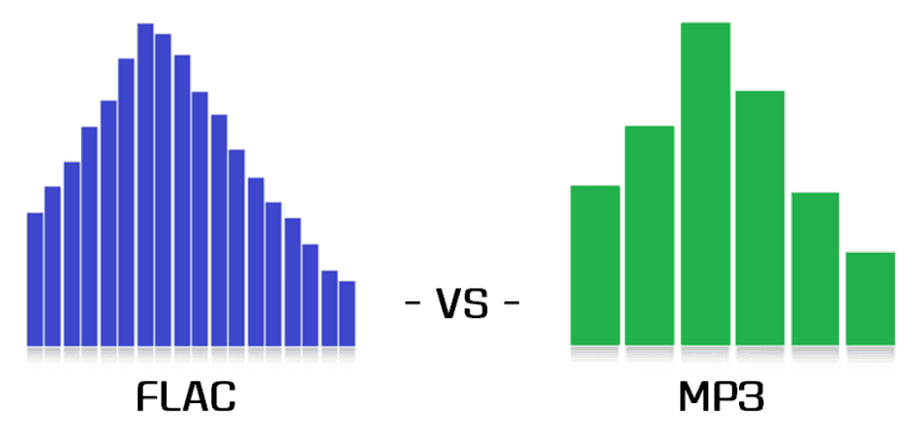
FLAC vs MP3

Music lovers from all countries have been arguing for many years: is it possible to distinguish a high-quality MP3 from a lossless one in a blind test (FLAC, APE, etc.)? How much does compression loss affect the music experience? Should you give up MP3? Let’s try to answer these questions.

FLAC vs MP3 320 kbps
A little history

In the early 1990s, experts understood that the future of music was digital. However, hard drives were expensive then and fans preferred to store their music collections on cassettes and CDs. The researchers faced a problem: they needed a suitable format to store records on computers. At the same time, they were counted every hundred kilobytes – you can slightly sacrifice quality compared to CD discs, but save precious hard drive space.

In the late 1980s, the first functional prototypes of a new lossy compressed audio storage format, MP3, were created. The first publicly available MP3 encoder appeared in 1994, and the first playback software soon followed. The first encoding algorithms made it possible to obtain files with slightly “chopped” high frequencies. The sound quality was not comparable to that of a CD, but the output file sizes were quite acceptable.

In the early 2000s, the sizes of hard drives were growing rapidly and other audio formats that provide lossless compression began to appear. Relatively speaking, an audio track in this format can be restored to its original WAV from a lossless CD. Perhaps the most popular lossless compression format was FLAC, introduced in 2001. It is suitable both for storing home audio collections and for playing music on professional computers. However, a FLAC file can be 6-10 times heavier than a good quality MP3 (256 or 320 kbps). But does file size and losslessness mean consistently high sound quality?

A bit of anatomy: The human ear is theoretically capable of hearing sounds from 16 Hz to 20 kHz. However, much depends on the age and individual characteristics of the listener. The author of this article can hear sound with a frequency of 16 kHz, but not 17 kHz and above, but there are adults (25 years and older) who can still perceive 18 kHz. All of these frequencies are quite successfully supported by the MP3 format. If you are exceptionally clear, you will be able to hear some difference in the high frequencies, but the difference is almost subtle for most people.

Even if your favorite song in the spectrogram is clipped to 20 kHz, you won’t hear any distortion (unless of course you’re 8 years old).

The vast majority of people cannot, for natural anatomical reasons, distinguish between high-quality 320 kbps MP3 and FLAC (as long as both digital recordings are obtained from the same source). Of course, if you compress more MP3, for example, up to 96 kbps, the difference will be clearly audible even with cheap headphones. But in the age of terabyte drives, no one listens to music with such compression.

Of course, the equipment used for listening has a significant impact on the perception of music. It is impossible to listen to all the high frequencies in the recording of a symphony orchestra on headphones for 300 rubles, even if you have wonderful hearing and a high-quality recording. However, many specialists are dedicated to mixing music, taking into account the capabilities of the most popular audio equipment among consumers. Bill Ward (Black Sabbath drummer) said that while working on his solo album Accountable Beasts (2015), he first tried to achieve a clear and distinct sound from each note, but then realized that almost all listeners would use inexpensive equipment. and they wouldn’t hear all tones and halftones. As a result, Bill bought several relatively inexpensive headphones from a nearby store and mixed the album in them.

In the case of a file obtained from the Internet (even bought honestly), it is extremely difficult to understand which input was the original source. The sound quality of a file obtained by digitizing vinyl or CD (with or without remastering) will differ from a quality recording of Internet radio broadcasts, although all files can have the same bit rate.

Thus, we come to an obvious conclusion: the difference between high-quality MP3 and high-quality FLAC will only be heard by a trained music lover (most likely young, since after 40 years the range of audibility is reduced ). In addition, you will need quite expensive equipment to appreciate all the characteristics of the sound.

Does it make sense to use lossy compression at all?

Does it make sense to use lossy compression at all?

MP3

Let’s try to outline the limits of mp3 usage. As long as the sound quality does not have to be exactly the same as the original, and where serious processing of stored data is probably not required in the future, the use of mp3 (or other lossy compression format) is perfectly acceptable. . Not everyone wants to insert a new music disc into a CD drive every hour if the hard drive’s capacity is tens of gigabytes. It is much easier to burn mp3 music to a hard drive or CD-ROM and listen from there. Or use a portable mp3 player, MP3-CD player, car radio with mp3 support. Or you can just download mp3 from the internet to choose from.

mp3

In this subsection and subsequent ones, we will describe cases where the use of lossy compression is unacceptable and also try to find out why.

There is no point in creating audio data files for further processing (sample libraries, music libraries, etc.) in mp3. This also applies to MiniDisk (which also uses lossy compression) and other formats – many types of digital processing involve audible distortion. This rule is independent of the bit rate used. Speaking of more sound processing, I mean something more serious than just mixing or fade in / out, for example flange, distortion, dynamic compression, reverb, noise filtering and even the use of an equalizer … For example , you cannot store samples in mp3 (to store them use special lossless compression formats, for example sfArk). Since in the case of lossy encoding it is impossible to recover the data lost at the encoding stage, then in mp3, it is convenient to save only the final versions of sound recordings.

One more argument: do you know how to re-burn an audio disc converted to mp3 to an audio CD so there are no additional pauses or clicks between tracks? I do not know? Visit, say, www.r3mix.net. It’s still a hassle … If you want to say, “But I did it, everything is fine!” – Let’s get the job done: the music should move seamlessly from track to track, and a pause is considered not only an interval of 1-2 seconds, but also small segments of silence in units of tens of milliseconds. In theory, in this case, everything can be done perfectly together, but it may turn out that “the game is not worth it.”

What are the ways to store lossless audio?
I save my music library in wav files (in PCM format). You can also use CD-DA; It is characterized by better compatibility, but lower reading precision during playback. There are other options: regular archiving (ZIP, RAR) or special programs like WavPack, Monkey’s Audio, RK Audio, FLAC, LPAC Archiver, Shorten … However, working with archives compressed in this way is fraught with unpleasant surprises: wav ( PCM) is played by the vast majority of players, but exotic things like RKA … It is known about the existence of a plug-in for RKA under WinAmp, but WinAmp was not found as a wedge: there are people who are not used. Therefore, WinAmp alone is not yet supported (in a broad sense). What about other player programs? What about hardware players? What about MP3-CD players? I don’t know about you, but for me compatibility in the above sense is very important. And using just one encoder / player pair limits your freedom significantly. For example, in order for your friends to be able to listen to a file, you must convince them of the need to use a new player.

What considerations should be taken into account when choosing compression options?
In my opinion, two main compression modes can be distinguished: “maintaining an acceptable level of quality when reaching maximum compression” (for example, for publishing on the Web) and “completely subjective preserving the quality of the source material without the greatest compression “(for regular storing and listening) … It is worth noting that the threshold bit rates for both modes are individual. For me, it’s 128 and 256 kb / s, respectively. Of course, there are many options in between: there is a portable mp3 player with bottom headphones, which is sufficient for 160 kb / s; the car has a radio recorder with mp3 support and better acoustics; here you need, say, 192 kb / s. Therefore, when choosing compression parameters, you must first determine the tasks for which mp3 files are created, and based on this, work out what ratio of sound quality to file size suits you. It should also be noted that the concept of sound quality can vary greatly from person to person.

What are the pros and cons of digital audio?

What are the pros and cons of digital audio?

Pros and Cons of  Digital Audio

The digital representation of sound is valuable, first of all, for the possibility of endless storage and reproduction without loss of quality, but the conversion from analog to digital form and vice versa inevitably leads to its partial loss.

Gaming Headsets: Everything you need to know - Gaming Lifestyle Secrets

The most unpleasant distortions introduced in the digitizing stage are the granular noise that occurs when the signal is quantized by level due to rounding of the amplitude to the nearest discrete value. Unlike simple broadband noise introduced by quantization errors, granular noise is the harmonic distortion of the signal, most noticeable in the upper part of the spectrum.

The power of the granular noise is inversely proportional to the number of quantization steps; However, due to the logarithmic characteristic of hearing with linear quantization (constant step value), quiet sounds have fewer quantization steps than loud sounds, and as a result, the main density of non-linear distortions falls in the region of sounds. silent. This leads to a limitation of the dynamic range, which ideally (without taking into account harmonic distortion) would be equal to the signal-to-noise ratio, but the need to limit this distortion reduces the dynamic range for 16-bit encoding to 50-60 dB. The situation could have been saved by logarithmic quantification, but its implementation in real time is very difficult and expensive.

The distortion introduced by granular noise can be reduced by adding normal white noise (random or pseudo-random signal) to the signal, with an amplitude of half the least significant bit; such an operation is called dithering. This leads to a slight increase in the noise level, but weakens the correlation of quantization errors with the components of the high-frequency signal and improves subjective perception. Anti-aliasing is also applied before rounding the samples by decreasing their bit depth. Essentially, dithering and noise shaping are special cases of the same technology, with the difference that, in the first case, white noise with a flat spectrum is used and, in the second, noise with a spectrum with a “shape “special.

When restoring audio from digital to analog, there is the problem of smoothing the stepped waveform and suppressing the harmonics introduced by the sample rate. Due to the imperfection of the frequency response of the filters, insufficient suppression of this interference or excessive attenuation of useful high-frequency components may occur. Poorly suppressed sample rate harmonics distort the shape of the analog signal (especially in the high frequency region), resulting in a “rough” and “dirty” sound.

What methods are used to effectively compress digital audio?

Currently, the most famous are Audio MPEG, PASC and ATRAC. They all use the so-called “perception coding” (perceptual coding), in which information barely perceptible to the ear is removed from the sound signal. As a result, despite the change in the shape and spectrum of the signal, your hearing perception is practically unchanged and the compression ratio justifies a slight decrease in quality. Such encoding refers to lossy compression methods, when it is no longer possible to accurately restore the original waveform from the compressed signal.

Techniques to remove some of the information are based on a characteristic of human hearing, called masking: if there are pronounced peaks (dominant harmonics) in the sound spectrum, the weakest frequency components in the immediate vicinity of them are practically not perceived (masked) by ear. During encoding, the entire audio stream is divided into small frames, each of which is converted into a spectral representation and divided into several frequency bands. Within bands, masked sounds are detected and removed, after which each frame undergoes adaptive coding directly in spectral form. All these operations make it possible to significantly reduce (several times) the amount of data while maintaining the quality acceptable to most listeners.

Each of the described encoding methods is characterized by the bit rate at which the compressed information must enter the decoder when the audio signal is recovered. The decoder converts a series of compressed instantaneous signal spectra into a conventional digital waveform.

Audio MPEG is a group of audio compression techniques standardized by MPEG (Moving Pictures Experts Group).

How is sound represented digitally?

How is sound represented digitally?

Digital representation of the sound

The original shape of an audio signal (a continuous change in amplitude over time) is represented digitally by “cross-sampling”, in time and level.

digital sound representation

According to Kotelnikov’s theorem, any continuous process with a limited spectrum can be fully described by a discrete sequence of its instantaneous values, following with a frequency at least twice the frequency of the highest harmonic of the process; the sampling frequency Fd of instantaneous values ​​(samples) is called the sampling frequency.

It follows from the theorem that a signal with a frequency Fa can be successfully sampled in time at a frequency of 2Fa only if it is a pure sinusoid, because any deviation from the sinusoidal shape leads the spectrum to go beyond the frequency Fa . Therefore, for time sampling of an arbitrary audio signal (which generally has, as is known, a spectrum that falls smoothly), either the selection of the sampling frequency with a margin or the forced limitation of the spectrum of the input signal below half the sampling frequency.

Simultaneously with time sampling, amplitude sampling is performed: measurement of instantaneous amplitude values ​​and their representation in the form of numerical values ​​with some precision. The precision of the measurement (binary width N of the obtained discrete value) determines the signal-to-noise ratio and the dynamic range of the signal (theoretically these are reciprocal values, but any real path also has its own level of noise and interference).

The resulting stream of numbers (a series of binary digits) that describe an audio signal is called Pulse Code Modulation (PCM), since each pulse of a time-sampled signal is represented by its own digital code.

Linear quantization is most often used when the numerical value of the sample is proportional to the amplitude of the signal. Due to the logarithmic nature of hearing, logarithmic quantization, when the numerical value is proportional to the magnitude of the signal in decibels, would be more appropriate, but this is fraught with difficulties of a purely technical nature.

Time sampling and amplitude quantization of the signal inevitably introduce noise distortions in the signal, the level of which is generally estimated using the formula 6N + 10lg (Fdiscr / 2Fmax) + C (dB), where the constant C varies for different types of signals: for a pure sinusoid it is 1.7 dB, for sound signals – from -15 to 2 dB. Thus, it can be seen that a decrease in noise in the operating frequency band 0..Fmax leads not only to an increase in the bit depth of the sample, but also to an increase in the sample rate relative to 2Fmax, as the quantization noise is “washed out” across the band up to the sample rate, and the audio information occupies only the smallest part of this strip.

Most modern digital sound systems use standard 44.1 and 48 kHz sample rates, but the signal’s frequency range is typically limited to around 20 kHz to keep it within the theoretical limit. Also the most common is 16-bit level quantization, which provides a limit signal-to-noise ratio of approximately 98 dB. In studio equipment, higher resolutions are used: 18, 20 and 24 bit quantization at 56, 96 and 192 kHz sample rates. This is done to preserve the higher harmonics of the sound signal, which are not directly perceived by the ear, but affect the formation of the overall sound image.

To digitize lower-quality, narrow-band signals, you can lower the sample rate and bit depth; for example, telephone lines use 7 or 8 bit digitization with frequencies of 8..12 kHz.

The representation of an analog signal in digital form is also called Pulse Code Modulation (PCM), since the signal is represented as a series of pulses of constant frequency (time sampling), the amplitude of which is digitally encoded (amplitude sampling ). A PCM stream can be parallel, when all the bits in each sample are transmitted simultaneously over several lines with one sampling frequency, or sequential, when the bits are transmitted one after the other with a higher frequency on a line.

Digital sound itself and related elements are often denoted by the general term Digital Audio; The analog and digital portions of a sound system are called the Analog Domain and Digital Domain.

What is ADC and DAC?

Analog-to-digital and digital-to-analog converters. The first converts the analog signal to a digital amplitude value, the second performs the inverse conversion.

Audio encoding and processing

Audio encoding and processing

Audio processing

Sound information. Sound is a wave that travels through air, water, or other medium with a continuously changing intensity and frequency.

Audio processing

A person perceives sound waves (air vibrations) with the help of hearing in the form of sound of different volume and pitch. The higher the intensity of the sound wave, the louder the sound, the higher the frequency of the wave, the higher the pitch of the sound

The human ear perceives sound at a frequency of 20 vibrations per second (low sound) to 20,000 vibrations per second (high sound).

A person can perceive sound in a wide range of intensities, in which the maximum intensity is 10 14 times greater than the minimum (one hundred thousand billion times). To measure the volume of sound, a special unit “decibel” (dbl) is used (Table 5.1). Decreasing or increasing the sound volume by 10 dB corresponds to a decrease or increase in sound intensity by 10 times.

Table 5.1. Sound volume
Sound Volume in decibels
Lower limit of human ear sensitivity 0
Leaf whisper ten
Conversation 60
Horn 90
Jet engine 120
Pain threshold 140
Sound time sampling. In order for a computer to process sound, a continuous audio signal must be converted to a discrete digital form using time sampling. A continuous sound wave is divided into separate small time sections, for each section a certain value of sound intensity is set.

Therefore, the continuous dependence of the loudness of the sound at time A (t) is replaced by a discrete sequence of loudness levels. On the graph, this appears to replace a smooth curve with a sequence of “steps”

Sampling frequency. A microphone connected to the sound card is used to record analog sound and convert it to digital format. The quality of the digital sound obtained depends on the number of measurements of the sound volume level per unit of time, that is, the sampling frequency. The more measurements that are made in 1 second (the higher the sampling frequency), the more accurately the “ladder” of the digital audio signal repeats the curve of the dialogue signal.

Audio sample rate is the number of audio volume measurements in one second.

The audio sample rate can vary between 8000 and 48000 sound volume measurements per second.

Audio encoding depth. Each “step” is assigned a specific value for the sound volume level. Loudness levels of sound can be viewed as a set of possible states N, for which a certain amount of information I is required, which is called audio coding depth.

Audio encoding depth is the amount of information required to encode the discrete volume levels of digital audio.

If the known encoding depth, the number of digital audio volume levels can be calculated using the formula N = 2 I. Let the audio encoding depth be 16 bit, then the number of sound volume levels is:

N = 2 I = 2 16 = 65 536.

During the encoding process, each sound volume level is assigned its own 16-bit binary code, the lowest sound level will correspond to the code 0000000000000000 and the highest – 1111111111111111.

The quality of digitized sound. The higher the sampling frequency and depth of the sound, the better the sound of the digitized sound. The lowest quality of digitized sound, corresponding to the quality of telephone communication, is obtained at a sampling rate of 8000 times per second, a sampling rate of 8 bits, and by recording an audio track (“mono” mode). The highest quality of digitized sound, corresponding to the quality of an audio CD, is achieved with a sampling rate of 48,000 times per second, a sampling rate of 16 bits and the recording of two audio tracks (stereo mode) .

It should be remembered that the higher the quality of the digital sound, the greater the volume of information in the audio file. It is possible to estimate the volume of information of a digital stereo sound file with a duration of 1 second with an average sound quality (16 bits, 24,000 measurements per second). To do this, the encoding depth must be multiplied by the number of measurements in 1 second and multiplied by 2 (stereo sound):

16 bits × 24,000 × 2 = 768,000 bits = 96,000 bytes = 93.75 KB.

Sound editors. Sound editors allow you not only to record and play sound, but also to edit it.

MP3 from the inside: psychophysiology of sound

MP3 from the inside: psychophysiology of sound

psychophysiology of sound

This format uses an extremely complex encoding algorithm. Unlike conventional filing cabinets, which need to compress information in such a way that after file extraction not a single bit is changed, MP3 has slightly different goals.

psychophysiology of sound

In addition to mathematical compression algorithms, this format also contains a very complex algorithm for removing unnecessary audio information, based on the psychological and physiological characteristics of the human body. I will try to stop at this point in more detail.

As said, MP3 is a streaming format. This means that the audio information during encoding is divided into equal parts of length, which are called frames. All frames are mutually independent. Each of these frames is encoded separately with its own parameters and has a header in which these parameters are described. When played back, a sequence of frames decoded and produces a continuous sound from the recorded audio.

What are the benefits of this approach? First of all, the ability to rewind, as you can easily jump to an arbitrary frame and play the sound from this point. Second, it is this structural feature that makes MP3 a truly networked format. Once the first frames are loaded into RAM memory or disk cache, the player starts playing them, while simultaneously loading new frames, thus achieving playback continuity. And finally, if you couldn’t download the entire MP3 file from the internet, then that’s okay, you can still listen to music, only the player will get to the point where the connection was cut off and stop.

So let’s get back to our frames. With high quality MP3, and this is ~ 320 kbs bit rate, only mathematical compression algorithms are used to encode frames. At the same time, the quality does not suffer at all, but the size is reduced only four times, that is, the compression ratio is the same as that of a normal filing cabinet; that is why MP3 files are practically not compressed by normal file cabinets. When the bandwidth (bitrate) is reduced to 256 kbs and less, the same algorithms come into play to eliminate “unnecessary” sounds that are based on the characteristics of the perception of sound by the human ear, the so-called “psychoacoustic model”. “Unnecessary” elimination processes quantification. The lower the bit rate, the more difficult the quantization will be.

What are the criteria for evaluating the “necessity” and “uselessness” of sounds? The vast majority of codecs emit sounds that are considered outside the threshold of human hearing. In this case, the threshold value, so to speak from fakto, is taken as a value equal to 16 kHz. Despite the fact that this threshold is recognized as an elementary value and is included in all physics textbooks, this approach is incorrect. People are very diverse in their physiological characteristics. In addition, it must be taken into account that the hearing threshold of young people is much higher than that of older people and can easily exceed this average value. Much also depends on the strength of the signal. Therefore,

Another criterion by which the “futility” of sound is evaluated is a condition based on a characteristic of human hearing such as the inability of most people to distinguish signals that are below a certain power level, and this level is different for different frequency ranges. When using the psychoacoustic MP3 coding model, CODEC automatically outputs inaudible low power frequencies. Unfortunately, again, people are not the same and those who are able to accurately distinguish these frequencies often complain of loss of sound quality during encoding, while the average majority does not notice it.

But the most important feature of the MP3 psychoacoustic coding model is the so-called masking effect. It is thanks to this effect that it is possible to compress both the original audio data. The essence of this effect is that a weak signal from one frequency range is often masked by a stronger signal from an adjacent range, if present in an audio recording, or by a strong signal from the previous frame. This strong signal causes the ear to temporarily desensitize the current frame signal. In fact, the phenomenon of “temporary stunning” occurs. For each sound range, the amount of masking effect, generated by the signal from adjacent ranges and the signal from the previous frame, is determined.

The best music formats for sound quality

The best music formats for sound quality

Sound quality

There are three main types of audio digits: format – uncompressed; format (lossy) – lossy compression; format (lossless): lossless compression. Lossy compression:

Sound Quality Formats

technology in which there is a significant reduction of the encoded file compared to the original, due to the elimination of information that is not perceived by the human ear. The downside of this technology is the fact that the compressed file will never be identical to the original. List of the most common lossy formats: AAC (.m4a, .mp4, .m4p, .aac):

advanced audio encoding (often in MPEG-4 container) AC3 DTS MP2 (MPEG Layer 2) MP3 (MPEG Layer 3) MPC (known as Musepack, formerly called MPEGplus or MP +) Ogg Vorbis WMA (Windows Media Audio)

QUANTIFICATION FORMAT, SAMPLING FREQUENCY BIT, KHZ THE SIZE OF THE DISK DATA FLOW, KBIT / S COMPRESSION / PACKAGING RATIO DTS 20-24 48; 96 up to 1536 ~ 3: 1 with floating MP3 loss up to 48 up to 320 11: 1 with floating CAA loss up to 96 up to 529 with Ogg Vorbis loss up to 32 up to 192 up to 1000 with WMA loss up to 24 up to 96 up to 768 2: 1, there are a lossless version Lossless:

Lossless compressed audio formats including: FLAC (Free Lossless Audio Codec) APE (Mono Audio) WV (WavPack) These formats are capable of converting CD to digital format while maintaining quality. As an example, you can take a CD, convert it to WAV, then WAV to FLAC, then go back from FLAC to WAV, and then burn it to a blank CD and you have an absolutely identical copy of your source.

What format does the music sound with the best quality? The most popular is the lossless FLAC format, and one of the most widely used CD to FLAC conversion programs is EAC (Exact Audio Copy).

Of all the parameters of digital audio, it is necessary to pay attention mainly to the following indicators: sample rate (precision of digitizing an analog signal in time), bit rate (amount of information contained in the file in terms of one second) .

The sample rate is the frequency at which digital audio is processed. The most common sample rate for quality audio formats is 44.1 kHz. It is generally accepted that a high bit rate guarantees the best quality; this is true, but only if the source file is of good quality.

A high-quality MP3 should have a bit rate of 320 kbps, but a high-quality FLAC format usually has a bit rate of 900 kbps or more. What is the best quality music format? In addition to the audio formats themselves, for high-quality musical sound, you also need high-quality reproduction equipment: speakers, amplifiers, headphones.

In other words, if you use cheap desktop speakers and headphones, you won’t be able to fully enjoy high-quality sound and unleash the full potential of lossless formats. Without going into technical details, the following formats can be advised: For listening at home, I recommend the best FLAC format in my opinion.

For an audio player, the MP3 format with a bit rate of at least 320 kbps would be a good solution. Personally, I only use the FLAC format on all devices, since the volume of the microSD cards allows you to store a sufficient amount of data on the player.

As for equipment for high-quality music playback, I advise you to pay attention to the following brands: I recommend choosing headphones from Sennheiser and AKG, the products of these manufacturers have proven themselves in terms of value for money.

For a PC, I recommend choosing acoustics from the following companies: Microlab and Sven with a nuance, the speaker system must have a subwoofer for good low frequency reproduction. If inexpensive acoustics do not suit you and you are a fan of high-quality sound equipment (Hi-Fi or Hi-End), then everything is in your hands and you are limited only by your budget, I will not give recommendations.

What does a lossless audio format do?

What does a lossless audio format do?

lossless audio

You may think that the word “lossless” is used for audio formats that don’t use compression at all. However, even lossless audio formats use compression to keep file sizes at an acceptable level.

LOSSLESS AUDIO

Lossless formats use compression algorithms that preserve the audio data, so the sound is exactly the same as the original source. This is in contrast to lossy audio formats like AAC, MP3, and WMA, which compress audio using algorithms that discard data. Audio files are made up of sound and silence. Lossless formats are capable of compressing pause to almost zero while retaining all audio data, making it smaller than uncompressed files.

What lossless formats are commonly used for digital music?
Examples of popular lossless formats used to store music:

FLAC
Wav
A THE C
Lossless WMA
Impact of Lossless Formats on Music Quality
If you download a lossless music track from an HD music service, you expect the sound to be really high quality. On the other hand, if you convert low-quality music tapes by digitizing them using lossless audio formats, the sound quality will not improve.

Is it possible to convert a lossy song to a lossless song?
It is never a good idea to go from one loss to another. This is because a song that has already been compressed in a lossy format will always be like this. If you convert it to a lossless format, all you get is wasted space on your hard drive or mobile device. You cannot improve the quality of a lossy song using this method.

Benefits of Using a Lossless Audio Format for Your Music Library
Using a lossy format like MP3 is still the most common method of storing your music collection. However, there are clear benefits to creating a lossless music library.

Perfect Music CD Backup: Lossless copy of audio files gives you a slightly exact copy of the original music CD. This means that no matter what audio formats come in the future, you will know that you have a perfect copy of the original.
Recover from loss or damage. Having music in lossless format allows you to restore a damaged original CD or any lost CD to a blank CD.
Convert to any format. Since your music is in a lossless format, you can convert it to any format and get the best quality it can support.

Disadvantages of storing your music in lossless format
Not as compatible: Compared to formats like MP3, lossless formats are not as compatible with hardware devices like smartphones and tablets.
It requires more storage space. Lossless audio files generally require more storage space than lossy encoded files.

Lossy Audio File Types: How It Is Different From Lossless

Lossy Audio File Types: How It Is Different From Lossless

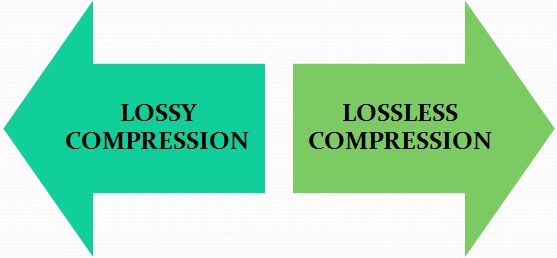
Lossy Compression vs Lossless Compression

Lossy is a word used in digital audio to describe the type of compression used to store audio data. The algorithm used in the lossy audio format compresses the audio data in such a way that it discards certain information. This loss of signal means that the encoded sound is not identical to the original.

lossy vs lossless

Lossy audio produces lower quality audio and has a smaller file size.

Lossy compression is also called irreversible compression because data that has been deleted is impossible to recover.

What is the difference between Lossy and Lossless?
When you create MP3 files by ripping one of your music CDs, some details of the original recording are lost, making it a lossy format. This type of compression isn’t just limited to audio; for example, JPEG image files are also lossy compressed.

Sheets of colored paper compressed into a ball

This method is the opposite of lossless audio compression used for formats like FLAC, ALAC, and others. In this case, the audio is compressed in such a way that the data is not deleted. The sound is identical to the original source.

Lossy archives take priority when it comes to compatibility. While lossless files are only supported by some devices and apps, a lossy audio format like MP3 will work on almost any device.

How Lossy Audio Compression Works
Lossy compression makes certain assumptions about frequencies that the human ear is unlikely to detect.

When a song is converted to a lossy audio format such as AAC, the algorithm analyzes all frequencies and then discards the frequencies that the ear should not be able to detect. These low frequencies are filtered or converted into mono signals that take up less disk space.

Another technique eliminates very quiet sounds that the listener is unlikely to notice, especially in the loudest part of the song. This approach reduces the size of the audio file while maintaining the highest possible audio quality.

What happens to the audio when it is compressed?
Lossy compression introduces artifacts. These artifacts are unwanted sounds that are not in the original recording but are a by-product of compression. This noise degrades sound quality and is noticeable when music files are converted using low bit rates.

Various types of artifacts affect the quality of the recording. Distortion is one of the most common artifacts. For example, distortion makes the drums feel weak, without any real beat. Song voices can also be affected, resulting in harsh vocals and lack of detail.

In many cases, casual listeners can’t tell the difference between lossy and lossless encoding, although some audiophiles using very expensive equipment claim to hear the difference. The difference in quality is only noticeable when very low data rates or aggressive compression algorithms come into play.

Why compress audio files?
Most digital audio formats use some form of compression to efficiently store sound. Without compression, the file sizes would be very large.

For example, a typical 3-minute song stored as an MP3 file is between 4MB and 5MB. Using the WAV format to store the same song, but without compression, results in a file size of approximately 30MB, at least six times that size. Fewer songs fit on your smartphone or hard drive when you choose uncompressed audio formats