Lossy audio encoding. What is what?


Free Download Mp4Gain
picture

Lossy audio encoding. What is what?

LOSSY AUDIO
.

The Evolution of Audio Coding

lossy compression

It’s 2020, it’s been years since the first MP3 encoder appeared. But just because most of us still calmly listen to MP3 music does not mean that progress has marked time all this time. And this applies not only to the development of the MP3 encoding algorithm, but also to the evolution of lossy audio encoding in general, in the form of newer and more advanced codecs that actually allow you to get better quality in a smaller size. . Formats like OGG Vorbis, AAC, WMA, Musepack have left behind outdated MP3 with its many limitations and flaws.

In parallel, lossless encoding is gaining momentum. But due to the large amount of data, today it is still not suitable for large-scale use, especially for portable devices with limited memory, for streaming on the network and only for quickly sharing music on the Internet (I must admit that not all 100 megabit internet access isn’t always at hand).

And so MP3 is out of date and definitely ready to be replaced. But what about the uninitiated user, but who wants to achieve the highest quality sound with the least amount of memory? After all, there are quite a few alternative codecs (at least 3 of them are really worthy of attention): Apple is promoting the AAC (Advanced Audio Coding, positioned as the successor to MP3) format through its iTunes Store, Microsoft, its own WMA (Windows Media Audio) license, moreover, OGG Vorbis is becoming more and more famous, and specially illustrated people even use a format like Musepack. Which of these codecs should I choose?

There is no definitive answer to this question, and that is why I am writing this article.

How to decide?

The choice of one or the other codec depends on the specific task. Namely:

1. From the equipment and software with which the sound will be reproduced. Those. on the availability of support for one or another audio format, as well as the quality of reproduction (it is advisable to be guided by it when choosing a bit rate).

2. Of the amount of memory that will be allocated to the final material. Accordingly, a higher or lower target quality / bit rate is selected.

And of course, in addition to the format and bit rate, you need to choose the optimal encoder and encoding parameters. It should be understood that different formats / encoders are displayed in different ways in different bit rate ranges.

Therefore, the algorithm is approximately the following:

1) Find out what formats the target device supports.
2) Determine how much space you can allocate for the audio material, as well as determine the total length of the audio intended for encoding.
3) Calculate the required bitrate using the formula: bitrate = disk_space (in kilobits) / total_time (in seconds).
4) According to the bitrate, choose the optimal one of the supported formats (more on this later).
5) Choose the best encoder and parameters for it.

More about our heroes

CAA

image

The development of psychoacoustics and data compression methods gradually led to the fact that the MP3 standard became “strict” for the implementation of new ideas in audio coding. As a result, in 1997, Fraunhofer IIS, which created MP3 in the early 1990s, as well as Dolby, AT&T, Sony, and Nokia, developed a new audio compression method: Advanced Audio Coding (AAC), which became a standard. . MPEG-2 and MPEG-4. The main differences from the MP3 standard are:
support for a wider range of audio formats (up to 48 channels) and sample rates (8 kHz to 96 kHz);
More efficient and simple filter bank: The hybrid MP3 filter bank has been replaced by the conventional MDCT (Modified Discrete Cosine Transform);
wider ranges of variation of the time-frequency resolution in the filter bank – eight times (in MP3 – three times) – led to an improvement in the encoding of transients (transients) and stationary sections of the audio signal;
better coding of frequencies above 16 kHz;
more flexible stereo encoding mode, allowing to switch to M / S (“joint stereo”) mode independently in different frequency bands;
Additional features of the standard that increase compression efficiency: time domain noise shaping technology (TNS), prediction of MDCT coefficients over time (long-term prediction), parametric stereo coding mode, synthesis of noise (perceptual noise replacement), high frequencies (SBR).

Thanks to these features, the AAC standard can achieve more flexible and efficient audio coding and therefore better quality. As a result of the widespread use of the MP3 format, the AAC standard has not yet acquired a popularity comparable to MP3. However, AAC is the main format on the popular iTunes Store, iPods, iTunes, iPhone, PlayStation 3, Nintendo Wii, and DAB + / DRM digital streams.
OGG Vorbis

image

Ogg Vorbis is a relatively new universal audio compression format that was officially released in the summer of 2002. It belongs to the same type of format as MP3, AAC, VQF and WMA, that is, lossy compression formats. The psychoacoustic model used in Ogg Vorbis is similar in principle to MP3 and similar ones, but only that the mathematical processing and practical implementation of this model are fundamentally different, allowing the authors to declare its format completely independent of all predecessors.
The main undeniable advantage of the Ogg Vorbis format is its total openness and freedom. In addition, it uses the latest and highest quality psychoacoustic model, so the bitrate / quality ratio is significantly lower than other formats. As a result, the sound quality is better, but the file size is smaller.
The format has many advantages. For example, the Ogg Vorbis format does not restrict the user to only two channels of audio (stereo: left and right). Supports up to 225 individual channels at a sample rate of up to 192 kHz and up to 32 bits (which no lossy compression format does), making Ogg Vorbis ideal for encoding 6-channel DVD-Audio. Additionally, the OGG Vorbis format has sample accuracy. This ensures that the audio data before encoding and after decoding will not have offsets or extra / missing samples to each other. This is easy to appreciate when you are encoding music endlessly (where one track gradually fades into another); in the end, the integrity of the sound will be preserved.
Streaming capacity is nowhere to be found, but this format has built it from the ground up. This gives the format a rather useful side effect: multiple songs can be stored in one file with their own tags. When loading such a file into the player, all songs should be displayed as having been loaded from several different files.
We should also mention a fairly flexible labeling system. The tag header can easily be expanded to include lyrics of any length and complexity (eg song lyrics) interspersed with images (eg album cover photo). Text labels are stored in UTF-8, allowing you to type in all languages ​​at the same time and eliminating potential problems with encodings. This is much more convenient than various tricks like id3 tags.
Ogg Vorbis uses a variable bitrate by default, while the latter is not limited to hard values ​​and can vary even by 1 kbps. It should be noted that the format does not strictly limit the maximum bit rate and with the maximum encoding setting it can range from 400 kbps to 700 kbps. The sample rate has the same flexibility: users can choose between 2000 Hz and 192000 Hz.
Ogg Vorbis was developed by the Xiphophorus community to replace all paid proprietary audio formats. Even though this is the youngest format of all MP3 competitors, Ogg Vorbis has full support on all known platforms (Windows, PocketPC, Symbian, DOS, Linux, MacOS, FreeBSD, BeOS, etc.), as well as a large number of hardware implementations. … The current popularity far exceeds all alternative solutions.
It is worth noting that Ogg Vorbis is only a small part of the Ogg Squish multimedia project, which also includes free encoders: Speex – for voice compression; FLAC: for lossless audio compression; Theora: for video compression.
Musepack

image
MusePack (mpp, mp +, mpc, MPEG +) is an unlicensed file format for storing audio information, distributed under the GNU General Public License.
The quality of MPC encoding at high bit rates (160 Kbps and above) is notably (if not significantly) higher than the quality provided by MP3.
Main advantages:
The format doesn’t do a second dct conversion, it doesn’t actually suffer from pre-echo artifacts, unlike formats like MP3, Vorbis, AAC, and WMA.
More efficient variable bit rate algorithms. If you track how the bit rate changes during MPC track playback, you will notice that for simpler sections the encoder assigns a lower bit rate, and for complex ones a much higher one, sometimes above 400 ( !) Kbps. An interesting fact is also worth mentioning: the MP3 encoder in VBR mode for silence assigns a bit rate of 32 kbps (at a sampling rate of 44100 Hz), AAC and OGG Vorbis – 2 kbps, Musepack encodes silence with minimal costs, <1 kbps / s (for example, one minute of silence will occupy about 514 bytes). All of this speaks to the extreme “frugality” of this encoder.
Powerful and flexible psychoacoustic model. Here we can mention, for example, a frame-based dynamic low-pass filter (in other encoders, a fixed bandwidth is set for each quality preset).
More advanced compression based on optimized Huffman tables (the same MP3 LAME wastes about 20% of the bit rate, only due to imperfect mathematical compression)

WMA

image

Windows Media Audio is a licensed file format developed by Microsoft for storing and transmitting audio information.

WMA was initially marketed as an alternative to MP3, but Microsoft now opposes AAC. Nominally, the WMA format is characterized by good compressibility, allowing it to “bypass” the MP3 format and compete on parameters with the Ogg Vorbis and AAC formats. But as independent tests, as well as subjective evaluation, showed, the quality of the formats is not yet exclusively equivalent, and the advantage even over MP3 is unequivocal, as Microsoft claims.

Format, encoder and parameter selection

Now straight to the heart of the matter.

To make your choice easier, I would like to share my experience gained in the course of numerous comparisons, auditions, as well as based on the analysis of the results of open hearing tests.

And so, next I will talk about the most suitable encoders for each case, as well as the correct choice of parameters. For the conversion, I recommend using foobar2000 (the converter settings are described in detail here), the parameters themselves are specified just for it. Additionally, foobar2000 has a host of useful DSPs that can be useful for audio pre-processing.

For those who are going to convert through the console or another program: the variable% s must be replaced with the name of the source file (or a similar variable) and% d with the name of the output file.

Note that for each bit rate range, the possible format options are indicated: the first is the highest priority. If your player doesn’t support the first option, please pay attention to the next one, etc. As I already wrote, in fact today only three codecs deserve attention: these are AAC, OGG Vorbis and Musepack. WMA, on the other hand, due to its closed nature, does not differ in special quality, but still, in most cases, it is better than MP3. Since some of the alternatives are only compatible with WMA, I will make recommendations for each of the four formats.

About bit rates: It should be understood that the optimal encoding mode is called. True VBR, ie target quality mode, not bit rate. Ideally, the result is a track with variable bit rate, but constant quality (don’t equate the two, more complex parts of a track need more bits to maintain quality). Therefore, the output bit rate is difficult to predict. Therefore, the bitrate values ​​below are indicated only as approximate, if possible, as an average for a large number of compositions of varying complexity.

Mentioned in this article, as well as some other encoders, with Russian descriptions of the main parameters and recommendations can be found here.

Ultra-low bit rates (~ 25-40 kbps)

This range is ideal for encoding audiobooks. And here there can only be one option: AAC, or rather, Nero AAC. The parameters are as follows:

-lc -q 0.35 -ignorelength -if – -of% d

In this case, the material must be pre-converted to mono and resampled at 22050 Hz (preferably using a SoX resampler). At the output, we get the usual low complexity AAC with a bit rate of about 25 kbps.

There are also options for music in this range:

1) Nero AAC. No conversions are needed here:

-q 0.15 -ignorelength -if – -of% d

On the output – High efficiency AAC v2 (with parametric stereo and HF synthesis), ~ 35 kbps. A great option for internet radio. Only here we must not forget that the decoder in the player must be compatible with HE-AACv2, otherwise you will get a complete absence of HF and monophony.

2) OGG Vorbis AoTuV – This modification of libvorbis includes improvements to the low bitrate encoding algorithm and even without SBR technology it is not much inferior to HE-AACv2. Command line:

-s% r -Q -q-2 – -o% d

Resulting files must be fully compatible with standard OGG Vorbis decoders. Bit rate – similar – around 35 kbps.

3) WMA 10 Pro. For such cases Microsoft also has something like SBR (high frequency synthesis), it doesn’t sound as bad as it could. It is true that the bit rate is slightly off limits: 48 kbps.

-silent -a_codec WMA9PRO -a_mode 3 -a_setting 48_44_2_16 -input% s -output% d

Note that older decoders (especially “hardware”) do not support WMA 10. In this case, you can use WMA 9.2 (the same encoder), however, its quality at low bit rates is much worse.

-silent -a_codec WMA9STD -a_mode 3 -a_setting 48_44_2 -input% s -output% d

Low bit rate, ~ 64 kbps

Initially, I thought about going straight to higher speeds. But since hydrogenaudio.org recently ran an encoder comparison at this bitrate, it’s a sin to lose it.

1) QuickTime AAC is the winner (except for the newly created Opus / CELT) of the same test. The following are the QAAC encoder settings:

-s -v 64 –he -q 2 –ignorelength – -o% d

The output is HE-AAC (with SBR, but not parametric stereo), which should be compatible with various iPods and the like.

2) OGG Vorbis AoTuV – although it turned out to be quite far from QAAC, but still:

-s% r -Q -q0 – -o% d

3) And just in case WMA 10 Pro:

-silent -a_codec WMA9PRO -a_mode 3 -a_setting 64_44_2_16 -input% s -output% d

For older decoders – WMA 9 standard:

-silent -a_codec WMA9STD -a_mode 3 -a_setting 64_44_2 -input% s -output% d

Slightly higher, ~ 80-100 kbps

And I already consider this bitrate due to Vorbis.

1) As tests have shown, the OGG Vorbis AoTuV encoder is best suited to it:

-s% r -Q -q1 – -o% d

2) Nero AAC: a very good result. In places where the highs are not as pronounced, it can sound even better than Vorbis (in the highs it loses due to synthesis).
30 -ignorelength -if – -of% d The

profile used is HE-AAC.

De facto standard, 128 kbps

Interesting fact: many people argue that for MP3 128 kbps – “edge bit rate”, which starts the quality indistinguishable from the original. Maybe this is so … for plastic Chinese speakers with blatnyak. Actually, this threshold is around 200 kbps, and newer formats provide more stable quality at this bit rate.

Modern encoders managed to cut this level from 128 kbps to almost half (again, according to the developers). But nevertheless, if you have more or less decent acoustics (or headphones), the difference can be captured in complex snippets even at 128 kbps.


Free Download Mp4Gain
picture


Mp4Gain Main Window
picture


Mp4Gain Features
picture


Free Download Mp4Gain
picture

Audio encoding: secrets revealed

Audio encoding: secrets revealed

audio encoding

Audio settings for video capture and transmission.
As people directly connected to the AV sphere, we constantly talk about audio coding and audio codecs, but what is it? An audio codec is essentially a device or algorithm that can encode and decode a digital audio signal.

Audio Encoding

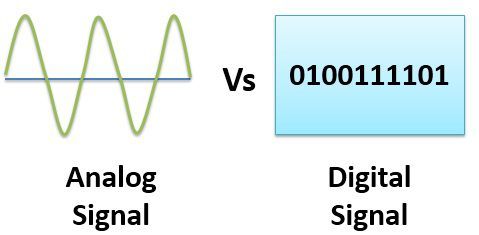
In practice, the audio waves that are transmitted over the air are continuous analog signals. Signals are converted to digital format by a device called an analog-to-digital converter (ADC), and the reverse conversion device is a digital-to-analog converter (DAC). The codec is between these two functions and it is he who allows you to adjust some important parameters for the successful capture, recording and transmission of an audio signal: codec algorithm, sample rate, bit depth and data rate.

The three most popular audio codecs are Pulse-Code Modulation (PCM), MP3, and Advanced Audio Coding (AAC). The choice of codec determines the compression rate and the recording quality. PCM is a codec used by computers, CDs, digital phones, and sometimes SACD. The source of the PCM signal is sampled at regular intervals and each sample is the digital amplitude of the analog signal. PCM is the simplest option for digitizing an analog signal.

With the correct parameters, this digitized signal can be completely converted back to analog without any loss. Unfortunately, this codec, which provides almost complete identity with the original audio, is not very cheap, which results in large files, and these files are not suitable for streaming. We recommend using PCM to record digital images for your sources or when doing audio post-processing.

Fortunately, we always have the option of choosing a different codec that can compress digital data (rather than PCM) based on some helpful observations on the behavior of sound waves. But in this case, you have to make a compromise: all alternative algorithms are associated with “losses”, since it is impossible to completely restore the original signal, but nevertheless the result is so good that most users will not be able to notice the difference.

MP3 is an audio encoding format that uses a digital data compression algorithm that allows you to save the audio signal in smaller files. The MP3 codec is the most used by users to record and store music files. We recommend using MP3 to stream audio content as it requires less network bandwidth.

AAC is a newer audio encoding algorithm that is the successor to MP3. AAC has become the standard for MPEG-2 and MPEG-4 formats. In fact, this is also a digital data compression codec, but with less quality loss than MP3 when encoded with the same bit rate. We recommend using this codec for online streaming.

Sampling frequency (kHz, kHz)
Sample rate (or sample rate): the frequency with which the signal is digitized, stored, processed or converted from analog to digital. Time sampling means that the signal is represented by a number of its samples (samples) taken at regular intervals.

Measured in hertz (Hz, Hz) or kilohertz (kHz, kHz,) 1 kHz equals 1000 Hz. For example, 44,100 samples per second can be labeled 44,100 Hz or 44.1 kHz. The selected sample rate will determine the maximum playback frequency and, as follows from Kotelnikov’s theorem, to fully restore the original signal, the sample rate must be twice the highest frequency in the signal spectrum.

As you know, the human ear is capable of picking up frequencies between 20 Hz and 20 kHz. Given these parameters and the values ​​shown in the table below, you can understand why 44.1 kHz was chosen as the sampling frequency for CD and is still considered a very good frequency for recording.

There are several reasons for choosing a higher sample rate, although it may seem like a waste of time and effort to reproduce sound outside the range of human hearing. At the same time, 44.1 – 48 kHz will suffice for the average listener for a high-quality solution to most problems.

Bit depth
Along with the sample rate, there is the bit depth or depth of the sound. Bit depth is the number of bits of digital information to encode each sample. Simply put, bit depth determines the “accuracy” of the input signal measurement. The larger the digit capacity, the smaller the error for each individual conversion from the magnitude of an electrical signal to a number and vice versa.

Analog and digital sound sources

Analog and digital sound sources

analog and digital audio

Digital music comes from two main sources: analog and digital.

Analog and Digital

Analogous sources
An analog music source must use an analog-to-digital converter, such as a sound card, to convert the physical changes of the analog medium into a digital file that can be read by a computer. An analog medium is an object that stores music in itself through physical changes.

For example:

A cassette recorder changes the degree of magnetization of a cassette tape to record sound. Connecting a cassette deck to a recording device allows you to make a digital copy of an analog cassette.
The recorder cuts grooves in the vinyl record to create a physical representation of the sound. Ripping vinyl with a preamp and sound card allows you to make a digital copy of an analog record.
Analog recordings can be converted to digital music files in various formats, such as FLAC and MP3. Vinyl recordings can always be posted to the site, but posting tape recordings and other analog sources requires approval from the moderator.

Digital music sources
Music from digital sources is already encoded in a computer-compatible format, so no additional conversion is required. A digital medium is an object that stores music digitally (as a sequence of binary numbers).

For example:

CD
DVD
Super Audio CD (SACD)
Content from online stores (iTunes, Amazon, etc.)
Music from digital sources can be uploaded to RED after analyzing the spectrograms of the files to verify lossy transcoding.

Comparison of analog to digital music sources
Controversy still exists as to whether music sounds differently from analog and digital sources. Some people prefer the feel of vinyl and find that music on vinyl sounds “warmer” and “brighter.” On the other hand, some believe that digital sources provide true, pure and authentic sound. Both are represented in RED, so you can compare and make your own choice!

Audio formats

Audio formats

Audio Formats
The audio format is a type of computer file that contains music. There are lossless uncompressed, lossless compressed and lossy music audio formats.

Audio Formats

Bit rates
Bit rate is a unit of measurement for data that indicates the number of bits transmitted in a given time. When it comes to music formats, the bit rate is expressed in kilobits per second (kbps) transmitted. If you compare the same song encoded at different bit rates, the file with the highest bit rate will be of higher quality. For example, a 320 kbps (CBR) MP3 file transmits 320 kilobits for every second of the audio stream.

Audio formats containing uncompressed lossless data (Uncompressed Lossless)
Lossless uncompressed data formats retain all original recorded information. Since silence is encoded at the same number of bits per second as sound, files containing uncompressed lossless data are often large. Formats containing lossless and uncompressed data are encoded using pulse code modulation (PCM). Examples:

WAV (PCM) (used in Windows)
AIFF (PCM) (used in Mac OS).
Audio formats containing lossless compressed data (Compressed Lossless)
Lossless compressed formats store all original recorded information in a smaller volume than uncompressed lossless data when compressing data. Silence is encoded at the lowest bit rate and audio is compressed, so files that contain lossless compressed data are usually half the size (file size) of the same song in a format that contains non-data. uncompressed loss.

Since formats that contain compressed data without loss of quality and formats that contain uncompressed data without loss of quality both retain all the information from the original recording, they can be transcoded to each other without loss of quality. Examples:

Free Lossless Audio Codec (FLAC)
Apple Lossless Audio Codec (ALAC)
Mono Audio (APE).
Lossy audio formats
Lossy formats always compress data. Lossy audio formats are smaller than those that contain lossless compressed data and formats that contain uncompressed lossless data by removing some of the original information. These are usually high frequencies that most people cannot hear, however in some cases the difference in lossy and lossless audio formats can be very large.

Since lossy formats lose data during compression (and therefore sound quality), they CANNOT be transcoded to lossless or other lossy audio formats without further loss of sound quality. Examples:

MPEG Layer 3 Audio (MP3)
Advanced Audio Coding (AAC)
Windows Media Audio (WMA)
Dolby Digital 3 (AC3) audio codec
DTS Coherent Acoustics Codec (DTS).
File sizes
Here we can see how the file size of the same song depends on the format in which it is presented: uncompressed data without loss of quality, compressed data without loss of quality or loss of quality. Take Avril Lavigne’s classic pop song Sk8er Boi for example. The song is 3 minutes and 24 seconds long.

Lossless uncompressed format – WAV (PCM): 34.3 MB
Lossless compressed format – FLAC: 25.75 MB (25% compression)
Lossy format – MP3 320 (CBR): 7.78 MB (78% compression)
Sound transparency
Sound transparency is a term used to describe the sound characteristic of a lossy file. The sound of a lossy file is considered transparent if the average person cannot hear the difference between it and a lossless file with the same song, having listened to both files and not knowing in what sequence they were heard. For most people, MP3 192kbps (CBR) is considered transparent.

Allowed audio formats
While there are many types of lossy and lossless audio formats, only a few are allowed on RED.

Since some lossless audio formats can be transcoded to other lossless audio formats without loss of audio quality, the only lossless audio format allowed on RED is FLAC. You can always download FLAC and transcode it to ALAC (for iTunes) or any other lossless or lossy audio format you want.

Allowed lossy audio formats:

MP3 (the minimum bit rate for MP3 is 192 kbps (CBR))
AAC (can be replaced by any MP3 torrent except downloads purchased from the iTunes store and containing exclusive tracks from iTunes)
AC3 (usually found on DVD)
DTS (usually found on DVD)
MP3 is the most popular audio format on RED. We allow you to upload albums to AAC purchased from iTunes because they often contain bonus tracks from iTunes, and since AAC is a lossy format, it cannot be transcoded to other audio formats without losing sound quality. Also, AC3 and DTS are often found on DVD and are lossy audio formats, so they cannot be transcoded to other audio formats without losing sound quality.

M4A VS M4B: What is the difference?

M4A VS M4B: What is the difference?

M4A VS M4B

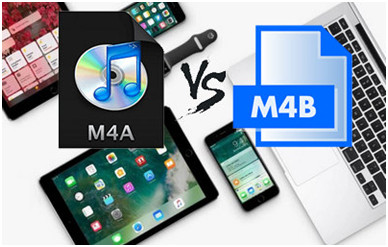
You may notice that the format of the audio files in iTunes will be different. M4A and M4B are the most similar. Both are used as audio file formats. So what are the differences and similarities between them?

m4b vs mp3

Encoding method and format protection

The M4A and M4B formats are basically the audio file extension of the MP4 codec and are encoded by AAC (Advanced Audio Coding). M4A is mainly for the music file format while M4B is for audiobooks from the iTunes store. ITunes digital content is protected by Apple’s Apple FairPlay DRM. However, M4A is not protected by DRM. Music from iTunes and Apple Music are in M4P format, which refers to Apple’s M4A version that includes DRM. In comparison, M4B has both DRM-ed and DRM versions in audiobook files. Audiobooks purchased from the iTunes Store are all in DRM encryption, while these DRM-free M4B audiobooks can also be found online on their own.

Compatible / compatible M4A and M4B devices

As for DRM-ed M4B, it supports less devices. It is compatible with iPhone, iPod, iPad, etc. Also, DRM-protected M4B and M4B will be available on other devices and media players if those devices and media players support the formats.

M4B audiobook bookmarks

Compared to M4A, one of the most obvious features of M4B audiobooks is the bookmarks. The bookmark is applied to audiobooks, allowing you to skip the last part you read. This feature saves you a lot of time as you don’t have to search for the exact point you want to send. However, M4A music files do not have bookmarks.

Also, another feature of M4B audiobooks relates to the audiobook chapter settings. The audiobook is divided into its chapters, which makes it look like a physical book and is more readable for users.

conclusion

As we can know, the M4A and M4B formats are related to the MPEG-4 format and are represented by audio files. In these two cases, there are both differences and similarities. Its main difference is related to the fact that M4A is a music file extension while M4B is an audiobook. Also, M4A is completely unencrypted with DRM, while M4B is DRM-free and DRM-free.

ALAC is better than AAC?

ALAC is better than AAC?

ALAC

ALAC audio format

ALAC

Content:

What is the ALAC audio format?
If you use iTunes to organize, store, and listen to your music collection, it is most likely stored in AAC format. If you buy music from the iTunes store, it is definitely stored in AAC format, because this format is the standard for storing audio on Apple devices.

ALAC (Apple Lossless Audio Codec) is a format that stores sound in its original form, that is, without loss of sound quality. Yes, ALAC involves some compression of the music, but not by ruling out those sounds that the person, it seems, cannot hear, but by using data compression algorithms, so by decoding the music during playback, you will hear the original recording.

The ALAC format is very similar to another audio format that stores lossless FLAC audio.

The most curious thing is that the extension of files that are processed by different codecs, such as ALAC or AAC, have the same extension – m4a. This can be confusing, because it is visually impossible to determine which music file is compressed with which codec.

Of course, this can be done by looking at the amount of memory the file occupies. A normal song, compressed in AAC format, will take up less than 10MB or slightly more, while a melody stored in the ALAC codec may require 60MB or more to store a song.

You can also find out about the file’s encoding type by looking at the file’s properties. For example, in iTunes, this can be done by selecting a file and then following the following path: View Options – Show Columns – Type.

Benefits of the ALAC format
One of the main advantages of using the ALAC format is the quality of the music.

There is no loss of quality when ripping music from a CD; If you want to maintain the original playback quality when ripping music from a CD, ALAC is perfect for that.
Conversion to any other audio file format: This point is a consequence of the fact that the music is stored in its original form. Those. You can convert the ALAC format to any other, even mp3, although AAC and the output will get very high quality output, while converting from one lossy format to another will make the quality noticeably worse.
Restoring your CD collection: If you like to listen to high-quality music and have not yet lost the feeling of beauty that comes from holding a physical disc of music in your hands, then you have an audio library at home. The ALAC format allows you to recover damaged CDs by burning a new one to replace the lost one without losing sound quality. This may not be a very popular reason for storing music in the ALAC format these days, however you must agree that it is very interesting.

Disadvantages of the ALAC format

There are pros and cons to any way of storing music digitally, and the same is true for ALAC.

High memory requirements for storing songs: Like any other codec that stores music in original quality, ALAC requires an impressive amount of memory on your computer, player or phone. It’s true that memory gets cheaper every year, and more and more memory is being added to laptops, but even in this situation, not everyone will want to spend most of it storing music.
Less flexibility when using players: Unlike popular audio formats like mp3 or aac, ALAC is not compatible with all media players, so if you want to enjoy high-quality music, you will need to think about what you will listen to beforehand, not only today but also tomorrow.
Not everyone can hear the difference; unfortunately, not everyone can hear the difference in the sound of the same song, one copy of which is compressed in AAC and the other in ALAC. This is due not so much to physiology as to the enthusiasm of the listener and the quality of their audio equipment. Hearing the difference when listening to music with headphones for $ 20 is almost impossible with all your heart. This requires much more serious headphones and an amplifier, but if you have them, of course, it is preferable to listen to only the music in its true form.

MP3 vs M4A, the most complete comparison

MP3 vs M4A, the most complete comparison

M4A vs MP3

If you like listening to digital music, chances are you are familiar with different types of audio files. Now let’s talk about them and try to distinguish between the two most popular audio files today: MP3 and M4A.

mp3 vs m4a

Compare mp3 vs m4a

Here is the difference between MP3 and M4A:

So M4A is a compressed audio file with MPEG-4 technology, which has a lossy compression algorithm. It is mainly associated with “MPEG-4 Audio Layer” and the files of this extension are organized in audio layers of MPEG-4 movies (without video). Its goal is to surpass MP3 and become the new standard for audio compression. M4A is quite similar to MP3, but it is designed to have better quality at the same or even smaller file size. The M4A format was first introduced by Apple. The format type is also known as an Apple Lossless Encoder (ALE). Apple iTunes Store is the dominant force in digital music distribution.

How to play M4A

MPEG-4 video and audio files generally use the .mp4 file extension, but when it is for audio only, the file generally has the .m4a extension.

The use of the M4A format can be seen more frequently on devices that work with the Apple ecosystem (iOS, macOS), as well as on the Windows platform (developed by Microsoft) (M4A) it is easily used by users (despite the great popularity of MP3).

Because it will be useful to the user to be able to play almost all popular media files locally. For example, from a set of audio and video formats: MP4, FLV, MP3, MPG, SWF, DIVX, MOV, MKV, WMV, DAT, FLAC, AVI, M4V, and other formats are also supported.

However, going back to the format comparison, to date, M4A has yet to recapture the main success of MP3, as the audio format is not yet universally played. It is limited to PC, iPod and other Apple products only.

Convert MP3 to M4A On the other hand, MP3 is the most popular digital audio format. MP3 was also one of the first compression formats and has become extremely popular with music lovers / collectors. Its main success is so overwhelming that the file type can be anywhere and play with “near empty” hardware or software. Information for those interested in how to convert MP3 to M4A is as follows. In theory, M4A will reproduce better sound quality, but many argue that regardless of whether this is true or not, the sound difference is not distinguishable and it would be a waste of time trying to convert MP3 files to M4A files. In the end, changing will only contribute to the loss of the original sound quality, so it’s not a good idea if you don’t need to change it.

What is the best audio format? Most enthusiasts would recommend that when choosing a format, the player and the ears should be considered primarily. If you have an iPod and you mainly listen to music through it, then aim for the M4A. In fact, portability and convenience are a major and urgent concern, as the difference in sound quality is almost imperceptible if you are actually working on highly technical material.

Summary of the comparison between M4A and MP3:

1. Obviously, MP3 is still the most popular audio format, including the lesser known M4A.

2. M4A is designed to have better sound quality in less space than MP3.

3. Mp3 differs in that the file can be played anywhere, with almost any playback device, whereas M4A has yet to reach these heights.

4. MP3 was released first and M4A was partially designed to dethrone MP3 like most popular audio formats.

5. Actually, M4A is only for Mpeg-4 file audio compression.

M4a and mp4, what features do they have?

M4a and mp4, what features do they have?

M4A

.M4a file extension

M4A

Category Music File

Description M4A files are a type of audio file developed and advanced by Apple. Since 2007, music purchased through the iTunes store has been in the m4a format, so there is great confusion of more than 15 billion files worldwide. MP4 and M4A are two very similar formats, based on the MPEG-4 codec. However, M4A is a file that only contains audio, while MP4 can also contain video.

Technical details M4A files outperform MP3 in terms of compression scale and sound quality. The M4A file uses the Apple codec and is the home of MPEG-4. The main advantage of M4A is that the files are compressed but lossless. This means that they can be decoded to their original quality. Another advantage of M4A files is the lack of digital rights management (DRM), which means they are less restrictive.
Associated programs Apple QuickTime Player
Apple iTunes
Microsoft Windows Media Player

Designed by apple

Mimica audio / mp4a-latm type

.Mp4 file extension
Category Video file
Description MP4 files (MPEG-4 Part 14) are multimedia files. MP4 is a format that can store video, audio, and subtitle data (depending on content). Since stores like iTunes have been using this format, and it is used with iPod and PlayStation Portable (PSP) files, MP4 files have become more common.
Convert MP4 file behavior

Technical details MPEG-4 Part 14 or MP4, formally ISO / IEC 14496-14: 2003, is a multimedia file format called Part MPEG-4. It is most commonly used to store digital video and digital audio streams, especially those defined by MPEG, but it can also be used to store other data such as subtitles and still images. Like most modern container formats, MPEG-4 Part 14 allows streaming over the Internet. A separate track is used to include sequence information. The only official file extension for MPEG-4 Part 14 is .mp4.
Associated programs Apple QuickTime Player
Apple iTunes
Microsoft Windows Media Player
VideoLAN VLC Media Player
Designed by Group of Experts in Moving Images
Mimica audio / mpeg type

WAV audio format

WAV audio format developed by Microsoft and IBM
Media

WAV AUDIO FORMAT

The key feature of the WAV (Waveform Audio Formal) format, which distinguishes it from other existing formats, is that it is used to store uncompressed digital data, that is, it is capable of storing sound in its highest quality and with any bitrate. It was developed by the Microsoft and IBM corporations and is primarily intended for the storage of uncompressed digital audio. This format is based on the PCM (Pulse-Code Modulation) audio digitizing method on which the technology for storing digital audio on audio CDs is based.

WAV Audio Files

There is an opinion that audio information is stored in WAV format on music CDs (those famous audio CDs). In fact, this is not the case. What audio CD and WAV have in common is precisely the basis: the method by which the audio was digitized. Both formats are based on PCM, hence their similarities. It’s easy enough to make sure of the differences – you can grab a music CD, convert it to WAV format (in computer jargon, this is called “grabbing”), and then burn it back to CD-R. As a result, the resulting disc will not play on stereos that only recognize normal audio CDs.

It is easy to guess that in WAV format, uncompressed audio is usually stored, then it is he who gives it the quality equal to the original during playback (that is, the quality of an audio CD). The highest quality during playback is the main advantage of this format. If we talk about its disadvantages, the main one is also obvious: it is a rather large size of the resulting files. In fact, if we compare the sizes of the same song in WAV and MP3 formats, they will differ significantly even with the minimum compression ratio. It is this shortcoming that drastically limits the distribution of WAV today, because only 15 to 20 songs can be recorded uncompressed or hundreds of songs compressed to a CD.

A particularly pronounced exit of users from the WAV format occurred with the creation of file-sharing networks on the Internet. This is for the same reason: sending a 3-5MB file over the Internet is one thing and 30-40MB is quite another. However, a certain proportion of listeners have never changed this format due to its highest quality. There have always been audiophiles who sacrificed their disk space, time, and money when downloading music from the internet, but they only listened to uncompressed audio. Today we can talk again about an increase in the number of users of the WAV format. This is due to the proliferation of relatively inexpensive and large capacity hard drives (up to several terabytes) for a computer and a sharp decrease in the cost of broadband and therefore very fast access to the Internet.

Among other disadvantages of the WAV format, it is worth noting the existing limitation on the maximum allowed file size, which is 4 GB. At first glance this seems sufficient, but if we take into account the CD quality of the recording, the maximum length of the track in WAV format is approximately 6.6 hours (at 44.1 kHz sample rate and in stereo mode). To overcome this barrier, it is necessary to use special software solutions – plugins.

WAV format, all about wav

WAV format

WAV format

File extension: .wav

WAVE or WAV is a short form of Wave Audio File Format (less commonly known as Audio for Windows). This format is the standard for storing audio streams on a PC. It is the domain of the RIFF format for storing audio in “strings”, very similar to the 8SVX and AIFF formats used by the Amiga and Macintosh computers respectively. It is also the main format on Windows systems for storing normal uncompressed audio. Typically this is done by linear pulse code modulation.

WAV Format

Description
Both WAV and AIFF are compatible with Windows, Macintosh or Linux operating systems. The format also takes into account some of the differences in Intel processors, such as endian byte order. The RIFF format acts as a wrapper for various audio compression codecs.

Although a WAV file can contain compressed audio, its most common use is to store uncompressed audio in linear PCM format. The standard audio CD format, for example, is LPCM audio, with 2 channels, 44-100 Hz sample rate, and 16 bits per sample. Since the LPCM format stores uncompressed audio that is exactly the same as the original, it allows professional users and audio experts to use it for maximum audio quality. The WAV audio file can also be modified in almost any audio editor. The WAV format works with compressed audio on Windows systems via the Audio Compression Manager (ACM) … Any ACM codec can be used to compress a WAV file. The ACM user interface can be accessed through a variety of programs, including the standard audio recording program on some versions of Windows.

Starting with Windows 2000, the WAVE_FORMAT_EXTENSIBLE header appeared, which allowed to store multichannel audio data, taking into account the location of the speakers, eliminating ambiguities in terms of sample types and container sizes in the standard WAV format. It also supported arbitrary extensions for the snippet format.

There are also many inconsistencies in the WAV format: for example, 8-bit data is unsigned, while 16-bit data is signed.

WAV files can contain embedded IFF “lists”, which can contain multiple sub-changes.

Metadata
Derived from the Resource Interchange File Format (RIFF), WAV files can have metadata (tags) in the INFO chunk. Additionally, Extensible Metadata Platform (XMP) metadata can be embedded in WAV files.

Popularity
WAV files are large enough that this format is cumbersome to share over the Internet, and this greatly undermines its popularity. However, this format, as a general rule, is most often used to preserve the original appearance of high-quality files in cases where the amount of free disk space is not limited. It is also used in audio editing programs to save time when compressing and decompressing data.

More often, data is compressed using lossy formats such as Ogg Vorbis, MP3, ATRAC, AAC, Musepack, and WMA, which are used to store and share music (for example, between Internet users). The small file size and the ability to download them quickly are also a significant advantage, while this audio data takes up much less space. But lossy formats sacrifice quality for size, so their algorithms do not preserve the original sound quality in every detail. But there are also lossless codecs like FLAC, Shorten, Monkey’s Audio, ATRAC Advanced Lossless, Apple Lossless, WMA Lossless, TTA, WavPack, but none of these codecs are generally accepted.

The use of the WAV format is generally accepted due to its simplicity and simple structure, which is largely based on the RIFF file format. Thanks to this, the WAV format does not suffer any harassment between various software or hardware players, it is compatible almost everywhere.

Despite the enormous size of uncompressed WAV data, this format is sometimes used for retransmissions, especially for adapted cassette-less systems. BBC Radio in the UK uses 44.1 kHz 16-bit stereo audio data as standard on its VCS system. The ABC “D-Cart” system, which was developed by an Australian broadcaster, uses 48 kHz 16-bit stereo audio data, which is identical to digital audio cassettes (DAT).