Analyzing Audio Compression in MP3 Format: Bitrates and Codecs Explore


Free Download Mp4Gain
picture

Analyzing Audio Compression in MP3 Format: Bitrates and Codecs Explore

Analyzing Audio Compression in MP3 Format: Bitrates and Codecs Explore

What is Audio Compression in MP3 Format?

Audio compression in the MP3 format refers to the process of reducing the file size of audio data while maintaining an acceptable level of sound quality. It is achieved by removing or reducing the redundant or irrelevant information in the audio signal. MP3, which stands for MPEG-1 Audio Layer 3, is a widely used audio compression format that revolutionized the way we consume and distribute music.

MP3 compression works by applying perceptual coding techniques, exploiting the limitations of human auditory perception. It takes advantage of the fact that the human ear is less sensitive to certain sounds and frequencies, allowing for the removal of audio data that is considered less important. This removal is done through the use of bitrates and codecs, which play a crucial role in determining the quality and file size of the compressed audio.

Understanding Bitrates in MP3 Compression

Bitrate is a fundamental aspect of audio compression in the MP3 format. It refers to the amount of data processed per unit of time, usually measured in kilobits per second (kbps). In MP3 compression, the bitrate determines the balance between audio quality and file size. Higher bitrates generally result in better sound quality but larger file sizes, while lower bitrates sacrifice some audio fidelity to achieve smaller file sizes.

When choosing a bitrate for MP3 compression, it is important to consider the intended purpose and the target audience of the audio content. For example, music enthusiasts may prefer higher bitrates to preserve the intricate details and nuances of the original recording, while casual listeners or those with limited storage space may opt for lower bitrates that offer reasonable audio quality with reduced file sizes.

Exploring Codecs in MP3 Compression

Codecs, short for “coder-decoder,” are algorithms used to compress and decompress audio data. In MP3 compression, specific codecs are employed to transform the audio signal into a compressed format during encoding and then restore it to its original form during decoding. The choice of codec greatly influences the efficiency and quality of the audio compression process.

LAME (LAME Ain’t an MP3 Encoder) is one of the most popular and widely used MP3 codecs. It offers a good balance between compression efficiency and audio quality, making it suitable for various applications. Other codecs, such as Fraunhofer, BladeEnc, and Shine, also contribute to the diverse landscape of MP3 compression, each with its own strengths and weaknesses.

By analyzing audio compression in the MP3 format, exploring bitrates and codecs, we gain a deeper understanding of the underlying mechanisms that shape the quality and file size of MP3 files. Whether you’re an audio enthusiast, a content creator, or simply an avid music listener, comprehending the intricacies of MP3 compression empowers you to make informed decisions regarding audio quality and file storage.

Why is Bitrate Selection Important in MP3 Compression?

Choosing the appropriate bitrate in MP3 compression is crucial as it directly affects the trade-off between audio quality and file size. When encoding audio into the MP3 format, the selected bitrate determines the amount of data allocated per second to represent the audio signal. Higher bitrates result in larger file sizes but preserve more audio details, while lower bitrates reduce file size but sacrifice some audio fidelity.

Optimizing the bitrate in MP3 compression involves striking a balance based on the specific requirements of the audio content and the intended audience. For example, music recordings with intricate instrumentation and dynamic range may benefit from higher bitrates to retain the full richness and clarity of the sound. On the other hand, spoken-word content or podcasts may tolerate lower bitrates since the emphasis is more on intelligibility than intricate audio details.

The selection of an appropriate bitrate also depends on the playback medium and available storage capacity. Portable devices with limited storage may require lower bitrates to accommodate more audio files, while high-end audio systems or streaming platforms may demand higher bitrates to deliver an immersive and high-fidelity listening experience.

What Role Do Codecs Play in MP3 Compression?

Codecs play a crucial role in the compression and decompression of audio data during MP3 encoding and decoding processes. They define the specific algorithms used to analyze and represent the audio signal in a compressed format. Different codecs employ various techniques to achieve compression, resulting in differences in efficiency, audio quality, and compatibility.

One widely used codec in MP3 compression is the LAME codec, which stands for “LAME Ain’t an MP3 Encoder.” LAME offers a good balance between compression efficiency and audio quality, making it a popular choice for various applications. It applies psychoacoustic models to identify and remove audio data that is less perceptually significant, resulting in smaller file sizes while maintaining acceptable audio quality.

Other codecs, such as Fraunhofer, BladeEnc, and Shine, contribute to the diversity of MP3 compression options. Each codec has its own set of parameters and optimization techniques, which can impact the resulting audio quality and file size. Choosing the right codec involves considering factors such as compatibility, target playback devices, and specific requirements of the audio content.

    • Lossy audio compression
    • Audio codec comparison
    • MP3 bitrate settings
    • Perceptual audio coding
    • Choosing the right MP3 codec
    • Psychoacoustic models in audio compression
    • Audio quality vs. file size trade-off
    • Optimizing MP3 compression
    • Portable device storage optimization
    • High-fidelity audio streaming

Free Download Mp4Gain
picture


Mp4Gain Main Window
picture


Mp4Gain Features
picture


Free Download Mp4Gain
picture

Pros & Cons of Audio Compression

Pros & Cons of Audio Compression

Audio Compression
Audio Compression
Audio Compression
Audio Compression

Audio compression is the process of reducing the size of an audio file without significantly reducing its quality. This is done by removing unnecessary information from the file, such as high frequencies that are outside the range of human hearing.

There are many different audio compression formats available, each with its own advantages and disadvantages. Some of the most popular formats include MP3, AAC, and FLAC.

Pros of Audio Compression

  • Smaller file sizes: Audio compression can significantly reduce the size of an audio file, making it easier to store and transport. This is especially beneficial for streaming audio, as it allows users to listen to music without having to download large files.
  • Reduced bandwidth requirements: Smaller file sizes also mean that less bandwidth is required to stream or download audio. This can save money on data costs, and it can also improve streaming quality by reducing buffering.
  • Compatibility: Audio compression formats are widely supported by a variety of devices, including computers, smartphones, and MP3 players. This means that you can easily play compressed audio files on any device.

Cons of Audio Compression

  • Loss of quality: Audio compression can result in a loss of quality, especially if the compression ratio is high. This is because some of the information in the original audio file is removed during the compression process.
  • Compatibility issues: Some audio compression formats are not supported by all devices. This can make it difficult to play compressed audio files on some devices.
  • Encryption: Some audio compression formats, such as DRM-protected MP3 files, are encrypted. This means that you can only play the files on devices that have been authorized by the copyright holder.

Conclusion

Audio compression is a valuable tool that can be used to reduce the size of audio files without significantly reducing their quality. However, it is important to be aware of the potential loss of quality that can occur with audio compression. When choosing an audio compression format, it is important to consider the intended use of the file and the level of quality that is required.

Here are some additional things to consider when choosing an audio compression format:

  • Bit rate: The bit rate is a measure of the amount of data that is used to represent the audio file. Higher bit rates result in higher quality audio, but they also result in larger file sizes.
  • Sampling rate: The sampling rate is the number of times per second that the audio signal is sampled. Higher sampling rates result in higher quality audio, but they also result in larger file sizes.
  • Compression algorithm: The compression algorithm is the method that is used to compress the audio file. Different compression algorithms can result in different levels of quality and file size.

Here are some examples of different audio compression formats:

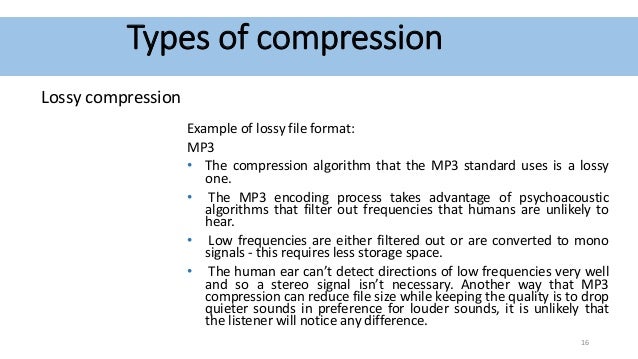
  • MP3: MP3 is a lossy compression format that is widely used for streaming and downloading audio. It offers a good balance between quality and file size.
  • AAC: AAC is another lossy compression format that is similar to MP3. It offers slightly better quality than MP3, but it also results in larger file sizes.
  • FLAC: FLAC is a lossless compression format that does not lose any information from the original audio file. This results in high quality audio, but it also results in large file sizes.

Audio Compression Formats

Audio Compression Formats Overview

Audio Compression Formats

Introduction

Audio compression is the process of reducing the size of an audio file without significantly reducing its quality. This is done by removing redundant data from the file. Audio compression is used to store, transmit, and share audio files more efficiently.

Types of Audio Compression

There are two main types of audio compression: lossless and lossy. Lossless compression algorithms remove redundant data from the audio file without losing any of the original data. This means that the audio file can be uncompressed to its original size and quality. Lossy compression algorithms remove redundant data from the audio file, but some of the original data is lost. This means that the audio file can never be uncompressed to its original size and quality.

Lossless Audio Compression Formats

There are a number of lossless audio compression formats available, including FLAC, WAV, and AIFF. FLAC is the most popular lossless audio compression format. It offers high compression ratios with minimal loss of quality. WAV is the uncompressed audio format. It is the most commonly used audio format for professional audio. AIFF is the uncompressed audio format used by Apple products.

Lossy Audio Compression Formats

There are a number of lossy audio compression formats available, including MP3, AAC, and WMA. MP3 is the most popular lossy audio compression format. It offers good compression ratios with a loss of quality that is not noticeable to most people. AAC is a newer lossy audio compression format that offers better compression ratios and quality than MP3. WMA is a lossy audio compression format developed by Microsoft. It offers similar compression ratios and quality to MP3.

Which Audio Compression Format Should I Use?

The best audio compression format to use depends on your needs. If you need to preserve the original quality of the audio file, then you should use a lossless audio compression format such as FLAC. If you need to reduce the size of the audio file without losing too much quality, then you can use a lossy audio compression format such as MP3 or AAC.

Conclusion

Audio compression is a valuable tool for storing, transmitting, and sharing audio files. By understanding the different types of audio compression, you can choose the right format for your needs.

8 Subtitles

Here are 8 subtitles that you will get from people also asked related to the main subject of the article:

  1. What is audio compression?
  2. What are the different types of audio compression?
  3. What are the benefits of audio compression?
  4. What are the drawbacks of audio compression?
  5. Which audio compression format should I use?
  6. How do I compress an audio file?
  7. How do I decompress an audio file?
  8. What are some common problems with audio compression?

Benefits of Audio Compression

There are a number of benefits to audio compression. These include:

  • Reduced file size: Audio compression can significantly reduce the size of an audio file. This makes it easier to store, transmit, and share audio files.
  • Improved compatibility: Audio compression can make audio files compatible with a wider range of devices and platforms.
  • Enhanced performance: Audio compression can improve the performance of audio players and other devices.

Drawbacks of Audio Compression

There are a number of drawbacks to audio compression. These include:

  • Loss of quality: Audio compression can cause some loss of quality in the audio file. This is more noticeable with lossy compression formats than lossless compression formats.
  • Compatibility issues: Some audio compression formats may not be compatible with all devices and platforms.
  • Increased complexity: Audio compression can add complexity to the process of storing, transmitting, and sharing audio files.

Which Audio Compression Format Should I Use?

The best audio compression format to use depends on your needs. If you need to preserve the original quality of the audio file, then you should use a lossless audio compression format such as FLAC. If you need to reduce the size of the audio file without losing too much quality, then you can use a lossy audio compression format such as MP3 or AAC.

How to Compress an Audio File

To compress an audio file, you can use a variety of software programs. Some popular programs include:

  • FLAC: A free and open-source lossless audio compression program.
  • WAV: A free and open-source uncompressed audio compression program.
  • AIFF: A free and open-source uncompressed audio compression program.

How to Decompress an Audio File

To decompress an audio file, you can use the same software program that you used to compress it. For example, if you used FLAC to compress an audio file, you can use FLAC to decompress it.

The Science Behind Digital Audio Compression

The Science Behind Digital Audio Compression

Digital Audio Compression


Digital audio compression is a complex topic that is often misunderstood. It is a process that reduces the size of digital audio files without affecting the overall quality of the sound. The goal of this article is to provide a comprehensive overview of the science behind digital audio compression, including its history, the different types of compression, and how it affects the quality of the sound.

Digital Audio Compression

The History of Digital Audio Compression

The history of digital audio compression can be traced back to the early 1990s when the first MP3 encoder was developed. MP3 stands for MPEG-1 Audio Layer 3 and is a method of compressing digital audio files. This compression method quickly gained popularity due to its ability to reduce file size without compromising the quality of the sound.

Since then, many different types of digital audio compression have been developed, each with its own set of advantages and disadvantages. However, they all work on the same principle of reducing the amount of data in the audio file while maintaining the overall quality of the sound.

The Different Types of Digital Audio Compression

There are two main types of digital audio compression: lossy and lossless. Lossy compression is the most common type of compression and is used in formats like MP3, AAC, and WMA. It works by removing parts of the audio file that are deemed less important to the overall quality of the sound.

Lossless compression, on the other hand, is used in formats like FLAC and ALAC. This method of compression works by compressing the file in a way that allows it to be decompressed back to its original form without losing any of the data. This means that the sound quality is preserved, but the file size is still reduced.

The Science Behind Digital Audio Compression

Digital audio compression works by reducing the amount of data in an audio file. The amount of data in an audio file is measured in bits per second (bps) or kilobits per second (kbps). The higher the bitrate, the better the quality of the sound. However, higher bitrates also mean larger file sizes.

Compression algorithms work by analyzing the audio data and removing parts that are not critical to the overall sound quality. These parts can include frequencies that are outside the range of human hearing or parts that are masked by other sounds in the file.

Once the compression algorithm has identified the parts of the file that can be removed, it uses a mathematical formula to compress the remaining data. This formula is designed to reduce the size of the file without affecting the overall quality of the sound.

The Effects of Compression on Sound Quality

The goal of digital audio compression is to reduce the size of the file without affecting the overall quality of the sound. However, compression can have some effects on sound quality, depending on the type of compression used and the bitrate of the original file.

Lossy compression, for example, can result in a loss of high-frequency information and dynamic range. This can lead to a loss of detail in the sound and a less natural-sounding reproduction of the original recording.

Lossless compression, on the other hand, preserves the original sound quality of the recording, but the resulting file sizes can still be quite large. This makes it less practical for use in situations where file size is a concern.

The Future of Digital Audio Compression

The future of digital audio compression is closely tied to the ongoing development of digital audio technology. As technology continues to improve, the potential for more efficient compression algorithms and higher quality sound reproduction is becoming a reality.

One of the most exciting developments in digital audio compression is the emergence of artificial intelligence (AI) and machine learning. These technologies have the potential to create compression

In what format and with what quality is music heard on the radio?

In what format and with what quality is music heard on the radio?

Radio most used audio file formats

In fact, we can say that there are currently two main audio formats: lossy (compressed) and lossless (uncompressed). They are classified into many types.

Radio audio file formats

Lossy takes up less disk space, but degrades the quality of the audio track. When compressed using the MPEG protocol (hence the name mp3 – mp4 for files containing video sequences), the hues and transition tones, which are barely noticeable to the ear, are cut off. This makes the file clearer, but it also degrades it. The last place is occupied by the bit rate of that file: the degree of compression of each second of the audio track. The lower the bitrate, the less space the file will occupy and the worse the quality. Thus, a composition of three minutes in mp3 with a bit rate of 320 kilobits per second will occupy up to 3 megabytes on disk; a similar composition with a 96 kilobit bit rate will occupy about 400 kilobytes.

Lossless is as close to the original analog sound as possible *, making it much loved by sound engineers. Lossless formats take up much more disk space even compared to mp3-320. Among these formats, the most common are WAV (standard), FLAC (economic), AIFF (Apple). The former is used most often.

Professional sound recording is done only in uncompressed format. Only with him do sound engineers work.

On the radio, the situation is somewhat more complicated. This is due to the peculiarities of the work of the media, namely, efficiency and commercial profitability. The use of high-capacity servers is expensive and therefore most radio stations encode audio tracks in mp3 format at a bit rate of 256 kilobits per second. However, this is typical mainly of national stations. Equipment purchased from abroad has standard configurations that assume WAV encoding.

Why are software developers focusing on WAV? Because the radio signal cannot propagate without interference. Therefore, the listener still receives a small and sometimes significantly distorted signal. Therefore, broadcasters are faced with a reasonable question: what quality of sound will the listener perceive best: distorted ideal or distorted distortion? For this reason, in Europe and the United States, the WAV standard (AIFF, if the station operates with Apple equipment) is adopted, in Russia – mp3 with a bit rate of 256 kilobits per second.

Analog data transmission is based on the physical properties of sound. The record-playback mechanism is based on the principles of human auditory perception. That is, the sound wave vibrates the membrane (by analogy with the tympanic membrane of the ear) and is fixed with a needle in the carrier in the form in which it was obtained. Reproduced, therefore, also without deviations and changes associated with digital conversion.

The Audio Files category includes compressed and uncompressed audio formats that contain a data signal and can be played by audio programs. This category also includes MIDI files, music scores, and audio project files, which generally do not contain audio data.

The most common extensions are .WAV, .AIF, .MP3, and .MID.

Lossy audio compression

Lossy audio compression

MP3: Lossy compression

I’ll start with the well-known and widely used (though not always loved) MP3 format.

Lossy audio format

This audio format is actively used everywhere and everywhere, where it is needed and where it is not needed. But this does not mean that it is not worthy of the place it occupies in its niche. Very worthy. Although he has been “sitting” in his niche for about two decades, no one has “kicked” him out of there yet. And there were many who wanted to say it. And the main favorite of them is WMA (Windows Media Audio), which was conceived by Microsoft as an alternative to MP3. As a result, it is an alternative and it is, despite the best efforts of the developers. The next character is OGG. Despite the broader possibilities than MP3, for example, it never received widespread acceptance. Although it is compatible with many operating systems. Perhaps, it is worth mentioning the AAC audio format, which was supposed to replace MP3 in the relay. Encoding quality has been improved and compression loss reduced. But Ay.

The main advantage of these formats is their small size. The downside is the loss of quality.

Different formats
In today’s world, you can find a large number of different sound extensions. Let’s remember at a glance:

MP3 (Well where without it?)
WMA
OGG
CAA
And many others
Of course, each of these formats is good, especially MP3, which is probably the most popular format. But today we are not talking about popularity. MP3 and other similar formats, no matter how good they sound, are compressed originals. And even if you set the maximum quality to 320 btrate, it still won’t be of the highest quality. It was compressed, reduced, so there will be certain losses.

What methods are used to effectively compress digital audio?

What methods are used to effectively compress digital audio?

Digital audio Compresssion

Currently, the most famous are Audio MPEG, PASC and ATRAC. All use the so-called “perception coding” (perceptual coding), in which information that is barely perceived by the ear is removed from the sound signal.

Audio compression

As a result, despite the change in the shape and spectrum of the signal, your hearing perception is practically unchanged and the compression ratio justifies a slight decrease in quality. Such encoding refers to lossy compression methods, when it is no longer possible to accurately restore the original waveform from the compressed signal.

Techniques to remove some of the information are based on a characteristic of human hearing, called masking: if there are pronounced peaks (dominant harmonics) in the sound spectrum, the weakest frequency components in the immediate vicinity of them are practically not perceived (masked) by ear. During encoding, the entire audio stream is divided into small frames, each of which is converted into a spectral representation and divided into several frequency bands. Within bands, masked sounds are detected and removed, after which each frame undergoes adaptive coding directly in spectral form. All these operations make it possible to significantly reduce (several times) the amount of data while maintaining the quality acceptable to most listeners.

Each of the described encoding methods is characterized by the bit rate at which the compressed information must enter the decoder when the audio signal is recovered. The decoder converts a series of compressed instantaneous signal spectra into a conventional digital waveform.

Audio MPEG is a group of audio compression techniques standardized by MPEG (Moving Pictures Experts Group). MPEG audio methods come in various types: MPEG-1, MPEG-2, etc .; currently the most common type is MPEG-1.

There are three layers of MPEG-1 audio to compress stereo signals:

1 – 1: 4 compression ratio with a data stream of 384 kbps;
2-1: 6..1: 8 at 256..192 kbps;
3 – 1: 10..1: 12 at 128..112 kbps.
The minimum data rate at each layer is defined as 32 kbps; the specified bit rates keep the signal quality close to that of a CD.

All three layers use a frame input spectral transform divided into 32 frequency bands. The most optimal level in terms of data volume and sound quality is recognized as level 3 with a bit rate of 128 kbps and a data density of approximately 1 Mb / min. When compressing at lower speeds, the forced limiting of the frequency band to 15-16 kHz begins, and phase distortions of the channels also appear (effect like a phaser or flanger).

MPEG audio is used in computer sound systems, CD-i / DVD, “audio” CD-ROM, digital radio / television, and other mass audio transmission systems.

PASC (Precision Adaptive Sub-Band Coding) is a special case of Audio MPEG-1 Layer 1 with a bit rate of 384 kbps (1: 4 compression). Used in the DCC system.

ATRAC (Adaptive TRansform Acoustic Coding) is based on a stereo audio format with 16-bit quantization and a sample rate of 44.1 kHz. When compressed, each frame is divided into 52 frequency bands, resulting in a transmission rate of 292 kbps (1: 5 compression). Used in MiniDisk system.

Lossy audio encoding. What is what?

Lossy audio encoding. What is what?

LOSSY AUDIO
.

The Evolution of Audio Coding

lossy compression

It’s 2020, it’s been years since the first MP3 encoder appeared. But just because most of us still calmly listen to MP3 music does not mean that progress has marked time all this time. And this applies not only to the development of the MP3 encoding algorithm, but also to the evolution of lossy audio encoding in general, in the form of newer and more advanced codecs that actually allow you to get better quality in a smaller size. . Formats like OGG Vorbis, AAC, WMA, Musepack have left behind outdated MP3 with its many limitations and flaws.

In parallel, lossless encoding is gaining momentum. But due to the large amount of data, today it is still not suitable for large-scale use, especially for portable devices with limited memory, for streaming on the network and only for quickly sharing music on the Internet (I must admit that not all 100 megabit internet access isn’t always at hand).

And so MP3 is out of date and definitely ready to be replaced. But what about the uninitiated user, but who wants to achieve the highest quality sound with the least amount of memory? After all, there are quite a few alternative codecs (at least 3 of them are really worthy of attention): Apple is promoting the AAC (Advanced Audio Coding, positioned as the successor to MP3) format through its iTunes Store, Microsoft, its own WMA (Windows Media Audio) license, moreover, OGG Vorbis is becoming more and more famous, and specially illustrated people even use a format like Musepack. Which of these codecs should I choose?

There is no definitive answer to this question, and that is why I am writing this article.

How to decide?

The choice of one or the other codec depends on the specific task. Namely:

1. From the equipment and software with which the sound will be reproduced. Those. on the availability of support for one or another audio format, as well as the quality of reproduction (it is advisable to be guided by it when choosing a bit rate).

2. Of the amount of memory that will be allocated to the final material. Accordingly, a higher or lower target quality / bit rate is selected.

And of course, in addition to the format and bit rate, you need to choose the optimal encoder and encoding parameters. It should be understood that different formats / encoders are displayed in different ways in different bit rate ranges.

Therefore, the algorithm is approximately the following:

1) Find out what formats the target device supports.
2) Determine how much space you can allocate for the audio material, as well as determine the total length of the audio intended for encoding.
3) Calculate the required bitrate using the formula: bitrate = disk_space (in kilobits) / total_time (in seconds).
4) According to the bitrate, choose the optimal one of the supported formats (more on this later).
5) Choose the best encoder and parameters for it.

More about our heroes

CAA

image

The development of psychoacoustics and data compression methods gradually led to the fact that the MP3 standard became “strict” for the implementation of new ideas in audio coding. As a result, in 1997, Fraunhofer IIS, which created MP3 in the early 1990s, as well as Dolby, AT&T, Sony, and Nokia, developed a new audio compression method: Advanced Audio Coding (AAC), which became a standard. . MPEG-2 and MPEG-4. The main differences from the MP3 standard are:
support for a wider range of audio formats (up to 48 channels) and sample rates (8 kHz to 96 kHz);
More efficient and simple filter bank: The hybrid MP3 filter bank has been replaced by the conventional MDCT (Modified Discrete Cosine Transform);
wider ranges of variation of the time-frequency resolution in the filter bank – eight times (in MP3 – three times) – led to an improvement in the encoding of transients (transients) and stationary sections of the audio signal;
better coding of frequencies above 16 kHz;
more flexible stereo encoding mode, allowing to switch to M / S (“joint stereo”) mode independently in different frequency bands;
Additional features of the standard that increase compression efficiency: time domain noise shaping technology (TNS), prediction of MDCT coefficients over time (long-term prediction), parametric stereo coding mode, synthesis of noise (perceptual noise replacement), high frequencies (SBR).

Thanks to these features, the AAC standard can achieve more flexible and efficient audio coding and therefore better quality. As a result of the widespread use of the MP3 format, the AAC standard has not yet acquired a popularity comparable to MP3. However, AAC is the main format on the popular iTunes Store, iPods, iTunes, iPhone, PlayStation 3, Nintendo Wii, and DAB + / DRM digital streams.
OGG Vorbis

image

Ogg Vorbis is a relatively new universal audio compression format that was officially released in the summer of 2002. It belongs to the same type of format as MP3, AAC, VQF and WMA, that is, lossy compression formats. The psychoacoustic model used in Ogg Vorbis is similar in principle to MP3 and similar ones, but only that the mathematical processing and practical implementation of this model are fundamentally different, allowing the authors to declare its format completely independent of all predecessors.
The main undeniable advantage of the Ogg Vorbis format is its total openness and freedom. In addition, it uses the latest and highest quality psychoacoustic model, so the bitrate / quality ratio is significantly lower than other formats. As a result, the sound quality is better, but the file size is smaller.
The format has many advantages. For example, the Ogg Vorbis format does not restrict the user to only two channels of audio (stereo: left and right). Supports up to 225 individual channels at a sample rate of up to 192 kHz and up to 32 bits (which no lossy compression format does), making Ogg Vorbis ideal for encoding 6-channel DVD-Audio. Additionally, the OGG Vorbis format has sample accuracy. This ensures that the audio data before encoding and after decoding will not have offsets or extra / missing samples to each other. This is easy to appreciate when you are encoding music endlessly (where one track gradually fades into another); in the end, the integrity of the sound will be preserved.
Streaming capacity is nowhere to be found, but this format has built it from the ground up. This gives the format a rather useful side effect: multiple songs can be stored in one file with their own tags. When loading such a file into the player, all songs should be displayed as having been loaded from several different files.
We should also mention a fairly flexible labeling system. The tag header can easily be expanded to include lyrics of any length and complexity (eg song lyrics) interspersed with images (eg album cover photo). Text labels are stored in UTF-8, allowing you to type in all languages ​​at the same time and eliminating potential problems with encodings. This is much more convenient than various tricks like id3 tags.
Ogg Vorbis uses a variable bitrate by default, while the latter is not limited to hard values ​​and can vary even by 1 kbps. It should be noted that the format does not strictly limit the maximum bit rate and with the maximum encoding setting it can range from 400 kbps to 700 kbps. The sample rate has the same flexibility: users can choose between 2000 Hz and 192000 Hz.
Ogg Vorbis was developed by the Xiphophorus community to replace all paid proprietary audio formats. Even though this is the youngest format of all MP3 competitors, Ogg Vorbis has full support on all known platforms (Windows, PocketPC, Symbian, DOS, Linux, MacOS, FreeBSD, BeOS, etc.), as well as a large number of hardware implementations. … The current popularity far exceeds all alternative solutions.
It is worth noting that Ogg Vorbis is only a small part of the Ogg Squish multimedia project, which also includes free encoders: Speex – for voice compression; FLAC: for lossless audio compression; Theora: for video compression.
Musepack

image
MusePack (mpp, mp +, mpc, MPEG +) is an unlicensed file format for storing audio information, distributed under the GNU General Public License.
The quality of MPC encoding at high bit rates (160 Kbps and above) is notably (if not significantly) higher than the quality provided by MP3.
Main advantages:
The format doesn’t do a second dct conversion, it doesn’t actually suffer from pre-echo artifacts, unlike formats like MP3, Vorbis, AAC, and WMA.
More efficient variable bit rate algorithms. If you track how the bit rate changes during MPC track playback, you will notice that for simpler sections the encoder assigns a lower bit rate, and for complex ones a much higher one, sometimes above 400 ( !) Kbps. An interesting fact is also worth mentioning: the MP3 encoder in VBR mode for silence assigns a bit rate of 32 kbps (at a sampling rate of 44100 Hz), AAC and OGG Vorbis – 2 kbps, Musepack encodes silence with minimal costs, <1 kbps / s (for example, one minute of silence will occupy about 514 bytes). All of this speaks to the extreme “frugality” of this encoder.
Powerful and flexible psychoacoustic model. Here we can mention, for example, a frame-based dynamic low-pass filter (in other encoders, a fixed bandwidth is set for each quality preset).
More advanced compression based on optimized Huffman tables (the same MP3 LAME wastes about 20% of the bit rate, only due to imperfect mathematical compression)

WMA

image

Windows Media Audio is a licensed file format developed by Microsoft for storing and transmitting audio information.

WMA was initially marketed as an alternative to MP3, but Microsoft now opposes AAC. Nominally, the WMA format is characterized by good compressibility, allowing it to “bypass” the MP3 format and compete on parameters with the Ogg Vorbis and AAC formats. But as independent tests, as well as subjective evaluation, showed, the quality of the formats is not yet exclusively equivalent, and the advantage even over MP3 is unequivocal, as Microsoft claims.

Format, encoder and parameter selection

Now straight to the heart of the matter.

To make your choice easier, I would like to share my experience gained in the course of numerous comparisons, auditions, as well as based on the analysis of the results of open hearing tests.

And so, next I will talk about the most suitable encoders for each case, as well as the correct choice of parameters. For the conversion, I recommend using foobar2000 (the converter settings are described in detail here), the parameters themselves are specified just for it. Additionally, foobar2000 has a host of useful DSPs that can be useful for audio pre-processing.

For those who are going to convert through the console or another program: the variable% s must be replaced with the name of the source file (or a similar variable) and% d with the name of the output file.

Note that for each bit rate range, the possible format options are indicated: the first is the highest priority. If your player doesn’t support the first option, please pay attention to the next one, etc. As I already wrote, in fact today only three codecs deserve attention: these are AAC, OGG Vorbis and Musepack. WMA, on the other hand, due to its closed nature, does not differ in special quality, but still, in most cases, it is better than MP3. Since some of the alternatives are only compatible with WMA, I will make recommendations for each of the four formats.

About bit rates: It should be understood that the optimal encoding mode is called. True VBR, ie target quality mode, not bit rate. Ideally, the result is a track with variable bit rate, but constant quality (don’t equate the two, more complex parts of a track need more bits to maintain quality). Therefore, the output bit rate is difficult to predict. Therefore, the bitrate values ​​below are indicated only as approximate, if possible, as an average for a large number of compositions of varying complexity.

Mentioned in this article, as well as some other encoders, with Russian descriptions of the main parameters and recommendations can be found here.

Ultra-low bit rates (~ 25-40 kbps)

This range is ideal for encoding audiobooks. And here there can only be one option: AAC, or rather, Nero AAC. The parameters are as follows:

-lc -q 0.35 -ignorelength -if – -of% d

In this case, the material must be pre-converted to mono and resampled at 22050 Hz (preferably using a SoX resampler). At the output, we get the usual low complexity AAC with a bit rate of about 25 kbps.

There are also options for music in this range:

1) Nero AAC. No conversions are needed here:

-q 0.15 -ignorelength -if – -of% d

On the output – High efficiency AAC v2 (with parametric stereo and HF synthesis), ~ 35 kbps. A great option for internet radio. Only here we must not forget that the decoder in the player must be compatible with HE-AACv2, otherwise you will get a complete absence of HF and monophony.

2) OGG Vorbis AoTuV – This modification of libvorbis includes improvements to the low bitrate encoding algorithm and even without SBR technology it is not much inferior to HE-AACv2. Command line:

-s% r -Q -q-2 – -o% d

Resulting files must be fully compatible with standard OGG Vorbis decoders. Bit rate – similar – around 35 kbps.

3) WMA 10 Pro. For such cases Microsoft also has something like SBR (high frequency synthesis), it doesn’t sound as bad as it could. It is true that the bit rate is slightly off limits: 48 kbps.

-silent -a_codec WMA9PRO -a_mode 3 -a_setting 48_44_2_16 -input% s -output% d

Note that older decoders (especially “hardware”) do not support WMA 10. In this case, you can use WMA 9.2 (the same encoder), however, its quality at low bit rates is much worse.

-silent -a_codec WMA9STD -a_mode 3 -a_setting 48_44_2 -input% s -output% d

Low bit rate, ~ 64 kbps

Initially, I thought about going straight to higher speeds. But since hydrogenaudio.org recently ran an encoder comparison at this bitrate, it’s a sin to lose it.

1) QuickTime AAC is the winner (except for the newly created Opus / CELT) of the same test. The following are the QAAC encoder settings:

-s -v 64 –he -q 2 –ignorelength – -o% d

The output is HE-AAC (with SBR, but not parametric stereo), which should be compatible with various iPods and the like.

2) OGG Vorbis AoTuV – although it turned out to be quite far from QAAC, but still:

-s% r -Q -q0 – -o% d

3) And just in case WMA 10 Pro:

-silent -a_codec WMA9PRO -a_mode 3 -a_setting 64_44_2_16 -input% s -output% d

For older decoders – WMA 9 standard:

-silent -a_codec WMA9STD -a_mode 3 -a_setting 64_44_2 -input% s -output% d

Slightly higher, ~ 80-100 kbps

And I already consider this bitrate due to Vorbis.

1) As tests have shown, the OGG Vorbis AoTuV encoder is best suited to it:

-s% r -Q -q1 – -o% d

2) Nero AAC: a very good result. In places where the highs are not as pronounced, it can sound even better than Vorbis (in the highs it loses due to synthesis).
30 -ignorelength -if – -of% d The

profile used is HE-AAC.

De facto standard, 128 kbps

Interesting fact: many people argue that for MP3 128 kbps – “edge bit rate”, which starts the quality indistinguishable from the original. Maybe this is so … for plastic Chinese speakers with blatnyak. Actually, this threshold is around 200 kbps, and newer formats provide more stable quality at this bit rate.

Modern encoders managed to cut this level from 128 kbps to almost half (again, according to the developers). But nevertheless, if you have more or less decent acoustics (or headphones), the difference can be captured in complex snippets even at 128 kbps.