As a specialist with extensive experience in video encoding, I’m here to provide you with a comprehensive guide to MP4 encoding. If you’re curious about MP4, what it entails, and why it’s a dominant force in the digital video landscape, you’ve come to the right place. Let’s delve into the world of MP4 encoding and unravel its key aspects.
Demystifying MP4
What is MP4?
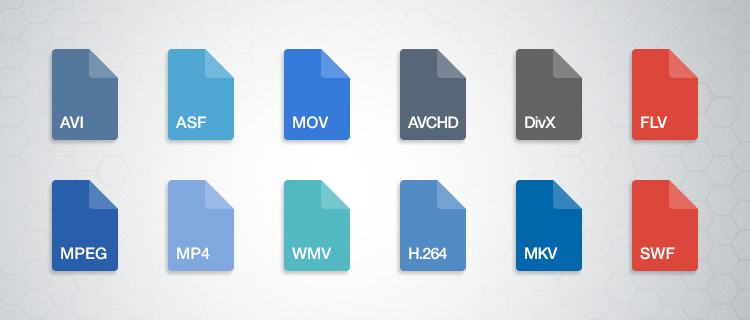
MP4, or MPEG-4 Part 14, is a versatile and widely used digital video format. It’s a container format that can encapsulate video, audio, and even subtitles in a single file. MP4 is celebrated for its ability to deliver high-quality video while maintaining manageable file sizes.
A Brief History
MP4 has a rich history, with its roots in the early 2000s. It was developed as a successor to earlier video formats and quickly gained popularity due to its efficient compression and broad compatibility.
The Significance of MP4 Encoding
Versatile Digital Video Format
MP4 has found applications in various domains, from online streaming and social media to professional video production. Its versatility makes it an excellent choice for a wide range of use cases.
Why MP4 Reigns Supreme
MP4’s dominance in the video format world can be attributed to its ability to strike a balance between video quality and file size. It is supported by a vast number of devices, media players, and streaming platforms.
In the following sections, we’ll explore how MP4 compares to other video formats, the MP4 encoding process, advanced techniques, and compatibility with various platforms.
MP4 vs. Other Video Formats
MP4 isn’t the only video format available, and it’s essential to understand how it stacks up against the competition.
MP4 vs. AVI
Battle of the Early Formats
MP4 and AVI are both older video formats that have been around for quite some time. They each have their strengths and limitations, but MP4 has taken the lead in recent years.
Quality and Compression Comparison
When comparing the two, MP4 typically offers superior video quality at lower bitrates. This makes it an excellent choice for online video streaming.
MP4 vs. MKV
Balancing Features and Compatibility
MKV, or Matroska, is known for its flexibility and support for multiple audio and subtitle tracks. However, MP4 often scores points for broader compatibility.
Ideal Use Cases for Each Format
While MKV may be preferable for archiving purposes or situations where flexibility is essential, MP4 shines in scenarios where compatibility and efficient streaming are priorities.
MP4 vs. WMV
Proprietary vs. Open Standards
Windows Media Video (WMV) is a proprietary format developed by Microsoft. MP4, on the other hand, is based on open standards.
Considerations for Windows Users
For Windows users, the choice between WMV and MP4 often depends on the specific use case. MP4 is preferred for its compatibility across different platforms, whereas WMV may be more suitable for certain Windows-centric applications.
In the upcoming sections, we’ll dive into the MP4 encoding process, including codec selection, encoding tools, and advanced techniques. We’ll also explore how MP4 performs on different platforms and its role in the future of digital video.
MP4 Encoding Process
Understanding how MP4 encoding works is essential for getting the best results. This section will walk you through the steps involved and the critical choices you’ll need to make.
Selecting the Right Codec
H.264 vs. H.265 (HEVC)
One of the initial decisions you’ll face is selecting the appropriate codec. H.264, also known as AVC (Advanced Video Coding), and H.265, or HEVC (High-Efficiency Video Coding), are popular choices. H.264 is widely supported and delivers excellent compression. H.265, while more efficient, may require more computational resources. Your choice will depend on your target audience and devices.
Making Informed Codec Choices
When it comes to codecs, making informed choices is crucial. You’ll need to consider factors like your target audience’s devices, storage limitations, and the desired video quality.
Essential Encoding Tools and Software
Encoders, Decoders, and Their Roles
A variety of encoding tools and software are available to facilitate MP4 encoding. Encoders, like x264 and HandBrake, are used to convert video and audio data into the MP4 format. Decoders, which are often built into media players, are responsible for playback. Some of the popular choices include VLC and MPC-HC.
Step-by-Step Encoding Procedure
The encoding process usually involves selecting your source video, customizing encoding parameters (such as bitrate and resolution), and then letting the software work its magic. For most users, default settings will suffice. However, for those with specific preferences or requirements, customization is an option.
Customizing MP4 Settings
Bitrate, Resolution, and Frame Rate
Customizing your MP4 settings allows you to control various aspects of your video, such as bitrate, resolution, and frame rate. The choice of these settings affects the trade-off between video quality and file size. Higher bitrates result in better quality but larger file sizes, while lower bitrates prioritize compression.
Enhancing Video Quality and File Size Control
Balancing video quality and file size is an art. A higher resolution, for example, is essential for 4K video, but it also increases file size. Frame rate adjustments can help with smooth playback, but it may affect the file’s overall size. It’s crucial to consider your target audience and the devices they use.
Batch Encoding for Efficiency
Time-Saving Techniques and Strategies
If you have a vast collection of videos to convert to MP4, batch encoding is a time-saving strategy. Most encoding software allows you to select multiple files for simultaneous conversion, ensuring consistency in your video library.
In the following sections, we’ll explore advanced MP4 encoding techniques, including 4K video encoding, variable bitrate vs. constant bitrate, multichannel audio in MP4, and adaptive streaming with MP4.
Advanced MP4 Encoding Techniques
As an expert in video encoding, I’m committed to helping you achieve the best video quality. Advanced MP4 encoding techniques can elevate your video quality and cater to specific requirements.
4K Video Encoding
Immersive Visual Experiences
4K video, with its ultra-high-definition resolution, offers immersive visual experiences. Whether you’re capturing breathtaking landscapes or intricate details in a product review, 4K can make your videos stand out.
Storage and Playback Considerations
It’s important to remember that 4K video files are significantly larger than lower-resolution counterparts. Ensure you have ample storage capacity and consider the playback capabilities of your target audience’s devices.
Variable Bitrate (VBR) vs. Constant Bitrate (CBR)
Adapting to Video Complexity
Variable Bitrate (VBR) encoding dynamically adjusts the bitrate based on the complexity of the video, resulting in higher quality during intricate scenes. Constant Bitrate (CBR) maintains a consistent bitrate throughout the file.
Application Scenarios for VBR and CBR
VBR is often preferred for videos with varying complexity, such as action sequences, as it optimizes video quality. CBR is more suitable for consistent video complexity, like a simple interview or talking head video.
Multichannel Audio in MP4
Elevating the Sound Experience
MP4 supports multichannel audio, allowing you to create immersive audio experiences. This feature is especially useful for videos that demand spatial audio, such as gaming, home theater setups, and virtual reality content.
Compatibility and Challenges
While multichannel audio can create stunning audio landscapes, it’s essential to consider compatibility. Not all devices and media players support multichannel audio in MP4. In some cases, you may need to downmix your audio to stereo for broader compatibility.
Adaptive Streaming with MP4
Optimizing for Different Devices and Bandwidths
Adaptive streaming involves preparing multiple versions of your video at various quality levels. This ensures smooth playback on devices with different capabilities and adapts to varying network conditions.
Preparing Video for Streaming Platforms
Many streaming platforms, like YouTube and Netflix, use adaptive streaming to provide the best possible viewing experience for their audiences. To be part of this streaming ecosystem, understanding adaptive streaming is crucial.
In the upcoming sections, we’ll discuss how MP4 functions on different platforms, from Windows and macOS to Android, and its role in the future of digital video.
As an expert in video encoding, I’ll delve into the significant role played by the x264 open-source encoder in the creation of MP4 files. This versatile tool has a profound impact on the quality, settings, and optimization of your MP4 videos. In this article, I’ll share insights and experiences to answer your search intention and help you understand the x264 encoder’s key role.
How Does x264 Affect Video Quality in MP4 Files?
The x264 encoder is renowned for its ability to enhance video quality in MP4 files. It achieves this by efficiently compressing video data while preserving visual fidelity. One of its notable features is its constant rate factor (CRF) mode, which allows you to balance file size and video quality. By adjusting the CRF value, you can control the compression level, ensuring that your MP4 videos maintain excellent quality. This balance is crucial, especially when dealing with high-definition content, as it ensures a visually pleasing viewing experience without excessive file sizes.
Key Settings for x264 in MP4 Encoding
To make the most of the x264 encoder in MP4 creation, it’s essential to understand key settings. The x264 encoder provides options for controlling parameters such as bitrate, preset, and profile. For instance, choosing the “slow” preset improves video quality but results in longer encoding times. On the other hand, the “fast” preset sacrifices some quality for faster encoding. These settings are valuable tools for customizing your MP4 files to meet your specific needs.
Benefits of Using the x264 Encoder in MP4 Creation
The x264 encoder offers several advantages when it comes to MP4 video creation. Firstly, it’s an open-source tool, which means it’s free and accessible for anyone. This allows for widespread adoption and community support. Additionally, it’s known for its high compression efficiency, resulting in smaller file sizes without compromising video quality. The x264 encoder’s flexibility and adaptability make it an ideal choice for various applications, from video streaming to archiving.
Optimizing x264 for MP4 Videos
Optimizing x264 for your MP4 videos involves fine-tuning the settings to suit your specific goals. You can experiment with different presets, CRF values, and profiles to find the right balance between quality and file size. It’s essential to consider the content you’re encoding and the target audience. For example, if you’re creating content for online streaming, you may prioritize faster encoding times. On the other hand, if quality is paramount, you can opt for slower presets and higher CRF values.
Last Words about the Role of the x264 Open-Source Encoder in MP4 Creation
In conclusion, the x264 open-source encoder plays a crucial role in MP4 video creation. It empowers users to achieve excellent video quality while providing flexibility and accessibility. By understanding its impact on video quality, key settings, benefits, and optimization techniques, you can harness the full potential of the x264 encoder for your MP4 files. Whether you’re a content creator or a video enthusiast, this tool is a valuable asset in the world of video encoding.
When it comes to video encoding, achieving a high frame rate in your MP4 files can greatly enhance the viewing experience. In this article, I will share my expertise and insights on optimizing MP4 encoding for high frame rates, ensuring you have a deep understanding of the process. Let’s dive in!
Key Parameters for High Frame Rate Video Encoding
To optimize MP4 encoding for high frame rates, it’s crucial to understand key parameters. The frame rate, bitrate, and codec are the primary factors to consider. A higher frame rate, such as 60 or 120 frames per second, ensures smooth video playback, but it also requires a higher bitrate to maintain quality. H.265 is an efficient codec choice for high frame rates, offering smaller file sizes without compromising quality. Experiment with these parameters to find the perfect balance for your specific needs.
How High Frame Rate Affects Video Quality
High frame rates, like 60fps or 120fps, deliver exceptional video quality by capturing more frames per second. This creates smoother motion and reduces motion blur, making it ideal for action-packed content like gaming or sports videos. However, it’s worth noting that not all displays can take full advantage of high frame rates. To appreciate the difference, you need a monitor or TV with a high refresh rate, typically 120Hz or above. For an immersive experience, combining high frame rates with compatible hardware is key.
Ideal Frame Rate for Smooth Video Playback
The ideal frame rate for smooth video playback depends on the content and the audience’s preferences. While 30fps is considered standard for most videos, high frame rates like 60fps or 120fps are perfect for fast-paced content. Gamers and sports enthusiasts often prefer 120fps for the unparalleled smoothness it provides. However, it’s essential to ensure your audience’s devices can handle the chosen frame rate to avoid playback issues.
Last Words about How to Optimize MP4 Encoding for High Frame Rate
In conclusion, optimizing MP4 encoding for high frame rates is a powerful way to enhance video quality and viewer experience. By selecting the right software, adjusting key parameters, and understanding the impact of high frame rates on video quality, you can create outstanding content. Remember to consider your audience’s preferences and device capabilities when choosing the ideal frame rate. With the knowledge shared in this article, you’ll be well on your way to producing top-notch high frame rate MP4 videos.
4K video, with its stunning resolution, has become a favorite for those seeking the ultimate visual experience. But what about the less-talked-about factor: bitrate? 4K video bitrate is a crucial element that influences the quality of your 4K content. In this article, I’ll explain what 4K video bitrate is, how it affects the 4K video experience, and why optimizing it is vital.
4K video bitrate is essentially the amount of data processed per second to create that beautiful, high-resolution image. It determines the level of detail and clarity you see on your screen. Think of it as the paint a talented artist uses to create a masterpiece—bitrate is the quality of that paint, and it directly affects the visual quality of your 4K video.
How Bitrate Impacts 4K Video Quality
The relationship between bitrate and 4K video quality is straightforward: the higher the bitrate, the better the quality. Higher bitrate means more data is allocated to each frame, resulting in a richer, more detailed image. If the bitrate is too low, you may notice compression artifacts, pixelation, and a loss of detail, which can be jarring in the context of 4K.
Imagine you have a high-definition painting of a scenic landscape. If you view it up close, every brushstroke and detail is clear and vivid—this is akin to high bitrate. On the other hand, if you were to stretch the same painting to cover an entire wall, you might notice pixelation and loss of detail, much like what happens with low bitrate 4K video.
Optimizing Bitrate for a Seamless 4K Experience
To enjoy a seamless 4K video experience, optimizing bitrate is key. Streaming services and platforms aim to find the right balance between image quality and efficient data transmission. As a viewer, you can help by ensuring a stable and high-speed internet connection. Additionally, when creating or encoding 4K content, it’s essential to select an appropriate bitrate setting that aligns with your content’s intended quality.
Think of bitrate optimization as finding the right balance in a recipe. Too much spice can overwhelm the dish, while too little can make it bland. In the world of 4K video, the right bitrate ensures a visually pleasing experience without unnecessary data bloat or loss of quality.
Enhancing the 4K Video Experience
In conclusion, bitrate plays a pivotal role in your 4K video experience. Understanding its importance and finding that sweet spot between quality and efficiency is the key to unlocking the full potential of 4K content. So, whether you’re a content creator or a 4K enthusiast, keep in mind that bitrate is the paintbrush that adds the final strokes to your visual masterpiece.
Last Words
Bitrate and 4K video quality go hand in hand, and with the right knowledge and adjustments, you can enjoy a truly immersive 4K experience.
As an expert in the field of video streaming technology, I am thrilled to share my insights into the latest advancements that are shaping the future of this industry. Video streaming has come a long way since its inception, and the developments in this field have been nothing short of remarkable. From improved video quality to enhanced user experiences, let’s delve into some of the key aspects driving the evolution of video streaming.
One of the most notable advancements in video streaming is the adoption of cutting-edge video codecs. Codecs are essential for compressing and decompressing video data, and they play a pivotal role in determining the quality of the streamed content. The newest audio codecs, such as AAC (Advanced Audio Coding) and Opus, have revolutionized the way audio is transmitted over the internet. These codecs offer superior audio quality even at lower bitrates, making it possible for users to enjoy crystal-clear sound while streaming their favorite content. It’s akin to upgrading from a standard definition television to a 4K Ultra HD display, but for your ears.
To put it into perspective, imagine you’re listening to your favorite song on a streaming platform. With the latest audio codecs, you can hear every subtle nuance of the music, from the delicate strumming of a guitar to the softest whisper of a vocalist. It’s like being in the same room as the musicians, experiencing their performance in its full glory. This enhancement in audio quality not only elevates music streaming but also enriches the audio experience in video content, such as movies and TV shows. It’s a game-changer for audiophiles and casual listeners alike.
In addition to superior audio quality, the latest video codecs like HEVC (High-Efficiency Video Coding) and AV1 (AOMedia Video 1) have transformed video streaming. These codecs employ advanced compression techniques to deliver high-definition and even 4K video content with exceptional clarity and detail. It’s like watching your favorite movies on the big screen, right in the comfort of your home. The reduction in bandwidth requirements also means smoother streaming experiences, even in areas with slower internet connections. These advancements have made streaming 4K content as seamless as streaming standard definition videos, revolutionizing the way we consume visual media.
Addressing “People also asked” questions about video streaming
Let’s dive into some of the common questions that people often ask about the past and future of video streaming. These inquiries shed light on the intricacies of this rapidly evolving industry and provide valuable insights into what to expect in the coming years.
“What are the key challenges faced by video streaming platforms?”
Video streaming platforms face several challenges, including:
Content Delivery: Ensuring seamless content delivery to users across the globe, considering varying internet speeds and network conditions.
Content Licensing: Negotiating licensing agreements with content creators and studios to provide a diverse and attractive library.
Content Discovery: Improving content recommendation algorithms to help users discover new content aligned with their interests.
Piracy and Security: Implementing robust security measures to combat piracy and protect user data.
To overcome these challenges, streaming platforms continuously invest in technology and user experience enhancements.
“How has the pandemic impacted video streaming trends?”
The COVID-19 pandemic accelerated the adoption of video streaming. With people spending more time at home, the demand for streaming services surged. This led to increased investments in original content, live streaming events, and improved infrastructure to handle the heightened traffic. As a result, streaming platforms have become a cornerstone of entertainment and communication for many.
“What role does 5G play in the future of video streaming?”
The rollout of 5G networks is set to revolutionize video streaming. With significantly higher speeds and lower latency, 5G will enable seamless 4K and even 8K streaming on mobile devices. It will also facilitate augmented reality (AR) and virtual reality (VR) experiences, opening up new avenues for immersive content. The integration of 5G into streaming services will be a game-changer, shaping the future of how we consume media.
The significance of streaming protocols
Streaming protocols are the backbone of the video streaming industry, ensuring that content reaches viewers reliably and efficiently. While many may not be familiar with the technical details, these protocols play a vital role in our daily streaming experiences.
One of the most widely used streaming protocols is HTTP Live Streaming (HLS). HLS divides video content into small segments, allowing adaptive streaming. This means that the quality of the stream can be adjusted on the fly based on the viewer’s internet speed and device capabilities. It’s like driving a car with adaptive cruise control that automatically adjusts your speed to maintain a safe distance from the vehicle in front of you. HLS ensures a smooth viewing experience, even when network conditions fluctuate.
Another crucial protocol is Dynamic Adaptive Streaming over HTTP (DASH). DASH offers similar adaptive streaming capabilities as HLS but is not tied to specific devices or platforms. It’s like having a universal remote control that works with any TV brand. This protocol promotes interoperability among various streaming services and devices, giving viewers more choices and flexibility.
Real-Time Messaging Protocol (RTMP) is yet another important player in live streaming. It’s like a live telephone call between a broadcaster and viewers, allowing real-time interaction during events like live sports or gaming. However, as technology advances, RTMP is gradually being replaced by more modern protocols like WebRTC, which offers lower latency and improved security.
In conclusion, streaming protocols are the unsung heroes of the video streaming industry, ensuring that we can enjoy our favorite content seamlessly, no matter where we are or what device we’re using.
Exploring the future of video streaming business models
The future of video streaming is not just about technological advancements; it also involves innovative business models that cater to changing consumer preferences. Let’s take a closer look at some emerging trends in this regard.
Hybrid Subscription and Ad-supported Models: Many streaming platforms are adopting a hybrid approach, offering both subscription-based tiers and free, ad-supported versions. This provides users with choices based on their willingness to pay and tolerance for ads. It’s akin to choosing between premium cable channels and free-to-air TV.
Original Content Investments: Streaming giants like Netflix and Amazon Prime have set the bar high by investing heavily in original content. This strategy not only attracts subscribers but also allows platforms to differentiate themselves in a crowded market. It’s like a bookstore offering exclusive editions of popular books that you can’t find anywhere else.
Global Expansion: To tap into new markets and reach a broader audience, streaming services are expanding globally. The availability of localized content and subtitles is crucial in making these services accessible to diverse regions. It’s like a restaurant chain adapting its menu to suit the tastes of customers in different countries.
Live Events and Exclusive Premieres: Streaming platforms are increasingly focusing on live events and exclusive premieres to create a sense of urgency and community. Just like attending a live concert or the premiere of a highly anticipated movie, viewers can now experience the excitement of live broadcasts and exclusive content releases from the comfort of their homes.
As the video streaming landscape continues to evolve, these innovative business models will play a pivotal role in shaping the industry’s future. Whether you’re a content creator or a streaming enthusiast, staying attuned to these developments is key to navigating the dynamic world of online entertainment.
The evolution of video streaming devices
Video streaming devices have come a long way since the days of bulky cable boxes and VHS tapes. Today, we have a plethora of sleek and sophisticated options that cater to every streaming need and preference.
Smart TVs: Smart TVs have become the norm, integrating streaming apps directly into the television itself. It’s like having a Swiss army knife with all the tools you need in one convenient package. These TVs offer easy access to popular streaming services like Netflix, Hulu, and Disney+ without the need for additional devices.
Streaming Sticks and Boxes: Devices like Roku, Amazon Fire TV, and Apple TV have gained immense popularity. They’re like miniature powerhouses that transform any TV into a smart TV. These compact devices provide access to a wide range of apps and offer features like voice control and 4K streaming.
Gaming Consoles: Gaming consoles like the Xbox and PlayStation have also become versatile streaming devices. They’re like multipurpose entertainment hubs that not only allow you to play games but also stream your favorite shows and movies. This convergence of gaming and streaming is a testament to the evolving nature of entertainment.
Mobile Devices: Let’s not forget about the role of smartphones and tablets in video streaming. These devices have become personal theaters, allowing users to stream content on the go. It’s like carrying a mini cinema in your pocket, ready to entertain you whenever and wherever you are.
The evolution of video streaming devices has made it easier than ever for consumers to access their favorite content. Whether you prefer a large-screen TV, a compact streaming stick, or the convenience of a mobile device, there’s a streaming option to suit every taste and lifestyle.
The importance of content delivery networks (CDNs)
Behind the scenes of every seamless video streaming experience lies a critical component: content delivery networks (CDNs). CDNs are the unsung heroes that ensure content reaches viewers quickly and reliably, regardless of their location.
CDNs are like a network of well-placed warehouses that store copies of popular movies and shows. When you hit “play,” the content is fetched from the nearest warehouse rather than traveling long distances. This reduces latency and ensures smooth streaming. It’s similar to ordering a product online and having it shipped from a local warehouse for faster delivery.
Moreover, CDNs employ load balancing techniques to distribute network traffic efficiently. Imagine a busy highway with multiple lanes, each directing traffic smoothly to its destination. CDNs ensure that no single server is overwhelmed, preventing congestion and buffering issues during peak streaming times.
In addition to speed and reliability, CDNs enhance security. They employ various measures, such as encryption and DDoS protection, to safeguard content and user data. It’s like having a dedicated security team that ensures your online experience is safe and secure.
In conclusion, while CDNs may operate behind the scenes, their role in delivering high-quality streaming experiences is invaluable. They are the backbone of the streaming industry, ensuring that we can enjoy our favorite content seamlessly, no matter where we are in the world.
Video format enhancement is a multifaceted process that involves improving the quality, clarity, and overall visual appeal of video content. This enhancement can significantly impact the viewing experience and is crucial for various applications, from filmmaking to online streaming. In this comprehensive guide, we’ll delve deep into the intricacies of video format enhancement, covering everything from the fundamental principles to advanced techniques.
The Importance of Video Quality
Video quality is a paramount consideration in today’s digital age, where video content is ubiquitous across platforms and industries. Whether you’re a content creator, filmmaker, or business owner, the quality of your videos plays a pivotal role in capturing and retaining your audience’s attention.
Enhancing video formats begins with an understanding of the key factors that influence quality. This includes resolution, bit rate, frame rate, and compression techniques. Each of these elements contributes to the overall clarity and visual appeal of your videos.
Resolution: A Deep Dive
Resolution, often expressed in pixels (e.g., 1080p, 4K), is a critical aspect of video format enhancement. It determines the level of detail and sharpness in your videos. Higher resolutions offer more clarity and are especially beneficial for larger screens and cinematic experiences. However, it’s essential to strike a balance between high resolution and file size, as larger files can lead to longer loading times and may not be suitable for all viewing platforms.
Bit Rate and Compression
Bit rate and compression techniques are closely tied to video quality. Bit rate refers to the amount of data transmitted per unit of time, usually measured in megabits per second (Mbps). Higher bit rates result in less compression and better image quality but can lead to larger file sizes. Compression, on the other hand, reduces file size but may sacrifice some image detail.
Finding the right balance between bit rate and compression is a delicate art in video format enhancement. Advanced video codecs like H.265 offer improved compression efficiency, allowing for high-quality videos with reduced file sizes.
Advanced Techniques in Video Enhancement
While understanding the basics of video quality is crucial, true video format enhancement goes beyond resolution and bit rate adjustments. Advanced techniques involve post-production processes that fine-tune video elements for optimal results.
Color Grading and Correction
Color grading is a sophisticated process that involves adjusting the colors and tones in a video to achieve a specific look or mood. It can make a significant difference in the visual appeal of your content. Correcting color imbalances, enhancing contrast, and applying creative color grading techniques can elevate your videos to a professional level.
High Dynamic Range (HDR)
HDR technology enhances the contrast and brightness of videos, resulting in more vivid and lifelike images. It expands the range between the darkest and brightest parts of a video, capturing a broader spectrum of colors and details. HDR is particularly beneficial for creating stunning visuals in films and high-end productions.
Delivering Enhanced Videos to Your Audience
Enhancing video formats is not just about creating stunning visuals; it’s also about ensuring that your audience can enjoy your content seamlessly. As you optimize your video formats, consider compatibility with various devices and platforms, as well as efficient streaming solutions.
Adaptive Streaming
Adaptive streaming is a technique that adjusts video quality in real-time based on the viewer’s internet connection and device capabilities. This ensures smooth playback and a consistent viewing experience, even under varying network conditions. Implementing adaptive streaming protocols like DASH or HLS can enhance the accessibility of your content.
Choosing the Right Format
Lastly, selecting the appropriate video format for your content is essential. Different formats offer various advantages and disadvantages, so it’s crucial to align your choice with your audience’s preferences and the platforms you’ll be using for distribution.
In conclusion, video format enhancement is a multifaceted journey that encompasses resolution, bit rate, compression, color grading, HDR, and delivery methods. By mastering these elements, you can create visually stunning videos that captivate your audience and deliver an exceptional viewing experience. Whether you’re a filmmaker, content creator, or business owner, the art of enhancing video formats can set you apart in today’s digital landscape.
Future Trends in Video Format Enhancement
As technology continues to evolve, the field of video format enhancement is poised for exciting advancements. Understanding these emerging trends can help you stay ahead in the world of video production and distribution.
8K Ultra High Definition (UHD)
While 4K resolution is becoming the new standard, 8K UHD is emerging as the next frontier in video quality. With four times the pixels of 4K, 8K offers unparalleled clarity and detail. Although it’s currently in its early stages of adoption, we can expect to see more 8K content in the future, especially for high-end cinematic experiences.
Immersive Technologies: VR and AR
Virtual Reality (VR) and Augmented Reality (AR) are transforming how we consume video content. These immersive technologies require specialized formats and techniques to create truly captivating experiences. Video format enhancement in VR and AR involves considerations like spatial audio, 360-degree video, and interactive elements, opening up new creative possibilities.
The Importance of Audio Enhancement
While much attention is given to video quality, audio plays an equally crucial role in the overall viewer experience. Audio enhancement techniques, such as spatial audio, surround sound, and noise reduction, complement video format enhancement efforts. These audio enhancements immerse viewers in a more engaging auditory environment.
Spatial Audio for Immersion
Spatial audio technology simulates the three-dimensional soundscapes, creating a more immersive audio experience. Viewers can perceive sounds coming from specific directions, heightening their sense of presence within the content. Incorporating spatial audio into video format enhancement can make a significant difference, especially in VR and AR applications.
Surround Sound for Cinematic Impact
Surround sound systems are a staple in cinemas and high-end home theaters. They create a multi-dimensional audio experience by placing speakers strategically around the viewer. Enhancing video formats to support surround sound can add a cinematic touch to your content, making it more engaging and impactful.
Conclusion
In the ever-evolving landscape of video production and distribution, video format enhancement remains at the forefront. Understanding the intricacies of resolution, bit rate, compression, color grading, HDR, and audio enhancement techniques is essential for creating captivating videos that leave a lasting impression on your audience.
As technology continues to advance, embracing emerging trends like 8K UHD and immersive technologies such as VR and AR will set you apart in the competitive world of multimedia. Remember that video format enhancement is not just about achieving technical excellence; it’s about creating experiences that resonate with viewers and leave a lasting impact.
In this article, we’ve delved deep into the world of video format enhancement, exploring its core principles, advanced techniques, and future trends. Whether you’re a filmmaker, content creator, or simply someone passionate about the world of multimedia, mastering the art of video format enhancement can elevate your creations to new heights.
Standardizing video formats is a crucial step in ensuring seamless playback and compatibility across different devices and platforms. When you have a collection of video files in various formats, it can be challenging to manage and share them effectively. To address this, you can use video conversion software to convert all your video files into a single, standardized format.
For example, if you have videos in formats like AVI, WMV, and MOV, you can convert them to a widely accepted format like MP4. This not only ensures compatibility but also makes it easier to organize your video library. Plus, most modern devices, including smartphones and smart TVs, support MP4, making it a versatile choice.
By standardizing your video formats, you can save time and avoid potential playback issues, making your video collection more accessible and user-friendly.
Video file consistency
Video file consistency goes beyond just the format; it includes aspects like resolution, frame rate, and audio settings. When you normalize video files for consistency, you’re essentially ensuring that all your videos have the same specifications. This is particularly important when creating a cohesive viewing experience, such as for a video playlist or a series.
Imagine you’re a content creator working on a web series. To maintain viewer engagement, you want all episodes to have identical quality and settings. Normalizing video files in this context involves making sure each episode shares the same resolution, frame rate, and audio settings. Consistency not only looks more professional but also eliminates distractions for your audience.
Using video editing software or dedicated normalization tools, you can easily adjust these parameters to achieve the desired consistency across your video files.
Video quality optimization
Video quality optimization is all about making your videos look their best while keeping file sizes manageable. When dealing with large video files, optimizing them ensures faster streaming and efficient storage. It’s a balance between maintaining high quality and reducing unnecessary bulk.
One of the key factors in video quality is bitrate. Higher bitrates result in sharper images and better sound, but they also lead to larger file sizes. To optimize video quality, you’ll want to find the sweet spot where quality remains excellent, but the file size isn’t excessively large. This is especially important when you’re uploading videos to online platforms, as they often have file size limitations.
Experimenting with different bitrates, resolutions, and codecs can help you strike that balance. Video editing software usually provides options for adjusting these settings, allowing you to fine-tune your videos for optimal quality.
Video compression techniques
Video compression is a fundamental aspect of normalizing video files. Compression techniques help reduce the file size of your videos without sacrificing too much quality. This is particularly useful when you need to save storage space or ensure smooth streaming over the internet.
Common video compression codecs include H.264 and H.265, which are widely supported across various devices and platforms. These codecs employ advanced algorithms to remove redundant information from your video files, resulting in smaller sizes while preserving good visual quality.
When applying video compression, it’s essential to strike a balance between compression level and quality. Higher compression can significantly reduce file size but may lead to a noticeable loss in quality, especially in highly detailed scenes. Experiment with different compression settings to find the right compromise.
Uniform video resolutions
Having uniform video resolutions is essential for a polished and professional look in your video collection. When videos have varying resolutions, it can be jarring for viewers to switch between them. Normalizing video resolutions involves adjusting all your videos to a consistent resolution.
Popular resolutions include 720p (HD), 1080p (Full HD), and 4K (Ultra HD). The choice of resolution depends on your specific needs and the capabilities of your target devices. For example, if you’re creating content for YouTube, 1080p is a standard choice that balances quality and file size.
By maintaining uniform resolutions, you ensure that your videos have a cohesive visual identity, making your content more appealing to viewers.
Consistent video bitrate
Consistency in video bitrate is another critical factor when normalizing video files. The bitrate determines the amount of data used to represent each second of video, directly impacting both quality and file size.
When you have videos with varying bitrates, it can lead to inconsistent quality and playback issues. To address this, normalize the bitrate across all your videos. This means ensuring that they all use a similar bitrate setting, which can be adjusted using video editing software or dedicated normalization tools.
Consistency in bitrate helps maintain a uniform viewing experience and prevents abrupt quality changes when switching between videos.
Video file compatibility
Ensuring video file compatibility is a fundamental step in making your videos accessible across different devices and platforms. Incompatibility issues can lead to frustrating experiences for viewers, such as playback errors or distorted visuals.
Before normalizing your video files, it’s crucial to understand the compatibility requirements of your target audience. Different devices and platforms may have specific format and codec preferences. For example, iOS devices tend to work best with H.264-encoded MP4 files, while some older devices may require different formats.
By researching and catering to the compatibility needs of your audience, you can ensure that your videos are easily accessible and enjoyable for everyone.
Normalizing multimedia files
Normalizing multimedia files extends beyond just video; it includes audio as well. Multimedia files often comprise various elements, such as video, audio, subtitles, and more. Normalization ensures that all these elements are balanced and harmonized for a seamless viewing experience.
For instance, when dealing with multimedia presentations or video editing projects, you want the audio levels to be consistent throughout. You wouldn’t want viewers to constantly adjust their volume because some parts are too quiet, while others are too loud. Normalizing audio levels across your multimedia files can solve this issue.
Additionally, subtitles and captions should be synchronized correctly with the video content, enhancing accessibility and comprehension. Multimedia normalization tools can assist in achieving these goals, providing a well-rounded viewing experience.
Video format conversion
Video format conversion is a versatile process that allows you to adapt your video files for different purposes. Whether you’re preparing videos for online streaming, archiving, or compatibility with various devices, conversion plays a significant role.
Conversion tools enable you to change not only the format but also other attributes like resolution, frame rate, and bitrate. This flexibility ensures that your videos are optimized for their intended use. For instance, when preparing videos for social media, you might convert them to formats and resolutions suitable for each platform’s requirements.
Additionally, format conversion can be handy when you want to preserve old video footage recorded in outdated formats. Converting these videos to modern formats ensures they remain accessible and of acceptable quality.
Video quality enhancement
Enhancing video quality goes beyond normalization; it involves improving the visual and auditory aspects of your videos. While normalization focuses on consistency and compatibility, quality enhancement aims to make your videos more visually appealing and engaging.
There are various techniques and tools available for video quality enhancement. These include color correction, sharpening, denoising, and even special effects. When used judiciously, these enhancements can breathe new life into your videos, making them more captivating for your audience.
For example, if you have older footage with faded colors, color correction can restore vibrancy. Similarly, adding subtle sharpening can make your videos look crisper and more professional.
Remember that quality enhancements should be applied thoughtfully, preserving the integrity of your original content while making it more visually appealing.
Final Words
Normalizing video files involves several aspects, from format standardization to quality optimization. Each step contributes to a smoother viewing experience and greater accessibility for your audience. Whether you’re a content creator, video enthusiast, or someone looking to organize their video collection, understanding these principles can help you make the most of your video files.
By ensuring video format compatibility, maintaining consistency in various attributes, and enhancing overall quality, you can present your videos in the best possible light. Remember that the specific approach may vary depending on your goals and target audience, so always tailor your normalization efforts to your unique requirements.
WMV stands for Windows Media Video. It is a series of video codecs and their corresponding video coding formats developed by Microsoft. Designed for applications on the internet, such as streaming, it is a compression method that allows for high-quality video in smaller file sizes. WMV is based on the Microsoft Advanced Systems Format (ASF) container format, ensuring consistent performance across a wide range of Windows-based and other platforms.
There are varying versions of WMV, each improving on the previous in terms of compression efficiency and capabilities. This has allowed the format to stay relevant as the demand for high-quality video streaming has grown.
“Change is the end result of all true learning.” – Leo Buscaglia
How does WMV differ from other video formats?
There are numerous video formats available today, with each designed for a specific purpose or application. WMV, due to its origins with Microsoft, has strong ties to the Windows operating system. This makes it especially suited for playback on Windows-based devices and systems.
Its compression technique is different from other formats, and it sometimes offers better quality at the same file size when compared to its counterparts. Additionally, WMV has unique security features which were introduced to cater to the needs of certain video distribution systems, giving it a distinctive edge in certain applications.
“Our differences are what make us unique.” – Anonymous
Why was WMV created?
The primary motive behind the creation of WMV was to ensure smooth video streaming over the internet. At the time of its inception, the online environment had begun to realize the potential of multimedia content. However, bandwidth was a limiting factor. Microsoft aimed to provide a solution where videos could be streamed with acceptable quality, even with limited bandwidth.
The design of WMV was to allow for scalability. As internet speeds improved, so too did the versions of WMV, ensuring that it could provide high-quality video streaming in various conditions.
“Necessity is the mother of invention.” – Plato
Are WMV files good for HD playback?
Yes, WMV files are capable of HD playback. The WMV format includes a variation known as WMV HD, which stands for Windows Media Video High Definition. This version was developed to provide high-definition content with resolutions of up to 1080p.
The superior compression capabilities of WMV ensure that HD videos remain at a reasonable file size while maintaining quality. This has made WMV HD a popular choice for various applications, from home theaters to professional broadcasting.
“Quality is not an act, it is a habit.” – Aristotle
How to recognize a WMV file?
The simplest way to recognize a WMV file is by its file extension, which is “.wmv”. Most operating systems and software will display this extension, making it easy to identify. Additionally, properties or metadata within the file usually contain detailed information about the codec used and other specifics related to the WMV format.
“The details are not the details. They make the design.” – Charles Eames
What are the benefits of using WMV format?
WMV offers a range of benefits. It provides high-quality video compression, ensuring that videos, even of longer durations, are of manageable sizes. Its strong integration with Windows OS ensures seamless playback on such devices. Moreover, it supports Digital Rights Management (DRM), which is pivotal for content creators aiming to distribute their content securely.
“Every advantage has its tax.” – Ralph Waldo Emerson
Can WMV files be easily converted?
Yes, WMV files can be converted to many other video formats and vice versa. The versatility of WMV ensures that it’s supported by many video converters. This allows users to convert their content to or from WMV with relative ease, ensuring compatibility across various platforms.
“Flexibility is the key to stability.” – John Wooden
What devices support WMV playback?
While WMV was primarily designed for Windows platforms, its popularity ensured that many devices and platforms incorporated support for WMV playback. This includes some TVs, media players, and even non-Windows operating systems, with the necessary codecs installed.
“Diversity: the art of thinking independently together.” – Malcolm Forbes
How does WMV compression work?
WMV uses a form of data compression that reduces the size of video files by eliminating redundant and unnecessary data. It employs various algorithms to analyze each frame and determines the best way to represent it, ensuring that the final video retains as much quality as possible while reducing its size.
“Less is more.” – Ludwig Mies van der Rohe
What are the limitations of WMV?
Despite its advantages, WMV is not without limitations. Being proprietary to Microsoft, it may not always be the best choice for non-Windows platforms. Also, while its compression is efficient, some purists believe that other formats offer slightly better quality at similar file sizes.
“Limitations live only in our minds. But if we use our imaginations, our possibilities become limitless.” – Jamie Paolinetti
Final Words
WMV format has stood the test of time and remains a relevant choice for many applications, especially within the Windows ecosystem. While it has its share of limitations, its benefits make it a go-to option for many users and creators. Understanding its nuances can help make the most of what this format offers.
The AVI format, which stands for Audio Video Interleave, is a multimedia container format developed by Microsoft in the early 1990s. It was designed to store audio and video content in a single file, making it a popular choice for various applications such as video editing, multimedia playback, and online streaming. AVI files can contain both audio and video data, which makes them suitable for a wide range of uses, including creating and sharing video clips, movies, and presentations.
“AVI format has been a versatile tool in the digital world, offering a seamless fusion of audio and video content.”
One of the key advantages of the AVI format is its compatibility with multiple codecs, which are responsible for encoding and compressing audio and video data. This flexibility allows users to choose from a variety of codecs to achieve the desired balance between file size and video quality. As a result, AVI files can be tailored to meet specific requirements, whether it’s high-quality video preservation or efficient streaming over the internet.
“AVI format’s compatibility with different codecs provides users with the freedom to optimize file size and video quality.”
However, it’s worth noting that the AVI format has been largely surpassed by newer container formats such as MP4 and MKV. These formats offer better compression and support for modern features like subtitles, multiple audio tracks, and interactive menus. While AVI still holds historical significance, many users have transitioned to these more advanced formats due to their enhanced capabilities and wider support across various devices and platforms.
“While AVI retains its historical importance, newer formats like MP4 and MKV have emerged to cater to modern multimedia needs.”
How Does the AVI Format Work?
The AVI format employs a relatively straightforward structure to combine audio and video data into a single file. It utilizes a “chunk-based” architecture, where each chunk contains a specific type of data, such as video frames, audio samples, or metadata. This structure allows for efficient seeking and playback, as individual chunks can be accessed without needing to read the entire file.
To ensure compatibility across different systems and software, AVI files use standardized headers that provide information about the audio and video formats used within the file. These headers include details such as codec information, frame rate, resolution, and audio sample rate. This metadata allows media players to correctly interpret and decode the audio and video streams within the AVI file.
“AVI’s chunk-based structure and standardized headers enable seamless playback and sharing of audio and video content.”
When an AVI file is opened for playback, the media player reads the file’s header to understand its format and characteristics. Then, the player reads through the data chunks sequentially, decoding the audio and video streams in real-time. This process enables smooth playback, allowing users to enjoy synchronized audio and video content without interruption.
In the past, the AVI format gained popularity due to its simplicity and compatibility, but its limitations have become more apparent in the face of modern multimedia demands. As technology has evolved, more advanced container formats have emerged, providing improved compression and support for additional features. Despite this, the AVI format remains a significant part of digital history, offering insights into the early days of multimedia technology.
“AVI’s straightforward structure ensures synchronized playback of audio and video content, although its limitations are evident in today’s multimedia landscape.”
Is the AVI Format Still Relevant Today?
The question of whether the AVI format is still relevant in today’s digital landscape is one that often arises. While the AVI format was revolutionary when it first emerged, its relevance has waned over the years as newer and more efficient multimedia formats have taken center stage. Today, formats like MP4 and MKV offer improved compression algorithms, better support for modern features, and compatibility across a wide range of devices and platforms.
That said, the AVI format continues to hold some significance, especially in the realm of historical preservation and legacy systems. Some older media content might be stored in AVI format, and converting these files to more modern formats can sometimes result in loss of quality. Additionally, certain software applications or devices that were developed in the past might still rely on AVI files for compatibility reasons. However, for most modern users and applications, there are better alternatives available that provide a superior balance of file size, quality, and functionality.
“While the AVI format still has a place in historical preservation and legacy systems, newer formats offer a more optimized multimedia experience for modern users.”
Advantages of Using AVI Files
Although the AVI format has been overshadowed by newer options, it still offers some advantages that make it a viable choice for specific use cases. One of the notable advantages is its simplicity. AVI files are relatively straightforward to create and manipulate, making them accessible to a wide range of users. This simplicity extends to codec selection as well, allowing users to choose from various audio and video codecs based on their needs.
Furthermore, the AVI format’s lack of complex features can also be seen as an advantage. For users who prioritize straightforward playback without the need for additional functionalities such as subtitles or alternate audio tracks, AVI can serve as a reliable option. Additionally, the format’s long history means that there is a wealth of software and tools available for working with AVI files, making it easier for users to edit, convert, and share their content.
“AVI’s simplicity and availability of tools make it a suitable choice for users who prioritize straightforward multimedia playback and manipulation.”
However, it’s important to acknowledge the downsides of the AVI format. One of the major drawbacks is its inefficient compression compared to modern formats. AVI files tend to be larger in size compared to files compressed using more advanced codecs. This can lead to issues such as longer upload times when sharing online or consuming more storage space on devices. Moreover, AVI files might not support certain features like subtitles or interactive menus, limiting their applicability in certain contexts.
“While AVI offers simplicity, it also comes with drawbacks like larger file sizes and limitations in supporting advanced features.”
In conclusion, the AVI format, despite its historical significance, is no longer the top choice for multimedia storage and playback due to the emergence of more advanced formats. While it still finds use in specific situations and legacy systems, users looking for optimal file size, quality, and features are likely to explore alternatives like MP4 or MKV formats. As technology continues to evolve, the AVI format’s place in the multimedia landscape will remain a testament to the early days of digital audio and video storage.
“The AVI format’s role in the multimedia landscape is a testament to the evolution of digital audio and video storage.”
Can AVI Files Contain High-Definition Video?
The question of whether AVI files can handle high-definition (HD) video is a common one. The answer, however, is a bit nuanced. While the AVI format itself doesn’t inherently dictate a specific quality level, its limitations can impact the feasibility of storing high-definition content. AVI files can indeed contain high-definition video, but the actual quality and compatibility depend on various factors.
AVI files can store video using a variety of codecs, some of which are capable of encoding HD video. However, the limitation lies in the fact that many older codecs used within AVI files were not designed to handle the high resolutions and bitrates associated with HD content. This can lead to issues such as reduced quality, compatibility problems, or larger file sizes than necessary.
“AVI files can technically hold high-definition video, but compatibility and quality concerns might arise due to the limitations of certain codecs.”
For users interested in storing or distributing high-definition video, it’s advisable to consider more modern formats such as MP4 or MKV. These formats have better support for advanced video codecs like H.264 or H.265, which are optimized for HD and even 4K content. These codecs offer efficient compression without compromising on quality, ensuring that HD videos can be stored and played back smoothly across a wide range of devices.
“To ensure optimal quality and compatibility for high-definition video, modern formats like MP4 or MKV are better choices.”
Are There Any Limitations to the AVI Format?
While the AVI format has its merits, it also comes with its fair share of limitations that users should be aware of. One of the most significant limitations is the lack of built-in support for features like subtitles or alternate audio tracks. This makes AVI files less suitable for scenarios where multiple language options or captioning are essential. Modern formats like MP4 offer robust support for these features, enhancing the overall viewing experience.
Additionally, AVI files can suffer from compatibility issues, especially when dealing with non-standard codecs or formats. Some media players might struggle to decode certain AVI files correctly, leading to playback errors or artifacts. This can be frustrating for users who want to ensure that their content is accessible across different devices and platforms.
“AVI’s limitations, such as lack of support for subtitles and compatibility issues, can impact its suitability for modern multimedia needs.”
Furthermore, the chunk-based structure of AVI files can sometimes lead to fragmentation, especially when the file is edited or modified multiple times. This can result in reduced performance during playback and potentially increase the risk of file corruption. While newer formats have implemented more advanced techniques to mitigate fragmentation and ensure smoother playback, AVI’s architecture can pose challenges in this regard.
“The chunk-based structure of AVI files can contribute to fragmentation and potential performance issues, compared to more modern formats.”
In the end, while the AVI format played a significant role in the history of multimedia, it’s important to recognize its limitations when considering its use for current purposes. Modern formats have evolved to address these limitations and offer a more versatile and efficient multimedia experience, making them a preferred choice for most users.
“Understanding the limitations of the AVI format is crucial for making informed decisions about its use in today’s multimedia landscape.”
Which Media Players Support AVI Playback?
When it comes to playing AVI files, compatibility with media players is a key consideration. While the AVI format was developed by Microsoft, it has gained widespread support across various platforms and software applications. Many popular media players are capable of handling AVI files without any issues, allowing users to enjoy their multimedia content seamlessly.
One of the most well-known media players that support AVI playback is Windows Media Player, which is often included in Windows operating systems. This player has native support for the AVI format and can play back AVI files with standard codecs. Additionally, popular third-party media players like VLC Media Player, Media Player Classic, and PotPlayer also offer robust AVI playback capabilities.
“Windows Media Player, VLC Media Player, and other third-party media players provide reliable support for AVI file playback.”
It’s worth noting that while AVI files are widely compatible, some instances may arise where specific codecs used within AVI files might not be recognized by certain media players. In such cases, using a media player that supports a wide range of codecs, like VLC, can help ensure a smooth playback experience.
“Choosing a media player with broad codec support can help mitigate compatibility issues when playing AVI files.”
How Do I Convert AVI Files to Other Formats?
Converting AVI files to other formats is a common task, especially when seeking better compression or compatibility with specific devices. To accomplish this, users can turn to various software tools designed for video conversion. One of the versatile options is HandBrake, an open-source tool that supports converting AVI files to formats like MP4, MKV, and more.
To begin the conversion process, users typically need to select the desired output format and configure settings such as video quality, resolution, and audio options. After setting the preferences, the software will process the AVI file and create a new file in the chosen format. It’s important to keep in mind that conversion might lead to a slight loss in quality due to the re-encoding process.
“Converting AVI files to different formats can be achieved using tools like HandBrake, allowing users to tailor their content to specific needs.”
Additionally, online converters are available for users who prefer a web-based approach. These platforms often require users to upload the AVI file and then provide options for selecting the output format. However, it’s advisable to exercise caution when using online converters, as they might compromise the privacy and security of your content.
“Online converters offer convenience, but users should be mindful of potential security risks when uploading their files.”
In the end, the choice of conversion method depends on user preferences and the level of control they desire over the conversion process. Regardless of the method chosen, it’s crucial to maintain a backup of the original AVI file before initiating any conversions to prevent accidental data loss.
“Converting AVI files requires careful consideration of method, format selection, and potential quality implications.”
Are AVI Files Compatible with Mac Computers?
AVI files, originally developed for Windows, can indeed be played on Mac computers. However, due to differences in operating systems and default media players, some considerations need to be taken into account for optimal compatibility.
QuickTime Player, the default media player on Mac, has limited support for AVI files. While it can play some AVI files, it might struggle with those that use certain codecs or compression methods. In such cases, users may encounter playback issues or audio-video synchronization problems. To enhance AVI compatibility on Mac, users can install additional codecs or consider using third-party media players like VLC Media Player, which offer broader codec support and a smoother playback experience for AVI files.
“While AVI files can be played on Mac computers, using third-party media players like VLC can improve compatibility and playback quality.”
What’s the History of the AVI Format’s Development?
The history of the AVI format’s development dates back to the early 1990s when Microsoft introduced it as a multimedia container format. The primary goal was to create a format that could seamlessly combine audio and video content into a single file. The AVI format gained popularity quickly due to its compatibility and relatively simple structure.
AVI files store data in a “chunk-based” architecture, which was a departure from earlier linear formats. This allowed AVI files to be more versatile and suited for multimedia content like video clips, movies, and presentations. Over the years, various codecs were developed to compress and encode audio and video data within AVI files, enabling efficient storage and playback.
“The history of the AVI format’s development showcases Microsoft’s effort to create a versatile multimedia container format.”
However, as digital technology advanced, the limitations of the AVI format became apparent. Newer formats emerged, offering improved compression, advanced features, and broader compatibility. Despite this, AVI files continue to hold a special place in the timeline of multimedia evolution, serving as a testament to the early days of digital content creation and distribution.
“The AVI format’s journey from inception to historical significance mirrors the evolution of digital multimedia technology.”
Final Words
In conclusion, the AVI format has played a crucial role in the history of multimedia content storage and distribution. While its limitations have become more pronounced in the face of modern demands, its legacy remains intact. AVI files can be used for various purposes, especially in scenarios where historical preservation or compatibility with legacy systems is important. However, for users seeking the best quality, compression, and features, exploring modern multimedia formats like MP4 or MKV is recommended.
“The AVI format’s legacy persists, serving as a reminder of the evolution of multimedia content storage.”
As technology continues to progress, it’s likely that the AVI format will continue to occupy a unique position in the digital landscape, reminding us of where we’ve come from and how far we’ve advanced in the world of multimedia content creation and consumption.
“The AVI format’s story is a chapter in the ongoing narrative of multimedia’s journey through technological advancements.”
MP4, also known as MPEG-4 Part 14, is a digital multimedia container format most commonly used to store video and audio. However, it can also store other data such as subtitles and still images. The format streamlines the multimedia files for both streaming and storage purposes. MP4 files are marked by the .mp4 extension and are known for their ability to compress complex multimedia files without significantly degrading quality.
MP4 operates by compressing video and audio files, making them more manageable for playback on various devices. This compression is achieved through codecs, which are algorithms that encode and decode the data.
“The beauty of digital technology is that it lets you compress the impossible into the possible.” – Unknown
Why is MP4 so popular?
MP4’s popularity can be attributed to its versatility and adaptability. It’s universally accepted on most platforms and devices, which means users don’t have to worry about file compatibility. Its efficient compression capability ensures that files retain good quality even when they’re reduced in size, making it ideal for streaming and sharing online.
Another reason for its widespread acceptance is the fact that it can store multiple types of data, including video, audio, subtitles, and even interactive features. This multi-functionality makes it a go-to for various multimedia applications.
“In a world of constant change, the fundamentals are more important than ever.” – Jim Rohn
What are the benefits of using MP4?
Among the many benefits of the MP4 format, some stand out more than others. It offers high-quality video and audio playback, even when the file size is reduced, making it ideal for online streaming. The format’s adaptability means it can be used on virtually any device or platform without compatibility issues.
Moreover, the MP4 format supports advanced features like 3D graphics, menus, and user interactivity, adding more dimension to its usage. It’s also a secure format, offering DRM (Digital Rights Management) support to protect copyrights.
“The essence of strategy is choosing what not to do.” – Michael Porter
How does MP4 compare to other video formats?
When comparing MP4 to other video formats, its versatility and efficiency stand out. While formats like AVI or MOV may offer higher quality, they typically come with larger file sizes. MP4 strikes a balance between quality and size, making it ideal for various applications, from streaming to storage.
The adaptability of MP4 also means it’s less likely users will encounter compatibility issues. This ease of use and wide acceptance give it an edge over other formats in the market.
“Comparison is the death of joy.” – Mark Twain
Can MP4 files contain audio and video?
Yes, MP4 files can contain both audio and video. In fact, this dual capability is one of the reasons for its widespread use. By integrating video and audio into one file, it streamlines the playback process and ensures synchronization between the two. It also means users only need to manage a single file when sharing or transferring content.
“In unity, there is strength.” – Mattie Stepanek
How is the quality of an MP4 video?
The quality of an MP4 video is generally very good, especially considering its compact size. The format uses advanced compression algorithms which ensure that quality isn’t significantly compromised. Of course, like with any compression, there might be some loss of detail, but for most users and applications, MP4 offers a satisfactory quality-to-size ratio.
“Quality is not an act, it’s a habit.” – Aristotle
What are the drawbacks of MP4 format?
While MP4 offers numerous advantages, it’s not without its drawbacks. One potential issue is that if an MP4 file becomes corrupt, often the entire file becomes unplayable. Some other formats might still play portions of a damaged file. Additionally, while MP4 compression is efficient, it’s not always the best for professional applications where the highest quality is desired.
“Every solution breeds new problems.” – Arthur Bloch
Are there any alternatives to MP4?
Yes, there are many alternatives to MP4, including AVI, MKV, MOV, and WMV, to name a few. Each format has its strengths and is suited for particular applications or platforms. While MP4 is versatile and widely accepted, sometimes specific situations or needs might make another format more suitable.
“Variety’s the very spice of life, That gives it all its flavor.” – William Cowper
How can I ensure the best quality when converting to MP4?
When converting to MP4, it’s essential to use high-quality source files and avoid excessive compression. Using a reliable converter that allows for customization of settings can help users optimize quality and file size as per their needs.
“Do not squander time, for that’s the stuff life is made of.” – Benjamin Franklin
Why are MP4 files sometimes large?
While MP4 is known for its efficient compression, the file size can still become large, especially when dealing with lengthy videos or those with high resolution. The codecs used, bit rate, and the complexity of the content can all influence the final file size.
“Size does matter. But so does depth.” – Neil Strauss
Final Words
The MP4 format has revolutionized the way we consume multimedia content, providing a balance between quality and size. Its versatility ensures that it remains a top choice for many, from casual users to professionals. Understanding its strengths and potential limitations can help users make the most out of this influential format.