[Music] File format types


Free Download Mp4Gain
picture

[Music] File format types

Music File Formats

Does everyone like music?

digital-formats

I think many people enjoy music downloading or streaming instead of CD these days, but what kind of format is music stored as data?

I researched the differences, advantages, and disadvantages of each format.

Types of audio compression

For music file format

Uncompressed
Lossy compression
Lossless compression
There are three types:
File-based compression can reduce file size and reduce download time and storage capacity.
Uncompressed format
As the name implies, it is an uncompressed file. The point is the original data.

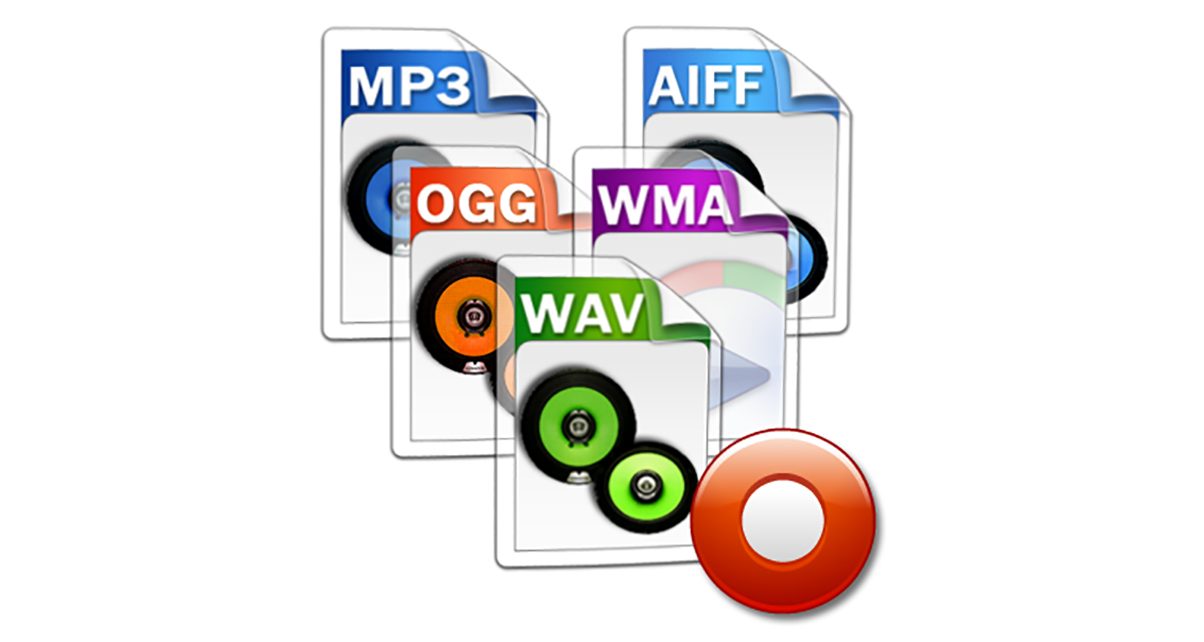
The most used formats are:

Wav
AIFF
The advantage is the accuracy of the data. However, it also has the disadvantage of a large file size and uses approximately 10MB for a 1 minute audio file.

It is common to use “WAV” for Windows and “AIFF” for Macintosh.

WAV (WAVE)
A standard Windows audio file format established by Microsoft and IBM, also known as the WAVE format.

It is generally uncompressed and has good sound quality, but it is a very large file.

WAV format files are converted to AAC / MP3 format when imported into iTunes. You can specify compression for WAV, but there seem to be not many usage examples.

AIFF (Audio Interchange File Format)
This is a standard Macintosh audio file format established by Apple Inc. Like WAV, it is not compressed and has good sound quality, but it is a very large file. There is also AIFC, an extended format with lossy compression.


Free Download Mp4Gain
picture


Mp4Gain Main Window
picture


Mp4Gain Features
picture


Free Download Mp4Gain
picture

What is the best audio format for me?

What is the best audio format for me?

Best Audio File Formats

After all, it’s not always clear which format is best for music. Some services, like Amazon, sell digital music in MP3 format. Although Apple offers song downloads from its iTunes Store in AAC format.

Audio File Formats

So the question arises what formats can your device play. If it is relatively new, it can play lossless formats like FLAC, as well as older lossy formats like MP3 and AAC.

And to add even more confusion, there is the listening factor. How important is sound quality to you?

To help you decide, here are some things you can do.

Check the format compatibility of your portable device

Before deciding on an audio format, the first thing to do is check its compatibility. This can usually be found on the manufacturer’s website or in the specifications section of the user manual (if there is one, of course).

If you are not going to use high quality audiophile equipment in the future, then lossy audio may be sufficient if you are only going to use your laptop. For greater compatibility, the MP3 file format is the safest bet. This is an old algorithm, but it works well. In fact, it is still the most compatible audio format for everyone.

However, if you are ripping tracks from a music CD, for example, it would be wise to keep a lossless copy on your computer / external hard drive and lose it for your laptop as well. This will keep your music safe in the future, even if new formats and hardware show up later.

Consider the bit rate

Bitrate is an important factor to know, especially if you are looking for the best quality music playback. However, the actual bit rate setting depends on the audio format you are using.

For example, the MP3 (MPEG-1 Audio Layer III) format has a bit rate range of 32 to 320 kbps. There are also two encoding methods you can choose from: CBR and VBR. In this case, instead of encoding using the default CBR (constant bit rate) encoding, it is much better to use VBR (variable bit rate) encoding. This is because VBR will provide you with the best file size ratio.

The encoding you use is also an important factor.

Best digital audio formats

Best digital audio formats

Digital Audio Formats

Today, there are several dozen formats (codecs) that are used to represent audio files. Among them, there are no more than a dozen running gear.
Save and read later –

MP3, FLAC, ACC, WAV

In the 20th century, we choose between the media and the media to play music. Cassettes, vinyl, CD – each multimedia format had its own player, each had its own advantages and disadvantages. In the 21st century, the focus has changed significantly. Playback tools have become omnivorous and you have to choose not the multimedia format, but the format of the audio file.

At a time when digital music had not yet penetrated the computer as it does now, the choice for connoisseurs of high-quality sound was quite simple and straightforward. The most popular CDs, and those who could afford to buy more expensive equipment and discs, opted for SACD or DVD-Audio players, or universal models that play all optical audio disc formats. Now you can get high-quality audio content without buying discs, in which case the whole choice comes down to the format for storing your music.

Today, there are several dozen formats (codecs) that are used to represent audio files. Among them, there are no more than a dozen running gear. Lossy audio compression is most often done using the MP3 (MPEG-1 Layer3) codec, less often the WMA format, which is a proprietary Microsoft development, is used for this purpose; AAC, developed by Apple or available under the GPL-free Ogg Vorbis format. We will not dwell on the topic of compressed audio in detail, we will limit ourselves to a brief description.

Saehan Information Systems F10 – The world’s first mp3 player appeared in 1998 and cost $ 250
The MP3 format and its aforementioned analogues allow you to compress CD quality music material into smaller files (the compression ratio ranges from 2: 1 to 11: 1). As the developers envisioned, compression algorithms should process the audio stream in such a way that the sound of the compressed file does not differ from the original. In fact, you can hear the difference between the sound of a compressed file and an uncompressed original, and the higher the quality class of the equipment, the more obvious these differences become. There is no difficulty in burning a CD to MP3 or getting ready-to-use MP3 files from the Internet or on physical media.

The only specificity of compression files is the ability to incorporate copy protection or unauthorized playback protection (DRM) into them. One of the main initiators and distributors of the technology to protect audio files was Apple, which, however, very early presented a proposal to abandon such solutions and urged all manufacturers of music products to distribute it without protection. Since 2009, music sold on the iTunes Store is not protected. The vast majority of compressed content sold over the Internet and on physical media is also not protected against unauthorized reproduction.

ITunes interface
There are several different formats to store digital music without losing quality. The lossless and uncompressed audio stream is saved to a WAV or AIFF file. In this case, the file type is determined by the type of operating system on which the audio stream is saved. WAV format is a joint development of Microsoft and IBM, and AIFF is the brainchild of Apple. There are also proprietary lossless audio compression formats: Microsoft’s WMA Loseless (also known as WMA9) and Apple’s ALAC. Of these, only the second has become widespread due to the fact that it is almost the only way to listen to high-quality audio from iOS devices.

Another option for storing uncompressed audio content is disc images, which are a single file with the ISO extension, which is an unmodified copy of the content on a digital medium.

The most widely used lossless music compression format is the FLAC (Free Lossless Audio Codec) format. As its name suggests, this format is distributed under a free license, which means that to ensure its support on any audio device, it is not necessary to pay royalties. FLAC allows you to store audio tracks with up to eight channels and a bit depth of up to 32 bits and a virtually unlimited sample rate, allowing it to be used to store any content, including multi-channel HD soundtracks. The popularity of FLAC as a high quality audio compression codec is as great as the popularity of MP3 among compression audio formats. The vast majority of high-quality music is stored and distributed in the FLAC format.

Audio file formats

It all starts with Pulse Code Modulation (PCM), the basis for digital audio, which was founded in 1937 and is characterized by two properties: sampling rate for measuring the waveform amplitude and bit depth for measuring possible digital values.

Examples of digital formats for audio sampling are:

– WAV (waveform audio file format)

– MP3, AAC, WMA, Vorbis

– FLAC (Free Lossless Audio Codec) ALAC (Apple Lossless Audio Codec) and APE

WAV:

The same format is used to record audio CDs. Different qualities are available (8-16 bit, 11 to 44 kHz). The higher the quality, the greater the memory usage.

MP3, AAC:

The files. MP3 and AAC are the most common formats when you need to store music on a computer or phone, and exchange or download music on the network and on the Internet. MP3 is a “lossy” format that loses some audio quality to achieve a significant increase in file size. An MP3 has a size of approximately 1 MB per minute.
The difference to lossless formats is that if you convert the file to a less compressed format like WAV, the quality sacrificed during compression will not be restored. For lossy formats such as MP3, the audio quality is measured using the bit rate value, which is generally specified in “192 kbit / s” or “192 kbit / s”.
The higher the bit rate, the more detailed the sound becomes.

FLAC, ALAC, APE:

These formats compress audio using algorithms.
The difference between compressed files and FLAC is that FLAC is specifically designed for audio and therefore has better compression rates without data loss.
As a rule, a .FLAC takes up half of the storage space of a WAV in megabytes and maintains the “CD quality”.
A FLAC can be converted to WAV without loss of quality and is the preferred format for those who want to listen to music with the best quality and great speakers.

Is the audio quality subjective?

In theory no, but in practice it’s very subjective.
To hear real differences between the quality of an audio CD and an MP3 file, you need to use high-end headphones or speakers.
In addition, it also depends on what you are listening to and what type of music, in different formats, can have significant or almost no differences in listening.
If you are looking for the best compromise between file size and quality, you should experiment with the different formats and test whether you have a better experience with MP3 with higher bit rates or even with the playback of FLAC files.

What are digital audio formats

What are digital audio formats

Digital audio formats are basically containers. And the differences between them are fundamentally in:

Whether or not they are compressed.

If they are compressed, in the quality of compression.

The type of labeling they can support.
Digital audio formats

MP3

It is the best known, popular and most widely used. They are known by their “.mp3” extension.

It was developed by Moving Picture Experts Group, so that it was part of the well-known MPEG-1 and MPEG-2 standards.

Its fundamental characteristic resides in the fact that the technology behind it performs a compression of the sound sequence, resulting in a really small file, which normally occupies half of the original file. To achieve this, the loss of certain sounds is necessary, which supposedly cannot be heard by the human ear.

Audio formats
WAV

Developed by the Microsoft and IBM companies, this format, whose name comes from the acronym WAVE (Waveform Aujdio File Format), is currently one of the audio formats that do not have compression in the data, therefore they present an excellent quality.

They are known by their “.wav” extension.

On the other hand, this format has the peculiarity that it includes support for almost all current audio codecs. This makes WAV one of the most widely used formats in the field of professional sound, since the sound is captured with parameters of 44100 Hz and at 16 bits, the same quality can be obtained as on a CD.

On the contrary, one of the disadvantages of this format is that it has a limitation in recording, since it can only capture a maximum of 6.6 hours in the same file at maximum quality.

Audio formats

AIFF

The AIFF (Audio Interchange File Format) format is very similar to WAV. It was born as an answer from Apple to Microsoft’s WAV, being initially only compatible with MAC computers. Currently it can also be used in Windows.

Due to its characteristics, AIFF, together with FLAC and WAV, are usually the most widely used formats in the professional field of audio.

WMA

The WMA (Windows Media Audio) format is a music file format created by Microsoft.

One of its main characteristics is that those files that have been compressed in WMA format take up less space than MP3 files, which also implies a reduction in their quality. Therefore, it is a lossy audio compression format.

OGG

OGG audio formats are compressed audio files, which means that they have a size that allows them to be transmitted via WIFI, but at the same time they avoid the damages that are usually generated in the compression process.

For example, Spotify uses these OGG formats.

Audio formats

FLAC

When we talk about the FLAC (Free Lossless Audio Codec) format, we are referring to a codec free of audio compression and without loss of quality.

Emerged within the community responsible for the OGG project, FLAC has become one of the WAV format’s strongest competitors, due to its advantages in terms of sound quality.

Its objective is to reduce the size of the original file, eliminating data that is usually known as “waste”, without causing loss of quality.

This is the format used by the Tidal platform, the best high quality audio streaming service.