MKV, also known as Matroska Video Format, is a popular video container format that can hold an unlimited number of video, audio, and subtitle tracks. This format was created in 2002 by a team of Russian developers as an open-source alternative to the popular AVI and MP4 formats.
The MKV format is unique in that it supports almost all audio and video codecs, allowing users to store high-quality videos with lossless audio. Additionally, it supports advanced features like chapters, metadata, and multiple audio and subtitle tracks, making it an excellent choice for storing movies, TV shows, and other video content.
Benefits of MKV Video Format
There are several benefits of using the MKV video format, which includes:
1. High-Quality Video and Audio
The MKV format supports almost all audio and video codecs, making it an excellent choice for storing high-quality videos with lossless audio. This format also supports 4K, HDR, and other advanced video formats, making it future-proof.
2. Multiple Audio and Subtitle Tracks
MKV supports multiple audio and subtitle tracks, making it an excellent choice for storing movies, TV shows, and other video content. With this feature, users can switch between different languages and subtitles without having to change the video file.
3. Chapters and Metadata Support
MKV format supports chapters and metadata, making it easier for users to navigate through long videos and track their progress. With this feature, users can also store important information about the video, including title, description, and cover art.
How to Play MKV Videos?
MKV videos can be played on almost all media players, including VLC, Windows Media Player, and QuickTime. However, some older media players may not support the MKV format, which can lead to compatibility issues.
To avoid compatibility issues, users can convert their MKV videos to other popular formats like MP4 or AVI, which are widely supported by almost all media players.
How to Convert MKV Videos?
To convert MKV videos to other formats, users can use a variety of video converters available online. These video converters are designed to convert video files from one format to another quickly and easily.
However, it is essential to choose a reliable and trustworthy video converter that supports a wide range of video formats and offers advanced features like batch conversion, video editing, and compression.
Conclusion
In conclusion, the MKV video format is an excellent choice for storing high-quality videos with lossless audio, multiple audio and subtitle tracks, and advanced features like chapters and metadata. With its popularity growing, it is crucial to understand the benefits of this format and how to play and convert it to other popular formats.
While there are many video converters available online, we recommend MP4Gain, a powerful and easy-to-use video converter that supports a wide range of video formats and offers advanced features like batch conversion, video editing, and compression.
MKV, or Matroska Video, is a video file format that is widely used for storing high-quality videos. It is an open-source container format, which means that it can contain multiple types of media files such as video, audio, and subtitles, all in one file. This makes it a popular choice among video enthusiasts who want to store and play high-quality videos on different devices.
What is MP4?
MP4, or MPEG-4 Part 14, is another popular video file format that is widely used for storing and playing videos. It is also a container format, but it is more standardized than MKV, which means that it is more widely supported by different devices and software.
Why Convert from MKV to MP4?
There are several reasons why you might want to convert a video file from MKV to MP4:
Compatibility: Some devices and software may not support the MKV format, which means that you won’t be able to play the video on those devices unless you convert it to a more widely supported format like MP4.
File Size: MKV files tend to be larger than MP4 files, which means that they take up more storage space on your device. Converting to MP4 can help you save storage space without compromising on video quality.
Editing: If you want to edit the video in a software that only supports MP4, you will need to convert the MKV file to MP4 first.
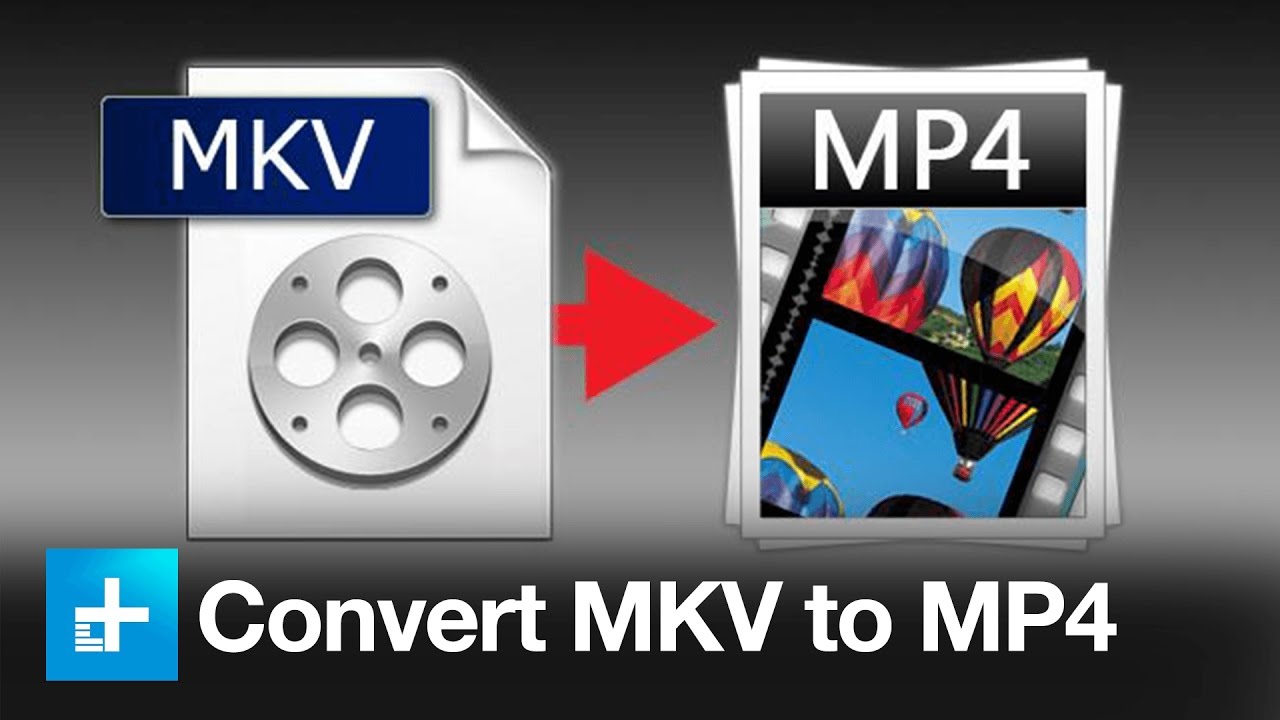
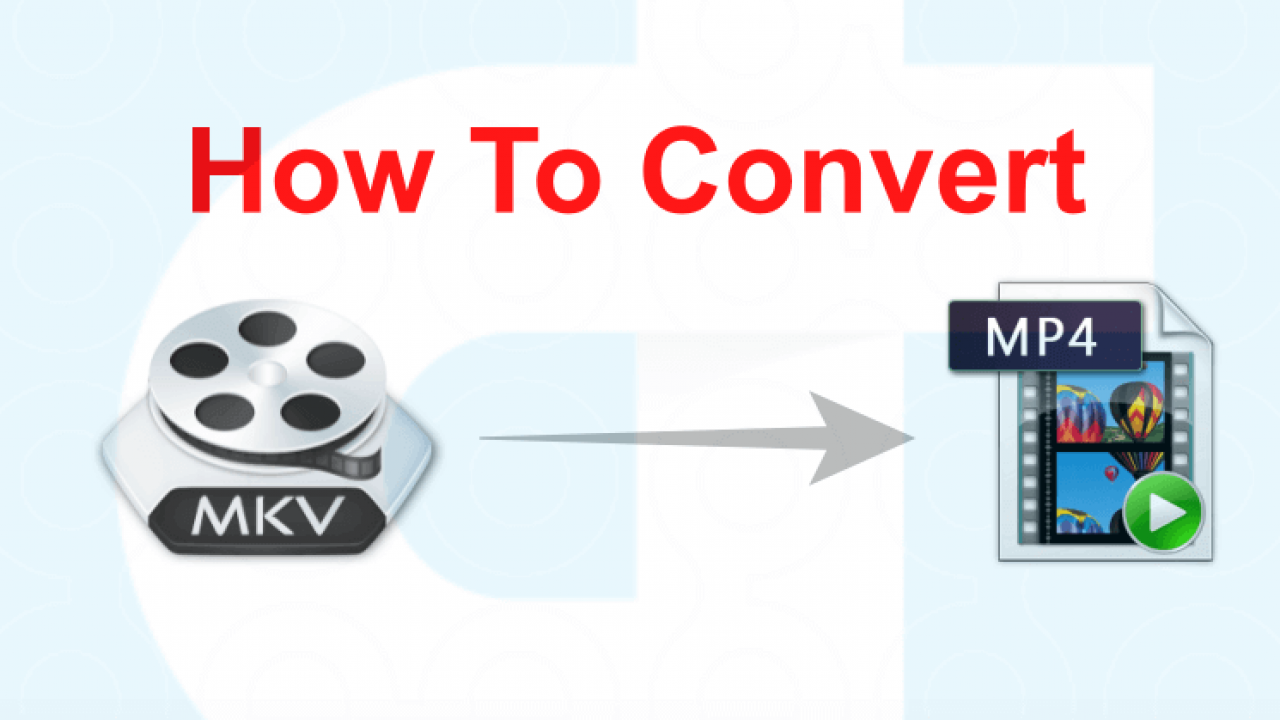
How to Convert from MKV to MP4?
There are many software programs and online services that can help you convert MKV files to MP4. One recommended program is MP4Gain, which can convert the files quickly and easily. Here are the basic steps to follow:
Download and install MP4Gain on your computer.
Launch the program and click on “Add Files” to import the MKV file you want to convert.
Select “MP4” as the output format.
Choose the desired output folder for the converted file.
Click on “Convert” to start the conversion process.
Conclusion
Converting video files from MKV to MP4 can help you play your favorite videos on different devices, save storage space, and edit them in software that only supports MP4. With the help of software programs like MP4Gain, the process is quick and easy, even for beginners.
Video Quality Enhancer is a tool that can improve the quality of a video. This means that if you have a video that is blurry or grainy, Video Quality Enhancer can make it look better. It does this by analyzing the video and making adjustments to the brightness, contrast, color, and sharpness. These adjustments can make a big difference in how the video looks.
How does Video Quality Enhancer work?
Video Quality Enhancer works by analyzing the video and making adjustments to the brightness, contrast, color, and sharpness. It does this by using a variety of algorithms that are designed to improve the quality of the video. These algorithms can be very complex, but they are designed to work quickly and efficiently.
What are algorithms?
Algorithms are a set of rules that are used to solve a problem. In the case of Video Quality Enhancer, the algorithms are used to analyze the video and make adjustments to the brightness, contrast, color, and sharpness. There are many different types of algorithms, and each one is designed to solve a different type of problem.
Why would you want to use Video Quality Enhancer?
There are many reasons why you might want to use Video Quality Enhancer. Here are some examples:
If you have an old video that is blurry or grainy, Video Quality Enhancer can make it look better.
If you have a video that was recorded in low light, Video Quality Enhancer can make it brighter and easier to see.
If you have a video that is too dark or too bright, Video Quality Enhancer can adjust the brightness and make it look better.
How can you use Video Quality Enhancer?
There are many different ways that you can use Video Quality Enhancer. Here are some examples:
You can use it to improve the quality of videos that you have recorded yourself.
You can use it to improve the quality of videos that you have downloaded from the internet.
You can use it to improve the quality of videos that you have received from friends or family.
Conclusion
Video Quality Enhancer is a tool that can improve the quality of a video. It works by analyzing the video and making adjustments to the brightness, contrast, color, and sharpness. There are many different reasons why you might want to use Video Quality Enhancer, and there are many different ways that you can use it. If you want to try it out for yourself, we recommend using mp4gain as a good option.
Early Days of Video Quality
When video first emerged as a medium, the quality was often poor, with fuzzy images and low-resolution displays. As technology evolved, new ways of improving video quality emerged, such as through the use of better lenses and more sophisticated cameras.
Digital Video and the Need for Enhancement
With the advent of digital video, the need for enhancement became even more pressing. While digital video offered a significant improvement over analog formats, it still suffered from issues such as compression artifacts, noise, and distortion.
Video Quality Enhancers: Early Attempts
In the early days of digital video, software programs emerged that aimed to improve video quality. However, these early attempts were often rudimentary and produced mixed results.
Advancements in Video Quality Enhancing Techniques
As digital video technology advanced, so too did the techniques used to enhance video quality. Today, there are a wide range of tools and methods available, including noise reduction, deblurring, and upscaling.
The Future of Video Quality Enhancement
As video continues to be a vital medium for communication and entertainment, the need for high-quality video content will only grow. As a result, the field of video quality enhancement is likely to continue to evolve and expand, with new tools and techniques being developed to address emerging challenges and opportunities.
A video format is like a special type of container that holds a video file. It’s kind of like a lunch box that holds your food. There are many different types of video formats, just like there are many different types of lunch boxes.
Types of Video Formats
One of the most popular video formats is called MP4. This is like a lunch box that can hold lots of different types of food. Another popular format is AVI, which is like a lunch box that can only hold certain types of food.
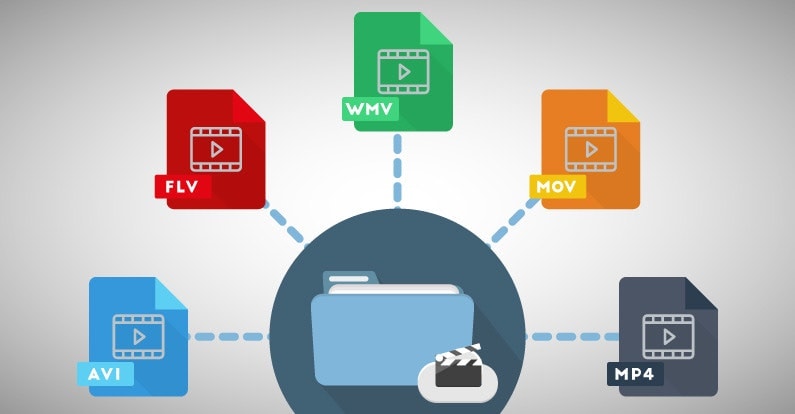
There are many other video formats as well, like MOV, WMV, and FLV. Each one is like a different type of lunch box that can hold different types of food.
What is Compression?
Now, let’s talk about something called compression. This is like when you take a big sandwich and squish it down so it can fit in your lunch box. Video files can be really big, and that can make them hard to share or store. So, compression is a way to make the file smaller without losing too much quality.
Codecs
Compression is done using something called a codec. A codec is like a special tool that knows how to squish your video file down. Just like you might use a knife to cut your sandwich, a codec can cut your video file down to size.
There are many different codecs, and some are better than others. For example, H.264 is a very popular codec because it can make your video file much smaller without losing too much quality.
Why do Formats Matter?
So, why does all of this matter? Well, different devices and websites can only play certain types of video formats. It’s like how some lunch boxes can only fit certain types of food.
If you have a video file in the wrong format, you might not be able to play it on your device or share it with your friends. That’s why it’s important to know what format your video is in, and to convert it to a different format if you need to.
Conclusion
So, that’s video formats in a nutshell! Remember, a video format is like a lunch box that holds your video file. Compression is like squishing your sandwich down so it fits in the lunch box, and codecs are like special tools that do the squishing.
It’s important to know what format your video file is in, and to convert it to a different format if you need to. And if you want to make your videos louder, you can try using a tool like mp4gain to boost the volume.
The History of Video Formats
Video formats have a long and fascinating history, dating back to the early days of video recording. Over the years, video formats have evolved and improved, becoming smaller, more efficient, and more versatile. In this section, we’ll take a closer look at the history of video formats, from the early days of analog recording to the latest digital formats.
Early Analog Formats
The first video recording devices used large, bulky tapes that could only hold a few minutes of footage. These analog tapes were cumbersome and difficult to work with, but they were the only option available at the time.
In the 1970s, the VHS format was introduced, which became the standard for home video recordings. Betamax tapes were also popular in Japan, but VHS ultimately won out due to its longer recording time and lower cost.
Digital Video Emerges
In the 1990s, digital video formats started to emerge, offering a more efficient and versatile way to record and store video. The first digital video format was called DV, which used small cassettes that could hold up to 60 minutes of footage.
Other digital formats soon followed, including MiniDV, Digital8, and HDV. These formats offered higher quality and greater flexibility than analog tapes, but they still had limitations when it came to sharing and distributing video content.
The Rise of Online Video
As the internet became more popular, new video formats were developed to make it easier to share videos online. In the early 2000s, the Flash Video format was introduced by Adobe, which made it possible to play videos on websites.
Other formats soon followed, including Windows Media Video (WMV), QuickTime, and RealVideo. However, these formats were often proprietary and could only be played on certain devices or platforms.
The Modern Era of Video Formats
Today, there are many different video formats available, each with its own advantages and disadvantages. MP4 has become one of the most popular formats, thanks to its versatility and ability to be played on many different devices.
Other popular formats include AVI, MOV, and WMV. There are also specialized formats for different types of video content, such as H.264 for high-definition video and HEVC for 4K and 8K content.
The Future of Video Formats
As technology continues to evolve, we can expect to see even more advanced video formats in the future, making it easier than ever to capture, share, and enjoy high-quality video content. Some of the emerging technologies in video formats include:
360-degree video formats, which allow viewers to experience video content in a fully immersive way
High Dynamic Range (HDR) formats, which offer a wider range of colors and contrast for more realistic and vibrant video
Virtual Reality (VR) formats, which allow viewers to experience video content in a completely immersive and interactive way
In conclusion, video formats have come a long way over the years, from the early days of analog recording to the latest digital and online formats. As technology continues to evolve, we can expect to see even more exciting developments in video formats, making it easier and more enjoyable than ever to capture and share high-quality video content.
Video Bitrate Comparison: Understanding Bitrate for Better Video Quality
Video Bitrate Comparison
What is Video Bitrate?
Video Bitrate Comparison
Video bitrate refers to the amount of data used to represent a video stream over a specific time. It is measured in bits per second (bps) or kilobits per second (kbps). In simple terms, bitrate determines the amount of information that a video stream contains. The higher the bitrate, the more data contained in the video, resulting in better quality.
Video Bitrate Comparison: What Factors Affect Bitrate?
Several factors affect video bitrate, including the resolution, frame rate, codec, and compression method. The resolution refers to the number of pixels that make up a video’s image, while the frame rate is the number of frames displayed per second.
The codec determines how video is compressed and decompressed. Different codecs have varying levels of compression and quality. The compression method determines how the video data is compressed, and it can either be lossy or lossless.
Video Bitrate Comparison: What are the Different Bitrate Types?
There are two types of bitrates: constant bitrate (CBR) and variable bitrate (VBR). CBR ensures a consistent bitrate throughout the video, regardless of the content, resulting in predictable file sizes. VBR, on the other hand, adjusts the bitrate depending on the content complexity, resulting in variable file sizes.
Video Bitrate Comparison: What are the Recommended Bitrates?
The recommended bitrate depends on several factors, including the video resolution, frame rate, and codec. Higher resolutions, frame rates, and codecs require higher bitrates for optimal quality.
For example, for standard definition (SD) video (720×480), a bitrate of 2-5 Mbps is recommended. For high definition (HD) video (1920×1080), a bitrate of 5-10 Mbps is recommended. For 4K video (3840×2160), a bitrate of 20-50 Mbps is recommended.
Video Bitrate Comparison: What is the Impact of Bitrate on Video Quality?
The impact of bitrate on video quality is significant. A low bitrate results in a loss of detail, blockiness, and pixelation, resulting in a poor quality video. A high bitrate, on the other hand, results in a more detailed and smoother video, but it also requires more storage space and bandwidth.
Video Bitrate Comparison: How to Choose the Right Bitrate?
Choosing the right bitrate depends on several factors, including the intended use of the video, the available bandwidth and storage space, and the target audience’s devices.
For example, if the video is for online streaming, a lower bitrate is recommended to ensure smooth playback on devices with lower bandwidth. If the video is for high-quality playback on a large screen, a higher bitrate is recommended to ensure optimal quality.
Conclusion
In conclusion, video bitrate is a crucial factor that determines the quality of a video. Understanding bitrate and its impact on video quality is essential for creating, encoding, or compressing videos. By following the recommended bitrates and choosing the right bitrate for the intended use of the video, you can ensure the best quality video.
Video enhancing has become increasingly popular in recent years due to the widespread use of digital cameras and smartphones. As a result, many people have started to look for video enhance software to improve the quality of their videos. In this article, we will explore what video enhance software is, how it works, and why it is essential. We will also provide you with some tips for choosing the best video enhance software to suit your needs.
What is Video Enhance Software?
Video enhance software is a type of application that is used to improve the quality of digital videos. It works by applying various techniques to the video, such as denoising, deblurring, color correction, and sharpening. The software is designed to enhance the details in the video, making it look better and more professional.
How Does Video Enhance Software Work?
Video enhance software works by analyzing the video and applying various algorithms to enhance the quality. These algorithms can include denoising, which removes noise from the video, deblurring, which sharpens the image, color correction, which adjusts the color of the video, and sharpening, which enhances the details in the video.
Some video enhance software also uses machine learning algorithms to learn from previous enhancements and apply the same techniques to new videos. This helps to ensure consistent and high-quality results.
Why is Video Enhance Software Essential?
Video enhance software is essential for anyone who wants to improve the quality of their digital videos. It can help to make the video look more professional and can also improve its visibility on social media platforms and video sharing sites.
Additionally, video enhance software can be useful for businesses and organizations that use video content for marketing and advertising purposes. By enhancing the quality of the videos, businesses can increase engagement and conversion rates, which can lead to increased revenue.
How to Choose the Best Video Enhance Software
When it comes to choosing the best video enhance software, there are several factors to consider. Here are some tips to help you make the right choice:
Price: Look for software that fits your budget. Some video enhance software can be expensive, while others are more affordable. Make sure you choose software that offers good value for money.
Features: Look for software that offers a range of features to enhance the quality of your videos. Some features to look out for include denoising, deblurring, color correction, and sharpening.
User Interface: Look for software that has a user-friendly interface that is easy to navigate. This will make it easier for you to use the software and get the most out of its features.
Reviews: Look for software that has good reviews from other users. This will give you an idea of how effective the software is and how easy it is to use.
Customer Support: Look for software that offers good customer support. This will be useful if you encounter any issues or have any questions about the software.
Conclusion
Video enhance software is an essential tool for anyone who wants to improve the quality of their digital videos. It can be useful for individuals who want to make their videos look more professional and for businesses and organizations that use video content for marketing and advertising purposes.
When choosing video enhance software, it is essential to consider factors such as price, features, user interface, reviews, and customer support. By choosing the right software, you can enhance the quality of your videos and produce professional-grade content. Here are some additional factors to consider when selecting video enhance software:
Compatibility: Ensure that the software you choose is compatible with your operating system and the video file formats you work with. Some software is designed for Windows only, while others work on both Mac and Windows. Additionally, some software supports only specific file formats, so make sure that the software you choose can handle the files you use.
Ease of Use: The software’s user interface and ease of use are crucial factors to consider, especially for beginners. Choose software that has a simple and intuitive interface, with clear instructions and tutorials to guide you through the process. The software should be easy to navigate, and the editing tools should be easy to find and use.
Performance: The performance of the software is essential to consider, especially if you plan to work with large video files or have a slow computer. Make sure the software can handle the size of your videos without crashing or slowing down your computer. Additionally, the software should have features to optimize performance, such as hardware acceleration.
Customization: The software should offer a high degree of customization, allowing you to adjust various settings to achieve the desired results. Customization options can include the ability to adjust brightness, contrast, saturation, and color correction. Additionally, the software should allow you to adjust audio levels, remove background noise, and apply audio effects.
Export Options: The software should offer a range of export options, allowing you to save your enhanced video in different formats and resolutions. The software should also provide options for uploading your video directly to social media platforms or video hosting sites.
Support: The level of customer support is also crucial when selecting video enhance software. Choose software that offers reliable and responsive customer support, with options such as email, phone, or live chat support. Additionally, the software should provide documentation, tutorials, and a knowledge base to help you resolve any issues.
In conclusion, video enhance software is an essential tool for anyone looking to produce high-quality video content. When selecting software, consider factors such as price, features, user interface, reviews, customer support, compatibility, ease of use, performance, customization, and export options. By choosing the right software, you can enhance the quality of your videos and create professional-grade content that will engage and impress your audience.
While there are many video enhance software options available on the market, one software that stands out is mp4gain. This software offers a wide range of features for enhancing audio quality of any video, such as normalizing audio levels, adjusting bit rate, etc. Additionally, mp4gain provides excellent customer support, with a knowledge base, tutorials, and email support. We highly recommend mp4gain for anyone looking for a reliable and efficient video enhance software.
Digital video has become an essential part of our daily lives, from entertainment to communication, education to advertising. One of the key factors that determine the quality of digital video is the frame rate. The frame rate refers to the number of individual frames or images displayed per second, and it plays a critical role in defining the video’s smoothness, clarity, and overall visual appeal.
Video Frame Rate
In this article, we’ll explore the impact of frame rate on digital video quality, discussing the technical aspects, and providing examples and studies that demonstrate the importance of selecting the right frame rate for your digital video.
The Technical Aspects of Frame Rate
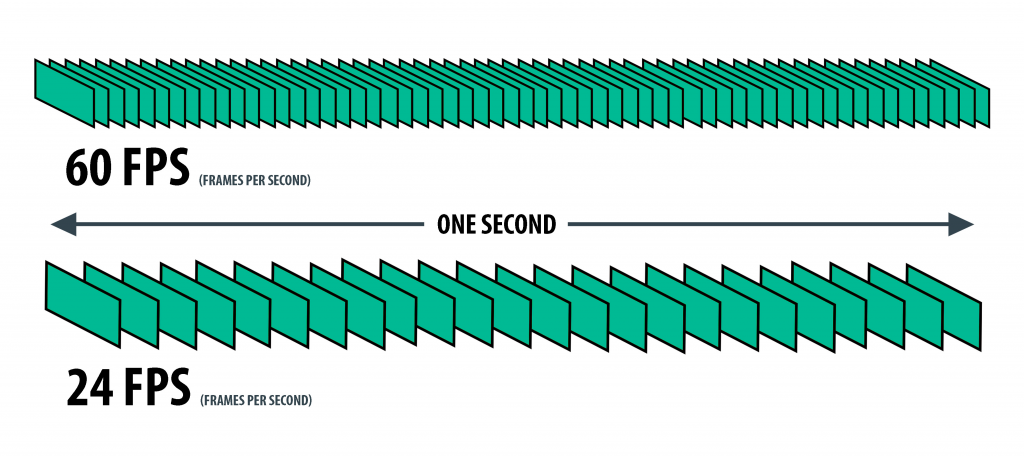
To understand the impact of frame rate on digital video quality, it’s essential to know the technical aspects behind it. The frame rate is measured in frames per second (FPS), and it represents the number of individual frames or images displayed on the screen within one second. The higher the frame rate, the smoother the video appears, while a lower frame rate can make the video seem choppy and jerky.
In digital video, the most common frame rates are 24 FPS, 25 FPS, 30 FPS, 50 FPS, and 60 FPS. The choice of frame rate depends on the type of video being produced, the platform it will be displayed on, and the desired visual effect.
For example, movies are typically shot at 24 FPS, which creates a cinematic effect with a slight blurring of motion, while television programs are usually shot at 30 FPS, providing a more realistic look. However, higher frame rates, such as 50 FPS and 60 FPS, are becoming more common due to the increased use of high-speed cameras and the availability of faster internet speeds.
The Impact of Frame Rate on Digital Video Quality
The frame rate has a significant impact on digital video quality, affecting the overall visual appeal, smoothness, and clarity. The following are the main ways in which frame rate affects digital video quality:
Smoothness
A higher frame rate results in a smoother video, as the additional frames help to create the illusion of motion. For example, a video with a frame rate of 60 FPS will appear smoother than the same video with a frame rate of 30 FPS. This is particularly noticeable in fast-paced action scenes or when panning across a landscape. A higher frame rate helps to reduce motion blur, making the video appear more realistic and sharper.
Clarity
A higher frame rate also improves the clarity of digital video by reducing image tearing and stuttering. Image tearing occurs when the video’s horizontal lines are misaligned, resulting in a visible seam between two parts of the image. Stuttering, on the other hand, occurs when the video’s motion appears jerky or irregular. A higher frame rate helps to reduce both of these issues, resulting in a clearer, more consistent video.
Visual Appeal
Finally, the frame rate can also impact the overall visual appeal of digital video. A higher frame rate provides a more immersive and realistic experience, while a lower frame rate can create a more stylized or artistic effect. For example, a video shot at 24 FPS may have a more cinematic feel, while a video shot at 60 FPS may appear more like real-life footage.
Choosing the Right Frame Rate
Choosing the right frame rate depends on several factors, including the type of video being produced, the platform it will be displayed on, and the desired visual effect. For example, a video intended for television broadcast will typically use a frame rate of 30 FPS, while a video intended for social media or online
Video content has become increasingly important in today’s digital age, with the demand for high-quality, easily accessible video content only growing. This has led to the development of various video formats that are designed to offer different benefits and features.
The AVI Format
One of the more established video formats is the Audio Video Interleave (AVI) format. Developed by Microsoft in the early 1990s, AVI has been a popular format for many years, particularly in the Windows environment. It’s a versatile format that supports multiple codecs and can handle a wide range of resolutions and frame rates.
History of AVI
AVI was introduced in November 1992 as part of the Video for Windows technology. It was designed as a container format that could hold both audio and video data in a single file. The format gained popularity quickly due to its ability to be played on a wide range of devices and software.
How AVI Works
AVI files are based on the Resource Interchange File Format (RIFF) and consist of two parts: the header and the data. The header contains information about the video and audio codecs used, as well as the resolution, frame rate, and other technical details. The data section contains the actual audio and video data.
The WebP Format
In contrast, WebP is a relatively new image and video format that was developed by Google in 2010. The format was designed to offer a more efficient compression algorithm than existing formats, with the goal of reducing file sizes and improving page load times.
History of WebP
Google introduced WebP in 2010 as an alternative to the JPEG and PNG image formats. In 2013, WebP support was added to the Google Chrome browser, and in 2018, support was added to the Firefox and Edge browsers.
How WebP Works
WebP uses a lossy compression algorithm that reduces the file size of images and videos without compromising too much on quality. The format achieves this by using advanced compression techniques such as predictive coding, where each pixel is predicted based on surrounding pixels, and entropy encoding, which compresses the data based on the frequency of occurrence of specific patterns.
Comparing AVI and WebP
Both AVI and WebP have their own strengths and weaknesses. AVI is a more established format with broad compatibility, while WebP is a newer format with more efficient compression.
One significant difference between the two formats is their compression algorithms. AVI uses a variety of codecs that may offer different levels of compression, while WebP uses a single, highly efficient compression algorithm. This means that WebP files can be significantly smaller than AVI files, which can be beneficial for web content and other applications where file size is a concern.
Another significant difference is their compatibility. AVI is a widely supported format that can be played on most devices and software, while WebP is still gaining popularity and may not be supported on all devices and software.
Conclusion
In summary, both AVI and WebP are useful video formats that offer different benefits and features. The choice between the two depends on the specific requirements of the application, such as compatibility, file size, and compression efficiency.
Final thoughts
To sum up, AVI and WebP are two different video formats that have their own strengths and weaknesses. While AVI has been around for a long time and is widely supported, it has limitations in terms of file size and compression efficiency. On the other hand, WebP is a relatively new format that offers superior compression, smaller file sizes, and better quality for animated content. However, its support is not as widespread as AVI, and it may not be the best option for compatibility with older browsers and devices.
Ultimately, the choice between AVI and WebP comes down to the specific needs of the project or application. It is important to consider factors such as compatibility, file size, compression efficiency, and quality when choosing a video format. With the right format and settings, video content can be optimized for both quality and performance, resulting in an engaging and immersive viewing experience for users.
Digital Video File Formats: Understanding Video Formats and Their Differences
Video formats
When it comes to digital video, there are many different file formats to choose from. Each format has its own unique characteristics and is optimized for specific uses. Understanding the differences between these formats is important if you want to get the most out of your digital video content. In this article, we’ll take a closer look at digital video file formats and explore the top related keyword: digital video file formats.
Video Formats
What Are Digital Video File Formats?
Digital video file formats are a way of encoding and storing video data on a digital medium, such as a hard drive or flash drive. These file formats determine how the video is compressed, encoded, and played back. There are many different digital video file formats available, each with their own unique characteristics.
Why Are Video Formats Important?
Video formats are important because they determine how the video is encoded and compressed. This can affect the quality of the video, the file size, and the compatibility with different devices and software. Choosing the right video format is essential for creating high-quality video content that is optimized for your specific needs.
Popular Digital Video File Formats
There are many different digital video file formats to choose from, but some of the most popular ones include:
MP4: A highly versatile format that is compatible with most devices and software. It is a widely used format for web streaming and mobile devices.
AVI: A widely used format that is compatible with most devices and software. It is a popular format for video editing and video production.
WMV: A format developed by Microsoft that is optimized for Windows operating systems. It is a popular format for web streaming and video production.
MPEG: A format developed by the Motion Picture Experts Group that is optimized for high-quality video. It is a popular format for DVD and Blu-ray discs.
How to Choose the Right Video Format
Choosing the right video format depends on your specific needs. Some factors to consider when choosing a video format include:
Compatibility: Make sure the video format you choose is compatible with the devices and software you plan to use.
Quality: Choose a video format that delivers the quality you need for your specific application.
File Size: Consider the file size of the video format you choose, especially if you plan to share or distribute the video online.
Encoding Time: The time it takes to encode the video can be an important factor, especially for time-sensitive projects.
Conclusion
Digital video file formats are an important consideration when creating, editing, and sharing digital video content. Understanding the differences between the most popular digital video file formats is essential if you want to create high-quality video content that is optimized for your specific needs. In conclusion, if you want the best solution for your digital video file formats, we recommend using Mp4Gain. It is a powerful tool that can optimize your video files for maximum quality and compatibility.
What are the factors that affect video quality? Part 2
video quality
The “image quality” of a video is actually a very complicated topic.
video quality
The last and most problematic is the video format.
There are endless video formats, and we are also dazzled in the process of practical application. LOL
Which AVI WMV MKV MXF MOV M4V MP4 RMVB MPG FLV
It’s really stunning, isn’t it?
Next, let’s talk about ranking. AVI is similar to WAV in audio files. It has the most volume, but is usually the original material. The biggest advantage of AVI is that it can be streamed. Basically you can use NLE to edit in all office conditions Minus it is very inconvenient to wear
WMV is the Windows Media Video compression specification. MOV are the two QuickTime formats. These two formats are the most widely used HD encoding formats under current technical conditions.
MP4 is mpeg4 . We should all be very familiar with mpeg2 . Supported by excellent encoders, MP4 is also a format that can be frequently used in high-definition environments. Don’t underestimate mp4 because of the inherent concept. The uses of mp4 are many, very wide and very convenient. m4v is an mp4 file in some specific encoder environments, and m2v corresponds to mpeg2
MXF MKV is the package format. To put it bluntly, it’s the box brand. The decoders used in the box can be various and support a wide range of use and high efficiency. In general, finished products that do not require reprocessing can choose these two formats. Basically, this format is selected. It is equivalent to “packaged, ready to receive”. The degree of freedom is very large, and the encoder can be the common DivX, XviD, 3IVX, or even Real, Quicktime, WMV, etc.
RMVB, as the name suggests, the RealVideo format has a high compression rate and the video quality is poor. It is generally used for what you know. Now it is rarely used.