Choose the audio format: mp3, aac, wma, ogg…


Free Download Mp4Gain
picture

mp3 vs flac

Mp3:
Give glory where honor is due. MP3 is as popular as it is underrated: it has done a lot for dematerialized music and has enabled millions of people around the world to discover a new way to listen to their music.

MP3 is a strong and destructive compression format, in other words, a large part of the music signal is suppressed (priority, frequencies inaudible to the human ear … but not only!) And therefore offers a quality that is only good is for 256/320 kbps.

Is it a good chance today? If you choose the MP3 audio format today, you can rest assured that you can hear it on all the devices that have been on the market for 10 years. MP3 is dematerialized music, which jeans must wear: versatility and the highest acceptance in the world.

It is also recommended to select the MP3 audio format if, for example, the storage space on a smartphone is limited, as this (accompanied by AAC / WMA / OGG) is the type of format that requires less storage space.

audio formats

AAC:
This format is comparable to “Apple MP3”. It has the same qualities and shortcomings as the previous with some details: a little better with the same speed but a lot less standard: Apart from the fact that the manufacturers have made explicit agreements (and pay because they need a license), you will find us in Pratica-compatible devices Much smaller AAC.

Avoid it unless you only have Apple products around you (even the car radio? I doubt it), and again they’re all perfectly compatible with MP3.

WMA
If AAC is Apple’s MP3, Microsoft is WMA MP3. Even less popular as it doesn’t take advantage of the iTunes / Music Store / iPOD reel (which still remembers Zune’s dead iPod killer? Miscroft)

Forget the same qualities and shortcomings of MP3, but less standard, so urgent. I also recommend converting your existing WMA files to MP3 with a comparable or slightly higher bitrate to ensure its durability. Therefore, the current choice for WMA audio format is not a good idea.

OGG:
We also find it under the name “vorbis”, here we also have an MP3 clone, except that it is compatible with the free world (understand for free), a bit in the same format as Linux.

Ogg is a completely free format, unlike the previous one, but it is still very confidential and generally only used by people with a pro-free dogmatic position. While this position is quite respectable, the selection of the OGG audio format in 2014/2015 does not seem like a good idea as it is not widely used and mostly resembles an MP3 format


Free Download Mp4Gain
picture


Mp4Gain Main Window
picture


Mp4Gain Features
picture


Free Download Mp4Gain
picture

What is high-resolution audio?

High Red Audio

With more accurate analog sound sampling, this technology promises better digital sound than traditional audio CDs.
Marketing requires manufacturers not to miss the opportunity to put beautiful acronyms on their devices to indicate the presence of new “revolutionary” technologies. Therefore, in recent months, some headphones and speakers have blossomed, especially the labels “HD audio” or “high-resolution audio”. What does “high resolution audio” (or high definition) mean? In particular, it is a digital sound of at least 24 bits / 96 kHz, so it offers better quality than the 16 bits / 44.1 kHz of the audio CD. If we synthesize too much, we could say that it is a sampling gap similar to that which can separate Blu-ray from DVD.

How is it possible ? To fully understand it, it is important to go back to the beginnings of digital sound. Originally, the sound is analog data, such as the variation in air pressure or an electrical signal over time. To digitize the sound, samples are regularly taken and encoded in a series of bits. When creating the audio CD, manufacturers agreed on 16-bit encoding and sampling at 44.1 kHz, or 44,100 times per second. Therefore, one minute of mono sound requires about 5.3 MB of data and 10.6 MB of stereo per minute. When the first audio CDs were released in 1984/85, vinyl fans cried as a betrayal, accusing the digital sound of not reproducing the warmth of analog sound from the former 33rpm.

Is there really a difference?

We had the opportunity to test the entire high-resolution audio system multiple times: 192 Hz FLAC audio files, on a NWZ-A compatible high-resolution player and MDR-1A headphones, also Hi-Res. The reproduction is of course very good by ear and it seems that the songs on our test album (Play MemoriesDaft Punk) have been given precision. Even when the volume is pushed to the limit of the maximum threshold, the reproduction is still excellent and well detailed. But we also listened to the same MP3 album, in a (relatively) high 320 kbit / s sample, even with Sony’s portable music player and high-resolution headphones. And it is clear that the difference was frankly not clear. Our perception of representation was just as good. We continue the experience by listening to the MP3 version of the Daft Punk album, this time with less high-quality headphones than the Sony MDR-1A. And there the register was even worse: muted, less accurate in the treble and less powerful in the bass. Result: By ear sampling of the file had less influence on the reproduction because the quality of the products used to reproduce the sound, ie the player and the headphones. So a question about everything from a material order. For the right choice, go to our helmet department and our two specific comparisons:

– Comparison of headphones for less than 100 euros
– Comparison of headphones for more than 100 euros

Better understand the different video encoding formats

In a video, every file, audio and video, is a set of encrypted data (more or less compressed). The so-called codec is the tool used for coding. The type of encoding chosen determines the format obtained: video format and audio format. Simultaneous reading of image and sound is possible by encapsulating these sequences in a container file (defined by an extension).

The specific software is useful for analyzing and reproducing the contents of a video / audio file (format, container file, codec, weight, etc.).
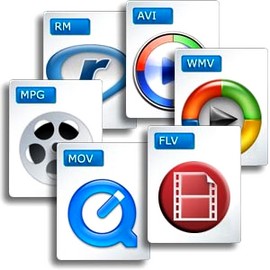
Container files

Container files (not complete)

– MP4 (.mp4): audio and video standard for MPEG4

– AVI (.avi): can contain most video and audio formats.

– M2TS (.mts): standard for MPEG4 AVC / H264

– MOV (.mov): mainly contains Mpeg2, Mpeg4

– MPEG (.mpg): contains only MPEG formats

– M4V (.m4v): standard for iPod, PSP and online videos (eg iTunes) containing Mpeg4

– VOB (.vob): for DVD, generally contains Mpeg2 (video) and AC3 or DTS (audio)

– 3GP (.3gp or 3g2): for third generation mobile phones, contains Mpeg4

– ASF (.asf): Contains Microsoft Windows Media Video (WMV) format

– AIFF audio file (.aiff, .aif, .aifc) with uncompressed formats (PCM, IFF)

Video formats

Video encoding formats (not complete)

– HDV (Mpeg2 4: 2: 0): 1440 × 1080 resolution with a ratio of 1.77 (16/9).

– HDV (Mpeg2 4: 2: 2): 1920 × 1080 resolution with a ratio of 1.77 (16/9).

– AVCHD (Mpeg4 AVC / H264): Highly compressed HD format.

– DV (DV-AVI): Lightly compressed standard for digitized video.

– MPEG1: resolution 352 × 240 (NTSC) or 352 × 288 (PAL / SECAM) for CD-ROM.

– MPEG2: DV quality video standard mainly for DVD.

– MPEG4: video standard for multimedia applications. The most common standard is Part 10: Mpeg4 AVC H264 (AVCHD)

– WMV (Windows Media Video): Microsoft feature and main format used by Windows Media Player

– FLV (Adobe Flash Video): Allows you to easily insert a video image on a WEB page, in a format that the Flash player can read.

– DivX: based on Mpeg4, makes it possible to compress strongly and suitable to save or save on DVD

– Xvid: free and open source software, using Mpeg4. Used almost exclusively to backup video files. Better quality than its competitor DivX.

– Animated GIF: animation of images in GIF format. Suitable for solid colors and small videos.

Image encoding formats (not exhaustive)

– BMP (bitmap): from Microsoft and IBM. It is composed of a large number of pixels and is not suitable for enlargement work.

– JPEG (Joint Photographic Experts Group): Generally used for photos and other continuous images of HTML documents. It supports CMYK, RGB and grayscale modes, but no alpha channels. Unlike GIF, the JPEG format retains the color information of an RGB image. However, it compresses the file size by selectively deleting the data.

– RAW: High resolution uncompressed format that provides the best picture quality. This format is not standard: there are more than 200 types of RAW, including .crw, .cr2 (CANON), .nv2 (PANASONIC), .nef, .nrw (NIKON), .arw (SONY) …

– GIF (Graphics Interchange Format): Generally used to display indexed color graphics and images in HTML documents on the web. GIF is a compressed LZW format designed to reduce electronic transfer time and file size. Does not support alpha channels, but maintains the transparency of color-indexed images.

– PNG: royalty-free format. It was created as an alternative to GIF and is used to display images on the internet. This format uses a lossless compression process and retains all information regarding the color and alpha layers of an image.

– PSD (Photoshop format): very large, but recognized by other software.

– TGA (Targa format): Designed for systems using a Truevision video card, it is generally compatible with MS-DOS color applications. When you save an RGB image in TGA, you can select RLE encoding to compress the image and choose a pixel depth.

– TIFF (Tagged-Image File): to exchange files between applications and IT platforms. Flexible bitmap image format, it is compatible with almost all image editing, drawing and design applications. Maximum TIFF document size: 4 GB.

Audio encoding formats (not exhaustive)

– MP3 (MPEG 1/2 Audio Layer 3): compression format (lossy) developed by ISO.

– AIFF: format for Apple, uncompressed audio

– WAV (WAVE): uncompressed audio format developed by IBM and Microsoft

– WMA: audio data compression format (lossy), developed by Microsoft. It also allows protection of encryption against illegal copies.

– AAC (Advanced Audio Coding): Format used primarily on iPods

– DD + (D olby Digital Plus): high resolution format, with loss of compression

– DTHD (Dolby True HD): HD multi-channel audio format, lossless during compression and offering acoustic richness (up to 7.1)

– DTS HD (DTS HD Master Audio): High resolution audio format equivalent to DTHD.

– AC3: Dolby Digital format whose digital encoding standard is 5.1

– LPCM (Linear Pulse Code Modulation) – highest quality, uncompressed, multi-channel HD audio format.

– FLAC (Free Lossless Audio Codec): Free Audio Format, Lossless Compression

All about all audio file formats

Dematerialized music has evolved considerably for almost 15 years and has played an important role in the daily life of every individual. We’ve all heard more or less about FLAC, MP3, WAV, etc.! Few people really know the difference between each size, its pros and cons …

audio formats

This article is intended to enlighten you to make the best possible choice for extracting and compressing your audio files.

There are different types of layouts that can be grouped into several large families:

– uncompressed files

-lossless compressed files

– Lossy compressed files

audio formats

-Uncompressed files

WAV: WAV (Waveform Audio File Format) is an audio file format created by Microsoft for Windows. This format is usually an uncompressed container. Therefore, an audio CD with a duration of about 80 minutes in WAV weighs plus or minus 800 MB

Advantages: the file remains in its original form, no loss of information (no loss)

Disadvantages: The WAV file is an uncompressed format that gives it a large size and therefore takes up more space in the storage space.

AIFF – Audio Interchange File Format (AIFF) is the Mac OS equivalent of the WAV format. Therefore, it has the same characteristics as this. The pros and cons of this format are the same as for WAV.

– Lossless compressed files

FLAC: The FLAC (Free Lossless Audio Codec) format is without doubt the most beneficial file for the user. Firstly, in terms of WAV and AIFF, this format is a lossless format, ie the digitization of the file does not imply any loss of information from the audio spectrum. The file is scanned and returned as is. The second advantage of this format is the size it occupies in the storage space. Nondestructive compression is applied to this type of format as a ZIP file, making the scanned file about 2 times less space than a WAV file. Therefore, for 80 minutes of music on CD, the occupied space will be approximately 400 MB. Finally, this format is universal, compatible with most multimedia players, it is compatible with all operating systems except iOS,

Advantages: file size, identical reproduction of the original file during scanning, free and compatible with almost all media players and operating systems

– Disadvantages: none

ALAC: The ALAC (Apple Lossless Audio Codec) format is simply the Apple equivalent of the FLAC file.

– Lossy compressed files

MP3: The MP3 format (Mpeg Layer 3) is a well-known format. It is a format with destructive compression, that is, a recording from which musical information has been removed thanks to the so-called psychoacoustic compression algorithm (taking into account the peculiarities of the human ear), so that less scanning is needed to create a lighter file to obtain . This format is most commonly used for dematerialized music, as it allows a significant space saving in the storage space with a size of about 150 MB for an 80 minute CD. Compression can be more or less destructive depending on the speed used, which can range from 4: 1 (320 Kbits / sec) to 12: 1 (128 Kbits / sec).

-Advantages: it takes up little space on the hard disk and does not affect the quality of the songs with a dynamic range and a limited variety of timbres

– Disadvantages: paid MP3 license, destructive compression for “richer” songs.

AAC: The AAC (Advanced Audio Coding) format is a format close to the MP3 format, but provides additional definition with an identical compression rate. Apple uses this specific format in the iTunes Store, but also on YouTube. the extension can be written in various forms, such as .AAC, .M4A or MP4

-Advantages: better compression quality than MP3

-Cons: compressed file format at a loss

Advantages and disadvantages of MP3 technology.

In the internet age, MP3 has become a de facto standard for digital audio files. Napster’s popular peer-to-peer application allowed music lovers to exchange MP3 files so they could get songs without paying for it. This article is written to guarantee the pros and cons of MP3, to help you decide whether to convert your existing music files to MP3 in a different format or not.

mp3 advantages

Advantages of MP3

The advantage of MP3 is the high quality. The quality of an MP3 file is determined by the bit rate. Flow is measured in kilobits per second. The bit rate of an MP3 file can range from 8 kbps to 320 kbps. You should keep your songs at 160 kbps if you don’t really like them and don’t put them at the top of your list of mp3 players. Keep your songs at 192 kbps if you like them a bit. Use 256 kbps for the songs you like. And use 320 kbps for your all-time favorite songs. Regardless, even an 320kbps MP3 doesn’t sound as good as the song’s WAV file version. But a 320kbps MP3 takes up four times less space than a WAV file. To use an analogy, an MP3 file is a WAV file, which is a JPEG image of a BMP image.

Problems

The second advantage is that it can be played on many types of devices, such as CD players and Apple iPods. You can also play MP3 files with multimedia players such as Winamp, Windows Media Player or QuickTime. The third advantage of MP3 is ID3 tags. The ID3 tag of an MP3 file stores the artist name, song title, year, and genre. You can also create your own playlists.

Another advantage of MP3 is that encoding is simple. It is easy to rip audio CDs and burn as easily as regular MP3 CD-Rs. The encoding speed is also very fast, but it also depends on the speed of the CD player. Producing MP3 files takes very little time. You can use lossless audio compression if you have a lot of free disk space and lossy audio compression if you have little free disk space. The MP3 LAME encoders are free and open source, so that everyone can contribute to their development.

Another plus of MP3 is that the layout is simple. MP3 can be downloaded from HTTP or FTP sites. You can also distribute MP3 files through portable storage devices such as USB flash drives. You can also buy MP3s from online music stores such as iTunes and eMusic.

You can also use a server to distribute these files. Listening to it in MP3 uses an M3U playlist format such as (which means MP3 URL) or PLS. MP3 streaming is also used by internet radio stations. You can integrate MP3 streams with a Flash player. You may have different rates for dial-up and broadband connections. MP3 audio is not stored on your hard drive.

MP3 problems

A disadvantage of MP3 is that it takes up a lot of storage space. Since an MP3 file generally takes up to 5 megabytes (MB) of disk space, the number of files it can store is limited. Due to the relatively large size of an MP3 file, the slow file can also be downloaded if you have a slow internet connection.

Another problem is that the song can jump to random places. This happens especially if you have a slow computer and use multiple programs that load the processor at the same time. It is technically not free. You also need an MP3 decoder if you want to convert MP3 audio files to WAV format. The MP3 format has very little security available. For example, people who used the Morpheus file sharing service had their computers accessible to hackers.

Another limitation is that this file is not the best fidelity format for audio files. Other audio formats, such as Ogg Vorbis and Advanced Audio Coding (AAC), are superior in quality to MP3. AAC is the format used in the Apple iTunes player. However, MP3 is still the most popular audio format in the world.

The pros and cons of MP3, which I just mentioned will help you make a good decision before downloading music next time.

M4A – AAC format and characteristics

Presentation of the AAC format

AAC (Audio Advanced Coding) is an audio data compression format developed by the Fraunhofer Institute in collaboration with AT&T, Nokia, Sony and Dolby.

As with the MP3 format, it is a destruction of audio data compression, called “lossy compression” (that is, lossy compression), ie the removal of certain auditory information (for example, inaudible frequencies) to the best possible compression rate, keeping a result as close as possible to the original data.

AAC

The AAC format corresponds to the international standard “ISO / IEC 13818-7” as an extension of MPEG-2, standard of the Moving Image Expert Group (MPEG).

The AAC format was chosen by the Apple company as the primary file format on iPods or in the iTunes software.

Frequently Asked Questions: M4A – AAC Format and Features

Technical properties

AAC uses a variable bit rate encoding (Variable bit rate in English, sometimes abbreviated as VBR), that is, an encoding that allows you to adjust the number of bits used per second to encode audio data according to the complexity of current at a given moment. The algorithm used is more efficient than that of MP3, enabling smaller, higher quality files to be obtained, while requiring less resources to encode or decode.

Compared to the maximum of two channels (in stereo) supported by the MP3 format, the AAC format allows polyphonic recording of up to 48 channels. The AAC format also provides sound reproduction in the 8Hz-96.0kHz frequency band, compared to 16-48kHz for the MP3 format.

Files in AAC format, with extension .mp4 (for MPEG-4), .m4a (for MPEG-4 audio) or .m4p (for protected MPEG-4), are generally smaller than files in MP3 format.

AAC Compatibility

The AAC format is not compatible with the MP3 format, this means that you must use a player that is compatible with the format or install a specific codec so that existing players can read files in AAC format.

MP3 y AAC

However, more and more software players allow you to read files in this format, and the latest hardware MP3 players support this format.

What are the advantages of the AVI format?

Audio Video Interleave (AVI) is a way to digitally store multimedia audio and video content in a file for playback. The AVI format, introduced in the 1990s, is a built-in function of the Windows® operating system (operating system). AVI files use the file extension. Avi, and consists of a header tag followed by a series of information blocks. The AVI file format header provides details about the contents of the files, such as width, height and frame rate, while the information blocks store the actual audio and video data. An important advantage of the AVI format is that it can reproduce on most computers around the world.

Avi advantages

Playing a multimedia file of any format, including AVI format, requires compatible software that understands the details of the file contents. If the correct software is not available to open and play a media file, the user will see a dialog box stating that Windows cannot open the file. Options are provided that allow the user to select the program from a list of available software or use the web to find the program. The AVI format generally eliminates the need to select a program.

Avi format advantages

In the years since the AVI format was created, many video techniques were introduced that were not designed when the AVI specification was defined. Also, the compression systems used to optimize space requirements when writing AVI files are not as effective as the techniques used in the most recently developed multimedia formats. As such, the AVI format requires about 5 megabytes (MB) of storage for each hour of video and does not support the ability to specify multimedia details such as aspect ratio, time codes or audio sample rate per under 32 kilohertz (kHz).

Many newer media file formats are making their way around the internet, including Ogg, MOV and NUT. Motion Picture Experts Group (MPEG), however, is becoming a standard and growing steadily in popularity. Software for creating and playing MPEG media files is included with Windows® and Mac operating systems

Which video codec to choose? H264 or H265?

When we finish editing our issues in our editing software, the first hurdle we face (due to lack of hard disk space …) is often the format in which we decided to export our video. Digital or physical. We are faced with a list of video codec names that are sometimes difficult to enter. And which many amateur cameramen are also afraid of.

h.264 h.265

Which internet user has never searched for a codec or codec package to play a video. And if not, at best you only heard the sound … As I wrote in another article, the video codec mainly depends on the medium in which your video is broadcast. In fact, it is not as simple as the photo, which is often enough to export in jpeg or other format so it can be seen everywhere. Video has this major drawback, which is choosing the right codec based on the streaming platform.

H.264 VS H.265

The concept of containers and codecs.

To illustrate what a container and a codec are, imagine a jar (the container) that contains letters (the codec). The video player that will “decode” this file can be compared to a person who has the key to the pot. And who will put the letters together to make words and then make meaningful sentences? In fact, the container is the file that can be related to a box or jar where the video codec, audio codec and sometimes even the subtitle file are found. If you have a video in .avi or .mp4 or .mov or even .mkv, the container will end after the period. What videographers also call ‘video format’.

For example, for .mp4, the container is MP4. So far so good. And so in this container there can be Mpeg4, H264 or x264 which are video codecs.

Accompanied by the audio track which can be in mp3, AC3 or AAC, but we’ll return to the audio codecs in another article. And since we don’t like doing things in the video, these video codecs can also be found in other containers …

Yes, otherwise it would be too easy.

So the biggest concern in the video is this famous lack of compatibility that ALL multimedia platforms have. Play a video file if no codec package is installed yet. In fact, every codec has affinity with this or that manufacturer (Windows, Apple, etc.).

About H265 (HEVC)

Let’s be clear, this is tomorrow’s codec, which will replace the H264 very soon. Why ? One is made for UHD (4K) but also for 8K (Super Ultra HD?). It also supports HDR, which the H264 does not. And two because it offers a more optimized encryption algorithm than H264. This allows you to deliver as beautiful, if not more beautiful and more detailed, H264 image quality to a file with almost the same bit rate … but with two obvious advantages: size and quality!

Example: for a 2 hour movie in Full HD encoded with 6 Mbs in H264, you get a file of about 8-9 GB, while with the H265 codec you are at a lower bit rate (for example 5 Mbs) a file of 5 GB with the same image quality or even better! A bit rate of 10 Mbs in H265 is enough to get high quality 4K video. You will understand that the algorithm is completely different from H264. It allows streaming services to deliver 4K content without needing too much bandwidth.

But all this comes at a price …

The disadvantage of H.265 is that it consumes a lot of resources when encoding. You need a very good computer configuration to edit or export with this codec. The algorithm requires a lot of processor resources.

Another detail, it is compatible with YouTube. That was not the case before.

MP3, WAV, WMA, which format should you choose for your audio?

Do you want to add sound to your blog or make a podcast? Several audio formats are available to you. But which one should you choose? Between MP3, WAV and WMA, difficult to navigate without any technical knowledge.

To help you make the right choice, expand these 3 audio formats that will increase the decibels.

MP3

MP3, a versatile but compressed format

Who does not know mp3? It is certainly the most popular and widely used format. However, it is part of the family of so-called “lossy compressed” audio formats.

This means that the original audio data will be lost when compressing an MP3 file. Result, low quality sound but lighter file. This is the main advantage of the MP3 format: content that takes up little space. Another advantage: it is compatible with all devices and platforms.

If you want your sound to load quickly and not saturate the memory of devices after downloading, MP3 is preferred. But keep in mind that this reduction is not without consequences for the quality of your audio.

Avoid if you want to promote your music or get public with a podcast.


wav

WAV, a professional but limited format

Waveform audio file, or just WAV, the audio format is appreciated by music professionals: artists, sound engineers, DJs … Why? Because it does not allow compression, unlike MP3. The playback provides sound as clear and audible as the original model, recorded in the studio.

In terms of popularity, WAV has nothing to be jealous of. It is developed by Microsoft and IBM and is the standard format for audio files on Windows platforms. Result? It is one of the most widely used extensions.

However, this type of files does not only have advantages.

Due to the lack of compression, the WAV format is very large and occupies an important place in your system. Since it was developed for Windows systems, it is also difficult to read on other platforms (e.g. iOS).

To accurately convey high-quality sound to your users, the WAV format remains your best friend. It makes your blog or site look professional. However, the problem with the size is a double-edged sword. If users can store it in the cloud, the download time can be very long to avoid overloading their storage space. As you know, internet users don’t like to wait to get something!

WMA

WMA, the perfect one in the middle

Also designed by Microsoft, WMA (Windows Media Audio) fills the gaps in MP3 and WAV formats. This type of file is compressed and lossless. This means that WMA audio is small, but of high quality.

So why isn’t WMA the star format?

Unfortunately, this extension works on few devices. Smartphone users are forced to download a compatible application to read a WMA file. However, there is little chance that you will only do it for your podcast …

How do you choose the best audio format?

MP3, WMA and WAV, your choice depends on your requirements, expectations and needs. For high quality audio files, the WAV format is your best option, but due to lack of space, consider the best known MP3. The WMA format may be the perfect palliative, but not necessarily the ideal to give the users a better experience.

Our advice: offer your users various options! Upload your file in MP3, WAV and WMA, internet users can choose which format they want to download. Under each file clearly state the pros and cons of each file, so that visitors make an informed decision.

MP3: analysis of an MP3

Different formats are used on the internet to let you listen to music. We will choose the MP3 format here.

On this page you will find all the help you need to listen to music on the internet and understand how it works. We answer the questions: What is MP3? Do radios use MP3? Why the MP3? Are record companies afraid of MP3? Mp3 is legal? How to listen and find an MP3? What is the future of MP3? Is the future of free MP3 in danger?

mp3 format

What is MP3?

MP3 (Mpeg-1 Audio Layer 3) is a destructive or compressed file format for data loss. A song deletes all data that may not be heard by the human ear. It is defined by ISO / IEC standards IS 11172-3 and IS 13818-3 and is recommended by the MPEG (Moving Pictures Experts Group).

mp3

The advantage of this format is that it can achieve a high compression rate in the sound file (for example, wav extension) without affecting the sound quality. The difference between the original sound of a compact disc and the compressed one in MP3 is inaudible. The compression speed is 1/12 (or even more than once, but in this case the quality is palpable), the files thus obtained have a really reasonable size:

Do radios use MP3?

This format is similar to the MiniDisc concept, but unlike DAT, MP3 works by deleting data. It is good to know that almost all radios currently use this format. All tubes are stored on a server and programming of the songs to be broadcast is done by computer. When the time comes, the computer searches for sound files with the extension .MP3 on the server and a decompression card automatically converts them into classic CD-quality sound files that are broadcast over the air. Now we can say goodbye to the old days when we were looking for vinyl records in the archives. It is a revolution in the world of radio!

Why the MP3?

Thanks to Mp3 it is now possible to store more than a hundred songs or more than a dozen albums on one blank recordable CD. Not long ago, it was not possible to play MP3 files only on computers, because playback requires real-time decompression that is not compatible with current audio CD playback devices. But given the possibilities this new format offers, Mp3 is on the rise with the public and manufacturers of computers and hi-fi equipment. Diamond Multimedia, famous for its graphics cards, designed the first MP3 player called “Rio”, which is barely bigger than a calling card !!! It allows you to store about 60 minutes of CD quality MP3 in the mass memory and about 9 hours of music if you choose the lowest quality. But many other models come out today with increasing capacity and lower costs … A DVD player in the living room is now also available and suitable for MP3 playback. The advantage is that you can create your own music compilation (MP3s are downloaded from the computer to the portable player through the serial port. Therefore, the songs can come from different sources (such as audio CDs or the Internet).

Are record companies afraid of MP3?

The arrival of Mp3 on the international market is likely to scare record companies, who think their profession will deteriorate and will probably disappear! We know that the copies were already possible with the cassette, the mini-disc and the CD … But it is true that the web is becoming a real database of illegal MP3s. Most artists believe that MP3 is a new way to publicize their works, especially since they can reach a wider audience via the Internet. The solution would be to pay Mp3 on the world network, according to record companies. We still don’t know when, but it is planned. Obviously, this format is not designed to be copy-protected. Many safe formats of comparable quality to MP3, such as “Liquid Audio”, are already offered, but less known, their future may not be very promising. The MP3 format raises the copyright problem as it can be downloaded for free on the internet, so there is some panic on the part of the music industry.