How to play “high resolution sound source” using a PC?
What kind of audio equipment do you use when listening to music at home?

Until a long time ago, it could have been a component stereo or a CD / MD radio cassette player, but today, I believe that music data is often imported to mobile players such as PCs and iPhones / iPods for listening. So this time, I would like to introduce you to how to play “high resolution sound sources” that make it easier to listen to higher quality music on a PC. When it says “high resolution playback on a PC” it seems like some difficult adjustments are required, but now the threshold is not that high and you can easily play high quality music with a simple device. (* Of course, if you try to master it all, the equipment will be expensive and a little difficult story will come out …) Here, basically, aiming at those who want to play “high resolution sound source” on a PC for the first time . I will speak from the beginning. Regarding high-resolution audio sources, the first column, “What is a high-resolution audio source that brings sound quality close to recording quality?” I would appreciate if you could read. First of all, why not experience superior sound quality than CDs on your regular computer?
Equipment required to reproduce “high resolution sound sources” with a PC
This is a system that inputs analog audio signals from a USB DAC (mainly stationary type) to an amplifier with an RCA cable and outputs them from a speaker. If the USB DAC has a built-in amplifier, it is possible to bypass the amplifier (see connection example 2).
To play high-bit / high-sample high-resolution audio sources on a PC, there are some devices that need to be freshly prepared. That’s the device named USB DAC (Yuesubi Daku) in Connection Example 1. This is a device that has the function of converting a digital signal output from a PC via USB cable into an analog signal (D / A conversion) and has a great effect on the sound quality. Currently, in addition to basic functions such as USB DAC, each manufacturer sells various products, such as those with built-in amplifiers (including headphone amplifiers) and products that can perform A / D as well as D / A, The price is widely sold from various thousands of yen to more than one million yen.
Also, to audition with headphones / earphones only as in connection example 2, you can use a portable headphone amplifier (Potaan) with a USB DAC function to build a simple and compact high-resolution playback system. With this system, you can enjoy high-resolution audio sources even on the go. See also the following columns for Potaan and headphones / earphones.
■ Potaan: 12th “Challenge high resolution playback easily with the” Potaan “theme!』
■ Headphones: 8. Recommended for smartphones! Enjoy high-quality music with headphones! 』
■ Headphones: 4th, 5th
Why do you need a USB DAC?
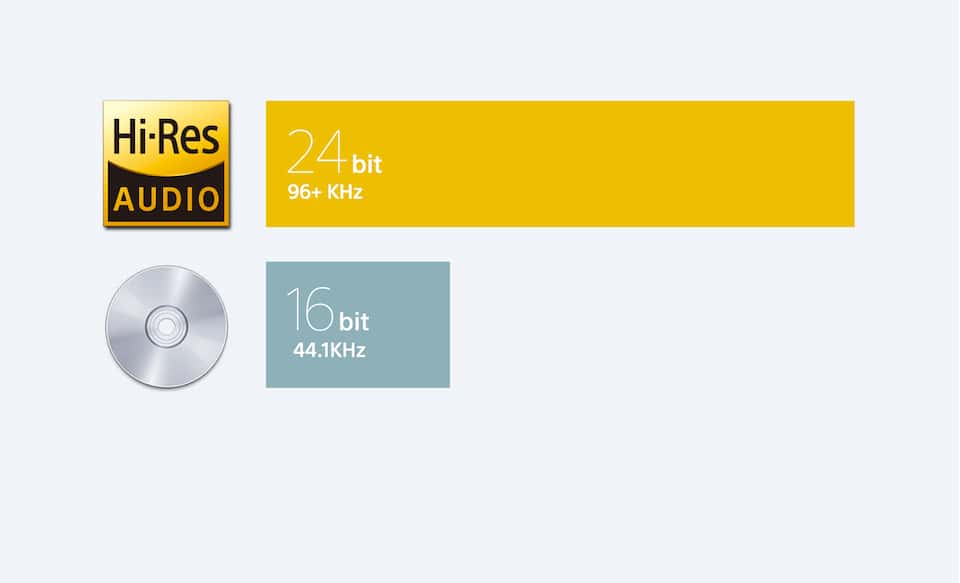
So why do we need a USB DAC? Many PCs on the market today are equipped with a device called a “sound card (chip)” that converts D / A digital signals to produce sound from the built-in speakers. However, most of them only support sample rate / bit conversion up to CD quality (16 bit / 44.1 kHz). In other words, even if you play the “high resolution sound source” as it is on a PC, it will degrade to a grade of CD quality and output, and will not be able to fully bring out the appeal of the high resolution sound source. .
To avoid this, the appeal of high-resolution sound sources is achieved by taking a digital audio signal out of the PC’s USB port via a USB cable and sending the signal to a USB DAC capable of bit D / A conversion. high / high sampling You can reproduce the sound that is extracted. Also, many noise-causing devices are installed inside the PC. Therefore, it is possible to convert the signal with lower noise by performing a D / A conversion externally.
There are devices that have the same functionality as the previous one, but they are compatible with interfaces such as FireWire and Thunderbolt that are used in Mac, but not so many, and USB is now common. You can also enjoy high-resolution sound sources by substituting the audio interface used for recording in place of the USB DAC, but many products have a phone or XLR terminal as the output terminal and connect to a general audio amplifier. You need to convert it to an RCA terminal.