Audio compression


Free Download Mp4Gain
picture

Audio compression

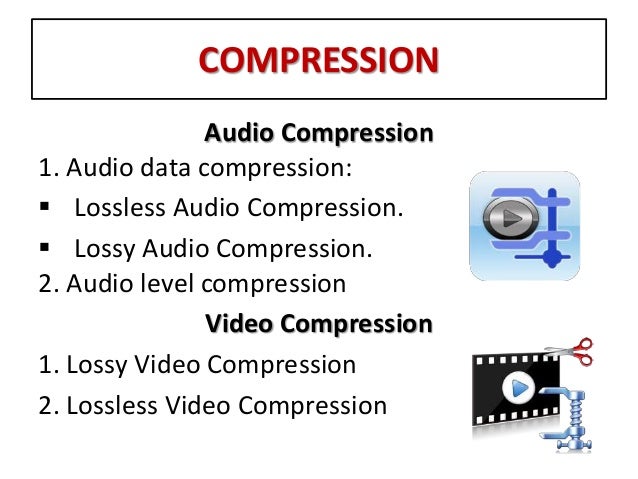
Audio Compression

Well-established data compression methods such as RLE, statistical and dictionary methods can be used to compress lossless audio files, but the result is highly dependent on the specific audio data. Some sounds will compress well with RLE, but poorly with statistical algorithms. Statistical compression is more suitable for other sounds, but with a dictionary approach, on the contrary, expansion can occur. Here is a brief overview of the effectiveness of these three methods for compressing audio files.

Audio Compression

RLE works well with sounds that contain long series of repeating sound chunks – samples. With 8-bit sampling, this can happen quite often. Remember that the voltage difference between two 8-bit samples n and n – 1 is approximately 4 mV. A few seconds of homogeneous music, in which the sound wave changes by less than 4 mV, will generate a sequence of thousands of identical samples. With 16-bit sampling, obviously long repeats are less common and therefore the RLE algorithm will be less efficient.

Statistical methods assign variable length codes to audio samples according to their frequency. With 8-bit sampling, there are only 256 different samples, so the samples can be distributed evenly in a large audio file. A file of this type cannot be compressed well with the Huffman method. With 16-bit sampling, more than 65,000 sound bites are allowed. In this case, some samples may be more common and others less common. With a strong probability skew, good results can be achieved with the help of arithmetic coding.

Dictionary-based methods assume that some phrases will appear frequently throughout the file. This occurs in a text file in which individual words or sequences of them are repeated many times. However, the sound is an analog signal and the values ​​of the specific generated samples are highly dependent on the operation of the ADC. For example, with 8-bit sampling, an 8 mV waveform becomes a numeric sample of 2, but a nearby wave of, say 7.6 mV or 8.5 mV, can be converted to a different number. For this reason, voice snippets that contain overlapping phrases and sound the same to us may differ slightly when digitized. Then they will enter the dictionary in the form of different phrases, which will not give the expected compression. Therefore, dictionary methods are not very suitable for audio compression.

You can achieve better results in lossy audio compression by developing compression techniques that take into account the perception of sound. They remove the part of the data that remains inaudible to the audience. It is like compressing images, discarding information invisible to the eye. In both cases, we assume that the original information (image or sound) is analog, that is, part of the information has already been lost during quantization and digitization. Allowing a little more loss with care will not affect the quality of the uncompressed sound reproduction, which will not differ much from the original. We will briefly describe two approaches called silence suppression and compaction.

The idea behind silence suppression is to treat small samples as if they were not there (i.e. they are zero). Such a zeroing will generate a series of zeros, so the method of suppressing pauses is, in fact, a variant of RLE adapted to audio compression. This method is based on the peculiarity of sound perception, which consists of the tolerance of the human ear to rule out barely audible sounds. Audio files containing long stretches of quiet sound will be better compressed using the silence suppression method than files full of loud sounds. This method requires the participation of the user, who will control the parameters that establish the loudness threshold for the samples. This requires two more parameters, which are not necessarily controlled by the user. One parameter is used to determine the shortest sequences of silent samples, usually 2 or 3. And the second sets the smallest number of consecutive strong samples, when silence or pause occurs. For example, 15 silent samples can be followed by 2 strong and then 13 silent,

Consolidation is based on the property that the ear better distinguishes changes in the amplitude of soft sounds than loud sounds. A typical ADC for computer sound cards uses a linear conversion to convert the voltage into a numerical form. If the amplitude a became n, then the amplitude 2 a will become 2 n.


Free Download Mp4Gain
picture


Mp4Gain Main Window
picture


Mp4Gain Features
picture


Free Download Mp4Gain
picture

In what format is it better to listen to music?

In what format is it better to listen to music?

Music formats

Understanding digital audio formats is not easy. It is even more difficult to come to an unequivocal conclusion in which format it is better to listen to music. If you look at the audio formats comparison table on Wikipedia, your eyes will start to flutter with columns of silent numbers. Let’s try to find out what’s behind this.

MUSIC FORMATS

Let’s make a reservation right away that the article talks ONLY about general characteristics and will not include some details. In the future, Lifehacker will conduct its own unbiased investigation. And today we will try to generalize the already known experience in one way or another.

The analog is good, but short-lived and inconvenient. Therefore, analog media, despite high vinyl sales, will not make a comeback.

Digital audio can be of three main types:

in a format that does not use compression;
in a format that uses lossless compression;
in a format that uses lossy compression.
At first glance, lossless formats show more promise. This is not always the case, as we will discuss in more detail in one of the following materials. Uncompressed formats don’t make any sense other than storing the master recordings needed to create audio content. They are easier to repair. Storing and listening to home recordings is superfluous.

Of the many parameters of digital audio, the user must first be concerned with sample rate (the accuracy of digitizing an analog signal in time), bit depth (the accuracy of digitizing in amplitude – volume) , the bit rate (the amount of information contained in the file per second).

Today we will talk about lossy.

For compressed sound, the concept of the psychoacoustic model is very important: the idea of ​​scientists and engineers about how a person perceives sound. The ear perceives the entire spectrum of acoustic waves that reach it. However, the brain processes the signals.

The reference value of the human audible range is 16 Hz to 20 kHz, but it is not able to hear and be aware of all incoming sounds simultaneously.

Hearing is discreet and your hearing sensitivity is not linear.

Modern psychoacoustic models accurately assess human hearing and are constantly improving. In fact, despite the assurances of music lovers, musicians and audiophiles, to the inexperienced middle ear, the initial appearance of MP3 in the highest quality has become extremely noticeable. There are exceptions, they cannot cease to exist. But they are not always easily noticed by blind listening.

Formats using psychoacoustic compression models
There are many of these formats for lossy audio compression. The most common today are the following.

OGG (Vorbis)
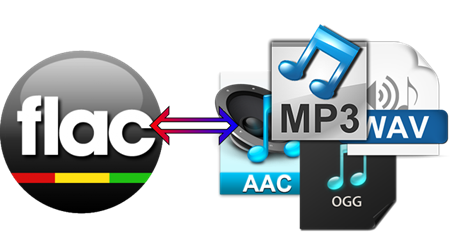
In general, a file with the extension * .ogg is a “container”: it can contain several sound recordings with their own labels and characteristics. Most of the time, the files stored in it are compressed with the Ogg Vorbis codec, although others can be used, including MP3 or FLAC.

Its main advantages include a wide range of possible parameters for encoding: the audio sampling frequency can reach 192 kHz, the bit depth is 32 bits. By default, OGG uses a variable bit rate (although this is not indicated on the properties screen), which can go up to 1000 kbps.

MP3
Unlike the free OGG, MP3 was developed by the Fraunhofer Society, an association of German institutes for applied research, which is very important for modern acoustics. Among audiophiles, by the way, this is an extremely respected office, yet they don’t like to admit it. But its developments are closely watched.

Unlike OGG, it can have variable (VBR) and constant (CBR) bit rate. By the way, it was thanks to MP3 that it was discovered that not all recordings can be encoded with high quality with a variable bit rate (see the above reasons, the encoding algorithms and their results in this case may be different when encoding the same source).

Due to its advanced age, MP3 has significant limitations: the capacity can be 16-24 bits, the sample rate is expressed only in discrete values ​​(8, 11,025, 12, 16, 22.05, 24, 32, 44.1, 48) , the bit rate is limited to 320 kbps. Also, in the normal MP3 version, the number of channels is limited to two.

AAC
The same rake, only in profile. Also developed by the Fraunhofer Society. Later and uses a different, more modern psychoacoustic model. The publicly available information allows us to conclude: yes, they managed to improve their own creation.

What is a video or audio file compression codec?

What is a video or audio file compression codec?

Codec

What is a video or audio file compression codec? Photo 0 You are sitting in front of your computer, watching a video file or listening to music. And suddenly the sound disappeared. Or there is sound, but it is separated from the image. What is the problem? All because you do not have it on your computer or the so-called codecs do not work correctly.

Codec

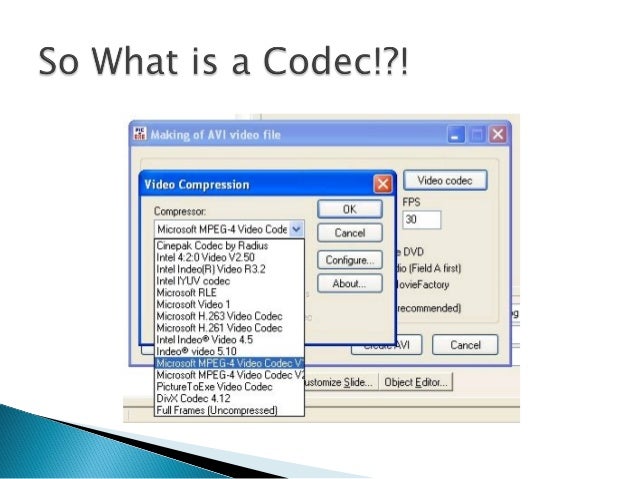
A codec should be understood as a small program whose purpose is to encode, that is, to compress, as well as to decode, that is, to reproduce files from a compressed state. Both video and audio.

Coding is required. After all, multimedia files are very large. First of all, it concerns video files. And there are many drawbacks when it comes to transferring them over the network. By using codecs, you can reduce the original size of media files while maintaining good quality.

And if the computer generates a corresponding error or plays the file with errors, then there is a high probability that the system simply cannot find the program to decode the file. There is no codec, and this is the heart of the problem. Sometimes a message about this may appear and you will be offered to download the codec from the Internet. The offer can be used, however, as experience shows, it is not always possible to download the codec.

Here it is necessary to emphasize the following: codecs do not play multimedia files. Its job is to help the playback of such files in playback programs, for example, the built-in Windows Media Player.

Note that there are players with built-in codecs. They are good because they do not require the additional installation of codecs when playing various audio and video formats. However, sometimes there are not enough codecs built into the players. You need to install additional. And to play this or that file you need a certain codec.

It should also be noted that there is also a problem of interchangeability of some codecs. This is when you can transcode files to any format using different codecs. By the way, you can play a file encoded with one codec using a completely different codec.

Anyone who likes to solve problems in a radical way can be recommended to immediately install all the necessary codecs, that is, their package. A codec pack is a program that allows you to select only the specific codecs and tools that you need right now. You just need to check or uncheck the corresponding boxes. And everything will be fine.

FLAC [Free Lossless Audio Codec] The difference between FLAC and mp3

FLAC [Free Lossless Audio Codec] The difference between FLAC and mp3

FLAC

FLAC (Free Lossless Audio Codec) is a lossless method for compressing the size of digital music information. Read about comparing mp3 and FLAC and then open it.
The file with the * .flac extension can store music compressed using the free lossless audio codec, as well as high-resolution DSD DoP or MQA formats.

Flac

“Lossless” means that “the original and restored digital audio material is completely identical.”

Example:

If the sequence “1234” is compressed in size in a certain sequence (for example, “97”), after unpacking the latter we have again “1234”.

Read on to learn more about audio quality, conversion, playback, and more.

Features> Converters> FLAC sound quality problems> How to play FLAC (software players)> Download FLAC files (examples)> Links> FLAC and iTunes> FLAC or mp3>

In addition to Free Lossless Audio Codec software decoders, there are hardware decoders built into portable audio players (DAPs). Although in reality a DAP or a mobile phone is a small computer that runs a program to encode or decode a music format.

A single large * .flac file can be a music album container along with a CUE index file containing the start time points of each track.

The free lossless audio codec is maintained by the Xiph.Org Foundation.

The open source software libraries at the time of writing are available for Windows, Unix (Linux, * BSD, Solaris, Mac OS X, IRIX), BeOS, OS / 2, Amiga operating systems.

FLAC features

Sampling frequency: up to 384 kHz
Bit resolution: up to 32 bits
Compression type: lossless
Audio compression: compressed / uncompressed (uncompressed, non-standard)
FLAC file size compression ratio / compression ratio: 9 levels
(As a first approximation, the compressed FLAC size is approximately 60% of the original WAV size or more)
Using the FLAC file as a container for other formats – yes
Preservation of text metadata: yes
Save artwork as album art: yes
Save multiple images – yes
Program code: open source

FLAC sound quality problems

Compressed vs uncompressed
One of the most popular and never ending discussions is “FLAC vs WAV Sound Quality”. There is an opinion that WAV sounds better than FLAC.

However, WAV has compatibility issues with displaying metadata with some software. Therefore, uncompressed FLAC was implemented, which supports metadata as standard.

FLAC and WAV contain the exact same digital material. Therefore, FLAC and WAV should sound exactly the same.

FLAC in your hands!

FLAC in your hands!

FLAC

No matter how malicious the copyright holders are, we won’t stop copying AudioCD, if only because we don’t want to wear down the licensed disc again. It’s more expensive to store music on analog media – vinyl and magnetic tapes deteriorate fairly quickly, and CDs tend to get scratched or even broken on faulty drives. What has already been copied (digitized), in most cases, are popular MP3 files (less often OGG or even less often WMA). At the same time, most citizens do not think about the very real mockery of sound that occurs when converting music into compressed formats. The best option is to keep your favorite works unchanged.

FLAC

If we use a CD ripper and tell it to rip audio tracks to WAV files, we end up with what was originally burned on the audio CD (of course, we don’t take disc read errors into account). But the size! Even now, when the cost of 1TB hard drives has dropped below $ 100, it cannot be forgotten that the volume of “captured” WAV files from an audio CD reaches 700MB. Now let’s go back to the days when 10GB hard drives were considered a luxury and understand the motivation behind compressed formats. But at what cost did they achieve such impressive results? And where is the line that is best not to cross to maintain maximum sound quality? We will talk about this. But first, a little theory …

It is usual to subdivide the coding algorithms into two groups: with and without loss of information. The advantage of the latter is that the signal will be extracted in the same way as before compression.

“Digital” vs. “analog” recordings are not subject to the changes that analog audio media undergoes. Tracks are stored in binary form and transmitted in the form of electrical pulses that have only two values, “1” or “0”: the signal is present or absent. If interference occurs, even though it may affect the signal, digital circuitry can still detect whether it is present (“1”) or not (“0”). This is the main advantage of digital technology over analog technology: “Digital technology allows you to store and replicate records for an unlimited time without loss of quality.

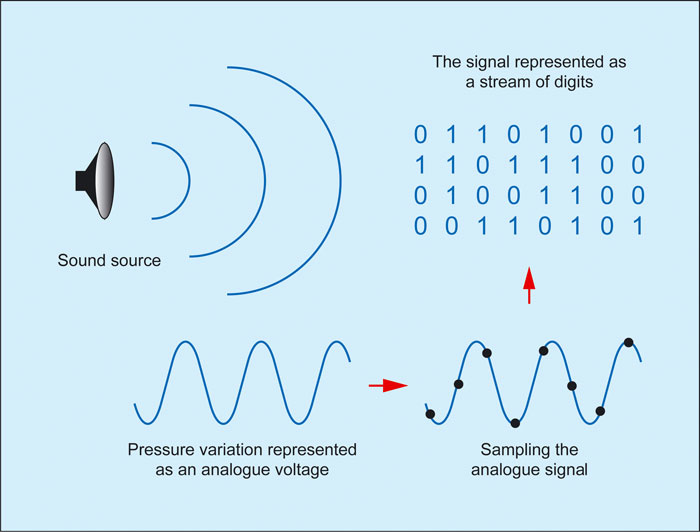
Digitizing the sound supplied to the line input of a sound card is done in three stages. In the first stage (sampling), the signal is divided into many millions of elements, the number of which depends on the sampling frequency, which is measured in kilohertz (kHz). For example, a sample rate of 48 kHz means that every second of the analog signal has been divided into 48,000 samples. The higher the sampling frequency, the more elements the original analog audio signal will be divided, the more accurate the conversion, and the higher the quality of the digitized audio.

In the second stage (quantization), each element of the sampled signal is assigned a certain numerical value corresponding to its amplitude. This number can vary within certain limits, for example, from 0 to 16,535. With such quantization, 16,535 signal levels are possible (this type of quantization is called 16 bits or 16 bits (16,535 = 216). The resulting quantization is not binary, but decimal. Each decimal number is stored in computer memory in binary form: for example, the number “1” as “00000001” and “2” as “00000010”. The digitization of sound is called “Pulse Code Modulation” (PCM), since the audio signal is represented as a series of pulses of constant frequency, the amplitude of which is encoded in decimal numbers, that is, in the form of digital.

Finally, the third stage is encoding (compression). During it, the resulting sequence of numbers is archived according to a specific algorithm. The most popular digital audio compression format today is the one developed by the Institute. Comrade Fraunhofer IIS, www.iis.fraunhofer.de/amm) MPEG Layer3, or more commonly MP3. With high-quality encoding of individual blocks (bit rate up to 320 Kbps), only mathematical compression algorithms are used. At the same time, the quality does not suffer, but the file size is reduced by only four times, that is, we have a compression ratio like what a normal filing cabinet would give.

How is file compression done?

How is file compression done?

Audio and Video Compression

As there are many computers, their owners do not have enough memory on internal and removable drives to accommodate their data. The rapid growth of disk volumes does not solve this problem. If 10 years ago we did not have 20 megabytes on the hard drive, today 20 gigabytes are the same.

Audio and Video Compression

The size of the programs and data we use grows with the growth of hard drives. We can already afford to store a library of tens of thousands of books on our hard drive. But we can store music compositions on the hard drive for several hundred hours of sound and video, only a few tens of hours of viewing. Therefore, the problem of archiving or compressing data is still as urgent as it was 10 and 20 years ago.

How does information compression occur?

Let’s give you, as usual, a rough but understandable analogy. Data compression is similar to the production of powdered milk or dried fruit. That is, it is the process of removing water, which can then be added to give the product its original appearance.

And what kind of water can there be in the data? This water is informative. There are many repetitions in the data. This can be used to compress data.

For example, compressing text files goes something like this. A table of words and expressions found in the text is compiled. Then all the words and expressions in this table are given numbers. And all the text in the file is replaced with numbers from the word and expression table. This method allows you to reduce the size of a text file 2-3 times. Sometimes the text is compressed up to 10 times, if there are many repetitions in it.

A program that converts a text file into a “compressed” format is called a wrapper. And the file resulting from compression is called a packed or compressed file.

Compressed files are often called archives or archives, which is, strictly speaking, a misnomer. The files were originally called files that were created especially during backup processes. During this process, a single file was created, containing multiple source files and folders. This was the file. Compression was not performed. A similar situation still exists in the Linux operating system, where archiving and data compression are two independent processes. In the MS-DOS operating system, and later in MS Windows, the data compression programs of their early versions began to support both compression and data archiving, that is, they created a compressed file that contained not one, but several source files and folders (archived). … Since then, in these operating systems, the concept of ”

Since the archive file is not written in text format, text editors cannot work with it. Before opening the archive file with a text editor, this archive must be unzipped. The decompression is done using the same program: a filing cabinet. After unzipping, the text file takes on exactly the same look and size as before.

Text filing cabinets can also archive program files. Only programs are much less compressed than text.

The packers used to compress text and programs cannot efficiently compress audio, graphics, or video files. Other more complex algorithms have been developed for its compression. However, after unpacking, the resulting files differ slightly from the originals (this compression is called lossy compression). But the common human ear does not pick up on this and the common eye does not notice it on the monitor screen.

A brief history of filing cabinets
From what I remember, the first popular data file cabinet was the file cabinet named “ARJ”. Created archive files with a similar extension “ARJ”. It was in the late 80s, early 90s of the last century. These files are still in existence today. They are generally written in DOS encoding.

Then the two most popular archivers on the territory of the CIS appeared: “RAR” and “ZIP”. They are now represented by the “WinRAR” and “WinZIP” programs. Also, the “WinRAR” program can create both “RAR” and “ZIP” archives. And “WinRAR” can unzip files from a dozen formats. In this sense, “WinRAR” is for us a universal and convenient (but not free) archiver.

Sound under pressure

Sound under pressure

Audio File Formats

Computer sound has long since emerged from that embryonic state, when it was only present for the show, unable to compete with specialized equipment. Today, many sound cards, even middle class, are far above their rivals in the face of not so mediocre hi-fi. Recently, there are also fewer and fewer problems with acoustics; At such a rate, in a few years, the entire breeding road will finally turn into a true hi-hi. But in addition to the path, there is also a file format, in the choice of which, due to ignorance, users are often really limited. The purpose of this article is to get rid of these limitations.

Audio File Formats

Gone are the days when it was impossible to distinguish a violin from a cello in computer acoustics, but the saying “CD Quality – MP3 128 kbps” has remained, and for some it is not so archaic. Meanwhile, the most common formats are Wav (also known as CDA) or MP3. However, uncompressed PCM (Wav and CDA) has too large a file size and MP3 is compressed with loss of quality. But there are alternatives and more than one. Let’s take a look at the most popular and high-quality formats / codecs.

First, let’s divide all codecs into two groups based on compression: lossless and lossy. The former operate on the principle of filing cabinets, for example RAR: a file compressed in this way loses weight by up to 50%, and the entire original is reproduced during playback, before compression. Lossy compression algorithms exclude “unnecessary” information from the original signal and then compress it, which is why the original signal cannot be fully restored; JPEG compression is an example. Now in more detail.

At a loss

MP3

Perhaps, as with the most popular ones, let’s start with MP3, also known as MPEG-1 layer 3. We compress test snippets with lame, the highest quality of all MP3 codecs. In the snippet with the classics, we see that there is no upper cutoff frequency as such, that’s great! However, in the most “powerful” (noisy) places, the upper part (from 18 kHz) is consumed. Such dynamics processing is quite strange for hearing and auditory logic, but for a computer it is easy to explain: just as the overall signal density increases, it grows almost throughout the entire range and therefore one more channel is required. wide to pass all the flow. But since the channel is fixed (we compress in CBR, with a constant bit rate, 320 kbps), for normal encoding of the mids and bass, you need to reduce the treble. A snippet with modern music is practically indistinguishable from the original, just a small cut in the frequencies for which real high fidelity is needed, in which you will definitely not remember the MP3, in addition to the frequency response, there are still many characteristics spoiled by compression. Compressed file size: classic – 6.11 MB, modern music – 6.11 MB.

WMA 9

The format promoted by Bill Gates is not yet popular: firstly, it supports DRM (copy protection), and secondly, of all the lossy codecs considered here, it provides the weakest sound quality. With almost the same dimensions as with other formats, making a hard cut at the top above 20 kHz, as well as cutting the top based on the overall level (similar in effect to Dolby noise suppressors) is not very good in our opinion. Compressed at 320 kbps, WMA 9 (non-professional). Compressed file size: classic – 6.14 MB, modern music – 6.12 MB.

OGG Vorbis

Open source codec with good sound quality and safely taking second place. It has a floating cutoff frequency (but within reasonable limits) of the order of 20 kHz. It is true that in this case we set the bit rate at 350 kbps … It has one more drawback: longer encoding time. Compressed file size: classic – 6.70 MB, modern music – 6.65 MB.

The winner of this nomination is the one with the closest sonogram to the wav file sonogram. Therefore, MP3 is still the winner. However, it should be noted that the codec is different, and even those that work according to the same algorithm. For example, the same MP3 is lame, there is Fraunhofer and Xing, the latter being the fastest, but also with the most terrible sound quality (the cutoff is 16 kHz).

No loss of quality, no loss

FLAC (Lossless Audio Compressor)

One of the most popular formats for lossless audio compression is the FLAC codec. The main advantages of this audio codec are its constant updating and, of course, multiplatform: FLAC is ported to many platforms.

How are audio file formats different and what does this mean for listeners?

How are audio file formats different and what does this mean for listeners?

Music File Formats

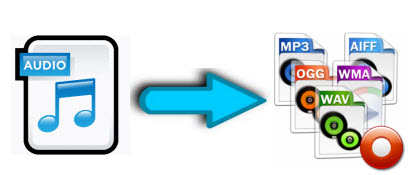
Explanation of MP3, AAC, WMA, FLAC, ALAC, WAV, AIFF and PCM

audio file formats

Most devices are capable of playing a wide variety of digital media formats out of the box, often without the need for software or firmware updates. If you flip through the product guide, you might be surprised how many different types there are.

What makes them different from each other? Should it be important to you?

Music file formats
When it comes to digital music, does the format really matter? Answer: it depends.

There are compressed and uncompressed audio files that may or may not have quality loss. Lossless files can be huge in size, but if you have enough storage space (such as a PC or laptop, network drive, media server, etc.) and have high-quality audio hardware, there are advantages to using without compress or lossless sound,

But if there isn’t enough space, like on smartphones, tablets, and portable players, or if you plan to use basic headphones or speakers, then all you need are smaller compressed files.

Not due to illness: here is Norkina’s real cause of death
The coronavirus will soon disappear: dates announced
So how do you choose? Here is a breakdown of common format types, some of their important features, and the reasons why you should use them.

-MP3: Developed by the Moving Picture Experts Group (MPEG), an organization that develops standards for encoded video and audio programs, MPEG-1 / MPEG-2 Layer 3 (MP3) is perhaps the most common type of audio file and compatible.
MP3 is a lossy and compressed audio format with a bit rate ranging from 8 kbps to a maximum of 320 kbps and a sampling frequency of 16 kHz to a maximum of 48 kHz. Smaller MP3 file sizes mean faster file transfers and less space used, but at the cost of slightly lower audio quality than lossless file formats.
-AAC: Popular on Apple iTunes, Advanced Audio Coding (AAC) is similar to MP3, but has an added benefit:
-AAC is a lossy compressed audio and audio format, with bit rates ranging from 8 kbps to a maximum of 320 kbps, and sampling rates from 8 kHz to a maximum, with the correct encoding process, 96 kHz.
AAC files can offer the same audio quality as MP3 and take up less space. ACC also supports up to 48 channels, while most MP3 files can only handle two. AAC is widely compatible with, among others, iOS, Android, and portable gaming devices.
-WMA. Developed by Microsoft as a competitor to MP3, Windows Media Audio files offer similar but proprietary capabilities. Standard WMA is a lossy and compressed audio format, although newer standalone versions with more advanced codecs may offer a lossless option.
While many types of portable and home entertainment media players support WMA files by default, only some mobile devices, such as smartphones and tablets, support it. Many require downloading a compatible application to play WMA audio, which can make it less convenient than MP3 or AAC.
-FLAC. Developed by the Xiph.Org Foundation, the free lossless audio codec (FLAC) is very attractive due to its free license and open format.
-FLAC is a lossless, compressed audio format with file quality up to 32-bit / 96 kHz (for comparison, CD is 16-bit / 44.1 kHz). FLAC has the advantage of a reduced file size (approximately 30-40 percent smaller than the original data) without the need to sacrifice sound quality, making it ideal for digital archiving (that is, using it as master copy to create compressed / lost files for general listening).
-ALAC: Apple’s version of FLAC, Apple Lossless Audio Codec (ALAC), shares FLAC in terms of sound quality and file size.
-ALAC is a lossless compressed audio format. It is also fully compatible with iOS and iTunes devices, although FLAC may not be supported. As such, ALAC is the most used by those who use Apple products.
-WAV: Waveform audio file format, also developed by Microsoft, is a standard for Windows-based systems and is compatible with various software applications.

What is digital audio?

What is digital audio?

Digital Audio

Digital sound is nothing more than a combination of numbers. With a certain algorithm, sound, such as air pressure, is converted into data streams and encoded for further processing and playback. Depending on the algorithm used, the music file has one format or another, one or another extension.

Analog Vs. Digital Sound

Remember that along with digital sound, there is analog sound, which is represented by a continuous electrical signal that reflects the change in the sound wave. The analog to digital sound conversion is a setting of the numerical value of the amplitude at a given time with a given density of values. Consequently, the more values ​​that are recorded, the more reliable and accurate the image of the digitized sound fragment is recreated. With such digitization, very voluminous data matrices emerge that, depending on the format used, differ in the sound quality / volume ratio of the final file.

Perhaps the main advantage of digital audio over analog is the ability to store and copy data indefinitely without losing the original quality (whereas when copying from one analog medium to another, a decrease in recording quality is quite noticeable).

The most widespread and popular digital audio format today is MP3 (MPEG Layer 3). It was developed, after a series of intermediate formats and investigations, started in 1987, by the Fraunhofer Institute in Germany.

The developers of the format were faced with the task of simplifying and reducing the cost of shipping long musical fragments. As you know, one minute of a stereo signal from a CD (16 bit, 44.1 kHz sample rate) takes up about ten megabytes of memory. At the same time, unlike text or graphic files, the audio signal cannot be compressed without loss of quality. Thus, modem transmission of an uncompressed composition from an audio CD lasting 3 minutes at a data transfer rate of, say, 24 kbps will take several hours. Scientists at the Fraunhofer Institute managed to achieve multiple file size compression: on average, one minute of a compressed audio signal in MP3 format takes about 1 megabyte. The principle of compression is based on the elimination of “unnecessary” sounds from the music file, to which the human ear is immune, or that duplicate each other.

The main factor that determines the relationship between file size and sound quality within a given format is the bit rate. Bit rate is an indicator of how much information a second of sound encodes. The higher it is, the less distortion and the closer the encoded composition is to the original. The most common on the Internet are compositions with 128 and 192 Kbps bitrates. The maximum bitrate supported by programs and devices that work with MP3 is 320 Kbps. In practice, only an expert or a professional who works with sound can notice the differences between an MP3 file with a 320 bit rate.

To optimize the size of MP3 music files while maintaining decent quality, a variable bit rate (abbreviation VBR – variable bit rate) is used. In this case, the encoding program divides the file into fragments of different spectral saturation and encodes them with a suitable bit rate. Most modern MP3 players support variable bit rate playback. A significant advantage of MP3 files is that they can contain the name of the artist, the name of the track and the album, the year of its release, etc. The set of this data is called ID3 tags. Most modern gamers can read and display them on the screen.

In 2001, Swedish Coding Technologies and Thomson Multimedia developed the MP3 Pro codec. It is MP3-based and as a result is fully MP3 backward compatible and only partially forward compatible. It uses SBR (Spectral Band Replication) technology, so the codec provides good quality at low bit rates. However, the encoding quality at medium to high bit rates is inferior to that of most other codecs. For this reason, this format is mainly used for broadcasts on the Internet and demonstrations of fragments of new musical compositions.

Another type of MP3 was the development of MP3 Surround, recently introduced by the creators of MP3: the Fraunhofer Institute. This format repeats all the characteristics of multichannel sound, while still being compatible with standard stereo MP3: information describing the spatial characteristics of the sound is recorded on an additional track. By playing files of this format on special equipment capable of reading this track, you can obtain surround sound that conforms to the Surround 5.1 standard.

In plain language about how file compression works

In plain language about how file compression works

file compression

File compression allows you to transfer, receive and store large files faster. It’s used everywhere, and you probably know it well – the most popular compressed file extensions are ZIP, JPEG, and MP3. This article will take a quick look at the main types of file compression and how they work.

file compresion

What is compression?

Compressing a file is reducing its size while preserving the original data. In this case, the file takes up less space on the device, which also makes it easier to store and transfer it over the Internet or otherwise. It is important to note that compression is not unlimited and is generally divided into two main types: lossy and lossless. Let us consider each of them separately.

Lossy compression

This method reduces the file size by removing unnecessary bits of information. It is most often found in image, video and audio formats where there is no need for a perfect representation of the source media. MP3 and JPEG are two popular examples. But lossy compression is not entirely suitable for files where all information is important. For example, in a text file or spreadsheet, it will produce garbled output.

MP3 does not contain all the audio information of the original recording. This format eliminates some sounds that people cannot hear. You will notice that they only disappear on professional computers with very high sound quality, so for normal use, removing this information will reduce the file size with little or no inconvenience.

Also, JPEG files remove non-critical portions of images. For example, in an image with a blue sky, JPEG compression can change all the pixels to one or two shades of blue instead of tens.

The more you compress the file, the more noticeable the decrease in quality becomes. You have probably noticed this while listening to low quality MP3 music uploaded to YouTube. For example, compare a high-quality music track to a highly compressed version of the same song.

Lossy compression is suitable when the file contains more information than is necessary for your purposes. For example, suppose you have a huge RAW image file. It is advisable to maintain this quality to print the image on a large banner, but uploading the original file to Facebook will not make sense. The image contains a lot of data that is not visible when viewed on social media. Compressing the image to high-quality JPEG excludes some information, but the image looks almost like the original.

When saving in a lossy format, you can often set the quality score. For example, many image editors have a slider to select JPEG quality from 0 to 100. Savings of 90 percent or 80 percent result in a small reduction in file size with little visual difference. But saving in poor quality or saving the same file again in lossy format will make it worse.

The result was saved in JPEG format with 50% quality. It doesn’t look too bad. You can only notice artifacts around the edges of the frames when you zoom. 310 KB:

Where is lossy compression used?
As we mentioned, lossy compression is great for most media. This is extremely important for companies like Spotify and Netflix, which constantly stream large amounts of information. Reducing the file size as much as possible while maintaining quality makes them work more efficiently.

Lossless compression
Lossless compression allows you to reduce file size so that you can restore the original quality later. Unlike lossy compression, this method does not remove any information.

Lossless file compression illustration

This is a simple illustration of how to perform lossless compression. The same information is stored more efficiently. Consider a real file: mmmmmuuuuuuuoooooooooooo. It can be compressed to a much shorter form: m5u7o12. This allows 7 characters instead of 24 to represent the same data.

Where lossless compression is used

ZIP files are a popular example of lossless compression. Storing information in the form of ZIP files is more efficient, and when you unzip the file, all the original information is there. This is true for executable files, because after lossy compression the unzipped version will be corrupted and unusable.

Other common lossless formats are PNG for images and FLAC for audio. Lossless video formats are rare because they take up a lot of space.