M4A Audio Format: Internal workings explained


Free Download Mp4Gain
picture

M4A Audio Format: Internal workings explained

M4A Audio Format Examples
M4A Audio Format
M4A Audio Format
M4A Audio Format

Understanding M4A Audio Format

I remember the first time I came across an M4A file. I was confused about what it was and how it worked. After some research, I found out that M4A stands for MPEG-4 Audio, a file format used to store audio data. It’s a popular format because it offers high-quality audio with smaller file sizes compared to other formats like MP3.
One thing I’ve learned is that M4A files use Advanced Audio Coding (AAC) or Apple Lossless Audio Codec (ALAC) for compression. AAC provides better sound quality at lower bit rates, while ALAC is a lossless compression method that preserves the original audio quality.
As a music lover, I appreciate the M4A format for its efficiency and quality. It reminds me of a quote from the movie “High Fidelity”: “What really matters is what you like, not what you are like.” The same goes for audio formats – it’s all about personal preference.

M4A File Structure Explained

When I started digging deeper into the M4A format, I discovered that it’s based on the ISO base media file format. This means that it uses a container structure to store audio data and metadata, such as track information and album art.
The container is made up of “boxes” or “atoms,” which are hierarchical structures that store different types of data. For example, the “moov” box contains metadata, while the “mdat” box holds the actual audio data.
Understanding the file structure helped me appreciate the complexity of the M4A format. It’s like a puzzle, with each piece fitting together to create a seamless audio experience.

How M4A Audio Files Work

As I mentioned earlier, M4A files use AAC or ALAC for compression. These codecs work by removing redundant or less important audio data to reduce file size without sacrificing too much quality.
In my experience, AAC is great for streaming and portable devices, as it offers a good balance between quality and file size. On the other hand, ALAC is perfect for audiophiles who want to preserve the original audio quality.
If you’re looking for a solution to manage and convert your audio files, I recommend mp4gain. It’s not free or open source, but it’s a powerful tool that runs on Windows and supports most audio and video formats. Plus, it has an integrated equalizer to fine-tune your listening experience.

Inside the M4A Audio Format

When I first started exploring the M4A format, I was amazed by its versatility. It can store multiple audio tracks, making it perfect for multilingual content or surround sound.
Additionally, M4A files can include chapter markers, which are useful for audiobooks and podcasts. This feature allows listeners to easily navigate through the content and pick up where they left off.
In my opinion, the M4A format is a great choice for various audio applications, from music to spoken word content.

M4A Audio Format Mechanics

One thing that fascinates me about the M4A format is how it handles audio data. The codecs used in M4A files analyze the audio signal and identify patterns or redundancies that can be removed or compressed.
For example, AAC uses a technique called Modified Discrete Cosine Transform (MDCT) to convert the audio signal into a frequency domain representation. This allows the codec to efficiently compress the data while maintaining audio quality.
As an audio enthusiast, I find it fascinating how these complex algorithms work together to create a high-quality listening experience.

M4A Audio Format Breakdown

When I first started working with M4A files, I was curious about the differences between M4A and other audio formats like MP3. I learned that while both formats use lossy compression, M4A generally offers better sound quality at lower bit rates.
Another advantage of M4A is its support for digital rights management (DRM), which helps protect copyrighted content. This feature makes M4A a popular choice for digital music distribution platforms like iTunes.
Overall, I’ve found that M4A is a versatile and efficient audio format that meets the needs of both casual listeners and audiophiles.

Final Words

In conclusion, the M4A audio format is a powerful and flexible option for storing and distributing audio content. Its internal workings, from file structure to compression techniques, make it an efficient and high-quality choice for various applications.
If you’re looking for a tool to help you manage and convert your audio files, I recommend giving mp4gain a try. It’s been a game-changer for me, and I’m sure it will be for you too.


Free Download Mp4Gain
picture


Mp4Gain Main Window
picture


Mp4Gain Features
picture


Free Download Mp4Gain
picture

What is the Role of the Vorbis Codec in OGG Files?

What is the Role of the Vorbis Codec in OGG Files?

OGG Files
OGG Files
OGG Files
OGG Files

Understanding the OGG File Format

As a music enthusiast, I have always been interested in the different audio file formats available. One of the formats that I have come across is the OGG file format, which is a container format for digital multimedia content. OGG files can contain audio, video, and metadata, and are often used for streaming media over the internet.
One of the key features of the OGG file format is its use of open-source codecs, such as the Vorbis codec. The Vorbis codec is a free and open-source audio compression codec that was developed by the Xiph.Org Foundation. It is designed to provide high-quality audio at lower bitrates than other codecs, such as MP3.

The Role of the Vorbis Codec in OGG Files

The Vorbis codec plays a crucial role in the OGG file format, as it is responsible for compressing the audio data in the file. This compression allows for smaller file sizes, which makes it easier to stream and share media over the internet.
One of the advantages of the Vorbis codec is its ability to provide high-quality audio at lower bitrates than other codecs. This is achieved through a process called perceptual audio coding, which takes advantage of the human ear’s limited ability to perceive certain sounds.

Final Words

In conclusion, the Vorbis codec plays a vital role in the OGG file format, as it is responsible for compressing the audio data in the file. This compression allows for smaller file sizes and higher quality audio at lower bitrates. As an open-source codec, Vorbis is a popular choice for those who value free and open-source software. If you are looking for a high-quality audio codec for your media files, then the Vorbis codec is definitely worth considering.
Vorbis codec, OGG files, role of Vorbis codec, audio compression, OGG file format, Vorbis vs MP3, open-source codecs, audio quality, Xiph.Org Foundation, perceptual audio coding, streaming media, internet, digital multimedia content, smaller file sizes, free and open-source software, high-quality audio.

AVI vs MP4: Understanding the Differences

AVI vs MP4: Understanding the Differences

AVI vs MP4
AVI vs MP4
AVI vs MP4
AVI vs MP4

AVI File Format

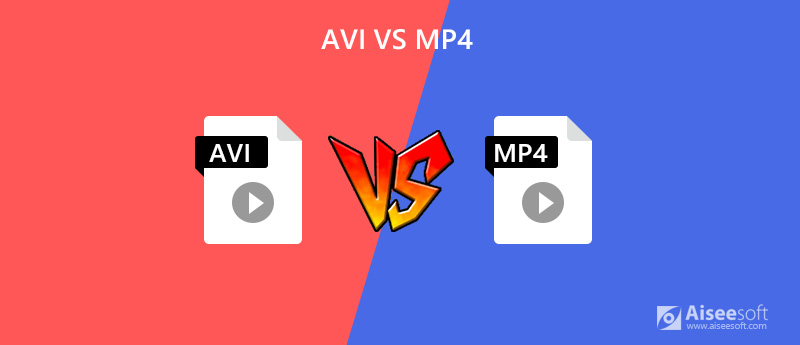
As a video editor, I have worked with many different file formats, including AVI and MP4. AVI, which stands for Audio Video Interleave, is a file format that was developed by Microsoft in 1992. It is a popular format for storing video and audio data on a computer. One of the main advantages of AVI is that it is compatible with a wide range of media players and devices.
However, one of the disadvantages of AVI is that it can be a large file size, which can make it difficult to share or upload online. Additionally, AVI does not support some of the newer video codecs, which can result in lower quality video.

MP4 File Format

MP4, on the other hand, is a newer file format that was developed by the Moving Picture Experts Group (MPEG) in 1998. It is a popular format for storing video and audio data on mobile devices and the internet. One of the main advantages of MP4 is that it is a smaller file size than AVI, which makes it easier to share and upload online.
Additionally, MP4 supports newer video codecs, which can result in higher quality video. However, one of the disadvantages of MP4 is that it may not be compatible with older media players and devices.

AVI vs MP4: Which is Better?

When it comes to choosing between AVI and MP4, it really depends on your specific needs and preferences. If you need a format that is compatible with a wide range of media players and devices, then AVI may be the better choice. However, if you need a format that is smaller in file size and supports newer video codecs, then MP4 may be the better choice.
In my personal experience, I have found that MP4 is the better choice for sharing and uploading videos online. It is a smaller file size and supports newer video codecs, which results in higher quality video. However, I still use AVI for certain projects that require compatibility with older media players and devices.

Final Words

In conclusion, understanding the differences between AVI and MP4 is important when it comes to choosing the right file format for your video projects. While AVI is a popular format for storing video and audio data on a computer, MP4 is a newer format that is better suited for sharing and uploading videos online. Ultimately, the choice between AVI and MP4 depends on your specific needs and preferences.
AVI, MP4, differences, file format, video codecs, compatibility, media players, devices, smaller file size, higher quality video, sharing, uploading, online, computer, MPEG, Moving Picture Experts Group, codec, projects, personal experience, choice, specific needs, preferences.

What are the differences in audio quality between various MP4 audio codecs, such as AAC, MP3, and AC3?

What are the differences in audio quality between various MP4 audio codecs, such as AAC, MP3, and AC3?

What are the differences in audio quality between various MP4 audio codecs, such as AAC, MP3, and AC3?

Lossy Audio Compression: Understanding the Basics

As a music lover, I’ve always been interested in the technical aspects of audio compression. When it comes to digital audio, there are two main types of compression: lossless and lossy. Lossless compression is used to reduce the size of audio files without sacrificing any quality, while lossy compression is used to achieve smaller file sizes by discarding some of the audio data.

Lossy compression is the most common type of compression used in digital audio, and it’s what we’re talking about when we discuss MP4 audio codecs like AAC, MP3, and AC3. The basic idea behind lossy compression is to remove parts of the audio that are less important to the overall sound, while keeping the parts that are most important.

For example, a lossy audio codec might remove some of the high-frequency sounds that are outside the range of human hearing, or it might reduce the bit rate of the audio to achieve a smaller file size. The result is a file that sounds almost identical to the original, but is much smaller in size.

The Differences Between AAC, MP3, and AC3

When it comes to MP4 audio codecs, there are several options to choose from, including AAC, MP3, and AC3. Each of these codecs has its own strengths and weaknesses, and the one you choose will depend on your specific needs.

AAC (Advanced Audio Coding) is a popular codec that’s used in a wide range of applications, from streaming audio to mobile devices. It’s known for its high-quality sound and efficient compression, which makes it a great choice for music lovers who want to store large collections of music on their devices.

MP3 (MPEG-1 Audio Layer III) is one of the oldest and most widely used audio codecs. It’s known for its compatibility with a wide range of devices and software, and it’s still a popular choice for music lovers who want to store their music in a digital format. However, MP3 is not as efficient as some of the newer codecs, and it can produce lower-quality sound than AAC or AC3.

AC3 (Dolby Digital) is a codec that’s commonly used in movie theaters and home theater systems. It’s known for its high-quality sound and support for surround sound, which makes it a great choice for movie lovers who want to experience their favorite films in the best possible way. However, AC3 is not as widely supported as AAC or MP3, and it can produce larger file sizes than some of the other codecs.

Choosing the Right Codec for Your Needs

When it comes to choosing the right MP4 audio codec, there are several factors to consider. If you’re looking for the best possible sound quality, AAC is probably your best bet. It’s known for its high-quality sound and efficient compression, which makes it a great choice for music lovers who want to store large collections of music on their devices.

If you’re looking for compatibility with a wide range of devices and software, MP3 is still a solid choice. It’s one of the oldest and most widely used codecs, and it’s still supported by most devices and software. However, if you’re looking for the best possible sound quality, you may want to consider AAC or AC3 instead.

Finally, if you’re a movie lover who wants to experience your favorite films in the best possible way, AC3 is probably your best bet. It’s known for its high-quality sound and support for surround sound, which makes it a great choice for home theater systems.

Final Words

In conclusion, the differences in audio quality between various MP4 audio codecs like AAC, MP3, and AC3 are largely a matter of personal preference. Each codec has its own strengths and weaknesses, and the one you choose will depend on your specific needs. Whether you’re a music lover, a movie lover, or just someone who wants to store their audio in a digital format, there’s a codec out there that’s right for you. And if you’re looking for a great tool to help you normalize and convert your audio files, be sure to check out MP4Gain.

How does the bit depth impact the dynamic range and audio fidelity in digital formats?

How does the bit depth impact the dynamic range and audio fidelity in digital formats?

audio bit depth
audio bit depth
audio bit depth
audio bit depth

Bit depth’s influence on dynamic range and audio quality

I remember when I first started learning about digital audio formats, I was curious about how bit depth affected the overall sound quality. It turns out that bit depth plays a significant role in determining the dynamic range and audio fidelity of digital audio files. The higher the bit depth, the more accurately the audio signal can be represented, resulting in a more detailed and accurate sound.

As a musician, I’ve always been fascinated by the science behind sound. I once read a quote from the famous composer John Cage that said, “There is no such thing as an empty space or an empty time. There is always something to see, something to hear.” This idea resonates with me, as it highlights the importance of capturing every nuance of sound in digital audio formats.

In my experience, working with higher bit depths has allowed me to create richer, more immersive audio experiences for my listeners. The increased dynamic range and audio fidelity make a noticeable difference in the final product.

How bit depth affects audio fidelity in digital formats

When I first started experimenting with digital audio, I didn’t realize how crucial bit depth was to the overall sound quality. Bit depth refers to the number of bits used to represent each audio sample in a digital file. The more bits used, the greater the audio fidelity, as there are more possible values to represent the audio signal.

I recall watching a documentary about the history of digital audio, where an expert explained that “the higher the bit depth, the closer the digital representation is to the original analog signal.” This made me realize the importance of using higher bit depths to achieve the best possible audio quality.

In my own projects, I’ve found that using a higher bit depth results in a more accurate and detailed sound. It’s especially noticeable when working with complex audio material, where the nuances of the sound can be more easily captured and preserved.

The role of bit depth in digital audio dynamic range

Dynamic range is another critical aspect of digital audio quality that is directly influenced by bit depth. The dynamic range refers to the difference between the quietest and loudest parts of an audio signal. A higher bit depth allows for a greater dynamic range, as there are more possible values to represent the varying levels of loudness.

I’ve always been a fan of movies with powerful soundtracks, and I remember a quote from the film “Amadeus” that stuck with me: “Music is not just about notes, but also the spaces between them.” This idea applies to dynamic range as well, as it’s essential to capture the full spectrum of sound, from the quietest whispers to the loudest explosions.

In my own audio projects, I’ve noticed that working with higher bit depths allows me to create more dynamic and expressive soundscapes. The increased dynamic range provides a more immersive and engaging listening experience for my audience.

Final words

In conclusion, bit depth plays a crucial role in determining the dynamic range and audio fidelity of digital audio formats. A higher bit depth allows for a more accurate representation of the audio signal, resulting in a more detailed and immersive sound. As a musician and audio enthusiast, I’ve found that working with higher bit depths has significantly improved the quality of my projects.

If you’re looking to enhance the audio quality of your own projects, I highly recommend using a tool like mp4gain. While it’s not free or open-source, and only runs on Windows, it’s a powerful normalizer and converter for major audio and video formats. With its integrated equalizer, mp4gain can help you achieve the best possible audio quality for your projects.