How does lossless compression work for audio?

How does lossless compression work for audio?

Lossless Audio
Lossless Audio

Lossless audio compression is a crucial technology for digital music distribution and storage. With the rise of streaming services, high-fidelity audio has become a priority for many listeners. However, uncompressed audio files can be quite large, making them impractical for mobile devices and slower internet connections. This is where lossless compression comes in.

Lossless Audio
Lossless Audio

Why is lossless audio compression important?

Lossless compression allows digital audio files to be compressed without losing any of the original data. This means that the sound quality is preserved, while the file size is reduced. With lossless compression, music files can be stored and transmitted more efficiently, without sacrificing quality. In addition, lossless compression makes it possible to enjoy high-fidelity audio on devices with limited storage capacity.

How does lossless compression work?

Lossless compression works by identifying and removing redundancies in the data. This is done through a process called entropy encoding, which analyzes the statistical properties of the audio data to find patterns that can be represented more efficiently. These patterns are then replaced with shorter codes, which are stored in a compressed file. When the file is decompressed, the original data is restored exactly as it was before compression.

Common lossless compression formats

  • FLAC: Free Lossless Audio Codec
  • ALAC: Apple Lossless Audio Codec
  • WAV: Waveform Audio File Format
  • AIFF: Audio Interchange File Format

How to use lossless compression

To use lossless compression for your audio files, you’ll need to choose a suitable codec and software. There are many options available, but some of the most popular choices include FLAC and ALAC. Once you’ve selected a codec, you can use a program like Foobar2000 or dBpoweramp to compress your files. You can also use lossless compression for streaming, by selecting a service that supports lossless audio, such as Tidal or Qobuz.

Lossless compression is an essential tool for anyone who wants to enjoy high-quality audio in a digital format. With lossless compression, you can store and transmit audio files more efficiently, without sacrificing fidelity. Whether you’re an audiophile or a casual listener, lossless compression is an important technology to be aware of.

The History of Lossless Audio Compression: From Analog to Digital

Lossless audio compression has come a long way since the early days of digital audio. In this article, we’ll take a deep dive into the history of lossless audio compression, from its roots in analog tape to the latest developments in digital audio.


Analog Roots

The history of lossless audio compression can be traced back to the days of analog tape. Tape-based audio recording was the dominant technology for several decades, and various techniques were developed to compress audio data without sacrificing quality. One of the most popular techniques was noise reduction, which involved boosting the level of low-level audio signals while reducing the level of high-level signals. This allowed audio to be recorded at a higher signal-to-noise ratio, resulting in a cleaner, clearer sound.

The Digital Revolution

The introduction of digital audio in the 1980s marked a major turning point in the history of lossless audio compression. With digital audio, it became possible to represent audio data as a series of numbers, which could be manipulated and compressed using a wide range of mathematical algorithms. One of the earliest lossless compression algorithms was the Audio Processing Technology (APT) algorithm, which was developed in the early 1990s. APT used a combination of linear prediction and residual coding to compress audio data without losing any information.

The Rise of Lossless Audio Formats

In the early days of digital audio, lossy compression formats like MP3 and AAC dominated the market. These formats achieved high levels of compression by discarding some of the original audio data, resulting in a loss of quality. However, as storage capacity and internet speeds increased, there was a growing demand for high-fidelity audio that could be stored and transmitted efficiently. This led to the development of lossless audio formats like FLAC and ALAC, which could compress audio data without sacrificing quality.

  • FLAC: Free Lossless Audio Codec
  • ALAC: Apple Lossless Audio Codec


The Future of Lossless Audio Compression

The latest developments in lossless audio compression are focused on improving the efficiency and speed of compression algorithms. One promising approach is the use of machine learning, which can be used to identify patterns in audio data that can be compressed more effectively. Another area of focus is the development of lossless compression formats that are optimized for streaming, allowing high-fidelity audio to be delivered over the internet in real time.


What are Flac files?

For some time now, people have been hearing about Flac files. But what are these ghost files and what are they for? If you read the following, you will have a clearer idea and the basis to delve into the matter.

mp3 vs flac

Music, especially for the needs of broadcasting through the Internet, has been subjected to compressions, sometimes even violent, with specific algorithms, of which the best known and most used is MP3. This compression is capable of dramatically reducing the size of the part and unfortunately also counteracts the quality, while ensuring an acceptable quality reproduction. This sound treatment is called “lossy”, that is, with loss of information compared to the original.

best audio format
lossless

waveform mp3 and flac

The search for the quality of listening shocks with this treatment ensures that you can store large amounts of musical pieces in small spaces, but at the same time makes listening less “exciting” and mortifies the commitment of musicians and sound engineers. So what can we do to have listening quality, easy storage and archiving? just use Flac encoding.

Flac stands for Free Lossless Audio Codec. By reading the definition well, we learn that it is:

Free: means it can be used at zero cost; The specifications of this format are open source, that is, free to use and are not covered by a patent that would impose the payment of royalties to the owner.
Lossless: Compression with this system is free from loss of audio information, therefore it means that the copy is gradually identical to the original and therefore the listening quality is preserved.
Files encoded in this way can be played on a wide variety of platforms, including PCs, home hi-fi systems, portable players (often called DAPs, short for Digital Audio Player), in the car, and more. Currently, DRM is not implemented, that is, there is no copy prevention method. This standard also supports labels that include cover images.

At this point a series of questions arise:

How can I create Flac files?

Files can be created from a software encoder installed on your computer. The best known is Mp4Gain, a program that additionally allows you to normalize the audio volume.

Can I buy Flac files?

Yes, you can buy Flac files online on the web at specific sites. The feature of these sites is that it can provide some artists with high-resolution encodings that can be up to 4 times higher than a CD – virtually the quality of the original Master recording!

How can I play Flac files?

Files can be played with devices that support this encoding: personal computers, hi-fi systems, portable digital players, and car audio sources. You should read the product specifications and make sure they are compatible.

What are the advantages over an MP3 file?

The quality, above all, equal to that of the original CD from which you made the “Audio Recording” to the high resolution similar to the original master of the recording room.

What are my disadvantages compared to MP3?

The file size, clearly larger. The limited diffusion to date of compatible players with the Flac.

Compared to a CD, what are the strengths and weaknesses of Flac files?

The strengths compared to a CD are the consistency of the quality of the file encoded in Flac, the CD is influenced by a series of variables, the state of wear of the reading lens, vibrations, humidity of the environment determine an intervention Systems to correct errors that affect listening quality. The Flac file, once carefully encoded, will always offer the same listening quality after listening as it cannot be influenced by the factors mentioned above. Storing a large number of tracks is very easy: portable HDs are small in size and very easy to transport. The same number of tracks stored on CDs would be difficult to handle, especially in the car. The weak point is undoubtedly the ease of use: CD players are widespread in all environments, home.

Sound formats and audio normalization


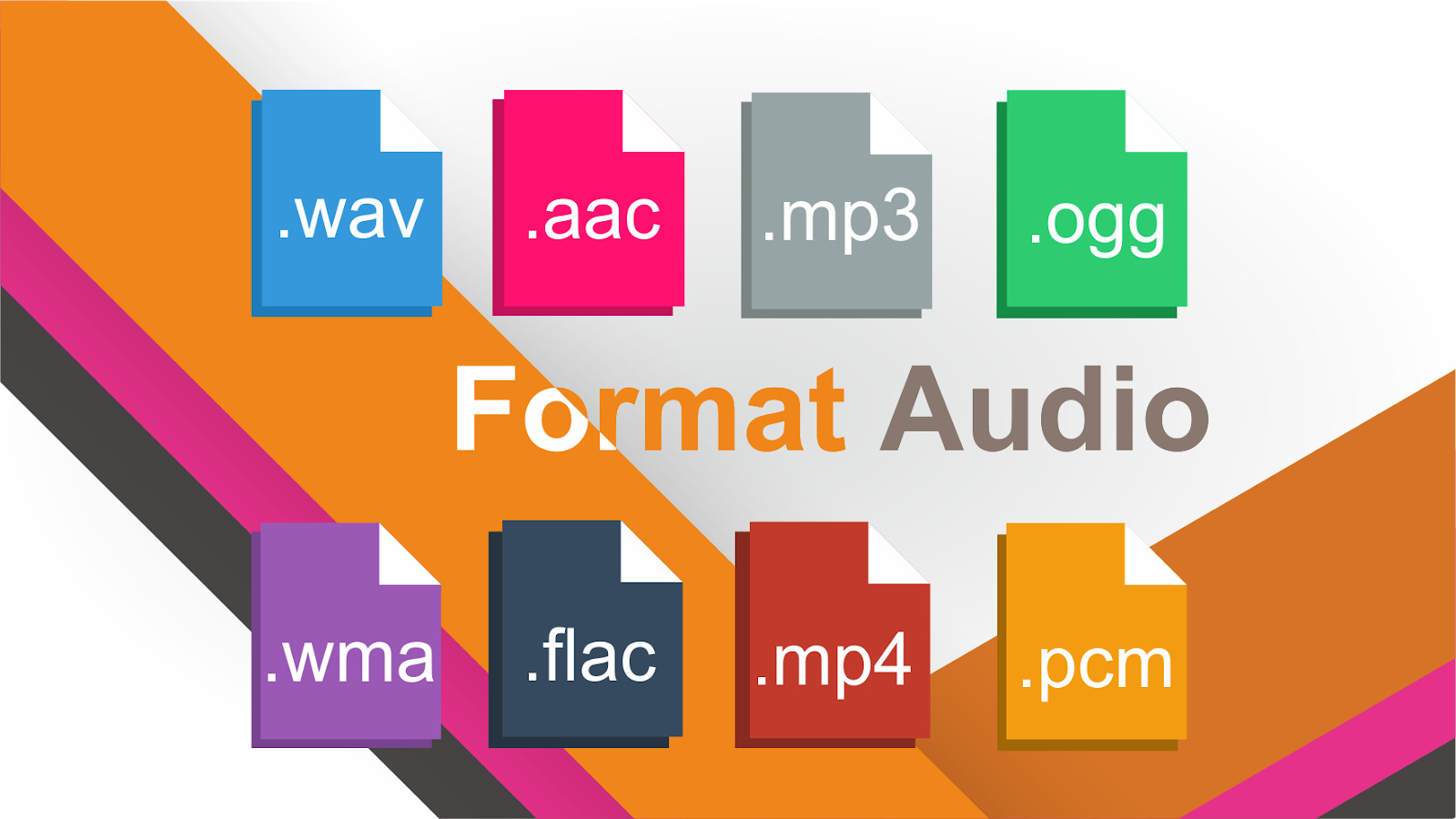
WAV: It is the “pure” sound format, without any compression. Its weight is huge, as is its quality. Only recommended for professional works or to edit the audio before transferring it to a format with compression.
MP3: We’ve talked about him in the previous pages. Without a doubt, it is the most popular and widespread format. His appearance changed the way we listen to music.
OGG: It is the audio format of GNU / Linux, the free software MP3 version. It has all the virtues of MP3 (and more), but not all portable players can use it, but it is getting more and more.
WMA: Microsoft format, your own version of the MP3. It compresses quite well, but it is not as widespread as the MP3. Nor can all portable players use it.
MID: It is the audio format also known as MIDI (Musical Instrument Digital Interface). It is the only format that can not play more than music simply because what it contains inside are not sounds. Simplifying, it contains a series of instructions for special software included in all systems, a kind of digital synthesizer that can generate sounds like those of many musical instruments. The MID has inside what notes they have to sound and with what instruments: a score.

It is important to clarify the distinction between audio format and audio codec. The codec encodes and decodes the audio data while this data is archived in a file that has a specific audio format.

Most of the formats listed below are container formats, formats that group different types of data. Most of these container formats have only one codec associated, next to which metadata is stored. However, there are formats that group audio and video data produced by different codecs. Some of these container formats that group different types of data are: MP4, Ogg, WAV, QuickTime Format, AVI.

In this article we talk about audio formats, but we are really discussing the properties of the codec associated with the format.

When classifying audio formats we can distinguish three large groups.

No data compression: These are real sound waves that have been captured and converted to digital format without further processing. As a result, uncompressed audio files tend to be the most accurate.
With compression, without loss of data: Compression algorithms are used to reduce file sizes; It basically works by eliminating redundancy.
With compression and data loss: It is a form of compression that loses data during the compression process. In the context of audio, that means sacrificing quality and fidelity to decrease file size. The good news is that, in most cases, we will not notice the difference when listening.

volume booster

Compression

Compression is a process that involves reducing the dynamic range of an audio signal.

An apparatus, called a compressor, analyzes the gain of the input signal and, according to certain parameters set, those parts that exceed a level or threshold determined according to the desired configuration are attenuated.

In principle, compression is perceived a decrease in overall volume; In fact, this is because the compressor reduces the gain of the “peaks”, that is, of the parts that accumulate greater sound energy.

However, several very interesting objectives are achieved:

The resulting sound sounds more balanced and compensated, there is not much difference between the soft and strong parts of the signal
We gain headroom space (the difference between the nominal level and the saturation point) and we can increase the overall volume of the signal a little more without “touching the ceiling” (the peaks were attenuated). As a consequence, the parts that previously sounded with little force will now be heard better.
It will allow to integrate the signal with greater ease and clarity in the general mix.

Standardization

Normalization is an atypical dynamic process, very different from compression, limitation, expansion or noise reduction:

It does not reduce the relative dynamic range of the audio signal.
It is not applied in “real time”, or at the moment, but it is a process that is carried out “a posteriori”, on the previously recorded material.
The process to normalize audio is summarized as follows:

Normalization analyzes the material and detects its highest volume peak. It then increases its gain to the maximum possible without exceeding the reference level (from which distortion would occur).
Taking as reference the same proportion of increase applied in the previous step increases the level of the rest.
The signal, in general, will sound with a greater volume. The maximum volume level that we can reach depends on the limit marked by the highest peak.

The truth about audio formats and their quality

As you well know, there are three digital ways to play a song. From the original recording, through a copy with lossless compression (what we usually find when we buy a CD) or through a copy with lossy compression (which we usually download legally from the G.G internet).

The three files differ basically in the same property, which is none other than bitrate, that is, the information it contains per second. As more bitrate, more weight, so an audio file of a song without compression can quietly occupy 200mbs. In the second case (lossless understanding), the weight is reduced a lot (over 40, 50mbs), and is obtained by reducing the bitrate in those parts with silence, or with a wave oscillation in a single spectrum. To understand each other, the healthy young ear recognizes between 20Hz and 20KHz. A file with lossless compression (usually .flac files or those found on a CD) maintains this spectrum, reducing it when it is not necessary (silences). And finally there are the files with compression and loss (.mp3, .mp4, .flv, …) files that reduce this spectrum to the one that most ears recognize, leaving it around between 15Hz and 15KHz, obtaining a weight per file of song around 4mb, 5mb.
The latter has always been questioned, especially in musical circles, which assured that compression with loss greatly diminished the quality of what was reproduced, not allowing to admire the most serious or the most acute, thus losing all the completeness of the work.
As if that were not enough, mp3 files have different encodings (64, 128, 192 or 320 Kbps), with a greater or worse loss, and even constant (CBR) or variable bitrate (VBR) that is usually optimal when compressing with various bitrates Different moments of the songs.

Loud speaker and sound wave

Well, it has been more than 50 years before a good music lover programmer named Jeff Atwood decided to see if there really is a substantial change for the human ear between the different formats. In his blog, after several entries and several weeks of study in what would be called The Great Experiment of bitrate in MP3, we have finally obtained an empirical version of this eternal question.

But let’s make a brief summary of what we have in hand.
To test his hypothesis, Atwood decided to hang five audio files from his website, one of them being the original (without any digital treatment that modifies the bitrate), and another four tablets at various bitrates between 128 and 320 Kbps. The objective was that the user entered, listened to the five, and chose which one seemed to him to have higher or lower quality. Best of all, he obtained a not insignificant opinion of 3,500 visitors, hanging the results weeks later.

And from his observations you can get some gold reefs:
No doubt people knew how to differentiate the worst of all, such as the mp3 encoded with the worst bitrate 128 Kbps CBR.

The variable bit rate coding proved to be higher than the constant.
The most positive audio obtained was that of 160Kbps VBR, even higher than 320 Kbps CBR, and paradoxically also superior to the original audio of the CD.

From all this follows a corollary:
People are unable to ensure that it has more quality above 160Kbps, so it sends lossless formats to the horn that occupy one more scumbag, and that in practice, our ear cannot discern.
So you know. That’s over 15, 20 songs for a CD. There is no excuse.