MP4: the key format to convert your videos

MP4: the key format to convert your videos

The .mp4 extension refers to an audio-video encoding format. It uses an algorithm that manages to optimize storage quality to a very small size, which is why it is considered one of the main formats preferred by the public, predominant in networks.
Recommended
Bags that are reused, so we change habits in favor of the planet


Most of the current cameras integrate the capture and decoding function in the same action and usually opt for the .MP4 format to achieve this.

When editing a video, most video editing programs will support MP4. In the event that we do not have the video in this format, we can always use a program like Mp4Gain.

In case you still do not know how these converters work, we are going to give you a cable.

How does an MP4 converter work?

Software selection: The first thing we will have to do is choose the software we are going to use. We download and install it in the terminal. In this case we will use Mp4Gain

Add the file: We open the program and load the file. If all goes well, you should add it without problem.

Selection of the new format: The next step is to select the new video format that we want the file to have. As the MP4 format is one of the most used today, we select this one. Depending on the program, we may be able to manipulate some data such as bitrate, resolution, FPS …

Conversion: We press the conversion button and wait for the process to finish. The duration of it will depend on how large the file that we are converting is, the duration, as well as the characteristics that we have manipulated. The power of our computer will also dictate the conversion speed.

If everything went well, we will have the video file ready to be able to use it in the support that we want.

What is the MPEG-4 format

About MPEG-4 Format

MPEG-4 is a method for defining compression of digital audio and visual data, which is one of the latest MPEG group standardized compression method, specially designed for low-bandwidth video / audio encoding purposes. DivX and XviD are fully standard MPEG-4 encoders supported today. MPEG-4 is in common use for storing media types defined by the Moving Picture Experts Group ISO / IEC, although it can store other media types as well. Files of this format usually have the extension. Mp4.

Unlike MPEG-1 and MPEG-2, the predecessor MPEG-4, MPEG-4 itself is not only a unified encoding mechanism, but rather a group name of various flavors of video and audio encoding methods They share certain similar characteristics. These “flavors” are often referred to as either “profiles” or “layers” in MPEG-4 compression scheme and each new profile must be backwards compatible with previous, “lower” versions of MPEG -4 in terms of playability. MPEG-4 group has standardized several new layers – The most important ones are h263 + (which is widely used in mobile phones, named as 3GP) and H.264 (often also called as AVC ).

MPEG-4 builds on the proven success of three fields:
● Digital television
● interactive graphic applications (synthetic content)
● Interactive multimedia (World Wide Web, distribution and access to content)
Recommended data to embed in MPEG-4:
● Video: MPEG-4, MPEG-2 and MPEG-1
● Audio: MPEG-4 AAC, MP3, MP2, MPEG-1 Part 3, MPEG-2 Part 3, CELP (speech), TwinVQ (very low bitrates), SAOL (midi)
● Images: JPEG, PNG
● Subtitles: MPEG-4 Timed Text, and / or xmt / bt text format (means that the subtitles have to be translated into xmt / bt)
● Systems: Allows animation, interactivity and DVD type menus

The file extensions used in files that contain data in the * format. Mp4:
. ● mp4: official extension, for audio, video and advanced content (see above) files
● m4a :. For audio-only files, you can safely rename * mp4, though opinions differ as to the wisdom of this.
. ● M4P: FairPlay protected files
. ● mp4v, m4v :. Video only (times. Also used for raw MPEG-4 video streams in * mp4 container format)
● .3 gp, .3 g2 :. Used by 3G mobile phones, it can also store content not directly specified in the mp4 specification * (H.263, AMR, TX3G)

The MP4 format

The MP4 format – Parts, containers and extensions

When we talk about an .mp4 file or the MP4 format in general, what we are talking about is what is technically known as MPEG-4 Part 14. It is a standard format (ISO / IEC 14496-14) and it is a container format for multimedia tracks. In other words, this format defines how audio and video tracks (called data streams) can be contained in the file in various formats, and can even contain subtitles as well.

Within this container format, within the .mp4 file, the audio and video tracks can be encoded in various formats, as appropriate for the application to be given. Although in theory it supports many different formats (almost any) for these audio and video tracks, in practice the players of this format support only a few specific types, the most frequent being:

Audio: AAC (Advanced Audio Codec, which when they are loose are files with extensions .m4a or .3gp), or the MP3 format.
Video: the different variants of the MPEG format.

MPEG or Moving Picture Experts Group is a group of “authorities” and manufacturers in the field of audio and video that came together at the request of ISO in the late 1980s to create file encoding standards for this type of multimedia information, and thus guaranteeing compatibility between the media to be played and the playback devices. The first version of the standard, MPEG-1 came out in 1993, and since then there have been many new versions, and within these what they call “Parts”, which are concrete aspects of the standard and also extensions to the specification for concrete things, or improvements to the base format that they modify.

The most widespread version of this MPEG format is 4, or MPEG-4, which appeared in late 1998, and is what we know as MP4, due to the extension of its files. This version is divided into several sub-standards or “Parts” that describe certain issues of the format (for example, 14 the container, as I said at the beginning) and certain extensions.

Within the parts of the standard, part 10 describes an advanced encoding format that is what we also know as H.264, but that is actually also called MPEG-4 Part 10 and that is what Blue-Ray disks used , for example. That is why on many Internet sites they talk about H.264 and MPEG-4 being the same. And it is true, but not entirely, since in MPEG-4 parts 2, 12 or 14 also describe other compression formats that are MPEG-4, and the container format can also contain MPEG in previous versions of lower quality as MPEG -1 or MPEG-2.MPEG-4 Part 10 or H.264 or AVC format
Let’s recap what we know so far: when we talk about MP4 or .mp4 files nowadays, or about the “MP4 format” we are really talking about the container format. Within this one there can be audio and video in various formats, so speaking only of MP4 is not correct (or it is not precise at least) and it is necessary to specify more. Given that the format used to compress the video stream that contains the MP4 is of vital importance, the “surname” of said format is usually put to indicate well what we are referring to.

Thus, MP4 / H.264 is referred to for videos that use MPEG-4 part 10 and that are highly compatible and high-quality videos. It is also common to talk about the MP4 / MPEG-4 format, which in this case usually refers to Part 2 of MPEG-4, which is the original format that was released, and is of lower quality, so it is usually use to broadcast IP television (video surveillance) or distribute certain multimedia content (some “pirate” movies, multimedia CDs …) as it generally weighs less.

The MP4 / H.264 format is the one that must be used to play directly in browsers, since it is the one that all of them support today in all operating systems. It is much more efficient than MPEG-4 Part 2 (the original) when encoding, and offers much better quality even if we use a small bit rate or a reduced bandwidth when reproducing it. It resists transmission errors very well even if some packages are lost, so it works very well for streaming, video conferencing and similar applications. This format is also known as AVC (Advanced Video Coding), so sometimes you can read MP4 / AVC, but it is the same.

As a counterpart, the H.264 format is more complex and more complicated to encode (it may require up to 3 times more computing power than the original MPEG-4 format) and to decode (twice the power), but today with the devices that the average user has (both computers and mobiles, etc …) this is of little importance.

CHARACTERISTICS OF MP4 FILES


The MP4 format is considered a container that allows a combination of digital audio and digital video, as well as other data such as still images and subtitles that will be kept in a single file.

It is designed to synchronously contain multimedia information in a flexible format to exchange, manage and edit multimedia files.

This format allows storing information from audiovisual files such as those defined by MPEG, but it can also store other data such as subtitles and images.

Mp4 is known as the primary storage format for streaming audio and video from many websites, this is because MP4 provides high quality output equal to that of DVD at a compression ratio of 4MB per min.

Qualities of an MP4 format

It allows multiple signals or information flows to be sent through a communication link at the same time, that is, multiple audio and video tracks in a single file, and frames for variable seconds, subtitles, etc.

It is known as an ordered set of systematic operations, which allows encoding audio and video data optimizing its quality of storage, encoding and distribution in networks

With the help of new cameras on the market, capture and encoding are integrated in a single action, optimizing the user’s potential to issue it. The Mp4 can be used to create sound files that stand out from the rest due to their excellent quality.

Advantages of MP4 files

The MP4 has a broader support in operational systems and is widely used to share videos over the internet. The MP4 gives a quality impression very similar to that of the original DVD video. And videos of this type can be downloaded from websites quickly.

The MP4 format allows audiovisual content to be played on the Internet and also to be viewed in real time.

It is an international standard widely accepted by most programs and devices. The MP4 format is also considered a video format in which modern digital devices and devices can be played without problems.

This format can be adapted to create the basis for the development of new technologies as long as they are included in the “MP4 family”.

The MP4 format is considered a container that allows a combination of digital audio and digital video, as well as other data such as still images and subtitles that will be kept in a single file.

It is designed to synchronously contain multimedia information in a flexible format to exchange, manage and edit multimedia files.

This format allows storing information from audiovisual files such as those defined by MPEG, but it can also store other data such as subtitles and images.

Mp4 is known as the primary storage format for streaming audio and video from many websites, this is because MP4 provides high quality output equal to that of DVD at a compression ratio of 4MB per min.

The MP4 format is identical to the Apple MOV container format

Disadantages of MP4 files

Actually this type of format has few disadvantages, however it is advisable to mention them, and that is that when downloading an MP4 format file, there is a risk that it will be downloaded with viruses since it is one of the most used and sought formats in the market.

Due to its high demand in the audiovisual world, its acquisition is usually obtained by making some remuneration.

This type of format is not recommended for beginners, since its execution can be somewhat complex.

It can cause the computer to not work quickly if it becomes saturated with files with these formats.

What is the difference between MP4, AVI and MPEG?

MP4, AVI and MPEG are three different digital video formats. All of them widely used in a medium or other format, but are not compatible with each other. MPEG (of which MP4 is actually a version) is the most widely used, but AVI is gaining ground.

Types

AVI or Audio Video Interleave, is a format developed by Microsoft. MPEG is the common standard format term created by Moving Picture Experts Group.

Differences

AVI can be played in most Windows-based applications, such as Windows Media Player. MPEG works primarily with QuickTime, Apple-based applications and video discs, while MP4 is used primarily with many personal media players such as iPod and PSP.

ID
MP4 is actually MPEG-4, a subset of the MPEG standard. What people usually refer to as MPEG is MPEG-1 or MPEG-2. In contrast, MPEG-3 is not MP3, which is included in MPEG-1.

Importance
MPEG-1 is used with video compact discs (VCD), while higher quality MPEG-2 is used for DVDs.

Benefits
The biggest difference of MP4 from the other MPEG formats is its ability to save subtitles, still images and other data with digital audio and video.

Warning
Some personal devices can be advertised as “MP4”, using the term colloquial, but they actually play AMV files.

Avi or mp4 ?? which is better and why?

which of the two video formats is better ???

if the 2 are 1200×720 which gives me better quality ????

The avi with the codex divx is better.
Obviously the best quality format is .avi but it is heavier than the .mp4 format because this is a compression format mostly used for portable devices.
what happens is that the mp4 is used for cell phones and Mp4 players (that is, its quality is reduced).

AVI, MKV, MPG, WMV, FLV, OGM, MOV, MP4 are VIDEO CONTAINERS, that is, the files that contain video, audio and subtitle streams inside. The container has no effect on the quality of the video or audio or subtitle.

But which video format is better? An avi, mp4, wmv, mpeg?

The correct question is that VIDEO FORMAT offers the best quality / weight ratio.

DivX / XviD, h264, WMV8, WMV9 / HC-1, RV30 / RV40, VP8, MPEG are some VIDEO FORMATS.

The one that best quality / weight ratio offers at the moment is the H264 and which is widely surpassed by the new H265 that offers the same quality but at half the weight of an h264, the H265 standard – and the format has the same name – this Made for streaming video and take advantage of the bitrate or speed of transmitted data, this is why it offers this relationship of maintaining the same quality but at half the weight of the previous H264 standard.

The MOV and FLV containers have chosen to adopt this h264 format because of its quality / weight advantages, even though the h264 is the common format for videos on BluRay discs. There are also several encoders to h264 being the best free x264 encoder, so the free video software uses it, and some commercial programs also use it.

So you can play your movies without problems on your X media player, you should consider the following:

Read the manual to know which video CONTAINERS are recognizable by the software of the reproductive system, also that AUDIO and VIDEO FORMATS, and most importantly, WHAT coding FEATURES they must comply with.

AVI or MP4 – Which format has the best quality?


When we compare the MP4 video format with AVI, the first thing we should consider is quality. Which format has better quality, MP4 or AVI? Both MP4 and AVI are container formats, that is, MP4 and AVI are “wrappers” for video codecs, audio codecs and other types of data. Let’s take a look at the codecs used with these formats and compare the differences between MP4 and AVI.

The AVI is associated with the DivX codec, which is notable for compressing videos in a small size and high quality. The MP4 is based on the MOV, a lossy format that uses the MPEG4 AVC / H.264 codec. This is the reason why many people believe that the AVI has better quality than the MP4. But in truth, the AVI format can also use the MPEG-4 codec.

AVI vs MP4

avi vs mp4

Which format should we select, MP4 or AVI?

This is another problem with which we find between these two formats. Both MP4 and AVI are popular video formats. The AVI format has more opportunities to be used for Windows players or other devices with related codecs. Due to the accentuated file size, the AVI is not widely used for portable devices or video streaming sites. The MP4 format is widely used with various video players or portable devices, but it is also used for compression of audio and video data for the web and for streaming over the internet.

Compared to the AVI, the MP4 format is more frequently used in different situations, such as mobile devices. You can convert AVI to MP4 using a converter like Mp4Gain to convert AVI files to MP4 and view them on the iPhone, iPad or other portable devices, or even send them to YouTube.

The AAC (Advanced Audio Coding) is the biggest difference between MP4 and AVI. The AAC belongs to Part 3 of the MPEG-4 standard. It is the audio compression of the MP4 format. The MP4 is also famous for containing subtitles and chapters.

After this brief comparison between the MP4 and the AVI, you may have made your decision about the format you want to use. However, you only need a program that can convert MP4 to AVI or vice versa (like Mp4Gain) to never again have to worry about the format used by different players or devices.

Video File Formats – Everything you need to know about video formats


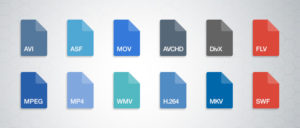
Digital videos can be saved in files of different formats. Each one corresponds to a specific extension of the file that contains it. There are many types of video formats. Here are some of the most used. Each type of file also supports a different compression codec at all times.

video formats

-AVI (Audio Video Interleaved = Audio and Video Interleaved)

It is the standard format for storing digital video.
When video is captured from a digital camera to the computer, it is usually stored in this format with the DV (Digital Video) codec.
The AVI file can contain video with excellent quality. However, the weight of the file is always very high.
Supports different compression codecs such as CinePak, Intel Indeo 5, DV, etc. The codecs with more compression capacity and acceptable quality are DivX and XviD.
The AVI format can be displayed with most players: Windows Media, QuickTime, etc. as long as the appropriate codecs for each type of player are installed on the computer.
It is ideal for saving original videos that have been captured from the digital camera (encoded with DV).
It is not advisable to publish them on the Internet in this format due to their enormous weight.
The CinePak, Intel Indeo, DV codecs, etc. They do not offer great compression. The DivX and XviD codecs, on the other hand, achieve optimal compression although they are usually used primarily for the coding of long-term films.

-MPEG (Moving Pictures Expert Group = Movie Expert Group)

It is a standard format for digital video compression.
They are * .MPG or * .MPEG extension files.
Supports different types of compression codecs: MPEG-1 (CD quality), MPEG-2 (DVD quality), MPEG-3 (MP3 audio oriented) and MPEG-4 (more web oriented).
They play with Windows Media Player and QuickTime.

-MOV

It is the video and audio format developed by Apple.
It uses its own codec that evolves in versions quite quickly.
These types of files can also have * .QT extension
It is recommended to use the QuickTime player. There is a free version of it that can be downloaded from the Internet.
It is ideal for posting videos on the Internet for its reasonable quality / weight.
Support streaming

-WMV

It has been recently developed by Microsoft.
It uses the MPEG-4 codec for video compression.
It can also have * .ASF extension
It can only be viewed with an updated version of Windows Media 7 or higher. This application is integrated into Windows.
It is ideal for posting videos on the Internet for reasonable quality / weight.
Support streaming

-RM

It is the proposal of Real Networks for video files.
Use your own codec to compress the audio.
This type of files has * .RM and * .RAM extension.
It is displayed with a specific player: Real Player. There is a free version of it that can be downloaded from the Internet.
It can be used to publish videos on the Internet for its acceptable quality / weight.
Support streaming

-FLV

It is a format used by the Adobe Flash player to view video on the Internet.
It uses the Sorenson Spark codec and the On2 VP6 codec. Both allow high visual quality with reduced bitrates.
They are * .FLV extension files.
They can be played from different local players: MPlayer, VLC media player, Riva, Xine, etc.
Recommended option for the web for its accessibility. When viewed through the Flash player, it is accessible from most operating systems and web browsers.
The best known video repositories on the Internet use this format for the dissemination of videos: YouTube, Google Video, iFilm, etc.
Allows you to configure different video parameters to achieve acceptable quality / weight.
Support streaming

The video formats for internet

The videos that we play on the Internet either locally on the computer or on any other device, can be encoded in different ways. Each method of coding implies some advantages and disadvantages, and there are better formats than others depending on the use we want to give the video. Thus, we have formats such as AVI, MP4, MKV, 3GP, Google WebM, etc …

When playing video on the Web, using a browser, the most widespread and best supported format by browsers, both mobile and desktop, is the MP4 format, and to be more exact, the MP4 / H format .264, which corresponds to files that normally have the extension .mp4. But:

Are all the .mp4 files the same?

The MP4 format – Parts, containers and extensions
When we talk about an .mp4 file or the MP4 format in general, what we are talking about is what is technically known as MPEG-4 Part 14. It is a standard format (ISO / IEC 14496-14) and is a container format of multimedia tracks. That is, this format defines how audio and video tracks (called data streams) in various formats can be contained in the file, and can even contain subtitles as well.

Within this container format, within the .mp4 file, the audio and video tracks may be encoded in various formats, as appropriate for the application to be given. Although in theory it supports many different formats (almost any) for these audio and video tracks, in practice the players of this format support only some specific types, the most frequent being:

Audio: AAC (Advanced Audio Codec, which when they are loose are files with extensions .m4a or .3gp), or the MP3 format.
Video: the different variants of the MPEG format.
MPEG or Moving Picture Experts Group is a group of “authorities” and manufacturers in the field of audio and video that came together at the request of ISO in the late 1980s to create file encoding standards for this type of multimedia information, and thus guarantee compatibility between media to be reproduced and reproductive devices. The first version of the standard, MPEG-1 came out in 1993, and since then there have been many new versions, and within these what they call “Parts”, which are specific aspects of the standard and also extensions to the specification for specific things, or improvements to the base format that they modify.

The most widespread version of this MPEG format is 4, or MPEG-4, which appeared at the end of 1998, and is what we know as MP4, due to the extension of its files. This version is divided into several sub-standards or “Parts” that describe certain issues of the format (for example, the 14 container, as I said at the beginning) and certain extensions.

Within the parts of the standard, part 10 describes an advanced coding format that is what we also know as H.264, but which is actually also called MPEG-4 Part 10 and what Blue-Ray discs used , for example. That is why in many Internet sites they talk about H.264 and MPEG-4 being the same. And it is true, but not quite, since in MPEG-4 parts 2, 12 or 14 also describe other compression formats that are MPEG-4, and the container format may also contain MPEG in earlier versions of lower quality such as MPEG -1 or MPEG-2.