Media File Formats for Mobile Devices: 3GP, M4, and More


Free Download Mp4Gain
picture

Media File Formats for Mobile Devices: 3GP, M4, and More
Media File Formats for Mobile Devices

My Experience with Media File Formats

As someone who has been using mobile devices for years, I have encountered a wide range of media file formats. From 3GP to M4V, each format has its own strengths and weaknesses, and choosing the right format can be a challenge. In this article, I will explore some of the most common media file formats for mobile devices, and provide some tips for choosing the right format for your needs.

Understanding Media File Formats

Media file formats are essentially containers that hold audio and video data. Each format has its own unique characteristics, including compression algorithms, video resolutions, and audio quality. Some of the most common media file formats for mobile devices include:
3GP: This format is commonly used for video content on mobile devices, and is known for its small file size and low bandwidth requirements.
M4V: This format is similar to MP4, but is specifically designed for use with Apple devices. It supports high-quality video and audio, and is often used for streaming and downloading content from the iTunes Store.
MP4: This format is widely used for video content on mobile devices, and is known for its high-quality video and audio, as well as its compatibility with a wide range of devices and platforms.

“Choosing the right media file format for your needs can be a challenge, but it is important to consider factors such as file size, video quality, and compatibility with your device and platform.”

Other Media File Formats

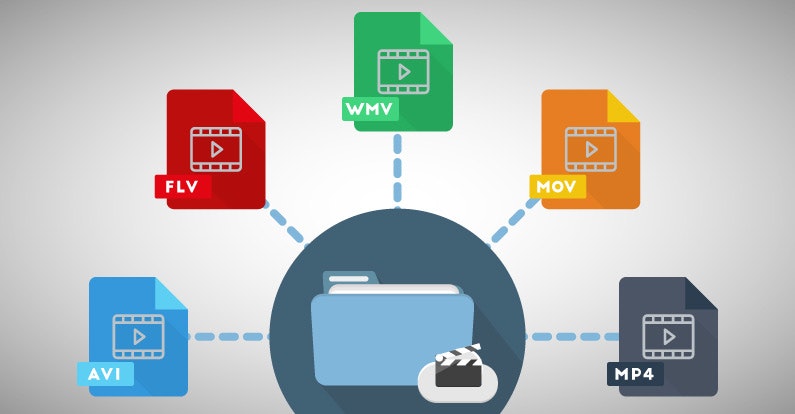
In addition to 3GP, M4V, and MP4, there are a number of other media file formats that are commonly used for mobile devices. These include:
AVI: This format is widely used for video content on desktop computers, but is less common on mobile devices due to its large file size and limited compatibility.
WMV: This format is commonly used for video content on Windows devices, and is known for its high-quality video and audio.
MOV: This format is commonly used for video content on Apple devices, and is known for its high-quality video and audio, as well as its compatibility with a wide range of devices and platforms.

“While there are a number of media file formats available for mobile devices, it is important to choose the right format for your specific needs. Factors such as file size, video quality, and compatibility with your device and platform can all play a role in determining the best format for your needs.”

Final Words

As someone who has been using mobile devices for years, I have learned the importance of choosing the right media file format for my needs. Whether I am streaming video content or downloading music, the right format can make all the difference in terms of quality and compatibility. By understanding the various media file formats available for mobile devices, and considering factors such as file size, video quality, and compatibility, you can ensure that your media content looks and sounds its best.

Media File Formats, Mobile Devices, 3GP, M4V, MP4, AVI, WMV, MOV, Audio Quality, Video Quality, Compression Algorithms, Compatibility, File Size, Streaming, Downloading, iTunes Store, Apple Devices, Windows Devices, Desktop Computers, Video Content, Audio Data, Containers, Bandwidth Requirements, High-Quality Video, High-Quality Audio, Video Resolutions, Choosing the Right Format, Quality and Compatibility.
Media File Formats, Mobile Devices, 3GP, M4V, MP4, AVI, WMV, MOV Audio Quality, Video Quality, Compression Algorithms, Compatibility, File Size, Streaming, Downloading, iTunes Store, Apple Devices, Windows Devices, Desktop Computers, Video Content, Audio Data, Containers, Bandwidth Requirements, High-Quality Video, High-Quality Audio, Video Resolutions, Choosing the Right Format, Quality and Compatibility, Media Content, Video Streaming, Audio Streaming, Video Downloading, Audio Downloading, Mobile Video Formats, Mobile Audio Formats, Mobile Media Formats, Mobile Video Quality, Mobile Audio Quality, Mobile Video Compression, Mobile Audio Compression, Mobile Video Resolution, Mobile Audio Resolution, Mobile Video Compatibility, Mobile Audio Compatibility, Mobile Video File Size, Mobile Audio File Size, Mobile Video Streaming Quality, Mobile Audio Streaming Quality, Mobile Video Downloading Quality, Mobile Audio Downloading Quality, Mobile Video Playback, Mobile Audio Playback, Mobile Video Conversion, Mobile Audio Conversion, Mobile Video Editing, Mobile Audio Editing, Mobile Video Production, Mobile Audio Production, Mobile Video Distribution, Mobile Audio Distribution.


Free Download Mp4Gain
picture


Mp4Gain Main Window
picture


Mp4Gain Features
picture


Free Download Mp4Gain
picture

Most important video formats

As with text documents, photographs or audios, video in digital format is available in different formats or extensions.

When we talk about video formats we can refer to several things. The most common, the physical formats in which we have access to a movie, series or documentary.

In this sense, today we find DVD and Blu-Ray, although some of us still keep in an old VHS closet and maybe some Betacam.

But a second meaning or meaning of video formats refers to their encoding, since in digital video, as with a computer program, any file is written in a certain code.

In videos, the code influences the image quality, the sound quality, whether or not it includes subtitles and, in particular, the relationship between quality and file size.

Thus, today we consume digital audiovisual content through physical discs (DVD, Blu-Ray), through streaming and through IPTV (Internet television), but we also handle digital video files, especially for content that we generate ourselves.

Next we will review the most common digital video formats that we can find, what is their origin and what benefits they offer

AVI

We start with the most popular format that we will find. Video files with an .AVI extension have their origin in a format that was launched in 1992 and is so popular that most smart TVs, DVD / Blu-Ray players, video game consoles and operating systems play it.

AVI is an acronym for Audio Video Interleave and not many know that it was created by Microsoft as a digital alternative without dependence on a physical format such as the then popular DVD.

Among its advantages, it allows you to include several audio channels and host content generated with different codecs (AC3 or MP3 for audio, DivX or Xvid for video), which can be an advantage but also an inconvenience with which players.

MP4

MP4 or MPEG-4 is one of the most modern formats, launched in 1998 as a standard for playing video and audio in a single digital file.

MPEG stands for Moving Picture Experts Group, the expert group that has established digital audio and video standards and was formed by two international organizations, the ISO (International Organization for Standardization) and the IEC (International Electrotechnical Commission).

In summary, the MPEG and MPEG-2 format were launched in 1993 and 1995 respectively as standards for encoding digital audio and video. To understand each other, any DVD offers its audiovisual content in MPEG-2.

MP4 also supports several audio channels, but has the advantage of allowing more image and sound quality in a less heavy file, as it compresses data better. Apple, for example, opts for this format and derivatives for its iTunes content.

Related to MP4 we can find M4V (video) or M4A (audio).

MKV

The MKV video format is an open format, free to pay rights, and whose full name is Matroska, like traditional Russian dolls.

MKV saw the light at the end of 2002 and has become popular thanks to the fact that within a single MKV file we can store, together with the audio channel, several channels or audio tracks and several subtitle tracks.

Like MP4, it offers very good audio and video quality in a small space. And as a curiosity, the WebM format that allows you to integrate online video via HTML, is inspired by Matroska.

FLV

The FLV or Flash Video format was created by Macromedia, and subsequently acquired by Adobe. This format is usually found as an FLV or SWF extension.

Like the other Flash content, FLV videos are designed for online playback from the browser through Adobe Flash Player.

As we saw in a previous article, Flash will stop developing in 2020, although we still find pages that use it.

MOV

I said before that Apple is currently betting on MP4 (and AAC) to facilitate multimedia content. But its star format for many years was MOV.

MOV, from QuickTime Movie, is also called QuickTime File Format, and today it is still the default format of QuickTime, the macOS video player.

This format can also be found in many digital video cameras, since it offers very good image and sound quality without compression.

Mp4Gain – Audio Normalizer for videos and audio files

The only audio normalizer for videos. (Mp43Gain)

There is no other software that normalize audio volume and less on the videos tantyos formats. ince Mp4, Flv, 3gp, Avi, Mpeg, etc..

Mp4Gain is unique and revolutionary for its enormous capacity to normalize the audio volume of a huge number of video formats and audio formats also. It o say, can normalize by example9, mp3, flac, ogg, m4a, etc.

Never before was a software capable of so much and so cheaply.

You can get all the same volume tehngan cvideos audio and can do the same with their digital tracks.

Mp4Gain has another number of tools and options, such as changing the pitch, cmbiar tempo, equalize, add Replay-Gain, trim, etc.. making it undoubtedly the most advanced and powerful program of its kind worldwide.

As if that were not enough, it is very easy to use, usually enough to upload a file or a batch of files (batch normalize Mp4Gain do) and press a button and with these was sufficient.

You download the trial version and test it on your own computer, you will surely be more convinced of the power of Mp4Gain.


Mp3 Normalizer with Mp4Gain

Mp3 Normalizer with Mp4Gain


Many people believe, wrongly, that the only Mp4Gain normalizes audio from videos and it is not. Also normalizes the audio of many audio formats.

Let Mp4Gain which normalizes formats:

Video Formats:
mp4, flv, avi, mpeg, mpg, 3gp, wmv

Audio Formats:
mp3, mp2, flac, ogg, m4a, aac, wav, ac3

All these formats can be standardized using Mp4Gain, which is great and is the only software that can do both.

Besides being able to do things like change the pitch without affecting the tempo (which are the beats per minute) or the reverse: change the speed of an audio track or a video, without affecting the pitch.

Mp4Gain is completely new wave, the new fashion. Fits Itunes, Ipad, Ipod, any music player software, any player, whether a laptop or not any of these audio and video formats. For something has caught the attention of the way he has managed, for his tremendous ability.

And talk about the quality of their normalization, we talk about the top of the normalizing, there is nothing better to normalize audio files or audio from videos. Just try it and you will see that not only is one of a kind, very low cost to its capacity and quality, but it s the best on the market normalizing.
Someone has said that is the normalizer of 2013, said that perhaps another 2020. Totalemte is a concept according to the times and what the user needs today. Just try it, descarghandoi the trial version and it absolutely love the Mp4Gain and understand why it is the latest and is gaining such popularity.