WMV Normalizer


Free Download Mp4Gain
picture

WMV Normalizer: Achieve Perfect Audio Levels for Your WMV Files
WMV Normalizer
WMV Normalizer
WMV Normalizer
WMV Normalizer

When it comes to audio files, maintaining consistent volume levels is essential for delivering a seamless listening experience. However, uneven audio levels can diminish the impact of your WMV files. The Mp4Gain – WMV Normalizer is a powerful tool that allows you to optimize the audio levels of your WMV files, ensuring a balanced and professional sound quality.

Volume Normalization

The Mp4Gain – WMV Normalizer utilizes advanced algorithms to analyze and adjust the volume levels of your WMV files. It intelligently modifies the audio levels to achieve a consistent volume throughout the file. By normalizing the volume, you can ensure that your WMV files sound great without the need for listeners to constantly adjust the volume.

Dynamic Range Compression

In addition to volume normalization, the Mp4Gain – WMV Normalizer incorporates dynamic range compression. This technique balances the audio levels between the softest and loudest parts of the file. By compressing the dynamic range, it ensures that all audio elements are audible without overpowering the louder sections, resulting in a more refined and professional sound.

Batch Processing

Efficiency is key when dealing with a large number of WMV files. The Mp4Gain – WMV Normalizer offers batch processing capabilities, allowing you to optimize multiple files simultaneously. This time-saving feature enables you to enhance the audio quality of your entire WMV file collection with just a few clicks, eliminating the need for manual adjustments file by file.

Lossless Audio Compression

The Mp4Gain – WMV Normalizer employs lossless audio compression techniques to reduce the file size of your WMV files without compromising audio quality. It removes unnecessary data while preserving all audible details, resulting in more manageable files that maintain the original audio integrity.

Customizable Normalization Settings

The Mp4Gain – WMV Normalizer provides customizable normalization settings, giving you full control over the optimization process. You can adjust parameters such as target volume level, attack and release times, and compression ratios to achieve the desired audio output for your WMV files.

Preservation of Metadata

Metadata plays a crucial role in organizing and categorizing WMV files. The Mp4Gain – WMV Normalizer ensures that important metadata, such as video title, author, and creation date, are preserved during the normalization process. This guarantees that your files remain well-organized and easily searchable, even after optimization.

Compatibility with Various Devices and Players

The Mp4Gain – WMV Normalizer is designed to be compatible with a wide range of devices and media players. Whether you’re using a computer, mobile device, or dedicated media player, you can optimize your WMV files for consistent audio quality and playback experience across different platforms.

Real-Time Preview

Previewing the optimized audio output is crucial to ensure that it meets your expectations. The Mp4Gain – WMV Normalizer offers a real-time preview feature, allowing you to listen to the adjusted audio while fine-tuning the normalization settings. This enables you to make precise adjustments and achieve the desired audio quality for your WMV files.

User-Friendly Interface

The Mp4Gain – WMV Normalizer features a user-friendly interface that makes it accessible to users of all levels of expertise. Its intuitive design and straightforward controls enable easy navigation and a smooth optimization process, even for those with limited technical knowledge.

Enhanced Multimedia Experience

Whether you’re working with video editing, multimedia presentations, or online content creation, the Mp4Gain – WMV Normalizer can significantly enhance the audio quality of your WMV files. Achieving consistent volume levels and dynamic range compression allows you to deliver a more immersive and engaging multimedia experience to your audience.


Free Download Mp4Gain
picture


Mp4Gain Main Window
picture


Mp4Gain Features
picture


Free Download Mp4Gain
picture

WMV to MP4

WMV to MP4

WMV to MP4
WMV to MP4
WMV to MP4
WMV to MP4


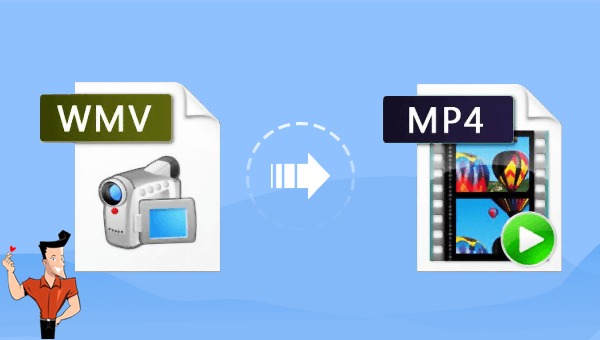
WMV (Windows Media Video) is a common video format that was developed by Microsoft. Although it is a widely used format, some devices and media players may not support it. MP4, on the other hand, is a universal format that can be played on almost any device, making it a popular choice for video distribution.

Why Convert WMV to MP4?

There are several reasons why you might want to convert WMV files to MP4:

  • Compatibility: As mentioned, MP4 is a more universally supported format than WMV, making it easier to play on different devices and media players.
  • File size: MP4 files are typically smaller in size than WMV files, making them easier to store and transfer.
  • Editability: MP4 files are easier to edit than WMV files, as many video editing software programs are optimized for the MP4 format.

How to Convert WMV to MP4 Using mp4gain

We recommend using mp4gain. This is a simple and easy-to-use tool that is specifically designed for converting video formats, and it produces high-quality results.

Step 1: Download and Install mp4gain

The first step is to download and install mp4gain from the official website. The installation process is straightforward, and the software is compatible with both Windows and Mac operating systems.

Step 2: Add Your WMV Files to mp4gain

Once you have installed mp4gain, open the software and click on the “Add File” button to select the WMV files you want to convert to MP4. You can also drag and drop the files directly into the program.

Step 3: Choose MP4 as the Output Format

Next, select “MP4” as the output format from the drop-down menu. You can also choose the output quality and other settings according to your preferences.

Step 4: Convert Your WMV Files to MP4

Once you have selected the output format and settings, click on the “Convert” button to start the conversion process. Depending on the size of your WMV files and your computer’s processing power, the conversion process may take some time. Once the conversion is complete, you will have high-quality MP4 files that can be played on any device or media player.

Conclusion

Converting WMV files to MP4 is a simple and easy process that can be done with just a few clicks. By using mp4gain, you can ensure that your converted files are of high quality and compatible with almost any device or media player. Whether you want to reduce file size, increase compatibility, or edit your videos, converting to the MP4 format is a great choice.

The History and Development of WMV

Introduction

The Windows Media Video file format, also known as WMV, is a type of digital video compression developed by Microsoft Corporation in the 1990s. Since then, it has evolved to become one of the most commonly used video formats for streaming, downloading, and sharing multimedia content online.

Early Development

The WMV format was initially developed as a competitor to the MPEG-4 video compression format. Microsoft saw an opportunity to create a format that was optimized for their Windows Media Player software and would provide better quality video with smaller file sizes. The early versions of WMV were released in the late 1990s and were based on the Microsoft Advanced Systems Format (ASF) container format.

Evolution of WMV

Over time, Microsoft continued to develop the WMV format, improving its compression algorithms and adding support for new features. In 2003, Microsoft released WMV 9, which included support for high-definition video and a new compression algorithm that provided better quality video with even smaller file sizes. WMV 9 also added support for digital rights management (DRM) to protect copyrighted content.

Popularity of WMV

WMV quickly gained popularity due to its compatibility with Windows-based systems and the widespread use of Windows Media Player. Many online video streaming sites, such as Netflix and Amazon Prime Video, also use WMV format for their video content. WMV files can also be easily converted to other video formats, making them a versatile choice for video content creators.

Conclusion

In conclusion, the development of the WMV format has been a significant milestone in the history of digital video compression. Its evolution over the years has led to better quality video with smaller file sizes, making it a popular choice for video content creators and consumers alike. With the widespread use of Windows-based systems and online video streaming sites, the popularity of WMV format is expected to continue for years to come.