Codecs: The Building Blocks of Digital Media


Free Download Mp4Gain
picture

Codecs: The Building Blocks of Digital Media

codecs
codecs
Codecs
Codecs

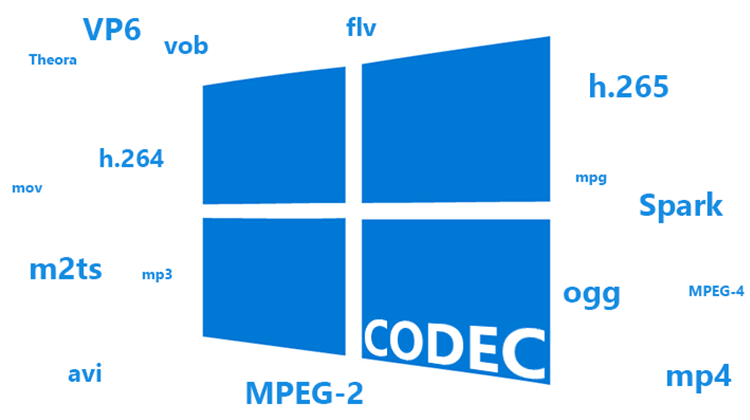
Codecs are the building blocks of digital media. They are software or hardware that encode and decode digital data streams. This means that they can take a raw digital signal, such as a video or audio recording, and compress it into a smaller file size, or they can take a compressed file and expand it back into its original form.

Codecs are essential for the transmission, storage, and playback of digital media. They are used in a wide variety of applications, including streaming video, video conferencing, and digital broadcasting.

How Codecs Work

Codecs work by using a variety of techniques to reduce the size of digital data streams. These techniques include:

Entropy coding: This technique takes advantage of the fact that some parts of a digital signal are more likely to occur than others. By assigning shorter codes to the more likely parts of the signal, entropy coding can significantly reduce the size of the file.
Transform coding: This technique breaks the digital signal down into smaller components, and then compresses each component individually. This can be more efficient than entropy coding, but it is also more complex.
Prediction: This technique uses the past values of a signal to predict future values. By predicting future values, the codec can reduce the amount of data that needs to be stored.
**

Types of Codecs

There are two main types of codecs: lossy and lossless. Lossy codecs reduce the size of a digital data stream by discarding some of the data. This can result in a loss of quality, but it also allows for much smaller file sizes. Lossless codecs do not discard any data, so they do not suffer from any loss of quality. However, they also produce larger file sizes.

Some of the most common lossy codecs include:

MPEG-1: This codec is used for a variety of applications, including video CDs and digital television.
MPEG-2: This codec is used for DVD-Video and high-definition television.
H.264: This codec is the most widely used codec for streaming video and online video.
Some of the most common lossless codecs include:

FLAC: This codec is used for lossless audio compression.
WAV: This codec is a lossless audio format that is used by many professional audio applications.
ALAC: This codec is a lossless audio format that is used by Apple’s iTunes and iPod products.
**

Conclusion

Codecs are essential for the transmission, storage, and playback of digital media. They are used in a wide variety of applications, and they have made it possible to enjoy digital media on a variety of devices.

Final Words about Codecs

Codecs are a complex topic, but they are essential for understanding how digital media works. By understanding how codecs work, you can make better decisions about the quality and size of your digital media files.

I hope this article has given you a better understanding of codecs.


Free Download Mp4Gain
picture


Mp4Gain Main Window
picture


Mp4Gain Features
picture


Free Download Mp4Gain
picture

MP4 vs. MPEG Format Comparison

MP4 vs. MPEG Format Comparison

MP4 vs. MPEG
MP4 vs. MPEG
MP4 vs. MPEG
MP4 vs. MPEG

Understanding the Differences Between MP4 and MPEG Formats

When it comes to digital video formats, MP4 and MPEG are two of the most popular options available. While both formats are widely used, they have distinct differences that can impact their performance and compatibility with different devices and software. In this article, we’ll explore the key differences between MP4 and MPEG formats, and help you determine which one is right for your needs.

What is MP4?

MP4, or MPEG-4 Part 14, is a digital multimedia container format used to store video, audio, and other data such as subtitles and still images. It was developed by the Moving Picture Experts Group (MPEG) and is widely used for streaming video online, as well as for storing video files on mobile devices and computers. One of the key advantages of MP4 is its ability to compress large video files without sacrificing quality, making it an ideal format for sharing and streaming video content.

What is MPEG?

MPEG, or Moving Picture Experts Group, is a family of digital video and audio compression standards developed by the same organization that created MP4. MPEG formats are widely used for creating high-quality video content, and are compatible with a wide range of devices and software. Unlike MP4, which is a container format, MPEG is a compression format that uses a variety of codecs to compress video and audio data.

Which Format is Right for You?

When it comes to choosing between MP4 and MPEG formats, there are a few key factors to consider. If you’re looking for a format that is widely compatible with different devices and software, MPEG may be the better choice. However, if you’re looking for a format that offers high-quality video compression and is ideal for streaming and sharing video content online, MP4 may be the better option. Ultimately, the choice between these two formats will depend on your specific needs and preferences.

Conclusion

In conclusion, MP4 and MPEG are two popular digital video formats that offer distinct advantages and disadvantages. While MPEG is widely compatible with different devices and software, MP4 offers high-quality video compression and is ideal for streaming and sharing video content online. When choosing between these two formats, it’s important to consider your specific needs and preferences, and choose the format that best meets your requirements. And if you’re looking for a reliable tool to normalize and convert your audio and video files, MP4Gain is a great option to consider.
MP4, MPEG, video format, digital video, multimedia container, compression, codecs, streaming, compatibility, quality, online, mobile devices, computers, audio, subtitles, still images, Moving Picture Experts Group, family, standards, high-quality, compression standards, video content, software, advantages, disadvantages, specific needs, preferences, normalize, convert, audio files, video files, MP4Gain, tool, reliable.