Sound Leveling


Free Download Mp4Gain
picture

Sound Leveling

Sound Leveling

Let’s talk about Sound Leveling

Sound leveling is like having a perfect balance on a seesaw. In my years working with audio, I’ve seen firsthand how jarring uneven audio can be. Think about listening to a music album where one song is whisper-quiet and the next blasts your eardrums. That’s where sound leveling comes in. It creates a consistent listening experience, so you don’t have to constantly fiddle with the volume. Sound leveling smooths out the sonic rollercoaster, making everything a pleasant and predictable ride.

Why Sound Leveling Matters

Sound leveling is crucial for a smooth and enjoyable listening experience. It’s the difference between a bumpy dirt road and a freshly paved highway for your ears. I’ve used it to create professional-sounding podcasts, even out audio in home movies, and make music compilations flow seamlessly.

How Sound Leveling Works

Sound leveling analyzes audio and adjusts the volume to achieve a consistent target loudness. Think of it as a sculptor chipping away at a block of stone (the audio) to create a smooth, even surface (consistent volume).

Peak Normalization

Peak normalization adjusts the audio so the loudest peak reaches a target level. It’s like trimming the tallest branches of a tree to make it a uniform height.

Loudness Normalization

Loudness normalization considers the perceived loudness of the audio, not just the peaks. This method takes into account how our ears perceive sound, resulting in a more natural and balanced result. I find this particularly useful for dialogue-heavy content, ensuring voices are always clear.

Different Sound Leveling Techniques

There are several ways to achieve sound leveling, each with its advantages and disadvantages. Over the years, I’ve experimented with various methods, and each has its place depending on the type of audio.

ReplayGain

ReplayGain is a standard that embeds metadata in audio files to inform players how to adjust the volume. It’s like attaching instructions to a piece of furniture for easy assembly.

Normalization

Normalization is a process that adjusts the overall gain of an audio file. It’s similar to adjusting the brightness of a photo to achieve a consistent look.

Compression

Compression reduces the dynamic range, making quieter parts louder and louder parts quieter. Think of it as squeezing a sponge – the overall size changes, but the shape becomes more uniform.

Sound Leveling in Different Media

Sound leveling plays a vital role in various media, from music and movies to podcasts and broadcasts. I’ve worked on projects across these mediums, and consistent sound levels are always key.

Music

Sound leveling ensures consistent volume across tracks on an album.

Movies and TV

It balances dialogue, music, and sound effects for a cohesive experience.

Podcasts and Broadcasts

Sound leveling creates a professional and engaging listening experience.

Benefits of Sound Leveling

Sound leveling offers numerous benefits, from a more enjoyable listening experience to increased accessibility and professional-sounding results. I’ve seen it transform messy audio projects into polished, professional pieces.

Consistent Volume

No more sudden jumps in volume or quiet passages.

Improved Clarity

Dialogue and other important sounds become more distinct.

Enhanced Accessibility

Sound leveling can make audio easier to understand for people with hearing impairments.

Common Sound Leveling Mistakes

While sound leveling is a powerful tool, there are some common pitfalls to avoid. I’ve learned these through experience, and avoiding them can significantly improve your results.

Over-Compression

Over-compressing audio can make it sound flat and lifeless. It’s like over-mixing a cake batter – it loses its texture and becomes dense.

Ignoring Perceived Loudness

Focusing solely on peak levels can result in an unnatural and unbalanced sound.

Incorrect Target Levels

Choosing the wrong target level can lead to either too quiet or too loud audio.

FAQ about Sound Leveling

What is sound leveling used for?

Sound leveling creates consistent volume across audio tracks or within a single track, preventing jarring volume fluctuations.

How does sound leveling work?

It analyzes audio loudness and adjusts quieter sections up or louder sections down to achieve a uniform volume.

What’s the difference between peak and loudness normalization?

Peak normalization adjusts to the highest peak, while loudness normalization adjusts to the perceived loudness, which is often more natural.

Why is sound leveling important for podcasts?

It ensures a professional and consistent listening experience, preventing listeners from constantly adjusting their volume.

How can I sound level my music collection?

Many audio editing programs and dedicated tools can analyze and adjust the volume of your music library.

What are the benefits of audio leveling?

Benefits include consistent volume, improved clarity, enhanced accessibility, and a more professional sound.

Can sound leveling damage my audio?

Sound leveling itself doesn’t damage audio, but over-compression can lead to a flat and lifeless sound.

What is ReplayGain?

ReplayGain is a standard that embeds metadata in audio files, telling compatible players how to adjust playback volume for consistent loudness.

How do I choose the right target loudness level?

The ideal target loudness depends on the intended playback medium and listening environment. Research recommended levels for different platforms.

Is sound leveling the same as volume boosting?

Not exactly. While boosting increases overall volume, sound leveling aims for a consistent volume across a track or album, sometimes lowering peaks and raising valleys.

Latest words on Sound Leveling

Sound leveling has become an indispensable tool in my audio work. It brings a level of polish and professionalism that is hard to achieve otherwise. From creating smooth-sounding podcasts to mastering music, the benefits are immense. Remember to focus on perceived loudness and avoid over-compression for the best results. Mp4Gain can be a valuable asset for effective sound leveling.

Comments:

This article is a lifesaver! I’ve been struggling with uneven volume in my podcasts, and now I finally understand how to fix it. Thanks! – PodcastPete

Great explanation of sound leveling! I used to think all songs were supposed to be at the same volume, but now I get the nuances. – MusicManMike

Super helpful article! I’m going to try using ReplayGain on my music library. – AudiophileAlice

I make video tutorials, and this article gave me some great tips on how to balance my audio. – VideoVikki

Thanks for explaining the different sound leveling techniques. I’m going to experiment and see what works best for me. – SoundExplorerSteve

This article cleared up so many of my questions about sound leveling. I’m definitely going to recommend this to my fellow audio enthusiasts. – AudioGuruAmy

I’ve been using compression for sound leveling, but I think I’ve been overdoing it. Thanks for the tips on avoiding over-compression. – MixingMasterMatt

Wow, I never knew sound leveling was so important. I’m definitely going to start paying more attention to it in my audio projects. – SoundNewbieNancy

This was a fantastic read! Sound leveling is something I’ve always struggled with, but this article made it so much clearer. – LevelingLarry

Great job explaining how sound leveling works in different media. I learned a lot! – MediaMavenMary


Free Download Mp4Gain
picture


Mp4Gain Main Window
picture


Mp4Gain Features
picture


Free Download Mp4Gain
picture

How to make MP4 audio volume consistent

How to make MP4 audio volume consistent

How to make MP4 audio volume consistent

Let’s talk about achieving uniform audio in MP4s. As someone who works with audio daily, I understand the frustration of inconsistent sound levels. Inconsistent audio can disrupt the viewing experience. This comprehensive guide provides solutions for balanced sound in your MP4 files. I’ll share professional insights and practical tips, making even complex concepts accessible to everyone.

The Importance of Balanced Audio in MP4s

Consistent sound enhances the viewing experience significantly. Imagine watching a movie where whispers are barely audible, and explosions make you jump. Unbalanced audio is distracting. Consistent volume creates a more immersive and enjoyable experience. It also demonstrates professionalism and improves accessibility for viewers with hearing impairments.

Understanding the Fundamentals of Audio Leveling

Leveling audio involves adjusting sound levels to achieve a consistent target loudness. It’s like fine-tuning a musical instrument to achieve a more harmonious sound. Peak normalization maximizes loudness without clipping, while loudness normalization targets perceived loudness. Both methods aim to create a more uniform and pleasant listening experience.

Practical Steps for Consistent MP4 Audio

Achieving balanced sound involves a few key steps. I’ll outline them here, providing clear examples to guide you. Each step contributes to a polished final product. These actionable steps yield professional results.

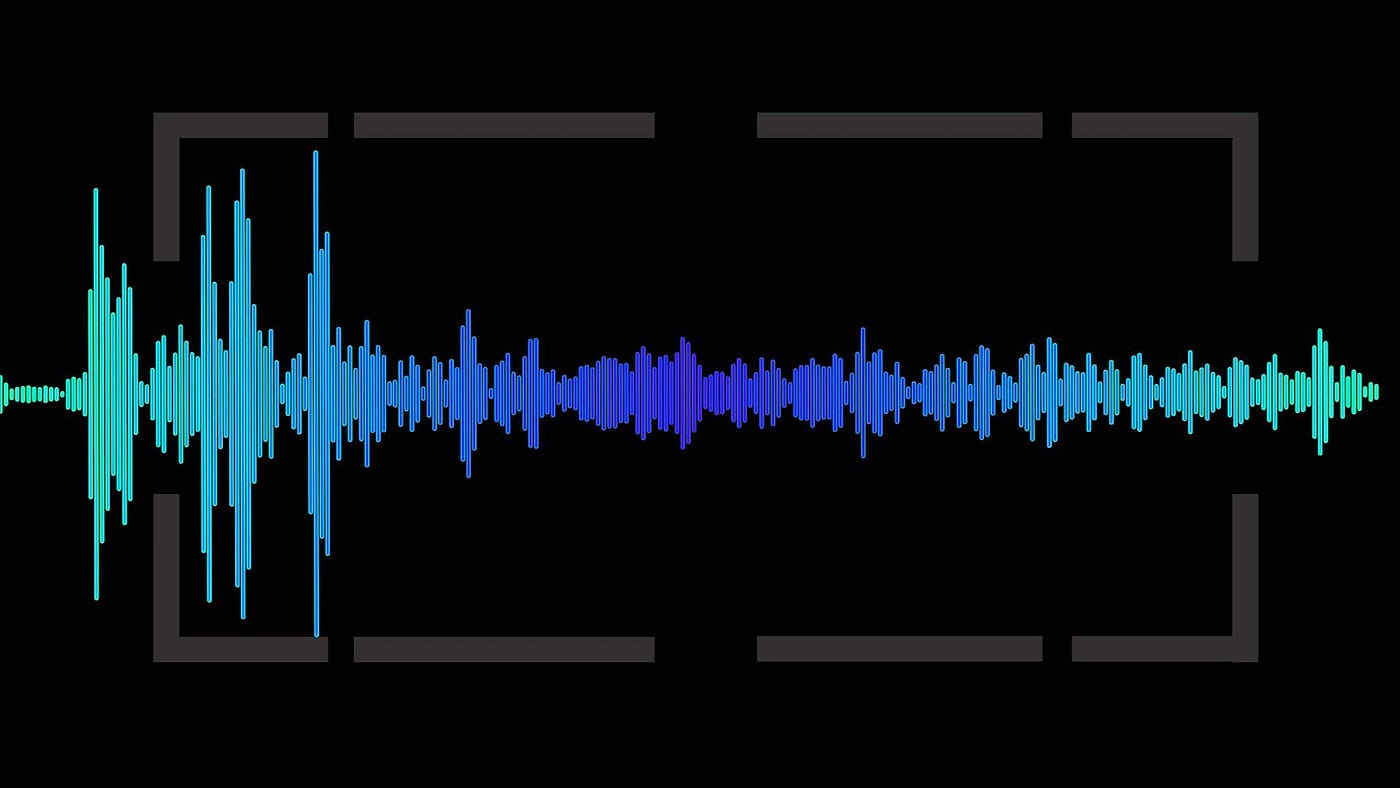
  • Analyze Existing Audio: Begin by assessing the current loudness range. I often use visualization tools to see the peaks and valleys in the waveform, identifying areas needing adjustment. It’s like examining a map before starting a journey.
  • Adjust Levels Carefully: Utilize audio editing tools to carefully raise quiet passages and lower overly loud ones. Avoid clipping, which introduces distortion. It’s similar to adjusting the seasoning in a dish for optimal flavor.
  • Monitor and Refine: Use loudness meters and your ears to monitor the results. Listen on different devices, like headphones and speakers, to ensure consistent playback across platforms. This final check is like taste-testing a recipe before serving it.

Ensuring Seamless Audio Transitions

Abrupt volume changes can be jarring. Smooth transitions are essential for maintaining viewer engagement. Gradual fades and crossfades prevent jarring shifts between scenes or audio segments. Properly implemented transitions maintain a consistent and professional feel. This creates seamlessness in the audio experience.

Advanced Techniques for Consistent Audio

More advanced methods, beyond basic leveling, can help you to achieve a uniform feel and optimize the sound across various platforms:

  • Dynamic Range Compression: Gently reduces the difference between the loudest and quietest parts of the audio, creating a more even overall volume. This is similar to using a compressor in music production to smooth out the dynamics of an instrument.
  • Equalization (EQ): Adjusts the balance of different frequencies in the audio, helping to clarify dialogue or reduce harshness. It’s like fine-tuning the tone controls on a stereo system to customize the sound.

Optimizing Your Workflow

Optimizing the process saves a great deal of time, specifically when managing numerous MP4s. The techniques I’ve perfected over the years are designed to help you build efficiency in your process and deliver top results. Streamlining ensures consistently high quality output.

  • Create Presets or Templates: Once you’ve established settings that work well, save them as presets or templates. This saves time when working on similar projects. It’s like having a pre-made recipe for your favorite dish.
  • Batch Processing: Many tools offer batch processing capabilities, allowing you to apply your adjustments to multiple files simultaneously. This streamlines the process significantly, especially when working with large volumes of media. Think of it like cooking multiple dishes in the oven at once.

Troubleshooting Common Issues

Even with the best planning, sometimes issues arise when dealing with audio. In my experience, most issues can be identified and resolved quickly. These solutions tackle those common headaches.

  • Audio Too Quiet: If the audio is consistently too low, check the input gain during recording or increase the amplification during editing. It’s like turning up the microphone volume before a speech.
  • Audio Too Loud/Distorted: Conversely, if the audio is too loud, it can cause distortion or clipping. Reduce the gain or apply compression to manage peaks. It’s like lowering the volume on a speaker to prevent crackling.
  • Inconsistent Levels Within a File: If certain sections are louder than others, carefully adjust those sections individually using automation or gain adjustments. This targeted approach is like fine-tuning individual instruments in a musical mix.

Understanding the Role of Codecs

The codec used to encode your sound heavily impacts resulting storage and final perceived tones. Different codecs operate using varied methods. Each has unique characteristics. Codec selection is a key factor in sonic fidelity.

  • AAC (Advanced Audio Coding): The most common codec used with MP4s. AAC offers a good balance between file size and sound quality, making it suitable for a wide range of applications. I often recommend this codec for its versatility.
  • Other Audio Codecs: Alternatives such as MP3 or Apple Lossless exist, each with its trade-offs in terms of quality and file dimensions. Selecting one codec over another comes down to making a balanced decision that meets specific project requirements.

Latest words on How to make MP4 audio volume consistent

Consistent MP4 audio enhances the listening experience. Following these tips and techniques you can improve your content. Balanced sound not only sounds more professional. But it also makes your videos more accessible. Consistent audio demonstrates attention to detail, setting your productions apart. While tools like MP4Gain can help streamline the process, a deep understanding of these principles is essential for achieving truly professional results.

FAQ about How to make MP4 audio volume consistent

Why do my MP4 videos have inconsistent audio levels?

Uneven volume within MP4s can stem from various factors: source material discrepancies, incorrect recording levels, or issues during editing or processing. Identifying the root cause helps apply the proper solution.

What are some indicators of inconsistent volume?

Frequent manual volume changes during playback, dialogue that’s hard to hear in some scenes, or overly loud music or sound effects. These indicate normalization steps are needed.

How does normalization improve my videos?

Normalized volume creates a more professional product by eliminating jarring shifts in loudness. It enhances viewer engagement and improves accessibility, especially for those with hearing sensitivities.

What are common techniques for leveling sound?

Peak normalization boosts the loudest part of the audio without introducing distortion. Loudness normalization aims for a consistent perceived volume. These are the most often used options.

How can I make smooth transitions between scenes?

Gradual fades and crossfades prevent jarring changes. This smoothing process contributes significantly to a polished, professional feel.

What are some advanced audio editing techniques?

Dynamic range compression smooths out the loudness variations within your audio. Equalization adjusts tonal balance, impacting dialogue clarity, and music quality.

What if my MP4 audio is too quiet?

Increase the gain during editing, being careful to avoid clipping. If possible, re-record the audio at a higher input level to capture a stronger signal from the start.

What should I do if the audio is too loud or distorted?

Reduce the gain during editing or apply compression to control peaks and avoid clipping, which introduces distortion. These measures create more manageable sound.

How can I ensure consistent loudness across multiple MP4 files?

Use batch processing features in sound tools. Batch processing applies your preferred normalization settings to multiple files at once. This creates uniformity across a large batch.

How does the audio codec affect file size and quality?

Different codecs have varying compression ratios and quality characteristics. AAC offers a balance between file size and audio fidelity. Lossless codecs like FLAC provide perfect sonic replication but result in larger files. Codec choice is a crucial aspect.

Comments:

Wow, this is a really helpful article! I’ve been struggling with uneven audio in my videos, and this gives me a much better understanding of how to fix it. Thanks!

Great explanation of audio normalization. I didn’t realize there were different types, like peak and loudness normalization. That makes total sense. Thanks for clarifying.

The tip about listening on different devices is spot on. I usually just check my audio on my computer speakers, but now I see why it’s important to test on headphones and other devices too.

I’m glad you mentioned accessibility. It’s something I’ve been trying to be more mindful of in my videos. Consistent audio levels are definitely a big part of that. Cheers.

This is super detailed, maybe a little *too* detailed. I just want a simple way to make my videos sound better. Is there a quick and easy method you can recommend?

Batch processing is a lifesaver! I edit a lot of videos, and the thought of manually adjusting audio levels for each one was daunting. Thanks for the tip!

I still don’t get the whole “codec” thing. Can you explain that in simpler terms? Like, what codec should I be using for my MP4 videos?

This was a game-changer for my video editing workflow. Thanks for the practical advice and clear explanations!

Great article, really comprehensive! Just a suggestion – could you add a section on how to normalize audio in different video editing software programs? That would be very helpful.

This article needs more cowbell! Just kidding. Seriously though, great job. Thanks for the informative read.

RMS Normalization

RMS Normalization

RMS Normalization
RMS Normalization
RMS Normalization
RMS Normalization

Let’s talk about RMS Normalization

Exploring the world of audio normalization, I delve into the intricacies of RMS (Root Mean Square) normalization. As a seasoned specialist in audio technology, my goal is to demystify this essential process and provide a comprehensive understanding for both beginners and enthusiasts alike.

Understanding RMS: The Heart of Audio Normalization

At the core of audio normalization is RMS, a crucial metric often overlooked. In this section, I’ll shed light on what RMS normalization entails and why it plays a pivotal role in achieving balanced and consistent audio levels across various recordings.

The Essence of RMS

  • Defining RMS in simple terms: Picture RMS as a skilled conductor, ensuring all instruments in an orchestra play harmoniously at the right volume.
  • Comparing RMS to peak normalization: Imagine peak normalization as adjusting the highest point of a rollercoaster, while RMS normalization evens out the entire ride for a smoother experience.
  • RMS in real-life scenarios: Consider a podcast where different speakers have varying audio levels—RMS normalization steps in to create a uniform listening experience.

Latest words on RMS Normalization

As we navigate the audio landscape, let’s uncover the latest insights and advancements in RMS normalization. My aim is to provide fresh perspectives and valuable information that surpasses the standard discourse on this crucial aspect of audio engineering.

Dynamic Range and RMS

  • Exploring the dynamic range: Imagine the dynamic range as the canvas where audio elements paint their sonic picture, with RMS normalization acting as the curator maintaining a consistent visual appeal.
  • Role of RMS in preserving dynamics: Think of RMS as a guardian angel for the delicate balance between the soft whispers and loud roars in your favorite music tracks.
  • Modern approaches to RMS: Discover how contemporary audio engineers are pushing the boundaries of RMS normalization to adapt to evolving music genres and production techniques.

Let’s talk about Personal Experiences with RMS Normalization

As someone deeply immersed in the audio realm, I’ve encountered numerous scenarios where RMS normalization proved its worth. Allow me to share personal anecdotes that showcase the transformative power of RMS in enhancing audio quality and ensuring a captivating listening experience.

RMS Normalization: Beneath the Surface

Going beyond the basics, this section peels back the layers to reveal the nuanced aspects of RMS normalization. From historical perspectives to future potentials, we’ll explore the depths of this indispensable audio engineering technique.

RMS Normalization in Historical Context

  • Origins of RMS normalization: Journey back in time to understand how RMS normalization emerged as a solution to audio level inconsistencies in early recording technologies.
  • RMS in analog vs. digital eras: Imagine the transition from vinyl records to digital streaming—RMS normalization played a pivotal role in maintaining audio fidelity across these technological shifts.
  • RMS’s enduring legacy: Explore how RMS normalization has stood the test of time, becoming a staple in modern audio production despite advancements in technology.

Let’s Embrace the Future: RMS in Next-Gen Audio

As we gaze toward the future, envision the role of RMS normalization in the next generation of audio technologies. What innovations and possibilities lie ahead in the realm of balanced and harmonious sound?

RMS and Immersive Audio

  • Immersive audio experiences: Picture RMS normalization as the bridge connecting traditional stereo setups to futuristic immersive audio environments, ensuring a seamless transition for listeners.
  • Integration with emerging platforms: Stay tuned as RMS normalization adapts to emerging audio platforms, catering to the evolving preferences of music enthusiasts.

RMS Normalization: A Nod to the Community

Let’s take a moment to celebrate the community that surrounds audio engineering. Hear firsthand from enthusiasts, engineers, and artists about their experiences with RMS normalization and how it has shaped their creative endeavors.

Voices from the Community

  • Enthusiast testimonials: Dive into personal stories from individuals who have witnessed the transformative impact of RMS normalization on their audio projects.
  • Community forums and discussions: Imagine a lively gathering where audio aficionados share tips, tricks, and challenges related to RMS normalization—become a part of this virtual community!

RMS Normalization: Closing Thoughts

As we conclude this exploration into the realm of RMS normalization, I invite you to reflect on its significance in the world of audio engineering. From its historical roots to its future applications, RMS normalization remains a linchpin for achieving optimal sound quality and balance.

Comments:

Fascinating insights into the nuances of RMS normalization. Truly a game-changer!

– SoundExplorer

Could use more real-life examples of RMS normalization in action. Nonetheless, a valuable read!

– AudioEnthusiast

Wondering about the potential drawbacks or challenges associated with RMS normalization. Any thoughts?

– CuriousListener

Excellent breakdown of RMS in historical context. I never realized its impact on the evolution of audio technologies.

– HistorySoundBuff

MP3 Louder

MP3 Louder

MP3 Louder
MP3 Louder
MP3 Louder
MP3 Louder

How to increase the volume of MP3 files?

An MP3 file’s volume can sometimes be inadequate, especially if the original recording was done at a low level. Fortunately, there are ways to amplify its volume without relying on external tools. One common method is through normalization, which adjusts the volume by analyzing the track’s loudest point and setting it to a standard level. Another approach is to use equalization, which can increase certain frequencies making the audio sound louder.

However, it’s crucial to be cautious. Over-amplifying can lead to audio clipping, where the loudest parts are cut off, leading to distortion. It’s always a good idea to make a backup of your original file before making any modifications.

“Turn the volume up, but not too loud, lest you break the speakers.” – Unknown

Why is my MP3 file so quiet?

MP3 files can be quiet for a variety of reasons. The initial recording might have been set at a low volume, or the conversion process into the MP3 format might have affected its loudness. It’s also possible that dynamic range compression wasn’t applied during the creation, leading to quieter audio.

Understanding these factors can be essential to prevent such issues in future recordings or conversions. Listening to the file on multiple devices can also give insight into whether the problem lies with the file or with a particular playback device.

“In the quiet, we hear the most noise.” – Unknown

Can I make my MP3 songs louder without distorting them?

Yes, MP3 songs can be made louder without causing distortion, but caution is necessary. It’s essential to increase the volume gradually and listen for any signs of audio clipping or distortion. If the track starts sounding harsh, it’s a sign that the volume is too high.

Using the normalization process is a safer way to achieve a louder sound without distorting the audio. This technique adjusts the track’s overall volume based on its loudest point, ensuring a more consistent and clearer sound.

“The loudest noise comes from the silent adjustment.” – Unknown

Methods to boost MP3 audio quality?

Improving the quality of an MP3 isn’t just about volume. Factors like bit rate, sample rate, and the codec used can all impact audio quality. A higher bit rate typically results in better audio quality but at the cost of a larger file size.

It’s also worth noting that once an MP3 has been compressed at a low bit rate, boosting its quality can be challenging. The best approach would be to obtain or create a new file with a higher bit rate or in a lossless format.

“Quality is not an act, it’s a habit.” – Aristotle

How do volume levels in MP3s work?

Volume levels in MP3s are determined by the amplitude of sound waves in the audio data. This amplitude represents the height of sound waves, and the greater the amplitude, the louder the sound. MP3s utilize a compression algorithm that can sometimes alter these amplitudes, affecting the volume.

To get a consistent volume across multiple MP3s, it’s a good idea to use normalization. This ensures that all songs play back at the same volume level.

“Consistency is the last refuge of the unimaginative.” – Oscar Wilde

Can amplifying an MP3 degrade its quality?

Indeed, over-amplifying an MP3 can degrade its quality. If the audio is amplified too much, it can result in clipping, where the peaks of the sound waves are cut off. This leads to a distorted and unpleasant listening experience.

To avoid this, always amplify in moderation and continuously check the audio for signs of distortion.

“Moderation is the key to lasting enjoyment.” – Hosea Ballou

Why do some MP3s play louder than others?

The perceived loudness of an MP3 can vary due to several factors. The recording environment, the original audio source, and the compression methods used can all play a role. Additionally, the use of dynamic range compression in the creation process can make some MP3s sound louder than others.

To achieve a uniform listening experience, consider using normalization or volume leveling software.

“Variety may be the spice of life, but consistency pays the bills.” – Doug Cooper

Best practices for adjusting MP3 volume?

When adjusting MP3 volume, it’s crucial to:

Always make a backup of the original file.
Use normalization rather than manual amplification for consistent results.
Avoid over-amplifying to prevent distortion.
Test the adjusted audio on different devices to ensure quality.
“Best results are achieved through diligence and practice.” – Unknown

What causes variability in MP3 volume levels?

Variability in MP3 volume levels can be attributed to differences in recording equipment, environments, compression techniques, and mastering processes. The way an MP3 is encoded can also introduce variability, especially if different bit rates and codecs are used.

“Inconsistency is the only thing in which men are consistent.” – Horace Smith

How does normalization affect MP3 loudness?

Normalization adjusts the volume of an MP3 based on its loudest point. Instead of amplifying the entire track uniformly, normalization ensures that the peak volume remains consistent across the file. This results in a balanced audio output that’s loud enough without causing distortion.

“Balance is the key to everything.” – Koi Fresco

Final words

MP3s have become a popular audio format due to their versatility and compatibility. Adjusting their volume for an optimal listening experience requires a careful approach to maintain audio quality. By understanding the intricacies of MP3 audio and following best practices, listeners can enjoy their music and recordings at the perfect volume.