Understanding the Differences between FLAC, MP3, M4A, OGG, and WAV Audio Formats


Free Download Mp4Gain
picture

Understanding the Differences between FLAC, MP3, M4A, OGG, and WAV Audio Formats

Understanding the Differences between FLAC, MP3, M4A, OGG, and WAV Audio Formats


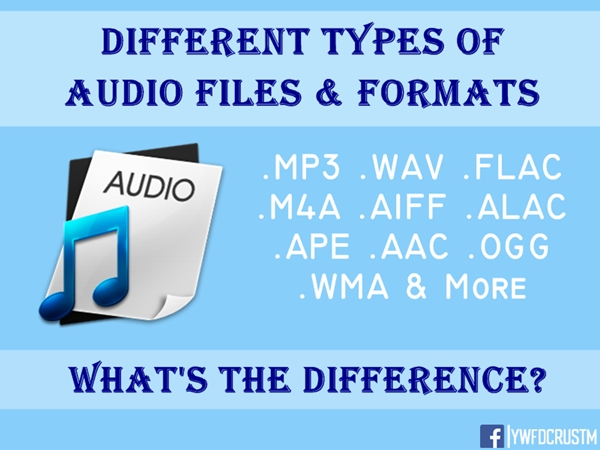
When it comes to digital audio, there are a plethora of different file formats to choose from. Each format has its own set of advantages and disadvantages, making it important to understand the differences between them in order to choose the best option for your needs. In this article, we will take a closer look at five popular audio formats: FLAC, MP3, M4A, OGG, and WAV.

Understanding the Differences between FLAC, MP3, M4A, OGG, and WAV Audio Formats

FLAC

FLAC, or Free Lossless Audio Codec, is a popular open-source format that is known for its lossless compression. This means that, unlike some other formats, FLAC does not lose any audio quality during the compression process. This makes FLAC a great option for audiophiles who want the highest quality audio possible. However, FLAC files are typically larger than other formats, which can be an issue for those with limited storage space.

MP3

MP3, or MPEG Audio Layer III, is one of the most widely used audio formats. It uses a lossy compression method, which means that some audio quality is lost during the compression process. However, MP3 files are significantly smaller than FLAC files, making them a great option for those who want to store a large amount of music on their device. Additionally, the MP3 format is supported by a wide range of devices and software, making it a very convenient option.

M4A

M4A, or MPEG-4 Audio, is a file format that is commonly used for music and other audio files. It is similar to MP3 in that it uses a lossy compression method, but M4A files are typically smaller than MP3 files. Additionally, M4A files can contain advanced features such as chapters and artwork, making them a great option for audiobooks and other spoken-word content. However, it is important to note that not all devices and software support M4A files.

OGG

OGG, or Ogg Vorbis, is a free and open-source format that is similar to MP3 and M4A. It uses a lossy compression method and is known for providing a good balance of audio quality and file size. OGG files are typically smaller than FLAC files but larger than MP3 and M4A files. Additionally, OGG files can contain advanced features such as tags and chapters, making them a great option for audiobooks and other spoken-word content. However, it is important to note that not all devices and software support OGG files.

WAV

WAV, or Waveform Audio File Format, is a popular format that is known for its high audio quality. It is a lossless format, which means that no audio quality is lost during the compression process. However, WAV files are typically larger than other formats, making them an option for those who want the highest quality audio possible but have limited storage space. Additionally, WAV files are supported by a wide range of devices and software, making them a convenient option.


Free Download Mp4Gain
picture


Mp4Gain Main Window
picture


Mp4Gain Features
picture


Free Download Mp4Gain
picture

Why are there so many video and audio formats, and is there a difference?

Why are there so many video and audio formats, and is there a difference?

Audio File Formats
Audio File Formats

I found that there are many video and audio formats, what is the difference between them? Is there a player that supports most audio and video playback formats?

Audio File Formats
Audio File Formats

The difference lies in the encoding method. Original video and audio require a lot of storage space. In the era when the storage device was still in MB as a large drive, various lossy compression encoding formats began to appear. The difference between various encoding formats is the compression ratio. The pros and cons of height and reduction ratio.

Basically, there are more advanced encodings that can provide high-quality audio and video effects with higher compression ratio.

1. Format
MP3 MP3 uses MPEG Audio Layer 3 technology to compress music into a file with a smaller capacity at a compression ratio of 1:10 or even 1:12. Files are compressed to a smaller size. But also very good at keeping the original sound quality. It is precisely because of the small size and high sound quality of MP3 that the MP3 format has become almost synonymous with online music. The music per minute MP3 format is only 1 MB in size, so the size of each song is only 3-4 megabytes.

Supplement: the highest bit rate is 320K, and there is no high frequency part is its default. The sound quality is not high!

2. Format
WMA WMA achieves a higher compression ratio by reducing data traffic while maintaining sound quality. The compression rate can generally reach 1:18, and the generated file size is only half of the corresponding MP3 file. This is very important for models that only assemble 32M. It supports both WMA and RA formats, which means that the 32M space is virtually expanded by 2 times. In addition, WMA can also add copy prevention through the DRM scheme, or add restrictions on playback time and number of playbacks, or even restrictions on playback machines, which can effectively prevent piracy.
Supplement: 128 kbps is the optimal compression ratio of wma, 128 kbps wma = 192 kbps mp3

Everything you need to know about audio formats.

Everything you need to know about audio formats.

Audio Fomats

Whether you use iTunes or buy and download digital music, you will find a number of terms and abbreviations that describe digital audio files. This alphabet soup can be quite confusing. What are audio file formats or codecs? What is the bit rate and what is the sample rate? What does it mean when the music is “high definition”?

AUDIO FORMAT FILES

This article explains what you need to know about digital audio files. I’ll tell you the difference between lossy and lossless files, explain why bitrate matters (or not), and help you understand the various file formats you can encounter.

Compression: lossy and lossless
When you buy a CD, the audio on the disc is not compressed. You can rip (or import) CDs with iTunes or other software, converting CD audio into digital audio files for use on a computer or portable device. In iTunes, you can copy in two uncompressed formats: WAV and AIFF (other software supports other formats). Both formats simply encapsulate the PCM (Pulse Code Modulation) data stored on CD so that it can be read as audio files on a computer, and their bit rate (you’ll find the one below) is 1411 kbps.

WAV and AIFF files can be quite large. Therefore, digital audio files are compressed to save space. There are two types of compression: lossless and lossy. Lossless includes formats (or codecs for short codec algorithms) such as Apple Lossless and FLAC (Free Lossless Audio Codec). Lossy includes the ubiquitous MP3 and AAC formats. (AAC, which stands for Advanced Audio Coding, is actually MP4, the successor to the old MP3. Although Apple adopted it in the early days of iTunes, Apple was not involved in its creation and does not own the format.)

You can also view other audio formats, although they are less common. These include Ogg Vorbis, Monkey’s Audio, Shorten, and others. Some of these codecs are lossy and some are not. However, if you use iTunes and Apple hardware, you will only find WAV, AIFF, MP3, AAC, and Apple Lossless, at least for music.

iTunes can copy or import audio files in these formats. Select the one you want to use in iTunes> Preferences> General> Import Settings.

When you copy or convert an uncompressed audio file to a lossless format and then play that file back, it is a perfect copy of the original (provided the data was read correctly from the CD). Thus, you can convert from one lossless format to another without quality loss.

However, when you copy to a lossy format, if you later convert the file to another format, it loses some of its quality. This is similar to how a photocopy of a photocopy does not look as good as the original.

Some people prefer lossless formats because they play audio like CDs. Lossy compression is a tradeoff to save space, allowing you to store more music on your portable device or hard drive and speed up downloads. However, most people cannot tell the difference between a CD and a lossy file at high data rates, so if you’re ripping your music to sync to iPhone, lossless files are superfluous.

Lossless ripping is a good way to back up your files as you can convert them to other formats without losing quality. And you can have iTunes automatically convert them to AAC files when syncing. Check out this article for more information on this automatic conversion, as well as other lossless file questions.

Bit rates
The best way to measure the quality of an audio file, relative to its original quality rather than its musical or engineering quality, is to look at its bitrate. The bit rate of audio files is measured in thousands of bits per second or kbps. I mentioned earlier that the CD contains 1411kbps audio, and when you convert that audio into a lossy file, its bitrate is much lower.

The higher the bit rate the better, so a 256 kbps MP3 or AAC file is better than a 128 kbps file. However, this is not the case for lossless files. Lossless file transfer speed depends on the density and volume of your music. Two lossless tracks on the same album can have bit rates of, say, 400 kbps and 900 kbps, but when played back, they reproduce the original CD audio at the same level of quality. Lossless compression uses as many bits as necessary and no more.