Everything you need to know about audio formats.


Free Download Mp4Gain
picture

Everything you need to know about audio formats.
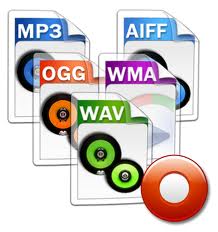
Audio Fomats

Whether you use iTunes or buy and download digital music, you will find a number of terms and abbreviations that describe digital audio files. This alphabet soup can be quite confusing. What are audio file formats or codecs? What is the bit rate and what is the sample rate? What does it mean when the music is “high definition”?

AUDIO FORMAT FILES

This article explains what you need to know about digital audio files. I’ll tell you the difference between lossy and lossless files, explain why bitrate matters (or not), and help you understand the various file formats you can encounter.

Compression: lossy and lossless
When you buy a CD, the audio on the disc is not compressed. You can rip (or import) CDs with iTunes or other software, converting CD audio into digital audio files for use on a computer or portable device. In iTunes, you can copy in two uncompressed formats: WAV and AIFF (other software supports other formats). Both formats simply encapsulate the PCM (Pulse Code Modulation) data stored on CD so that it can be read as audio files on a computer, and their bit rate (you’ll find the one below) is 1411 kbps.

WAV and AIFF files can be quite large. Therefore, digital audio files are compressed to save space. There are two types of compression: lossless and lossy. Lossless includes formats (or codecs for short codec algorithms) such as Apple Lossless and FLAC (Free Lossless Audio Codec). Lossy includes the ubiquitous MP3 and AAC formats. (AAC, which stands for Advanced Audio Coding, is actually MP4, the successor to the old MP3. Although Apple adopted it in the early days of iTunes, Apple was not involved in its creation and does not own the format.)

You can also view other audio formats, although they are less common. These include Ogg Vorbis, Monkey’s Audio, Shorten, and others. Some of these codecs are lossy and some are not. However, if you use iTunes and Apple hardware, you will only find WAV, AIFF, MP3, AAC, and Apple Lossless, at least for music.

iTunes can copy or import audio files in these formats. Select the one you want to use in iTunes> Preferences> General> Import Settings.

When you copy or convert an uncompressed audio file to a lossless format and then play that file back, it is a perfect copy of the original (provided the data was read correctly from the CD). Thus, you can convert from one lossless format to another without quality loss.

However, when you copy to a lossy format, if you later convert the file to another format, it loses some of its quality. This is similar to how a photocopy of a photocopy does not look as good as the original.

Some people prefer lossless formats because they play audio like CDs. Lossy compression is a tradeoff to save space, allowing you to store more music on your portable device or hard drive and speed up downloads. However, most people cannot tell the difference between a CD and a lossy file at high data rates, so if you’re ripping your music to sync to iPhone, lossless files are superfluous.

Lossless ripping is a good way to back up your files as you can convert them to other formats without losing quality. And you can have iTunes automatically convert them to AAC files when syncing. Check out this article for more information on this automatic conversion, as well as other lossless file questions.

Bit rates
The best way to measure the quality of an audio file, relative to its original quality rather than its musical or engineering quality, is to look at its bitrate. The bit rate of audio files is measured in thousands of bits per second or kbps. I mentioned earlier that the CD contains 1411kbps audio, and when you convert that audio into a lossy file, its bitrate is much lower.

The higher the bit rate the better, so a 256 kbps MP3 or AAC file is better than a 128 kbps file. However, this is not the case for lossless files. Lossless file transfer speed depends on the density and volume of your music. Two lossless tracks on the same album can have bit rates of, say, 400 kbps and 900 kbps, but when played back, they reproduce the original CD audio at the same level of quality. Lossless compression uses as many bits as necessary and no more.


Free Download Mp4Gain
picture


Mp4Gain Main Window
picture


Mp4Gain Features
picture


Free Download Mp4Gain
picture

Advantages and disadvantages of popular audio formats

Advantages and disadvantages of popular audio formats

 Audio File Formats

In today’s music world, there are a large number of audio file formats that are often confusing to the unprepared user. To understand all this, to find out what they are and what they are used for, the presented review will help.

Audio formats

Types of audio formats

Today is the time when all music lovers, not to mention professional musicians and audio editors, need to understand concepts like audio file formats, bit rates, extensions, bit depth, sample rate and many others. to achieve high quality sound. Sound has gone digital, which means that it can be used for various purposes, eg for listening to evidence, for presentations, video dubbing. In fact, digital sound, like an image, is a collection of individual pixels, and the more there are, the better the sound image. This “pixelated” sound can be edited and processed.

An important role in evaluating the quality of audio formats and consequently sound quality is a parameter such as bit rate, which shows how many bits or kilobits it takes to record one second of sound. Low bit rates mean low quality sound, high bit rates mean high quality sound.

But for the storage and further use of audio in one form or another, audio formats are used – digital recordings of audio data. We can say that the format is a kind of container where the sound is stored. Virtually all audio formats can be divided into two broad categories: lossless compressed and lossy compressed.

No loss, no loss

To avoid as much as possible a decrease in sound quality during the compression of an audio file, special methods have been developed to store audio information, avoiding losses, which in fact can be compared with the file when the information is simply packed in a zip file, the size of which is noticeably smaller than the original data. Later, this data can be clearly restored on each bit. And the bitrate itself is not important for these files. These audio files are collectively called Lossless, Music As Is. These algorithms allow you to compress files two to three times. As a result, the size becomes quite large, but at the same time the original sound is preserved.

Digital audio formats

Digital Audio Formats

Now there are several formats, but a basic distinction is made between lossless and lossy formats and compressed or uncompressed formats. Lossy formats are always compressed, which means a reduction in required storage space, but at the expense of playback quality. Lossless compressed formats offer faithful playback with low memory requirements.

However, the savings are less than with lossy formats. Lossless and uncompressed formats offer true-to-original music reproduction, but require a comparatively large amount of storage space. In return, they sometimes support even higher resolutions than compressed formats.

digital audio formats

What are sample rates and bit depth?

When talking about the resolution of digital music, two numbers are often mentioned. For CD quality around 44.1 kHz and 16 bit. The first number is the sample rate of the file. Describes how often the computer or network player extracts a signal from the file and processes it. 44.1 kHz means that a certain amount of data is transmitted 44,100 times per second. This amount of data is described by the bit depth (also word depth), the second number.

At the quality described, 16 bits of data are transmitted 44,100 times per second. If you want to determine the actual amount of data per second, you need to multiply these two numbers and get 705,600 accordingly. Since this is a stereo file with 2 channels, this number should be taken twice.

With CD quality music, 1,411,200 bits per second or, for the sake of simplicity, 1,411.2 kilobits are transmitted. A good MP3 file only transmits 320 kbps, so it only contains about a third of the information on a CD. Compared to 192 kHz 24-bit files, even less.What is the difference between compressed and uncompressed formats?
Uncompressed formats like

WAV do not affect music in any way. Frequencies and information are stored exactly as they are read during encoding. Therefore, uncompressed formats require more storage space in the first place than compressed formats. However, compressed does not automatically mean lossy. Formats like Apple’s FLAC or ALAC save music losslessly as a WAV file. However, they pack existing data more neatly without removing any information, thus requiring less storage space. Normally, there should be no effects on music information.

Why aren’t MP3 files high fidelity?

The MP3 format was introduced in 1992. It was revolutionary for the time, because by encoding music in MPEG-Audio Layer III, the full name of the format, you could achieve file compression of at least 4: 1, usually even 10: 1, compared to the classic CD. . This is possible because encoding in MP3 format removes the parts of the original file that are considered the least useful.

You can never make an exact copy of a music file in MP3 format and you cannot add information that has been deleted. So there is no point in converting an MP3 back to a lossless format. The AAC format used by Apple also cuts information from the original file to save space during compression.

We speak here of lossy or in English also of “lossy”, in contrast to the formats without loss or “without loss”. Meanwhile, it doesn’t really make sense to use such formats anymore, as more storage space shouldn’t be a problem today, unlike in 1992. The sound quality of MP3s is also significantly lower than that of other formats, as only 320 kbps is transmitted here at best, usually only 192 kbps or 256 kbps.

What is metadata?

Metadata are files attached to a file that contain additional information. In the case of digital music, these typically include things like sample rate, bit depth, and file format. In the best case, information about the song title, artist, album, composer, track number, etc. is also attached to the file. Modern streaming clients display this information when they play games on their screen or in an app. Also, these hidden attachments are often responsible for how the music in memory is organized.