All about the different Video formats: Xvid, Divx, mp4, h264, Flv


Free Download Mp4Gain
picture

Currently we find countless video formats. Depending on the quality you are looking for, the video will be exported one way or another. In this post I help you differentiate and understand each of the formats and codecs so that I can apply it to your editing projects.

You can find various formats intended for both web pages and videos on Youtube or Vimeo, as well as to project in cinema quality or to view them on your mobile device or Tablet.

camera_2If there were no different video formats, we would be very limited when it came to doing any type of video production, since they would occupy countless megabytes, and they would all have extreme quality, which would make it difficult to carry out projects for an exclusive job. By the way, if you are looking for websites to download copyright free videos for your projects, here I leave you the best free video pages in HD and 4K

It is not the same to export a quality video for YouTube or any online platform than to export them for a mobile device or a film shoot. Each one has essential characteristics that make everything optimized to get the most out of your production.

Many times the problem with all these options and formats is compatibility. Each device records in a different format and we can have problems when playing them, so it is very interesting to know what options there are and how to manage them to avoid headaches.

The first of all is to differentiate between these important concepts:

Definition of container format and video codec

To clarify concepts it is important to define what a container format is with what a video codec is, totally different things. The container format is the file format, the drawer that encompasses all the material (video, audio, etc.) while the video codec is the format that is related to the part of the video and is not absolutely essential.

Container format: Every video file has a format inside, which can be AVI, MPG, H264, MOV, WMV etc. This one has several elements inside, among them the video and the audio generally. But they could also contain embedded subtitles, even multiple audio files with different languages.

Video codecs: Video codecs are the files that are inside the container format, therefore you have to know how to differentiate these two concepts. If there are no codecs there would be no problem since these are files that help compression. Depending on the choice of the codec you can have worse or better quality.


Free Download Mp4Gain
picture


Mp4Gain Main Window
picture


Mp4Gain Features
picture


Free Download Mp4Gain
picture

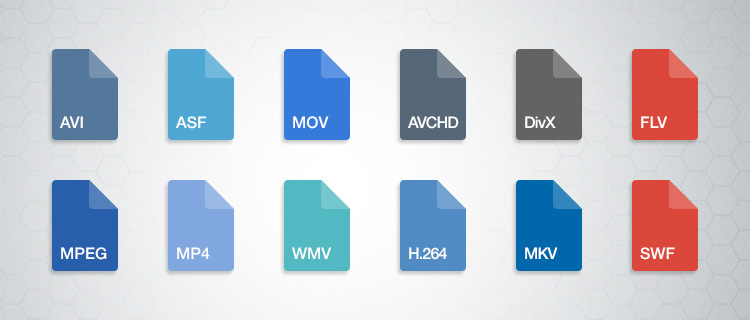
Main video formats: AVI.MPEG, WMV, MOV, ETC

Main video formats: AVI.MPEG, WMV, MOV, ETC

MPEG, different codecs for each use

It is based on the QuickTime format, which we will talk about later. In addition to video and audio it also allows storing subtitles or still images. Another of its advantages is that with MPEG you can stream. It is the standard format for digital video compression and depending on the type of codec it will be ideal for one use or for another.

If your goal is to burn your video to CD, MPEG-1 will be the codec you have to use. On the other hand, if you want a quality product on DVD, choose MPEG-2. When you want to create an audio file, your codec is the famous MP3. And finally, probably the most used by users, MP4 for the web.

If you are thinking of including a video in your Editafácil publication, we definitely recommend the mp4 format

AVI, quality but heavy

AVI is a digital video storage standard created by Microsoft in 1992. With the AVI format, videos of high quality but too heavy are obtained, therefore its use for the Internet is not recommended.

There are different compression codecs for AVI, but DivX and XviD offer the best compression-quality ratio.

AVI is ideal for storing original videos directly from the camera encoded in DV, it also allows including multiple audio streams, that is, including soundtracks in different languages.

MOV, the Apple format

MOV has been developed by Apple and has its own codec that is updated regularly. In addition to the MOV extension it can appear with the QT (QuickTime) extension

It has a very good quality-to-weight ratio, which makes it an ideal format for the web. Like the MPEG format, AVI also supports streaming.

Digital video format

WMV, Windows Media Video

It is a set of compression codecs that, as its name suggests, belongs to Windows and although it can be viewed by different players, nothing is better than Windows Media Player. It can even be a problem for users who do not use the Bill Gates operating system.

The result file is usually packaged in a multimedia container such as AVI, if it is only video in WMV and if it is only audio in WMA.

Occasionally, WMV format videos include features derived from the use of DRM (digital rights management) that prevents the viewing of the videos, but that can be easily removed with utilities such as SIdda or drm2wmv.

Windows Media Video: WMV

Here we leave you our small summary of digital video formats, and although not all of them are, yes they are all of them. Do you use any of these formats? Would you recommend another?

Video Formats, all about video formats

Knowing the video formats you can produce will help you be more successful with your business strategy.

Video content production is very successful today, so much so that YouTube, which is one of the largest platforms for sharing this type of content, already has 1.9 billion monthly users.

But do you know what types of video formats you can use in your strategy?

Both to publish on YouTube and other hosting platforms, knowing how to differentiate an FLV file from an MKV, for example, is essential for anyone who wants to make professional videos.

This is because some formats may compromise the quality of the result of your production.

Follow us and understand everything!

Meet the 7 main video formats

Each video format needs specific recording and execution applications.

When the platform you want to use cannot reproduce your material, the CODECs come into play: they are programs that encode and decode the file.

Does it sound complex? But calm, everything is a matter of compatibility. YouTube, for example, can already support various video formats.

But depending on the type of file you have, you need converters to transform the format into one that can be interpreted by the application or operating system you use.

Therefore, it is worth knowing the main ones and understanding their particularities of reproduction.

1. AVI (.avi)

AVI (Audio Video Interleave) is a format developed by Microsoft and one of the first video compressors that has been created. To play it, you need applications such as Windows Media Player.

As for quality, it is a simple format that stores audio tracks and image data in the same file. Therefore, it is common that there is some loss of data in compression and, as a result, the video does not have 100% of the recording quality at the time of viewing.

2. WMV / WMA (.wmv or .asf)

WMV / WMA (Windows Media Video / Audio) is a format developed by Microsoft as a replacement for AVI. These files are compatible with YouTube and can preserve quality even in smaller compression sizes.

A good detail is that this format is based on the continuous flow of data. This means that you can start playing it without downloading it completely, which is ideal for streaming on the Internet (as on YouTube).

3. MOV (.mov)

MOV is a direct competitor of the AVI, created by Apple. Its default player is the QuickTime Player, but applications such as Microsoft Windows Media Player can also play it.

The great advantage over its “rival” is that the loss of data is much less in compression. Then, even in very small files, MOV can offer good quality audio and video tracks.

4. FLV (.flv)

Adobe also has its own video format: the FLV. This is the most suitable type of file for playback on YouTube, since the platform is based on Flash Player technology. TV Lg is another streaming website that uses the Adobe system.

Flash videos are compatible with most operating systems and have extensions that allow embedding tracks of high definition images. For these reasons, the format is very well accepted when recording videos to share on the web.

5. RM (.rm)

The RM format has been developed by Real Networks, one of Microsoft’s competing companies. To play it, your computer must have the RealPlayer program or the Real Alternative, a Windows-compatible CODEC package.

The compression technique of this format is performed with a fixed bit rate, that is, a predetermined measure of the data transmitted over a certain period of time.

A bit complex, right? It is also for us! But the fact is that this technique causes the files to compress too much and, therefore, significantly lose the audio and image quality.

Therefore, and by way of example, sound effects are often lost in this process.

6. RMVB (.rmvb)

RMVB, in turn, is one of the video formats that has worked. Also from Real Networks, RMVB has long been an important competitor of Microsoft formats.

Unlike the RM / RA, here the data loss is much smaller. Therefore, the format allows small files – ideal for quick downloads – but with preserved track quality.

For this reason, it was widely used a few years ago, when streaming platforms were still taking their first steps, and the most common was to download video content.

7. MP4 (.mp4)

This is one of the most popular video formats. It is the most common in mobile devices and, therefore, is present in the daily life of many people.

How many types of video format do you know?

How many types of video format do you know?

If you are one of those who normally work with video files, you will have noticed that there are multiple formats of it. How many video formats do you know? Sure you are familiar names like MP4, H264, MOV, FLV, SWF … But let’s go by parts.

The first thing to note is that although they are different formats, they all have in common that they are made up of three elements or components:

The video and its corresponding codec. The latter is necessary for encoding and decoding the file, which allows tablets to compress the file. In this way, the weight of this is reduced.

The audio, that is sound. This will also have different formats: MP3, AIFF (barely without compression, which makes them very heavy), AAC (Advanced Audio Coding, usually used in Surround or surround sounds), Windows Media Audio (Windows format).

AVI is one of the first formats that was used. It was designed by Microsoft and still has a great presence.

ASF and WMV are another type of format that has the advantage of storing data on the acquisition of digital records.

MOV is a format developed by Apple for QuicTime. The MOV is usually seen in videos recorded by digital cameras or video cameras.

FLV (Flash Video) is the one developed by Flash and is more web-oriented.

MKV Surely on the Internet when you have gone to watch a series or movie you have found this format. It is a multimedia container that supports any type of content (movies, 3D animation, video games …). This is played on computers and televisions that have multimedia equipment.

MP4 or H.264 is the most widely used today, especially for its versatility. It can be seen both on mobile devices and on the computer. In addition, it allows you to encode the video in any type of resolution. And, especially if you are going to work with a video that has to work on different media, this is undoubtedly your H.264 format.

It is in this last format that we advise you to export your video projects. So you will not have any problem when viewing them.

Video File Formats – Everything you need to know about video formats


Digital videos can be saved in files of different formats. Each one corresponds to a specific extension of the file that contains it. There are many types of video formats. Here are some of the most used. Each type of file also supports a different compression codec at all times.

video formats

-AVI (Audio Video Interleaved = Audio and Video Interleaved)

It is the standard format for storing digital video.
When video is captured from a digital camera to the computer, it is usually stored in this format with the DV (Digital Video) codec.
The AVI file can contain video with excellent quality. However, the weight of the file is always very high.
Supports different compression codecs such as CinePak, Intel Indeo 5, DV, etc. The codecs with more compression capacity and acceptable quality are DivX and XviD.
The AVI format can be displayed with most players: Windows Media, QuickTime, etc. as long as the appropriate codecs for each type of player are installed on the computer.
It is ideal for saving original videos that have been captured from the digital camera (encoded with DV).
It is not advisable to publish them on the Internet in this format due to their enormous weight.
The CinePak, Intel Indeo, DV codecs, etc. They do not offer great compression. The DivX and XviD codecs, on the other hand, achieve optimal compression although they are usually used primarily for the coding of long-term films.

-MPEG (Moving Pictures Expert Group = Movie Expert Group)

It is a standard format for digital video compression.
They are * .MPG or * .MPEG extension files.
Supports different types of compression codecs: MPEG-1 (CD quality), MPEG-2 (DVD quality), MPEG-3 (MP3 audio oriented) and MPEG-4 (more web oriented).
They play with Windows Media Player and QuickTime.

-MOV

It is the video and audio format developed by Apple.
It uses its own codec that evolves in versions quite quickly.
These types of files can also have * .QT extension
It is recommended to use the QuickTime player. There is a free version of it that can be downloaded from the Internet.
It is ideal for posting videos on the Internet for its reasonable quality / weight.
Support streaming

-WMV

It has been recently developed by Microsoft.
It uses the MPEG-4 codec for video compression.
It can also have * .ASF extension
It can only be viewed with an updated version of Windows Media 7 or higher. This application is integrated into Windows.
It is ideal for posting videos on the Internet for reasonable quality / weight.
Support streaming

-RM

It is the proposal of Real Networks for video files.
Use your own codec to compress the audio.
This type of files has * .RM and * .RAM extension.
It is displayed with a specific player: Real Player. There is a free version of it that can be downloaded from the Internet.
It can be used to publish videos on the Internet for its acceptable quality / weight.
Support streaming

-FLV

It is a format used by the Adobe Flash player to view video on the Internet.
It uses the Sorenson Spark codec and the On2 VP6 codec. Both allow high visual quality with reduced bitrates.
They are * .FLV extension files.
They can be played from different local players: MPlayer, VLC media player, Riva, Xine, etc.
Recommended option for the web for its accessibility. When viewed through the Flash player, it is accessible from most operating systems and web browsers.
The best known video repositories on the Internet use this format for the dissemination of videos: YouTube, Google Video, iFilm, etc.
Allows you to configure different video parameters to achieve acceptable quality / weight.
Support streaming

The video formats for internet

The videos that we play on the Internet either locally on the computer or on any other device, can be encoded in different ways. Each method of coding implies some advantages and disadvantages, and there are better formats than others depending on the use we want to give the video. Thus, we have formats such as AVI, MP4, MKV, 3GP, Google WebM, etc …

When playing video on the Web, using a browser, the most widespread and best supported format by browsers, both mobile and desktop, is the MP4 format, and to be more exact, the MP4 / H format .264, which corresponds to files that normally have the extension .mp4. But:

Are all the .mp4 files the same?

The MP4 format – Parts, containers and extensions
When we talk about an .mp4 file or the MP4 format in general, what we are talking about is what is technically known as MPEG-4 Part 14. It is a standard format (ISO / IEC 14496-14) and is a container format of multimedia tracks. That is, this format defines how audio and video tracks (called data streams) in various formats can be contained in the file, and can even contain subtitles as well.

Within this container format, within the .mp4 file, the audio and video tracks may be encoded in various formats, as appropriate for the application to be given. Although in theory it supports many different formats (almost any) for these audio and video tracks, in practice the players of this format support only some specific types, the most frequent being:

Audio: AAC (Advanced Audio Codec, which when they are loose are files with extensions .m4a or .3gp), or the MP3 format.
Video: the different variants of the MPEG format.
MPEG or Moving Picture Experts Group is a group of “authorities” and manufacturers in the field of audio and video that came together at the request of ISO in the late 1980s to create file encoding standards for this type of multimedia information, and thus guarantee compatibility between media to be reproduced and reproductive devices. The first version of the standard, MPEG-1 came out in 1993, and since then there have been many new versions, and within these what they call “Parts”, which are specific aspects of the standard and also extensions to the specification for specific things, or improvements to the base format that they modify.

The most widespread version of this MPEG format is 4, or MPEG-4, which appeared at the end of 1998, and is what we know as MP4, due to the extension of its files. This version is divided into several sub-standards or “Parts” that describe certain issues of the format (for example, the 14 container, as I said at the beginning) and certain extensions.

Within the parts of the standard, part 10 describes an advanced coding format that is what we also know as H.264, but which is actually also called MPEG-4 Part 10 and what Blue-Ray discs used , for example. That is why in many Internet sites they talk about H.264 and MPEG-4 being the same. And it is true, but not quite, since in MPEG-4 parts 2, 12 or 14 also describe other compression formats that are MPEG-4, and the container format may also contain MPEG in earlier versions of lower quality such as MPEG -1 or MPEG-2.

Digital video formats: how to differentiate them

As with text documents, photographs or audios, digital video is available in different formats or extensions.

In this sense, today we find DVD and Blu-Ray, although some of us still keep in an old VHS closet and maybe some Betacam.

But a second meaning or meaning of video formats refers to their encoding, since in digital video, as with a computer program, any file is written in a certain code.

In videos, the code influences image quality, sound quality, whether or not it includes subtitles and, especially, the relationship between quality and file size.

Thus, today we consume digital audiovisual content through physical discs (DVD, Blu-Ray), through streaming and through IPTV (Internet television), but we also handle digital video files, especially for content that we generate ourselves.

Next we will review the most common digital video formats that we can find, what is their origin and what benefits they offer. I apologize in advance for the gibberish of acronyms.

AVI

We start with the most popular format that we will find. Video files with an .AVI extension have their origin in a format that was launched in 1992 and is so popular that most smart TVs, DVD / Blu-Ray players, video game consoles and operating systems play it.

AVI is an acronym for Audio Video Interleave and not many know that it was created by Microsoft as a digital alternative without dependence on a physical format such as the then popular DVD.

Among its advantages, it allows you to include several audio channels and host content generated with different codecs (AC3 or MP3 for audio, DivX or Xvid for video), which can be an advantage but also an inconvenience with which players.

MP4

MP4 or MPEG-4 is one of the most modern formats, launched in 1998 as a standard for playing video and audio in a single digital file.

MPEG stands for Moving Picture Experts Group, the expert group that has established digital audio and video standards and was formed by two international organizations, the ISO (International Organization for Standardization) and the IEC (International Electrotechnical Commission).

In summary, the MPEG and MPEG-2 format were launched in 1993 and 1995 respectively as standards for encoding digital audio and video. To understand each other, any DVD offers its audiovisual content in MPEG-2.

MP4 also supports several audio channels, but has the advantage of allowing more image and sound quality in a less heavy file, as it compresses data better. Apple, for example, opts for this format and derivatives for its iTunes content.

Related to MP4 we can find M4V (video) or M4A (audio).

MKV

The MKV video format is an open format, free to pay rights, and whose full name is Matroska, like traditional Russian dolls.

MKV saw the light at the end of 2002 and has become popular thanks to the fact that within a single MKV file we can store, together with the audio channel, several channels or audio tracks and several subtitle tracks.

Like MP4, it offers very good audio and video quality in a small space. And as a curiosity, the WebM format that allows you to integrate online video via HTML, is inspired by Matroska.

FLV

The FLV or Flash Video format was created by Macromedia, and subsequently acquired by Adobe. This format is usually found as an FLV or SWF extension.

Like the other Flash content, FLV videos are designed for online playback from the browser through Adobe Flash Player.

As we saw in a previous article, Flash will stop developing in 2020, although we still find pages that use it.

MOV

I said before that Apple is currently betting on MP4 (and AAC) to facilitate multimedia content. But its star format for many years was MOV.

MOV, from QuickTime Movie, is also called QuickTime File Format, and today it is still the default format of QuickTime, the macOS video player.

This format can also be found in many digital video cameras, since it offers very good quality