Is flac better than mp3?


Free Download Mp4Gain
picture

Is flac better than mp3?
 

Is flac better than mp3?

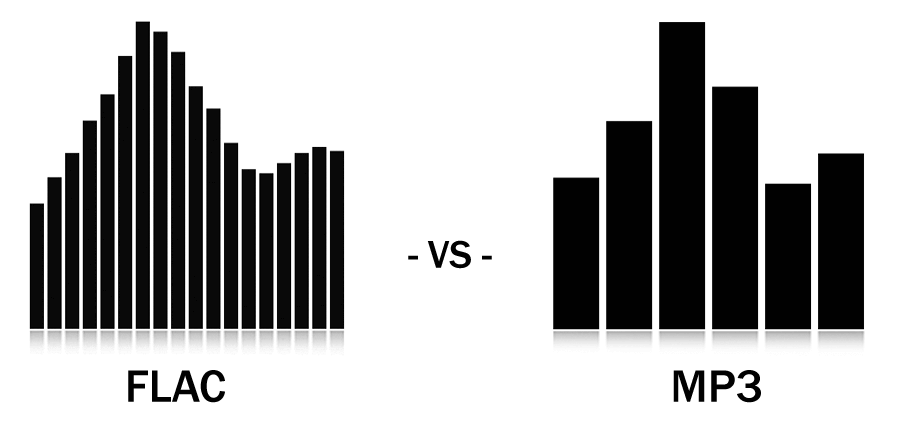
Welcome to a new debate on audio quality. Today we will discuss the classic debate of whether FLAC is better than MP3 and what are its advantages and disadvantages. Let’s take a look!
Is flac better than mp3?

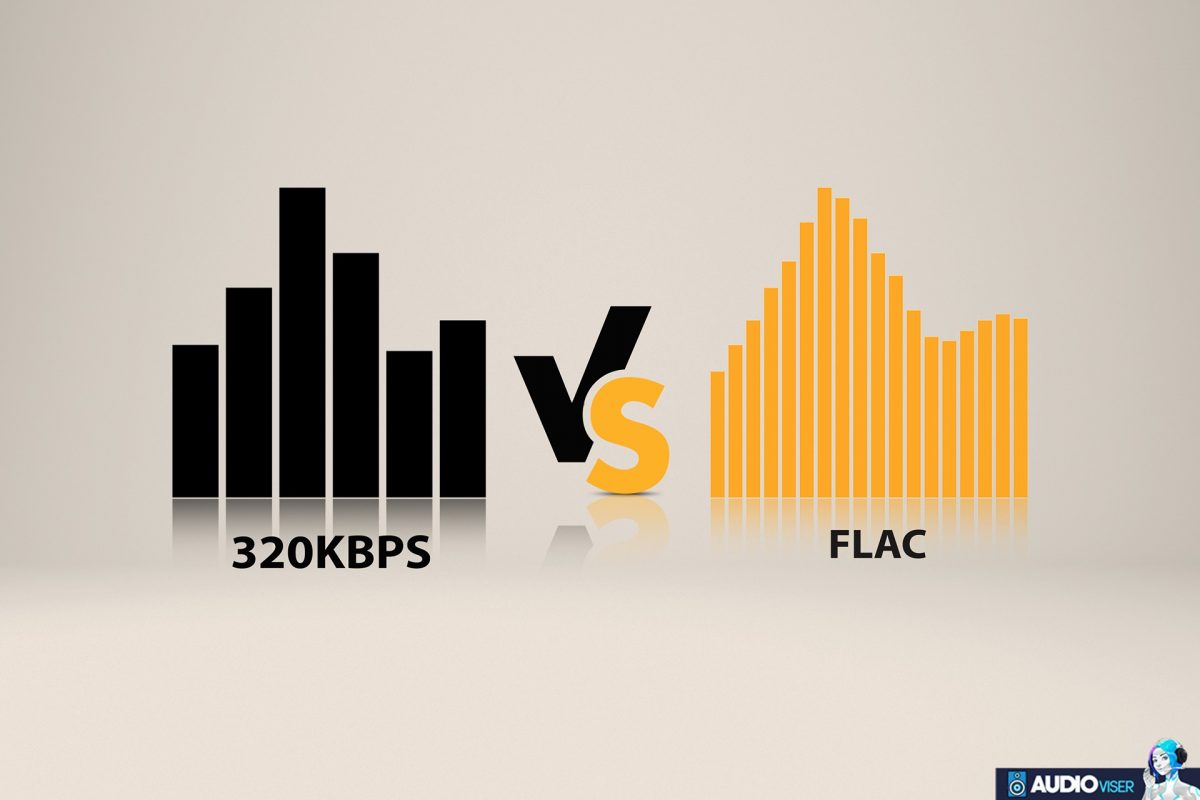
FLAC (Free Lossless Audio Codec) and MP3 (Moving Picture Experts Group Audio Layer 3) are the two most popular audio formats on the market. While both formats can provide excellent audio quality, there are some differences between them that are important to consider.

FLAC is a lossless compression format, which means that the audio is not deteriorated by compression, allowing the original file to remain intact. This means that the audio you get when playing a FLAC file is exactly the same as the original audio. On the other hand, MP3 is a lossy compression format, which means that some details of the original audio are lost during the compression process. This often results in lower audio quality.

FLAC also stands out for its small file size. Although lossless compression means that FLAC files are larger than MP3 files, FLAC file sizes are still much smaller than uncompressed audio file sizes. This means you can store more, better quality audio in a much smaller storage area.

However, the main drawback of FLAC is that it is not supported by all devices. Many devices do not have the ability to play FLAC files. On the contrary, MP3 is widely compatible with most devices and is easier to use.

In conclusion, FLAC is a better option for those who want the best audio quality without sacrificing file size. However, it is not compatible with all devices and requires a bit more knowledge to use. Therefore, if you need an option that is compatible with a wide range of devices and easy to use, MP3 is the best choice.

In conclusion, FLAC and MP3 are the two most popular audio formats on the market. FLAC offers excellent audio quality without sacrificing file size, although it is not supported by all devices. On the other hand, MP3 is a lossy compression format that is widely compatible with most devices, but it does not offer the same audio quality as FLAC. Ultimately, the best option depends on your personal needs and preferences.



Free Download Mp4Gain
picture


Mp4Gain Main Window
picture


Mp4Gain Features
picture


Free Download Mp4Gain
picture

Enjoy the best sound quality with MP3

Enjoy the best sound quality with MP3

Enjoy the best sound quality with MP3

Are you tired of listening to poor quality audio?


Enhance your audio experience with high quality MP3! With quality MP3 technology, you can enjoy music and audio the way you want, with superior sound quality. Discover the best quality MP3 sounds for the best audio experience.

Many people enjoy listening to music or audio, but often encounter poor audio quality. This can take away from the audio experience, as voices can be muddled and sounds can be distorted. Fortunately, quality MP3 technology can greatly improve audio quality. The MP3 format has become the standard format for playing audio and music, offering much better audio quality than other formats.

Quality MP3 files offer superior sound quality. This means that the voice and sounds are heard clearer, without distortion. In addition, high-quality MP3 files can also contain more information, which means that the audio can sound more defined and full. This makes the audio experience much more pleasant.

But how can you get quality MP3? Fortunately, there are several ways to get high-quality MP3s. The first option is to convert existing sound files to MP3. This can easily be done using Mp4Gain. This program can convert audio files from other formats to quality MP3 without losing quality and normalize the volume of your mp3.

The second option is to download MP3 files from the web. Many websites offer quality MP3 files, some of which are free. These files can be downloaded directly to your computer and then played on your MP3 player.

The third option is to buy quality MP3 files. These files can be purchased online at specialty music and audio stores. These files generally offer superior audio quality and can be downloaded directly to your computer.

With quality MP3 technology, you can enjoy music and audio the way you want, with superior sound quality. This will allow you to experience the best audio quality with MP3. Discover the best quality MP3 sounds for the best audio experience.

Quality MP3 technology is a simple and effective way to improve audio quality. With quality MP3 files, you can enjoy music and audio the way you want, with superior sound quality. There are several ways to get quality MP3, from converting existing files to MP3 to downloading from the web or buying them. Discover the best quality MP3 sounds for the best audio experience.

Structure of an mp3

Structure of an mp3


Structure of an mp3
Structure of an mp3

audio compression

Structure of an mp3
Structure of an mp3


The MP3 format began in the mid-1980s and the Fraunhofer Institute in Erlangen, Germany, was committed to high-quality, low-data-rate audio coding.

MP3 audio compression includes encoding and decoding in two parts. Encoding is converting the data in the WAV file into a highly compressed bitstream format, and decoding is accepting the bitstream and reconstructing it into the WAV file.

MP3 uses the distortion algorithm of Perceptual Audio Coding (PerceptualAudioCoding). The frequency range of sound perceived by the human ear is from 20 Hz to 220 kHz. MP3 cuts out a lot of redundant signals and irrelevant signals. The encoder transforms the original sound into the frequency domain through a hybrid filter bank. Using the psychoacoustic model, it is estimated that it may simply be The perceived noise level is quantized and converted to Huffman coding to form an MP3 bitstream. The decoder is much simpler and its task is to extract the sound signal from the encoded spectral line components through inverse quantization and inverse transformation.

When compressing audio data, the original sound data is first divided into fixed blocks, and then direct MDCT is performed. MDCT itself does not perform data compression, but only converts a set of time-domain data to frequency-domain data to obtain time-domain data. In case of change, the direct MDCT converts the value of each block into 512 MDCT coefficients. Quantization compresses data, and when bits are allocated to transformed samples after quantization, it is necessary to consider making the entire quantized block the smallest, which becomes lossy compression. When decompressing, the 512 coefficients are restored to the original sound data by reverse MDCT, and the original sound data before and after are inconsistent, because redundant and irrelevant data are removed during the compression process.


MP3 file structure
MP3 files are roughly divided into three parts: TAG_V2(ID3V2), Frame, TAG_V1(ID3V1)

ID3V2 Contains information such as author, composer, album, etc., the duration is not fixed, expanding the amount of information of ID3V1
framework


A series of frames, the number is determined by the file size and frame length

The length of each frame can be variable or fixed, determined by the bit rate.

Each FRAME is divided into two parts: frame header and data entity

The frame header records the bitrate, sample rate, version, and other mp3 information, and each frame is independent of each other.

ID3V1    Contains author, composer, album and other information, length is 128BYTE

Structure of an mp3

Structure of an mp3


Structure of an mp3
Structure of an mp3

The full name of MP3 is MPEG Audio Layer3, which is an efficient computer audio coding scheme.

Structure of an mp3
Structure of an mp3

It converts audio files into smaller files with .MP3 extension with a higher compression ratio and basically keeps the sound quality of the original file. MP3 is part of the ISO/MPEG standard. The ISO/MPEG standard describes audio compression using a high-performance perceptual coding scheme. This standard has been continuously updated to meet the pursuit of “high quality, low volume”. MPEGLayer1, Layer2 , and Layer 3 have now formed three audio codec schemes. The compression rate of MPEGLayer3 can reach from 1:10 to 1:12. A 1M MP3 file can play for 1 minute, while a 1 minute CD-quality WAV file (44100 Hz, 16-bit, two channels, 60 seconds) will take up 10M of space. , A 650M MP3 disc should play for more than 10 hours, while a CD with the same capacity should play for about 70 minutes. The advantages of MP3 are unmatched by CD.

MPEG audio standard
MPEG (Motion Picture Experts Group) is a moving picture expert group under ISO, and the MPEG standard it creates is widely used in various multimedia. MPEG standards include video and audio standards, among which MPEG-1, MPEG-2, MPEG-2AAC, and MPEG-4 audio standards have been developed.

The MPEG-1 and MPEG-2 standards use the same family of audio codecs: Layer 1, 2, and 3. A new feature of MPEG-2 is the use of low sample rate expansion to reduce data traffic, and another feature is multi-channel expansion, which increases the number of main channels to five. The MPEG-2AAC (MPEG-2 Advanced Audio Coding) standard was released by FraunhoferIIS and AT&T in 1997, with the goal of significantly reducing data traffic. MPEG22AAC adopts the Modified Discrete Cosine Transform (MDCT) algorithm and the sampling rate can be between 8 KHz and 96 KHz. The number of channels can be between 1 and 48.

MPEG Audio Layer1, 2, and 3 use the same filter bank, bitstream structure, and header information, and the sample rate is either 32 KHz, 4411 KHz, or 48 KHz. Layer1 is designed for DCC (DigitalCompactCassette) digital compression tape, the data rate is 384kbps, Layer2 has made a compromise between complexity and performance, and the data rate has been reduced to 256kbps-192kbps. Layer 3 was designed for low data traffic from the start, and data traffic ranges from 128 kbps to 112 kbps. Layer 3 adds MDCT transform, making its frequency resolution 18 times higher than Layer 2. Layer 3 also uses EntropyCoding similar to MPEGVid2eo, reducing redundant information. The vast majority of MP3s use the MPEG21 standard.

The compression algorithm of an Mp3.

The compression algorithm of an Mp3.

Mp3 compression algorithm

In addition to the physiological structural properties of the human ear, the function of the brain also plays a very important role.

Mp3 compression algorithm

The pitch in the sound is determined by the fundamental tone, while the timbre is determined by the harmonics, and the human brain will automatically complete the fundamental tone, even if the fundamental tone does not exist. For example, the bandwidth of a telephone is only 300~3200 Hz, but when we listen to a man with a base tone of 120 Hz talking on the telephone, we can still hear his correct tone and will not confuse a boy with a girl. . .

We still don’t know how the brain uses complex calculations to reconstruct this non-existent tone.

PS Add a little visual easter egg, can you see what’s weird about this image?


(Please read the answer to the end)

…………………………………………………………………………………………………………………… ………… ……… …………………………………………………………………………………………………………………… ………………………………………………………………………………………………………………………………… ………………………………………………………………………………………………………………………………… ……………………………………………………………………………………………………………………………… ……………………………………………………………………………………………………………………………… ……………………………
_ Your vision~ amazing! The human body still has too many unknown magic eggs waiting to be excavated~~

The compression algorithm of an Mp3.

The compression algorithm of an Mp3.

Mp3 compression algorithm

The birth of the MP3 compression algorithm is nonsense of human organs in the digital age. The whole algorithm is not improved around the math, but rather optimized around how to fool the human hearing organ.

Mp3 compression algorithm


So this algorithm is very curious, Baidu finally found information after a long time, and has a little understanding of the principle of it, so please record it.

basic principle
There is a special effect of shading effect on the human hearing model.
The role of the cochlea is as a spectrum analyzer, converting sound waves into signals of different frequencies. The villous cells at each specific location will be stimulated by a specific frequency, but when the basilar membrane leads to fluctuations, the villous cells around it will also be stimulated. That is, if there is a frequency with a high volume, and at the same time there is a relatively weak frequency near it, the sound of the relatively weak frequency will be covered by the relatively loud sound, and our human ears have no way to distinguish the sound There is another sound of a weaker frequency.

To the human ear, the perception characteristics of sound do not change on a linear frequency scale (human hearing is not that good), but can be expressed in a series of limited frequency bands called critical frequency bands. Simply put, the entire frequency band is divided into several segments, and in each frequency band the auditory perception of the human ear is the same, that is, the psychoacoustic characteristics are the same.
Then, according to this principle, the mp3 compression work can be simply divided into two parts:

The first step: dividing the original audio data into several subcritical frequency bands according to certain principles;

Step 2: Analyze the frequency spectrum according to the psychoacoustic model to find the masking effect curve. Then, according to this curve, each sub-frequency band is quantized separately, and finally the compression of the audio is below the masking effect curve.

In this way, mp3 compression is done. And it is surprising that mp3 is really compressed in the digital world, but it belongs to compression without distortion for human perception.

What are MP3 files?

What are MP3 files?

What are MP3 files?


The audio format is directly related to the quality and purpose of the audio track, i.e. where and on which device it will be played and what is its purpose.

What are MP3 files?

But before you can figure out the difference between them and choose the best audio format for your music, you need to know what categories they fall into. Let’s keep going!

Uncompressed audio is like a picture, and uncompressed audio is of better quality, larger file size, safer to copy, and nearly identical in detail to the original sound.

WAV is the most widely used of these audio formats and plays music just as accurately as it records it.

compressed audio
When music is compressed, the files become smaller and can be easily stored on a device. Due to this advantage, users tend to choose compressed audio more.

However, it must be remembered that some audio formats in this category may lose quality depending on the option selected, just like MP3 and AAC.

What is the best audio format?
As we said before, the first step in deciding on an audio format is to know the final objective of the track. Whether it’s for music lessons, performances, karaoke, auditions, or recording versions, you need to understand the pros and cons of each option.

WAV
WAV (Waveform Audio File Format) is an uncompressed format and therefore requires ample storage space. This is suitable for those who already work with music, such as subject matter experts, or users who want to edit audio.

At high fidelity rates, WAV faithfully reproduces the elements and characteristics of the original soundtrack. Also, this format allows you to choose between different sample rates and bit rates and can be used on multiple platforms.

FLAC
FLAC (Free Lossless Audio Codec) is one of the most widely used compression formats by music lovers these days.

Digital audio encoding allows you to preserve its quality, but the resulting file will be smaller. Over the years, this format has become more widely used and compatible with different devices and platforms.

FLAC is free and open source, ready to use and can be easily played on smartphones and other devices.

MP3
Before deciding on the best audio format, it is worth taking a look at the most famous format in the world of music: MP3.

MP3 is one of the leading audio compression formats, and has become synonymous with the convenience and efficiency of producing files quickly, with smaller files, and at a certain level of quality.

Many devices and programs can play this format. But MP3 is difficult to use in professional audio processing and advanced audio editing.

As is known, this format exists on almost all platforms and is ideal for sharing audio.

Another interesting factor is its bitrate, although in a compressed format it can vary depending on the user’s objectives and quality improvements.

AAC Like MP3, Advanced Audio Coding (AAC) is a more efficient audio format than its predecessor.

If you need to create smaller files with less storage space, AAC is a great choice, reducing the file size for the user while maintaining a high-quality audio track.

Compatible with different platforms and devices, it is convenient to apply in different situations.

Analysis of the above audio formats leads to the conclusion that it is impossible to say which format is better than the other, just that each target has its own ideal format. So before downloading or uploading a file, check what platform the music will play on and what it is for.

What are MP3 files?

What are MP3 files?

What are MP3 files?
What are MP3 files?

A file with the .mp3 extension is a digitally encoded file format for audio files, officially based on MPEG-1 Audio Layer III or MPEG-2 Audio Layer III.

What are MP3 files?
What are MP3 files?

It was developed by the Moving Picture Experts Group (MPEG) using Layer 3 audio compression. The compression achieved by the MP3 file format is 1/10 the size of a .WAV or .AIF file. This format offers the advantage of streaming such audio files over the Internet for online listening, which was previously not possible due to the large size of audio files. The sound quality of MP3 audio files can be controlled by setting parameters such as bit rate, sample rate, common or normal stereo.

A brief history of MP3

The MP3 format was invented and developed by a German company, Fraunhofer-Gesellshart. The algorithm has licensed patents for the compression techniques it uses. Here’s a helpful MP3 schedule:

• 1987 : The Fraunhofer Institute in Germany begins research on high-quality, low-bitrate audio coding. It’s called the EUREKA project EU147, Digital Audio Broadcasting.

• January 1988: The Moving Picture Experts Group (MPEG) is formed.

• **April 1989**: Fraunhofer patented the MP3 in Germany.

• 1992-Dieter Seitzer, who helped Fraunhofer with his research, integrated his audio encoding with MPEG-1.

• 1993 – Publication of the MPEG-1 standard.

• 1994 – The MPEG-2 standard was developed and released a year later.

• November 26, 1996 : US patent for MP3 is published.

• September 1998 – Fraunhofer begins to enforce the patent. People who used the MP3 audio codec paid Fraunhofer a license fee.

• February 1999 – SubPop, a record label, releases music in MP3 format, the first to do so.

• 1999 – The first portable MP3 player appears.

File format MP3##
MP3 files consist of MP3 frames, where each frame consists of a header and a data block. Frames are not independent and generally cannot be mined at arbitrary frame boundaries. The data blocks of a file contain frequency and amplitude information about the audio. The sync word in the header identifies the start of a valid frame. This is followed by 3 bits where the first bit indicates that it is an MPEG standard and the remaining 2 bits indicate that layer 3 is used; therefore, MPEG-1 Audio Layer 3 or MP3. After this, the value will vary depending on the MP3 file. ISO/IEC 11172-3 defines the range of values for each part of the header and the header specification. Most current MP3 files contain ID3 metadata, which precedes or follows the MP3 frame, as shown. Data streams may contain an optional checksum.

mp3 audio format, the most popular

mp3 audio format, the most popular

mp3 audio format, the most popular

With the rapid development of file compression technology, MP3 has become the most popular music format today.

mp3 audio format, the most popular

MP3 File Format Analysis MP3 file data is made up of multiple frames, and the frame is the smallest unit of the MP3 file. Each frame consists of a frame header, additional information, and sound data. The playback time of each frame is 0.026 seconds, and its duration varies with the bit rate. Some MP3 files have extra bytes at the end to store description information for non-audio data. The structure of the MP3 file is shown in Figure 2. 3.1 Frame header format The frame header is 4 bytes long. For fixed bitrate MP3 files, the frame header format of all frames is the same. The data structure is as follows: typedef FrameHeader{ unsigned int sync:11;//Sync information unsigned int version:2 ;//version unsigned int layer:2;//layer unsigned int protection:1;//CRC check unsigned int bitrate:4;//unsigned bitrate int frequency:2;//unsigned frequency int padding:1;//unsigned frame length setting int private:1;//unsigned reserved word int mode:2; //unsigned channel mode int mode extension:2;//unsigned extended mode int copyright:1;//unsigned copyright int original:1 ;//unsigned original logo int emphasis:2;//emphasis mode }HEADER, *LPHEADER; See Table 1 for a description of the 4 byte frame header. Table 1 Explanation of the use of MP3 frame header bytes Name Length (bits) Description Synchronization information 11 All bits in the 1st and 2nd byte are 1, and the 1st byte is always FF. Version 200-MPEG 2. 5 01-undefined 10-MPEG 2 11-MPEG 1 layer 2 00-undefined 01-Layer 3 10-Layer 2 11-Layer 1 CRC check 1 0-check 1-no check Bit rate 4 The third bit Tuple sampling rate, the unit is kbps, such as MPEG-1 Layer 3, 64 kbps, the value is 0101. Frequency 2 Sampling frequency, for MPEG-1: 00-44.1 kHz 01-48 kHz 10 -32 kHz 11-setting frame length undefined 1 is used to set the length of the file header, 0-no setting, 1-setting, the specific setting calculation method see below. Reserved word 1 is not used. Channel Mode 2 The fourth byte indicates the channel, 00-Stereo 01-Joint Stereo 10-Dual Channel 11-Mono Expansion Mode 2 Only used when the channel mode is 01. Copyright 1 Whether the file is legal or not, 0-Illegal 1-Original logo legal 1 If original, 0-Not original 1-Original emphasis method 2 Used for classification of sound compensation after noise reduction and compression, which is rarely used and is it may not work in the future. 00-Undefined 01-50/15ms 10-Reserved 11-CCITT J.17 MP3 frame length depends on bit rate and frequency, the calculation formula is: frame length = 144×bit rate∕ frequency+padding For example: bit rate is 64kbps, frequency is 44.1kHz, when padding is 1, frame length is 210 bytes. After the table header there is additional information of variable length. For standard MP3 files, their length is 32 bytes, followed by compressed audio data, which will be decoded when the decoder reads here. For Constant Bit Rate (CBR) MP3 files, not all frames are the same length, and some frames may be one or more bytes longer. There is also Variable Bitrate (VBR) MP3, to minimize the length of MP3 file and ensure sound quality, compared to CBR file, except for the first frame, the rest is the same. The first frame of VBR does not contain audio data and its length is 156 bytes, which is used to store information such as standard audio frame header (4 bytes), VBR file identifier, frame number, number file byte, etc. See table 2 for the description of the structure. Table 2 Description of the first byte of the frame structure of the VBR 1-4 file The same standard sound frame header as CBR 5-40 Store the logo of the VBR file “Xing” (58 69 6E 67), the specific position of this logo depends on the adopted MPEG standard and the sound depends on the channel mode.

mp3 audio format, the most popular

mp3 audio format, the most popular

mp3 audio format, the most popular

With the rapid development of file compression technology, MP3 has become the most popular music format today.

mp3 audio format, the most popular

The encoder transforms the original sound into the frequency domain through a hybrid filter bank. Using a psychoacoustic model, it is estimated that it may be sufficient to be The perceived noise level is then quantized and converted to Huffman coding to form an MP3 bitstream. The decoder is much simpler and its task is to extract the sound signal from the encoded spectral line components through inverse quantization and inverse transformation.
2.4 Modified Discrete Cosine Transform Modified Discrete Cosine Transform (MDCT) refers to converting a set of time-domain data to frequency-domain data for time-domain variation. MDCT is an enhancement of the DCT algorithm. The first fast algorithm is the Fast Fourier Transform (FFT), but FFT has operations on complex numbers and MDCT are all operations on real numbers, which is convenient for programming. When compressing audio data, first divide the original audio data into fixed blocks, and then perform forward MDCT (Forward MDCT) to convert the value of each block into MDCT 512 coefficients. When decompressing, the reverse MDCT (Reverse MDCT) The 512 coefficients are restored to the original sound data, and the original sound data before and after are inconsistent, because redundant and irrelevant data are removed during the compression process. The FMDCT transformation formula is: k=0, 1,…, N/2-1 where N is the length of the transformation window, that is, the number of sample points per block, N=8, 16 ,… ., 1024, 2048. n0=(N/2+1)/2, X(n) is the value in the time domain, X(k) is the value in the frequency domain. If N takes 1024 points, it will become 512 frequency domain values. The IMDCT transformation formula is: 4 Modified Discrete Cosine Transform Modified Discrete Cosine Transform (MDCT) refers to converting a set of time-domain data to frequency-domain data to learn the changes in the domain. weather. MDCT is an enhancement of the DCT algorithm. The first fast algorithm is the Fast Fourier Transform (FFT), but FFT has operations on complex numbers and MDCT are all operations on real numbers, which is convenient for programming. When compressing audio data, first divide the original audio data into fixed blocks, and then perform forward MDCT (Forward MDCT) to convert the value of each block into MDCT 512 coefficients. When decompressing, the reverse MDCT (Reverse MDCT) The 512 coefficients are restored to the original sound data, and the original sound data before and after are inconsistent, because redundant and irrelevant data are removed during the compression process. The FMDCT transformation formula is: k=0, 1,…, N/2-1 where N is the length of the transformation window, that is, the number of sample points per block, N=8, 16 ,… ., 1024, 2048. n0=(N/2+1)/2, X(n) is the value in the time domain, X(k) is the value in the frequency domain. If N takes 1024 points, it will become 512 frequency domain values. The IMDCT transformation formula is: 4 Modified Discrete Cosine Transform Modified Discrete Cosine Transform (MDCT) refers to converting a set of time-domain data to frequency-domain data to learn the changes in the domain. weather. MDCT is an enhancement of the DCT algorithm. The first fast algorithm is the Fast Fourier Transform (FFT), but FFT has operations on complex numbers and MDCT are all operations on real numbers, which is convenient for programming. When compressing audio data, first divide the original audio data into fixed blocks, and then perform forward MDCT (Forward MDCT) to convert the value of each block into MDCT 512 coefficients. When decompressing, the reverse MDCT (Reverse MDCT) The 512 coefficients are restored to the original sound data, and the original sound data before and after are inconsistent, because redundant and irrelevant data are removed during the compression process. The FMDCT transformation formula is: k=0, 1,…, N/2-1 where N is the length of the transformation window, that is, the number of sample points per block, N=8, 16 ,… ., 1024, 2048. n0=(N/2+1)/2, X(n) is the value in the time domain, X(k) is the value in the frequency domain.