ABOUT DIGITAL AUDIO FORMATS

ABOUT DIGITAL AUDIO FORMATS

HDCD

Today, there are several digital audio formats that are superior in quality to CDs and are available both on physical media and on the Internet. What are advanced sound lovers listening to now? Let’s find out.

HDCD

The capabilities and quality of the CD-DA format were initially limited by the capabilities of CD as a medium. Legend has it that the standard 74-minute CD capacity was chosen so that long classical pieces could be recorded without splitting across two discs. And to be absolutely precise, this figure appeared thanks to Beethoven’s Ninth Symphony: it lasts exactly 74 minutes. Another default parameter was the 44.1 kHz sample rate. This figure defines the upper limit of the reproduced frequency range. For a CD that had to reproduce frequencies up to 20 kHz, this was the lowest possible carrier frequency. As a result, the only field of maneuver was the bit depth, the level of which was 16 bits. With regard to sound recording, bit depth determines its dynamic range and resolution.

The CD cannot be copied into the memory of the computer in the usual way, since we usually copy files. To save a CD-DA, you need a special program, the so-called CD-ripper (ripper), a program that allows you to convert data recorded on an audio disc to PCM format (WAV file). A properly organized CD-DA ripping process allows you to get a completely identical digital copy on your hard drive. Audio CDs are generally saved on a computer as a large FLAC audio file (also WAV, WV, or APE) with a CUE index card or as separate tracks.

HDCD releases

As the best digital audio format, the CD did not last that long, a little over ten years. In the mid-nineties, the first format appeared that allows for better sound quality. HDCD was an improved version of CD-DA. Their difference consisted in a special recording algorithm that made it possible to save additional data on the sampling depth in a standard CD format. With an HDCD decoder, the output signal received not 16, but 20 bits, which did not give the standard of 96, but up to 120 dB of dynamic range and a very noticeable increase in recording resolution. At the same time, devices without an HDCD decoder played discs like normal CD-DAs. Interestingly, when saving such a disk on a PC in the same way,

DVD-A and SACD discs

The next leap in terms of sound quality took place at the beginning of the new millennium. Two HD audio formats were presented to the audiophile audience at once, appearing almost simultaneously. DVD-Audio, a further development of the traditional recording method and promoted by Panasonic and Toshiba. It is capable of recording 24-bit / 192 kHz in stereo mode and 24-bit / 96 kHz in multi-channel mode.

It was competing with the SACD format, which, by the way, looked much less like a normal CD, although it was called “super CD”. Super Audio CD, developed by Sony, was based on the revolutionary DSD encoding algorithm. This digitizing method assumed one-bit sampling at an ultra-high frequency of 2.8224 MHz. The encoding and decoding principles of a DSD stream are much simpler than in high-bit formats and are essentially closer to the principles of analog technology. At the same time, the SACD format retains all the advantages of the advanced digital format and has output characteristics comparable to DVD-Audio in both sound quality and number of channels.

The first prototype of the Philips SACD player

Both DVD-Audio and SACD were designed with a high level of copy protection, but curious minds have already won over both formats, so if desired, the content of both disc types can be saved on a PC as ISO images (without changing the format). structure and original codec) or as FLAC tracks in 24bit / 96kHz or 24bit / 192kHz. Almost simultaneously with the DVD-Audio and SACD formats, another original format for publishing high-quality music was born: DAD 24/96. DAD stands for Digital Audio Disk, but it is essentially a DVD-Video with a high-quality still image and sound that can be played on any standard DVD player or PC.

Music publications on Blu-ray

Obviously, with this approach, Blu-ray media, with its HD sound formats, recorded in high quality without compression, is quite applicable for recording music in high quality. However, at the moment there are few such publications, and a special version of the BD-Audio format has every chance of not seeing the light of day, as the sale of high-quality audio material is already very active on the Internet.

What determines the quality of MPEG-4 movies?

What determines the quality of MPEG-4 movies?

mpeg 4

The quality of MPEG-4 movies depends on many factors; they can be roughly divided into three groups.

mpeg 4

The quality of the source material. For example, if a two VideoCD (MPEG-1) CD movie with a resolution of 352 * 288 is compressed onto a disc in MPEG-4 or worse, from a pirated videotape, then there can be no doubt of acceptable quality. …

Source video compression parameters: bit rate (data flow that goes through the decoder), image size and others, less significant. The value of these parameters determines, in the first place, the duration of the movie. So on a CD, you can put a movie that is one and a half hours long, or you can come up with a three-hour movie. It is clear that in the first case the data flow turns out to be wider and the required compression ratio is lower. Consequently, the movie will be compressed and burned to CD with less loss of image quality. The optimal choice of encoding parameters in MPEG-4 is strictly individual and depends on a particular movie. Therefore, without sufficient experience in this matter, it is difficult to achieve a good result. It is no secret that all MPEG-4 movies are made by hand. Image quality is often very poor, and the impression of watching a movie can be completely ruined by artifacts and constant image shake. In contrast, in the DVD format, virtually all discs have excellent studio quality picture and sound.

Compressed video decompression settings, video card settings, monitor / TV settings and the speed of the computer used for display. The lower the speed, the more choppy images and frame drops are noticeable (especially in dynamic scenes).
For obvious reasons, the viewer cannot have any influence on the factors of the first two groups, so we will not consider them. The only thing left to do here is to advise you to choose your discs carefully. The factors of the third group depend entirely on the user and his computer, we will consider them in more detail below.

Overlay – what is it?
A video stream in Windows can be played through a special DirectDraw mode called Overlay, while the video information is not sent to the video buffer, but to a separate area of ​​the video card’s local memory, where it is further processed by the hardware. from the video card itself (YUV to RGB color space conversion, hardware scaling and filtering). The size of the overlay frame and the depth of the color are independent of the desktop. After processing, the overlay buffer can be displayed on the desktop or through a separate channel, for example, through the video output to the TV, and many video cards allow you to perform gamma correction on the content of this buffer, adjust the brightness, contrast etc. regardless of the desktop. The overlay is displayed on the desktop using “chromakey” technology. Windows draws the window where the overlay should be displayed, and fills it with “key color”; When a video controller encounters this color, by sending it to a DAC (digital-to-analog converter), it replaces it with data from the overlay buffer, having previously scaled the image to window size or full screen. It is very simple to check if the overlay mode works or not when playing a video: just try to take a screenshot of the screen; if a black rectangle appears in place of the video image, then the video is displayed through the overlay.

What is DivX and what is it for?
DivX (divx.ctw.cc) is a codec that performs compression / decompression of compressed images in the MPEG-4 standard. In an effort to drive competitors out of the video streaming market (eg Apple with QuickTime), Microsoft has developed a codec that allows a video stream to be compressed in MPEG-4 format. In one of the debugging stages of the new product, a beta version of this codec was released to the masses, which, after minor modifications by a group of hackers, was renamed the DivX codec. For “political” reasons, Microsoft then slowed development in this direction, releasing only a module to play already encoded video.

Questions and answers about MPEG4

Questions and answers about MPEG4

mpeg 4

Movies recorded in the MPEG-4 format have already gained deserved popularity among a wide audience of PC users.

mpeg 4

These films will generally fit on a CD, and in terms of image quality they can compete successfully with video tapes. Not the last factor that determines the popularity of MPEG-4 discs is their price. Therefore, MPEG-4 could well become a middle ground on the path of the massive transition of home users from analog VHS video recorders to the digital DVD standard.

In the Russian-language part of the Internet, you can find a large number of materials about the MPEG-4 standard, but most of them contain a description of the complexities of the process of compressing video in this format. This is, of course, a specific question that requires detailed research, but for users acting only as viewers, these articles often cannot answer the questions that arise when they want to watch movies. Another important source of information is conferences. In the “Processors”, “Video”, “Multimedia” sections, issues related to speed, quality, optimal settings and everything related to MPEG-4 are constantly raised, but the answers received often contradict each other. Someone claims that all his life he watched MPEG-4 without brakes on Pentium 200, others complain about the slideshow,

This article attempts to clarify frequently asked questions from people who have recently encountered this format, as well as to draw the attention of those who have never encountered MPEG-4 before. Hopefully, after reading this material, the reader who is not involved in video editing and compression can confidently say, “Now I know enough about this.”

What is MPEG?
MPEG is an abbreviation that stands for Moving Picture Experts Group (before writing a letter the first letter is not deciphered, so go to www.mpeg.org).

It is a fairly large organization, consisting of developers of audio, video and computer equipment, as well as programmers and specialists involved in the development and implementation of standards for algorithms for compression, transmission, storage and reproduction of audio and video data. .

Among the developments of this group in the field of digital video recording, the most famous are:

MPEG-1 standard. It was released in 1992. Users most often associate it with movies on VideoCD. The typical consumer video format for MPEG-1 in the PAL standard is 352 * 288 pixels, 25 frames per second. The audio part is stereo audio with a sampling frequency of 44.1 kHz, compressed in MPEG-1 Layer II. A feature film recorded in this format occupies two CDs in the VideoCD standard. The picture quality of VideoCDs is on par with a consumer VHS videotape.

MPEG-2 standard. Released in 1995. Users come across this video compression format primarily when purchasing DVD with movies. The typical frame size for a DVD movie in the PAL / SECAM video standard is 720 * 576 at 25 frames per second, or 640 * 480 at 30 frames per second in the NTSC standard. Compared to MPEG-1, support for multi-channel audio (Dolby Digital 5.1, DTS, etc.) has been added to the audio part. Increasing the bit rate and using an improved video compression algorithm have provided DVD movies with much better image quality than VideoCD. MPEG-2 is also used today in digital satellite television. Home DVD players in our country are gaining popularity. The relatively high price of DVD movies plays a big role in this.

MPEG-4 standard. It began to develop in the first half of the 90s of the last century. In December 1999, a launch of this format was presented, which received the official status of ISO / IEC standard. MPEG-4 was conceived as a way to transfer data from transmission media, mainly video, over low-bandwidth channels. The standard unexpectedly gained popularity among low-budget users: the use of more complex compression algorithms made it possible to put one-and-a-half-hour to two-hour feature films in acceptable quality on a single CD. With the same bit rate and certain encoding conditions, the image quality of a movie in MPEG-4 can be comparable or even better than when using MPEG-1 or MPEG-2. However, the use of new compression algorithms also led to a significant increase in the computing resources required for decompressing high-quality images from this format.

Video signal processing

Video signal processing

Video signal processing

Classification of video signal processing devices.
Today, the words “video processing” and “digital video” no longer surprise.

Video signal processing

During the last decade, video signal processing devices have gone through a huge development path, many special terms and methods for video image processing have appeared. We will try to inform you about some video signal processing devices and methods. All video signal processing devices (VOD) can be divided into several categories:

Specialized devices that perform a limited set of functions and operate, as a rule, in real time. This category includes all kinds of video mixers, video switchers, special effects generators, synchronizers, transcoders, etc.
Video signal processing devices based on PC, Macintosh, Silicon Graphics, Amiga, Alpha DEC, etc. These devices are generally manufactured in the form of external cards or blocks that actively interact with the computer through software. These devices rarely work in real time, but they have almost limitless possibilities.
Control and auxiliary devices that control video equipment (VCRs, camcorders, video mixers, switches, etc.). They can be both standalone and part of a computer video complex. This category includes video editing controllers, online video editing boards, control systems, etc.
It should be noted that most of the above devices use digital signal processing, which has a number of advantages or is the only one possible. Digital technology is quite specific, the behavior of intelligent machines sometimes contradicts everyday human experience and is difficult to perceive. Special education, which reveals the ins and outs of digital processes, eliminates such difficulties.

However, it must be taken into account the fact that the vast majority of workers in broadcasting organizations and companies, and even more so the representatives of private and domestic video studios, are not familiar with the mathematical logic, the theory and the physics of digital processes for multidimensional processing. data matrices and other wisdom from the corresponding scientific disciplines and, most likely, will never be brought together. All they need is a tailored presentation of the basics and behavior of digital systems. We do not have specialized literature of this type, but the need is enormous. We will try in this material to provide these basic concepts, which are necessary for the correct selection of special video signal processing devices, which in the end is reflected in the efficiency of the work, obtaining optimal results and saving money.

2. What is video editing.
Before streaming any footage, it should be edited into a clean video or video movie, that is, removing “unnecessary” video clips, stitching separate pieces of video material together, transitioning between them, adding special effects and titles. That is what the devices we will talk about are designed for. There are three types of video editing: linear, non-linear, and hybrid.

Linear

means rewriting video material from two (or more) video sources to a video receiver (video recorder) with the accompaniment unnecessarily cropping and “pasting” the necessary video scenes and adding the aforementioned effects. The downside is the loss of quality (the only exception, perhaps, are professional video signal presentation formats, for example Betacam SP), high work intensity and a large number of video equipment.

Non linear

carried out on the basis of specialized computer systems. In this case, the raw video materials are first entered “into the computer”, and then the editing procedures are performed. Advantages: virtually no loss of quality during multiple video “moves”, significant savings on video equipment. Disadvantages: non-real-time work, long processing time for video material, high labor intensity (try to value half an hour of video material, which is necessary, for example, when creating educational films), limited amount of video material entered into a computer.

Hybrid

the view combines the advantages of the first two (a non-linear video editing system acts as the video source). The downside is usually the higher price.

Now let’s talk about how the video signal is organized, in what form the video image is transmitted between various video signal processing devices.

Sound quality

Sound quality

Sound quality

The lower the bit rate, the worse the sound quality of the compressed and recoded file. The audio bit rate is measured in kilobytes per second. To clarify what sound is, depending on its bitrate, the following table sheds light on this issue:

800 bps – 800 bps – minimum quality for voice to be recognizable.
8 kbps – 8 kbps – the quality of telephone voice transmission.
32 kbps – 32 kbps – AM quality.
96 kbps – 96 kbps – FM quality.
128-160 kbps – 128-160 kbps – quality standard.
192 kbps to 192 kbps digital streaming with DAB quality (digital audio streaming). Become the new standard for MP3 music. At the same time bitrate, only professionals can tell the difference in sound.
224-320 kbps – 224-320 kbps – quality close to CD quality.
1411 kbps – 1411 kbps – PCM audio format, similar to CD “Compact Disc Digital Audio”.
Of course, you must remember and understand that the sound will depend on one more characteristic of digital sound, such as the sampling frequency, which is responsible for representing the spectrum of the signal.

If we talked about each of the audio formats, we would be here all day. Of course, you have other responsibilities and a lot of music to produce. This is the best use for each of these formats. They take up a lot of hard disk space. For one simple reason: it has the best of both worlds.

They are compressed, which makes them easier to handle in terms of size. But they also offer a nice, rich sound. If you’re listening to streaming music, chances are you are. They are useful for transferring multiple files at the same time, navigating an entire directory, or quickly sharing and linking tracks.

8,000 Hz: telephone, enough to talk, Nellymoser codec;
1,025 Hz;
22,050 Hz – radio;
44 100 Hz – used on audio CD;
48,000 Hz – DVD, DAT.
96,000 Hz – DVD-Audio (MLP 5.1)
192,000 Hz – DVD Audio (MLP 2.0)
2822 400 Hz – SACD Super audio CD 5.1
The most common format, especially on the Internet, is MP3. It uses a compression algorithm in such a way that, while reducing the size of the data required to reproduce the recording and ensuring the quality of playback, the loss of sound quality is minimal. The file size depends on the compression ratio, so when you create an MP3 at an average bit rate of 128 kbps, the result is a file that is approximately 1/10 the size of the original CD-Audio file.

By the way, don’t forget any format.
Try and judge for yourself. Choosing the correct format depends on each context. So think about what kind of sound you are sharing and where you are sharing it. Are you using the correct format? So make smart decisions and use the correct format. Digital audio can be saved in various formats. Each of them corresponds to a specific file extension that contains it.

It is not an audio format itself, so its functions are described separately. There are a large number of audio formats. Typically, the format type matches the file extension. Certain types of files are assigned a specific codec. In simple terms, the format can be compared to a container in which a video or sound signal can be stored using a given codec. If you don’t know which program to use to open format or other audio, we recommend that you use our audio converter. It is compatible with almost all existing formats.

For comparison, I will give information about the Wav format, which supports high-quality sound. With a sample rate of 44100 Hz, its bit rate is 1411 kb / s and 1 minute of a file recorded in this format occupies approximately 10 m of hard disk space.

So what are the most common audio formats today?

This group of formats records and compresses audio in a way that preserves its exact original quality when decoded. In lossy compression, the sound undergoes some modification. For example, compression cuts audio frequencies that are not audible to the human ear. When decoded, the file will differ from the original in terms of the information stored in it, but it sounds almost the same.

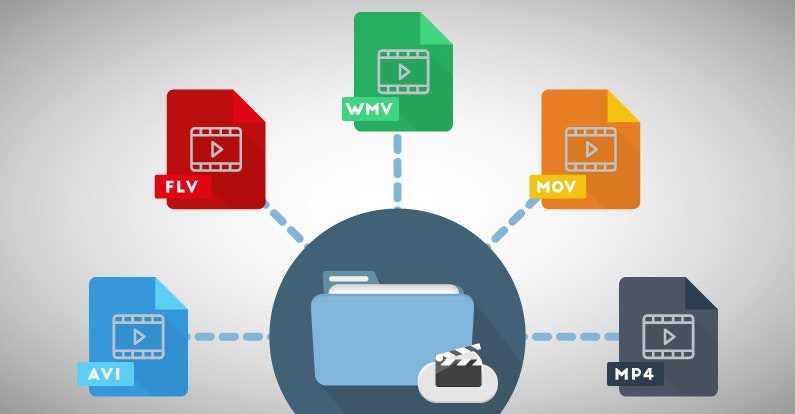
Most popular media file formats:

Most popular media file formats:

Media File Formats

3GP: designed for use in mobile phones, in AP networks. It guarantees powerful compression, which allows the format to be used on weak mobile phones.

Medias File Formats

AVI (Audio / Video Interleaved): developed by Microsoft, one of the most widespread formats in the world. Different codecs can be used in this format.
FLV (Flash Video) – Created to stream video over the Internet. The most widespread format on the Internet, it is often used by various video hosting sites to store videos. Provides good image quality with low bit rate.
M2TS is a Blu-Ray video file.
MKV (Matroska) is a container that can hold video, audio, subtitles, and more. This format can contain various types of subtitles and allows you to add multiple audio tracks to a video file.
OGG is a free and open format designed to store multimedia content encoded with different codecs.
ReadMedia is a format created by RealNetworks. It is mainly used for television broadcasting and video transmission on the Internet. Low bit rate and poor image quality.
MOV is a container developed by Apple for QuickTime. This is the format of the Mac OS X operating system.
MP4 is a format of one of the specifications of the MPEG-4 standard. It can contain various audio and video sequences, subtitles, animation, panoramic images.
SWF (Shockwave Flash or Small Web Format) is a video format for flash animation, vector graphics, video, and audio on the Internet.
WMV (Windows Media Video) was developed by Microsoft. An attempt to create an analog of MP4, which was also unsuccessful.
WebM is an open format proposed by Google as a replacement for the H.264 / MPEG4 standard.
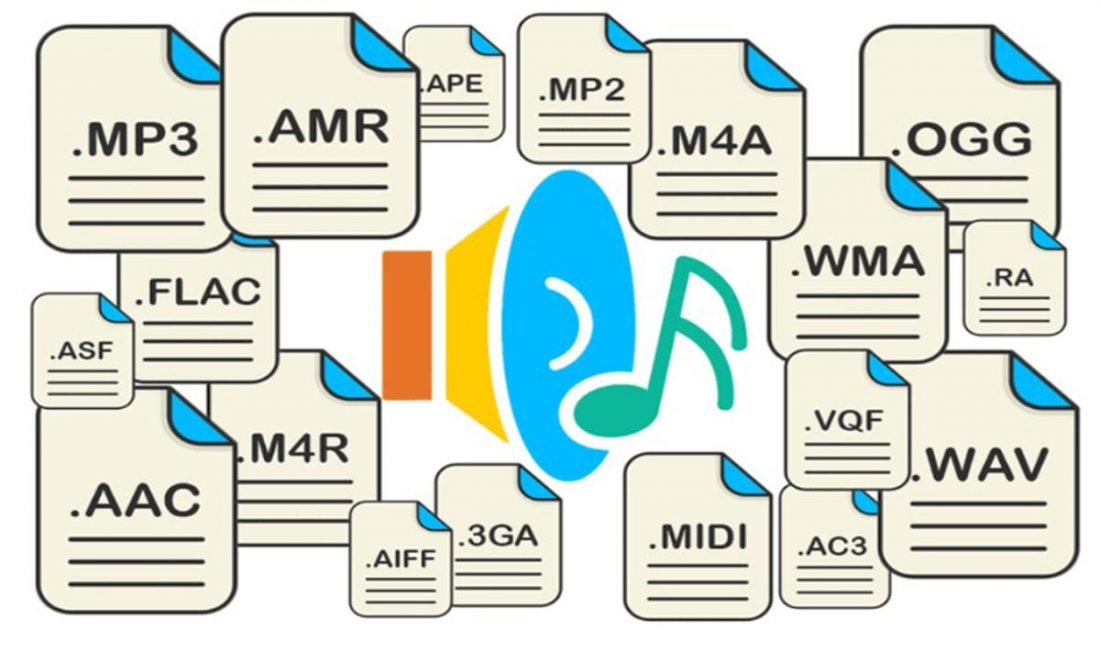
In this article, I want to give an incomplete list of the most common music formats. With some we are more familiar, with others less, for example, those who use Windows on their computer are practically unfamiliar with the AIFF file format for Mac OS, an analog of the more famous WAV format. But that is not the point

Today, there is a “wide variety” of music formats, they are differentiated from each other by different audio compression algorithms, while the compression ratio itself is expressed by a concept such as bit rate.

Uncompressed formats are not compressed. They simply unfold during opening. Although the size of these files is usually very large. The downside of lossy compression files is that it removes some data from the original file. But the advantage is that they are smaller, open faster and take up less space.

Lossy files can have a high or low resolution depending on the compression ratio. The higher the quality, the less information will be lost. The bit rate corresponds to the information processed per second. A higher bit rate means more information per second. And more information per second means better sound. You now understand the basics of compression, file types, and bit rates, right?

Audio formats. Understanding the differences

Audio formats. Understanding the differences

Audio File Format

There are many different audio formats.

audio file formats

You can’t even imagine how many audio formats there are. Now we will consider only the most popular ones, and if you need complete information, you can find it on Wikipedia.

Audio formats
Sound is itself an analog phenomenon. In order for it to register on a computer, it must be digitized. Digitized audio takes up a lot of space. Therefore, they use special algorithms to encode and compress data: codecs. Codecs provide encoding / decoding of audio / video data, as well as compression / decompression of such data. Download a set of codecs for Windows:

The type of media file format (audio or video, no difference) is determined by its extension. For example, MP3 files have the extension .mp3. The codec for this format is always the same: MPEG Layer-Ç. But for the MP4 format, the codecs may be different.

Some formats, such as MP4 and FLV, can contain streaming audio and video. So, if you see a file with the extension .mp4, you can’t definitely tell that it contains only music or only video, or a movie – audio and video. After all, initially in such formats, the possibility of transmitting both audio and video was raised.

We all know that once information is compressed, it can be lost. Therefore, all codecs can be divided into two groups: with loss of quality and without loss of quality. Don’t be intimidated by the word “lossy”: As a general rule, codecs cut off “unnecessary” information that is invisible to our eyes and ears (almost invisible).

Lossless compression codecs include:

FLAC (Free Lossless Audio Codec);
APE (Monkey’s Audio);
ALAC (Apple Lossless Audio Codec).
And here are the lossy codecs:

If you are a fan of sound then it makes sense to look for music in FLAG format. For normal home listening, the most popular MP3 format is sufficient. Also, to experience the total difference between MP3 and FLAC formats, you need professional sound reproduction equipment; unfortunately, the tablet does not belong to said team. So I don’t see any reason to download FLAC music to a tablet.

Now let’s take a quick look at the audio formats themselves:

WAV is the first (or one of the first) audio formats. It is used to store uncompressed audio recordings. One minute of recording in WAV format requires 10MB. An audio CD is usually copied in this format and then the resulting WAV files are compressed with an MP3 codec to save space.
MP3 (MPEG Layer-3) is the most widely used audio format. It reduces the sound with a loss of quality, but only the sound that is not heard by the human ear is cut off. As a result, a person does not hear the difference and the sound takes up less space. The main characteristic of this format is the bit rate. The higher the bit rate, the better the sound quality. Uncompressed audio CD has a bit rate of 1411.2 Kbps. The highest sound quality in the case of MP3 format is achieved at a bit rate of 320 Kbps. Anything below 320 Kbps is of worse quality . The difference between 128 Kbps and 320 Kbps is already felt by ear, so if you can download recordings with a higher bit rate, go for it.
WMA (Windows Media Audio) is a format developed by Microsoft for the Windows operating system. Microsoft tried to create a replacement for MP3, but, as time has shown, it failed.
OGG is an open format that supports encoding of audio with various codecs. The most widely used OGG codec is Vorbis. In terms of compression quality, the format is comparable to MP3, but less common in terms of media player and audio player support. If you can download music in MP3 and OGG format, you should choose MP3 because your audio player may not support OGG format.
AAC is a proprietary audio format that provides better sound quality than MP3. It is currently the best lossy audio coding algorithm. A file of this format can have the extensions aac, mp4, m4a, m4b, t4p, t4g.
FLAC is a lossless compression format. It does not make any changes to the audio stream, so the sound encoded with it is identical to the original. Used for listening to sound in high-level sound systems.
Video formats
There are no fewer video content formats and standards than audio formats. Let’s start with the international standards that define the data storage and encoding format of multimedia files: