What is Audio Compression Ratio and Why Does it Matter?

Understanding Audio Compression Ratio
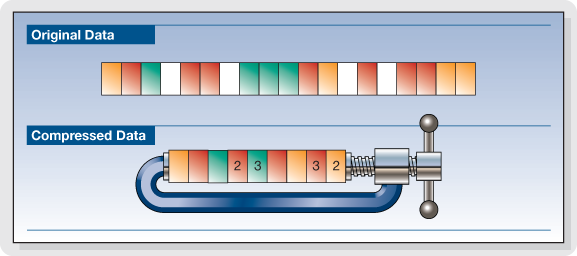
As an audio enthusiast, I have always been intrigued by the term “audio compression ratio.” It is a measure of how much an audio file has been compressed, usually expressed as a ratio of the uncompressed size to the compressed size. The higher the ratio, the more compressed the file is. But why does it matter? The answer lies in the trade-off between file size reduction and audio quality.
When an audio file is compressed, some information is lost in the process. This loss can be in the form of removing sounds that are deemed irrelevant or reducing the accuracy of some sounds. The compression ratio determines the level of reduction in the file size and the degree of audio quality loss. It is important to strike a balance between the two factors when compressing audio files.
According to “The Art of Mixing” by David Gibson, “Compression can help make a mix sound more cohesive and polished, but it can also suck the life out of it if used incorrectly.” Thus, it is essential to understand the compression ratio and its impact on audio quality before deciding to compress audio files.
Lossless Audio Compression
Lossless audio compression is a method of compressing audio files without losing any information. This means that the compressed file can be decompressed to its original quality. Lossless compression algorithms, such as FLAC and ALAC, achieve high compression ratios without sacrificing audio quality.
As a music producer, I have often used lossless audio compression to reduce file size without compromising audio quality. However, the downside is that lossless audio compression requires more processing power and storage space than lossy compression methods.
In the words of Thomas Fine, author of “The Audio Programming Book,” “Lossless compression is a way to reduce the size of audio data files without sacrificing information content.” Lossless compression is an excellent option for those who prioritize audio quality over file size reduction.
Audio Normalization and Compression
Audio normalization is the process of adjusting the volume level of an audio file to a standard level. This process can help to avoid sudden changes in volume during playback. Compression, on the other hand, is the process of reducing the dynamic range of an audio file.
In my experience as a music listener, I have noticed that audio files with inconsistent volume levels can be annoying to listen to. Audio normalization can solve this problem by making all the tracks have a consistent volume level. Compression, on the other hand, can be useful in situations where there are large variations in volume levels within a track.
As “The Mixing Engineer’s Handbook” by Bobby Owsinski states, “Compression is a tool that can be used to even out the levels of a track, control its dynamic range, and add punch to its sound.” Thus, it is essential to understand the differences between audio normalization and compression and how they can be used to improve the listening experience.
Conclusion
In conclusion, the audio compression ratio is a crucial factor to consider when compressing audio files. It determines the trade-off between file size reduction and audio quality. Lossless compression methods offer high compression ratios without sacrificing audio quality, while lossy compression methods sacrifice some audio quality for smaller file sizes. Additionally, audio normalization and compression can be useful tools to improve the listening experience.
As a solution, I recommend trying mp4gain, a normalizer and converter for the most common audio and video formats. It also has an integrated equalizer for further audio adjustment.
Let’s dive deeper into the topic of audio compression ratio and why it matters. Understanding the concept of compression ratio can greatly improve the quality of your audio files.
What is audio compression ratio?
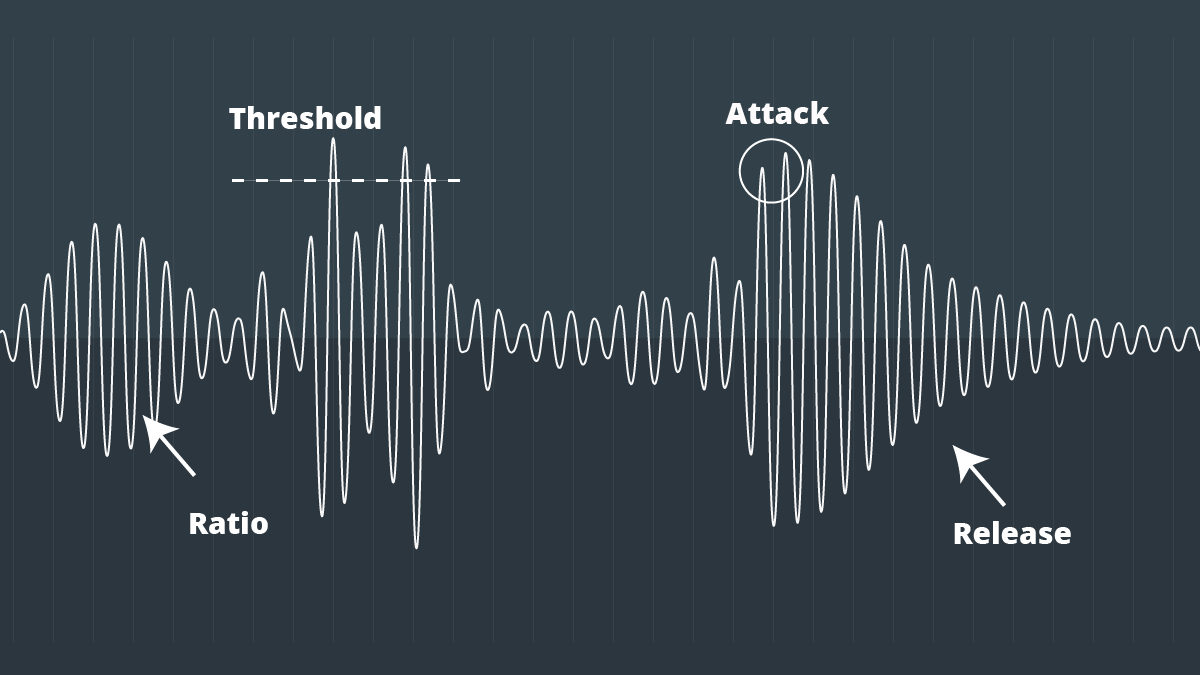
Audio compression ratio refers to the amount of compression applied to an audio signal. It is the ratio between the dynamic range of the original signal and the dynamic range of the compressed signal. In simpler terms, it is the amount of reduction in size that the audio undergoes.
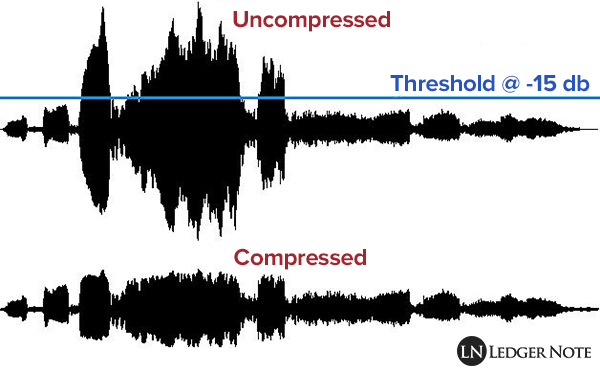
The compression process involves reducing the dynamic range of the audio signal, which means that the difference between the quietest and loudest parts of the signal is reduced. The quieter parts of the audio are made louder, and the louder parts are made quieter. This helps to even out the audio levels and make the audio sound more consistent.
Why does audio compression ratio matter?
Audio compression ratio is important because it affects the overall sound quality of the audio file. Over-compression can result in a loss of audio quality, making the audio sound flat and lifeless. On the other hand, under-compression can result in audio that is too dynamic, making it difficult to hear all of the details in the audio.
Compression ratio also affects the file size of the audio file. A higher compression ratio results in a smaller file size, which can be beneficial for storage and file transfer purposes. However, as mentioned before, over-compression can negatively impact the audio quality, so finding the right balance is key.
My experience with audio compression ratio
As a music producer, I have spent countless hours tweaking and adjusting audio compression ratios to get the perfect sound. It can be a tedious process, but the results are worth it. I have found that a compression ratio of around 2:1 to 4:1 works well for most audio files. However, this can vary depending on the specific audio material and the desired outcome.
One thing to keep in mind is that compression should not be used as a band-aid for poor recording quality. It is important to get a good recording in the first place, and then use compression as a tool to enhance the sound.
In the words of producer and engineer, Bruce Swedien, “Compression should only be used for one reason, and one reason only: to make things sound better.”
Conclusion
In summary, understanding audio compression ratio is crucial for achieving optimal sound quality in your audio files. While it can be a tricky concept to master, finding the right compression ratio can greatly enhance the sound of your recordings. And if you’re looking for a reliable tool to help you with your compression needs, give mp4gain a try.