Main features of the sound card


Free Download Mp4Gain
picture

Main features of the sound card
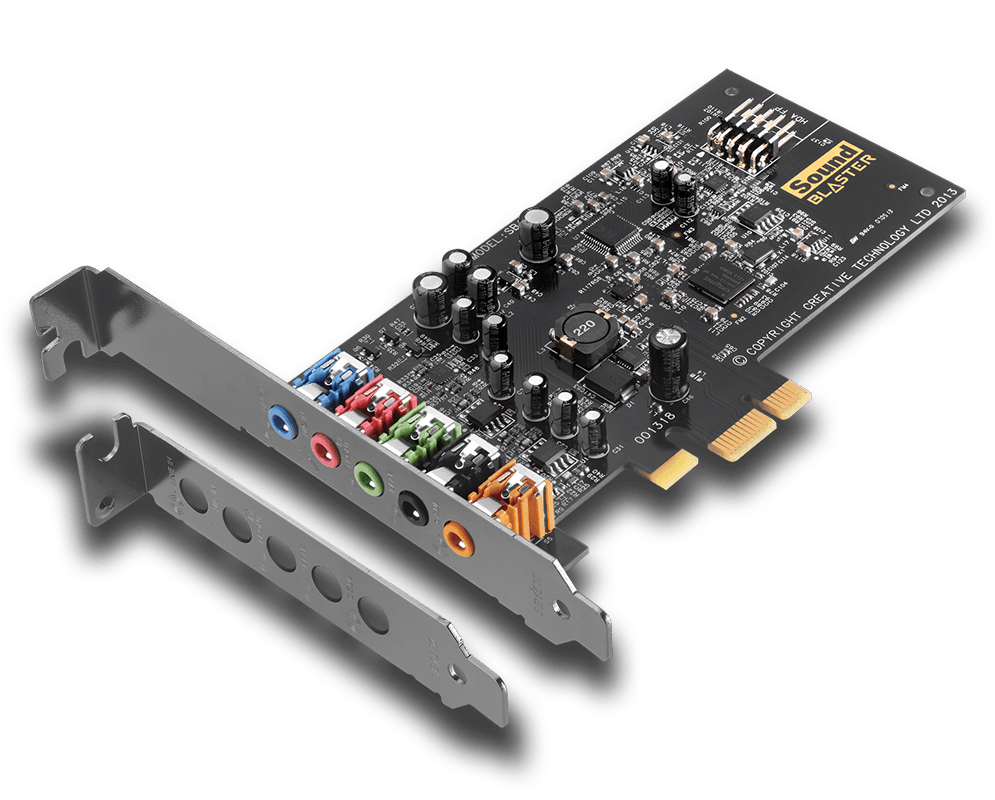
Sound Card

An audio card has a number of basic characteristics: location type, connection interface, a list of parameters for digital-to-analog and analog-to-digital converters (DAC, ADC), the number of supported sound processing standards, and the number of special inputs and outputs.
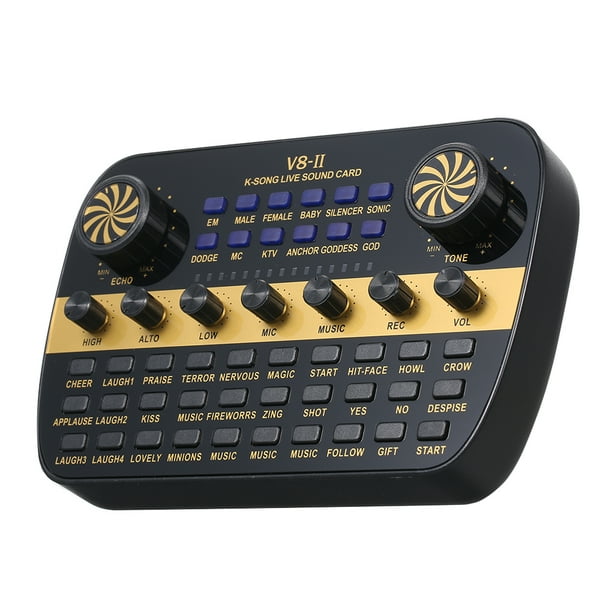
Sound Card

Mapping Type Even though a sound card has a large number of parameters that are worth paying attention to in the first place, the choice should start with its type of location. There are two types of sound cards per type of location: internal – installed directly in the system unit, which is quite practical, but not for professional use; These sound cards are subject to interference from other equipment installed inside the PC; external: the sound card is connected to the computer via an interface cable and is completely protected against interference.

There are internal sound cards with an additional control unit, which is installed in the five-inch bay on the front panel of the system unit.

This block can contain not only controls, but also inputs / outputs, which provides comfortable work with a sound card. PCI connection interface: the sound card is installed in a free PCI bus slot on the motherboard. PCI-E: the sound card is inserted into a free PCI-Express slot. This bus has good bandwidth and has replaced the PCI bus. USB is a standard interface connector for connecting external devices, in this case an external sound card. FireWire (IEEE 1394) is a high-speed standard for connecting external multimedia devices, another alternative way of connecting an external sound card. PCMCIA (PC Card) is a special interface for connecting compact peripheral devices.

Often used in laptops. ExpressCard, a laptop expansion card standard that replaces PCMCIA (PC Card), outperforms them in data transfer rates. ExpressCard uses the high-speed PCI-Express bus. Digital to Analog Converter, DAC Parameters Bit Depth – The number of bits in the digital to analog converter. The higher the number of bits, the better the signal at the sound card output. Most modern sound cards have a 24-bit DAC.

For example, Audio CD contains 16-bit audio, while DVD-Audio stores 24-bit audio. Dynamic range: ranges from 87 to 123 dB. The wide dynamic range allows you to accurately convey all the nuances of natural sound and provides higher quality sound to the output of your sound card. Signal-to-noise ratio: indicates the noise level and determines the quality of the sound output from the sound card.

Maximum frequency: the higher the frequency of the digital-to-analog converter, the better the signal at the sound card output. For example, on a normal audio CD, the sound is recorded at a sampling rate of 44.1 kHz, while on a DVD audio, 192 kHz. THD (Total Harmonic Distortion): range from 3.0E-4 to 0.013%. The lower the THD value, the clearer and more transparent sound will be obtained from the sound card output.


Free Download Mp4Gain
picture


Mp4Gain Main Window
picture


Mp4Gain Features
picture


Free Download Mp4Gain
picture

Audio delay: what is it and how does it happen?

Audio delay: what is it and how does it happen?

Audio Latency

Modern computers are ideal recording devices. They can handle more audio and MIDI tracks than we’ll ever need, and computer control and audio tuning is a leap forward. But it is important to understand that the original task of the PC was not at all to work with sound. There are difficulties that are not inherent in tape recording. The biggest of these problems is latency – the length of time between recorded sound and listening to it through headphones or monitors.

Audio Latency

How the audio delay is formed

First, let’s find out what happens when a signal is recorded on a computer. The microphone measures changes in air pressure and outputs an electrical signal with corresponding voltage changes. This signal is called analog because changes in electrical potential are analogous to the pressure fluctuations that make up sound.

A device called an analog-to-digital converter (ADC) measures or samples the oscillating voltage at regular intervals, 44,100 times per second (in the case of CD-quality sound) and reports these measurements as a sequence of numbers.

The sequence of numbers is packaged in the appropriate format and sent over a power line to the computer. The PC software writes this data to memory and to disk, processes it, and “sends” it back so that it can be converted back into an analog signal. This process is done using a digital to analog converter (DAC).

This is a fairly complex sequence of actions, depending on the speed and reliability of the signal transmission. The ideal situation looks like this: every sequence received from the ADC is sent to the computer, saved, and sent back to the DAC immediately. But in practice, such a scheme is impossible. Even the slightest delay in sending at least one of the millions of samples in an audio recording can cause signal loss.

Signal buffer

To make the system more reliable, each sample is not recorded or played back as soon as it arrives. Instead, the computer waits several tens or hundreds of samples before proceeding to process them. The same happens at the exit. This process is called buffering, and it makes the system more resistant to unexpected failures. The buffer acts as a protective net: even if the flow of data is momentarily interrupted, it is capable of generating a continuous sequence of samples.

The larger the buffer size, the greater the system’s ability to deal with unexpected situations and the less time will be spent on processing. But there is also a downside associated with a large buffer size: the buffering process takes longer, and at a certain point, the signal coming out of the computer begins to lag noticeably behind the sound source being used. recording. In some situations this is not a problem, but in many scenarios it is definitely the case. When musicians listen to themselves or their colleagues while recording or performing, it is very important that the delay is never audible.

The delay becomes audible at intervals of a few milliseconds.

Important: There are several factors that affect latency, but the buffer size is (generally) the most important and the only one that can be adjusted by the user.

Buffer size settings

Buffer size is generally measured in number of samples, although some interfaces offer millisecond settings. The options are usually doubled: a typical sound card can offer configurations of 32, 64, 128, 256, 512, 1024 and 2048 samples.

You can calculate the theoretical latency for a specific buffer size variation by doubling that number (to reflect input and output processing) and dividing the result by the sample rate. So for example, with a standard sample rate of 44.1 kHz and a buffer size of 32 samples, the latency will be 1.45 ms.

(32 x 2) / 44100 = 1.45

This delay would be almost imperceptible in practice, but unfortunately it is not possible. First, there are other factors that contribute to latency and some of them are unavoidable. Second, some sound card manufacturers “cheat” by using additional hidden buffers that are beyond the control of the user. As a result, the claimed low latency values ​​are not achieved. Another important aspect is that reducing the buffer size forces the computer to allocate more power to support I / O.

One of the key concerns when designing an audio interface is allowing small buffers. There are several options for how manufacturers approach this task, but now it is not about that.

Audio over Bluetooth

Audio over Bluetooth: as detailed as possible about profiles, codecs and devices
Audio  over bluetooth

Due to the massive launch of smartphones without 3.5mm audio jack, Bluetooth wireless headphones have become the main way to listen to music and communicate in headphone mode for many.

Audio over bluetooth
Manufacturers of wireless devices do not always write detailed product specifications, and articles on Bluetooth audio on the Internet are contradictory, in some places incorrect, do not count all functions, and often copy the same information that does not correspond to reality.
Let’s try to understand the protocol, the capabilities of the Bluetooth operating system stacks, headphones and speakers, Bluetooth codecs for music and voice, find out what affects transmitted sound quality and latency, learn how to collect and decode information about supported codecs and other capabilities. Of the device.

Bluetooth music

The functional component of Bluetooth is defined by profiles: specific function specifications. Bluetooth music streaming is done using the A2DP high-quality one-way audio streaming profile. The A2DP standard was adopted in 2003 and has not changed dramatically since then.
Within the profile, 1 mandatory SBC codec of low computational complexity, created specifically for Bluetooth, and 3 additional ones are standardized. It is also allowed to use undocumented codecs of your own implementation.

Why do you need codecs at all, you wonder, when Bluetooth has EDR, which allows data transfer rates at 2 and 3 Mbps, and 1.4 Mbps is sufficient for uncompressed 2-channel 16-bit PCM?

Bluetooth data transmission

In Bluetooth, there are two types of data transfer: Asynchronous Connection Less (ACL) for asynchronous transfer without establishing a connection, and Synchronous Connection Oriented (SCO), for synchronous transfer with prior agreement of the connection.
Transmission is carried out using a time division scheme and the selection of the transmission channel for each packet separately (Frequency Hopping / Time Division-Duplex, FH / TDD), for which time is divided into slots of 625 microseconds called slots. One of the devices transmits in even slot numbers, the other in odd slots. The transmitted packet can occupy 1, 3 or 5 slots, depending on the size of the data and the type of transmission configured, in this case the transmission by a device is carried out in even and odd slots until the end of the transmission. In just one second, you can receive and send up to 1600 packets, if each of them occupies 1 slot, and both devices transmit and receive something without stopping.

2 and 3 Mbps for EDR, which can be found in the advertisements and on the Bluetooth website, are the maximum channel transmission rate of all data in total (including technical headers for all protocols in which they must be encapsulate the data) in two directions simultaneously. Actual data transfer rates will vary greatly.

To transfer music, an asynchronous method is used, almost always with the help of packets of the type 2-DH5 and 3-DH5, which carry the maximum amount of data in EDR mode of 2 Mbps and 3 Mbps, respectively, and occupy 5 time division slots.

Schematic representation of a transmission with 5 slots for one device and 1 slot for another (DH5 / DH1):
5 слотов на передачу, каждый из которых передаётся 625 микросекунд, и один слот на приём, тоже 625 микукро. В сумме – 3.75 миллисекунды.

Due to the principle of division of air in time, we have to wait a time interval of 625 microseconds after transmitting a packet if the second device does not transmit anything or a small packet, and a longer amount of time if the second device is transmitting in large packets. If more than one device is connected to the phone (for example, headphones, watches, and a fitness bracelet), the transfer time is shared among all.

Audio bit depth

Audio bit depth

16 bit vs. 24 bit Audio, What Should You Record At? (FAQ Series) - YouTube

In digital audio using pulse code modulation (PCM), bit depth is the number of bits of information in each sample and corresponds directly to the resolution of each sample. Examples of bit depths include digital audio CD, which uses 16 bits per sample, and DVD-Audio and Blu-ray Disc, which can support up to 24 bits per sample.

Live Digital Audio in Plain English Part 1 - SoundGirls.org

In basic implementations, changes in bit depth mainly affect the noise floor due to quantization error, that is, signal-to-noise ratio (SNR) and dynamic range. However, techniques such as dithering, noise shaping, and oversampling mitigate these effects without changing the color depth. Bit depth also affects baud rate and file size. Bit depth is only relevant with respect to digital PCM signal. Non-PCM formats, such as lossy compression formats, have no associated bit depth.

Binary representation A PCM signal is a sequence of digital audio samples containing data that provides the information necessary to reconstruct the original analog signal. Each sample represents the amplitude of the signal at a specific point in time, and the samples are evenly distributed over time.

Amplitude: This is the only information that is explicitly stored in the sample and is usually stored as an integer or a number with a floating point number, encoded as a binary number with a fixed number of digits: the depth of sample bits, also called word length. or word size. Resolution indicates the number of discrete values ​​that can be represented in a range of analog values. The resolution of binary integers increases exponentially with increasing word length. Adding one bit doubles the resolution, adding twice doubles the resolution, and so on. The number of possible values ​​that can be represented by an integer bit depth can be calculated using 2 n, where n is the bit depth. Thus, a 16-bit system has a resolution of 65,536 (2 16) possible values.

PCM integer audio data is usually stored as signed numbers in binary complement format. Many audio file formats and Digital Audio Workstations (DAWs) now support PCM formats with floating point samples. Both the WAV file format and the AIFF file format support floating point representations. Unlike integers, whose bit structure is a single series of bits, a floating point number consists of separate fields, which are mathematically linked to form a number. The most common standard is IEEE 754, which consists of three fields: the sign bit, which indicates whether the number is positive or negative, the exponent, and the mantissa, which is increased by the exponent. Mantissa is expressed as a binary fraction in IEEE base two floating point format.

Floating point The resolution of floating point samples is less easy than that of integer samples because the floating point values ​​are not uniformly distributed. In floating point representation, the space between two adjacent values ​​is proportional to the value. This significantly increases the SNR in an integer system because the precision of a high-level signal will be the same as the precision of an identical signal at a lower level.

The tradeoff between floating point and integer values ​​is that the distance between large floating point values ​​is greater than the space between large integer values ​​of the same bit depth. Rounding a large floating point number results in more error than rounding a small floating point number, while rounding a whole number always results in the same level of error.

In other words, the integers have a uniform rounding, always rounding the least significant bit to 0 or 1, and the floating point has a uniform signal-to-noise ratio, the quantization noise level is always proportional to the signal level. The floating point noise floor will increase as the signal increases and will decrease as the signal decreases, resulting in audible drift if the bit depth is small enough.

New H.266 / VVC codec will cut video file sizes in half without losing quality

New H.266 / VVC codec will cut video file sizes in half without losing quality

H. 266 VVC

According to analyst estimates, compressed video data today represents up to 80% of all global Internet traffic, and software developers pay close attention to the quality of processing and transmission of “heavy” content on mobile networks. Germany’s Fraunhofer Institute for Telecommunications has introduced a new video encoding standard: according to the developers, it can cut the amount of transmitted data in half without losing image quality.

H. 266 (VVC)

The codec, whose specification spans more than 500 pages, was created with the popularity of streaming video in 4K and 8K resolutions in mind. It took specialists several years to develop it together with Apple, Ericsson, Intel, HUAWEI, Microsoft, Qualcomm and Sony. The new compression standard is called Versatile Video Coding. It promises to reduce the bit rate and size of video files by about 50% without a noticeable difference in image quality compared to its predecessor (H.265).

H.266 / VVC, according to its creators, makes video transmission on mobile networks more efficient. For example, the old standard requires approximately 10 GB of data to transfer 90 minutes of 4K video, while using the new technology only requires 5 GB of bandwidth. In addition, the codec is suitable for all types of moving images, including 360-degree panoramas and screen capture with live simulcast. Other benefits of H.266 include adaptive resolution switching, as well as support for HDR and 10-bit color depth.

Based on preliminary test results, the efficiency of the new codec turned out to be superior to that of the previously introduced AV1, which was competing with H.265 due to open source code and the lack of a licensing system. Additionally, H.266 has shown significant bitrate savings compared to HEVC, especially when it comes to 4K content. The first software solutions capable of taking advantage of VVC encoding and decoding are expected to appear this fall.

New H.266 codec – same quality, half the file size

New H.266 codec – same quality, half the file size

H.266 Codec

Fraunhofer’s company HHI, which created the H.264 and H.265 video codecs, without which today it is difficult to imagine the production of video content, has introduced an updated video encoding algorithm: H.266. The company didn’t get smart with the names and just added one, but under the hood we’re waiting for changes that they’ve been asking for for a long time, that is, the new codec provides half the amount of data while maintaining image quality. at the level of previous codecs.

After its completion, it means H.266 standard to halve the video size |  Eg24 News

Video resolution and bitrate are growing day by day, today you will not surprise anyone, for example, with the ability to shoot 4K, rather you will surprise with the absence of such a mode, 8K is on the way, and then scary Think about it, since terabytes of data snowballs, you only have time to swap out the hard drives …

The image does not demonstrate the capabilities of the codec, just an image for a change 🙂

The industry needs a new video encoding algorithm and the H.266 codec came in handy. This algorithm is also called Versatile Video Coding (VVC), that is, a universal video codec. The new standard provides improved compression, reducing the amount of data by approximately 50% while increasing the data transfer rate by the same amount as the previous H.265 (HEVC) standard. Most importantly, without sacrificing image quality.

The H.266 / VVC codec allows you to work with video in all resolutions, from SD and HD up to 4K and 8K, it supports video with high dynamic range and omni-directional 360 ° video, which, although in small steps, continues to gain popularity among users.

Fraunhofer HHI spent more than three years working on the codec, and the description of the H.266 / VVC standard has more than 500 pages of small text, and industry monsters like Microsoft, Apple, Sony, and Intel participated in the work. Benjamin Bross, director of Video Coding Systems, called the launch of the new codec a “quantum leap in encoding efficiency.”

In its press release, Fraunhofer HHI says that while a 90-minute video encoded in H.265 / HEVC is about 10GB, the same video with the new codec will only take up 5GB, and this is the same image quality. “Since H.266 / VVC was designed with ultra-high definition video content in mind, the new standard is especially useful for 4K and 8K video transmission,” the press release says. Also, the codec will support all formats from 480p onwards.

Some experts predict the imminent decline of the era of dominance of the JPEG standard for photographs. So the HEIF image compression format, which Apple implemented on the iPhone, is based on the H.265 / HEVC codec and is used, for example, in the new Canon 1D X Mark III SLR camera. In the same way, the widespread adoption of the H.266 / VVC codec may well lead to the popularization of the “VIC” format for photographs.

The H.265 (HEVC) standard has started to gain popularity recently, and the main problem of its use was quickly clarified: the amount of data that needs to be transferred in some way, stored somewhere, and processed in some multi-core processor systems. Processor and storage manufacturers are, of course, delighted, but the introduction of the new format is quite timely, obvious, and expected by many users and developers alike.

The implementation process itself depends on the hardware manufacturers that could record data using the new codec and on the software manufacturers that could process this highly recorded data. Experts predict the emergence of a new codec by the end of 2020. This process can be greatly accelerated, as recently online streaming has gained particular popularity, and no one will refuse to stream high-quality, high-bit-rate videos, for example, 8K or 4K, and at high speed.

H.266 / VVC video format introduced: same quality as H.265 / HEVC when compressed 2x

H.266 / VVC video format introduced: same quality as H.265 / HEVC when compressed 2x


The Fraunhofer Institute foH.266r Integrated Circuits in Germany, which developed the popular MP3 (MPEG-1 Layer 3) audio encoding format, as well as AVC and HEVC, announced a new video compression format: H.266 / VVC, or Encoding. versatile video player. Someday it should completely replace the current H.265 / HEVC.
H.266

The new H.266 claims twice the video stream compression efficiency with the same level of quality as H.265. As noted in the institute, in the case of 90 minute 4K video when using the H.265 / HEVC codec, approximately 10GB of data will need to be transferred, while H.266 / VVC provides identical video quality with half the volume of data.

“By reducing the [volume of] data requirements, H.266 / VVC makes video transmission on mobile networks (with limited traffic) more efficient. For example, the H.265 / HEVC standard above requires approximately 10GB of data for 90 minutes of recording in UHD resolution. The new H.266 / VVC will require only 5 GB while maintaining the same quality, ”said the Institute.

The Institute highlights that the new standard has been developed specifically for 4K (3840 × 2160) and 8K (7680 × 4320) ultra-high definition video, and is especially suitable for transmitting the corresponding signal to flat-screen televisions. The Institute also calls H.266 / VVC the “ideal solution” for all types of moving images, from high-resolution 360-degree panoramic images to screen sharing.

The most widely used codec now is H.264 / AVC, although the H.265 / HEVC standard has been around for quite some time. To avoid previous licensing problems, the developers will authorize the use of the new standard under FRAND (fair, reasonable and non-discriminatory terms), which the Media Coding Industry Forum (MC-IF) will enforce. The first VVC-compliant encoding program will be released in the fall. Hopefully the new H.266 / VVC will not follow the same fate as H.265 / HEVC and will be accepted by the market faster.

WHAT IS THE H.264 CODEC?

WHAT IS THE H.264 CODEC?

H.264

The H.264 codec is a further development of the MPEG-4 standard, also called MPEG-4 part10. In favor of H.264, at least the fact that high definition television (HDTV) works accurately using the H.264 standard speaks.

H.264

Compared to MPEG-4, the H.264 standard provides better compression due to the use of more complex stream encoding schemes. In scenes that are difficult to code with fast motion, color transitions are smoother and similar colors are compressed at a lower bit rate. This codec conveys fine details better, because unlike MPEG-2 and MPEG-4, where the minimum macroblock sizes are 16×16 and 8×8 pixels, H.264 uses blocks of up to 4×4 pixels and the block size changes adaptively for each individual fragment. In scenes with high details or fast-moving objects, this provides better image quality. With the same amount of information and image quality, the H.264 file is on average 30% smaller in terms of the size of the MPEG-4 file.

In the beginning, the obstacle to using this codec was that real-time video decoding requires very powerful hardware from the computer. Now, with the launch of Intel and AMD multi-core processors on the market, the required level of PC performance is available to a wide range of users.

AVC / H.264

AVC / H.264

H.264

The AVC (Advanced Video Coding) video compression standard was proposed by the JVT (Joint Video Team) in May 2003. At that time, it represented a revolutionary advance in video compression technology. The new standard completely surpassed the commonly used MPEG-2 and MPEG-4 Part 2 (SP, ASP) standards. By some estimates, storing video compressed according to the AVC standard requires 2 times less memory space than for video compressed according to the MPEG-2 standard with the same quality.


The new standard made it poH.264ssible to receive broadcast quality standard definition video at a rate of 1.5 Mbps. This compression ratio allows the transmission of approximately 12 compressed TV channels in the frequency band previously occupied by an analog TV channel. Additionally, the introduction of AVC enabled television operators to provide new video services in places where they were not previously available and opened up the ability to “pack” more video channels into a narrow and expensive frequency range for transmission. Advantages in encoding efficiency, such as good video quality at low bit rates, have made AVC the undisputed leader in Internet TV systems and have taken the industry to a whole new level. AVC has also significantly improved the quality of digital television and made HDTV high definition television widely available.

MPEG-LA’s low license fees have also contributed to the rapid adoption of the standard, and H.264 / AVC has successfully established itself in the market to date. In 2010, the number of AVC-based solutions exceeded the number of similar solutions based on the outdated MPEG-2 standard and increased every year until the adoption of the next H.265 / HEVC video compression standard.

Key features of the H.264 / AVC standard
The H.264 standard provides advanced encoding technology using methods similar to the previous MPEG and ITU-T standards. New tools that include the following provide increased productivity and quality.

Improved motion estimation

Motion estimation allows you to search for sub-macroblocks of various sizes from 16×16 to 4×4 pixels. Motion vectors are now accurate to 1/4 pixel for luma and 1/8 pixel for chroma. Furthermore, the coding of motion vectors has been significantly improved; your prediction is used.

Spatial prediction

H.264 performs internal predictions for intracoded blocks, allowing up to 9 different directional predictions to be applied.

Optimization of encoding parameters

The classical encoding method involves making optimal local decisions at each stage. Obviously, in this case, the resulting solution may not be optimal. The AVC standard proposes a new algorithm to optimize RDO (Frequency Distortion Optimization) encoding parameters, the essence of which is to select those parameters, the use of which will better affect the result.

Modified PrEP

To transform the residual information, a modified integer discrete cosine transform (MDCT) is used, which avoids rounding errors. One important difference from previous standards is the block sizes for DCT. AVC allows transformations in 8×8 and 4×4 pixel blocks.

Filter block limits

Another innovation of the AVC standard is the use of an unblocking filter, the main task of which is to smooth out block artifacts at the boundaries of macroblocks in the image. Thus, the visual perception of each frame and the entire video sequence as a whole is improved.

Enhanced coding on smooth movements

Several new conditions have been added to AVC to encode macroblocks in “jump” mode. In fact, in this case, the macroblock is not encoded, but a different macroblock is used in the same position but of a different frame. Therefore, significant gain is achieved at low bit rates or with smooth camera movements, when the entire image is moved in the same way.

Entropy coding

The standard provides two more efficient entropy encoding processes. Context Adaptive Variable Length Encoding (CAVLC – Context Adaptive Encoding with Different Lengths of Codewords) is an entropy encoder, the principle of which is close to the Huffman compression algorithm. CAVLC allows you to compress information quickly, while providing an acceptable compression ratio.

Context Adaptive Binary Arithmetic Coding (CABAC – Context Adaptive Binary Arithmetic Coding) is an arithmetic coder.

H.264, H.265 and H.265 + video codecs. Pros and cons

H.264, H.265 and H.265 + video codecs. Pros and cons

H.265

The first versions of H.264 video compression codecs appeared in 2013. Today, the Н.265 format has confidently entered the video surveillance market and dictates its own terms. Many manufacturers produce equipment that supports this video compression format.

H.265 / HEVC

The H.264 compression format, unlike previous MJPEG and MPEG-4 codecs, enables you to efficiently solve the problem of streaming a large number of high-definition video streams.

Using H.264 in IP video surveillance systems provides high image quality with less data, requires less network bandwidth, and fewer hard drives to store video files. However, there is also a downside of fat. Using H.264 places heavy loads on IT equipment.

To increase the efficiency of the use of computing resources, developers apply various methods. For example, transfer part of the operations to the video card. Thanks to this, the video card can take care of part of the decoding calculations. The use of this feature provided a reduction in processor load up to two times, and the possibility of using processors of lower power, and therefore the cost.

Transferring decoding operations to a video card also allows you to save not only on the server, but also on the client side of the video surveillance system. To use this function, in the configuration of the client part of the software, you must specify where to perform the processing: on the central processor or on the video card.

To reduce the load on IT equipment, video analysis technology of compressed video streams from IP cameras without their complete decoding is also used. The use of this technology leads to an increase in data processing speed, thereby reducing the load on the central processor. In addition, the decrease can reach an average of 4 times.

Thanks to this, it is possible to connect 4 times more cameras to one server. Another option to save is the use of less powerful processors and, therefore, more budgetary, and a decrease in the cost of the server equipment.

Another disadvantage of the H.264 codec is that most web and mobile clients for video surveillance systems do not support this format and, to receive a video image, a procedure is required to transcode the video stream into MJPEG. Such an operation is resource intensive and places additional loads on computing resources.

H.264 processing is possible with sufficiently powerful computing resources of a mobile device. If resources are insufficient, the video stream is automatically switched to the MJPEG format. And the user himself can independently choose the format of the video transmission.

As you can see, the H.264 codec used for video surveillance has many pros and cons. However, a heavy load on computing resources often nullifies all benefits.

The new H.265 format supports even more uploads. It uses stronger and more advanced video compression algorithms in its work. With the same visual quality, the new H.265 codec represents an approximately double reduction in file size compared to its H.264 predecessor. This saves a lot of space on the disk space of video recorders and servers. And half the bit rate reduces traffic on video transmission networks.

Thanks to more powerful compression mechanisms, the H.265 codec does an excellent job of encoding high and high definition video over 8K UHD (8192 × 4320). In addition, for high-quality video playback at 4K codec resolution, a transmission speed of only 50MB / s is required.

It is important that H.265 compress the video almost without loss, the quality of the compressed video is kept at a high level. Special compression algorithms eliminate artifacts inherent in H.264, such as graininess or blurry edges of moving objects.

But the main advantage of the H.265 codec is that the volume of video processed according to the new standard turned out to be almost 85% lower than when using H.264. However, the H.265 codec requires more powerful elements and processors in the hardware.

Moving towards increasing video compression, the H.265 + codec recently appeared on the market that allows you to reduce the bit rate of video cameras, which in turn reduces the cost of implementation and uses fewer matrices of disk for storing video files.

H.265 + improves the compression ratio through three key technologies: predictive encoding technology, background noise suppression technology.