THE BEST AUDIO FORMAT


Free Download Mp4Gain
picture

Sound as well as the image is a fundamental piece in an audiovisual production.

If you had to choose between these two extreme situations with which one you would stay.

A good image resolution, but with a sound of poor quality.
Poor image quality, but with a clear and defined sound.
The ideal is to have a good balance of quality between image and sound.

An audio format is a multimedia container that saves data an audio file.

Each of these has its own characteristics and capabilities to be able to be reproduced in one or another system.

They have a series of properties that greatly influence the quality of the file, including the speed or frequency of sampling and the bit depth of information.

AUDIO FORMATS ACCORDING TO ITS QUALITY

The best way to classify the large number of audio formats that exist, is depending on whether they have quality loss or not when compared to the original source of Sound.

Depending on this, we have:

Audio files without loss of compressed and uncompressed.
Files with loss of quality.

UNCOMPRESSED AUDIO FORMATS

These files contain the audio in the highest original recording quality even when it is processed and stored on a computer.

The main drawback is that they are relatively large, which means storing less audio files on a hard drive.

Two examples of uncompressed formats are WAV and AIFF.

The .WAV (Waveform Audio File Format) property of IBM and Microsoft is relatively similar to the AIFF (Audio Interchange File Format) co-developed by Apple Inc.

Both formats can be used in both operating systems.

They are very similar, the difference is that AIFF files allow metadata to be stored inside, that is, additional information such as:

Artist name.
Cover of the disk.
Copyright.
Different notes.
Not being compressed, they take up too much space, but without a doubt to edit the sound is the most successful option.

AUDIO FORMATS COMPRESSED WITHOUT LOSS

These types of formats achieve thanks to a series of algorithms smaller files without losing quality.

HOW CAN THEY COMPRESS WITHOUT LOSING QUALITY?

Uncompressed formats encode both the sound of a recording and the silences, a few seconds of sound from an audio file will weigh the same as the same seconds of silence.

These types of formats compress the file making the silence occupy almost no size.

Among these formats we have the FLAC (Free Lossless Audio Codec) which is the most popular, created by Windows, the ALAC (Apple Lossless Audio Codec) that was created by Apple Inc. and the APE format of Monkey’s Audio.

The three formats are very similar, the fundamental difference will be in its compatibility with the different players.

The FLAC file is the most popular because it is compatible with Windows and macOS, the ALAC created by Apple Inc is very exclusive and practically only works if we play it on iTunes.

Finally, the APE, a format only available in Windows that manages to compress more than the FLAC and the ALAC, but has the disadvantage that it is only compatible with a small number of players.

AUDIO FORMATS COMPRESSED WITH LOSS

Finally, we have compressed formats with loss of quality where you get a file that occupies less space by discarding some frequencies in the sound, usually parts of the audio that are inaudible to the human ear.

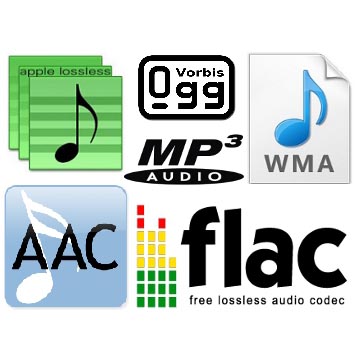
Among these formats we have the popular MP3, AAC, OGG and MP2 among others.

The MP3 file (MPEG Audio Layer III) is the standard format for sharing music on the network and the most popular of all since it is compatible with virtually all music players, making this the first option to choose between sounds at a loss.

AAC (Advanced Audio Coding) is similar to MP3, although a little more efficient, which means that files take up less space and have the same sound quality as MP3. It is a format widely used in iTunes and YouTube.

OGG (Vorbis) is a very popular open source compressed format in the spotify music application.

The MP2 is still used especially in radio and television transmissions, but it can be said that in other areas it has already been completely replaced by the MP3 that achieves greater compression with the same quality.


Free Download Mp4Gain
picture


Mp4Gain Main Window
picture


Mp4Gain Features
picture


Free Download Mp4Gain
picture

What audio formats exist? All you need to know.

FLAC, WAV, AIFF, DSD … these are just some of the acronyms you can find when looking for a digital format. They are also accompanied by technical data such as sample rates and bit depth. So many terms can leave you more misplaced than a chicken in a dance. And unless you are an expert in digital sound, the process to choose the audio format that best suits your needs can be a mess. But if they explain it to you, the subject is relatively simple. That is why in Culturasonora we have prepared a complete guide on the different audio formats used.

Audio formats: OGG vs Opus vs FLAC vs ALAC

Nowadays a lot of the music that is heard sounds through online platforms. It is worth talking about the audio formats used by services such as Spotify, Tidal, or Apple Music.
What is the OGG format?
OGG audio formats are like supercharged MP3s. They are compressed audio files, which means that they have a size that allows transmission via WiFi, but at the same time they avoid damage that is usually generated in the compression process. Spotify uses these OGG formats. Depending on how much you want to pay for this service you can listen to them through this portal with different sample rates: from 96 kbps, to Premium 320 kbps files. The audio quality provided by Spotify for Premium users is quite good.
What is the Opus format?
Opus is a new codec that uses the Ogg container. It was developed by the same creators of FLAC, with the help of Mozilla and Skype. It can handle up to 510 kbps and 48 kHz. This new format stands out for its low latency, so it is ideal for online audio streams. Its average latency of 22.5 ms is well below other codecs. It is versatile, open and more and more platforms are adopting it.
What is the FLAC format?
With FLAC audio codecs the sound quality increases with respect to the OGG. They are Lossless, or lossless, audio formats that perform a great trick: they compress file sizes up to 60% without losing quality. In addition, they allow the transmission of sample rates of up to 1,411 kbps, which is much higher than any other audio format. This is the format used by the Tidal platform, the best service for high quality audio transmissions.
What is the ALAC format?
Finally we have the ALAC (Apple Lossless Audio Codec). This format is basically Apple’s alternative to FLAC. It is the format used by Itunes and for Apple Music broadcasts.

What is the difference between the different audio formats, and which one should I choose?

There are two types of sound quality: lossless and lossless. Lossless music preserves the sound quality of the original source – in most cases, CD – intact, on the other hand, lossy music compresses the file to save space (in exchange for decreasing quality). The following formats are included in lossless formats:

loseless formats

Formats WITHOUT loss of quality:

WAV and AIFF: Both are uncompressed formats, which are exact copies of the original sound source. The two formats have essentially the same quality; They simply store the data differently. AIFF was created by Apple – you’ll see it often in its products – but WAV is much more universal. However, since they are not compressed, they take up too much unnecessary space. Unless you’re editing sound, we don’t need to use this format.

FLAC: Free lossless sound codec – Free Lossless Audio Codec (FLAC). It is the most used lossless codec, it is a good option if we seek to store our music without losing quality. Unlike WAV and AIFF, it uses compression, taking up less space. However, it is still a lossless format, which means that the sound quality is the same as the original source, so it is better to listen to than WAV and AIFF. It is also free and free software, which is useful if you like to take a look at how it works.

Apple lossless (Apple Lossless): Also known as ALAC, it is similar to FLAC. Use compression, although it is made by Apple. Its compression is not as efficient as that of FLAC, so the files will be a bit larger, but it is compatible with iTunes and iOS (FLAC not). Therefore, if you use iTunes or iOS as the main software for listening to music, you should choose this format.

APE: It is a file of very high compression without losses, which means that you will save more space. The quality is the same as FLAC, ALAC and other lossless files, but it is not compatible with most players. On the other hand, it makes the processor work harder to decode when it is so compressed. Generally, I would not recommend using this format unless you are very concerned about space and have a compatible player.

Formats with losses: MP3, AAC, OGG and more

MP3: MPEG Audio Layer III, or MP3 for short, is the most common lossy format. So much that it has become synonymous with music downloads on the internet. It is not the most efficient format of all, but it is undoubtedly the most compatible, making this the first option to choose between lost sounds.

AAC: Advanced Audio Coding, also known as AAC, is similar to MP3, although a bit more efficient. Which means that the files take up less space and with the same sound quality as MP3. And, with Apple’s iTunes making it so popular, it’s as compatible as MP3.

Ogg Vorbis: The Vorbis format, often known as Ogg Vorbis due to the use of the Ogg container, is the free software version to MP3 and AAC. Its main attraction is that it is not restricted by patents, but that does not affect you as a user – in fact, despite being open it is of similar quality, and much less popular than MP3 and AAC, so not all players support it . I do not recommend it unless you are interested in the fact of being open source.

WMA: Windows Media Audio. The proprietary format of Microsoft, similar to MP3 or AAC. It really offers no advantage over the other formats, and is not very well supported.

So which audio format should you use?

Now that we have seen the differences between each format, which one should we use for our music? In general, we recommend using MP3 or AAC. They are compatible with most players, and the quality of both is very similar to that of the original source if it is encoded with a high bit rate. Unless you have specific needs, MP3 and AAc are the most recommended options.

However, there is something to say to store music in lossless formats such as FLAC. Although we probably don’t notice a higher quality, it is good to store music if you plan to convert it to other formats later – since converting from one format with losses to another Lossy (eg, from AAC to MP3) will produce lower quality files. In that case we recommend FLAC. In addition, we can choose the lossless format we want, since converting between formats without losses does not degrade the quality of the file.

As a final conclusion, we can say that one should not become obsessed with the subject. We just have to be sure to choose something widely compatible, not convert between two formats with losses, and enjoy music.

An advantage is that Mp4Gain works with all these fromatos (and more) and you can convert from one to another, without problems or loss of quality, on the contrary, with tools like the Equalizer, you can improve the sound to your liking.