What is video bitrate, frame rate, and aspect ratio?
What is a video file?
Video, like cinema itself, is a rapid alternation of images. How fast is it? For a human, there should be 24 images in one second. In this case, images that change rapidly become moving. Film is based on this and now video. Also, each image has several properties. Which? They are wide and tall. Also, for video, these values are measured in points. So many points of width and so many points of height.

What does the video consist of
If we zoom in on any frame in our video, then we can see the individual squares that make up our image. Each of these squares was called “Pixel”, which comes from the English “Picture element”, that is, a picture element.

Pixels on screen
So when we look at the file properties, or the project properties, we see the video formats, which indicate how much the frame is and how wide it is.
video aspect ratio
In the image we can see that the width of the frame is 1920 pixels, and its height is 1080. It is clear that the more pixels in our frames, the more details can be accommodated. And consequently, the better the image will be. At the same time, do not forget that the frame rate must be at least 24 frames per second.
Older video formats, such as the PAL standard, were 720×576 pixels. Modern HD or Full HD, already 1920×1080. Well the latest 4K format is already 4096×2304 pixels. That is, the further, the better quality is achieved.
See Also: Video Codecs, Video Formats – What Does All This Mean?
Video aspect ratio.
This is also a parameter that for many is almost a thing of the past. The fact is, there used to be a TV format that had a 4/3 aspect ratio, and a widescreen format, mainly for watching movies, that had a 16/9 aspect ratio.
Monitor with 4×3 aspect ratio
Now the television format is a thing of the past (almost) and only the wide format remains
Monitor with a 16 x 9 aspect ratio
What is the video bit rate?
Like I said, each frame is made up of a large number of pixels. If we try to put this amount on our hard drive, it will take up too much space. Strictly speaking, the arithmetic here is simple. Let’s count.
One frame – 1920×1080 = 2,073,600, that is, two megabytes (actually, this is not entirely true, but I’ll simplify it a bit)
That is, we now know that a painting we have weighs 2 mb. It seems a bit, but let’s keep counting.
One second. A second must have at least 24 frames. What do we get? 24×2 = 48 mb.
One minute. 48×60 = 2880 mb. I mean, think about it. In one minute, almost 3 gig! Well, how long will an hour take then?
One hour 2880×60 = 172800 mb. In other words, one hour of movie will take up 172 gigabytes of memory.
Well, since such a thing will not work, smart people decided: we must squeeze. We need to compress the video so that we can put everything on a computer, on a phone. What can be seen on the Internet, etc. And that is why there are various video formats. Since each format has its own rules for video compression.
See also: Do you know what a chroma key is? Learn the secrets of working with chroma key in 5 minutes
But here we come to the concept of bitrate.
Bitrate: read / write speed. You are recording a video. The video camera matrix takes measurements of light, that is, it measures pixels. Transfer them to a USB flash drive or SSD. The speed of this transmission is the bit rate.
Next, we watch the video. At this time, the data is read from memory and transferred to the monitor / screen. Again, we are faced with a certain data rate.
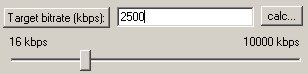
But in video, the role of the bitrate value is somewhat different. Video Bit Rate: The video compression rate. When recording video from the matrix, the signal is immediately encoded and compressed. The more the signal is compressed, the less space it occupies, but at the same time, and the lower the quality.
What is a video codec?
Now, let’s move on to the next concept: video codec. When I said that if you lower the bitrate, the video quality will be lower.