WMA Standard, WMA Pro, and WMA Lossless: Key Differences


Free Download Mp4Gain
picture

WMA Standard, WMA Pro, and WMA Lossless: Key Differences

WMA Standard, WMA Pro, and WMA Lossless: Key Differences

Let’s talk about WMA Standard, WMA Pro, and WMA Lossless. As a specialist with years of experience in audio encoding, I’ve seen firsthand the evolution of audio formats. It’s not just about music; it’s about how we experience sound. Understanding the nuances between WMA Standard, WMA Pro, and WMA Lossless can really change how you listen and store your audio. These formats are more than just file extensions; they represent different approaches to capturing and delivering sound, each with its own strengths and ideal use cases. I’ll guide you through their differences with clear examples, so anyone can understand them. I’ve worked with all of these formats extensively, and I can tell you that knowing the right format for your project or your audio collection can make all the difference.

Understanding WMA Standard Encoding

WMA Standard, the original Windows Media Audio codec, is like the standard-issue pencil of audio formats. It’s very versatile, but isn’t the most advanced. I’ve used WMA Standard in many different projects, and it’s always been a reliable choice for general use, like creating audio recordings for a class or for personal projects. It aims for a good balance of file size and sound quality, making it ideal for situations where storage space is a concern. It’s what I’d recommend if you’re building a podcast and need an efficient way to store a large amount of audio without sacrificing much sound quality.

How WMA Standard Works

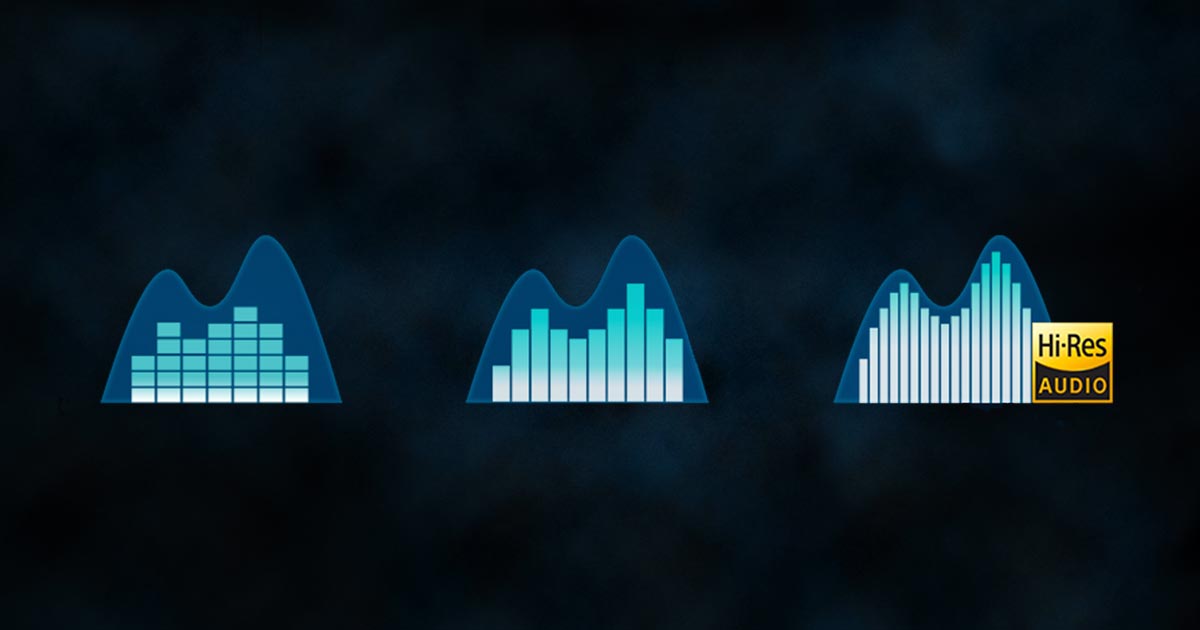
  • WMA Standard uses a lossy compression method. This is like taking a really detailed drawing and making a slightly simplified copy to save space.
  • It identifies and removes less noticeable audio data. The goal is to make the compression undetectable to the average listener. Think of it like someone tidying up your room and getting rid of the items you wouldn’t miss much.
  • This standard codec supports multiple bitrates. This means you can choose the level of compression. It is like being able to select the thickness of your drawing pencil. A higher bitrate usually means better sound but larger files.

Exploring WMA Pro Capabilities

WMA Pro, an enhanced version of WMA, is like a high-end set of colored pencils in our audio world. I’ve found that WMA Pro shines when you need better sound, especially for more complex recordings. I’ve used it extensively when recording my music, and the difference it makes in terms of clarity is very significant, it’s really impressive. It builds upon the foundation of WMA Standard. It focuses on delivering enhanced audio quality, particularly at lower bitrates.

Features of WMA Pro

  • WMA Pro introduces improvements in compression techniques. It’s like finding a better way to photocopy that detailed drawing, retaining more details with less space.
  • It supports multi-channel audio such as 5.1 and 7.1 surround sound. It’s similar to having a full band playing rather than a solo performance. Each instrument gets its own channel, giving more a rich experience.
  • I find that it works efficiently at lower bitrates. This results in smaller file sizes without a huge drop in audio fidelity. WMA Pro is like using a pen that lets you write many words with less ink but is still easy to read.

WMA Lossless: Preserving Every Audio Detail

WMA Lossless is the gold standard when you want to capture every single detail of the original sound; it’s like having a high-resolution photograph. I have used WMA Lossless extensively when making backups of precious family recordings. If you want to make sure that you never lose any of the details. This format is very different from the other two, WMA Standard and WMA Pro. It’s designed to provide bit-for-bit identical copies of the original audio, meaning there’s no data loss during compression. I can assure you that with WMA Lossless, you get the purest sound possible.

Key aspects of WMA Lossless

  • WMA Lossless uses a compression technique that is like a very clever puzzle. It rearranges the audio data instead of throwing any part away. The data is kept the same when decompressed.
  • It provides absolutely identical audio compared to the original source. When comparing with the WMA Standard and Pro versions, there are no audio data lost.
  • I think that file sizes with WMA Lossless are significantly larger than with lossy formats. It is like having a huge map that shows every tiny detail. It will use more space than a simple map of a city.

Comparing WMA Formats Side-by-Side

Understanding the main differences between WMA Standard, WMA Pro, and WMA Lossless becomes much clearer when you see them next to each other. I have spent years working with these formats so I have a very good idea on how to differentiate them. It’s like comparing different types of paint: watercolors, acrylics, and oils. Each has its place. WMA Standard is like the watercolor, it’s light and easy to handle. WMA Pro would be like the acrylic paint, more vibrant and durable. And WMA Lossless is like oil paint, detailed and perfect but requires more care.

Key Differences

  • Compression: WMA Standard and Pro are lossy, removing data. WMA Lossless is lossless, preserving every single detail.
  • Sound quality: WMA Standard provides good sound, WMA Pro, excellent, and WMA Lossless perfect, with no audio data loss. I have found that the difference between each one is very noticeable in different kinds of music and sound.
  • File Size: WMA Lossless produces the biggest files, WMA Pro and WMA standard are smaller, the standard is the smallest, since it uses the more aggressive lossy encoding.
  • Use cases: WMA Standard is suitable for general audio, WMA Pro for high-fidelity sound, and WMA Lossless for archival or critical listening where there is not a storage space concern.

When to Use Each WMA Format

Choosing the right WMA format is all about matching your needs with the format’s strengths. I often tell people to consider what they will use the file for. It’s not just a random choice; it’s about making sure your audio sounds its best. If you’re sharing music with friends and storage space is a concern, WMA Standard is a solid option. If you want a high-quality music experience on your home theater WMA Pro is the best option. But when archiving precious recordings, WMA Lossless is the best choice. Think of it as choosing the right tool for the job, so I can assure that you will get the best result.

Practical Applications

  • WMA Standard: Great for creating MP3-like files, for podcasts and audiobooks when you need to manage space efficiently.
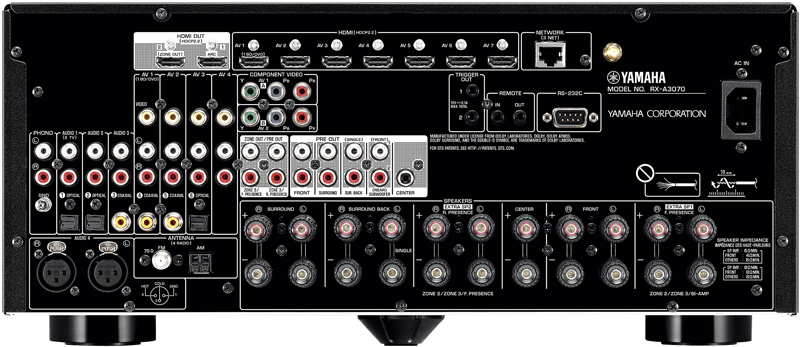
  • WMA Pro: Ideal for high-quality music, movies, and any content requiring multi-channel surround sound like home theater or music production.
  • WMA Lossless: Best for archiving audio masters, professional audio projects, and any situations when preserving audio quality is the most important thing.

Latest words on WMA Audio Formats

In conclusion, the world of WMA formats is diverse, offering solutions for almost every audio need. As an audio specialist, I can tell you that the ideal choice comes down to balancing quality with file size and your specific use case. Knowing these differences gives you control over your audio experience. Whether it is WMA Standard, WMA Pro, or WMA Lossless. Each has a unique place in the audio world. If you’re looking to adjust the volume of your audio files, then Mp4Gain is a great option. It’s designed to help you handle audio volume levels across your different WMA audio files. Mp4Gain ensures consistent and optimum sound levels in your collection, which is a great tool for any audio enthusiast or professional. It’s something I would certainly recommend from my experience.

FAQ on Differences Between WMA Standard, WMA Pro, and WMA Lossless

What are the key differences between WMA Standard and WMA Pro?

WMA Standard is a lossy compression format designed for general use with good quality at smaller file sizes, while WMA Pro enhances audio quality with better compression, multi-channel support, and good sound quality at even smaller file sizes than WMA Standard.

When should I use WMA Lossless over other WMA formats?

Use WMA Lossless when you require absolute preservation of audio data. This is useful for archiving, high-fidelity listening, or professional audio projects where you cannot lose any detail or audio information, with the compromise that the files size will be much bigger.

Is WMA Pro better than WMA Standard for music playback?

Yes, WMA Pro usually sounds better than WMA Standard, especially for music with rich details and surround sound content. WMA Pro utilizes advanced compression techniques that can make the audio sound richer, with better detail. It excels particularly at lower bitrates.

What does “lossy” compression mean for WMA Standard and WMA Pro?

“Lossy” compression in WMA Standard and WMA Pro means that the compression process removes some audio data considered less essential to reduce file sizes. This data loss might be noticeable, especially if you have a very good ear, or if the compression rate is very high. This is different from WMA Lossless compression.

How does WMA Lossless compression work?

WMA Lossless uses a compression method that rearranges the audio information in a more efficient way, but not discarding any audio detail. It keeps all the information of the original file. When you decompress the file, you get a bit-for-bit identical copy of the original. This is why the file sizes are larger.

Can WMA Standard support multi-channel audio?

While the basic WMA Standard codec can support multi-channel audio, it is not commonly used for that purpose. WMA Pro is the version of the codec specifically designed for excellent multichannel support, making it the preferred choice for 5.1 and 7.1 surround sound.

Is there a big difference in file size between WMA Standard and WMA Lossless?

Yes, there is a very significant difference. WMA Lossless files are considerably larger than WMA Standard files because they retain all audio data instead of discarding data like in the WMA Standard compression process. The file size difference can be easily noticeable.

Why choose WMA Pro when I can use WMA Lossless?

WMA Pro provides an excellent balance between audio quality and file size, making it more suitable when you need to save storage space and require high quality audio with support for multi channel, instead of WMA Lossless that creates very big files when you only need to hear music and not archive it. WMA Pro is the best compromise in many situations.

Are WMA files compatible with most devices?

WMA files, particularly WMA Standard, have a good compatibility with Windows devices and some other portable audio players. WMA Pro and Lossless are not as well supported as the standard format, so you may have to convert them to other formats for older systems. Its always better to use the standard codec for common use.

Can I convert between WMA Standard, WMA Pro, and WMA Lossless?

Yes, you can convert between these formats. But always keep in mind that you can not recover the audio information lost with the standard and pro lossy compressions if you convert from these to WMA Lossless, the quality of the audio will never improve. But you can always convert Lossless audio to lossy compressions.

Comments:

Wow, this article was awesome. I never really understood the difference between WMA standard and pro. This is really helpful, and makes it easy to understand. Thank you for breaking it all down.

– audio_guy72

I always thought WMA lossless was just for nerds. I mean, why would you ever need that much audio quality? I didn’t realize that if you have old tapes or recordings it makes more sense to use it to be able to archive that content. I learned something today.

– tech_noob

I am a musician and I needed to know all this for my work. This article was very helpful for my audio work. Thanks a lot!

– sound_master

This is probably the best explanation of these codecs I have ever seen! I have been wondering for a long time the reason for this. I never understood so I just picked one at random. Now, thanks to you, I know what I’m doing! Very good job!

– musicLover22

Could you go deeper into bitrate implications for these formats? I’m curious on the impact of different bitrate choices when using these codecs. I know a bit about that but its always good to know more. Thanks a lot for sharing!

– bit_rate_nerd

Really great article, very easy to understand and usefull for me, I found what I was looking for, I always thought all WMA formats were the same, so thank you for all the info!

– clueless_consumer

Dude, this article is fire! I’ve been using WMA for years but never understood the difference, now I know what to choose when I’m making my music mixes. It’s a game changer, very clear and practical info, thanks a bunch!

– dj_mixmaster


Free Download Mp4Gain
picture


Mp4Gain Main Window
picture


Mp4Gain Features
picture


Free Download Mp4Gain
picture

The Effect of Multi-Channel Encoding on WMA Audio Files

The Effect of Multi-Channel Encoding on WMA Audio Files

The Effect of Multi-Channel Encoding on WMA Audio Files

Let’s talk about the effect of multi-channel encoding on WMA audio files

When we discuss the effect of multi-channel encoding on WMA audio files, we’re exploring how using multiple audio channels transforms your listening experience. As someone who’s worked extensively with audio formats, I can tell you that this isn’t just about making the sound louder. It’s about creating a more immersive and realistic soundscape, mimicking how we hear sounds in real life. Think of it like watching a movie, with the sound coming from all around you instead of just from the front. The way sound is encoded can change drastically the experience. I’ve personally witnessed how multi-channel encoding turns a simple audio file into an engaging and enveloping sonic experience, especially when it comes to music or movies.

Understanding Multi-Channel Audio

Multi-channel audio goes far beyond simple stereo and opens up a whole new world of sound. My experience with different types of audio tells me that the number of audio channels impacts your overall experience with a recording. Stereo audio, which is commonly used, has two channels, one for the left ear and one for the right ear. This gives us a sense of left and right placement. Multi-channel audio, however, uses more than two channels, enabling sound to come from different directions creating a 3D-like sound field. It’s like being surrounded by a band while you’re in the middle of the concert hall, rather than just hearing it from two points. This greatly affects how we perceive sound, and how realistic it feels.

Common Multi-Channel Configurations

  • 5.1 Surround Sound: Includes five channels (left, center, right, left surround, right surround) and one subwoofer channel for low-frequency effects.
  • 7.1 Surround Sound: Adds two additional surround channels (left rear and right rear) to the 5.1 setup, enhancing the envelopment even more.
  • Dolby Atmos and DTS:X: Object-based audio, which allows sound to be placed anywhere in the sound field, not just specific channels.

WMA Codec and Multi-Channel Encoding

The WMA (Windows Media Audio) codec has its own unique way of handling multi-channel audio. In my experience, WMA is very capable of handling multi-channel sound, particularly versions like WMA Pro. WMA Pro supports high-resolution audio and multiple channels, allowing for high-fidelity surround sound. This means the codec can efficiently compress multi-channel audio without losing too much quality, which is crucial for delivering an immersive experience. It is important to say that not all WMA files are created equal. Some may be encoded with simple stereo or even mono sound, which does not use the capabilities of this codec. The codec capabilities can be used to create a much richer and detailed sound.

Key Features of WMA in Multi-Channel Encoding

  • Support for multiple channels, including 5.1 and 7.1 surround sound, providing a wide soundstage.
  • Efficient compression algorithms, reducing file sizes while preserving good sound quality.
  • WMA Pro supports lossless compression as well, an option for the best quality available.

The Impact of Bitrate on Multi-Channel WMA Files

Bitrate, usually measured in kilobits per second (kbps), is an important factor in multi-channel WMA files. In my experience with audio, the higher the bitrate, the more data is stored for each audio channel, resulting in a higher quality sound. When dealing with multi-channel audio, a higher bitrate becomes even more critical because you need to store much more information compared to simple stereo. Lower bitrates can lead to audio compression artifacts, such as a loss of clarity and detail, especially in complex soundscapes with many instruments or sounds. Think about having a bucket full of sand. If you have a small bucket you can only take a little sand at a time. A large bucket will allow you to have more sand at once, and the same happens with bitrates.

Recommended Bitrates for Multi-Channel WMA

  • 384 kbps to 512 kbps: Considered good for 5.1 surround sound, providing a good balance between quality and file size.
  • 512 kbps and above: Recommended for 7.1 surround sound or for when the best audio quality is required.
  • Lower bitrates: Only to be used when file size is a priority, and the quality is not very important.

Spatial Accuracy and Multi-Channel Encoding

Spatial accuracy is a very important characteristic in multi-channel audio files. The placement of sounds in the soundstage directly impacts the realism and immersiveness of the audio. Multi-channel encoding, when done correctly, can create a very precise sound field, allowing you to pinpoint where sounds are coming from. This is particularly important in movies and games, where the position of sounds can greatly improve the overall experience. It’s like having the sounds happening all around you. Good multi-channel encoding makes this possible, and a poor one will make the experience less immersive and more artificial.

How Spatial Accuracy is Achieved

  • Precise Channel Placement: Each channel is responsible for a specific part of the soundstage, and accurate positioning of each sound is essential.
  • Panning and Mixing: These techniques make sounds move between channels to create the perception of motion.
  • Object-Based Audio: This lets sounds be placed at any position, offering a very detailed sound field.

Multi-Channel WMA for Home Theaters and Gaming

Multi-channel WMA is very useful in home theater systems, which are very common nowadays. In my personal experience, the most common use for multi-channel WMA files is for home theaters and gaming because it allows for a truly immersive experience. With proper encoding and speaker setups, multi-channel audio from WMA files can make you feel like you’re right in the middle of the action. It enhances the emotion of movies, the excitement of games, and the sound of music. I have many times experienced this effect when listening to music in a multi channel setup, and it can be very impressive. The way the sound moves from different speakers makes the experience much more realistic.

Advantages in Home Theaters and Gaming

  • Enhanced immersion: Multi-channel audio surrounds the listener, making the experience more engaging.
  • Directional sound: Sounds can be placed precisely, making the experience much more realistic.
  • Better emotion: Movies and games become more emotional and exciting.

Potential Issues with Multi-Channel Encoding

Multi-channel encoding can be complex, and issues can arise if done improperly. I’ve personally seen how bad multi-channel encoding can ruin an experience. Common problems include incorrect channel mapping, where sounds appear in the wrong place, and also inconsistencies in loudness between channels, causing some sounds to be louder than others. Bad encoding can also lead to compression artifacts, where the sound is distorted or muffled. It is important that all parameters are correct during the encoding process to avoid these issues.

Common Multi-Channel Encoding Problems

  • Incorrect Channel Mapping: Where sounds are played in the wrong speakers.
  • Volume Imbalances: When one channel is much louder than others.
  • Compression Artifacts: Distorted and muffled sounds due to bad encoding.

Optimizing Multi-Channel WMA Files

Optimizing multi-channel WMA files is about making sure that all the parameters are correct. In my experience, starting with the highest quality audio source is the most important thing to do, so the result has the best possible quality. Encoding at an appropriate bitrate, according to the number of channels, and selecting the correct channel mapping also helps. Always use good monitoring speakers or headphones to check the quality, as a regular pair of speakers wont give you an accurate representation of the sound. I would suggest you also do testing with different configurations and different files to see if something can be improved for your particular setup and requirements.

Steps to Optimize Multi-Channel WMA Files

  • Start with the highest quality audio source.
  • Use an appropriate bitrate for your system.
  • Verify the correct channel mapping.
  • Check the sound using good quality speakers or headphones.
  • Do some tests to see if everything is correct.

Latest words on the effect of multi-channel encoding on WMA files

Multi-channel encoding has a very significant impact on WMA audio files, transforming a simple audio file into an immersive experience. In my experience, it’s not just about adding more speakers, but about how the sound is created, where the sound comes from and how it makes the experience feel more realistic. Understanding the different factors, like bitrates, channels, and codecs, helps you optimize your audio files for the best possible sound. If you have low-quality files that you want to improve, an appropriate software like Mp4Gain can help you to enhance your files.

What is multi-channel audio, and how does it differ from stereo?

Multi-channel audio uses more than two audio channels, offering a three-dimensional sound experience, while stereo uses only two channels (left and right). Multi-channel audio allows sounds to be positioned in different parts of the soundstage, making the experience more immersive.

How does the WMA codec handle multi-channel audio encoding?

The WMA (Windows Media Audio) codec, especially WMA Pro, is capable of handling multi-channel audio with good compression efficiency. It supports various multi-channel configurations, including 5.1 and 7.1 surround sound, providing a good balance between file size and quality.

What is the importance of bitrate when encoding multi-channel WMA files?

Bitrate directly affects the quality of multi-channel WMA files. Higher bitrates preserve more audio data, resulting in better sound quality, particularly in complex soundscapes. Lower bitrates may lead to a loss of clarity and detail, so an appropriate bitrate should be selected depending on the intended quality.

What is spatial accuracy in the context of multi-channel WMA files?

Spatial accuracy refers to how precisely sounds are placed in the soundstage. Good multi-channel encoding makes sounds to be placed exactly where they need to be. This accurate placement creates a more realistic and immersive experience, particularly in movies, music and games.

How are multi-channel WMA files used in home theaters and gaming?

Multi-channel WMA files are excellent for home theaters and gaming because they provide an immersive experience with sounds surrounding the listener. With proper speaker setups, this configuration makes games, music and movies more realistic and engaging.

What are some common problems with multi-channel encoding of WMA files?

Some common problems include incorrect channel mapping, where sounds are played from the wrong speakers, volume imbalances between channels, or compression artifacts that can distort the sound. These are caused by incorrect parameter settings when encoding the audio.

How can I optimize my multi-channel WMA files for the best sound quality?

To optimize multi-channel WMA files, always start with the highest quality audio source, use a proper bitrate according to your channel configuration, and make sure that all the speakers are correctly mapped. Always verify your sound with good headphones and speakers. Also, do tests to see if you can get better results adjusting some settings.

Are there any specific bitrate recommendations for 5.1 and 7.1 surround sound in WMA files?

For 5.1 surround sound, using a bitrate between 384 kbps to 512 kbps is generally recommended. For 7.1 surround sound, you should choose a bitrate of 512 kbps or higher for the best sound quality. Remember that lower bitrates should only be used when file size is a top priority.

Can multi-channel encoding cause any issues with playback on different devices?

Some older or less capable devices might have problems with multi-channel audio playback. Some devices may downmix the audio to stereo, losing the benefits of the multi-channel encoding. It’s important to verify that your playback device supports the type of encoding being used to enjoy the full immersive experience.

What are some key differences between WMA and other audio codecs when using multi-channel audio?

WMA is known for its good compression efficiency and is very capable of handling multi-channel sound, especially WMA Pro. Other codecs, like AAC, also have good capabilities for multi-channel audio, but they differ in the way they handle compression. The choice of codec will depend on many factors, such as compatibility, desired quality, and file size requirements.

Comments:

This article really helped me understand what all those numbers mean when I see a file with 5.1 or 7.1, now I know this are related to the audio channels, thanks!

User: AudioNewbie

I never really understood what multi-channel was about, this article did a great job of explaining it simply and without too much tech talk, now I know why my sound system has so many speakers. Good article!

User: HomeTheaterGuy

This was super useful, I’ve been having some issues with my multi channel files sound quality and now I have a better understanding on what is going on, and how to fix it. Thanks for all the info.

User: GamerDude

I am a total noob in audio, and this article was very easy to understand, you make complex things seem very simple. If you could elaborate more about how the different codecs like AAC compare to WMA would be nice.

User: AudiophileBeginner

I like the way you explained how important the bitrate is, especially for multichannel audio, I always though that the more channels, the better. Now I know that the bitrate also plays a big role. Thanks, great article.

User: MultiChannelUser

I been searching the web for a while to find good info about WMA and multichannel, this article covered all my questions and more, it was a good read, thank you for the effort.

User: AudioGeek

I have used Mp4Gain a lot, and its my go to software for when I have audio quality issues. I agree that its very important to pay attention to the channels. Thanks for all the information.

User: AudioExpert

MP4 Audio Quality

MP4 Audio Quality

MP4 Audio Quality

Let’s talk about MP4 audio quality

When we discuss MP4 audio quality, we’re really diving into a world of choices that impact what you hear. As someone who’s worked with audio for years, I can tell you that it’s not just about whether the sound is loud or soft. It’s about clarity, richness, and how well the sound represents the original recording. Think of it like this: a perfectly cooked meal can be ruined with a bad presentation, just like fantastic audio can be lost with poor encoding. I’ve seen firsthand how different audio codecs and settings can completely change the way we perceive sound from music to podcasts, to even simple voice recordings. It is important to choose the right settings to avoid any audible losses or distortions.

Understanding Audio Codecs in MP4 Files

Audio codecs are the secret language that our computers use to compress and decompress sound. I’ve spent countless hours comparing them, and it is amazing how different they are. They significantly impact MP4 audio quality. In the world of MP4, you’ll most often run into AAC (Advanced Audio Coding), which I consider the most common and broadly compatible choice, providing a good balance between quality and file size. But there are other options, like MP3 and even less-common ones. You can imagine it like choosing a type of container for your liquid: you can have a large, high-quality bottle that protects the water, or a smaller, less-secure one that might not keep the water fresh. The type of codec is your choice of bottle for your audio, and it will determine its quality when using an MP4 file.

AAC (Advanced Audio Coding)

  • Often considered a superior replacement for MP3.
  • Offers better sound quality at similar bitrates or same sound quality at a lower bitrate, making it space-efficient.
  • Widely supported across different platforms.

MP3

  • Older codec, but still widely compatible with all types of devices.
  • Generally has slightly lower audio quality than AAC at the same bitrate.
  • Very popular because of its legacy support.

Bitrate: The Key to MP4 Audio Quality

Bitrate, often measured in kilobits per second (kbps), is a crucial factor when we’re talking about mp4 audio quality. In my experience, it directly dictates how much detail is preserved in the audio file. A higher bitrate means more data is being stored per second. Think of bitrate as the number of colors in a painting. More colors (higher bitrate) means more detail, which makes the painting look more vibrant and realistic, and the same happens with audio. On the other hand, a lower bitrate means less detail, which can lead to audio sounding muddy or distorted, like a blurry or pixelated painting. When I work with audio files, I always start by making sure I choose an appropriate bitrate so that all the subtle nuances are present in the final output.

Common Bitrates and Their Use

  • 128 kbps: Often used for low-quality audio like podcasts or low-quality streaming, good for small file sizes.
  • 192 kbps: Considered a decent quality for general listening on most devices, offering a good compromise between size and quality.
  • 256 kbps: This is what I would consider a good starting point for high-quality audio, useful for most music on streaming.
  • 320 kbps or higher: Provides very high-quality sound, nearly indistinguishable from the original source for most people, this is what I strive for when quality is a must.

Sample Rate and Its Impact on MP4 Audio Quality

The sample rate, usually expressed in Hertz (Hz) or Kilohertz (kHz), is another important concept that affects MP4 audio quality. I can tell you from personal experience that this rate determines how often the sound is sampled per second. It is like taking pictures of a moving object. A faster frame rate will capture the movement smoother, and the same happens with audio. Higher sample rates, like 44.1 kHz or 48 kHz, result in audio that captures the higher frequencies better, leading to a richer and more detailed sound. This is especially noticeable in music with many high-frequency instruments or sounds. Lower sample rates can cause loss of high-frequency content, making the audio sound dull or muffled. This parameter is very important to be taken in consideration because It affects the overall clarity and fidelity of the audio, so I always check and choose the correct one for every project.

Common Sample Rates

  • 44.1 kHz: Standard for audio CDs and most digital music files.
  • 48 kHz: Commonly used for videos and digital audio workstations.
  • Higher sample rates (e.g., 96 kHz, 192 kHz): These are used for professional audio production and archiving, it captures the audio as close to real life as possible.

Audio Channels: Stereo vs. Mono

The number of audio channels also plays a role in the perception of audio quality. I’ve had a lot of fun experimenting with audio channels over the years. Stereo, which we hear most often in music, is what gives us a sense of directionality and depth, using two separate channels, one for the left ear and the other for the right ear. It creates a more immersive and realistic experience. Mono, on the other hand, uses only one audio channel, so sound feels flat and without dimension. Imagine watching a movie with a huge screen, and then compare that to a small screen. The huge screen gives you a sense of immersion, and stereo is just the same in audio. The choice depends on the use case. For music, you should always use stereo, while a podcast may work well enough in mono.

When to Use Which

  • Stereo: Ideal for music and videos where spatial depth is desired, creating a more natural experience.
  • Mono: Suitable for voice recordings, podcasts, or situations where file size is more important than dimensionality.

The Impact of Compression on MP4 Audio Quality

As a specialist in the area, I know very well that compression is a necessary evil. In order to get smaller files, you need to compress the audio in some way. Compression makes file sizes smaller, which means they are easier to share and download. But, if it’s done improperly, it can lead to a degradation in audio quality. Think of it like squeezing a sponge; If you squeeze it too hard, you could damage the sponge. This also can happen to audio data. Lossy compression methods, like MP3 and AAC, reduce file size by discarding some audio information, sometimes impacting the quality. The goal is to compress the audio enough to have a small file size without noticing any loss of quality.

Types of Compression

  • Lossy compression: Reduces file size by discarding audio information, like MP3 and AAC.
  • Lossless compression: Keeps all the audio data but still reduces file sizes, like FLAC. However, this type of compression is not commonly used in MP4 files, because they are focused on multimedia content.

Practical Tips to Maximize MP4 Audio Quality

Over the years, I have learned some tricks that can help you get the best audio quality from MP4 files. The most important thing to keep in mind is to always use the highest quality audio file that you can afford, if the quality is not important, then you can go for a smaller file. Always try to start with the best audio quality. When you are encoding, select a high enough bitrate, the higher the better if your devices can play it. Always listen to your audio files with good headphones or speakers to really understand if there is any audio issues. It’s always a good idea to test your settings with several files to check if there is something you can improve to increase quality. It’s like cooking: you need to try different ingredients and cooking methods to find your signature dish.

Tips for Good Audio

  • Always start with the highest-quality audio source.
  • Choose a high enough bitrate (at least 256 kbps for music).
  • Use AAC codec when possible because it can offer better quality than MP3 for the same bitrate.
  • Make sure you choose the correct sample rate (44.1 kHz or 48 kHz are the most common ones).
  • Use stereo for music, unless you have a specific reason not to.
  • Test and listen carefully to the final result and make adjustments if needed.

Latest words on MP4 Audio Quality

MP4 audio quality is a complex topic. From my experience, I’ve found that understanding the elements, such as codecs, bitrate, sample rate and audio channels, it’s critical to getting the best audio quality from the files we use every day. Paying attention to these details will help you get the best sound possible from your MP4 files, improving your experience whether you are listening to music, watching movies or listening to a podcast. If you ever have to deal with low audio quality, using an appropriate app like Mp4Gain is the solution to improve the overall quality.

What is the AAC audio codec and why is it commonly used in MP4 files?

The Advanced Audio Coding (AAC) codec is a popular audio compression standard that is known for its high sound quality at relatively low bitrates, making it an excellent choice for MP4 files. AAC is often preferred over MP3 due to its improved compression algorithms, which can result in smaller file sizes without a significant loss of sound quality.

How does bitrate affect MP4 audio quality?

Bitrate is a key factor that directly influences the sound quality in MP4 audio. A higher bitrate means more data is stored per second, preserving more detail and resulting in better audio quality, with a sound that is closer to the original recording. Lower bitrates can lead to audio compression, resulting in a muddier or distorted sound. Choosing an appropriate bitrate is crucial for balancing file size with optimal audio quality.

What is the role of sample rate in MP4 audio encoding?

The sample rate determines how many times per second the audio is sampled, effectively capturing the sound. Higher sample rates, such as 44.1 kHz or 48 kHz, are better at capturing higher frequencies, providing a richer and more detailed sound. Lower sample rates may lead to loss of some audio details, often resulting in a duller or less dynamic sound. This rate is an important aspect when thinking about overall quality.

What is the difference between stereo and mono audio channels in MP4 files?

Stereo audio uses two channels, providing a sense of width, depth and direction to the sound, very useful for music and movies. Mono audio uses a single channel, making the sound feel flat, without dimension and is suitable for situations where spatial depth is not essential like podcasts. The selection between stereo or mono depends on the intended application and if the spatial information is important or not.

How does audio compression impact the overall quality of MP4 audio?

Audio compression reduces file size by either removing some data (lossy compression) or by using algorithms to store data more efficiently (lossless compression). Lossy compression, commonly used in MP4 files, discards audio information, impacting quality depending on the compression level. Lossless compression, although preserving data, is not common in MP4 files. The goal is to find a balance between compression and sound quality.

What are some practical ways to enhance MP4 audio quality?

To enhance MP4 audio quality, use the highest-quality source possible, encode audio at high bitrates (at least 256 kbps for music), use AAC codec over MP3 when possible, and choose an appropriate sample rate. Also, listen to the audio using good headphones or speakers to identify any issues, and use stereo for music where spatial depth is key. Making adjustments to these parameters is very important.

Why might my MP4 audio sound muffled or distorted?

Muffled or distorted MP4 audio can result from several factors, such as low bitrates, incorrect sample rates, or excessive audio compression. It could also be caused by poor recording equipment or editing. The type of codec also plays a role; older codecs might not be as good at preserving quality, and using low quality audio as a source will result in poor quality even after encoding. Ensuring all encoding parameters are correct is important to prevent this problem.

What is the ideal audio bitrate for high-quality music in MP4 format?

For high-quality music in MP4 format, it is best to use a bitrate of 256 kbps or higher. This bitrate will offer a high level of detail and fidelity without resulting in very large file sizes. While higher bitrates may offer a slightly better sound quality, the difference is often not noticeable. Using a bitrate lower than 256 kbps may result in a perceptible quality loss.

Is it possible to improve the audio quality of an existing low-quality MP4 file?

While it is not possible to fully restore information that has been lost, it is possible to enhance the audio quality to some extent. Using audio editing software can help you to adjust some audio parameters. Software like MP4Gain are useful to adjust the audio in some ways to improve the perceived quality. However, if the original audio has been heavily compressed, there may be only a little that can be improved.

How can I choose the right audio settings when encoding my MP4 files for optimal sound quality?

When encoding MP4 files for optimal sound quality, consider starting with high-quality source, and always select AAC as the audio codec if possible for better quality compared to MP3. Choose the bitrate according to your needs (256 kbps is a good starting point) and a sample rate of 44.1 or 48 kHz. Use stereo for music. After encoding, listen to the audio on different devices to make sure that the quality meets your expectations. Adjust settings as needed.

Comments:

This article helped me a lot, I was having problems with some of my music files sounding bad, now I understand that I need to use a higher bitrate, thanks!

User: MusicLover

I never knew that there were so many parameters that affected audio quality! I always just grabbed whatever mp4 and thought it was all the same, now I know I have to look at the bitrate, the codec, etc, amazing info, good job!

User: TechNoob

This was super useful. It really breaks down the tech stuff so it’s easy to understand. I’m gonna try changing the audio settings on my next video project. Thanks a lot, this has helped me greatly!

User: VideoGuy87

I wish you had more info about advanced topics, like how to properly compress my audio without loosing too much information, but still, this article was helpful and easy to follow, keep up the good work.

User: ProAudio

Wow, I learned a lot about MP4 audio quality, I did not know that bitrate and sample rate were so important. Gonna try using a higher bitrate for my music collection, I hope the size wont be a problem.

User: AudioFan

This article was a great read and really explained all the stuff behind audio encoding, it was really easy to understand, thank you. I never knew why some of my files sounded so bad. Now I know how to fix this. Thank you!

User: HappyListener

I been using Mp4Gain for years now, I am glad to see it mention here, its my go to solution when I need to improve the audio quality. But thanks for all the in deep info on the article, its a great read.

User: AudioMaster

Audio quality

Audio quality

What do we talk about when we talk about audio quality?
We usually hear a lot about audio quality, vinyl, tapes, digital formats with loss and loss, high resolution formats, hi-fi players, analog and digital recording and mixing systems, microphones and preamps worth thousands of dollars, eighty channel mixing tables, diverse production techniques, mastering abroad, etc., etc. But is it clear what we consider as audio quality? We all have the same concept about what it should be? Beyond how we record, in what format and what device do we listen to, what do we look for?

Audio quality equals clarity?


It can be partially. This concept would affirm without doing it that the diffusion is bad when in reality in many cases, styles, songs, orchestrations, the diffusion is friendly. Moreover, it is necessary for a good development of the sound concept sought. The diffusion, reverberation, acoustic environment of a room can favor and in cases be indispensable for a good sound record.

Audio quality is equal to dynamic?

Perhaps, if we value the space and the feeling of almost being able to stand between the guitarist and drummer when listening to a record, understand the subtle arrangements of an acoustic guitar and then receive the power expression of the whole band together, in that case we would be defending the natural dynamics of music and its interpretation. The truth is that decades ago we are going in the opposite direction, not only in studio but also in live sound. The advent of digital tables and their dynamic processors, channel by channel, led the trend to compress everything. As the engineer Mario Brauer would say all musicians are increasingly on the edge of the sound stage looking for a space to be seen. Depth has been lost and we all accept to a lesser or greater extent that that’s fine. Although we complain loudly we usually go in that direction.

Audio quality equals expensive equipment and instruments?
Undoubtedly expensive equipment and instruments offer us quality in registration and mixing. But the history of music is full of great albums recorded with lower level equipment and instruments. It is clear then that the right instrument for a song is not determined by its value in the store.

Audio quality equals perfect acoustics?
Registering in a suitable acoustic environment favors us, it is welcome. In some styles or works it may be very necessary. But we could not say that it is decisive.

Audio quality is mastering in a prestigious studio?
Many artists make recordings and domestic mixes considering that by mastering in a large studio they will achieve a magical transformation in the sound result. Clearly this is a wrong concept. What is broken is difficult almost impossible to fix. It can be improved, enhance the good done in previous stages and correct some errors, homogenize and guarantee a good reproduction in most of the possible means, but we cannot claim a magical transformation. Most of the time this does not happen.

Audio quality is hi-fi format?
If we achieve a great record with careful production in all its stages, the ideal would be to reach the listeners in the best possible way. This includes digital or analog support, as well as the player. This is not always the case and mass dissemination through media such as YouTube, Spotify, or others will depress sound quality in order to reach more people. Also the reproduction with mobile devices and headphones of low cost.

I could continue to name factors and elements that influence our determination on the concept of audio quality but I think the idea is raised, I consider that audio quality in our time has more to do with balances, balance between these factors, elements and tools of production, achieve the best performance of our equipment, acoustic space and time, artistically determine which is the right instrument, preserve the timbral, tone and dynamics of the sounds captured in the most natural way we can, without ignoring stylistic variables.