Formats, extensions and codecs: what do they mean?


Free Download Mp4Gain
picture

Formats, extensions and codecs: what do they mean?

When it comes to audio files, we can talk about formats, extensions and codecs. In summary, we can say that the format refers to the type of file, identified by its extension (* .mp3, * .wav, * .ogg, * .wma etc), which often tells us how it has been encoded or which one is your codec.

Normally those endings are mixed. But what is important to know is that, as in videos, files with the same type of extension do not always have the same codec and vice versa.

This information is valid so that you do not feel lost in case you do not understand the reason why a software, which normally plays your * .m4a files, does not play another with the same extension, for example.

Such a situation could indicate that the codecs used are different. In that case, the solution would be to use other software to read the file or to convert it (new encoding). This can be done even in video editors.

The variations of formats and codecs depend on the options of the companies that develop the softwares that execute the files. In these cases, there are many things at stake, such as technical specifications and relations with patents.

On the other hand, files are usually divided into two types: uncompressed or compressed.

Uncompressed files

Audio recording equipment usually offers us options to record files without losing any information. These uncompressed files can be generated in various formats and extensions, such as WAV, AIFF, FLAC and ALAC. For those who are familiar with photography, they are equivalent to RAW or DNG.

As they are usually very heavy, using lossless formats in the final product is only recommended in some cases, such as:

when the final product can be processed by the consumer (files destined for sound banks, for example);
when there will be recording on physical media (CD, DVD and Blue-Ray);
or for the audiophile market (for a matter of perceived value and guarantee of high quality).
But, even if you don’t want to end the process with a WAV (one of the most common), lossless formats can be very useful at the editing stage. Because they contain a lot of information, they withstand more extreme alterations without harming the audio quality.

With plugins, conversions and processing, they can be manipulated more freely, guaranteeing excellent quality, even if a compressed file is subsequently generated.

Compressed files

Most of the equipment available on the market (cameras, cell phones and even audio recorders) usually deliver already compressed files. This type of file is more practical, easier to process, requires less storage space and is very small (in bytes).

Some examples of these formats are: 3GP, AAC, M4A, OGG, WMA and MP3, which is, without a doubt, the best known. Files are like JPEG or GIF in the images field.

Through a complex algorithm, these files are generated seeking to keep only relevant information for our ears. Depending on the compression mode, we can generate an MP3 from a WAV and have a file 10 times smaller, without perceptible alterations in audio quality.

Speaking of MP3, despite its great popularity, it is currently considered an obsolete format, since others, such as ACC (extension .acc or .m4a), make it possible to obtain smaller files and with higher quality.

Even so, MP3 is still widely used, since a large part of the softwares and equipment were developed for this format. So, to talk about compression rates, we will use it as an example.

Compression rate: what is its relationship to audio quality?
Now that you understand that a file can be compressed and maintain sufficient quality for our ears, you should know that the level of compression can vary greatly.

And it is by the value of the compression rate (or bitrate) that we manage to control the file size and, therefore, the audio quality.

For example, a 320 kbps (kilobits per second) MP3 may sound as good as uncompressed audio from a CD or DVD. As the bitrate value decreases, the file size decreases, but the sound losses become noticeable, depending on the audio.


Free Download Mp4Gain
picture


Mp4Gain Main Window
picture


Mp4Gain Features
picture


Free Download Mp4Gain
picture

Codec and container, differences. Explanation

Codec and container

Confusion between codec and container is very common. And even more if we add file extensions. This post aims to clarify these terms and show the relationship between them.

What is a codec?

The codec term comes from the concatenation of the initials of two words: encoder and decoder. Strictly speaking, a codec is a specification on how to encode a type of information and then be able to decode it. For example, a codec determines how video and audio information is compressed and decompressed. Remember that compression is a specific case of coding in which space is reduced, eliminating redundant information or low perceptual impact

What is a container?

Within the multimedia arena, a container is a specification of how different types of encrypted multimedia content are arranged within a file. These different contents are usually mainly video, audio and text.

Consider the case of a film in digital format. This movie is in an archive. When we open that file, a player runs and we can enjoy the movie. Notice that a movie has video, has audio, subtitles, information about its author, information about its duration, etc. For the convenience of the user, all these elements are grouped within a single file. The order in which they are saved in that file is the container specification.

Connection

The video information that is inside a container is usually compressed, that is, it usually follows the specification of a specific codec. The same goes for audio information. The confusion appears when there are containers and codecs with very similar or even the same names.

The most popular codecs

The most popular video codecs currently are Theora, VP8, MPEG-2, h.264, Xvid, and Divx. Regarding audio codecs: AAC, FLAC, MP3, Vorbis (ogg) and WMA are the most abundant.

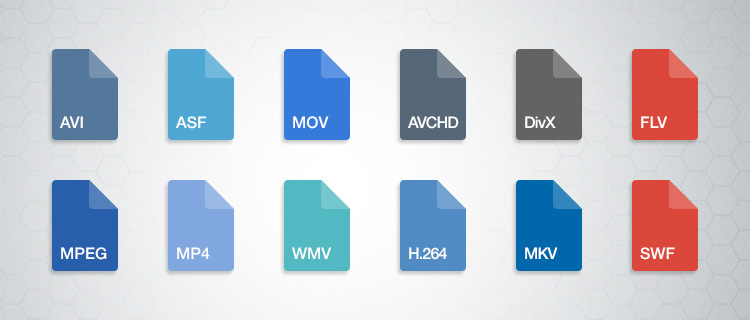
The most used containers are AVI, Divx, Matroska, Flash video, MP4, MPEG, Ogg, Quicktime, MXF and WebM. Since containers are intrinsically linked to files, each one also specifies one or more possible file extensions:

AVI -> .avi
Divx -> .divx
Matroska -> .mkv, .mk3d, .mka, .mks
Flash video -> .flv, .f4v
MP4 -> .mp4
MPEG -> .mpg, .mpeg
Ogg -> .ogg
Quicktime -> .mov, .qt
MXF -> .mxf
WebM -> .webm

And to open a container and see its contents?

Containers are interpreted through a media player application, such as Windows Media Player, Quicktime (application with the same name as a container), VLC, Plex, RealPlayer or Winamp, etc.

A good option is the VLC player, since it offers compatibility with all formats under almost any platform and even allows you to play incomplete files (useful feature if you want to start playing audiovisual content that has not yet finished downloading, as long as it is be progressive). In addition, it is freely distributed.

What is a codec exactly

What is a codec exactly

Has it happened to you that you download a video file and then you cannot use it in your player? Or that you finally finish editing your video clip and it takes years to upload to the Internet? You might think it is a problem with your file. You are not wrong, only the question is more specific: it is about the codec and container you are using.

Maybe they are somewhat strange terms, but they are gaining more and more popularity due to the growing community in online video and audiovisual production. So if you plan to start your career as a youtuber, take into account the information, because if you end up with a final video with a weight of 1 GB it will not be fun waiting for it to go up …

What is a codec?

Those who do video editing know full well that storage space can be a problem. It is better to have the material you record in its original format, but most of the time this involves a considerable amount of GB of space. For example, if you record an hour of content with an HD camera, you may need … up to 410 GB! This is difficult to keep it, much more if you want to transmit it to other media. This is where the topic gets interesting.

The term codec refers to the video or audio compression and decompression process. It is a tool that encodes video using algorithms and converts it into information. This way you can decrease the file size.

The choice of the codec depends on different factors. You must mainly take into account the means of reproduction for the final product. However, encoding is not enough for its reproduction, it is also required to “pack” the information in order to present it. We are talking about containers.

What are those containers?

Suppose you just finished editing a video. The final file contains both images and audio, so you require a way to display it just as you prepared it. This “package” is basically what many refer to when they talk about the format of a file. So a container can accept different codecs, while players can use certain containers. For example, the VLC player accepts almost all containers.

Lossy and lossless codecs (lossy and lossless)

There are different types of compression, as we will see later. However, all of them can be divided into two categories: with or without loss. Loss of what? Quality. For example, in the case of audio files, it is not the same to listen to a song in FLAC (Free Lossless Audio Codec) format to one in MP3 (MPEG Audio Layer III). The first is coded in such a way that almost no information is lost when compressing, that is, fidelity is maintained.

The same goes for the video. Wanting to save storage space, lossy files, ie lossy, are compressed. This makes them much easier to manage. However, it is unavoidable to deal with data loss and therefore image or audio fidelity. On the other hand, when you want to maintain the highest possible quality and have no space problem, lossless or lossless compressors are used. Again, it all depends on the purpose of your file. Will it be a web video? A projection? Film contest?

Video codecs

Below you will find a list of the most popular codecs. We will not go too far into others, since an average consumer rarely requires those who are specialized.

DV and HDV

Do you remember the tapes or cassettes to record video? This type of capture uses the DV codec, the standard defined by various electronic sales companies. Over time, HDV emerged, as they had to adjust to the demand for high-definition video.

H.264 / MPEG-4 AVC

Platforms like YouTube have made the popularity of this codec grow quite a bit, as it is their recommendation to upload your videos. It is one of the most suggested thanks to the fact that it considerably reduces the file size without sacrificing much image fidelity. Multiple cameras use the codec, as do web video and Blu-ray.

Microsoft VC-1

Microsoft has its encoding mode for Blu-ray content. It also works in your Microsoft Silverlight tool.

MJPEG (Motion JPEG)

Many video cameras used to capture material with this codec. Its name comes from the group that created it, the Joint Picture Experts Group. If the name seems familiar to you, it is because they are the same ones that created the JPEG still image compression codec.

MPEG-1

Before H.264 there was MPEG-1. This used to be the standard for online video, although the emergence of new formats has left it behind.

MPEG-2

This format is merely for compressing information to DVD video.

WMV (Windows Media Video)

This is another codec that has practically disappeared. It focuses on the Microsoft family.


Audio codecs

As we mentioned before, codecs can be used with or without data loss. As for audio, there is a huge difference not only in quality (especially with good headphones), but also in the file size. Do you prefer an entire album in MP3 or a few songs in FLAC?

ACC (Advanced Audio Coding)

YouTube, Android, iOS, iTunes and more have adopted this compression method as their standard. AAC was devised as the next step for MP3, although it still has a long way to go. However, AAC tends to be of better quality. It is a lossy codec.

FLAC (Free Lossless Audio Codec)

Recommended for true audiophiles. Its development is open source and is considered a great alternative to MP3 or CD if you want to get the best possible quality. It is also recommended because it can compress a file by up to 60% without loss of information.

MP3 (MPEG-1 Audio Layer 3)

It is currently the best known format for audio. It is not of the best quality, but its compression quality is what has made it so successful. It ignores the information that corresponds to the sounds that we do not hear in our hearing range, thus eliminating “irrelevant” space. It can be reduced between 75 and 95% of the original size.

Windows Media Audio (WMA)

This is another of Microsoft’s products. It never really took off, the MP3 format took care of it. It has two versions, one with and without loss of information, although the same extension (WMA) is used for both.

Containers

You have finished editing your video. You have already chosen the codec and now you must choose the means by which you can transport and reproduce the information you have assembled. We leave you the best known. Define which one is indicated according to the purpose of your product.

ASF (Advanced Systems Format)

This is a format that belongs to the Microsoft family. Its supported file types include .asf, .wma, and .wmv. The container works well if your devices are Microsoft, but it is not well received by other systems, not to mention the loss of popularity with other containers.

AVI (Audio Video Interleave)

We have all come across this one in one or the other download. It is still in multiple instances, but don’t consider it your first (or second) option if you’re creating content.

AVCHD

This format works with the content captured with video cameras.

Flash

Adobe has its own container, which was originally created by Macromedia. Many have made it clear that it is a limited container. For example, Mozilla Firefox no longer supports such files.

MKV (Matroska Multimedia Container)

This format increasingly gains more ground thanks to its versatility. It accepts almost any audio and video codec. It also has the ability to have multiple video, audio and text channels. It is open source, so it has a generous community.

MP4

It is one of the most popular containers. It works with the H.264 codec, making it ideal for working with online audiovisual content. As for audio, it usually uses AAC or AC3 codecs. It was created by the Motion Pictures Expert Group.

MPEG and BDAV MPEG-2

Both are used for discs, the first for DVD and the second for Blu-ray. Generally the file extensions with this codec are TS, VOB, MPG and SVCD.

Quicktime

Now we see the turn of the Apple family. Part of its appeal is the separation of information into different channels (video, audio and text). It also allows for better editing of the metadata. It compares a lot with the MP4 container.