What is a codec?


Free Download Mp4Gain
picture

What does codec stand for?

codec

The word codec is a new word invented to display the encoding and decoding programs of video and MP3 files (remember that a file [reading error] is a series of numerical values ​​that make up a text, a song or a video consists of data from a file, a card, etc. etc., which are stored and transferred on a computer, on the hard disk, on an SD card or a USB stick, on a smartphone and transmitted via the Internet, Bluetooth , WIFI). There are several CODECs because different techniques have been developed to process a video or audio file in order to save memory and transmission space (so-called memory byte allocation or GIGA …). Sometimes our computer may not be able to read a video that we receive, downloaded from the Internet, or recorded by the home video surveillance system. Here there is a need to install a suitable codec for reading the video.

codec

Where do you download a codec? Where can I find the right codec for reading the video? Where can I download the audio codec?
To find out which codec we need, we turn to small special programs that examine the contents of the file and find out which codec was used to encode the file and consequently for subsequent reading. In our article: How to find out the format of a video or song (here), we illustrate this process.

To download the required codec, we can do a search on Google, Bing or another search engine or connect to one of the many websites where codecs are collected both individually and in packages.

The best-known codec collection on the Internet is the K-LITE codec package, which you can download from the well-known Italian website html.it.

The most popular audio codec is undoubtedly MP3, the result of mathematical and psychoacoustic studies that allow you to compress an audio track in its original format, saving a lot of space. The introduction of the MP3 codec revolutionized the music world on the PC (and later on the advanced audio devices), since on average 90% of the storage space and thus the transfer of a file was saved by audio. The format used in Windows was called .wav (remember that the period followed by three letters indicates a file extension to indicate to the programs / operating system what a file contains and to match the correct reader / processor).

The best-known video codec for the Windows world was .avi (Interleaved Audio – Video).


Free Download Mp4Gain
picture


Mp4Gain Main Window
picture


Mp4Gain Features
picture


Free Download Mp4Gain
picture

Codec and container, differences. Explanation

Codec and container

Confusion between codec and container is very common. And even more if we add file extensions. This post aims to clarify these terms and show the relationship between them.

What is a codec?

The codec term comes from the concatenation of the initials of two words: encoder and decoder. Strictly speaking, a codec is a specification on how to encode a type of information and then be able to decode it. For example, a codec determines how video and audio information is compressed and decompressed. Remember that compression is a specific case of coding in which space is reduced, eliminating redundant information or low perceptual impact

What is a container?

Within the multimedia arena, a container is a specification of how different types of encrypted multimedia content are arranged within a file. These different contents are usually mainly video, audio and text.

Consider the case of a film in digital format. This movie is in an archive. When we open that file, a player runs and we can enjoy the movie. Notice that a movie has video, has audio, subtitles, information about its author, information about its duration, etc. For the convenience of the user, all these elements are grouped within a single file. The order in which they are saved in that file is the container specification.

Connection

The video information that is inside a container is usually compressed, that is, it usually follows the specification of a specific codec. The same goes for audio information. The confusion appears when there are containers and codecs with very similar or even the same names.

The most popular codecs

The most popular video codecs currently are Theora, VP8, MPEG-2, h.264, Xvid, and Divx. Regarding audio codecs: AAC, FLAC, MP3, Vorbis (ogg) and WMA are the most abundant.

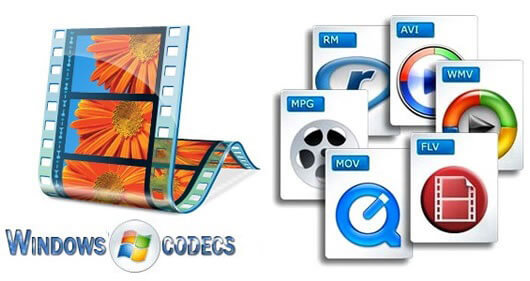
The most used containers are AVI, Divx, Matroska, Flash video, MP4, MPEG, Ogg, Quicktime, MXF and WebM. Since containers are intrinsically linked to files, each one also specifies one or more possible file extensions:

AVI -> .avi
Divx -> .divx
Matroska -> .mkv, .mk3d, .mka, .mks
Flash video -> .flv, .f4v
MP4 -> .mp4
MPEG -> .mpg, .mpeg
Ogg -> .ogg
Quicktime -> .mov, .qt
MXF -> .mxf
WebM -> .webm

And to open a container and see its contents?

Containers are interpreted through a media player application, such as Windows Media Player, Quicktime (application with the same name as a container), VLC, Plex, RealPlayer or Winamp, etc.

A good option is the VLC player, since it offers compatibility with all formats under almost any platform and even allows you to play incomplete files (useful feature if you want to start playing audiovisual content that has not yet finished downloading, as long as it is be progressive). In addition, it is freely distributed.