Audio. Digital and Analog Audio Part 6


Free Download Mp4Gain
picture

Audio. Digital and Analog Audio Part 6

Digital Audio

ANALOG AUDIO PROCESSING

digital audio

Any processing of an analog audio signal is accompanied by a certain loss of its quality (frequency, phase, non-linear distortions occur), but it is necessary. The main types of processing are as follows:

amplification of the signal to the level required for transmission, recording or playback through the speaker: having sent the signal from the microphone to the speaker, we will not hear anything: it is necessary to pre-amplify it in terms of level and power, while providing the ability to adjust the volume.

frequency filtering: infrasound, which is harmful to health at certain frequencies, and ultrasounds are cut off from the useful sound range (20 Hz – 20 kHz). In many cases, the range is deliberately reduced (the voice phone channel has a band from 300 Hz to 3400 Hz, the frequency band of metered radio stations is significantly limited). For loudspeaker systems, which usually have 2-3 bands, separation is also necessary, which is usually carried out in the crossover filters already at the level of the amplified (powerful) signal.

frequency correction (equalization): tone control, compensation for uneven recoil due to acoustic properties of the room, compensation for losses in transmission lines, studio processing to achieve the desired “color” of sound, suppression of feedback parasitic acoustics (“whistle”), etc., etc.

Noise suppression: there are special dynamic noise reduction schemes that analyze the signal and reduce the bandwidth in proportion to the level and frequency of the RF components (“denoisers”, “dehissers”). In this case, the noise that is above the bandwidth of the signal is cut off and the remaining noise is more or less masked by the signal itself. Such schemes always lead to a very noticeable degradation of the signal, but in some cases their use is appropriate (for example, when working with a recorded speech or on intercom radio stations). For analog sound recording equipment, compressor / expander-based noise cancellers (“compander” eg Dolby B, dbx systems) are also used, the work of which is less perceptible to the ear.
Impact on dynamic range: In order to make the playback of music programs in ordinary home systems, including car radio, rich and expressive enough, the dynamic range is compressed, making the sound of quiet sounds more strong. Otherwise, in addition to the occasional bursts of fortissimo (in classical music), you will have to listen to the silence from the speakers, especially given the noisy environment. For this, devices called compressors are used. In some cases, on the contrary, it is required to expand the dynamic range, then expanders are used. And to exclude exceeding the maximum level, which will lead to clipping (limiting the signal from above, accompanied by very high non-linear distortions, perceived as wheezing), limiters are used in studies.

special effects for studios, EMP, etc.: available to sound engineers and musicians there is a large number of special equipment to give the sound the desired color or to obtain a specific effect. These are various distorters (the sound of an electric guitar becomes hoarse, grainy), wah-wah prefixes (amplitude modulation that causes a characteristic “croaking” effect), enhancers, and exciters (devices that affect the color of the sound, in In particular, it can give the sound a “tube” tint); flangers, choruses, etc.

sound mixing, echo / reverb: recording in studios is usually done in multi-channel form, then, using mixers, the phonogram is reduced to the required number of channels (usually 2 or 6). In this case, the sound engineer can “push forward” one or another solo instrument recorded on a separate track, changing the loudness ratio of different tracks. Sometimes multiple copies of a lower level are superimposed on the signal with a certain time shift, thus simulating natural reverb (echo). Currently, similar and other effects are mainly achieved using signal processors that process digital signals.


Free Download Mp4Gain
picture


Mp4Gain Main Window
picture


Mp4Gain Features
picture


Free Download Mp4Gain
picture

Audio. Digital and Analog Audio Part 5

Audio. Digital and Analog Audio Part 5

Digital Audio

Any amplification path is non-linear, so harmonic distortion always occurs – new frequency components spaced 3, 5, 7, etc. in frequency. of the tone that generates them (odd harmonics) or in 2, 4, 6, etc. times (even).

Digital Audio


The threshold of visibility of harmonic distortions varies widely: from a few tenths or even hundredths of a percentage to 3-7%, depending on the composition of the harmonics. Even the harmonics are less noticeable, since they are in line with the fundamental tone (the difference in frequency is twice corresponding to one octave).

In addition to harmonic distortions, intermodulation distortions occur, which are the differential products of the frequencies of the signal spectrum and its harmonics. For example, at the output of an amplifier, at the input of which two frequencies of 8 and 9 Hz are applied (with a sufficiently non-linear characteristic), a third (1 kHz) will appear, as well as several others: 2 kHz (as the difference of the second harmonics of the fundamental frequencies), etc. … Intermodulation distortion is especially annoying to the ear, as it generates many new sounds, including those that are dissonant to the main ones.

What an audiophile can hear, and not only hear, but also explain to a sound engineer, can be completely invisible to the average listener.

Noise and distortion are largely masked by the signal, but they themselves mask low-level signals that fade or lose clarity. Therefore, the higher the signal-to-noise ratio, the better. Actual sensitivity to noise and distortion will vary based on individual hearing characteristics and training. The level of noise and distortion that does not affect the transmission of speech can be completely unacceptable for music. What an audiophile can hear, and not only hear, but also explain to a sound engineer, can be completely invisible to the average listener.

ANALOGUE AUDIO TRANSFER
Traditionally, audio signals were transmitted over cables and over the air (radio).

Distinguish between unbalanced (classic cable) and balanced transmission line. Unbalanced has two wires: signal (direct) and return (ground). Such a line is very sensitive to external interference, so it is not suitable for transmitting a signal over long distances. Often implemented with a shielded cable, the shield is grounded.

cifrovoe-i-analogovoe-audio-4.jpg
FIG. 4. Unbalanced screened line

The balanced line assumes three wires: two signal wires, through which the same signal flows, but in antiphase, and ground. On the receiving side, the common mode noise (induced in both signal wires) is mutually subtracted and completely disappears, and the useful signal level is doubled.

FIG. 5. Balanced screened line

Unbalanced lines are often used inside devices and for short distances, mainly on user routes. In the professional sphere, balance prevails.

In the figures, the shield connection points are shown conditionally, as they must be selected “in place” each time to achieve the best results. Most of the time, the screen is connected only on the signal receiver side.

Audio. Digital and analog audio Part 3

Audio. Digital and analog audio Part 3

DIGITAL AUDIO

Modern autumn sound sources are diverse and digital media are becoming more and more common: CDs, DVDs, although vinyl records are also preserved. We continue to listen to radio, both terrestrial and via cable (radio hotspots). Sound accompanies television shows and movies, not to mention such a familiar phenomenon as telephony.

Digital Audio


A computer receives an increasing share in the world of audio, allowing it to conveniently archive, combine and process sound programs in the form of files. In the digital age, digitized speech and music are transmitted through digital channels, including the Internet, without serious losses in transportation. This is done with digital encoding and the loss is due solely to compression, which is used most often. However, in digital media, either it does not exist at all (CD, SACD), or lossless audio compression algorithms are used (DVD Audio, DVD Video). In other cases, the degree of compression is determined by the required level of quality of the soundtrack (MP3 files, digital telephony, digital television, some types of media).

cifrovoe-i-analogovoe-audio-1.jpg
FIG. 1. Conversion of acoustic sound vibrations into an electrical signal

The reverse conversion of electrical vibrations to acoustic vibrations is carried out using speakers built into radios and televisions, as well as separate acoustic systems, headphones.

Sound is called acoustic vibrations in the frequency range 16 Hz to 20,000 Hz.

Sound is called acoustic vibrations in the frequency range 16 Hz to 20,000 Hz. Below (infrasound) and above (ultrasound), the human ear does not hear, and within the sound range, the sensitivity of hearing is very uneven. , its maximum falls at a frequency of 4 kHz. To hear sounds of all frequencies at the same volume, you must play them at different levels. This technique, called loudness, is often implemented in home computers, although its result cannot be considered unequivocally positive.

cifrovoe-i-analogovoe-audio-2.jpg
FIG. 2. Equal volume curves
(Click on the image to zoom)

The physical properties of sound are generally not presented in linear values, but in relative logarithmic values, decibels (dB), as this is much clearer in numbers and more compact in graphics (otherwise one would have to operate with values ​​that they have many zeros before and after the decimal point, and the second would be easily lost in the context of the first). The ratio of two levels A and B in dB (say voltage or current) is defined as:

With u [dB] = 20 lg A / B. If we talk about powers, then C p [dB] = 10 lg A / B.

In addition to the frequency range, which determines the human ear’s sensitivity to tone, there is also the concept of loudness range, which shows the ear’s sensitivity to loudness level and covers the range from the lowest audible sound to the ear (threshold sensitivity) to the strongest, beyond which is the pain threshold. The sensitivity threshold is taken as a sound pressure of 2 x 10⁻⁵Pa (Pascal), and the pain threshold is pressure, 10 million times higher. In other words, the audibility range, or the pressure ratio between the loudest and the lowest sound, is 140 dB, which is markedly higher than the capabilities of any audio equipment due to its own noise. Only high definition digital formats (SACD, DVD Audio) match the theoretical limit of dynamic range (the ratio of the loudest sound reproduced by the equipment to the noise level) 120 dB, CD provides 90 dB, vinyl record – approximately 60 dB.

cifrovoe-i-analogovoe-audio-3.jpg
FIG. 3. Hearing sensitivity range

Only high definition digital formats (SACD, DVD Audio) match the theoretical dynamic range limit

Noise is always present in the audio path. This is both the intrinsic noise of the amplifying elements and the external interference. Signal distortions are divided into linear (amplitude, phase) and non-linear or harmonic. In the case of linear distortion, the signal spectrum is not enriched with new components (harmonics), only the level or phase of the existing ones changes. Amplitude distortions that violate the original level relationships at different frequencies result in audible timbre distortions. For a long time it was believed that phase distortions were not critical to hearing, but today the opposite has been shown: both timbre and sound localization are highly dependent on the phase relationships of the signal’s frequency components. .

Audio. Digital and analog audio

Audio. Digital and analog audio

Digital Audio

Although we assimilate most of the external information with the help of our eyes, sound images are no less important to us and often even more.

Digital Audio

Try watching a movie with the sound turned off; in 2-3 minutes you will lose the thread of the plot and the interest in what is happening, no matter how big the screen and the high quality image. Therefore, a pianist played off-screen in silent movies. If you remove the picture and leave the sound, the movie can be “heard” like a fascinating radio show.

Hearing gives us information about what we do not see, since the sector of visual perception is limited, and the ear captures the sounds that come from everywhere, complementing the visual images.

Hearing gives us information about what we do not see, since the visual perception sector is limited, and the ear captures sounds from all directions, complementing visual images. At the same time, our hearing with great precision can locate an invisible sound source in direction, distance, speed of movement.

They learned to convert sound into electrical vibrations long before images. This was preceded by a mechanical recording of sound vibrations, whose history dates back to the 19th century.

Accelerated progress, including the ability to transmit sound at a distance, was made possible by electricity, with the advent of amplification, acoustic and electroacoustic technology and transducers – microphones, pickups, dynamic heads, and other emitters. Today, audio signals are transmitted not only over cables and over the air, but also over fiber optic communication lines, primarily in digital form.

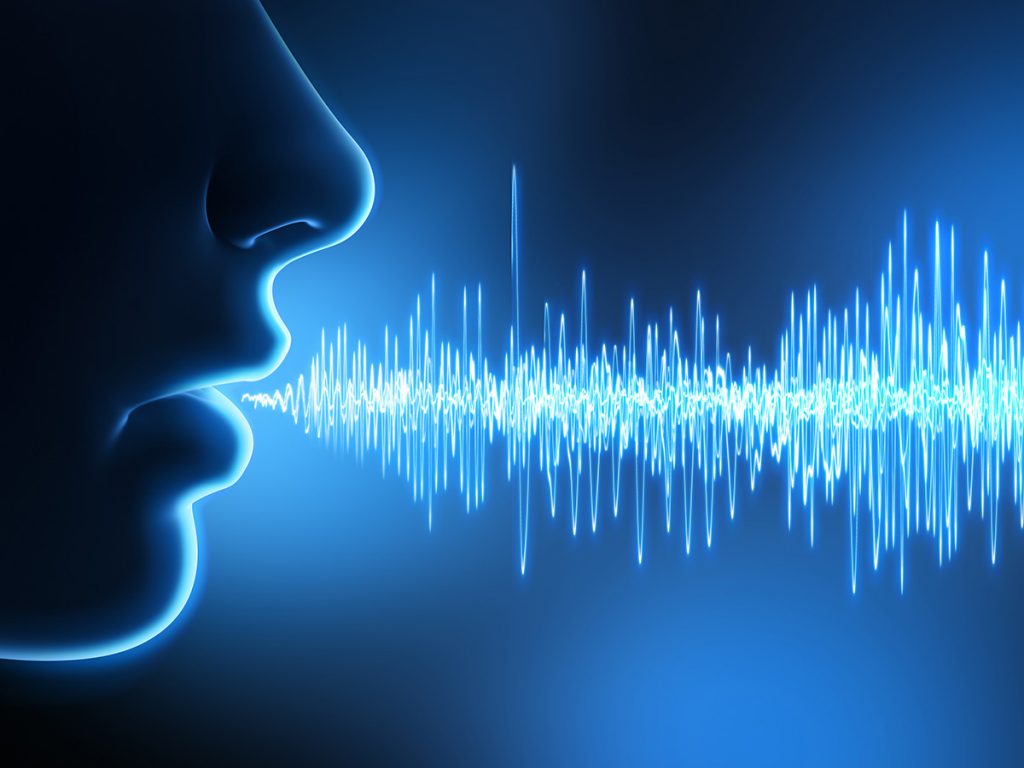
Acoustic vibrations are converted into an electrical signal, usually by microphones. Any microphone contains a moving element whose vibrations generate a current or voltage in a certain way. The most common type of microphone is the dynamic one, which is a reverse speaker. The vibrations of the air set in motion a membrane that is rigidly connected to a moving coil in a magnetic field. A condenser microphone is, in fact, a condenser, one of whose plates vibrates in time with the sound, and with it the capacitance between the plates changes. Ribbon microphones use the same principle, only one of the plates is freely suspended. Similar to a condenser electret microphone, whose plates, in the process of oscillation, generate by themselves an electric charge proportional to the amplitude of the oscillations. Many models of microphones have a built-in amplifier (the level of the signal directly from the acoustic-electric transducer is very low). Unlike a microphone, the pickup of an electric musical instrument registers vibrations not from air, but from a solid body: a string or the soundboard of an instrument. The cartridge reads the disc slot using a stylus mechanically connected to moving coils in a magnetic field, or magnets if the coils are stationary. Or the vibrations of the needle are transmitted to the piezoelectric element which, under mechanical stress, generates an electrical charge. In magnetic recording, an audio signal is recorded on a magnetic tape and then read with a special head. Finally, in cinematography, optical recording was traditionally adopted: an opaque soundtrack was applied from the edge of the film,

In synthesizers, sound is born directly in the form of electrical vibrations, there is no primary transformation of acoustic waves into an electrical signal.

History of Digital Audio Part 2

History of Digital Audio Part 2

Digital Audio

Different formats use different methods of audio compression, but bit rate still plays a role as a measure of audio quality. The sample rate also plays an important role and the number of hertz shows how many parts per second the file is divided into. The lower limit of the sample rate for audio files is 44.1 kHz (44100 Hz), if it is lower, it is not sufficient.

digital audio

VBR vs CBR

Constant Bit Rate (CBR) and Variable Bit Rate (VBR) are two methods of obtaining Bit Rate. Constant bitrate means that you set a certain bitrate for the entire file, and with a variable bitrate, its value changes throughout the entire music file as needed.

CBR is like packing something in a larger box than necessary, and VBR packs in a box that matches the outline of its contents. People often use an overestimated bit rate of 320 kbps, when this is not necessary, often a VBR of 192 kbps is sufficient. By ear, you are unlikely to feel a difference.

DRM

DRM (Digital Rights Management) is the most terrible invention since the nuclear bomb and is best left untouched. Music stores primarily use DRM protection to protect it from illegal copying and use.

DRM files are not compatible with all players and you may forget to transfer files in MSC / UMS mode with them. DRM-protected music is usually in WMA or AAC formats. In short, the use of DRM only creates additional problems for people.

History of digital audio

History of digital audio

digital audio

By its nature, sound is an oscillatory movement of particles in an elastic medium that propagates in the form of waves. After it became clear that sound represents such vibrations, the idea came up of recording them by repeating the shape on solid material.

DIGITAL AUDIO

So, in 1877, Thomas Edison created a phonograph, a device for the mechanical recording and reproduction of sound. And in 1888, the German E. Berliner invented the gramophone – the era of gramophone records began, which became the first massive carriers of audio information.

Thomas Edison and his phonograph

FIG. Inventor Thomas Edison and His Record Making: The Phonograph

Having studied the laws of electromagnetism, man made successful experiments to convert sound waves into electromagnetic waves and preserve them. This is how magnetic tape appeared, which became widespread in the middle of the 20th century.

For digital technology to store, process, and reproduce sound, it is converted to digital format by an analog-to-digital converter (ADC), which converts an analog signal into a sequence of numbers. This is called Pulse Code Modulation (PCM).

It happens like this: the ADC measures the amplitude of an analog signal many times per second and outputs the results in the form of numbers. However, the measurement result does not exactly match a continuous electrical signal: it depends on the number of measurements and their precision.

The frequency at which the measurements are taken is called the sample rate, and the precision of the amplitude measurements indicates the number of bits used to indicate the result of the measurement. This parameter is called the bit depth. For example, if the sampling frequency is 44.1 kHz, this means that the signal is measured 44 100 times in one second.

For the analog signal to be accurately reconstructed from its samples, the sample rate must be twice the maximum audio frequency. That is, if the analog signal contains frequency components from 0 Hz to 20 Hz, then the frequency of its sampling must be at least 40 kHz.

Digital audio formats

Of course, for digitized sound to be stored, transmitted, and converted, there must be certain digital sound standards – audio formats. Today, there are many such formats, each of which uses its own sound processing algorithm. They also differ in the information carriers.

The most popular and widespread in the field of home use today are ordinary music CDs – CDs. There are also relatively new recording formats, Super Audio Compact Disk (SACD) and DVD-Audio (or simply DVD-A). In addition, formats that use digital data compression have become widespread.

The most popular among them is MPEG-1/2 / 2.5 Layer 3 (MP3). Microsoft also did not stay away from the sound industry, as it developed its own compression algorithm, WMA, which is also actively promoted in the market.

New audio file formats appear every year, but no player on the market supports the playback of all formats.

In fact, the term MP3 player is only correct for players that support the MP3 format. Let’s see what’s what in audio formats.

Before looking at the various audio file formats (codecs), let’s take a look at a few terms.

Bitrate

Bit rate is the space required for 1 second of music. With a bit rate of 128 kbps (kilobits per second) = 16 kbps (kilobytes per second), approximately 5 megabytes are needed for 5 minutes of music.

The higher the bit rate, the higher the quality of the music. But this as long as the bit rate of the original format is higher than the bit rate of the encoded format. By compressing a CD to MP3 at 320 kbps, you get better sound quality than 128 kbps, but converting from 128 kbps to 320 kbps will not improve the quality and may even degrade it.

Often times a 128kbps bit rate masquerades as CD quality, but this is not actually the case. If you have enough high-quality equipment, you will hear it immediately. Manufacturers like to give an estimate of the number of songs that go into a player at a very low bit rate, and many consumers are unaware that audio files vary in size. Therefore, you should not rely on the numbers in the advertisements, in fact, much less the songs in your collection can fit in the player.

Compression

Uncompressed audio takes up a lot of space. To reduce the size of audio files in formats such as MP3, programs cut off the part of the frequency range that the human ear cannot hear.

Audio Coding: Secrets Revealed – Part 2

Audio Coding: Secrets Revealed – Part 2

AUDIO ENCODING

Audio settings for video capture and transmission.

AUDIO ENCODING

Sampling frequency (kHz, kHz)
Sample rate (or sample rate): the frequency with which the signal is digitized, stored, processed, or converted from analog to digital. Time sampling means that the signal is represented by several of its samples (samples) taken at regular intervals.

Measured in hertz (Hz, Hz) or kilohertz (kHz, kHz,) 1 kHz equals 1000 Hz. For example, 44,100 samples per second can be labeled 44,100 Hz or 44.1 kHz. The selected sample rate will determine the maximum playback frequency and, as follows from Kotelnikov’s theorem, to fully restore the original signal, the sample rate must be twice the highest frequency in the signal spectrum.

As you know, the human ear is capable of picking up frequencies between 20 Hz and 20 kHz. Given these parameters and the values ​​shown in the table below, you can understand why 44.1 kHz was chosen as the sampling frequency for CD and is still considered a very good frequency for recording.

There are several reasons for choosing a higher sample rate, although it may seem like a waste of time and effort to reproduce sound outside the range of the human ear. At the same time, 44.1 – 48 kHz will suffice for the average listener for a high-quality solution to most problems.

Bit depth
Along with the sample rate, there is the bit depth or depth of sound. Bit depth is the number of bits of digital information to encode each sample. Simply put, the bit depth determines the “accuracy” of the input signal measurement. The larger the digit capacity, the smaller the error for each individual conversion from the magnitude of an electrical signal to a number and vice versa. With the smallest possible bit depth, there are only two options for measuring sound accuracy: 0 for full silence and 1 for full sound. If the bit width is 8 (16), then by measuring the input signal, 2 8 = 256 (2 16 = 65,536) different values ​​can be obtained.

Bit depth is fixed in the PCM codec, but for codecs that assume compression (eg MP3 and AAC), this parameter is calculated during encoding and may vary from sample to sample.

Bitrate
Bit rate is an indicator of the amount of information that one second of sound encodes. The higher it is, the less distortion and the closer the encoded composition is to the original. For linear PCM, the bit rate is very easy to calculate.

bitrate = sample rate × bit depth × channels

For systems such as the Epiphan Pearl Mini that encode 16-bit (16-bit) linear PCM, this calculation can be used to determine how much additional bandwidth the PCM audio might require. For example, for stereo (two channels), the signal is digitized at 44.1 kHz at 16 bits and the bit rate is calculated as follows:

44.1 kHz × 16 bit × 2 = 1411.2 kbps

Meanwhile, audio compression algorithms like AAC and MP3 have fewer bits to transmit the signal (that’s their purpose), so they use low bit rates. Typically, the values ​​are in the range of 96 kbps to 320 kbps. For these codecs, the higher the bit rate you choose, the more audio bits you get per sample and the better the sound quality.

Sample rate, bit depth and bit rates in real life.
Audio CDs, one of the most popular early inventions for the general public for storing digital audio, used 44.1 kHz (20 Hz – 20 kHz, human ear range) and 16 bits. These values ​​were chosen to be able to save as much audio as possible to disk with good sound quality.

When video was added to audio and DVD and then Blu-ray discs came along, a new standard was created. DVD and Blu-Ray recordings typically use 48 kHz (stereo) or 96 kHz (5.1 surround) linear PCM format and 24-bit depth. These settings have been chosen as ideal for keeping the audio in sync with the video while obtaining the best possible quality using additional available disk space.

Our recommendations
CDs, DVDs, and Blu-Ray discs all have one goal: to provide the consumer with a high-quality playback engine. The goal of all developments was to provide high-quality audio and video without worrying about file size (if only it could fit on disk). Such quality could be provided by linear PCM.

By contrast, mobile media and streaming media have a completely different goal: to use the lowest bit rate possible, while still being sufficient to maintain acceptable quality for the listener.

Audio encoding: secrets revealed

Audio encoding: secrets revealed

audio encoding

Audio settings for video capture and transmission.

AUDIO ENCODING

As people directly related to the AV sphere, we constantly talk about audio coding and audio codecs, but what is it? An audio codec is essentially a device or algorithm that can encode and decode a digital audio signal.

In practice, the audio waves that travel through the air are continuous analog signals. The signals are converted to digital form by a device called an analog-to-digital converter (ADC), and the reverse converter is called a digital-to-analog converter (DAC). The codec lies between these two functions and it is he who allows you to adjust some important parameters for the successful capture, recording and transmission of an audio signal: the codec algorithm, the sampling frequency, the bit width and the speed of the audio signal. data.

The three most popular audio codecs are Pulse-Code Modulation (PCM), MP3, and Advanced Audio Coding (AAC). The choice of codec determines the compression rate and the recording quality. PCM is a codec used by computers, CDs, digital phones, and sometimes SACD. The PCM signal source is sampled at regular intervals, and each sample is the digital amplitude of the analog signal. PCM is the simplest option for digitizing an analog signal.

With the correct parameters, this digitized signal can be completely converted back to analog without any loss. But this codec, which provides an almost complete identity with the original audio, is unfortunately not very cheap, which results in very large file sizes, and such files are not suitable for streaming. We recommend using PCM to record digital images for your sources or when doing audio post-processing.

Fortunately, we always have the option of choosing a different codec that can compress digital data (rather than PCM) based on some helpful observations on the behavior of sound waves. But in this case, you have to make a compromise: all alternative algorithms are associated with “losses”, since it is impossible to completely restore the original signal, but nevertheless the result is still so good that most users will not be able to to catch the difference.

MP3 is an audio encoding format that uses a digital data compression algorithm that allows you to save the audio signal in smaller files. The MP3 codec is the most used by users to record and store music files. We recommend using MP3 to stream audio content as it requires less network bandwidth.

AAC is a newer audio encoding algorithm that is the successor to MP3. AAC has become the standard for the MPEG-2 and MPEG-4 formats. In fact, this is also a digital data compression codec, but with less quality loss than MP3 when encoded with the same bit rate. We recommend using this codec for online streaming.

How to improve sound quality on an Android smartphone

How to improve sound quality on an Android smartphone

Sound Quality on Android

improve sound quality on Android

Android Sound quality

We all love listening to music, filming or watching videos on our phone. But it is often impossible to share your favorite composition with others or show a funny video to a friend. And all because of the fact that your Android smartphone cannot boast of speakers, but instead of a beautiful melody, it plays a kind of squeak and crack?

What can I do to make my smartphone sound like a hi-fi stereo system? This will be discussed below.

Increase the volume of the phone’s sound
An external (non-native) player can help with this. Find and install a player with advanced audio settings. For example, Poweramp has 10 bands on the equalizer, allowing you to not only increase the volume, but also customize the sound on your own.

Another 100% way to make a real stereo system with a little “Android” is to download the Volume + app on Google Play. The app has separate columns for sound settings for Bluetooth headphones, external speakers, and headphones. There is also a “virtual room” effect, 20 levels of sound control, and 5 bands of EQ. You can download paid and free versions.

Increase the volume of the Android ringtone
This can be done on any smartphone, if you dig more carefully into the settings. There are usually several options in Call Settings to make the call louder. For example, on Samsung phones, you only need to check the box “Eliminate noise” and “Sounds louder in your bag”. On HTC it is enough to set the notification volume to the maximum value in the “Sound” settings and activate the “In pocket” mode.

Improve sound quality on Android
Increased volume is often accompanied by degraded sound quality. You can fight this too. However, the method described below does not work on all devices. It is also not suitable for tablets that do not support the phone call function.

To improve the sound, you must enter * # * # 3646633 # * # * in the dial. In the Audio menu that opens, select the “Normal mode” function and then “Type = Sph”. Change Level0 to Level6. After each selection, press Set to save the settings.

How to improve the sound quality of your headphones

How to improve the sound quality of your headphones

headphones

Even with a weak sound card or average quality headphones, a significant improvement in sound quality is possible. In smartphones, as in computers, there is special software for this.

headphones

Before you start adjusting the sound settings, check the operation of the headphones themselves:

the cause of the malfunction can be the habitual contamination of the fine metallic mesh that covers the speakers, which can interfere with the passage of sound waves; in this case, you just need to clean it with alcohol;
If the fit is loose, the sound quality may deteriorate; try to move the position of the headphones and check if there has been any change;
check if both work or the sound is coming from a single earphone – the cable may be damaged;
If the veins are loose, a characteristic rustling may appear.
RECOMMENDATIONS:

How to set the equalizer correctly (for headphones)

How to make the sound from headphones louder: on the computer and the phone

Simple and effective ways to increase the bass in your headphones

Set up on a computer
To access the sound settings menu, in most versions of Windows, you must click in the lower left corner of the Start screen – Control Panel. In Windows 8, you need to move the cursor to the lower right corner, wait a few seconds and after the vertical menu appears, select Settings – Control Panel.

1 parametry

In the menu that opens, select the Sound icon.

To get started, double-click the Headphones line and after the window appears, go to the Levels tab, click the Balance button, and adjust the sound volume for each of the headphones.

On the Additional Features tab, check if the “Volume leveling” checkbox is checked. You can try changing the settings on the Advanced tab. Here you can change the bit depth, the frequency of the sound and immediately hear the changes by clicking the “Check” button.

The quality of the sound is highly dependent on the initial settings: for example, the echo will be heard if the effect is used “in the room”. When using headphones, it is worth connecting to surround sound; you may be more comfortable listening with a spatial sound effect.

Also note that if you connected headphones, for example, to the rear panel audio input and a different device is selected for this input in the driver settings, the sound will be distorted. Therefore, be sure to verify that the device is installed correctly.

Changing the equalizer settings
Even the simplest players, including standard Windows Media, have a built-in equalizer in which you can adjust the frequency range. To do this, you need to start the program and right-click on the menu Additional functions – Equalizer.

By experimenting with the engines in the window that opens or using a ready-to-use profile, you can choose the appropriate frequency to play a specific video or audio file. Note that your settings will be used only in this program, but will not affect the sounds played by other sources in any way.

The most popular VLC Player (you need to install it on your computer separately) has a large number of effects and filters. You can equalize the strength of the sound in it by going to Tools – Effects and Filters. Any of the equalizer settings, if desired, can be saved.

filter

To adjust the 10-band equalizer, you must first activate it by checking the box in the upper left corner of the panel (Audio Effects tab). Even if the original file is badly recorded, selecting settings, changing presets, adjusting bass in this program can significantly improve sound quality.
and

To improve the sound, you can download a special plug-in, for example, DFX Audio Enhancer. The program can significantly improve the frequency characteristics of the audio. The program will help and simulate a subwoofer, give a 3D effect, create a special atmosphere while listening, etc.

Set up the sound on your smartphone
They are different on each phone, but the principle is the same:

you can increase the volume in the Settings – Sound section; here you can increase the sound volume separately for the ringtone, alarm clock and multimedia files (video, music, games); more advanced phone models have noise cancellation modes;