Advantages and disadvantages of popular audio formats


Free Download Mp4Gain
picture

Advantages and disadvantages of popular audio formats

audio file formats

In the modern music world, there are a large number of audio file formats that are often confusing for the unprepared user.

Audio File Formats

To understand all this, to find out what they are and what they are used for, the presented review will help.

Advantages and disadvantages of popular audio formats

Types of audio formats

Today is the time that all music lovers, not to mention professional musicians and audio editors, need to understand concepts like audio file formats, bit rates, extensions, bit depth, sample rate and many others. for high-quality sound. Sound has gone digital, which means that it can be used for various purposes, for example, for listening to evidence, for presentations, video dubbing. In fact, digital sound, like an image, is a collection of individual pixels, and the more there are, the better the sound image itself. This “pixelated” sound can be edited and processed.

Advantages and disadvantages of popular audio formats
The figure shows an example of a sound wave recording, where the green curve denotes the original sound and the purple columns indicate its digital form. The number of segments per second is the sample rate. In this case, the digital representation of sound is as follows.

Advantages and disadvantages of popular audio formats
An important role in evaluating the quality of audio formats, and consequently sound quality, is a parameter such as bit rate, which shows how many bits or kilobits it takes to record one second of sound. Low bit rates mean low quality sound, large ones mean high quality sound.

Advantages and disadvantages of popular audio formats
But for the storage and further use of audio in one form or another, audio formats are used – digital recordings of audio data. We can say that the format is a kind of container where the sound is stored. Virtually all audio formats can be divided into two broad categories: lossless compressed and lossy compressed.

No loss, no loss
To avoid as much as possible a decrease in sound quality during the compression of an audio file, special methods have been developed to store audio information, avoiding losses, which in fact can be compared with the file, when the information is simply packed in a zip file, the size of which is noticeably smaller than the original data. Subsequently, this data can be clearly restored on each bit. Also, the bit rate itself is not important for these files. These audio files are collectively called Lossless, Music As Is. These algorithms allow you to compress files two to three times. As a result, the size turns out quite large, but at the same time with the preservation of the original sound.

The most popular lossless formats are as follows.

FLAC
The abbreviation is the name “Free Lossless Audio Codec”. Provides complete security of all data in the audio stream, capable of 1.4 to 4x compression with 350-1010 kbps bit rate, used to create audio collections, and used for listening on premium equipment .

Pros:

– high quality;
– a large number of additional features;
– free license.
Disadvantages:

– quite large size;
– on older operating systems, you must additionally download the appropriate players.


Free Download Mp4Gain
picture


Mp4Gain Main Window
picture


Mp4Gain Features
picture


Free Download Mp4Gain
picture

What is a lossless audio format?

What is a lossless audio format?

lossless audio

You might think that the word “lossless” is used for audio formats that use no compression at all.

lossless audio

However, even lossless audio formats use compression to keep file sizes at an acceptable level.

Lossless formats use compression algorithms that preserve the audio data, so the sound is exactly the same as the original source. This is in contrast to lossy audio formats such as AAC, MP3, and WMA, which compress audio using algorithms that discard data. Audio files are made up of sound and silence. Lossless formats are capable of compressing pause to almost zero while retaining all audio data, making it smaller than uncompressed files.

What lossless formats are commonly used for digital music?
Examples of popular lossless formats used to store music:

Commercial

FLAC
Wav
A THE C
Lossless WMA
Impact of Lossless Formats on Music Quality
If you download a lossless music track from an HD music service, you expect the sound to be really high quality. On the other hand, if you convert low-quality music tapes by digitizing them using lossless audio formats, the sound quality will not improve.

Is it possible to convert a lossy song to a lossless song?
It is never a good idea to go from one loss to another. This is because a song that has already been compressed in a lossy format will always be like this. If you convert it to a lossless format, all you get is wasted space on your hard drive or mobile device. You cannot improve the quality of a lossy song using this method.

Commercial

Benefits of Using a Lossless Audio Format for Your Music Library
Using a lossy format like MP3 is still the most common method of storing your music collection. However, there are clear advantages to creating a lossless music library.

Perfect Music CD Backup: Lossless copy of audio files gives you a slightly exact copy of the original music CD. This means that no matter what audio formats come in the future, you will know that you have a perfect copy of the original.
Recovery of loss or damage. Having music in lossless format allows you to recover a damaged original CD or any that has been lost to a blank CD.
Convert to any format. Since your music is in a lossless format, you can convert it to any format and get the highest quality it can support.

Flac compared to Mp3

Flac compared to Mp3

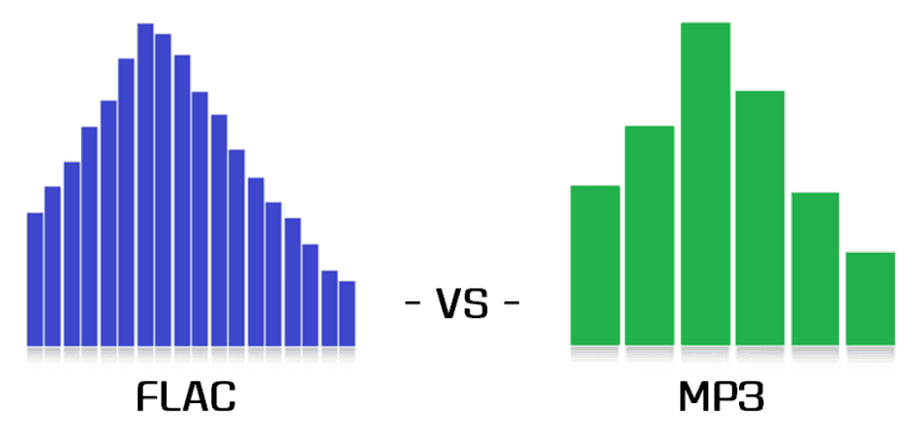
FLAC vs MP3

Lossy vs lossless

Flac or MP3

For an introduction to the topic, let’s start with a simple reference that connoisseurs of audio formats can safely skip … Most of us today listen to music in a car in MP3 format. It is convenient: a huge music library fits in a fist, it is not afraid of scratches, bumps, dirt, it can be easily replenished and edited on a home computer, etc. The MP3 format suits almost everyone except those who are “boosted” due to its internal nature …

And the gist is that when the music stream is compressed, those sounds and frequencies are cut off according to a special algorithm, which, according to the algorithm’s creators, ALMOST does not affect the listener’s perception of the music. This “almost” is the reason for the compromise of the MP3 format … In the music of the club genres, the difference is barely perceptible, but in the good quality rock, instrumental, serious vocals and classics reproduced through a system of decent speakers, the Many may experience the difference between the “cut” MP3 format and the “uncut” WAV source.

MP3 does not convey the depth and fullness of the sound of music, it is perceived as a “poor relative” compared to uncompressed audio formats. All these are, of course, subjective characteristics, and not everyone, due to the physiological characteristics of hearing, is able to “taste” them at all, but the truth is that MP3 and other codecs that compress sound at a loss ( WMA, AAC, and others) degrade the quality of music for the sake of ease of use.

original-3.jpg20151019-2336-1k348sb.jpg
An alternative is “lossless” formats, which are commonly referred to as lossless. Codecs like FLAC and APE also compress music, but during playback the original data is fully restored from the compressed state, unlike MP3, from which compression algorithms remove “extra notes” at their discretion and without your knowledge …

FLAC in cars
Until recently, it was possible to listen without loss in the car mainly only in multimedia centers on Android, since for Android it is natural to install various playback programs that read all formats. But the sound quality was questionable, because most of the Android-based recorder manufacturers, with dubious Chinese ancestry and a blank space in the brand’s history place … Also, the serious restrictions on the distribution of these devices are the high price and two … din format, which also does not suit all.

And now, a year and a half ago, the first FLAC models started to appear in the segment of cheap radio tape recorders from famous brands, with good quality, one-din design and the usual “radio” design. Today, this market segment has taken place: a variety of inexpensive FLAC devices from all well-known brands such as Sony, Pioneer, Kenwood, etc. already strong. Consequently, you can try to draw some conclusions.

The main one will be the answer to the question: was the introduction of FLAC support in low-cost massive devices a breakthrough in the evolution of car audio, or is lossless relevant only to serious and expensive car audio systems, and a simple user in an inexpensive car with standard acoustics does not have different advantages of FLAC will not receive?

What are we testing
Today, the cost of the most affordable car radios with FLAC support is extremely democratic, and these devices are available to everyone: in the initial segment, their prices start at 3,000 rubles. Thus, such equipment leads many budget car owners to the idea that in a budget car, with consumer standard acoustics, you can significantly improve the sound quality simply by replacing the radio recorder and using a music source from high quality: FLAC. instead of MP3.

Advantages of the FLAC audio format

Advantages of the FLAC audio format

FLAC vs MP3

Wave is uncompressed or lossless format, while MP3 is compressed or lossy.

MP3 VS WAV

Technically .wav is just a container format and can contain various types of compressed or uncompressed audio, but you will usually find that it contains uncompressed LPCM audio (same as on audio CDs). With .waves files you essentially end up with a raw digital representation of the audio bitstream. Analog sound produced in the real world contains essentially an infinite amount of information because it is a constantly changing wave (see below). To digitize these sounds, you must sample the signal at different intervals to get an approximate sound. For .wav, the audio signal is typically sampled at 44,100 times per second or more, and each sampled value is recorded so that the audio wave can be played:

MP3s are compressed to compress the same audio information into a smaller file size. The .wav format is great for representing an analog signal very accurately, but generally at the expense of large files, as you probably know. Compressed audio (and video similarly) is designed to reduce file size while maintaining an acceptable level of fidelity. In simple terms, compression tries to remove unnecessary data from the stream and reduce the signal to its most necessary components. In MP3, the encoding and compression algorithms use a model of how we listen to analyze the sound in the frequency domain and remove any unnecessary information. For example, due to hearing disguise, if there are two sounds at close frequencies, we will often only hear a loud sound if the difference in volume between them is significant. Therefore, for MP3s, the lower volume sound may be lost and the sound will sound essentially the same as it does to our ears. Find out more about the technical aspect of MP3 encoding here.

In practice, both .wav and MP3 have their uses. For production, .wav is the standard because it will almost always be a 100% accurate, bit-level reproduction of the source material. MP3 can be a decent alternative at high enough bit rates. Bitrate is a measure of how many bits per second the MP3 encoding will use. This means that the higher the bit rate, the closer the MP3 will be to the original uncompressed stream. Bit rate is generally measured in kilobits per second (kbps). I like high-quality sound for my digital music collection, so when I get the chance, I usually encode MP3 at a constant 256 or 320 kbps. This is the upper limit of what MP3 can do, and unfortunately most digital music isn’t encoded that high there. When the bit rate drops, it is usually heard first in the high frequencies, like the cymbals of a drum set. 160 kbps is tolerable, but anything below and you’ll really start to notice. But again, with a fairly high bitrate, the differences between MP3 and .wav subtle, especially for an inexperienced listener (most listeners).

For .wav files, we mainly look at the bit depth and the frequency or sample rate. Bit depth is the number of bits used to encode each sample value. The sample rate indicates how many times per second the audio is sampled. CD (.wav) and MP3 are encoded at a sample rate of 44100 Hz (Hertz stands for “cycles per second”). Newer computers and audio hardware / software now support higher sample rates, including 48 kHz or 96 kHz. For .wav the bit depth is usually 16 or 24 bit on newer systems. For most purposes, 16-bit and 44.1 kHz is sufficient when using .wav, but if you have this capability, it’s generally worth switching to 24-bit, 48 kHz.

Some examples of file sizes for 5 minute stereo recording:

.wav, 16-bit, 44.1 kHz: 50 MB
.wav 24 bit 48 kHz: 82 MB
.wav 24 bit 96 kHz: 164 MB
MP3, 128 kbps, 44.1 kHz: 4.5 MB
MP3, 192 kbps, 44.1 kHz: 7 MB
MP3, 320 kbps, 44.1 kHz: 11 MB
FLAC, 24-bit, 44.1 kHz: 28 MB
FLAC, 24-bit, 48 kHz: 31 MB
24-bit 96 kHz FLAC: 61 MB
There is also a variable bitrate option for MP3 encoding, which should have a slightly smaller file size for the same quality. It uses an encoding scheme that changes (alters) the bit rate for different parts of the song, depending on the complexity and how many samples are needed to accurately recreate the section.

[FLAC] There is a third category: lossless compression. FLAC is a good example of this, and has the quality and fidelity of a .wav file, but with smaller file sizes

Differences between FLAC and MP3?

Differences between FLAC and MP3?

FLAC vs MP3

Lossless vs lossy

FLAC vs. MP3

“Here, of course, the question is not about the difference between MP3 and FLAC, it is broader: that lossy compression formats (MP3, AAC, WMA, Ogg Vorbis and others; that is, lossy) are They differ from “lossless.” ”(FLAC, ALAC, APE, WavPack and others; that is, no losses). Actually, with such wording, it becomes clear that in the first group of formats, the original data is not completely saved, and the second can be restored to the original format (for example, Wav or Aiff extracted from CD) without loss. What exactly is lost and in what proportions depends on the specific type of lossy files and their bit rate, that is, the degree of compression. But to say that all MP3s sound bad and that “flacks” are perfect is the height of arrogance and incompetence. Lossy audio formats have been developing for more than twenty years, and serious research laboratories (Fraunhofer Institute, for example, in addition to working on MP3, is also famous for the invention of the most efficient solar battery) and a group of enthusiasts. Mathematical encoding is constantly improving, and nowadays it is no longer so easy to distinguish files produced by different codecs by ear.

I would immediately make a reservation that not only the files themselves are important, but also the equipment they are to be tested on, the listening environment, and the examiner’s listening experience. In MP3 of any low bitrate, Ariel Pink will sing with the voice of Ariel Pink, of that there is no doubt. It is quite possible that a person listening to music as a melody through white headphones in a subway car will be enough for the eye, and the difference in codecs will come down to a file size comparison. A disc jockey who is embarrassed to buy or search without losses will also think that everything is in order with his MP3, as he prepares a set on the “Tractor” on the laptop’s built-in speakers. It is true that during a party in a big, loud and clear audio system of the club (sometimes they meet, believe me), it suddenly turns out that the guy who speaks immediately after for some reason, the music became big, clear and great . Lossy formats are developed for the convenience of transferring files over the Internet, for storage on portable audio players, and finally for personal playback. Okay, it’s silly to watch a gigabyte AVI movie on a big screen. Even in a home theater, this is not entirely decent. The same goes for MP3. On your iPod: listen to your health (although AAC from iTunes sounds better for sure), but if you go clubbing, don’t miss out, even if you start Skrillex. And when you’re listening to Christmas jazz with his girlfriend’s parents on their big lacquered speakers, buy FLAC or ALAC too. With MP3, you risk getting into an awkward situation. In theory, after a bit rate of 256 kbps, it will be quite difficult for your future audiophile father-in-law to know if he is lossy or not.

Usually when viewing an MP3 file, he isn’t paying attention to anything other than the bit rate. If he already considers himself a person with a taste for music and sound, he should look in the properties of the file for the data of the codec that was used during the conversion. Suppose you see “Lame 3.99” there, it means the latest MP3 codec was used and you’re in luck. But next to it is “Joint Stereo”, which is no longer great. This means that to save a couple of percent of the file size, the codec was allowed to add something to mono, although the recording is stereophonic and the sound image is slightly lost in depth and clarity. There are also fully botanical CBR or VBR, ABR and UBR, but if you’re ready to dig that seriously, do it yourself. Well, you figured out the properties of the file, everything is simple there. The difficulty is this: you hardly ever know what your 320 CBR Stereo is made of.
Scammed out of Internet radio? Made from an unremastered original Japanese CD? Recoded from 192? There is a lot of music on torrents or Soulseek, but there are few guarantees. Another complication is that lossy formats slightly increase the peak values ​​of the audio signal. The so-called overshoot: thousands of micro-overloads along the entire length of the file. Again, you won’t notice this on a train with an iPod. And the future father-in-law can hear ”. The so-called overshoot: thousands of micro-overloads along the entire length of the file. Again, you won’t notice this on a train with an iPod. And the future father-in-law can hear ”. The so-called overshoot: thousands of micro-overloads along the entire length of the file. Again, you won’t notice this on a train with an iPod. And the future father-in-law can hear. “

History and characteristics of the MPEG standards. Part 5

History and characteristics of the MPEG standards. Part 5

mpeg

ABR: mechanism

Mpeg

Suppose user specified ABR mode and a certain bitrate B (user can specify absolutely any bitrate from 32 to 320, even not from standard bitrate grid, for example you can specify 129 as the rate Average Bit Rate). The encoder accepts a piece of audio (frame) to be encoded. In the same way, as in CBR, it determines its complexity (we will talk about this later). If the passage is complex, then the encoder also takes more bits for it, but not from the repository (as in CBR), but simply increasing the bitrate by the required number of steps (the selected bitrate must be included in the standard grid), thus creating a “virtual repository” (you can increase the bitrate here, this is not CBR). What does “virtual reservoir” mean? It’s simple: we assume that the user-specified bit rate B is not sufficient for the encoder, standard N bit rate, where: N> = K (we call this choice of bit rate “virtual deposit”). Then there is a K-bit encoding of the taken piece of audio. However, N> = K, that is, we use fewer bits than there are in the taken frame, so won’t we throw away these extra bits? It is these extra bits that we write to the actual deposit. Since ABR has the ability to use a “virtual reservoir”, it makes no sense to build a standard reservoir, so when the next piece of audio arrives, the bits from the reservoir will be used to encode it first, and then the encoder will decide what rate bit is needed next. In other words, if in CBR the encoder always tries to accumulate as many bits in the reservoir as possible, then in ABR the encoder, on the contrary, tries to get rid of the bits in the reservoir,

Simple passages are encoded with fewer bits, they take about 95% of the specified bit rate B, but now the rest is not deposited into the repository, the encoder just takes a frame with a lower bit rate. The resulting difference (the remaining bits) is written to the standard repository (don’t discard the remaining bits …). Example. Let’s say a “simple” passage has arrived. Then the encoder takes all the bits (if any) in the repository (present), then looks for the standard bitrate closest to which the total number of bits obtained for this frame (all the bits in the repository + rate of bits taken) is 95% of the user-specified bitrate B performs the encoding and the extra bits (if any) are stored back in the repository.

APR: Summary

So using a tank in ABR is different from CBR. In CBR, the bit rate cannot be changed, and the repository is specially saved by storing there the bits that were left (were saved) from the frame encoding at an initially fixed bit rate determined during a single pass; if bits are required for encoding and the repository is empty, then it is empty, nothing can be done about it, and encoding is simply done at the specified bit rate to the detriment of quality. In ABR, the bit rate is variable and the standard deposit is not really necessary, however, since the increase (decrease) of the bit rate necessarily occurs up to a certain table values ​​that can turn out to be higher than the number. of bits required by the encoder, then the extra bits, of course, are not discarded, but are stored in the repository. In other words, in CBR the accumulation of the standard pool is the main task, while in ABR there is an unlimited “virtual pool” and the standard is used only to store additional bits formed as a result of the difference between the table values. Bitrate and actually required bitrate.

Vbr

VBR: variable bit rate. The user indicates the desired quality. Lame, based on his psychoacoustic model, assigns to each frame exactly the number of bits necessary to achieve a certain quality. In the output stream, the frames have respectively different bit rates (which always fit into the standard bit rate table). Warehouse usage in VBR is absolutely identical to ABR, only unused frame queues go there.

Methods for estimating signal complexity

So the main difference between CBR, ABR and VBR, as you probably already understood from the above, is the use of different methods to calculate the number of bits needed to encode each frame.

History and characteristics of the MPEG standards. Part 4

History and characteristics of the MPEG standards. Part 4

MPEG Standards

What are the differences between CBR, VBR and ABR modes? (applied to the Lame encoder)

mpeg

Before starting the conversation, let’s clarify two details:

1. MP3 encoding occurs block by block: the encoded file is divided into frames (frames) with the same interval, each frame is encoded and written to the output stream; therefore, the output stream also has a frame structure.

2. Frames cannot be encoded at any bit rate, but only at one of the standard MPEG1 Layer III bit rates listed in the table: 32, 40, 48, 56, 64, 80, 96, 112, 128, 160, 192, 224, 256, 320. The standard does not provide encoding at any intermediate bit rate (“free format”).

Introduction

People using VBR in Lame generally argue this with the phrase, “I want to get constant quality, not constant bitrate. In fact, in music there are simple passages, for which 128 Kbps is enough (for example, pauses between songs), and there are also complex passages, in which a person with good hearing, a good audio card and other audio equipment. audio will hear compression. defects even at 320 Kbps / sec. In fact, such an argument is not entirely valid.

CBR

Even in CBR mode, the mp3 encoder can reallocate bits over time, emphasizing more or fewer bits during complex or simple passages, thus improving the overall sound quality. This bit reassignment is done through the so-called bit deposit: during the encoding of simple passages, the encoder spends not the entire user-specified bit rate on them, but only about 90%, about 10% is Store in bin to code difficult spots (bin is empty initially). When encoding complex passages, the encoder will use all 100% of the specified bit rate and add extra bits from the bucket (if any, that is, if the bucket is not empty). Unfortunately, according to the standard, the size of the tank is limited. This means that if a single signal lasts long enough, the tank builds its volume up to certain maximum allowed limits, and then the encoding continues using all 100% bit rate. And the opposite situation: if a complex signal lasts long enough, all the saved bits are taken from the repository (gradually) and then encoding is done using now all 100% of the bit rate.

ABR: Explanation

One could say that the reservoir does a good job with its main function – accumulating “extra” bits during simple passages and issuing them as additional bits when encoding complex passages, if not for one “but”: it has a finite and, moreover, Very limited in size, which means that it can only be stored up to certain limits and consequently can also be removed until the tank is empty. It is to eliminate this major drawback of the tank that the ABR was developed.

The main difference between ABR and CBR is that in CBR all frames must be the same size (that is, the bit rate for all frames must be the same), but in ABR this limitation is removed, respectively, there is an opportunity to use an almost infinite tank instead of the standard, very limited in size. “virtual” reservoir. Does it look like this.

History and characteristics of the MPEG standards. Part 3

History and characteristics of the MPEG standards. Part 3

MPEG

3) The MPEG-4 standard is a special article. MPEG-4 is not just an algorithm for compressing, storing and transmitting video or audio information. MPEG-4 is a new way of presenting information, it is an object-oriented representation of multimedia data. The standard operates with objects, organizes hierarchies, classes, etc. from them, he builds scenes and controls their transfer.

MPEG


The objects can be ordinary audio or video streams, as well as synthesized audio and graphics data (voice, text, effects, sounds …). These scenes are described in a special language. We will not dwell on this standard in detail; this is a topic for a separate extensive discussion. It can only be said that as a means of audio compression in MPEG-4, a set of various audio coding standards is used: the MPEG-2 AAC algorithm, the TwinVQ algorithm, as well as HVXC (Excitation Coding) voice coding algorithms. harmonic vector) – for 2-4 Kbps bit rates and CELP (Code Excited Linear Predictive) – for 4-24 Kbps bit rates. In addition, MPEG-4 has many scalability mechanisms.

4) The MPEG-7 standard, the development of which has not yet been completed, is fundamentally different from all other MPEG standards. The standard is not being developed to establish a framework for transferring data or writing and describing data of any particular kind. The standard is intended to be descriptive, intended to regulate the characteristics of any type of data, even analog. The use of MPEG-7 is intended to be closely related to MPEG-4. MPEG-7 is scheduled for release in 2001.

For the convenience of handling compressed streams, all MPEG algorithms are designed in such a way that they allow decompression (retrieval) and playback of a stream simultaneously with its reception (download) – stream decompression “on the fly” (stream playback) . This opportunity is widely used on the Internet, where the speed of information transfer is limited, and with the use of these algorithms, it is possible to process the information at the moment it is received without waiting for the end of the transfer.

What are CBR and VBR?

As you know, the result of encoding a signal using an algorithm such as MPEG-1 Layer III (MP3) (or some other algorithms) is a bit stream with a frame (block) structure. This is due to the fact that the source stream is not encoded in its entirety, but in parts. That is, in fact, the original stream is divided into blocks of a certain fixed length, then each block (frame) is encoded individually, and the result (encoded information block) is sent to the resulting stream (either a file or a stream of data).

CBR (constant bit rate) is a method of encoding the original audio stream, in which all its blocks (frames) are encoded with the same parameters (with the same bit rate). In other words, the bitrate over the entire length (all frames) of the resulting stream is constant.

VBR (Variable Bit Rate) is a method of encoding the original audio stream, in which each separate block (frame) is encoded with its own bit rate. The choice of the optimal bit rate to encode a given frame is made by the encoder itself by analyzing the “signal complexity” in each individual frame.

History and characteristics of the MPEG standards. Part 2

History and characteristics of the MPEG standards. Part 2

MPEG Standards

2) The MPEG-2 standard was developed especially to encode TV signals from television broadcasts, therefore, we would not have stopped considering MPEG-2 if in April 1997 this set had not received a “continuation” in the form of MPEG- 2 AAC (MPEG-2 Advanced Audio Coding – Advanced Audio Coding) algorithm.

MPEG Video Standards - The Road From 1 to 21


The MPEG-2 AAC standard is a collaborative effort between the Fraunhofer Institute, Sony, NEC, and Dolby. MPEG-2 AAC is a receiver for MPEG-1 technology. There are several types of this algorithm: Homeboy AAC, AT&T a2b AAC, Liquifier AAC, Astrid / Quartex AAC, and Mayah AAC. The highest sound quality compared to MPEG-1 Layer III is provided by the two penultimate implementations. All previous versions of the AAC algorithm are not compatible with each other.

As with the standard MPEG-1 audio coding suite, the AAC algorithm is based on the analysis of psychoacoustic signals. At the same time, the AAC algorithm has many additions to its mechanism, aimed at improving the quality of the output audio signal. In particular, a different type of transformation is used, noise processing is improved, the filter bank is changed, and the way the output bit stream is recorded is improved. Furthermore, AAC allows you to store the so-called encoded audio signal in the encoded audio signal. “Watermarks”: copyright information. This information is embedded in the bit stream during encoding in such a way that it is impossible to destroy it without destroying the integrity of the audio data. This technology (under the Multimedia Protection Protocol) allows you to control the distribution of audio data (which, by the way, is an obstacle to the distribution of the algorithm itself and the files created with it). It should be noted that the AAC algorithm is not backward compatible (NBC – not backward compatible) with MPEG-1 levels, even though it is a continuation (refinement) of MPEG-1 Layer I, II, III.

MPEG-2 AAC provides three different encoding profiles: Main, LC (Low Complexity), and SSR (Scalable Sample Rate). Depending on the profile used during encoding, the encoding time and the quality of the resulting digital stream change. The main main profile provides the highest sound quality (at the slowest compression rate). This is due to the fact that the main profile includes all the mechanisms for analyzing and processing the input stream. The LC profile is simplified, which affects the sound quality of the resulting stream, greatly affects the compression rate, and more importantly, the decompression. The SSR profile is also a simplified version of the main profile.

Speaking of sound quality, we can say that the 96 Kbps AAC (main) transmission provides the same sound quality as the 128 Kbps MPEG-1 Layer III transmission. With 128 Kbps AAC compression, the sound quality is notably superior. to MPEG-1 Layer III 128 Kbps.

History and characteristics of the MPEG standards

History and characteristics of the MPEG standards.

Mpeg

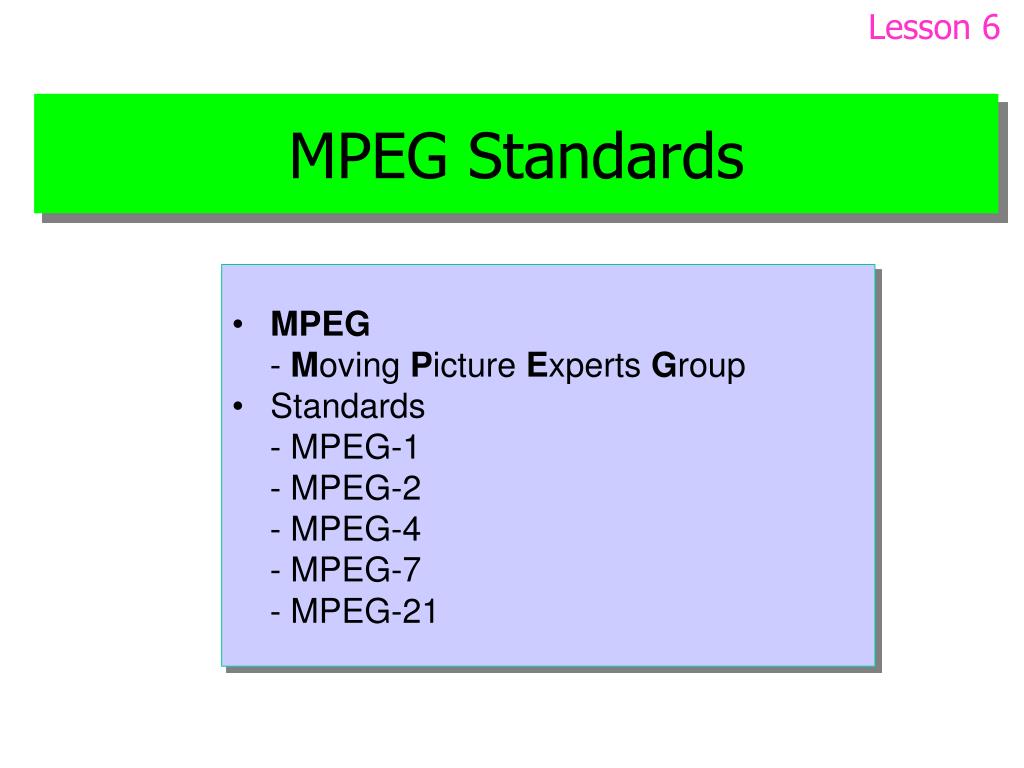
MPEG stands for Moving Picture Coding Experts Group, literally Moving Picture Coding Experts Group. MPEG dates back to January 1988. More precisely, the MPEG group was created by the International Organization for Standardization (ISO) and the International Electrotechnical Commission (IEC).

MPEG

The group was formed to create standards for encoding moving images and audio information. Starting from the first meeting in May 1988, the group began to grow and became a community of high-level professionals. Typically, an MPEG meeting is attended by about 350 professionals from more than 200 companies. Meetings are held about three times a year. Most MPEG members are individual specialists employed in various scientific and academic institutions. This is from the field of history. Now about practice. To date, MPEG has developed the following standards and algorithms:

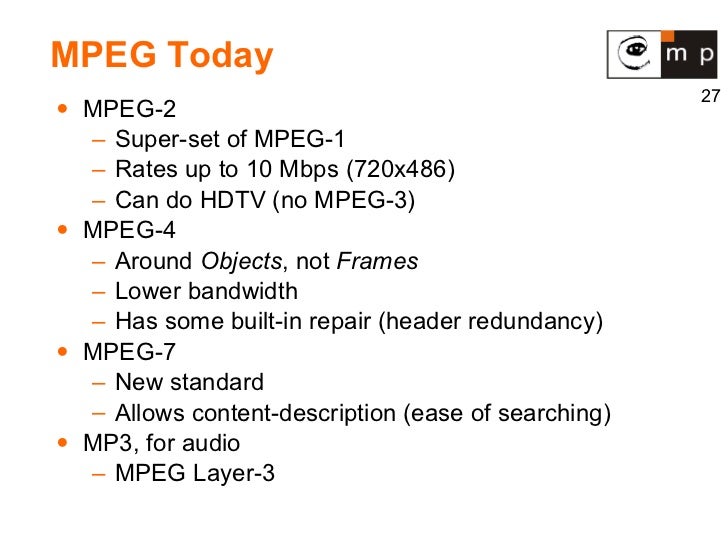
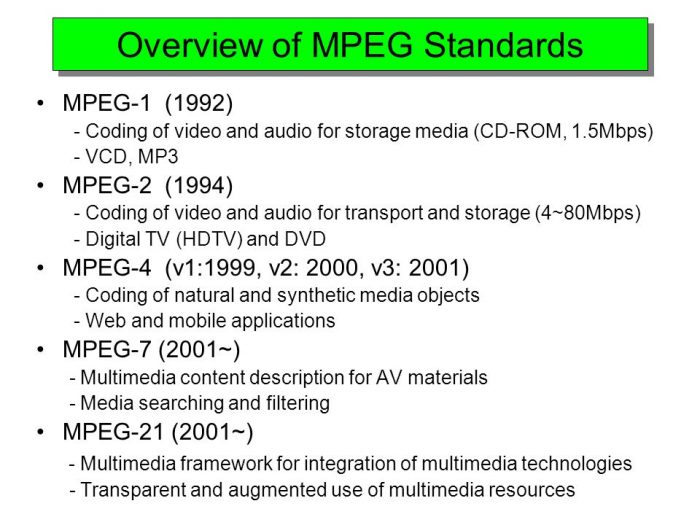
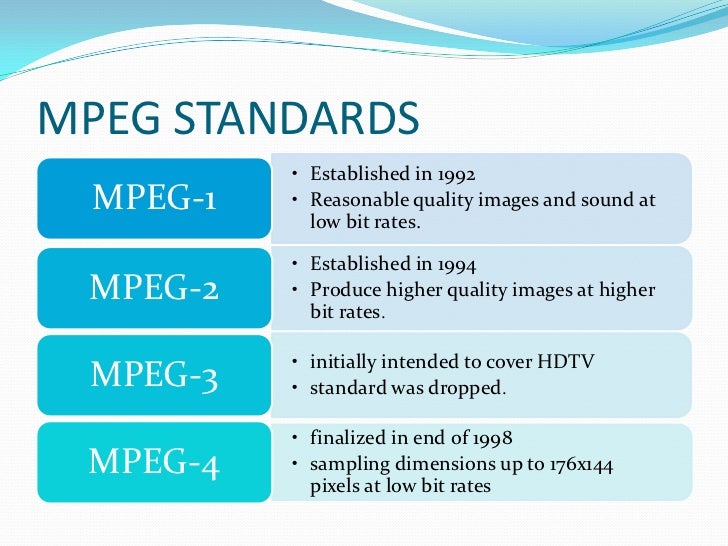
MPEG-1 (November 1992): a standard for encoding, storing, and decoding moving images and audio information;
MPEG-2 (November 1994): coding standard for digital television;
MPEG-4 – standard for multimedia applications: version 1 (October 1998) and version 2 (December 1999);
MPEG-7 is a universal standard for working with multimedia information, designed to process, filter and manage multimedia information.
In order.

1) Consider the MPEG-1 packet. This kit, according to ISO standards, includes three algorithms of various levels of complexity: Layer I, Layer II and Layer III. The general structure of the coding process is the same for all levels. Each level has its own bitstream recording format and its own decoding algorithm. MPEG algorithms are generally based on the studied properties of the perception of sound signals by the human hearing aid (ie the encoding is done using the so-called “psychoacoustic model”).

Briefly about the encoding algorithm. The input digital signal is first broken down into frequency components of the spectrum. This spectrum is then cleaned of obviously inaudible components – low-frequency noise and the highest harmonics – that is, it really gets filtered out. In the next stage, a much more complex psychoacoustic analysis of the audible frequency spectrum is performed. This is done, among other things, to identify and eliminate “masked” frequencies (frequencies that are not perceived by the hearing aid due to being dampened by other frequencies). After all these manipulations, more than half of the information is excluded from the digital audio signal. Then, depending on the level of complexity of the algorithm used, a predictability analysis of the signal can also be performed. Also, based on the combined stereo (joint stereo) fact. This means that the high and low frequencies are in fact separated and encoded in mono (the mids remain in stereo). Also, if, for example, “silence” appears on one of the channels, the “empty” space is filled with information that increases the quality of the other channel or simply does not fit before. To top it off, the ready-to-use bit stream is compressed using a simplified analog of the Huffman algorithm, which also significantly reduces the volume occupied by the stream.

The MPEG-1 kit is designed to encode digitized signals with a sampling frequency of 32, 44.1 and 48 kHz. As stated above, the MPEG-1 suite has three layers (Layer I, II and III). These levels differ in the compression ratio provided and the sound quality of the resulting transmissions. Layer I allows the storage of 44.1 kHz / 16-bit signals without significant loss of quality at a transmission rate of 384 kbps, which is 4 times gain in occupied space; Layer II provides the same quality at 194 kbps and Layer III at 128 (or 112). The Layer III gain is obvious, but the compression rate when used is the lowest (it should be noted that this limitation is no longer noticeable at modern processor speeds). In fact, Layer III allows you to compress information 10 to 12 times without any loss of quality.