Mp3Gain (2022)


Free Download Mp4Gain
picture

Mp3Gain (2022) – Mp3Gain Windows 10 – 11
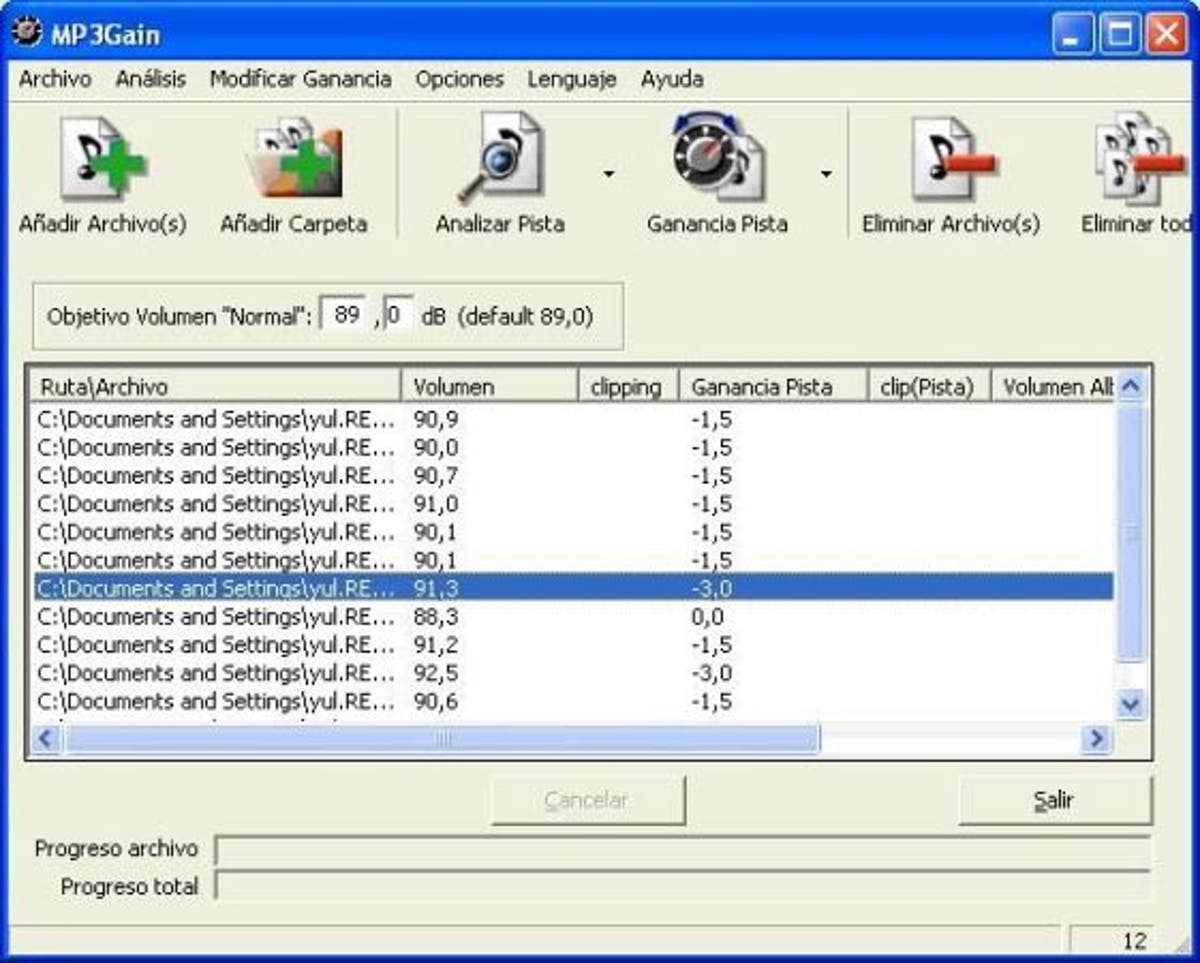
Mp3Gain

Mp3Gain Windows 11

Mp3Gain

Decades ago there was the so-called peak normalization, which in a simple way, measured the volume peaks of a recording and calculated how much they could be amplified before reaching distortion.

Then I used that “factor” of possible amplification and amplified the entire recording / song to increase the peaks. That is, all the songs had the peaks at the maximum possible level without distortion.

Mp4Gain, in addition to normalizing audio and video files, is a functional option today as we will see later.

Mp3Gain, based on a new method.

Later an algorithm emerged that calculated the perception
and not the spikes. This was used in Mp3Gain.
How did he achieve it? For example, based on the masking effect that says that two sounds that are close in time, if they have similar frequencies, it will happen that the first one masks the second, that is to say, this second one is redundant and is not heard by the human ear.

Mp3Gain, based on Replay Gain

All this set of theories and measurements are called “human perception” and then a file is measured in what perception it produces and it is calculated what modification a second or third file needs to sound with a similar perception.

This is saved in a tag in the file and so, when it is run, the music player program knows what amplification it should automatically give to make them sound at very similar levels.

Of course, we are giving a very simplified explanation, so that it is easily understood.

Today the different devices that play music read and follow the Replay Gain? Nope.

That is why it is no longer viable to use it as a normalization method.

Mp3Gain is no longer the ideal solution.

Mp4Gain is an alternative to Mp3Gain

Mp4Gain offers today the best normalization algorithm for audio and video.


Free Download Mp4Gain
picture


Mp4Gain Main Window
picture


Mp4Gain Features
picture


Free Download Mp4Gain
picture

Increase Mp4 Volume


Increase Mp4 Volume

Until recently it was very difficult or impossible to find software that normalize the volume of video in mp4 format.

Options existed almost exclusively to normalize audio files, basically MP3 format.

But think normalize the volume of video files, it was almost a dream, elusive.

Mp4Gain is the ideal answer to this need. If you necesiuta normalize the volume of a Mp4, he found the right program.

But it is not only there, there are many other video formats that can be normalized by the Mp4Gain and even many audio formats. In resuymen, almost all important and known audio and / or video formats, they can be normalized by the Mp4Gain, which is a very modern program (and very inexpensive, only $ 40 with upgrades for life!) And extremely efficient.

Mp3 Normalizer – Mp3 Increase Volume

With the quality of devices that we have today, is no longer sufficient normalization method offered by the audio normalizing a decade ago.

Once I considered sufficient to make a simple scan looking for the volume peaks, to amplify ALL that song by the same ratio. That is, if the peak volume was by 305 below the limit possible, then the entire song simply by 30 percent was amplified. True, it was ingenious, but very innocent and inefficient.

Seeking then calculate the loudness of the entire song and compare it with all the tracks that formed a CD. ID3 tag type is generated (which are not at all standard, that is, most players today olos ignore) and it was like automatically turn the volume knob.

Today we come to the time where you can perform complex and sophisticated frequency sweeps (practically isolating each instrument) in each frame, in order to modify differently the various sound within a song or video.
Not everything is amplified at the same ratio, every sound is treated separately, to achieve the proper normalization in 2016.


Increase Mp3 Volume – Mp3 Volume Booster

Increase Mp3 Volume – Mp3 Volume Booster


The need to increase or enhance the volume of a volume file (mp3, mp3, mp2, flac, ogg, m4a, AAC, wav or ac3) is increasingly necessary as quew usually tend to have a volume level too different, because, above all, they have very different sources.
Some have obtained downloading them from the Internet, others have inefficient encoded with encoders, etc.
The result is always the same volume levels very different audio, which must be normalized to avoid having to handle the volume knob every new song.
This happens in all formats, for example mp3, mp3, mp2, flac, ogg, m4a, AAC, wav or ac3.

Mp4Gain is software that normalize to perfection these audio volume levels, driving the volume normalizing volumes of each audio file.
Mp4Gain also do this with video files of major formats, which you would have resolved the issue of uneven volume levels of both audio files and video files.

Today, a whole range of devices, which are used for playing audio and video, Mp4Gain is the solution that makes all your audio or video sound at the same volume level.


With Mp4Gain, it will be very easy for you to standardize your files one by one or in batches and ensure that all audio or video files have a level of optimum volume.
Why Mp4Gain analyzes each loa million frames that the file contains and also sweeps the frequencies, which offers normalization algorithm truly sophisticated and modern, suitable for reproduction in the most modern audio devices and video .