Codecs and media containers.
Bitrate. Recommendations for video encoding.
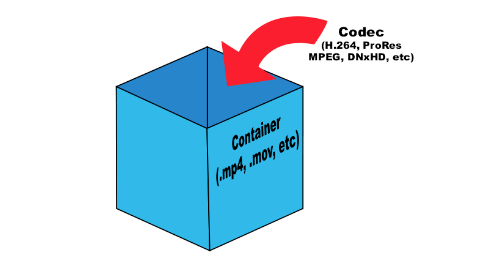
To compress digital media files, special programs are used – codecs (encoders). This is a kind of “formula” that determines how audio and video content can be packaged. Codecs also perform the reverse decoding operation, in this case they are called decoders.
Encoder (encoder, encoder in English): a program and / or device used to convert information from one type to another (encoding).
A decoder is essentially the same as an encoder, but it converts in the opposite direction.
Codec (English codec): encoder and decoder in one block.
Compression ratio is the ratio of the size of the input file (not encoded) to the size of the output file (encoded). For example, a compression ratio of 11: 1 means that the encoded file is 12 times smaller than the original.
Bit rate: the number of bits allocated to record a unit of time of audio information. They are generally measured in kb / s, that is, kilobits per second (kb / s or kbps in English).
Most codecs for audio and visual data use lossy compression to obtain an acceptable final (compressed) file size. There are also lossless codecs. But for most applications, lossy codecs are more beneficial, as the subtle degradation in quality is justified by a significant reduction in data volume. Almost the only exception is when the data will undergo post-processing: in this case, repeated encoding / decoding losses will have a serious impact on quality.
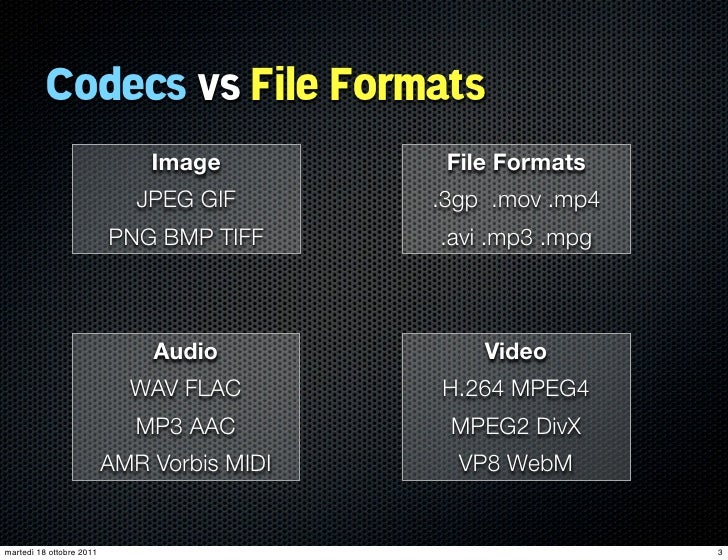
The most popular are the following codecs:
psd, bmp, rle, dib, gif, eps, jpg, pcx, raw, png, tif, etc. – images.
flag, ogg, opus, wav, pcm, wma, mp3, aac, as3, dts, flac, etc. – Audio;
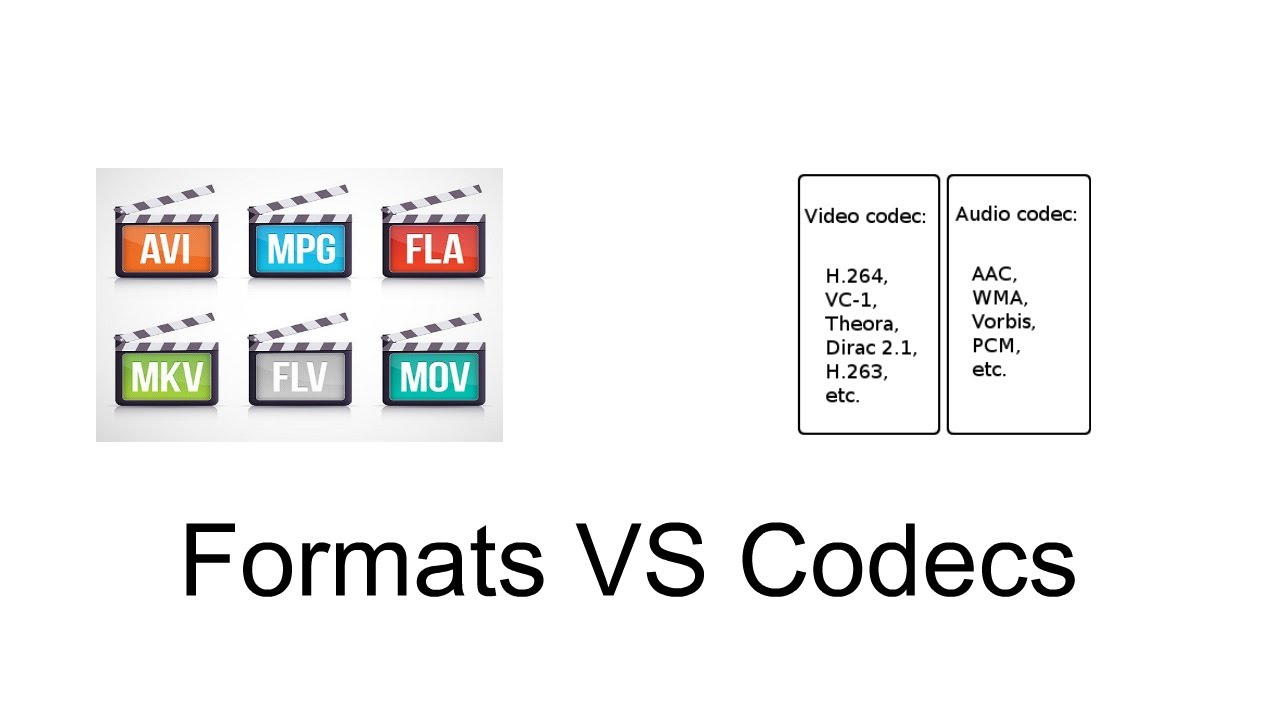
ffdshow, indeo, mjpeg, mpeg-1, mpeg-2, mpeg-4 (h.261, h.263, h.264), wmv – video.
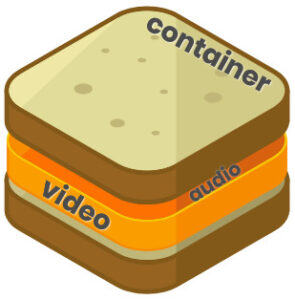
Any operating system initially contains a certain set of codecs, but these are generally not sufficient to play certain video file formats. The codecs convert the data into a special file called a container. A container is a special shell that stores information encrypted by codecs. Basically, media containers are video file formats that contain data about their internal structure. The container can store various information, in particular, images, audio, video and subtitles. Different types of containers determine the quantity and quality of information that can be stored in them, but they do not affect the way the data is encoded.
The most popular are the following containers:
ogg, mp3, mka, wav, wma, mp3, aac, dts, flac, etc. – Audio;
DivX, XviD, AVI, MP4, MPEG, WMV, MOV, VOB, MKV, FLV, MPG, dv, flv, ts, m2ts, mp4, etc. – video.
To determine which format to convert a video into, you must proceed from the task set. Imagine this situation: you have a beautiful video clip of the wedding photos and you want to play it on your TV screen (without HD). To do this, you can burn video in DVD format (as3 – audio, vob – video).
Next, let’s look at the most famous video file formats:
AVI (Audio-Video Interleaved) is one of the most common media containers for Windows operating systems. This format can contain four types of information: video, audio, text and midi. This container can contain video of various formats from MPEG-1 to MPEG-4. AVI has a large number of varieties in terms of internal structure and can be played on smartphones, communicators and other devices. The AVI media container does not impose any restrictions on the type of codec used.
WMV (Windows Media Video) is a digital video format created and controlled by Microsoft. WMV files can contain audio and video data packed with Windows Media Audio (WMA) and Windows Media Video (WMV) codecs.
MOV is a format developed by Apple for the QuickTime media player. To play such files, you must have a QuickTime player or players with MOV codecs already installed. The format can contain video, animation, graphics, 3D. This format supports any audio and video codecs.
ASF (Advanced Streaming Format) is a Microsoft streaming format. Based on MPEG-4 and used to transfer low and medium bit rate videos to the Internet. ASF is a multimedia container that supports almost all video codecs.
MPG or MPEG (Moving Picture Experts Group) – A video file containing video encoded with codecs:
mpeg1 – The standard was developed in 1992 with the capabilities of 2-speed CD-ROMs and 486 computers in mind
The mpeg2 standard was adopted in