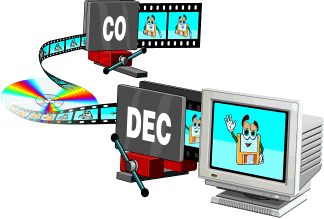
First, it is useful to know the technical definition of codecs. They are programs that encode and decodify multimedia files, which favor compression for storage and unpacking for viewing.
Multimedia files
When using a media file, a codec is used, even without knowing it. Each file with an MP3 or AVI extension, for example, was created with a codec. Currently, to play music or watch a movie, you need a codec to read these media files. But why?

Listening to and viewing multimedia files At the beginning of personal computing, the main multimedia files used were WAV and MIDI audio. The WAVs recorded the ambient sound and made short clips. MIDIs were sound synthesizers because they used the computer’s sound card to replicate music. The big problem with these formats was that the MIDI files weren’t music, just any computer playback (currently, MIDI sound technology is used in the polyphonic tones of cell phones) and the WAVs were extremely large.

The problem with WAV
But why are WAV files (and still are) so large? To understand this, it is enough to know that the human ear perceives only one sound track and does not listen as much as possible. However, the WAV can perceive and record these inaudible sounds and transform them into information along with the perceivable ones. In this way, WAV sound files have a lot of information, from unnecessary to what we need.
The way to deal with excess information was to develop a program that would take only the useful parts of the WAV files. In this way the MP3 was created, that is, it is a compressed sound file with only the necessary information.
Starting with the video files
Viewing video files It all started in the late 1980s, with the MPEG project, the Motion Picture Expert Group, or the Animated Picture (or Movie) Expert Group. This group developed a system to compress movie files for storage and playback on computers, without excess size or weight. Imagine that in an 800×600 movie, full screen in high resolution, there are 30 different images per second and each image is made on average with about 500,000 dots. Each point is one byte of information, so each second of film would have approximately 15 MB of information. That way, a CD with a capacity of 700 MB would only fit 50 seconds of film!
This group developed a way to encode these images from the film so they didn’t take up as much space. Despite having lost some of its quality, the film was playable on any computer, in addition to providing detailed observation. These files were either MPEG or MPG. MP3 would actually be the third layer of MPEG, the sound layer (that’s why it’s called MP3). The MP4 format would be a fourth layer of MPEG, with videos in high definition.
Understand how it works
The codec is a small program to encode and decode information from a multimedia file. It encodes the original format in a smaller size for storage and then decodes it, converting it back into an image and / or sound for all to see.
Therefore, you must have the codec installed on your computer to view certain multimedia files. A video in AVI format, for example, can be compressed with different codecs, such as XVID or DIVX. And for your computer to read that information, you need to have that code to decode the movie and watch it.
Existing core codecs
Currently, a primary audio codec, MP3, is used. In addition to some different video codecs, such as XVID, DIVX, RMVB, M4V, among many others. Fortunately, there is the K-Lite Codec Pack, a great package with all of these core codecs and many others, all of which are playable with Media Player Classic. The important thing is that with the K-Lite Codec Pack installed, you will hardly find a file format that requires a codec that is not on your computer.
There are different versions of K-Lite. They are:
K-Lite Mega Codec Package: With this package you offer the vast majority of necessary codecs and also the advantage of having the Media Player Classic ready.
K-Lite Codec Pack Full: Bring all the codecs you will need, without Media Player Classic.
Other possible packages
If you are not satisfied with the K-Lite Codec Pack packages, there are other download options in Baixaki. Some are:
Windows Essentials Codec Pack: allows decoding of other file formats, such as APE audio and FLV video.
Real alternative: a package with codecs for viewing files in Real Media, such as RMA audio and RMVB and RMVB video.